Specs are compiled from manufacturer listings and verified buyer reviews and can change over time — please confirm the key details on the product page before buying.
Xfinity charges you month after month for a modem/router box you never get to keep — and that rental box is often the slowest part of your whole connection. Buying your own gear stops that charge and hands you a device that can actually feed the speed tier you pay Xfinity for. The trick is picking the right type: a modem only (needs a separate Wi-Fi router), a router only (needs a modem), or a combo that handles both in one box. Get that match wrong and you own a modem that can’t broadcast Wi-Fi or a router with no modem behind it. This guide separates the modems from the routers, matches each one to real Xfinity plans, and skips the specs that don’t change your day.
This guide is built by comparing the manufacturers’ published specifications and the patterns across verified customer reviews, so you get each pick’s real strengths and trade-offs instead of marketing spin.
Every pick below is Xfinity-compatible, but they split into modems and routers — so your first decision is what you actually need to plug in. Here is the honest breakdown of the best xfinity internet equipment.
Top Picks


How To Choose The Best Xfinity Internet Equipment
The first thing to sort out is not brand — it’s what you are actually missing. If you already have a Wi-Fi router you like, you only need a modem. If you already own an Xfinity-approved modem, you only need a router. If you want one box and one power cable, buy a combo. Roughly half the frustration in this category comes from buying a modem when you needed Wi-Fi, or a router when you had no modem behind it.
Match the modem standard to your Xfinity plan
DOCSIS is the language a cable modem speaks to your provider’s network. DOCSIS 3.0 handles common mid-tier plans, while DOCSIS 3.1 is built for multi-gig tiers and future speed increases. If your plan tops out around 900 Mbps, a DOCSIS 3.0 modem is often enough. If you are on a gigabit-plus tier or expect to move up, pay for 3.1 and a 2.5 Gigabit port so the modem is not the bottleneck.
Check the little compatibility lines
Two details cause most activation headaches: Xfinity Voice plans and fiber services. Some modems explicitly will not work with a voice line, and every cable modem here is for cable internet only — not fiber, DSL, or satellite. Confirm your service type and voice needs before you order, then keep your account number handy for activation.
Side-by-Side Comparison
| Model | Best For | Type | Max Download | Ethernet Ports | Amazon |
|---|---|---|---|---|---|
| Motorola MB7621★ Best Overall | Renting costs on mid-tier plans | Modem only | 1000 Mbps | — | Amazon |
| TP-Link Deco XE75Best Coverage | Whole-home Wi-Fi 6E coverage | Mesh router | 5400 Mbps | — | Amazon |
| NETGEAR CM2500Fastest Upload | Fast upload on 2 Gbps tiers | Modem only | 2 Gbps | 2 | Amazon |
| Arris G18 | One-box simplicity with Wi-Fi | Combo | 1.8 Gbps | 4 | Amazon |
| NETGEAR CAX30 | Wired gaming setups | Combo | 2.7 Gbps | 4 | Amazon |
| Hitron CODA56 | 2.5 Gbps plans, router already owned | Modem only | 2500 Mbps | 1 | Amazon |
| ARRIS S34 | Future-proof upstream tiers | Modem only | 2500 Mbps | 2 | Amazon |
Detailed Reviews
1. Motorola MB7621 Cable Modem
Our pick — 4.5+★ from 11,500+ verified ratings; the strongest balance of quality and price.
The straightforward modem that quietly retires a monthly rental charge.
If your Xfinity plan sits in the common speed band and you already have a router that works, this Motorola is the low-drama way to stop renting. It is a DOCSIS 3.0 modem, the older of the two cable standards, and Motorola rates it for actual cable internet service speeds up to 900 Mbps. A Full-Band Capture digital tuner — the chip that grabs every cable channel at once instead of scanning them — is the part that helps the connection stay fast and steady.
What wins people over here is plain build quality, backed by the speed it holds once installed. The modem is a Wirecutter pick as “the best modem for most people,” and that reputation lines up with how owners describe it: a better experience than the rental box it replaced, comfortably feeding downloads in the hundreds of Mbps. It pairs with any Wi-Fi router, so nothing about your existing network has to change.
The catch is the standard, not the hardware. DOCSIS 3.0 caps this modem’s claimed ceiling at 900 Mbps, so it is the wrong buy if you are on or moving to a multi-gig tier — a 3.1 unit like the Hitron or ARRIS picks below is the tool for that job. And plan around the space: at 7.25 inches long and 7.88 inches high it wants a shelf or desk spot, not a cramped corner. For a typical household on a mid-tier plan that just wants to own its equipment and skip the fee, this is the one to start with.
Where it earns its keep
- Rated for cable plans up to 900 Mbps, the sweet band for most homes
- Pairs with any Wi-Fi router you already own
- Replaces a monthly Xfinity rental fee with a one-time purchase
- Full-Band Capture tuner is built for steady, reliable throughput
What to weigh first
- DOCSIS 3.0 tops out below what multi-gig plans can deliver
- No built-in Wi-Fi and no phone-line support, so a router is mandatory
- Buyers report a mixed reliability record, with connectivity steady for many and occasional drops for others
Reach for it if: you have a router you trust and a plan in the standard speed band, and you want rental fees gone.
Look past it if: your Xfinity tier is multi-gig or you want Wi-Fi in the same box.
2. TP-Link Deco XE75 AXE5400 Tri-Band WiFi 6E Mesh System
Brings the newest Wi-Fi lane into a dead-corner house without stringing cable.
Buy this one when the modem is sorted but the Wi-Fi dies halfway down the hall. The Deco XE75 is a router, not a modem — it needs one behind it — and its headline is a 6 GHz band, the newest frequency open to Wi-Fi 6E gear. Because that band is reserved for Wi-Fi 6E traffic only, it dodges interference from older devices, and it also works by default as the backhaul — the private link that carries data between mesh units — so coverage stays steady across the home.
The speed math is worth knowing: the three bands combine for total speeds up to 5,400 Mbps across 200 devices, with 2402 Mbps on each of the 6 GHz and 5 GHz bands and 574 Mbps on 2.4 GHz. TP-Link rates coverage at 2,900 square feet per unit, and owners describe whole-house reach without dead spots. Setup runs through the Deco app, which also handles guest Wi-Fi by voice through Alexa, and TP-Link’s HomeShield layer covers basic security scans, parental controls, and QoS — the traffic priority that favors what matters to you.
The honest trade-off is that this does nothing for your modem, and it will not create a 6 GHz benefit unless your own phones and laptops support Wi-Fi 6E. It works with all major providers, Xfinity included, but only once an approved modem sits in front of it. One unit also has to cover the footprint it claims, so a very large or thick-walled home is a two-unit job.
One box, three lanes: a dedicated 6 GHz band plus full mesh handling is the reason a house with stubborn Wi-Fi corners feels different after install.
The fine print: router only — pair it with a modem-only pick from this list and you have a complete Xfinity setup.
Your match if: you already own an approved modem and the problem is Wi-Fi reach, not the incoming cable.
Keep moving if: you have no modem yet or your devices are all older Wi-Fi standards.
3. NETGEAR Nighthawk CM2500 DOCSIS 3.1 Cable Modem
Built for the upload-heavy household that ships big files all day.
The CM2500 is the modem to reach for when upload speed — not download — is what hurts. It uses a mid/high-split DOCSIS 3.1 design that NETGEAR targets at Xfinity’s faster tiers, including 900 Mbps download and 100 Mbps upload service. Its two Gigabit Ethernet ports can be linked together for up to 2 Gbps to a router that supports link aggregation — the feature that bonds two ports into one fatter pipe.
Set it beside the Arris G18 combo and the split becomes clear. The CM2500 claims a 2 Gbps data transfer rate against the G18’s 1.8 Gbps, and it does that while weighing 1.1 pounds versus the G18’s 2.3 pounds. The G18 returns fire on ports and upload headroom, with 4 Ethernet ports to the CM2500’s 2 and 300 Mbps of upstream against 100 Mbps. If wired devices and heavy uploading both matter, that is the real fork in the road.
Two catches deserve a plain mention. This is a renewed unit, so you are buying a refurbished modem rather than a new one. And NETGEAR states it is not compatible with Xfinity Voice plans, so a phone line through your provider rules it out. Reliability and easy setup are what owners talk about most, and those line up with a modem that activates and then largely disappears from your life.
The strong side
- Mid/high-split DOCSIS 3.1 for faster upload tiers
- 2 Gigabit ports with link aggregation for up to 2 Gbps to a router
- Light at 1.1 pounds, easy to tuck onto a shelf
- Owners describe it as reliable and quick to set up
The qualifiers
- Renewed unit, not new stock
- Not compatible with Xfinity Voice plans
- 100 Mbps upstream rating trails the Arris G18’s 300 Mbps
Pick it when: your Xfinity plan is a faster tier and you have (or plan) a link-aggregation router.
Step back if: you need Xfinity Voice or insist on new-condition gear.
4. Arris G18 Cable Modem Router Combo

One box, one cable, and a Wi-Fi 6 network that reaches the whole house.
Here is the pick for the buyer who wants fewer boxes and fewer wires. The G18 is a combo, meaning the cable modem and the Wi-Fi 6 router live in the same chassis — you plug in the coax, power it, activate with Xfinity, and you are done. DOCSIS 3.1 handles the incoming signal with better security and smoother gaming than the older standard, and dual-band Wi-Fi 6 spreads faster wireless performance through the home.
Arris has a long history as a modem brand, and the G18’s port count backs up its combo role. It carries 4 Ethernet ports against the CM2500’s 2, so a gaming console, a desktop, and a couple of wired accessories all plug in without a switch. On raw transfer rate the CM2500 leads at 2 Gbps versus the G18’s 1.8 Gbps, and the CM2500 is lighter at 1.1 pounds against the G18’s 2.3 pounds. The G18 wins back real ground on upstream, rating 300 Mbps against the CM2500’s 100 Mbps — the difference that matters on a camera-heavy or video-call-heavy home.
Setup ease and a steady signal through the house are what this combo is known for. The honest caveat is durability over the long haul: reliability is the one area where owner experience splits, with most units running fine and a minority hitting trouble after a few months. That is a warranty-and-support consideration, not a reason to skip the whole category.
The case for it: a real DOCSIS 3.1 modem and a Wi-Fi 6 router in one box, with 4 Ethernet ports and 300 Mbps of upstream — a complete Xfinity setup from a single power outlet.
Budget the risk: long-term reliability is the split opinion here, so keep your receipt and activation details handy.
Right for you if: you want to own one device that does modem and Wi-Fi together and feeds several wired gadgets.
Think twice if: you already own a great router — you would be paying for Wi-Fi you don’t need.
5. NETGEAR Nighthawk CAX30 Modem Router Combo

The combo that treats a wired console as a first-class citizen.
Gamers and streamers who want a wire in the back of the console will find the CAX30 aimed right at them. It bundles a DOCSIS 3.1 modem with a WiFi 6 router rated for 2.7 Gbps, and it carries 4 Gigabit Ethernet ports for wired devices — enough for a console, a PC, and a couple of extras without a separate switch. NETGEAR’s Armor security layer runs an automatic shield over connected devices, and the dual-band design is rated to cover roughly 2,000 square feet.
The 2.7 Gbps figure edges past the Arris G18’s 1.8 Gbps data transfer rate, so on raw rating the Nighthawk is the faster combo on paper. Around 500 Mbps Xfinity plans are handled without trouble, and the device is built to keep pace with lag-free gaming and 4K streaming. Reliability is the quality that keeps coming up, with quick setup running a close second — the two things you want a combo to get right, since any fix means touching both your modem and your Wi-Fi.
Signal strength is the one point of honest friction. Some homes report a stronger reach while others find the Wi-Fi underwhelming in far rooms, so the coverage number is a guide rather than a promise. And like every combo, if either half fails you are replacing the whole box. For a household that earns its keep on wired speed and wants the security layer built in, the trade is fair.
What lands well
- AX2700 WiFi 6 with a 2.7 Gbps data transfer rating
- 4 Gigabit LAN ports for consoles and PCs
- NETGEAR Armor security runs automatically on connected devices
- Reliability is the most-cited strength, with fast setup close behind
What to plan around
- Wi-Fi reach gets mixed reports in larger or thicker-walled homes
- Renewed unit rather than new-condition stock
- Combo design means a failure takes modem and Wi-Fi down together
Suits you when: wired consoles and PCs dominate and you want one device plus a security layer.
Wrong call if: your whole home relies on Wi-Fi and the far rooms already struggle.
6. Hitron CODA56 DOCSIS 3.1 Cable Modem
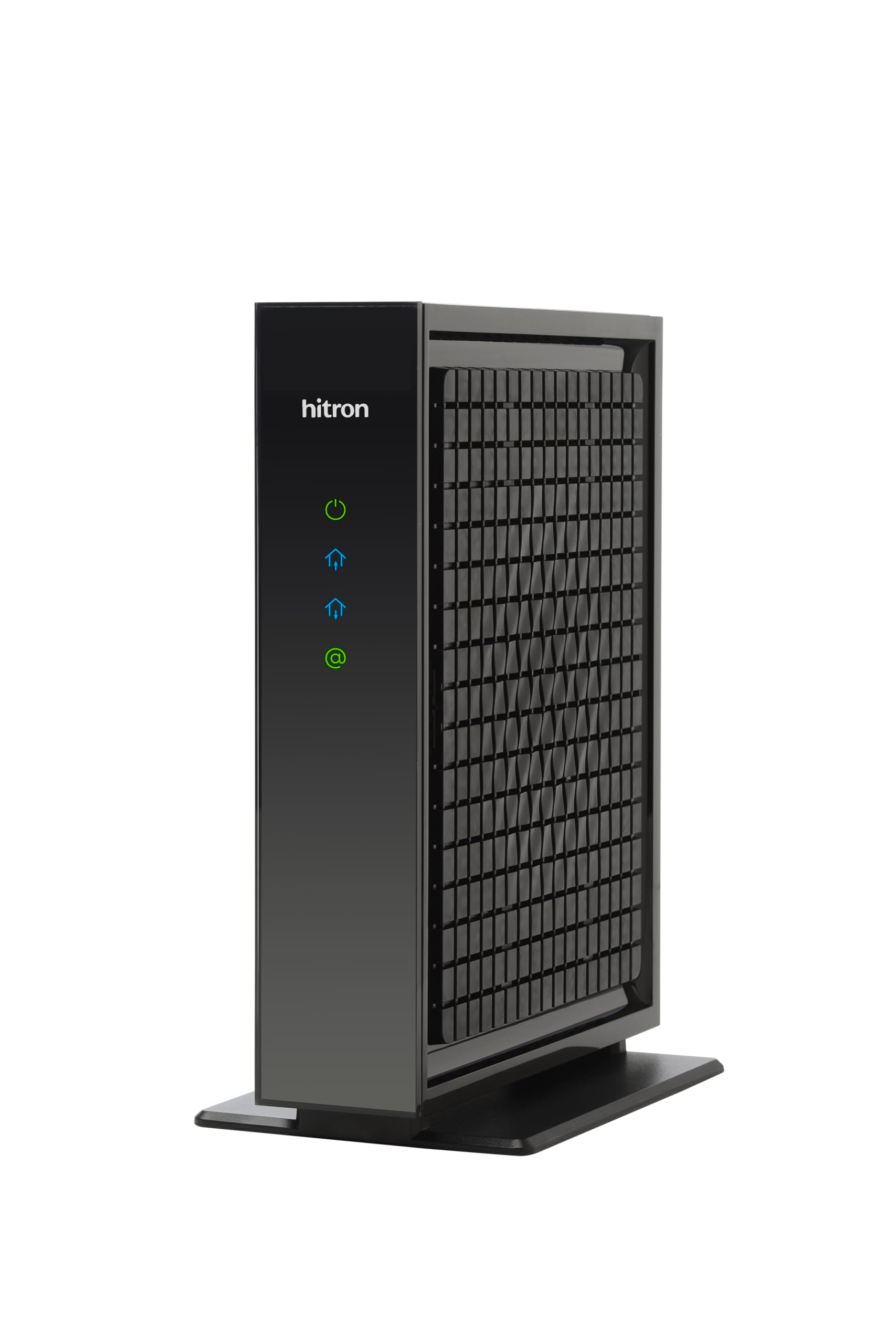
A 2.5 Gbps modem for anyone already sitting on a gigabit-plus Xfinity plan.
This is the modem you buy when your speed tier has outgrown the rental box. The CODA56 is DOCSIS 3.1 and rated to support internet plans up to 2.5 Gbps through a single 2.5 Gigabit Ethernet port — a port sized to pass the full speed rather than choke it. Hitron lists Xfinity up to 2.33 Gbps, Spectrum at 1 Gbps, and Cox at 2 Gbps among the certified providers, and the design is backward compatible with DOCSIS 3.0 networks.
Nothing about this unit is subtle about its job. There is no Wi-Fi inside — it is a modem only — and it needs a separate router to broadcast wireless or to connect more than one device. Downloads land in minutes, and signal quality is what owners tend to talk up, with the unit designed for low-latency 4K streaming, gaming, and video calls. Quality and easy setup are the two things that keep coming up, and either one alone would justify the purchase for a heavy household.
Read the compatibility line before you click. It works exclusively with cable internet — not fiber, not DSL, not satellite, and not cellular home internet — and it is the wrong match for a plan below a gigabit. The other honesty note: overheating comes up as an occasional gripe, so leave it some open air rather than boxing it in. Confirm you have cable service and a plan of 1 Gbps or faster, and this is a clean, powerful modem.
The main draw: a 2.5 Gbps port and DOCSIS 3.1 headroom built for the fastest Xfinity tiers, with broad provider certification.
Do this first: confirm you have cable service and a router with a 2.5 Gbps port.
Take it home if: your plan is 1 Gbps or faster and you have a router worth feeding.
Leave it be if: you are on fiber or a sub-gigabit cable plan.
7. NETGEAR Nighthawk CM3000 DOCSIS 3.1 Cable Modem

The modem that positions your home for Xfinity’s next upload tiers.
If your household lives on uploading — video calls, cloud backups, streaming out — the S34 is the argument for buying once and keeping it. It is a DOCSIS 3.1 modem rated up to 2.5 Gbps download, and its stated purpose is support for the next generation of upload speed tiers cable providers are rolling out. Its upstream rating sits at 444 Mbps, well ahead of the 100 Mbps on the CM2500, which is the gap that decides whether a heavy uploader feels at home.
The port arrangement keeps wired flexibility: a 2.5 Gigabit Ethernet port for a high-speed router, plus a 1 Gigabit port for an additional wired device or backup handoff depending on provider configuration. CableLabs certification is stated across major US providers, and the unit is tested and qualified for Cox, Xfinity, and Spectrum. Compact and modern in white, it carries simple LEDs for power, upstream and downstream, and online status.
Speed and quick setup are what this modem is known for, with downloads reported beyond a gigabit and Xfinity Next Gen upload tiers supported. The practical warning is the same one every cable modem on this page shares: it is built for cable service only, so fiber, DSL, and satellite are out. It is also modem only — a Wi-Fi router is your next purchase — and it is the priciest box here, so the value case rests on how long you expect to keep your plan.
The pitch
- 2.5 Gbps down with an eye on next-gen upload tiers
- 444 Mbps upstream rating, ahead of several picks here
- 2.5 GbE plus 1 GbE port for router and a wired extra
- Quick setup and faster downloads are the recurring reports
The honest friction
- Modem only, so pair it with a router
- Cable service only — no fiber, DSL, or satellite
- Top of the price range for this list
Think of it for: a long-term home on Xfinity with heavy upload and a router already in the plan.
Look elsewhere if: you are on fiber or a mid-tier plan you have no plans to upgrade.
Know the Specs
DOCSIS 3.0 vs DOCSIS 3.1
DOCSIS is the standard a cable modem uses to talk to Xfinity’s network. DOCSIS 3.0 handles standard to high-speed plans — the Motorola MB7621 states support up to 900 Mbps — and it is fine for most homes today. DOCSIS 3.1 is built for multi-gig plans and larger channel counts, which is why the Hitron, the NETGEARs, and the ARRIS S33/S34 all use it. If your plan can go above a gigabit, 3.1 is the standard that keeps the modem from being your limit.
The 2.5 Gigabit Port and Link Aggregation
A Gigabit port caps at 1 Gbps, so a modem with only Gigabit ports cannot pass a 2.5 Gbps plan through to your router. That is why the multi-gig picks here carry at least one 2.5 Gigabit Ethernet port. Link aggregation is the trick that bonds two Gigabit ports into a wider connection — the CM2500 and CM3000 both use it. Your router has to support the feature for it to work, so check your router before you rely on it.
Modem Only vs Combo
A modem-only unit converts the cable signal to an Ethernet connection — it needs a router to broadcast Wi-Fi. A combo does both jobs in one box. Modem-only gives you more upgrade flexibility and often better raw specs per dollar; a combo gives you one device and one power cable. Match the choice to what you already own, because buying the wrong one leaves you with a device that cannot do the full job alone.
Upstream Speed
Download speed is what most people notice, but upstream speed decides how smooth video calls, cloud backups, and live streams feel. Upstream ratings vary widely here, from 100 Mbps on the CM2500 to 444 Mbps on the ARRIS S34 and 300 Mbps on the G18. Check the upload tier Xfinity sells you, and pick a modem whose upstream rating does not sit below it.
Common Questions
Will the Motorola MB7621 work with my Xfinity plan?
Do I need a router if I buy the Hitron CODA56?
Can I use the TP-Link Deco XE75 with Xfinity?
Does the NETGEAR CM2500 work with Xfinity Voice?
What is the difference between DOCSIS 3.0 and DOCSIS 3.1?
Will these modems work with fiber internet?
How do I know if a modem is approved for Xfinity?
Why does a 2.5 Gigabit port matter if my plan is 1 Gbps?
Can I combine the Deco XE75 with an ARRIS S33?
Are these modems a replacement for the Xfinity rental box?
The Bottom Line
For most buyers, the winning move in xfinity internet equipment is the Motorola MB7621 because it pairs with any router you own, handles the standard speed band, and stops the rental charge without any fuss. If whole-home Wi-Fi is the gap, add the TP-Link Deco XE75 as your router and let the 6 GHz band carry the coverage. For a multi-gig Xfinity tier, the Hitron CODA56 is the modem to reach for, and if you want one box for everything, the Arris G18 does modem and Wi-Fi together. Pick the type that fills your actual gap — modem, router, or combo — and the whole setup simply works.
How we choose
We do not accept paid placement. Every pick is matched to a real buyer and a real use-case; we do not hands-on test units.
Sources
Specifications: manufacturer listings and product documentation. Review insights: verified customer reviews, as of November 2026. Pricing: not shown on this page (it changes often); check the current price via the retailer link.
As an Amazon Associate, Tactical Gear Guy earns from qualifying purchases. This does not affect which products we feature.