Specs are compiled from manufacturer listings and verified buyer reviews and can change over time — please confirm the key details on the product page before buying.
You want lights that answer to your voice through Google Home, and you do not want to open a wall or call an electrician to get there. The quick answer: buy the Lutron Caseta Diva if your house has no neutral wire, and the Kasa HS200P3 if it does and you mainly want on and off. Everything below explains why those two come out on top, and where the other seven picks fit instead.
This guide is built by comparing the manufacturers’ published specifications and the patterns across verified customer reviews, so you get each pick’s real strengths and trade-offs instead of marketing spin.
The first thing that trips people up is wiring, not voice control, so start there before you fall for a pretty faceplate. This breakdown of the works with google home smart light switch covers the neutral wire question, load limits, and dimming so you buy once.
Top Picks


How To Choose The Best Works with Google Home Smart Light Switch
Every switch on this list talks to Google Home or Google Assistant. The differences that actually matter live in your wall: whether a neutral wire (the white return wire your switch box may or may not have) is present, how many amps (a measure of electrical current) the circuit carries, and if you want dimming or just on and off.
Check for a neutral wire first
A neutral wire is the white wire bundled with the live wires in your switch box, and it gives a smart switch the constant power it needs to stay connected. Older homes and many switch loops simply do not have one in the box. If yours does not, a switch that “requires neutral” will not work, so this single check narrows your list faster than anything else.
Match the load rating to your bulbs
The load rating is the maximum bulb power the switch can carry, measured in watts or amps. A 15 A switch handles a full circuit of ordinary lighting, while dimmers have much lower watt ceilings because they regulate power rather than just cut it. LED bulbs draw far less than incandescent bulbs, so check what your switch states for dimmable LED before you assume your setup qualifies.
Decide if you need dimming or on/off
An on/off switch gives you the basics: schedule, voice, remote control, and no bulb compatibility worries. A dimmer adds brightness control from 1% to 100% on some models, fade on and off, and scene setting. Dimming only works with bulbs rated as dimmable, and some dimmers publish separate watt limits for LED versus incandescent.
Hubs, apps, and how much you want to fiddle
Most Wi-Fi switches connect straight to your router at 2.4 GHz and skip a hub entirely. Lutron Caseta needs its own Smart Hub, which is an extra box but also the reason it works in homes without a neutral wire. Think about which trade you prefer: fewer boxes and more wiring requirements, or one hub that smooths everything out.
Side-by-Side Comparison
| Model | Best For | Neutral Wire | Current / Load | Dimming | Amazon |
|---|---|---|---|---|---|
| Lutron Caseta Diva★ Best Overall | No neutral wire in the box | Not required | 1.25 A; 150 W LED / 600 W incandescent | Yes | Amazon |
| TREATLIFE 3-WayBest Budget 3-Way | Cheap 3-way on/off control | Required | 10 A; up to 1250 W | No | Amazon |
| Kasa HS220-2Best Two-in-One | Two dimmers in one gang | Required | 2.5 A | Yes, 1%–100% | Amazon |
| Tapo S505D (2-Pack) | Matter-certified dimming | Required | 2.5 A; 150 W LED / 300 W incandescent | Yes, 0%–100% | Amazon |
| GHome 3-Way (2-Pack) | High 15 A load capacity | Required | 15 A; 1800 W | No | Amazon |
| Kasa HS200P3 | Proven everyday on/off switch | Required | 15 A; 100–120 VAC | No | Amazon |
| Tapo S500 (4-Pack) | Outfitting several rooms | Required | 15 A | No | Amazon |
| Leviton D315S-1RW | Matter-ready Wi-Fi switch | Not stated | — | No | Amazon |
| Leviton D26HD-1RW | Flicker-tuning dimmer | Required | 15 A | Yes, continuous | Amazon |
Detailed Reviews
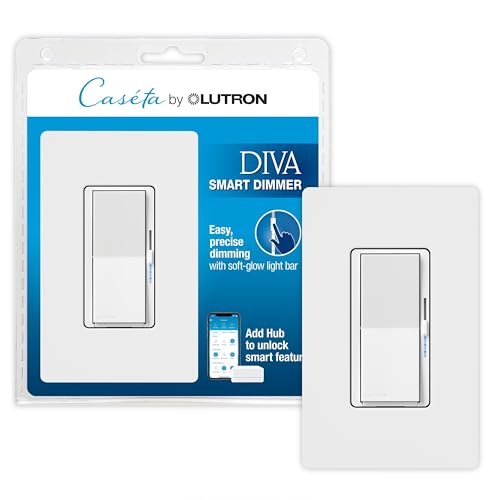
1. Lutron Caseta Diva Smart Dimmer Switch
Our pick — 4.5+★ from 650+ verified ratings; the strongest balance of quality and price.
The dimmer that installs in houses where every other smart switch gives up.
The defining number here is the one that is missing: no neutral wire required. That is the whole reason this switch takes the top slot. In an older home with a switch loop and no white wire in the box, the other eight picks on this list either will not power up or will not stay connected. The Caseta Diva works anyway, which makes it the safest bet for a house of any age.
You get voice control of Google Assistant, Alexa, Apple Home, Ring, and Sonos, but it costs you a hub. This switch needs the Lutron Smart Hub (a small bridge box that links the switch to your Wi-Fi) near your router. Add a Pico remote (sold separately) and you get a second control point on any wall without cutting holes or pulling new wire. The dimming runs up to 150 W of dimmable LED or 600 W of incandescent and halogen bulbs, so a full ceiling fixture dims without flicker. A soft-glow light bar and slider on the wall let you set a level by hand instead of shouting at your phone.
Compared with the Tapo S505D below, this one carries 600 W of incandescent versus 300 W on the Tapo, though its 1.25 A current rating looks modest next to the 10 A on the TREATLIFE. That is the nature of a dimmer: it regulates power rather than passing it through. The glow bar shows the brightness level at a glance in a dark hallway. The catch is that this is not rated for low-voltage applications like track or landscape lighting, so keep it on standard household fixtures.
Where it earns its keep
- Installs without a neutral wire, so old wiring is not a roadblock
- Soft-glow light bar and slider give precise wall control
- Handles 150 W dimmable LED or 600 W incandescent and halogen
- Smart Away randomly toggles lights so the house looks occupied
- Works with Alexa, Apple Home, Google Assistant, Ring, and Sonos through the hub
The honest trade-offs
- The Lutron Smart Hub is required, adding a box and a setup step
- Not rated for low-voltage track or landscape lighting
- The Pico remote and wall bracket are sold separately
Reach for this if: your switch box has no neutral wire and you still want voice dimming through Google Home.
Think twice if: you want zero extra hardware — this one needs its hub to speak to Google Assistant.
2. TREATLIFE 3-Way Smart Light Switch
One switch that covers both ends of a hallway light, no hub in sight.
If your staircase or long hallway has a light you flip from two different spots, this is the cheapest path to voice control over it. The 3-way circuit type means it replaces a traditional two-location switch setup, and you can run two smart switches for control from both ends. It also drops into a plain single-pole spot without complaint. Wiring is the one hurdle: it needs a neutral wire and connects on 2.4 GHz Wi-Fi only, so a 5 GHz network will leave it stranded.
The switch is a standard on/off unit rated at 10 A and up to 1250 W, so treat it as a lighting switch rather than a dimmer. It is explicitly not compatible with dimmable bulbs, which is the detail people miss when they assume every smart switch can fade. Voice control runs through Alexa and Google Assistant, and the Smart Life app handles schedules, countdown timers, and an occupancy-simulating routine for when you are away. The screwless snap-on wallplate is a tidy touch that most budget switches skip.
Here is the durability question worth weighing. Some units have stopped working after a couple of years, which is the one soft spot in an otherwise well-liked switch, and it is worth knowing before you commit a whole house to the same model. Start with one in a hallway you use daily and see how it holds up. The current rating of 10 A sits below the 15 A on the GHome and Kasa models further down, so avoid loading it with a heavy circuit.
The value read: a no-hub 3-way switch with app scheduling and a screwless plate, priced for trying smart lighting on a single hallway before you commit to a whole house.
What to plan for: neutral wire required, 2.4 GHz only, and no dimming — the three filters that eliminate most returns if you check them first.
Fits best: a two-switch hallway or staircase where you want Google Assistant control without buying a hub.
Look elsewhere if: you need dimming or your switch box has no neutral wire.
3. Kasa Smart Dimmer Switch 2-Gang, HS220-2
Two dimmers, one wall plate, and a brightness range that starts at 1%.
Most people installing a dimmer are doing it in a double-gang box next to a second switch, and this kit is built exactly for that. You get two HS220 dimmers and a single 2-gang wall plate, so both circuits get the same flush look instead of a mismatched pair.
Fade on and off is the other feature that separates this from a basic switch. Instead of a hard snap to full brightness, the lights ramp up or down, which is easier on the eyes at night. Scheduling and an Away Mode that randomly toggles lights both run through the Kasa app, and voice control works with Amazon Alexa, Google Assistant, or Samsung SmartThings. Installation needs a neutral wire and 2.4 GHz Wi-Fi, and the app walks you through the wiring step by step.
Reviewers single out build quality as this dimmer’s strongest trait. The flip side is setup and connection feedback, which runs mixed — some buyers breeze through the app pairing while others hit snags getting it onto the network. The 2.5 A rating tells you this is a lighting dimmer, not a general-purpose circuit switch. Give yourself a calm ten minutes at the breaker box rather than rushing the pairing step.
Standout strength: quality is the aspect owners praise most — the double-gang kit feels like a finished install rather than two afterthoughts bolted side by side.
The honest wrinkle: app pairing can test your patience on the first attempt, so budget a little extra setup time.
Best for: a two-switch wall where you want matching dimmers and true low-end brightness control.
Skip the gamble if: one circuit on that wall is not a dimmable lighting load.
4. Tapo Matter Smart Dimmer Switch S505D (2-Pack)
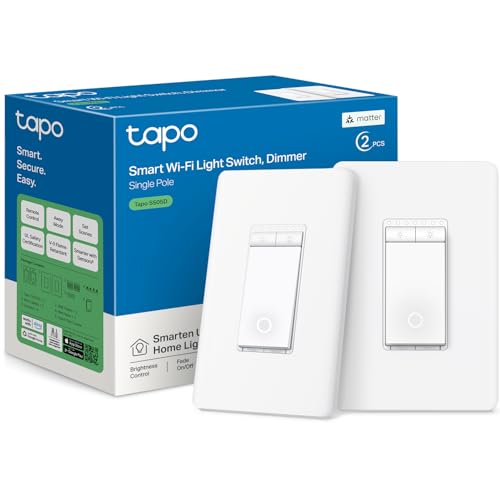
Matter certification means this dimmer stops caring which smart home app you picked.
Matter is the cross-brand standard that lets a device talk to Apple Home, Amazon Alexa, Google Home, and Samsung SmartThings at once, and this switch wears that badge. If you have ever worried about committing to one ecosystem and being stuck there, Matter is the answer. You get two S505D switches in the box, so a pair of rooms can go smart in one order. Bluetooth is used for setup only, and the actual daily control runs over your Wi-Fi network.
Dimming spans 0% to 100% using leading-edge TRIAC dimming, which is a specific way of chopping the power signal that plays nicely with many dimmable LEDs. The ceiling is 150 W of dimmable LED or 300 W of incandescent and halogen at 120V, 60Hz. Compare that to the Lutron Caseta Diva at 600 W incandescent and you can see the Caseta handles heavier bulb loads. Tapo’s own guidance is to check the bulb maker’s dimming compatibility before you install, which is the single most useful habit with any dimmer.
The install checklist is specific: neutral wire, 2.4 GHz Wi-Fi, and a wall box at least 2 inches deep. That last one catches people off guard in shallow boxes. This is a single-pole dimmer only, so it will not do a wired 3-way setup. It carries UL certification and a 2-year warranty, and both are note on a device that lives inside your wall. Responsiveness to voice commands is quick, and the faceplate blends into ordinary decor rather than shouting that it is smart.
Why it sits near the top
- Matter-certified, so it works across Apple Home, Alexa, Google Home, and SmartThings
- Two switches included for a pair of rooms
- 0%–100% brightness with fade on and off
- UL certified with a 2-year warranty
What to check before buying
- Single-pole only, no wired 3-way support
- Needs a wall box at least 2 inches deep
- Dimming ceiling is 150 W LED, lower than the Caseta’s incandescent limit
Pick this one: if you want a dimmer that will not lock you into one smart home app later.
Pass if: your box is shallow or you need a true 3-way dimmer.
5. GHome Smart Switch 3-Way (2-Pack)
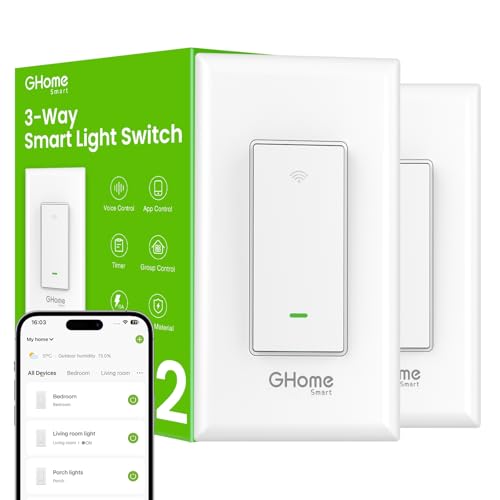
A 15 A switch that treats 3-way wiring as a starting point, not an upgrade.
Where most budget switches settle for 10 A, this one carries 15 A and a rated capacity of 1800 W. That headroom matters if you are switching a circuit with several fixtures on it rather than a single pendant. You get two switches in the pack, and each one can be wired as a single-pole switch or as part of a 3-way setup so a light responds from two locations. For a garage-to-house entry or a big room with two doors, that flexibility saves you from buying a special part.
Google Assistant and Amazon Alexa both control it by voice, and the app handles schedules, group control, and remote status across rooms. The scheduling example the maker gives is a good one: porch lights on 30 minutes after sunset and off 25 minutes before sunrise. Setup needs a neutral wire and 2.4 GHz Wi-Fi, and this is an on/off switch, not a dimmer, so dimmable bulbs are not the point. Input and output are both rated 120V/60Hz.
The one thing to know before you buy: it is not compatible with smart bulbs. If you have already put smart bulbs in the fixtures, the switch will cut power to them and defeat the purpose. Use it with ordinary bulbs and let the switch do the thinking. It is FCC listed and handles both single-pole and 3-way installs without a hub, which makes it the rare high-capacity switch that still keeps setup simple for a first-timer.
The capacity angle: 15 A and 1800 W is the highest ceiling on this list, so it suits circuits that might make a 10 A switch nervous.
Do not pair it with: smart bulbs — the maker says outright it is incompatible, and ordinary bulbs are what it is built for.
Best suited to: a two-location circuit with a heavier fixture load and no hub.
Hold off if: your fixtures already hold smart bulbs.
6. Kasa Smart Light Switch, Single Pole, HS200P3

The most widely owned switch on this list, with 71,000+ reviews behind it.
It holds 4.5+ stars across 71,000+ reviews, a track record that matters for a device sealed inside your wall. The install is app-guided through the Kasa or Tapo app, and it needs a neutral wire plus 2.4 GHz Wi-Fi. You get 15 A and 100–120 VAC, so it handles ordinary lighting circuits without drama, and it is a plain single-pole on/off switch rather than a dimmer.
Daily control is what this one is good at. Monitor whether a light is on, flip it from your phone whether you are on the sofa, at the office, or on vacation, and set timer or countdown schedules. Away Mode randomly toggles lights so the house looks occupied. Voice control runs through Amazon Alexa or Google Assistant, which is the entire point of this list. Kasa says it is UL certified for safety and notes Android 5.0 or higher and iOS 10 or higher for the app.
Set expectations honestly: this is the least interesting switch here, because it does not dim, does not do 3-way, and asks for a neutral wire. What it offers instead is sheer familiarity — if you own one Kasa switch and like the app, buying more of the same keeps your household on one interface. If you want a dimmer, skip to the Tapo S505D above; if you want a 3-way, the TREATLIFE covers that.
The case for the familiar: one app, one account, one behavior you already understand across every light in the house.
The limitation: single-pole and on/off only — no dimming, no second-location control.
Good fit: a first smart switch or an extra room on an existing Kasa setup.
Not the one if: you need brightness control or a 3-way circuit.
7. Tapo Smart Light Switch S500 (4-Pack)

Four switches in one box, so the whole house goes voice-controlled in an afternoon.
When you have decided to make every room smart, buying one switch at a time gets tedious. This pack puts four S500 switches, four wall plates, sixteen wire nuts, and eight screws in your hands at once. Each is 15 A, single-pole, and needs a neutral wire and 2.4 GHz Wi-Fi. Each switch is UL certified and covered by a 2-year warranty.
The app is easy to use, voice response is fast, and schedules are customizable. You can check whether a light is on from your phone and flip it from anywhere, and Away Mode randomly toggles lights to fake an occupied house. Voice control works through Amazon Alexa or Google Assistant, and there is even Samsung Bixby listed for those who use it. Pairing each switch is app-guided, so the setup tempo is steady rather than fiddly.
Two caveats belong on the table. This is on/off only — no dimming — so do not buy the four-pack expecting to set a low evening glow. And it is single-pole, so a hallway with a second switch needs a different model. Compare it to the Kasa HS200P3 above: both are 15 A single-pole switches, but the Tapo pack spreads the cost across four rooms and brings its own faceplates.
What the pack gets right
- Four switches, four wall plates, and all the wire nuts and screws included
- 15 A rating on each switch
- Fast voice response through Alexa or Google Assistant
- UL certified with a 2-year warranty
Where it stops short
- Single-pole only, no second-location wiring
- No dimming — on and off only
- Neutral wire required on every box
Buy it when: you are wiring several single-switch rooms at once and want one app to rule them all.
Keep looking if: any of those rooms has a second switch or needs dimming.
8. Leviton Decora Smart Switch, Wi-Fi, D315S-1RW
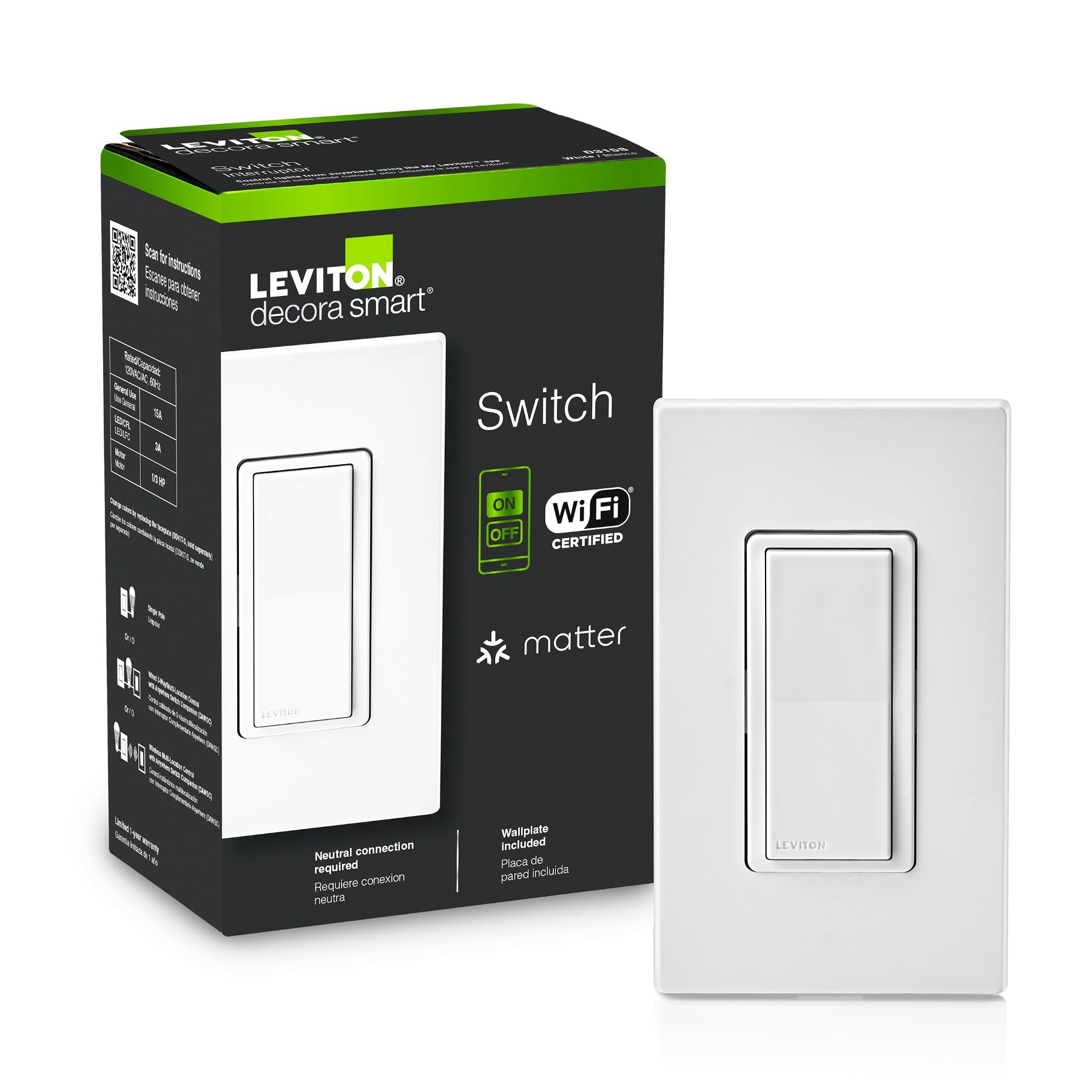
A 3-way Wi-Fi switch built by a name that has been in your wall for decades.
Leviton is the brand most people already have on their switch plates, and this model slots into that familiar Decora look with a screwless wallplate included. It uses a 3-way circuit, so it fits a two-location setup rather than just a single switch. The connection is plain Wi-Fi, meaning no hub between your router and the switch, and it arrives Matter ready so it can join a Matter ecosystem when you are set up for one.
Voice control covers Google Assistant, Amazon Alexa, and Apple Siri, and the list also names Apple Home, SmartThings, and Home Assistant. That is a broad spread for a single switch, and it means you can change smart home apps later without changing hardware. You can check whether lights are on and adjust them remotely from your phone whether you are home, at work, or away. The My Leviton app handles schedules, including the useful one of exterior lights coming on at sunset.
Reviewers praise build quality most, with straightforward installation close behind. The place to slow down is long-term confidence, since build quality feedback runs mixed. Treat it as a well-built switch that individual units sometimes disappoint, rather than a guarantee. Neutral wire presence is not stated in the material here, so verify your wiring before ordering.
The trust factor: 4.5+ stars and a recognizable switch brand, with broad voice support across Google, Alexa, Apple, SmartThings, and Home Assistant.
Verify first: neutral wire status is not listed, so open the box and look before you commit.
A sensible pick for: a 3-way location where you want Matter-ready hardware from a familiar switch maker.
Check before you buy: your box wiring, since neutral requirements are not stated.
9. Leviton Decora Smart Dimmer Switch, Wi-Fi 2nd Gen, D26HD-1RW

The dimmer with settings to chase the flicker out of stubborn LED bulbs.
Flickering LEDs are the quiet frustration of every dimmer install, and this Leviton is built to do something about it. It gives you bulb type, minimum dim, and maximum brightness settings to fine-tune performance so compatible dimmable LED bulbs play nicer. You also get customizable fade rates, so lights can ramp gently instead of snapping on, plus preset light levels so a room always greets you at the brightness you like. My Leviton Night Settings adds an automatic softer level for midnight kitchen runs or bathroom trips.
Voice control reaches Google Assistant, Amazon Alexa, and Apple Siri, and the broader list includes Apple Home, SmartThings, Sonos, and Resideo. Matter support can be enabled with a firmware update through the My Leviton app rather than shipping ready, so weigh that if Matter is the reason you are shopping. This is a 3-way switch rated at 15 A, and it can be wired as a 3-way or a wireless 3-way. It needs a neutral wire. The dimming itself is continuous, so you can dial in a level rather than pick from steps.
Compare it with the Tapo S505D: both are dimmers, but the S505D ships Matter certified while this one adds Matter through an update and hands you flicker tuning instead. Buyers praise build quality and installation most, and the engineered feel is what lingers. Wi-Fi connectivity and sheer ease of use get more mixed reactions, so give the app pairing a fair shot before you judge it.
Why dimming fans gravitate here
- Bulb type, min dim, and max bright settings to reduce flicker
- Custom fade rates and preset light levels
- Continuous dimming with Night Settings for late-hour soft light
- 3-way wiring, either wired or wireless
Worth knowing before checkout
- Matter arrives by firmware update, not from the start
- Neutral wire required
- Wi-Fi setup feedback runs mixed, so allow time for pairing
Choose it for: a dimmable LED setup where flicker and fade control matter more than Matter certification.
Otherwise consider: the Tapo S505D if you want Matter working from day one.
Know the Specs
Neutral Wire Requirement
The neutral wire is the white return path in your switch box, and it keeps a smart switch powered at all times so it can listen for Google Assistant commands. Without it, the switch either will not boot or drops off your network. Most models here require one, and the Lutron Caseta Diva is the standout exception, which is why it wins homes without one.
Load Rating in Amps and Watts
The rating is the most bulb power a switch can safely carry. Ordinary on/off switches here run to 15 A, while dimmers publish lower ceilings like 150 W of dimmable LED or 600 W of incandescent. Match the rating to the fixtures on that circuit, and check dimmable LED limits separately because LED bulbs draw far less than incandescent ones.
Dimming Range and Bulb Compatibility
A dimmer’s range tells you how low it can go, and 1% to 100% leaves room for true low-light evenings. Dimming only works with bulbs rated as dimmable, and some units offer tuning settings for bulb type and minimum brightness to reduce flicker. An on/off switch makes no such promises and will not dim at all.
Hub, Matter, and Ecosystem Support
A hub is a small bridge box that connects certain switches to your smart home system. Lutron Caseta needs one, while most Wi-Fi switches connect straight to your router at 2.4 GHz. Matter is a cross-brand standard that lets one device work with several ecosystems, so a Matter-certified switch like the Tapo S505D gives you more flexibility if you change apps later.
Common Questions
Will a Google Home smart switch work if my house has no neutral wire?
What is a neutral wire and how do I know if I have one?
Do I need a hub for a smart light switch to work with Google Home?
Can I use a dimmer switch with regular LED bulbs?
Why does my switch only connect on 2.4 GHz Wi-Fi and not 5 GHz?
Can a 3-way smart switch replace one switch or does it need both replaced?
What does the load rating in amps or watts actually mean for me?
Will a smart light switch work with smart bulbs?
Is Matter better than plain Wi-Fi for a smart switch?
Can I control a smart switch when I am away from home?
The Bottom Line
For most people, the works with google home smart light switch winner is the Lutron Caseta Diva because it works in homes without a neutral wire, dims smoothly, and handles 600 W of incandescent or 150 W of dimmable LED. If you want Matter support (a shared smart-home standard that lets one device talk to every major app) and a lower dimming ceiling is fine, grab the Tapo S505D for its cross-ecosystem flexibility. And for a whole house on a single app, the Tapo S500 four-pack is the one to reach for. Before you commit, confirm the neutral wire in your box — that one check saves more returns than any feature comparison.
How we choose
We do not accept paid placement. Every pick is matched to a real buyer and a real use-case; we do not hands-on test units.
Sources
Specifications: manufacturer listings and product documentation. Review insights: verified customer reviews, as of July 2026. Pricing: not shown on this page (it changes often); check the current price via the retailer link.
As an Amazon Associate, Tactical Gear Guy earns from qualifying purchases. This does not affect which products we feature.