Specs are compiled from manufacturer listings and verified buyer reviews and can change over time — please confirm the key details on the product page before buying.
Your Schlage lock pairs with a Z-Wave hub, but only some hubs pair cleanly with it — and that gap is where most frustration starts. If your deadbolt shows up in the app but refuses to lock on command, or drops off the network after a week, the hub is usually the reason, not the lock. This guide narrows the field to hubs that actually speak Z-Wave and are built to hold a Schlage lock steady, so you can pick one and stop troubleshooting.
This guide is built by comparing the manufacturers’ published specifications and the patterns across verified customer reviews, so you get each pick’s real strengths and trade-offs instead of marketing spin.
A Z-Wave hub is the radio and the brain that lets your Schlage lock talk to your phone, your routines, and your voice assistant. Below you’ll see which hub handles that job best, which one keeps working when the internet drops, and where each pick falls short. The right call is the z-wave hub for schlage that runs automations locally and holds a stable Z-Wave mesh.
Top Picks

How To Choose The Best Z-Wave Hub for Schlage
Buying a hub for one lock sounds simple until you read the listings. Plenty of hubs advertise “smart lock support” and then fail the moment a Schlage deadbolt tries to join. Here is what actually separates the hubs that work from the ones that get returned.
Local processing versus cloud dependency
A lock is a security device, so the question is what happens when your internet drops. A hub that processes automations on the box itself keeps your deadbolt responding to schedules and commands. A hub that leans on remote servers can leave you locked out of your own controls until the connection comes back. Ask this before anything else.
Mesh range and repeating devices
Z-Wave is a mesh network, which means each powered Z-Wave device passes the signal along. Range between repeating devices often falls in the 60-to-100-foot band, and walls, floors, and metal doors all eat into it. If your lock sits far from the hub, a plugged-in Z-Wave switch or outlet between them does more for reliability than a bigger antenna alone.
Subscription cost and protocol spread
Some hubs charge a recurring fee to open up remote access, which turns a one-time purchase into a monthly bill. Others give you the full platform with no subscription. Weigh that alongside protocol support — Z-Wave for the lock now, Zigbee, Matter, or Thread if you plan to add sensors, cameras, or bulbs later.
Side-by-Side Comparison
| Model | Best For | Z-Wave Support | Other Protocols | Subscription | Amazon |
|---|---|---|---|---|---|
| Nexia Z-Wave Bridge BR100★ Best Overall | Large multi-device homes | Z-Wave | — | Required (monthly) | Amazon |
| EzloPlus Smart Home Hub | Mixed-brand households | Z-Wave | Zigbee, Wi-Fi via Alexa/Google | None stated | Amazon |
| Hubitat Elevation C-8 Pro | Offline-proof local control | Z-Wave 800 Series with Long Range | Matter, Zigbee 3.0, Bluetooth | None required | Amazon |
| Homey Pro (Early 2023) | Whole-home protocol mixing | Z-Wave Plus | Zigbee, Wi-Fi, BLE, Infrared, Matter, Thread | None stated | Amazon |
Detailed Reviews
1. Nexia Z-Wave Bridge, Smart Home Hub, BR100
A Z-Wave bridge built to hold more than 200 devices, with a required monthly subscription for remote management.
If your plan is a lock now and a whole Z-Wave mesh later, the device ceiling here is the headline. This bridge can hold and control more than 200 Z-Wave products at once, so you can start with a Schlage deadbolt and keep adding switches and sensors without hitting a wall. It talks to Nexia-compatible Z-Wave gear from multiple brands and connects to your router over a 10/100 ethernet cable for a wired, encrypted link.
Coverage runs in the 60-to-100-foot band between each repeating device, which is standard mesh behavior — add a plugged-in Z-Wave switch between the hub and a far lock and the signal rides along. The hardware itself is unassuming: 1.4 x 4 x 4.8 inches and 9.1 ounces of plastic with a 110-volt adapter. That 1.4 x 4 x 4.8-inch footprint versus the Homey Pro’s 5.04 x 5.04 x 1.57 inches means it slots into a crowded router shelf easily.
The catch is the subscription. Managing your home through the Nexia online service requires a monthly subscription, which turns an up-front purchase into an ongoing bill. Setup and lock pairing also draw mixed reports — plenty of users get devices talking across multiple floors, while others run into trouble getting a lock to connect cleanly. For a first-time buyer with one deadbolt, that is the piece to weigh honestly.
Built to scale: more than 200 Z-Wave devices on one bridge is the most capacity on this list.
The bill behind the box: a monthly subscription is required to manage your home — factor that into the long-run cost.
Suits you if: you’re committing to a large Z-Wave system and don’t mind a subscription for managed access.
Not the fit if: you want a one-time purchase and a lock that pairs without a fight.
2. Hubitat Elevation C-8 Pro Smart Home Hub
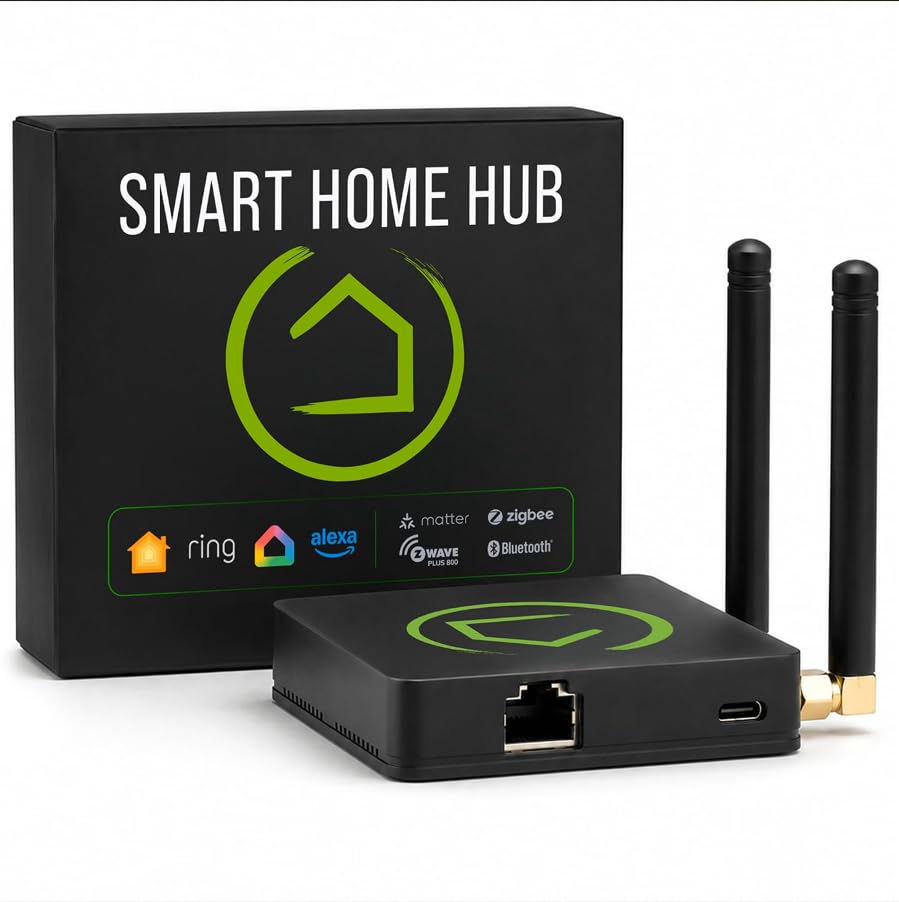
A local-processing Z-Wave hub that keeps your Schlage deadbolt answering after the internet drops out.
Here is the number that decides it: this hub runs your automations on the box itself, not on a remote server. That means your Schlage lock still follows schedules and commands when your broadband goes down. For a device that guards your front door, that single design choice is worth more than any feature list.
It covers Z-Wave 800 Series with Long Range alongside Matter, Zigbee 3.0, and Bluetooth, so your lock rides a current-generation Z-Wave radio. Two dedicated external antennas — one for Z-Wave, one for Zigbee — push signal further in bigger homes. And it sits at 2.56 ounces, which means it disappears behind a router without a shelf or a mounting bracket. Compare that to the Homey Pro, which measures 5.04 x 5.04 x 1.57 inches and wants visible real estate.
There is no recurring subscription. Every automation and integration works from setup, and platform updates have been adding compatibility since 2018. The catch is the learning curve: Rule Machine lets you build multi-condition logic, but it rewards someone willing to read the documentation and the community blueprints. If you want a hub you configure once and never think about, the setup depth here is more than you need.
What earns it top spot
- Runs routines locally, so your Schlage lock keeps responding during an internet outage
- Z-Wave 800 Series with Long Range plus Matter, Zigbee 3.0, and Bluetooth on one box
- Two dedicated external antennas — separate ones for Z-Wave and Zigbee — for longer reach
- No subscription required for full platform functionality
- Compact at 2.56 ounces, small enough to tuck out of sight
The honest limits
- Rule Machine is powerful but assumes you’ll read docs and community guides
- Community-shared drivers mean some setup falls on you to find and install
- Less hand-holding than a cloud-first hub with a phone-only setup flow
Pick it when: your lock needs to keep working through outages and you don’t mind a weekend of setup reading.
Think twice if: you want a hub that configures itself from a phone app with no rule-building involved.
3. Homey Pro (Early 2023) Smart Home Hub

Seven radios in one puck, so your Schlage lock’s Z-Wave Plus radio and every sensor you add later share a single hub.
Homey Pro packs Wi-Fi, Zigbee, Z-Wave Plus, Infrared, BLE, Matter, and Thread into a single local-first hub. The maker claims that is more protocols than any other smart home hub — so a Schlage lock on Z-Wave Plus, Hue bulbs on Zigbee, and a Thread sensor all run from one box instead of three. It works with over 50,000 devices from more than 1,000 brands, so your existing Z-Wave lock and sensors are likely already on the compatibility list.
Everything processes on-premise and your data stays on the device, which keeps your lock commands off a remote server. Flows — the Homey name for automations — get built in the phone app, with Advanced Flows handled in the web app. The physical size is the trade-off: at 5.04 x 5.04 x 1.57 inches it is a visible object on a shelf, well beyond the Hubitat C-8 Pro’s 2.95 x 3.23 x 0.67 inches. It also weighs 1.43 pounds, so plan to give it a proper spot rather than tucking it behind a router.
What wins people over is the one-app control of everything, with automations simple or complex built without leaving the phone. Do check the Homey compatibility list for your specific Schlage model before buying — the brand list is enormous but you still want to confirm your exact lock appears. The price tag sits at the premium end, and you are paying for protocol breadth more than lock-specific tuning.
Where the money goes: seven radios, local processing, and a device library north of 50,000 — you are buying the widest compatibility net available in one hub.
The size question: 5.04 x 5.04 x 1.57 inches and 1.43 pounds means this hub wants to be seen, not hidden.
Reach for this if: your home already mixes brands and protocols and you want one app for all of it.
Look elsewhere if: you have a single Schlage lock and no plans to expand.
4. EzloPlus Smart Home Hub with Zigbee & Z-Wave
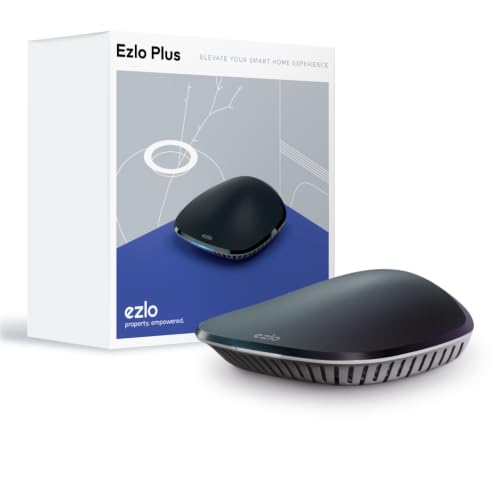
Z-Wave and Zigbee handled directly in one box, with Wi-Fi devices routed through Alexa or Google Assistant.
The EzloPlus approach is to be the middleman for everything. It handles Z-Wave and Zigbee devices directly, then reaches your Wi-Fi gear through Amazon Alexa or Google Assistant — video doorbells, sensors, lights, cameras, and smart locks from most manufacturers. Setup is the strongest part: plug it into your router with the included ethernet cable, follow the in-app guide, and you’re running. It requires a smartphone or tablet on iOS 9.0 or later, or Android 8.1 or later.
The hub runs on MiOS by Ezlo, the maker’s own operating system for the home, and you can control devices from the web or the mobile app from anywhere. Voice control through Alexa or Google Assistant covers bulbs, motion sensors, and locks. If a Z-Wave or Zigbee device isn’t behaving, Ezlo offers to integrate it for you — a genuinely useful promise when you’re mixing brands.
The honest weak point is reliability. Connectivity draws the heaviest negative feedback in the review pages, including devices that won’t connect and Alexa integration dropping. Some units run without complaint; others need resets. The honest read: the setup is easy, but keeping every device talking is the part that demands patience. If your Schlage lock is the one device that must always answer, that’s the risk to weigh.
Where it shines
- Handles Z-Wave and Zigbee directly, with Wi-Fi gear routed through Alexa or Google Assistant
- Setup is quick: plug in the ethernet cable and follow the in-app guide
- Ezlo will integrate a stubborn device for you when it won’t cooperate
- Control from web or mobile app, plus voice commands
What to weigh
- Connectivity and Alexa integration draw the most negative feedback in the reviews
- Some units need resets to stay online
- Lock reliability is reported as uneven across owners
Worth a look when: you want one hub for a mixed-brand house and you’re comfortable troubleshooting the odd dropout.
Pass on it if: your Schlage lock is the whole point and it has to answer every single time.
Know the Specs
Local processing
Local processing means the hub runs your automations on the box itself instead of a remote server. For a Schlage lock, that is the difference between a deadbolt that still follows your schedule during an internet outage and one that goes unreachable until your connection returns. Hubs built around local control are the safer match for a security device.
Z-Wave mesh range
A Z-Wave mesh passes the signal from one powered device to the next, which is why a lock far from the hub can still work if something plugged-in sits in between. Range between repeating devices often lands in the 60-to-100-foot band. Walls, floors, and metal doors reduce it, so position your hub centrally before adding repeaters.
Protocol support
Z-Wave is the radio your Schlage lock uses, but the hub may also speak Zigbee, Matter, Thread, Bluetooth, or Infrared. More protocols mean fewer bridges later when you add sensors or bulbs. Buy for the lock first, then check whether the hub covers what you plan to add next.
Subscription requirement
Some hubs bundle remote access into a monthly fee, others include full functionality with no recurring charge. Over several years, a subscription changes the real cost considerably. Read the listing carefully — “requires a monthly subscription” is the phrase to look for before you commit.
Common Questions
Will a Z-Wave hub work with my Schlage lock if I don’t have a smart assistant?
Does my Schlage lock still work when the internet goes down?
How far can the hub be from my Schlage lock?
Do I need a subscription to control my Schlage lock remotely?
Can one hub handle both my Schlage lock and my Zigbee sensors?
How many devices can a hub hold if I want to expand later?
Is a Z-Wave hub better than a Wi-Fi lock for my front door?
What happens if my Schlage lock won’t pair with the hub at first?
The Bottom Line
The strongest match for most people is the Hubitat Elevation C-8 Pro: its Z-Wave 800 Series radio pairs with a Schlage deadbolt, and local processing keeps lock commands working when the internet doesn’t. It also covers Z-Wave 800 Series with Long Range, Matter, Zigbee 3.0, and Bluetooth with no subscription attached. If you have a mixed-brand house and want the widest compatibility in one box, the Homey Pro gives you seven protocols and one app. And if you’re building a large Z-Wave system and don’t mind a monthly fee, the Nexia BR100 holds more than 200 devices on one bridge. One last nudge: if your lock is the one device that must never miss a command, pick a hub that keeps working offline and check the compatibility list for your exact Schlage model before you commit.
How we choose
We do not accept paid placement. Every pick is matched to a real buyer and a real use-case; we do not hands-on test units.
Sources
Specifications: manufacturer listings and product documentation. Review insights: verified customer reviews, as of November 2026. Pricing: not shown on this page (it changes often); check the current price via the retailer link.
As an Amazon Associate, Tactical Gear Guy earns from qualifying purchases. This does not affect which products we feature.