Specs are compiled from manufacturer listings and verified buyer reviews and can change over time — please confirm the key details on the product page before buying.
The answer most Xbox Series X|S owners need is simple: a hub is worth buying the moment you are tired of unplugging your controller charger to plug in a headset dongle. The catch is that the Xbox console has very few USB-A ports and they are all on the back or front lip, so every new accessory becomes a trade-off. Below you will find the seven hubs that actually solve this, sorted by what they do best — charging, storage, or just plain port count.
This guide is built by comparing the manufacturers’ published specifications and the patterns across verified customer reviews, so you get each pick’s real strengths and trade-offs instead of marketing spin.
A hub is not just a splitter — it decides whether your external drive is recognized, whether your controller charges fast, and whether your setup stays tidy. This breakdown of the xbox usb hub market covers which port types matter and which models quietly fail on storage.
Top Picks

How To Choose The Best Xbox USB Hub
The first decision is not brand, it is power. A bus-powered hub (one that draws all its electricity from the console’s own port) is small and cable-free, but it has a shared power budget. A powered hub ships with its own wall adapter and gives every port a steady supply. If you only charge controllers and plug in a keyboard, bus-powered is fine. If you want an external drive and a charging brick running together, go powered.
USB 2.0 vs USB 3.0 — the storage question
A USB 2.0 hub moves data at 480 Mbps (megabits per second), which is fine for a controller charger or a mouse. It is not enough to reliably read an external hard drive for games. Look for a 5Gbps USB 3.0 hub if you plan to plug in an SSD or HDD, because that is the spec that gets the drive recognized.
Where the ports physically sit on a Series X|S
Series X and Series S both put their USB-A ports in awkward spots. Many hubs in this category use an adhesive backing to stick to the console shell and add their ports at the front lip. Check the length of the hub against the flat contact surface on your console, and know that a hub which sticks out slightly will still work — it just will not sit flush.
What these hubs will and will not accept
Most low-cost Xbox hubs handle controllers, chargers, keyboards, mice, and flash drives. Nearly all of them explicitly do not support USB wired headsets. Wireless dongles and 2.4GHz receivers are usually best plugged straight into the console’s rear ports to avoid interference. Keyboard and mouse only work in games that natively support them on Xbox.
Side-by-Side Comparison
| Model | Best For | USB Ports | Interface | Powered | Amazon |
|---|---|---|---|---|---|
| SABRENT 10-Port Powered USB 3.0 Hub (HB-B7C3)★ Best Overall | Whole-desk setups | 10 ports (7 data + 3 charging) | USB 3.0, 5Gbps | Yes, 60W adapter | Amazon |
| Joso USB 2.0 Hub for Xbox Series X & SBest for Controllers | Console-mounted charging | 5 (4 USB-A 1 USB-C) | USB 2.0, 480 Mbps | No, bus-powered | Amazon |
| Joso USB 3.0 Hub for Xbox Series X & S | Budget storage expansion | 4 (3 USB-A 1 USB-C) | USB 3.0, 5Gbps | No, bus-powered | Amazon |
| Megadream 4-Port USB Hub 3.0 for Xbox Series S|X | Drive recognition issues | 4 (3 USB-A 1 USB-C) | USB 3.0 / Type-C, 5Gbps | No, bus-powered | Amazon |
| RSHTECH 4-Port Powered USB 3.0 Hub (RSH-516) | Desk and laptop use | 4 USB-A | USB 3.0, 5Gbps | Yes, 5V/2A adapter | Amazon |
| FlyingVHUB 4-Port USB 3.0 Hub Tower | Desktop showpiece | 4 USB-A | USB 3.0, 5Gbps | No, bus-powered | Amazon |
| PowerA 4-Port USB 5Gbps Hub for Xbox Series X|S | Official Xbox fit | 4 USB-A | USB 3.2, 5Gbps | Yes, 8.2 ft AC adapter | Amazon |
Detailed Reviews
1. SABRENT 10-Port Powered USB 3.0 Hub
Our pick — 4.5+★ from 6,500+ verified ratings; the strongest balance of quality and price.
Seven data ports plus three charger ports and its own power supply — the desk hub that ends the cable argument.
If your Xbox shares a desk with a laptop and a tablet, this is the pick that stops the fighting. It gives you seven USB 3.0 data ports running at 5Gbps — that is 5 gigabits per second, fast enough to move game captures and drive backups without a stall. On top of that sit three dedicated charging ports that auto-detect a device and push up to 2.4A each, so a controller, phone, and tablet can all top up without borrowing a data port.
The part that makes it livable is the power. A 60W 12V/5A adapter (the brick that feeds the whole hub) keeps every port stable even under full device load, which is the exact failure that unpowered Xbox-style hubs run into. Each port also has its own on/off switch and LED, so you can kill power to a device you are not using instead of unplugging it. Buyers report the three charging ports recharged an iPad and an iPhone without trouble.
What wins people over is the build: the aluminum housing feels like a piece of kit rather than a plastic blob, and the individual switches get used constantly. At 5.7 inches long and weighing 44 g (about 1.6 ounces), it is a desk fixture, not a pocket accessory.
ten ports plus charging
- Seven USB 3.0 data ports at 5Gbps alongside three 2.4A charging ports
- 60W adapter keeps all ten ports stable under full load
- Individual power switches and LEDs let you shut off idle devices
- Aluminum body and 44 g weight feel substantial in the hand
bulky power brick
- Costs noticeably more than the bus-powered Xbox hubs here
- Durability is the softest theme in the owner feedback, with fewer long-term reports than on function.
- Needs a wall socket — no cable-free console mounting
desk with many devices: your Xbox shares real estate with other gear and you want charging and data separated cleanly.
tight outlet space: you wanted a hub that clips onto the console shell — this one wants a desk and a plug.
2. Joso USB 2.0 Hub for Xbox Series X & S
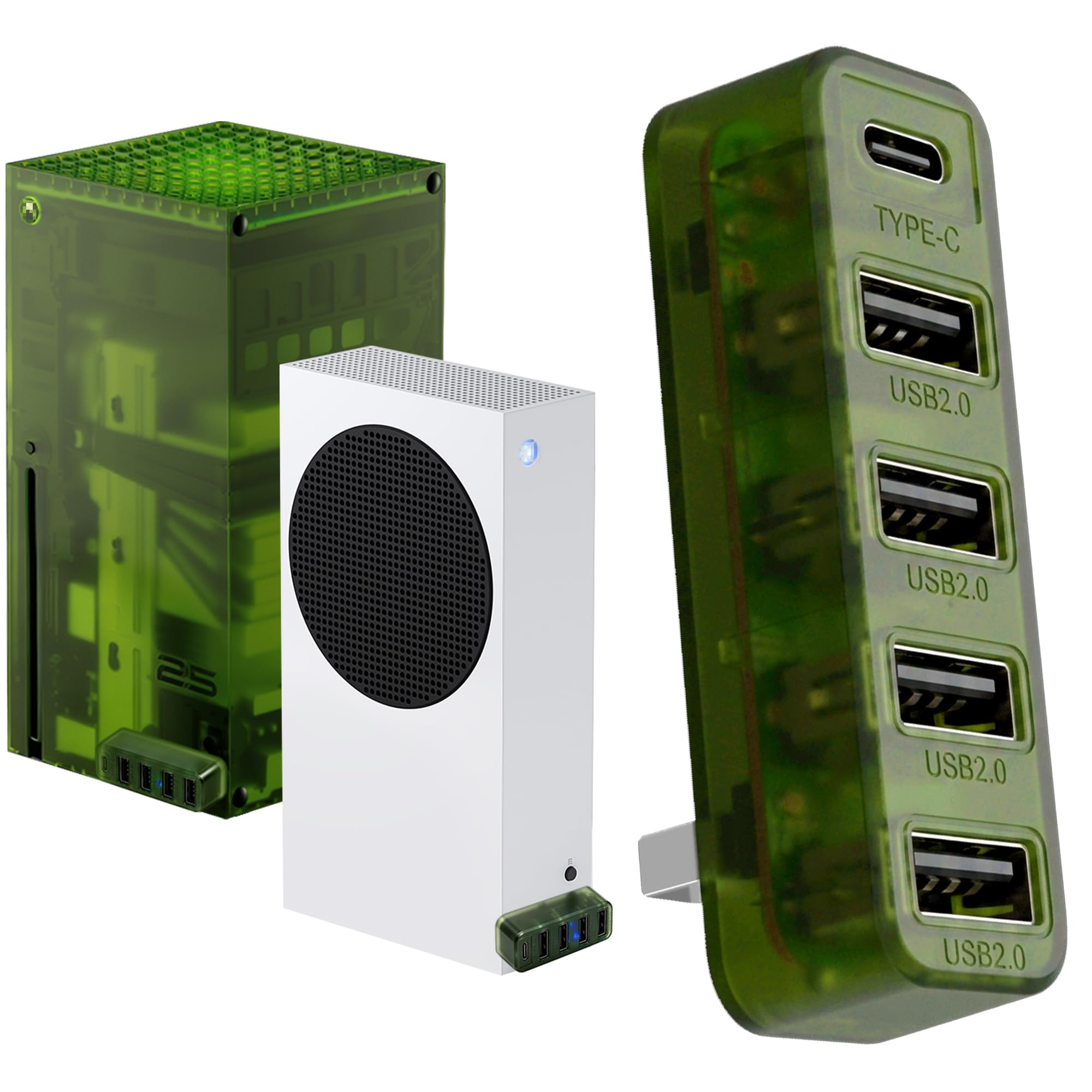
The translucent green slab that sticks to your console and turns one front port into five.
This is the cheapest way to add ports without a wall socket, and it does it in the most visible way possible. The Joso 2.0 gives you five ports total — four USB-A at 480 Mbps (megabits per second, plenty for chargers and mice) plus a USB-C port, all fed from the front USB port of your Series X|S. That is one more port than the Joso USB 3.0 version below, which offers four. No driver, no power brick, and an LED confirms it is live.
The adhesive backing is the design idea here. It keeps the hub stuck to the console so a controller cable tug does not yank it loose mid-match, and it peels off without leaving residue. The plastic shell is lightweight and the OG Green tint matches the classic Xbox colourway.
Here is what it will not do. It cannot read an external hard drive for games, it will not drive a USB wired headset, and the shared output tops out at 1000mAh across all ports — plug three things in and each charges slower. Reliability is the most-discussed theme in its feedback, and it splits: plenty of units work fine, while a portion failed outright. Buyers who want storage should step up to a 3.0 hub.
five ports on Xbox: turns one front console port into a charging station for controllers, keyboards, and small peripherals, with no cable to the wall.
USB 2.0 speeds only: its 1000mAh shared budget means multi-device charging slows down, and drives are off the menu entirely.
controller and headset: you want extra charging ports stuck to the console for very little outlay.
fast file transfers: an SSD or HDD needs to be read — no amount of plugging makes 480 Mbps behave like 5Gbps.
3. Joso USB 3.0 Hub for Xbox Series X & S

Four ports, 5Gbps, and the cheapest route to reading a flash drive off your console.
Where the 2.0 version is a charger, this one is a reader. The three USB-A ports and one USB-C port all run at 5Gbps (5 gigabits per second), which is the speed that lets an Xbox Series X|S recognize a low-power flash drive or portable SSD. Format it once on setup and you can play backward-compatible, non-tune titles straight from the drive. That is a genuinely useful trick for a console with limited internal space.
The catch is power, and this hub is honest about it. It has no AC adapter, so connecting several devices divides the available current and charging slows for each one. Joso itself points high-capacity external drives at the console’s rear ports instead, where they get a steadier feed. Games tune for Series X|S also have to live on internal storage or the Seagate expansion card — this hub cannot host them.
Two more things to plan around: 2.4GHz wireless dongles and headset receivers can suffer interference when they sit near USB 3.0 bandwidth, and wired USB headphones are not supported at all. The 0.02 kg plastic body keeps it light enough to hang off the adhesive pad, and the LED shows it is live. For a console-first hub that has to actually read storage, this is the sensible entry point.
quick drive swaps: you want legacy game storage and extra ports on a tight budget.
power-hungry gear: your drive is a big power-hungry HDD — it belongs in the console’s rear ports.
4. Megadream 4-Port USB Hub 3.0 for Xbox Series S|X
Built to fix the recognisable annoyance of a 2.0 hub that refuses to see your external drive.
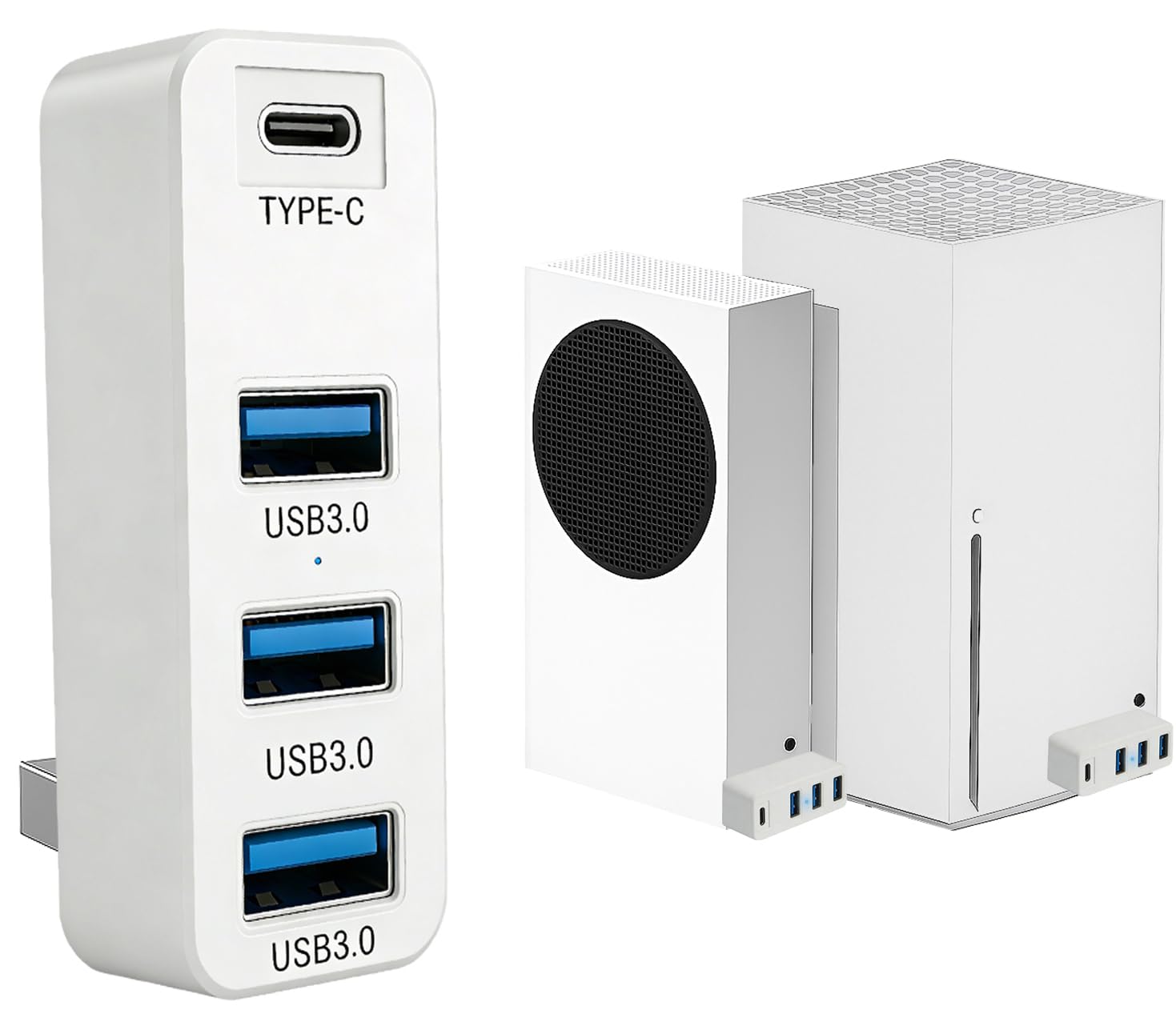
Megadream’s pitch is direct — the older USB 2.0 hubs fail to recognize external HDDs, so this one uses USB 3.0 to make the drive show up. You get three USB-A 3.0 ports plus one USB-C port, both capable of data transfer up to 5Gbps and up to 1000mAh output current. In practice that means a flash drive, an external SSD, a controller charger, and a keyboard all have somewhere to go.
The physical fit deserves specific mention because Megadream states it plainly. The hub is 6.6cm long (about 2.6 inches) while the flat contact surface on a Series S is 6.5cm wide — so it will protrude by 0.1 cm, roughly the width of a fingernail. It is honest spec disclosure, and it means you should decide in advance whether a slight overhang bothers you. The adhesive tape (which you peel during install) holds it firm once placed.
Compatibility runs wider than most: external HDD/SSD, wired and 2.4G keyboard and mouse, 2.4G dongle or Bluetooth headset, a controller charger, or a wired steering wheel. Wired USB headsets are the known exception, and keyboard-mouse play only works in titles with native support. It is a white plastic body that disappears against a Series S, which is exactly the point.
compact Xbox fit: a Series S owner who wants drive compatibility and four ports without a wall plug.
short attached cable: that 6.6cm length against a 6.5cm contact surface — a sliver of overhang, nothing more.
small console shelf: white Series S consoles and anyone who wants the drive to just appear.
long cable runs: wired-headset players — that port type is out of scope here.
5. RSHTECH 4-Port Powered USB 3.0 Hub (RSH-516)

A powered aluminum puck smaller than a deck of cards, with a switch on every single port.
RSHTECH takes the powered-hub idea and shrinks it. The 3.2 by 1.6 by 0.6 inch aluminum housing has a mirror-finish surface under a peel-off protective film, and it adds four USB-A 3.0 ports at 5Gbps to a PC, laptop, PS4, or Xbox. A 5V/2A universal adapter feeds it, and a 3.3 ft USB 3.0 cable gives you enough slack to reach a console tucked behind a TV.
The feature that gets daily use is the individual on/off switch with an LED on each port. You can leave a printer and a camera dock plugged in permanently and only power them when needed, which is a small thing until you have lived with a hub that cannot do it. The aluminum-and-ABS enclosure feels denser than the plastic Xbox-specific hubs, and it is small enough to sit beside a monitor without crowding it.
Buyers describe it as well-constructed and good value, and note the 5V/2A adapter supplies enough voltage to run all four ports at once. The trade-off is that it is a general-purpose hub, not a console-mounting one: there is no adhesive pad and no form-fitting lip, so on an Xbox it lives on the shelf rather than on the shell.
always-on peripherals: a desk setup where you want switched, powered ports in a tiny footprint.
travel and portability: the hub has to stick to the console — this one expects a surface of its own.
6. FlyingVHUB 4-Port USB 3.0 Hub Tower

A little four-port tower that glows in seven colors — the only hub here with a personality.
Most of these hubs are functional slabs. This one stands on your desk and lights up. The V-shaped decorative nightlight cycles through seven colors, and a button on the back turns it off when you want the room dark. Underneath the styling you get four USB-A 3.0 ports at 5Gbps and a 2 ft cable — the length that matters when your console or PC case sits under the desk and the fixed ports are out of reach.
Feedback leads with function: four extra 5Gbps ports on a desktop without swapping cables. Owners also single out the seven-colour nightlight and the colour options, which set it apart from a bare black splitter. Double-sided adhesive tape is included so it stays planted on a desktop surface, and the hub itself runs through Windows, Mac, and Linux with no drivers.
Two things to clear up before you buy. This hub is not designed to charge devices, so it is not the one for topping up controllers — treat it as a data expander. And stability is the mixed note: the adhesive holds it, but some find it does not stay upright, so place it where a lean will not matter. Note also that it is marketed with Xbox One S and Xbox 360 compatibility alongside Series X|S and PS4/PS5.
vertical tower shape: it is the rare hub you would not hide behind the console.
light base tips: data only, no charging duty — pair it with a charger hub if that is what you need.
crowded desk corner: a visible desk spot where you want ports and a bit of neon.
rough handling: controller recharging, since charging is outside its design brief.
7. PowerA 4-Port USB 5Gbps Hub for Xbox Series X|S
The console-maker-blessed one — four ports, a weighted base, and its own 8.2 ft power cable.
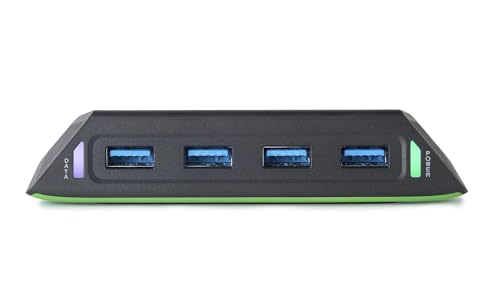
PowerA carries the officially licensed badge for Xbox Series X|S, and it also works on Xbox One and Windows 10/11. You get four USB-A ports running USB 3.2 at 5Gbps, and it connects to any USB-A port on the console. The 8.2 ft AC adapter with 2.1 A output is the standout — it feeds each port 900mA (milliamps of current), so controllers and accessories are not fighting over a shared budget the way they do on bus-powered hubs.
Two physical details justify the premium over the stickers-and-plastic hubs. Built-in weights plus rubber feet keep the unit planted, so a controller cable yank does not slide it off the shelf. LED indicators show both console and power connection, so you know at a glance whether the problem is the hub or the console. It weighs 4.64 ounces, which is why it stays put, and it comes with a 2-year limited warranty.
The reason to pause is stability of the electronics rather than the stand. Functionality is the mixed theme: plenty run it without issue, while a portion reported ports quitting within three weeks and occasional trouble with wireless dongles. That said, the licensed build and the 900mA-per-port feed make it the safest fit for owners who want their console accessories to look and behave like first-party gear.
fast external SSD: you value the official Xbox licence, the weighted base, and steady per-port power.
many device hookups: long-term port reliability matters most to you — the feedback here is genuinely mixed.
Know the Specs
Bus-powered vs AC-powered
A bus-powered hub pulls all its electricity from the console’s USB port. That keeps it cable-free and cheap, but the total output is capped — one Xbox-tuned 2.0 hub shares 1000mAh across its ports, so extra devices slow each other down. An AC-powered hub ships with its own wall adapter, which is why the PowerA unit can give each of its four ports 900mA and the Sabrent can run a 60W feed across ten.
USB 2.0 vs USB 3.0 / 3.2 data speed
Speed decides what the hub can physically do. A USB 2.0 hub moves data at 480 Mbps and generally cannot read an external hard drive for gameplay. A USB 3.0 or USB 3.2 hub runs at 5Gbps (5 gigabits per second), and that is the threshold where flash drives and portable SSDs get recognized. If storage is on your list, only shop the 3.0-and-up hubs.
Where the U drives you can play from
On Xbox Series X|S, games built for the newer consoles must run from internal storage or the official expansion card — a hub cannot host them. Backward-compatible, non-tune titles can run from a drive connected through a 3.0 hub, and they need formatting first. That single distinction decides whether a hub is a storage tool or just a port extender for you.
Power budget and per-port switches
Every port consumes a slice of the hub’s available current. Motors, receivers, and chargers all pull, and the more you connect, the slower each device charges — normal behaviour for any unpowered hub, not a fault. Per-port switches, found on the Sabrent and RSHTECH picks, let you cut power to idle hardware so the rest of your gear gets more of it.
Common Questions
Will an Xbox USB hub let me play games from an external hard drive?
Does a USB 2.0 hub work on an Xbox Series X or Series S?
Why does my controller charge more slowly when several devices are plugged in?
Will a USB wired headset work through an Xbox USB hub?
Can I use keyboard and mouse through one of these hubs on Xbox?
How much power does the PowerA Xbox hub give each port?
Is a powered hub worth it over a small bus-powered one for Xbox?
Why do some Xbox hubs stick out past the console edge?
Can I plug a 2.4GHz wireless dongle into an Xbox USB hub?
Does an Xbox hub replace the ports already on the console?
The Bottom Line
For a setup that has to handle storage, charging, and accessories at the same time, the SABRENT 10-Port Powered USB 3.0 Hub is the one that does not flinch — seven data ports at 5Gbps plus three 2.4A chargers and a 60W adapter behind them, with the crowd behind it as the most-rated pick here. If you want your ports stuck to the console for controller charging, the Joso USB 3.0 Hub is the value route with real 5Gbps storage support. And for owners who want the officially licensed look and a weighted base that will not slide, the PowerA 4-Port USB Hub is the fit — just go in knowing its port reliability is genuinely mixed rather than settled.
How we choose
We do not accept paid placement. Every pick is matched to a real buyer and a real use-case; we do not hands-on test units.
Sources
Specifications: manufacturer listings and product documentation. Review insights: verified customer reviews, as of November 2026. Pricing: not shown on this page (it changes often); check the current price via the retailer link.
As an Amazon Associate, Tactical Gear Guy earns from qualifying purchases. This does not affect which products we feature.