Specs are compiled from manufacturer listings and verified buyer reviews and can change over time — please confirm the key details on the product page before buying.
If your Xbox One keeps telling you there is no room left, the fix is simpler than you think: a USB external drive that lets you install games without deleting the ones you love. Every drive below connects over USB 3.0 and is built to hold Xbox One game installs. The real decision is capacity versus speed, and on an Xbox One the console caps drive speed anyway, so capacity usually wins.
This guide is built by comparing the manufacturers’ published specifications and the patterns across verified customer reviews, so you get each pick’s real strengths and trade-offs instead of marketing spin.
You will see which drives are pre-formatted for Xbox, which ones hold hundreds of titles, and where a slower spinning disk is genuinely the smarter buy. Here are the xbox one storage drives that make the most sense for a real game library.
Top Picks


How To Choose The Best Xbox One Storage
Your console has a fixed amount of internal space, and modern games eat through it fast. An external USB drive is the cheapest way to stop the install-delete-reinstall cycle. But drives differ in capacity, drive type, and whether they arrive pre-formatted, so here is what matters before you buy.
Capacity decides how often you delete
A 1TB drive gives you a second library on top of the console’s own. A 2TB drive roughly doubles that again, and a 5TB drive means you stop thinking about space entirely. Match the size to how many big titles you keep installed at once, not to how many you own.
Pre-formatted for Xbox saves a step
Some drives arrive already set up for an Xbox console. You plug in the USB cable, the console recognizes the drive, and you can start moving games over. Drives that are not pre-formatted usually need a quick format on a PC first, which is not hard but is one more job.
Mechanical drive or SSD
A mechanical hard drive (a spinning disk) gives you far more space per unit of cost. A solid state drive (SSD, which has no moving parts) loads faster but costs more for less room. On an Xbox One, the console’s own hardware limits how much of that extra speed you can feel, so the size usually wins.
USB 3.0 is the baseline
Every drive here uses USB 3.0, which is the connection standard you want for game storage. The listed transfer rate tells you the ceiling of how fast data moves, and a higher number shortens big installs. Just remember the console and the game files have their own limits too.
Side-by-Side Comparison
| Model | Best For | Capacity | Transfer Rate | Drive Type | Amazon |
|---|---|---|---|---|---|
| WD_BLACK 5TB P10 Game Drive★ Best Overall | Biggest game vault | 5 TB | 130 MB/s | Mechanical HDD | Amazon |
| Avolusion 2TB USB 3.0 Xbox One DrivePlug-and-Play Pick | Plug-and-play Xbox setup | 2 TB (2000 GB) | 5 Gb/s | Mechanical HDD | Amazon |
| Seagate 2TB Game Drive for XboxXbox-Certified Pick | Xbox-certified design | 2 TB (2000 GB) | 600 MB/s | Mechanical HDD | Amazon |
| WD_BLACK 2TB P10 Game Drive | Metal build and speed | 2 TB | 130 MB/s | Mechanical HDD | Amazon |
| WD_BLACK 2TB D30 Game SSD | Fast loading archive | 2 TB | 900 MB/s | Solid State Drive | Amazon |
| Fikwot 2TB External SSD | Multi-device speed | 2 TB | 2000 MB/s | Solid State Drive | Amazon |
| Avolusion 1TB USB 3.0 Xbox One Drive | Starter Xbox expansion | 1 TB | 5 Gb/s | Mechanical HDD | Amazon |
| Kosbees 1TB External Hard Drive | Budget-friendly value | 1 TB | 110 MB/s | Mechanical HDD | Amazon |
| Caraele 1TB Ultra Slim External HDD | Thin travel drive | 1 TB | 10 Gb/s | Mechanical HDD | Amazon |
Detailed Reviews
1. WD_BLACK 5TB P10 Game Drive
Our pick — 4.5+★ from 25,000+ verified ratings; the strongest balance of quality and price.
Five terabytes of room, so you stop choosing which games to delete.
The number that ends the storage argument is 5 TB — enough for the whole library at once, and it dwarfs the 1 TB Caraele drive on this list by a wide margin. Mechanically it is a 2.5-inch spinning hard drive inside a metal top cover, so it feels solid on a shelf and shrugs off the bumps of being moved between rooms. Speeds are listed up to 130MB/s, which keeps installs moving at a pace that does not have you staring at a progress bar all evening.
Setup is the part owners talk about most warmly: you plug the USB cable in, the console sees it, and you are moving games across. It plays and stores Xbox One games, and it archives Xbox Series X|S games for later transfer — the same archive routine every drive on this page follows. The 3-year limited warranty from Western Digital is the kind of backup you rarely need but are glad exists.
The catch is the one built into every spinning drive: moving parts mean it should not be knocked around while writing, and it is not silent the way a solid state drive is. If you keep it parked behind the console and let it work, those points stay small. This is the crowd favorite of the group by a clear margin, and the volume of happy long-term owners backs up the capacity-first pitch.
What earns the top spot
- 5 TB swallows an entire game library so installs stop forcing deletions
- Up to 130MB/s keeps big downloads finishing at a workable pace
- Metal top cover makes it feel sturdier than a bare plastic shell
- 3-year limited warranty adds confidence
Where it asks for care
- It is a mechanical drive, so treat it gently while it is spinning
- You cannot play current-gen Series X|S games straight off it — archive and transfer
Buy it if: your library keeps outgrowing the console and you want the space problem gone for good.
Think twice if: you only ever keep a handful of games installed — a smaller drive covers that fine.
2. Avolusion 2TB HD250U3-X1-2TB-XBOX
It arrives already speaking Xbox, so there is nothing to format before you play.
The word that does the work here is pre-formatted. Because the 2TB drive is already set up for a game console, you skip the PC formatting step that trips some buyers up on generic drives. Plug the USB 3.0 cable in, the Xbox One family recognizes it, and you can move games across right away. It is listed as compatible with the Xbox One, One S, and One X, and it comes with a 2-year warranty card in the box.
At 2TB you get a genuine second library without paying for the massive 5TB vault of the P10. That middle ground suits someone who owns a lot of games but not a sprawling collection. Owners describe it as an easy win for extra console space, and the plug-and-play routine is the part that keeps coming up.
Here is the honest caution: this is a spinning mechanical drive at a 5 Gb/s transfer rate, and a few owners have had units that stopped working over time. That is not unusual for budget hard drives in general and does not make it a bad buy — just keep the 2-year warranty card somewhere you can find it. If you want a console-ready drive with zero setup fuss, this is the straightforward route.
The real draw: No formatting, no software, no steps — it is the closest thing to taking a drive from the start and having more games installed by dinner.
The honest trade-off: It is a spinning drive, so treat it as desk equipment rather than something to toss in a bag, and lean on that warranty if anything misbehaves.
Reach for this if: you want extra space without touching a computer first.
Look elsewhere if: you need the absolute largest vault or the speed of a solid state drive.
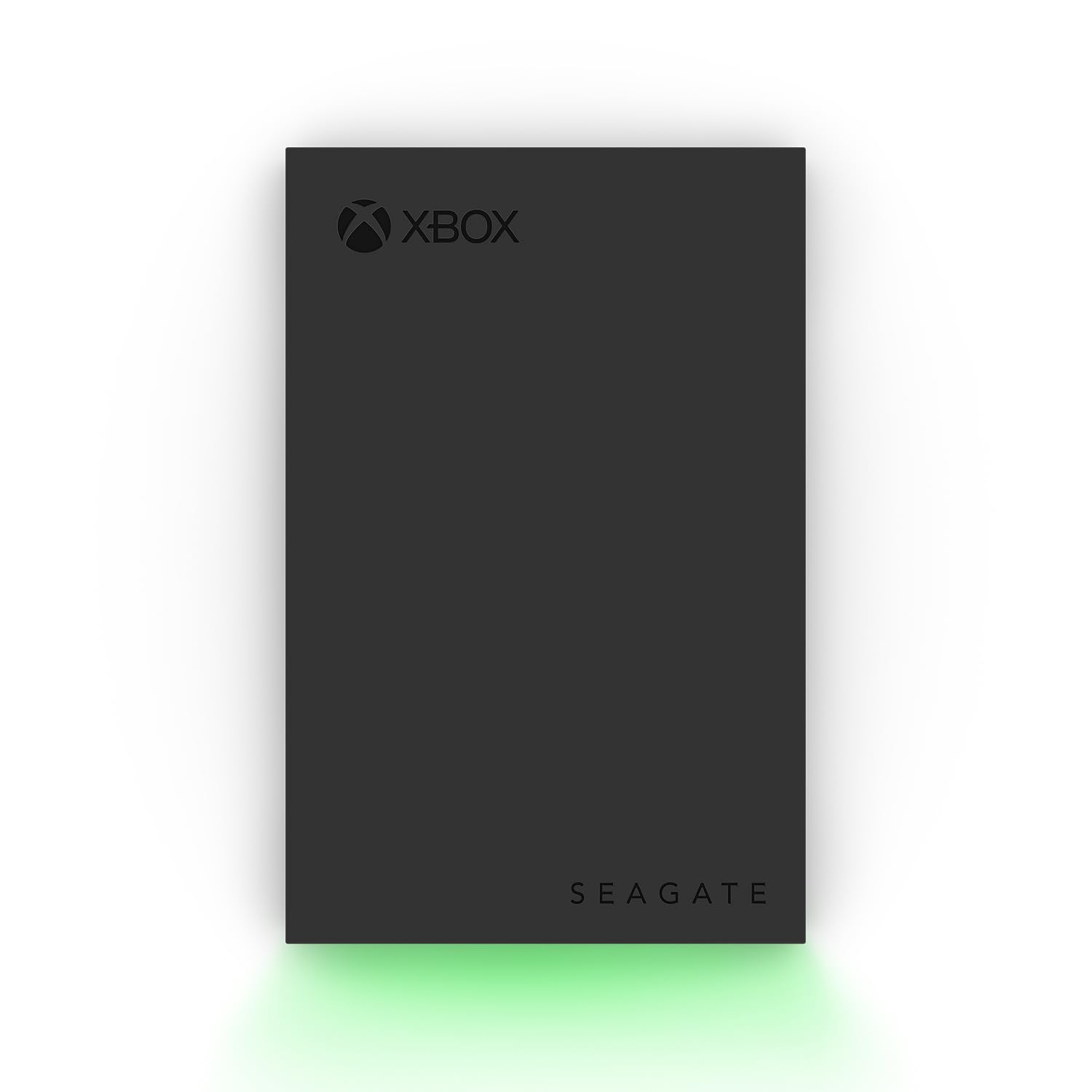
3. Seagate 2TB Game Drive for Xbox | USB 3.0 (STKX2000400)
A drive built to sit next to the console and glow Xbox green.
This one is Xbox-certified and listed as compatible with the Series X, Series S, and every generation of Xbox One, so you are not gambling on compatibility. The 2TB capacity is enough for a serious game vault, and the built-in LED bar lights up your setup in Xbox green — a small thing that makes it feel like it belongs there. Seagate lists a 600 MB/s transfer rate, well ahead of the WD_BLACK P10’s 130MB/s on paper, though real world installs on a console feel closer than those numbers suggest.
The included Rescue Data Recovery Services and 1-year limited warranty are the practical side of the pitch. Storing games is easy; recovering a library you thought was gone is the kind of thing you hope never to need, and it is bundled here. Owners like that it holds plenty of games without taking up much shelf space.
Be clear on one thing before you buy: this drive is for storing and moving games, not for playing them directly off the disk — Seagate says so plainly. You copy a game back to the console to play it, which is a step, but it also means the drive doubles as a safe archive. The transfer speed gets a mixed reception, with some finding it quick and others wanting more. It is a solid shelf-and-archive drive rather than a speed demon.
Why it fits an Xbox setup: Certified compatibility across every Xbox One generation plus the Xbox-green lighting make it a natural fit beside the console.
What to plan for: Games are stored here, not played from here, so expect a quick transfer before you jump into a title.
Worth it for: the buyer who wants guaranteed Xbox compatibility and a design that matches the console.
Not the one for: anyone expecting to launch games straight off the drive.
4. WD_Black 2TB P10 Game Drive
The same tough metal shell as the 5TB P10, scaled down to a tighter 2TB.
Think of this as the smaller sibling of the top pick. It carries the same sleek metal top cover and the same 130MB/s speed rating, but tops out at 2TB instead of 5TB. If you want the durability feel of the bigger drive without paying for room you will not fill, this is the natural swap. It works with Xbox and PlayStation consoles and comes with a 3-year limited warranty.
Owners rate its quality and steady performance highest — it runs smoothly without the lag or glitches some cheaper drives show, and at least one buyer had not even filled half of the 2TB. The metal cover is the thing you notice first in person: cooler to the touch and less plasticky than the budget options here.
Two things decide this one: how tough it is and how fast it moves data. A few owners question how rugged it really is, and some wish it moved files faster. Weigh those two against the price. If you think a metal-clad drive will survive your shelf better than a plastic one, this pick leans that way. Just expect P10-family speed, not SSD-class speed.
Reasons it earns its place
- Metal top cover gives it a sturdier, cooler-feeling build than plastic rivals
- 130MB/s speed rating matches the larger P10
- 3-year limited warranty backs the drive
Points to weigh honestly
- Speed is fine, not fast — do not expect SSD pace
- Owners disagree on how rugged it is day to day
Pick this if: you want the P10’s solid metal feel in a more manageable 2TB size.
Pass if: raw speed or maximum capacity is the priority.
5. WD_BLACK 2TB D30 Game SSD

No moving parts inside, just a fast solid state drive in a case built to match your Xbox.
The headline is speed. This is a solid state drive rated up to 900MB/s, which is the number to remember when you stack it against the 130MB/s mechanical P10 drives on this list. That gap shows up where it counts: moving a big game from the drive back onto the console to play. It holds 2TB, and Western Digital pegs that at roughly 50 games at a 36GB average — a useful way to size up the vault.
Because it has no spinning parts, it is quieter and kinder to being moved around than the mechanical drives here. It is styled to sit alongside an Xbox and comes with a 1-month Xbox Game Pass Ultimate membership for new members. It plays and stores Xbox One games, and archives Series X|S games for later transfer, the same routine as everything else on this page.
Now the part you need to hear: the rating trails the mechanical drives, and buyers have split on durability and speed in ways that suggest real-world performance does not always match the peak figure. Some report it runs smoothly; others push back. The membership offer is also for new Game Pass members only, one per account. Buy this for the quiet, moving-parts-free build and fast archive transfers, and keep your expectations shy of the quoted peak.
The case for it: A 900MB/s solid state drive is the fastest way here to shuffle a big game between drive and console, and the lack of moving parts makes it the tidier option for a living-room shelf.
Where it gets fussy: The mixed feedback on real-world durability and speed means this is a buy for the design and quiet operation, not as a guarantee of peak numbers.
Best matched to: a buyer who wants a silent, SSD-based archive with the quickest transfer pace in the group.
Look at the P10 instead if: you would rather trade some speed for the reliability track record of a mechanical drive with far more owners behind it.
6. Fikwot 2TB External SSD FP80

A pocket-sized SSD that tops the speed chart — with a caveat you need to read.
On paper this is the fastest drive here: read speeds up to 2000MB/s on USB 3.2 Gen2x2, which is a step above the 900MB/s D30 above and many times the mechanical drives. It ships with two cables — a 10Gbps USB A-C and a 20Gbps USB C-C — plus a 5-year coverage promise. The aluminum alloy casing is there to spread heat so the drive stays cool during big transfers, and the compact build slides into a pocket or bag.
Compatibility is unusually broad for a gaming drive. It lists PS5, PS4 (Pro), Xbox, Mac, Windows, smart TVs, and even recent iPhones, so it can double as a general file drive between a laptop and the console. Owners praise the speed and the small size, and the transfer speed is the thing most people call out first.
The specs spell out the catch: the included USB A-C cable (a cable with a standard rectangular USB-A plug on one end) caps speed at 1000MB/s, because that port is the bottleneck. You only get the full 2000MB/s with the C-C cable (USB-C on both ends) and a compatible port. More seriously, reliability is the biggest concern buyers raise. Reviewers report drives failing and data loss from corrupted sectors (storage areas that stop reading correctly) after use. That still leaves it fine for moving files around, but do not let it be your only copy of anything precious.
What makes it stand out
- Up to 2000MB/s read speed leads the entire lineup
- Works across Xbox, PlayStation, Mac, Windows, phones and smart TVs
- Aluminum alloy casing helps it run cool and feel solid
Read before you buy
- The USB-A cable halves the speed — the full figure needs the C-C cable
- Buyer reports of failures and data loss mean keeping a backup elsewhere
Choose it for: one fast drive that moves files between console, laptop, and phone.
Not for: someone who wants a single no-backup vault — the reliability reports argue for a second copy.
7. Avolusion 1TB HD250U3-X1-1TB-XBOX
The smallest sibling in the Avolusion family — console-ready with a lighter footprint.
This is the 1TB version of the pre-formatted Avolusion drive, which keeps the same plug-and-play idea and trims the capacity. It is listed as compatible with the Xbox One, One S, One X, Series S, and Series X, so it spans the whole family. The 1TB room is enough for a starter expansion — a sensible pick if you just want more space than the console alone provides. Its 5 Gb/s transfer rate matches the larger Avolusion, landing at the same level as the WD_BLACK mechanical drives’ connection standard.
Owners find it easy to use on Xbox One, and the capacity is called out as a real boost to console storage — you can see all your games in one place instead of juggling them. It ships with a USB cable and a 2-year warranty card.
The one thing to keep in mind: this is a mechanical drive, and some owners have had units that stopped working over time while others report it running fine. That is the reality of budget hard drives — a mixed long-term record, softened by the 2-year warranty. For the small amount of room it adds, treat it as a practical first step, not a permanent vault.
The straightforward win: Console-ready pre-formatting means you plug it in and gain 1TB without a setup detour.
The honest limit: At 1TB it fills quickly if you install a lot of large titles, and the long-term reliability reports are mixed enough to lean on that warranty.
Ideal for: a first external drive that ends the delete-a-game-to-install-another treadmill.
Step up if: you already own a big library and know you will outgrow 1TB.
8. 1 TB External Hard Drives
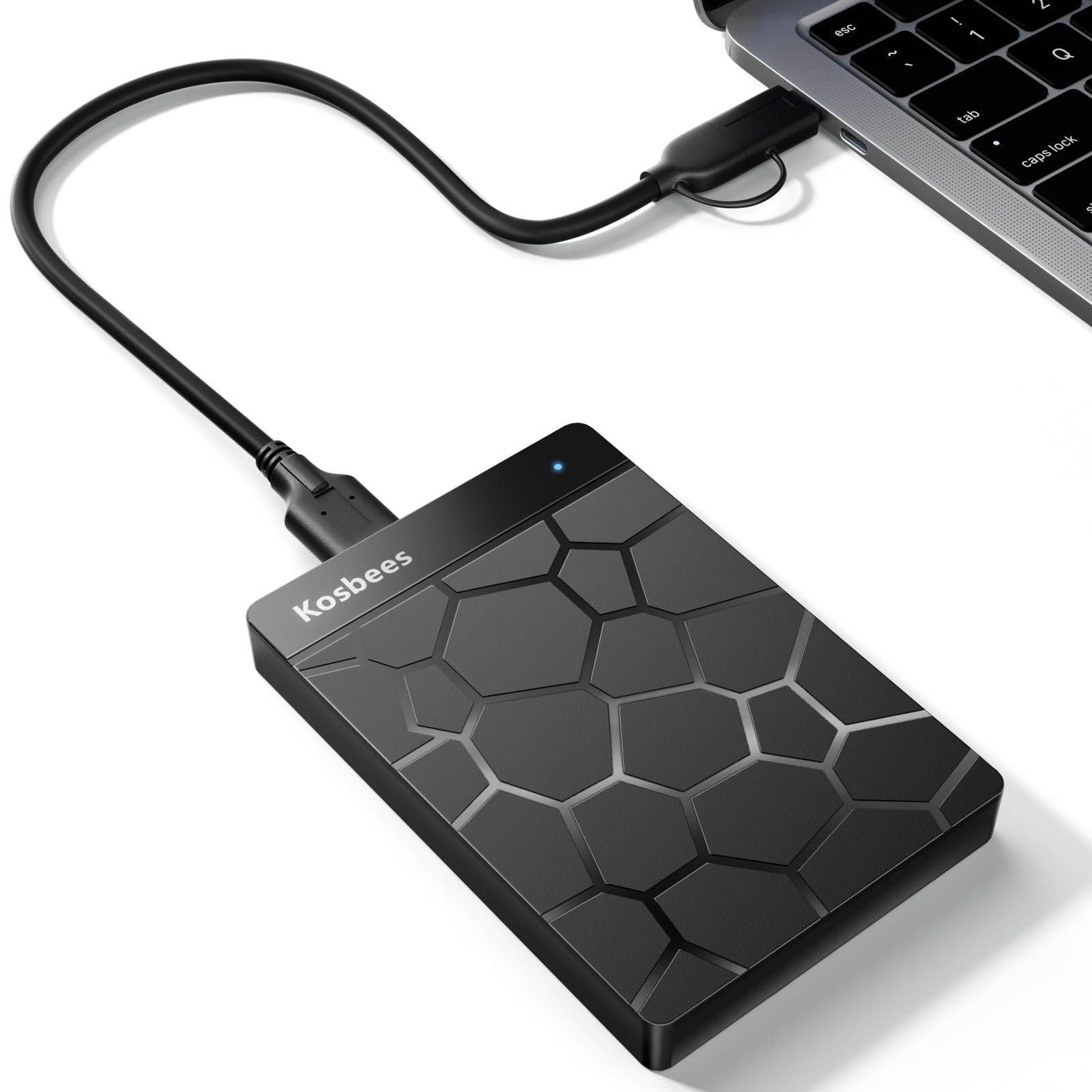
Budget-friendly and light, this is the drive that just works without fuss.
What wins people over here is the value. The 1TB drive costs less than most of the bigger names while still holding a respectable chunk of games, and owners point to that price-to-space balance as the reason it earns a spot. Slotting in near the bottom on cost, it beats many rivals on how much you get for what you spend. Setup is genuinely plug-and-play: the USB 3.0 cable goes in, no software needed, and it is ready on Windows. Own an Xbox One or Xbox 360 and it is listed as compatible with both.
The listed speeds top out around 110MB/s to 133MB/s for reads and 103MB/s for writes, which is steady workhorse territory rather than blazing. The whole drive weighs about 0.6 lbs, so it slips into a bag without you noticing. Owners also like the clean, sleek look — it does not look like a cheap afterthought on your desk.
A couple of honest notes. Windows shows a 1TB drive as roughly 931GB once the format and system overhead are accounted for, which is normal for every drive here, not a flaw. And the feedback on transfer speed, compatibility, and connectivity is mixed — mostly people wanting it a touch quicker. On an Xbox One, where the console caps real-world speed anyway, that shortfall is unlikely to trouble you day to day.
Why it is the value play: A 1TB drive at a friendly price point with plug-and-play setup, and it weighs just 0.6 lbs for travel.
The small compromises: Speeds are workhorse-level, not fast, and general feedback on speed and connectivity is mixed enough that you should not expect SSD pace.
Go for this if: you want the most capacity for the least money and do not mind steady rather than fast.
Look up the list if: you need a bigger vault or a pre-formatted Xbox drive.
9. 1TB Ultra Slim Portable External Hard Drive
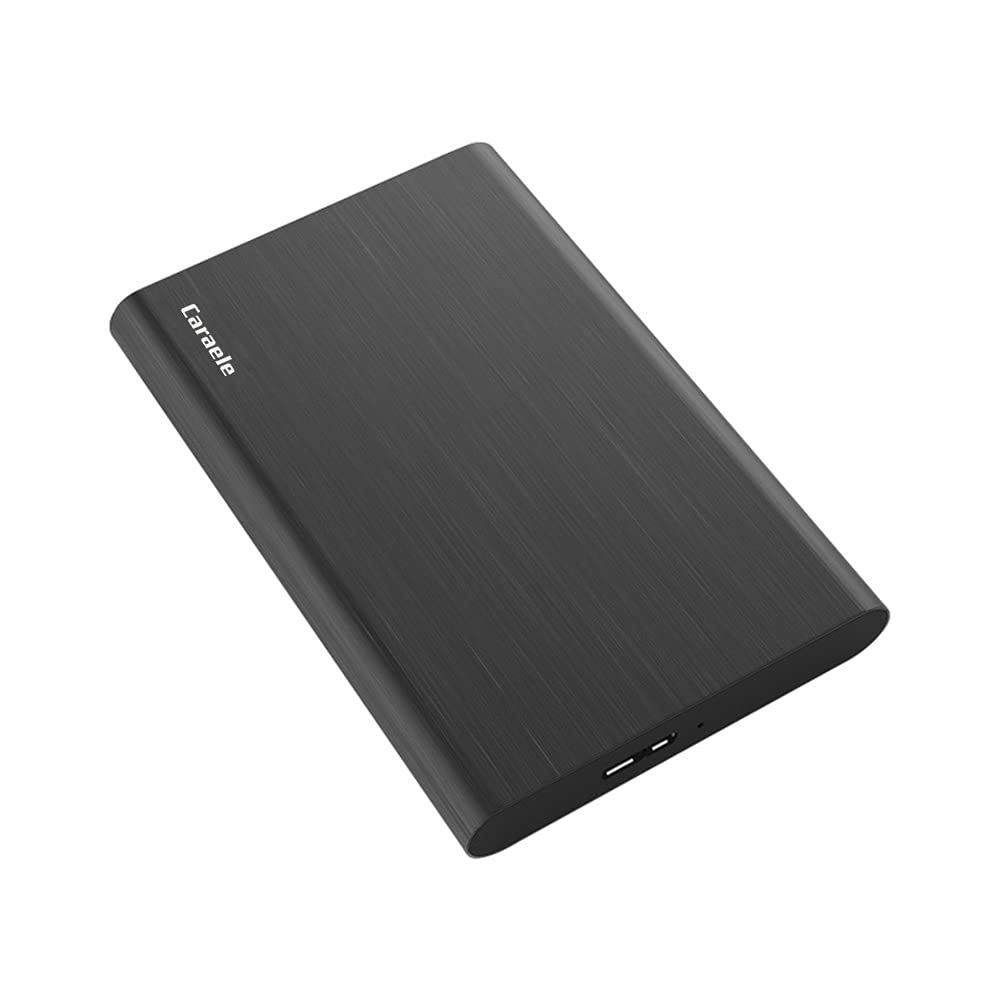
At just 0.47 inch thick, this is the drive you can forget is in your bag.
The whole reason to pick this one is the profile. At 0.47 inch thick with an aluminum finish-style shell, it is the slimmest drive in the group, built for sliding into a laptop sleeve or the side pocket of a backpack. The casing is described as shockproof and anti-pressure, so a knock or a stack of books should not bother it. It carries 1TB of storage and lists a USB 3.0 Super speed of 10 Gb/s — the highest connection figure on the page alongside its ability to run from a USB port with no external power supply.
Compatibility is broad: Windows, Mac, Linux, Android, Chromebook, Xbox One and 360, and PS4 are all listed. Plug-and-play means no install needed, and the box includes a USB 3.0 cable, a USB to Type-C adapter, and a three-year manufacturer’s warranty with free technical support.
The reliability picture here is where you need to be honest with yourself. The feedback is genuinely split — plenty of people say it works well, some report issues over time. That is the profile of a budget drive, not a reason to rule it out. If you want a slim, portable drive for the odd game and some files, it fits the job; just do not treat it as the sole home for a massive library.
What you are buying: The thinnest drive on the list at 0.47 inch thick, with a shockproof-feeling shell and a USB to Type-C adapter included.
What to accept: The long-term reliability feedback is split, so this suits a light-duty second drive more than a primary vault.
Fits best: anyone who carries their drive between rooms or on trips and wants the smallest possible footprint.
Skip if: your plan is to lean on one drive as a single big game archive with no backup.
Know the Specs
Capacity (TB)
This is how much game data the drive holds, measured in terabytes — 1TB gives you a second library, 2TB doubles it, and 5TB lets you keep everything installed at once. On an Xbox One you want enough room that installing a new game never forces you to delete an old favorite, so pick the size that matches how many big titles you run at the same time.
Transfer Rate
Measured in MB/s or Gb/s, this is the ceiling on how fast data moves across the USB connection. A higher number shortens big installs and game transfers, but the console and the game files set their own limits, so a 2000MB/s drive will not feel ten times faster than a 200MB/s one in practice. It is one factor, not the whole story.
Mechanical vs Solid State
A mechanical hard drive (HDD) spins a physical disk and gives you more space for less money. A solid state drive (SSD) has no moving parts, is quieter and tolerates being moved, and loads faster — but costs more for the same capacity. For a large game vault on an Xbox One, the room of an HDD often wins.
Pre-Formatted for Xbox
Some drives arrive already set up to work with a console, so you plug in and go. Others need a quick format on a PC first. On a pre-formatted drive you skip that step, which is the single easiest way to avoid a setup snag when your goal is simply more game space.
Common Questions
Will any of these drives work with my Xbox One, One S, or One X?
Can I play games straight off the external drive?
Do I need to format the drive before using it on Xbox?
How much space should I buy — 1TB, 2TB, or 5TB?
Is a solid state drive worth it over a mechanical one on an Xbox One?
Why does my 1TB drive show up as less than 1TB?
What does USB 3.0 actually change for game storage?
Are these drives safe to move my game library onto permanently?
Do any of these come with a warranty?
The Bottom Line
If your console keeps running out of room, the xbox one storage pick that ends the problem is the WD_BLACK 5TB P10 Game Drive. Its 5TB holds a whole library, and the metal build with a 3-year warranty backs it up. Want a drive already set up for Xbox with no formatting? The Avolusion 2TB is the plug-and-play route. And if you would rather have the quiet, fast transfers of a solid state drive (a drive with no spinning parts), reach for the WD_BLACK 2TB D30 Game SSD at up to 900MB/s.
How we choose
We do not accept paid placement. Every pick is matched to a real buyer and a real use-case; we do not hands-on test units.
Sources
Specifications: manufacturer listings and product documentation. Review insights: verified customer reviews, as of November 2026. Pricing: not shown on this page (it changes often); check the current price via the retailer link.
As an Amazon Associate, Tactical Gear Guy earns from qualifying purchases. This does not affect which products we feature.