Specs are compiled from manufacturer listings and verified buyer reviews and can change over time — please confirm the key details on the product page before buying.
You want your Xbox One controller to talk to your PC without a wire trailing across the desk — and without the nightmare of a gamepad that drops out mid-match. The honest answer up front: a small USB dongle solves this, but they are not all equal. Some dongles pair in seconds and hold the link; others drop out mid-match. This list separates those two camps.
This guide is built by comparing the manufacturers’ published specifications and the patterns across verified customer reviews, so you get each pick’s real strengths and trade-offs instead of marketing spin.
Fair warning before you scroll: these picks use flexible matching for the job of linking an Xbox pad to Windows, so a couple of them are multi-platform adapters rather than a single-purpose dongle. Each one genuinely gets your controller onto a PC. The quick table below sorts them by the spec that actually matters for choosing an Xbox One Controller Adapter for PC.
Top Picks

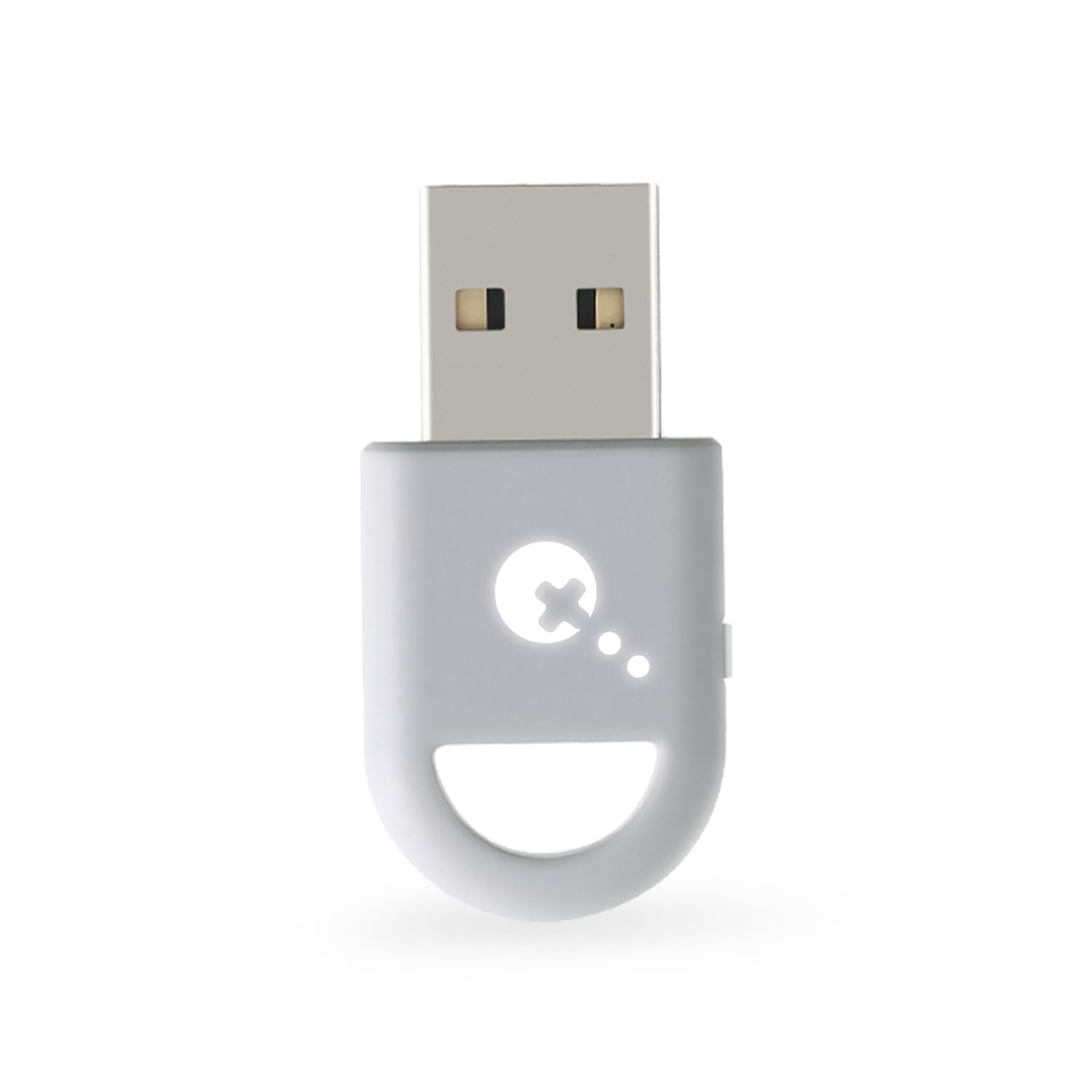

How To Choose The Best Xbox One Controller Adapter for PC
The single most useful thing to understand is that an adapter does one job: it acts as a middleman that lets your controller’s wireless signal reach your computer’s USB port. A dongle that pairs cleanly and holds the link disappears from your setup. A dongle that fights you means rebinding your controller every session.
Latency: the millisecond figure buyers fixate on
Latency is the delay between you pressing a button and the game reacting. On paper the numbers look tiny — one pick here claims 2.95ms — but what you actually feel is whether the link stays steady. A low figure with a dropped connection feels worse than a slightly higher figure that never stutters. For fighting games, racing, and competitive shooters, steady beats fast.
Which controllers actually pair
This is where most returns happen. A basic dongle built for Xbox Wireless speaks the console’s own radio protocol, so it wants an Xbox One or Xbox Series controller and nothing else. A Bluetooth-based adapter talks a different language and can pull in PS5, Switch Pro, and Xbox Bluetooth pads too. Check the exact controller list before you buy, because an adapter that ignores your pad is useless no matter what it costs.
How many pads and headsets at once
If you play couch co-op or want voice chat running through the controller’s headset jack, the controller limit matters. Several adapters here host up to eight controllers and a handful of headsets simultaneously. A single-controller adapter is fine for solo play but locks you out of split-room sessions.
Wired versus wireless, and Windows versions
Some adapters only accept a wireless signal, while others let you run a controller wired through the same box. Windows version support also varies — some list Windows 10 as the minimum, others reach back to Windows 7. Match the adapter to the PC you actually own.
Side-by-Side Comparison
| Model | Best For | Connection Type | Controllers At Once | Key Spec | Amazon |
|---|---|---|---|---|---|
| Brook Wingman XE 2★ Best Overall | Cross-console and PC swapping | USB Type A, wireless or wired | — | 5 turbo speeds | Amazon |
| GuliKit Hyperlink 2Lowest Latency | Lowest claimed latency | USB Type A, wireless | One controller | 2.95ms latency | Amazon |
| KOOWOD Wireless AdapterBest Audio | Full Xbox-style audio and chat | USB, wireless | Up to 8 | 66% smaller design | Amazon |
| Rzkipdy Wireless Adapter | Multi-pad households | Micro USB, wireless | Up to 8 | 66% smaller design | Amazon |
| XB2 Wireless Adapter | Old Windows machines | USB, wireless | Up to 8 | Windows 7 to 11 support | Amazon |
| ELUTENG Xbox Adapter | Elite-series owners | Bluetooth 5.0 | Up to 8 | Bluetooth 5 | Amazon |
| 8BitDo Adapter 2 | Button remapping and macros | Micro USB, Bluetooth | One controller | 4 modes | Amazon |
| MAYFLASH Magic-X | Console and PC crossover | USB Type A, Bluetooth | — | 6-axis motion on Switch | Amazon |
| Brook Wingman XB 3 | Deep remap and turbo control | USB Type A, wireless or wired | — | 5 turbo levels | Amazon |
Detailed Reviews
1. Brook Wingman XE 2 Converter
Our pick — 4.5+★ from 500+ verified ratings; the strongest balance of quality and price.
The chameleon of the group: one small blue box that speaks nearly every controller’s language.
If you keep a PS5 pad, a Switch Pro, and an Xbox Elite 2 on the same desk, this is the adapter that stops the juggling. It pairs all of them wirelessly — PS5, PS4, PS3, NS Pro, and Xbox Series X|S / One / Elite 2 — so your favorite controller follows you across machines. On PC it runs in Direct Input mode, which means Windows sees it as a plain gamepad and most games pick it up without fuss.
Then there is the tuning layer. You can set turbo to fire at 5, 10, 15, 20, or 25 clicks per second, and remap buttons to suit the way you actually play. For a fighting-game combo or a rapid-fire shooter, that 25-clicks ceiling lets a single press repeat like a held trigger. Setup is the easy part: plug, sync, play, and grab firmware from the Brook site when a new controller needs support.
What wins people over is that the connection simply behaves — no noticeable input lag is the recurring theme, particularly with a Switch Pro controller in hand. The catch is on the pairing side: getting it connected is where some setups stumble, and a few describe disconnects creeping in. Treat the firmware update as step one, not an afterthought. This is the pick for a multi-console household that wants one adapter for every pad; it holds 4.5+ stars across 500+ owners.
Where it earns its keep
- Wireless support for PS5, PS4, PS3, NS Pro, and Xbox Series X|S / One / Elite 2 in one unit
- Turbo adjustable across 5, 10, 15, 20, or 25 clicks per second
- Full button remapping to match your playstyle
- No noticeable input lag once paired, especially with Switch Pro pads
What to plan around
- Initial pairing can be fiddly for some setups
- A few report disconnects creeping in over time
- Xbox Original controllers need a separate USB adapter, not included
Built for the controller collector: if several different pads live on your desk, this one adapter covers the lot.
The honest limit: plan on a firmware update and a patient first pairing before it settles down.
2. GuliKit Hyperlink 2 Fast Wireless Adapter
The speed-first pick, built around a number competitive players care about.
HyperLink 2 technology is the headline, and the figure is 2.95ms of latency — the delay between your thumb and the screen. GuliKit claims that cuts input delay by up to 50% on supported controllers. For fast shooters or fighters, that 2.95ms figure is the spec you are shopping for, and it leads this pack on raw millisecond claims.
Its reach is wide: Xbox Series pads, Elite Series 2, Xbox One Bluetooth controllers, PS5 DualSense and DualSense Edge, PS4 DualShock, Switch Pro, and GuliKit’s own pads. It also runs on Windows 7 and up, Switch, Switch 2, Android 9.0 and up, and SteamOS 3.4 and up, which brings Steam Deck, ROG Ally, and Ally X into play. The gripes? Some owners say it misbehaves with Switch Pro controllers, and its port count is two against the four-product field’s single-port rivals — this is the more flexible physical fit when you need two ports of room.
Buyers rave about speed here — latency is what gets mentioned most, and positively. Setup is fast too: instant plug-and-play, with no drivers to install. Three compatibility notes are worth taping to your monitor: you can only connect one controller at a time; it will not work with Xbox One controllers from 2013–2015 or non-Bluetooth Elite and Xbox 360 pads; and Xbox headphones are not supported. Update your Xbox controller’s firmware first and you will skip most pairing headaches.
Where it shines: the latency floor (2.95ms) and the platform spread (Windows 7+, Switch, Android 9.0+, SteamOS 3.4+) make it the enthusiast’s choice for a handheld or a fast PC setup.
Worth knowing before checkout: it handles one controller at a time, and older Xbox One controllers from 2013–2015 sit outside its support list.
Go here if: milliseconds are your priority and you own a Bluetooth-era Xbox pad or a PS5/Switch controller.
Keep looking if: you need couch co-op for several pads at once — this one is single-controller only.
3. KOOWOD Wireless Adapter Dongle
A dedicated Xbox-link dongle that brings the full console experience — chat and stereo — to your desktop.
KOOWOD’s adapter is built for one job: putting your Xbox Wireless Controller on a Windows PC, laptop, or tablet with the same feel you get on the console. That includes in-game chat and high-quality stereo audio through the controller, which is the part most cheap dongles skip. It handles PC games and Xbox One games streamed to Windows 10, and at 0.01 kg it is light enough to leave plugged into a laptop and forget about.
Scale is its quieter strength. It connects up to eight controllers at once, plus up to 4 chat headsets or 2 stereo headsets — handy for a shared living-room setup. The design is also 66% smaller than the older full-size receiver, so it will not crowd a laptop’s USB ports. Data moves at 54 megabits per second, the wireless link that carries your inputs and audio.
The setup side is what wins people over — plugging it in and getting going is the positive note that comes up most, with no noticeable lag close behind. The recurring gripe is the link itself: connectivity draws the most mixed feedback, and a chunk of folks report losing the connection. It is not a 360 controller solution, either. Bind it to your pad properly, keep the firmware happy, and most of that fades.
Reasons it earns a slot
- Full in-game chat and stereo audio through the controller
- Connects up to 8 controllers plus headsets at once
- 66% smaller than the full-size receiver
- Plug-and-play setup with no noticeable lag
Things to weigh
- Connectivity draws mixed reports — some lose the link
- Not compatible with Xbox 360 controllers
- Value is debated by a share of buyers
Reach for this if: you want voice chat and stereo sound running through your Xbox pad, not just button presses.
Look elsewhere if: you need a rock-steady link above all else — connectivity is the weak point here.
4. Rzkipdy Wireless Adapter with Original IC Chip

The Original IC Chip design that wants to recreate the console couch, eight pads deep.
Rzkipdy’s dongle uses an Original IC Chip to bind your Xbox Wireless Controller to a Windows PC, laptop, or tablet, and it is built for group play. It links up to eight controllers at once, with room for up to 4 chat headsets or 2 stereo headsets. The 66% smaller design keeps it out of the way, and at 0.01 kg — half the heft of the XB2 below — it barely registers in a port.
Audio is handled properly, with wireless stereo sound and in-game chat riding on the same link. It plays PC games and streamed Xbox One games on Windows 10, and it is a micro-USB interface rather than the older full-size receiver, so check the port on your machine. For a family room or a shared setup, the multi-pad capacity is the whole pitch.
Here is the part to be straight about: connectivity is where this one stumbles. The connection dropping is the loudest recurring note, and quality complaints follow close behind. It is not an Xbox 360 adapter, so older pads are out. What works in its favor is that setup is friendly — ease of use is the positive that leads its feedback. If you are buying for solo play, weigh the steadiness question; if you want a cheap way to host a crowd, this is the value play.
Best use case: a room full of pads and a Windows 10 machine — up to eight controllers plus headsets on one dongle.
The trade-off: connection stability is the recurring complaint, so treat a patient setup and an updated system as part of the deal.
Pick it for: group sessions where several Xbox pads need to share one PC.
Think twice if: a single rock-steady solo connection is all you need — this one is chattier about dropping the link.
5. XB2 Wireless Adapter

The old-machine rescuer: it pairs an Xbox pad with Windows versions most dongles have forgotten.
Most adapters here assume a modern PC. The XB2 does not. It runs on Windows 11, 10, 8.1, 8, and 7, which makes it the pick for a backroom desktop still on an older build. The Original Chip inside lets you play PC games with your Xbox One or Xbox Series X controller, and it connects up to eight controllers at once with wireless stereo support.
At 0.02 kg it carries twice the weight listed for the KOOWOD, a small physical tell that it is the beefier of the two Original-Chip dongles — not a difference you will feel once it is plugged in. Setup is the easy win: it is plug-and-play, and the connect-to-load routine takes about a minute to sort. Powerful signal and stereo support round out the package.
The steady-link question is the honest caveat. Some setups maintain a great link between pad and PC; others struggle to hold the connection, so the reward depends a little on your machine. It will not touch Xbox 360 controllers or third-party controllers, and third-party wireless headsets are out too. A 12-month warranty backs the purchase, which softens the risk if your first pairing feels shaky.
What makes it worth considering
- Runs on Windows 11, 10, 8.1, 8, and 7 — the broadest OS list here
- Connects up to 8 controllers with wireless stereo
- One-minute setup to load and connect
- 12-month warranty included
Points to keep in mind
- Connection stability is mixed — some setups hold, others falter
- No support for Xbox 360 or third-party controllers
- Third-party wireless headsets will not pair
A strong fit for: an older Windows 7 or 8 machine that newer adapters skip.
Not the one for: an Xbox 360 pad or a third-party controller — both sit outside its support list.
6. ELUTENG Xbox Adapter for PC

A Bluetooth 5 adapter that reaches back to Elite-series pads and forward to newer consoles.
ELUTENG builds this one on Bluetooth 5, and that is the spec that decides who it works with. It handles Xbox One controllers including the Elite series, plus Xbox One X and Xbox One S pads — the older and specialty controllers that some rivals turn away. It links up to eight controllers at once, with room for up to 4 chat headsets or 2 stereo headsets.
Setup is genuinely simple: plug the receiver into your computer, let Windows detect it, then hold the pairing button on the controller and the key on the receiver until both indicators flash. Windows 7 and Windows 8 owners need to grab drivers from Microsoft first, which is the one extra step. ELUTENG’s listing also claims a smaller, stronger build than earlier designs, zero latency, and extended transmission range.
The honest note is durability of the link: while plug-and-play setup is the consistent theme, a share of buyers report the connection dropping after roughly 10-15 minutes. Universal wireless headsets will not pair, and Xbox 360 pads are out. If your setup is an Elite pad and a modern PC, the Bluetooth 5 route is a good match — just know the connection is the part that needs luck.
Why it stands out: Bluetooth 5 plus Elite-series support covers pads that generic Xbox-link dongles ignore.
Where it can let you down: a few report the link failing after roughly 10-15 minutes, so keep the receipt handy for the 12-month warranty.
Choose it when: you run an Elite-series controller and want Bluetooth pairing plus a 12-month warranty.
Best avoided if: you are on an Xbox 360 pad or a universal wireless headset — neither is supported.
7. 8BitDo Adapter 2 USB Wireless

The tinkerer’s adapter — four modes and a full remap suite in a thumb-sized shell.
8BitDo’s second-generation receiver is about control, not just connection. It runs four modes — X-input, D-input, Mac, and Switch — so the same dongle presents your controller differently depending on what the game expects. Switch mode adds 6-axis motion, X-input mode adds vibration, and the Ultimate Software lets you remap buttons, adjust stick and trigger sensitivity, tune vibration, and build macros.
Its controller list is long: 8BitDo Bluetooth pads, Xbox Series X|S and Xbox One Bluetooth controllers, PS5, PS4, PS4 Pro, PS3, Switch Pro, Switch Joy-Con, Wii U Pro, and Wiimote. On the system side it covers Windows 10 and up, macOS, Raspberry Pi, Android TV Box, SteamOS Holo 3.4 and up, and Switch 3.0.0 and above. Firmware updates matter here — Switch 2 needs the latest firmware, and so does any controller not on the list.
Two limits define the fit. One adapter works with one controller, so multi-pad sessions need multiple dongles. And it is Bluetooth only — 2.4G wireless controllers will not pair. The good news is that setup and response land well, with easy pairing and no noticeable lag as the consistent positives. At 1 A current rating and 5 watts nominal power, it is a modest draw on your USB port.
Why tinkerers like it
- Four modes: X-input, D-input, Mac, and Switch
- Ultimate Software for remapping, sensitivity, vibration, and macros
- Works with Xbox, PS5, PS4, PS3, Switch Pro, Joy-Con, Wii U Pro, and Wiimote
- Easy setup with no noticeable lag
Limits to plan for
- One adapter drives one controller only
- Bluetooth only — no 2.4G wireless controllers
- Needs firmware updates for Switch 2 and newer pads
Suits you if: you want to remap buttons and build macros, and you run a single Bluetooth controller.
skip it if: you need several pads running off one dongle — you would need one adapter per controller.
8. MAYFLASH Magic-X Wireless Bluetooth USB Adapter

A cross-platform bridge that pulls console peripherals onto a desktop without complaint.
The Magic-X is the adapter for the player whose gear does not match. It accepts Xbox Series X, Series S, Xbox One Bluetooth, and Elite Series 2 pads, plus PS5, PS4, PS3, Switch Pro, Joy-Con, Wiimote, and Wii U Pro controllers. It runs on Xbox Series S/X, Xbox One, Switch, Switch 2, macOS, Windows, Raspberry Pi, PS3, PS Classic, and several retro mini consoles — a USB Type C cable ships in the box too.
The deeper feature is converting a console’s own wireless pad into a wired controller by simply plugging in a standard USB cable. It supports 6-axis motion on Switch, rumble on Xbox Series S/X, Xbox One, Switch, Xinput, and PS3, and both rumble intensity and dead zone can be adjusted. Bluetooth headsets work on Xbox Series S/X, Xbox One, and Switch. Functionality and compatibility are what owners praise most, and that breadth is why it earns a slot here.
The catch is on the connection itself — it works beautifully for some setups, while others report the link dropping within minutes or seconds, and latency is similarly split. Input voltage is 5 volts with a 1 A current rating, so it is a light draw. If you want an Xbox pad on a PC alongside PS5, Switch, and retro consoles, its platform list is the widest here.
Where the value sits: one adapter that spans Xbox, PlayStation, Switch, and retro mini consoles, plus headset and rumble support.
What to watch: connection drops and latency are the split reports, so try it on your own PC early.
Worth it for: players juggling Xbox, PlayStation, and Switch gear across multiple systems.
Not ideal if: a steady link from the start is non-negotiable — this is the pick with the widest reach and the most split connection reports.
9. Brook Wingman XB 3 Converter

The remap-and-turbo toolbox for the player who wants every button under their thumb.
Brook’s XB 3 is the deepest customization tool on this list. It runs on Xbox Series X/S, Xbox One, and PC, and it accepts controllers both wirelessly (XB Series X/S, XB One, Elite Series 2, PS5, PS4, PS3, Switch Pro) and wired (XB Series X/S, XB One, and Elite 1 & 2 pads on Xbox consoles). Where the XB 3 earns its keep is the editing layer: remap any button and dial in turbo (rapid-fire button presses) across five adjustable levels.
At 13.34 g it is a feather in the hand, and the 3.03 x 0.79 x 0.52-inch footprint slips into a laptop bag without a second thought. Functionality is the thing everyone raves about — that is what draws the most praise — with easy setup and no noticeable input lag close behind. It also ships with a Brook keychain, a small extra the maker clearly has fun with.
The honest downside: reliability draws the cloudiest feedback of any pick here, and some report it disconnecting frequently. Value is debated too. It is the most feature-dense adapter in the round-up, and the one to reach for when remapping and five turbo levels matter more to you than plug-and-play simplicity. If you want a set-and-forget dongle, look earlier in this list.
What you are paying for
- Remap every button to your own layout
- Five adjustable turbo levels
- Runs on Xbox Series X/S, Xbox One, and PC
- Takes PS5, PS4, PS3, Switch Pro, and Elite 2 controllers
The fine print
- Reliability draws the cloudiest reports of the group
- Some describe frequent disconnects
- Value is debated by a share of buyers
Reach for this if: you want deep remap and five turbo levels across Xbox and PC.
Better elsewhere if: you want the simplest, steadiest link — this is a power tool, not a plug-and-forget dongle.
Know the Specs
Latency in Milliseconds
Latency is the gap between pressing a button and seeing the result on screen, measured in milliseconds. Lower figures mean a tighter, more direct feel — which is why a number like 2.95ms gets attention. But a steady connection matters more than a tiny number, because a dropped link resets the whole experience.
Controller Count
Controller count is how many pads one adapter can host at once. A single-controller adapter is fine for solo play, while up to eight lets a whole room share a machine. If you want couch co-op, check this before anything else — it is the fastest way to rule an adapter in or out.
Bluetooth vs Xbox Wireless
Bluetooth adapters speak the common wireless standard and can pull in PS5, Switch, and Xbox Bluetooth pads. Xbox Wireless adapters speak the console’s own radio and mainly want an Xbox controller. Know which your pad uses, because a mismatched adapter simply will not pair.
Windows Version Support
The minimum Windows version tells you whether an adapter will run on your PC at all. Some list Windows 10 as the floor, others reach back to Windows 7 and 8. If you are on an older build, match the adapter’s stated OS list to your machine before buying.
Common Questions
Will an adapter work with a non-Bluetooth Xbox One controller?
Do these adapters need drivers installed?
Can I connect more than one controller to a single adapter?
Is a Bluetooth adapter better than an Xbox Wireless one?
Why does my controller keep disconnecting?
Can I use a headset through the controller with these adapters?
Does an adapter add input lag?
Will these work on Xbox 360 controllers?
Can I remap buttons on the adapter itself?
Do I need to update firmware on an Xbox One controller first?
The Bottom Line
For most people, the xbox one controller adapter for pc that does the most is the Brook Wingman XE 2, because it covers PS5, PS4, PS3, NS Pro, and Xbox Series X|S / One / Elite 2 controllers in one unit and adds remap and turbo. If raw speed is the goal, the GuliKit Hyperlink 2 lists 2.95ms of latency (the delay between your button press and the screen) and reaches Windows 7+, Switch, Android, and SteamOS. And for the deepest customization, the Brook Wingman XB 3 gives you five turbo levels and full button remapping. Whichever you pick, update your controller and the adapter first — that single step solves more pairing headaches than any spec on this page.
How we choose
We do not accept paid placement. Every pick is matched to a real buyer and a real use-case; we do not hands-on test units.
Sources
Specifications: manufacturer listings and product documentation. Review insights: verified customer reviews, as of November 2026. Pricing: not shown on this page (it changes often); check the current price via the retailer link.
As an Amazon Associate, Tactical Gear Guy earns from qualifying purchases. This does not affect which products we feature.