Specs are compiled from manufacturer listings and verified buyer reviews and can change over time — please confirm the key details on the product page before buying.
A mastered gamepad shouldn’t be stranded on one console. The right Xbox controller adapter plugs that pad into a PC, Switch, Steam Deck or older Xbox and keeps the same buttons and muscle memory. The catch is that the market is split down the middle: a handful of chips that pair cleanly and stay paired, and a lot of lookalike dongles that drop the link mid-match. This guide separates the two with the facts each listing actually publishes and the patterns that show up across thousands of owner reports.
This guide is built by comparing the manufacturers’ published specifications and the patterns across verified customer reviews, so you get each pick’s real strengths and trade-offs instead of marketing spin.
Latency, controller count and platform support are compared side by side, so you pick once and stop rebuying. The picks below cover every budget and console generation, and each entry ends with a plain answer on who it fits and who should walk past it.
Top Picks


How To Choose The Best Xbox Controller Adapter
The first question is not which adapter is best — it is which machine you want to bring your Xbox controller to. A dongle that turns your Series X|S pad into a PC gamepad is a different product from a converter that lets a PS5 pad drive an Xbox. Decide your destination first, then read the spec sheet against it.
Start with the controller you already own
These adapters are picky about the pad on the other end of the signal. Xbox Series X|S and Elite Series 2 controllers with Bluetooth are the safe pairings on nearly every dongle here. Xbox 360 pads and the older non-Bluetooth Elite models are the ones that get left out, so check your model before you buy anything.
If you are pairing an Xbox One controller, note that models released between 2013 and 2015 are not supported by at least one adapter on this list, and a couple of the cheaper dongles will not talk to third-party pads at all. That detail lives in the fine print, not the headline.
Latency is the number that decides your aim
Input latency is the delay between your thumb moving and the game reacting, measured in milliseconds (ms). The fastest adapter here publishes a 2.95ms figure, which is the kind of delay you cannot feel. A dongle that keeps a clean link at that speed is what a competitive shooter player needs. A dongle that stutters mid-match is worse than a cable.
Wireless rarely beats a physical cable on raw latency. A good adapter gets wireless close enough to wired that you forget the difference.
Count the controllers and headsets before you commit
Several receivers in this group can hold up to eight controllers at once, with room for up to four chat headsets or two stereo headsets. That is the difference between a solo setup and a living-room party where four pads are live. If friends crowd your couch with wireless headsets, check the fine print — some adapters explicitly refuse third-party headsets.
Judge platform support by what you will actually use
An adapter that claims a dozen systems still only matters for the ones you own. Check Windows version support, whether Steam Deck and ROG Ally are named, and whether a Switch needs a USB-C OTG cable in the chain. A micro USB connector on the dongle body and a USB Type A plug on the business end are not the same thing — read which end plugs where.
Side-by-Side Comparison
| Model | Best For | Latency | Controllers at Once | Platforms | Amazon |
|---|---|---|---|---|---|
| Brook Wingman XE 2★ Best Overall | Mixed console households | No noticeable input lag (maker claim) | 1 device paired at a time | PS5/4/3, NS, NS 2, Xbox Series X|S, One, Elite 2, PC | Amazon |
| GuliKit Hyperlink 2Fastest Response | Fast PC and SteamOS play | 2.95ms | 1 | Windows 7+, Switch/2, Android 9.0+, SteamOS 3.4+ | Amazon |
| KOOWOD Wireless AdapterBest Value | Windows 10/11 desktop play | No noticeable lag (owner reports) | Up to 8 | Windows 10, 11 on PC, laptop, tablet | Amazon |
| ELUTENG Xbox Adapter | Cheap plug-and-play on PC | Zero latency (maker claim) | Up to 8 | Windows 7+ on PC, laptop, tablet | Amazon |
| Rzkipdy Wireless Adapter | Multi-pad Windows setup | Not published | Up to 8 | Windows 10, 11 on PC, laptop, tablet | Amazon |
| Smlau XB2 | Older Windows machines | Not published | Up to 8 | Windows 7/8/8.1/10/11, tablets | Amazon |
| MAYFLASH Magic-X | Broadest device list | Mixed (no figure published) | Not published | Xbox Series S/X, One, Switch/2, macOS, Windows, Raspberry Pi, PS3 | Amazon |
| Brook Wingman XB 3 | Current-gen Xbox with any pad | No noticeable input lag (owner reports) | 1 device paired at a time | XB Series X/S, XB One, PC | Amazon |
Detailed Reviews
1. Brook Wingman XE 2 Converter
Our pick — 4.5+★ from 500+ verified ratings; the strongest balance of quality and price.
The one adapter that speaks to every pad in your drawer and every console under the TV.
The Wingman XE 2 wins this list because it is the only pick that handles both directions of the problem. It takes a PS5, PS4, PS3, Switch Pro or Xbox Series X|S controller and puts it on whichever console is plugged in. Owners describe it as the quiet fix for a house full of mismatched pads, and it holds the highest owner satisfaction of the group.
Turbo is the feature that separates it from the plain dongles below. You pick a click rate — 5, 10, 15, 20 or 25 clicks per second — and the adapter fires that button for you at that rhythm. In a game that wants a rapid repeated press, that is the difference between wearing out your thumb and not. The remap function goes further: you reassign buttons per game until the layout matches your own hands.
Setup is plug, sync, play, with no driver hunt on the supported systems. One detail the listing is upfront about: the original Xbox needs a USB adapter that is not in the box, so do not buy this expecting it to rescue a 2001-era console. And the honest trade-off is that pairing is one device at a time — it is a bridge for a single pad, not a hub for four friends. If your plan is a four-player couch night with Xbox pads, the multi-controller dongles further down are the better fit.
What earns the top spot
- One adapter bridges PS5/4/3, Switch Pro and Xbox Series X|S pads to the same console
- Turbo runs at 5, 10, 15, 20 or 25 clicks per second — five speeds, your pick
- Button remapping lives on the adapter itself, so no software to install
- Wired use covers PS4, PS3, Switch, Switch 2 and PC in Direct Input
Where it asks you to compromise
- Pairs one device at a time — not built for four-pad local play
- Original Xbox consoles need a separate USB adapter you must supply
- Top-tier pricing for the group
Reach for this if: you own a mix of PlayStation, Switch and Xbox pads and want one small brick that makes all of them work anywhere.
Pass it by if: your goal is a four-controller party setup — this one talks to a single pad at a time.
2. GuliKit Hyperlink 2 Adapter
A 2.95ms link that turns your Series X|S pad into a competitive PC controller.
If you play on a monitor and count frames, this is the number that matters: 2.95ms of latency, which GuliKit says cuts input delay by up to 50% on supported controllers. In a fast shooter that is the gap between a shot that lands and one that trails. It plugs straight into a USB Type A port and needs no drivers, so the first game you load is already using it.
The device list is longer than the plain Xbox dongles — Windows 7 and up, Switch and Switch 2, Android 9.0 and up, and SteamOS 3.4 and up for Steam Deck, ROG Ally and Ally X. Handheld owners get a genuinely useful bridge here. On Switch, PS4 and PS5 pads pick up motion control and vibration, which the PC side does not offer.
Now the part that decides it for a lot of buyers: those handheld and Switch Lite connections need an OTG cable or adapter, which is a separate purchase. Xbox One controllers made between 2013 and 2015, non-Bluetooth Elite pads and Xbox 360 pads are all off the guest list. The adapter also refuses Xbox headsets and holds one controller at a time. Owners rave about the responsiveness and the simple setup, and the recurring gripe is pairing rather than speed — an occasional unit fights a Switch Pro controller and needs a firmware pass on the Xbox pad first.
The low-latency case: 2.95ms is the smallest published figure on this list, and it lands on the systems that need it most — PC, Steam Deck and ROG Ally.
Buy the cable too: plan on an OTG adapter for handheld and Switch Lite use, and update your Xbox controller firmware before you plug in.
Built for: Steam Deck, ROG Ally and Windows players chasing the fastest possible wireless response.
Not built for: a Switch Pro controller you refuse to update, or a 2013-era Xbox One pad.
3. KOOWOD Wireless Adapter Dongle
Eight pads and four chat headsets off one tiny dongle — the a neat extra the price does not hint at.
Most of these adapters are built for one player. This one is built for a room. It holds up to eight controllers at once, along with up to four chat headsets or two stereo headsets, all pouring through a body the listing describes as 66% smaller than the standard design. That shrinking matters for a laptop bag or a cramped USB hub. It also runs on IEEE 802.11n with a 54 megabits-per-second data rate, which is plenty of headroom for controller input and in-game chat.
The connection is Xbox One and Series-era controllers to Windows 10 and 11 PCs, laptops and tablets. You bind the pad the same way you do on a console and get in-game chat and stereo audio back. Windows 10 is the floor — this will not help a Windows 7 machine, unlike the Smlau pick later on this list. Owners consistently find it quick to set up and report no noticeable lag once it is running.
The catch is stability over long sessions. Some dongles of this style hold a link for hours, and an occasional one drops and needs a re-pair. Owners split on that, and it is worth checking your USB port is not in a power-saving mode before blaming the adapter. Also note the specific controller list: it is not compatible with pads designed for Xbox 360.
Pick this for: a Windows 10 or 11 desktop where multiple Xbox pads and headsets need to connect at once.
Look elsewhere for: Xbox 360 controllers or older Windows installs — this one will not cooperate.
4. ELUTENG Xbox Adapter for PC

An entry-level dongle that promises zero latency and a one-year replacement warranty.
Bluetooth 5.0 is the pitch here, and the ELUTENG uses it to accept Xbox One controllers including the Elite series, plus Xbox One X and Xbox One S pads. Like the KOOWOD pick, it can hold up to eight controllers at once with four chat headsets or two stereo headsets in the mix. For a cheap adapter that is a lot of capacity. The pairing routine is spelled out clearly: hold the pair button on the pad and the pair button on the receiver at the same time, wait for both lights to settle, and play.
The maker claims zero latency and an extended transmission range, and buyers report that it works well on gaming PCs when the link holds. That qualifier is the honest part. Buyers also report that some units only work for about 10-15 minutes before dropping the connection, which is a real stability issue on a subset of units rather than a feature complaint. On the desk, the window is brief — Windows 7 and 8 machines need the driver pulled from Microsoft first.
Universal wireless headsets will not work with it, so plan on wired audio or the built-in chat route. For the price tier, the one-year replacement warranty is the safety net that makes the gamble reasonable. Owners mention its best moments on a stable gaming PC, so a tidy USB port and a recent driver are your friends here.
What you gain: Bluetooth 5.0, eight-controller support and a year of replacement cover at the entry tier.
What to watch: the link can time out after a quarter of an hour on some units — keep a spare controller cable nearby when it matters.
Right for: a budget-minded Windows PC player who wants a cheap second dongle and backup warranty cover.
Wrong for: anyone who needs a marathon-session link with zero interruptions.
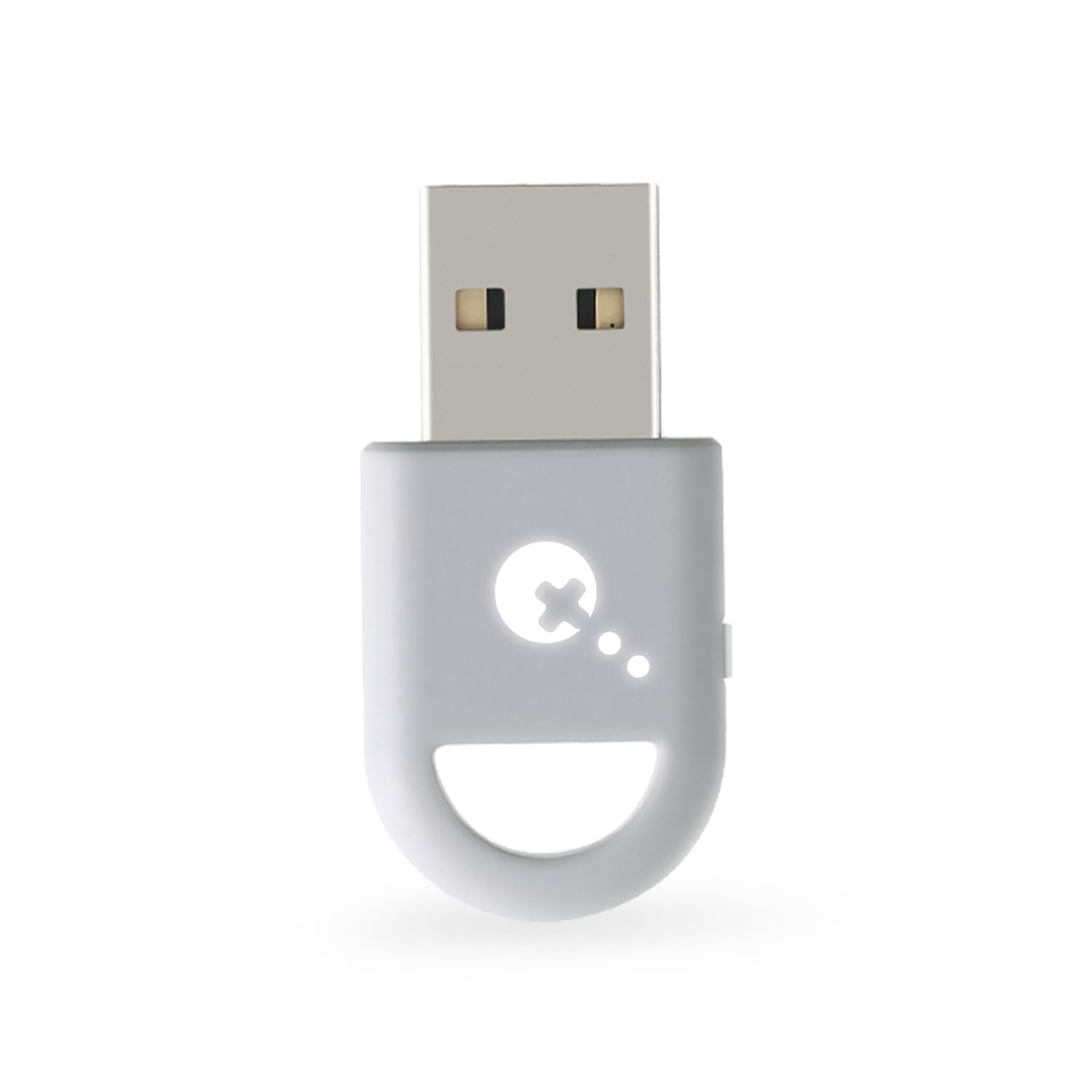
5. Wireless Adapter with Original IC Chip

An original-chip dongle that sets up easily and then asks you to trust the link.
The headline here is the connector: a Micro USB body on a receiver rated for Windows 10 and 11. It binds an Xbox One controller straight to a PC, laptop or tablet and delivers in-game chat plus stereo audio like the console does. Unlike the Smlau pick below, it does not stretch back to Windows 7 — but on a modern PC it is a clean drop-in.
The 66% smaller body is a real desk-space win, and the same shell holds up to eight controllers with up to four chat headsets or two stereo headsets. The first-time setup is genuinely easy, which is why owners consistently praise how quickly it comes online. That praise is the honest core of this pick.
The follow-up question is whether it stays online. Some customers note a connection that drops repeatedly — enough that “poor connection that constantly disconnects” is a recurring note in the owner feedback. The listed “original IC chip” is the promise; the real world asks for a firmware check on the controller and a USB port that stays powered. It is also not compatible with Xbox 360 controllers.
Worth it when: you want easy setup and stereo chat audio on a Windows 10 or 11 PC and are prepared to verify the link.
Skip when: your gaming sessions run long and a mid-match drop would ruin the evening — the Smlau XB 2 is the steadier read.
6. XB2 Wireless Adapter Compatible with Xbox One Controller

The adapter that still talks to a Windows 7 box when every other dongle has given up.
Most of the picks on this list draw a line at Windows 10. This one does not. The XB2 runs across Windows 11, 10, 8.1, 8 and 7, and it accepts both Xbox One and Xbox Series X controllers. That makes it the pick for a shop PC, a second rig or an older machine you have not retired yet. Owners rate the setup at about a minute flat, which is the payoff for a plug-and-play design.
The original chip and stereo audio support come standard, and it will hold up to eight controllers at once, so a full couch load works if the signal holds. It is not compatible with third-party wireless headsets or third-party controllers — the adapter expects genuine Xbox hardware on both ends. Xbox 360 pads are also refused.
The reported weakness is signal strength over long sessions. Some buyers get a solid link between controller and PC; others note it struggles to hold a stable connection. That is no worse than the rest of this price tier, and it is the reason to keep the adapter on a free USB port near the front of the case rather than behind it. Owners also praise the fast, one-minute setup, so a Wi-Fi-juiced machine that misbehaves may be a cable or port issue rather than the dongle.
The reason to choose it: Windows 7, 8 and 8.1 support when the cheaper modern dongles leave you stranded.
The reason to hesitate: the link is not the most secure in the group — mount the receiver out front where the signal travels short.
Best fit for: an older Windows 7 or 8.1 machine that still gets game time and needs a modern Xbox pad on it.
Not the pick for: a third-party controller — this adapter only pairs genuine Xbox gear.
7. MAYFLASH Magic-X Adapter

A whole console library in a thumb-sized dongle, with motion and rumble on Switch.
The Magic-X earns its premium fee on sheer breadth. It takes Xbox Series X|S, Xbox One Bluetooth, Elite Series 2, PS5, PS4, PS3, Switch Pro, Switch Joy-Con, Wiimote and WiiU Pro controllers and puts them on Xbox Series S/X, Xbox One, Switch and Switch 2, macOS, Windows, Raspberry Pi, PS3, PS Classic, NEOGEO mini, MEGA DRIVE mini and Genesis Mini. A USB Type C cable is in the box, so the modern end of that list is ready on day one.
What lifts it above a plain bridge is the feature depth. Six-axis motion works on Switch, rumble works on Xbox Series S/X, Xbox One, Switch, Xinput and PS3, and you can adjust the rumble intensity and the dead zone. Bluetooth headsets are supported on Xbox Series S/X, Xbox One and Switch. It also converts a console’s own wireless controller into a wired one when you plug a standard USB cable into it. Owners find it works well with Xbox Series X and Wii U Pro controllers and describe setup as plug-and-play.
The trade-off is that the link quality varies. Some reviewers point out no connection issues at all, while others see a drop within minutes or seconds, and the same split shows up on lag. That is not a defective unit — it is the nature of a Bluetooth bridge that has to speak to so many devices. If everything you own is Xbox and PC only, the Brook Wingman XB 3 is the simpler route; if you have a drawer of Switch, PlayStation and retro pads, this is the only one that covers them all.
Why it earns its keep
- Controller support that runs from Wiimote and Joy-Con to Elite Series 2
- Dead zone and rumble intensity are yours to tune
- Bluetooth headset support on Xbox Series S/X, Xbox One and Switch
- USB Type C cable included in the box
The honest friction
- Connection stability varies — some units drop within minutes
- Rumble and motion control do not carry over to PC
- Premium-tier cost for a device that needs a stable Bluetooth environment
The one to buy if: you own Switch, PlayStation and retro pads and want one adapter to serve all of them on Switch and Xbox.
Keep looking if: you game on a single Xbox and PC and want the least moving parts — this is more adapter than that plan needs.
8. Brook Wingman XB 3 Converter

The current-gen Xbox bridge: any decent pad in, Series X/S or Xbox One out.
This is the adapter for a Series X|S or Xbox One owner who wants to keep using a PS5, PS4, PS3, Switch Pro or Elite Series 2 controller. It accepts all of those wirelessly and puts them on the current Xbox hardware, or on a PC. The wired path is narrower: Series X/S, Xbox One and Elite 1 and 2 pads only, on Series X/S or Xbox One consoles. Brook recommends checking the full controller compatibility chart on its site before ordering, and that is worth five minutes.
Remap and turbo are the core functions. Five adjustable turbo levels let a single button fire on a rhythm, and the remap lets you move the layout until it fits your hands. Owners say it works with almost any controller and setup is easy, and the claimed absence of noticeable input lag makes it a clean fit for a shooter on a big screen. The package adds a Brook keychain and a user guide, along with the small admission that it does not grant actual wings.
Reliability is the follow-up question. Plenty of buyers find it worth the premium fee, and a minority report frequent disconnects and question the value. That mirrors what the whole category shows — a Bluetooth bridge is only as steady as the radio environment around it. Still, the functionality consensus is the strongest of any pick here, so for a modern Xbox with a mixed pad drawer, it is the simplest answer.
The smart pick when: your console is a Series X/S or Xbox One and your controller of choice is not an Xbox pad.
Think twice if: your room is thick with wireless interference — the link can be the weak point, not the controls.
Know the Specs
Latency in milliseconds
Latency is the delay between a button press and the game registering it, counted in milliseconds (ms). Lower is better, and the fastest figure published here is 2.95ms — a delay too small to feel. At that level a controller game on PC feels almost wired. When a listing says “no noticeable input lag” but gives no figure, treat it as a claim rather than a measurement.
Controller and headset count
This is how many pads one receiver can hold at once. Several dongles in this group list up to eight controllers and up to four chat headsets, or two stereo headsets. That number decides whether four friends can play. Not every adapter publishes it — where it is missing, assume a single-pad design and check before you plan a local match.
Controller compatibility
The pad on the other end matters as much as the adapter. Bluetooth Xbox Series X|S, Xbox One (2015 and later) and Elite Series 2 are the safe pairings. Xbox 360 pads, third-party pads and non-Bluetooth Elite models are the usual exclusions. One adapter here specifically skips Xbox One pads from 2013 to 2015, so check your model before buying.
Remap and turbo levels
Remapping lets you move a button’s function to a different button on the adapter itself. Turbo makes a button repeat at a set rhythm — the Brook converters offer 5, 10, 15, 20 or 25 clicks per second, five speeds. These features live on the adapter, not in software, so they follow the pad to any console you plug into.
Common Questions
Will an Xbox controller adapter let me use my PS5 controller on a Series X?
What latency should I look for in an Xbox controller adapter?
Can I connect more than one controller through a single adapter?
Will my Xbox 360 controller work with these adapters?
Do these adapters support in-game voice chat and stereo audio?
Do I need to install drivers for these adapters on Windows?
What is the difference between the Brook Wingman XE 2 and the Wingman XB 2?
Will a cheap Xbox adapter hold a stable connection during a long session?
Can I use these adapters with a Steam Deck or ROG Ally?
Why does one adapter refuse Xbox One controllers made between 2013 and 2015?
The Bottom Line
The xbox controller adapter that suits most mixed households is the Brook Wingman XE 2, because it takes PS, Switch and Xbox pads and puts them on the same console with remap and five turbo speeds built in. If raw speed is the whole point, the GuliKit Hyperlink 2 publishes the lowest latency at 2.95ms for PC and SteamOS play. And if your console is a modern Xbox with a drawer full of third-party pads, the Brook Wingman XB 3 is the one to reach for. Match the adapter to your console and your existing pad, and you buy once.
How we choose
We do not accept paid placement. Every pick is matched to a real buyer and a real use-case; we do not hands-on test units.
Sources
Specifications: manufacturer listings and product documentation. Review insights: verified customer reviews, as of November 2026. Pricing: not shown on this page (it changes often); check the current price via the retailer link.
As an Amazon Associate, Tactical Gear Guy earns from qualifying purchases. This does not affect which products we feature.