Specs are compiled from manufacturer listings and verified buyer reviews and can change over time — please confirm the key details on the product page before buying.
Your iPhone holds thousands of photos that never leave the screen. A wireless photo printer fixes that — it pulls pictures straight off your phone over Wi-Fi or Bluetooth and turns them into a real print you can hand to someone. The tricky part is that “wireless” means very different things across these machines. Some use ZINK paper with no ink at all, some use dye-sublimation with ink ribbons, and some print on sticky-backed sheets you can slap on a fridge. Below you’ll find the nine that actually connect to an iPhone cleanly, sorted by what each one is genuinely good at.
This guide is built by comparing the manufacturers’ published specifications and the patterns across verified customer reviews, so you get each pick’s real strengths and trade-offs instead of marketing spin.
You’ll see the difference between a palm-sized sticker printer and a full 4×6 dye-sub unit, plus which connection type holds up when the home Wi-Fi drops. The quick table below lines up paper size, print technology, and connection method so you can spot your match fast. Here is the honest breakdown of every wireless photo printer for iphone worth your attention right now.
Top Picks


How To Choose The Best Wireless Photo Printer for iPhone
The first decision isn’t brand or budget tier — it’s print size. A 2×3 inch sticker printer and a 4×6 inch photo printer solve completely different problems. Sticker printers are pocketable and cheap per sheet; 4×6 printers produce something you’d frame or mail to a grandparent. Pick the size you actually want on your wall before you read another spec.
Print technology: ink-free versus dye-sublimation
You can skip buying ink with ZINK (Zero Ink) printers, because the dye crystals sit inside the paper itself — no cartridge to swap and nothing to dry out. Dye-sublimation printers work differently: they lay color onto the paper in layers, then seal it with a protective top coat, so those prints shrug off water and fingerprints. Pick ZINK for a lighter, more portable machine; pick dye-sub for a tougher, more color-rich photo. ZINK buys you portability; dye-sub buys you permanence.
How the iPhone actually connects
Two methods dominate. Bluetooth pairing through a companion app is the simplest and uses almost no power, but it’s slower and you can’t print from a laptop at the same time. Wi-Fi — either through your home router or the printer’s own built-in hotspot — is faster and lets several phones connect at once. A built-in hotspot is the more reliable choice for travel, because it works when there’s no network at all.
Cost per print and paper supply
Every printer here makes its money on refill paper, so check how widely the sheets are sold before you buy. Bundles that include sheets and cartridges offset the upfront cost, but the real question is how widely the refill paper is sold. Look at what comes in the box — a kit with 108 sheets and 2 ribbons means months of printing before you buy refills. A printer with 10 starter sheets means you’ll be reordering within a weekend of a party.
Side-by-Side Comparison
| Model | Best For | Print Size | Technology | Connection | Amazon |
|---|---|---|---|---|---|
| Fujifilm Instax Mini Link 3★ Best Overall | Fun instant-photo moments | Mini Instax film | Instant film | Bluetooth / USB-C | Amazon |
| KODAK Step SlimPocket Sticker Pick | Sticker prints on the go | 2×3 inches | ZINK ink-free | Bluetooth | Amazon |
| YOTON Photo PrinterAR Video Pick | 4×6 prints plus AR video | 4×6 inches | Dye-sublimation | Built-in Wi-Fi | Amazon |
| Liene Pearl N200 Pro | Sharp mini sticker photos | 2×3 inches | Dye-sublimation | Bluetooth | Amazon |
| HPRT CP4100 | Bulk 4×6 family printing | 4×6 inches | Dye-sublimation | 2.4GHz Wi-Fi / hotspot | Amazon |
| HP Sprocket Studio Plus | 4×6 prints with HP app | 4×6 inches | Dye-sublimation | Wi-Fi | Amazon |
| Liene White M200 | Cordless 4×6 travel printing | 4×6 inches | Dye-sublimation | Built-in Wi-Fi hotspot | Amazon |
| Canon Ivy 2 Mini Bundle | Sticker photos with big paper bundle | 2×3 inches | ZINK ink-free | Bluetooth | Amazon |
| Canon Selphy CP1500 Bundle | Desktop-quality 4×6 at events | 4×6 inches | Dye-sublimation | Wi-Fi | Amazon |
Detailed Reviews
1. Fujifilm Instax Mini Link 3 Smartphone Printer – Clay White
Our pick — 4.5+★ from 750+ verified ratings; the strongest balance of quality and price.
The instant-film favorite that turns phone shots into physical prints you can pass around a table.
If your reason for buying a printer is the fun of watching a photo develop in your hand, this is the one. It prints on real Instax mini film rather than paper you feed through a tray, and the whole thing weighs about as much as a paperback book at 1.47″D x 3.54″W x 4.92″H. You pair it to your iPhone over Bluetooth, control it with a touch surface on the body, and it charges through USB Type C — the same cable your phone likely uses. The crowd here is genuinely enthusiastic: 4.5+ stars across 700+ ratings.
What wins people over is sheer quality of the finished print — it’s the single most-praised thing about this machine, and it matches the camera’s own output closely enough that prints feel authentic rather than digital. The app goes beyond stills too: you can pull a frame out of a video or build a collage and send it to the printer. It’s rated at 1 page per minute for both color and black-and-white, which is the honest pace of instant film — you’re waiting for chemistry, not a print head. Color depth sits at 24 bpp, and ink colors cover both monochrome and color.
The catch is paper cost and commitment: you’re locked into Instax mini film, and each print is one small frame rather than a full-size photo. If you want a 4×6 to frame, look at the HPRT below instead. Connectivity is also the mixed note in the reviews — Bluetooth pairing is simple but occasionally needs a reconnect. Treat it as a fun, tactile printer rather than a document machine.
What earns the top spot
- Print quality is the most-praised trait, matching the camera’s own output.
- Handles video frames and collages, not just single stills.
- Touch control on the body makes it feel like a camera, not a gadget.
- USB Type C charging keeps your cable count down.
Where it pushes back
- Instax mini film is a single-source supply with its own ongoing cost.
- Prints are small — not a frame-and-hang size.
- Bluetooth reconnections come up in the feedback.
Reach for this if: you want the physical thrill of an instant print and don’t mind small film frames.
Look elsewhere if: your goal is a 4×6 photo for a frame or album.
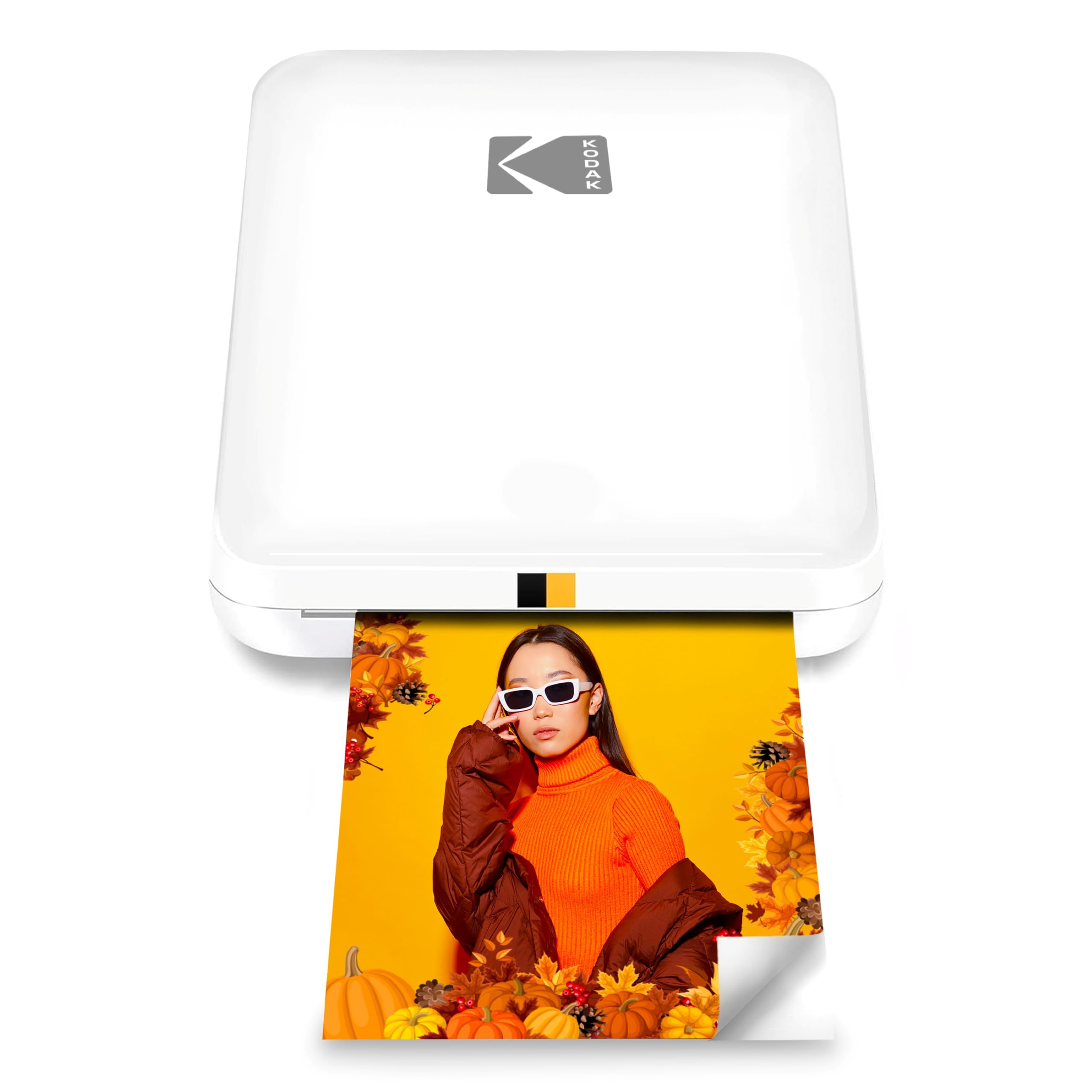
2. KODAK Step Slim Instant Smartphone Photo Printer – White
A slim, ink-free sticker printer that slides into a jacket pocket and puts prints in your hand in under a minute.
Want to stick a photo on a laptop lid or a locker door? That’s exactly what this does. It’s 0.9″D x 3.25″W x 4.9″H — genuinely pocket-sized — and it uses ZINK paper, meaning no ink cartridge to buy or dry out. Prints come out at 2×3 inches with a sticky backing, so they attach to almost any surface. It pairs to iOS or Android over Bluetooth through the KODAK STEP Prints app, where you add frames and stickers before you send the image. Prints land in under a minute, with no cartridge to swap.
The build and ease of use win people over — quality is the most-praised trait and simplicity ranks right behind it. The compact size means it goes places a full printer never would: travel, parties, a scrapbook session on the couch. It prints one page at a time in both color and black-and-white, which fits the sticker format. The app handles the editing, and the sticky back adds a little creativity beyond a plain photo.
Two things to weigh honestly. Colored output draws mixed reactions — some prints lean off-color — so treat this as a fun sticker machine rather than a color-critical printer. Reliability also splits: most units run fine, but a few stop working early. If you want dependable color, the Liene Pearl below is the stronger call for the same small-print format. For sticker joy, this is a solid entry-level choice.
The playful pick: sticker prints on the go, no ink, no fuss.
Keep expectations in check on: color accuracy and long-term reliability.
3. YOTON Photo Printer with 54 Sheets & 1 Ink Ribbon
Prints 4×6 photos with a protective coat — and lets you scan a still to replay the video behind it.
What sets this one apart is AR video printing. Print a frame from a video up to 15 seconds long, scan the photo with the app, and the clip plays back on your iPhone — a genuinely different kind of gift for grandparents who can’t be there in person. Underneath, it’s a full 4×6 dye-sublimation printer that runs at 15 black-and-white pages per minute and 5 color pages per minute. That’s the fastest color output in this lineup, well ahead of the Fujifilm Instax Mini Link 3’s 1 page per minute.
Each photo is sealed with a protective layer that resists water, scratches and fingerprints, and the dye-sub layers keep color vivid and the texture fine. The printer carries its own built-in Wi-Fi, so you connect your phone straight to it without a home router in the picture — more stable than Bluetooth, and it works even with no internet around. It measures 5.16″D x 7.08″W x 2.44″H and weighs 970g, so it’s a bag item rather than a pocket one. A full charge of one ink ribbon covers 40-50 photos, and the box includes 54 sheets to start.
The honest limit is weight and bulk compared to a sticker printer. That 970g is noticeably heavier than the 340g Liene Pearl N200 Pro, so it stays in the backpack rather than the pocket. Also, keep in mind that a ribbon covers 40-50 prints, so plan your refills before a big event. It’s the best pick here if video memories matter to you.
Video-to-paper trick: a still that replays its original 15-second clip when scanned — a feature no other pick here matches.
Speed edge: 15 b&w and 5 color pages per minute give it the fastest color throughput of the Fujifilm, KODAK, and Liene sticker-class rivals.
Choose YOTON if: you want 4×6 photos and love the AR video idea.
Trade-off accepted: it’s a backpack printer at 970g, not a pocket one.
4. Liene Pearl N200 Pro Portable Photo Printer – Gold
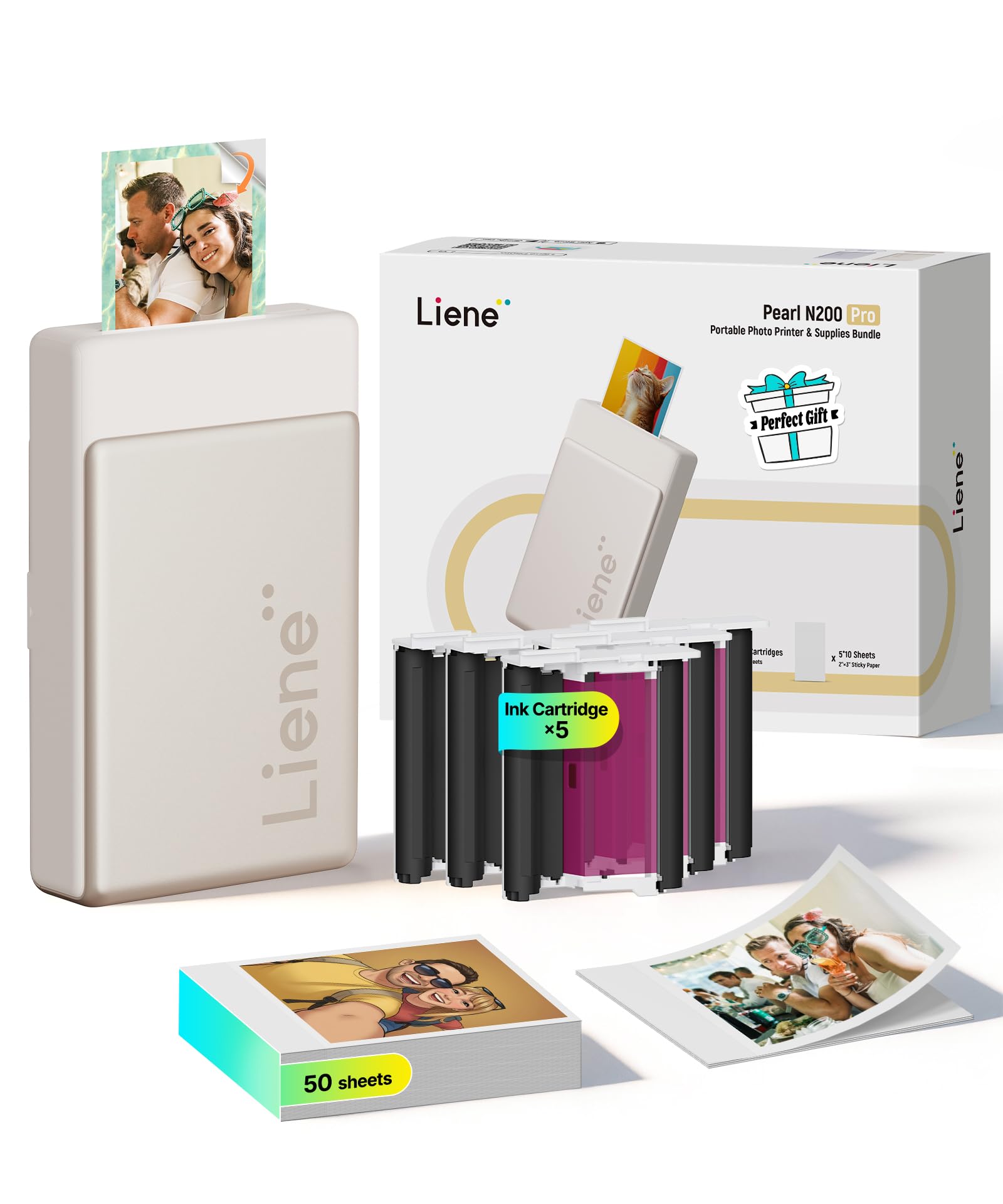
The small-format printer that puts dye-sublimation color into a 340g body you can slip into a bag.
Most sticker printers use ZINK; this one uses dye-sublimation in a compact 3-inch design — which is why its color and sharpness stand out against the ink-free crowd. It weighs 340 g, so it’s light enough to carry all day, and it measures 5.69″D x 3.44″W x 1.16″H. Compare that slim 1.16″ height to the KODAK Step Slim’s 0.9″D body and you’ll see both are pocket-friendly, but only Liene brings dye-sub color at this size. Setup is quick via Bluetooth, and the box includes 50 sheets of 2×3 adhesive paper plus 5 cartridges.
What people rave about is print quality — vivid colors and crisp detail, with dye-sub sealing the image against handling. The app is where it earns its keep: you can drop in your photo, pick an artistic style, and let AI reimagine the background while keeping the subject intact, all without leaving the app. Group printing is supported too, so several friends can pair and send photos at a party. A single full charge handles up to 27 stickers, and the sticky backing makes every print placeable.
The trade-off is capacity per charge — 27 stickers is enough for a gathering but not a long wedding day, so plan a top-up. And it prints one page at a time, which is fine for a mini format. If you want a sticker printer with real color depth rather than flat ZINK tones, this is the sharper of the two small-print picks.
Why the color pops: dye-sublimation lays color down in layers and seals it, so the 2×3 sticker prints keep their vibrancy under daily handling.
Party-ready: multi-device pairing lets the whole group print without passing one phone around.
Best for: sticker fans who care about color quality over the absolute smallest body.
Plan around: 27 prints per charge when the event runs long.
5. HPRT Photo Printer 4×6 with 108 Sheets & 2 Ribbons
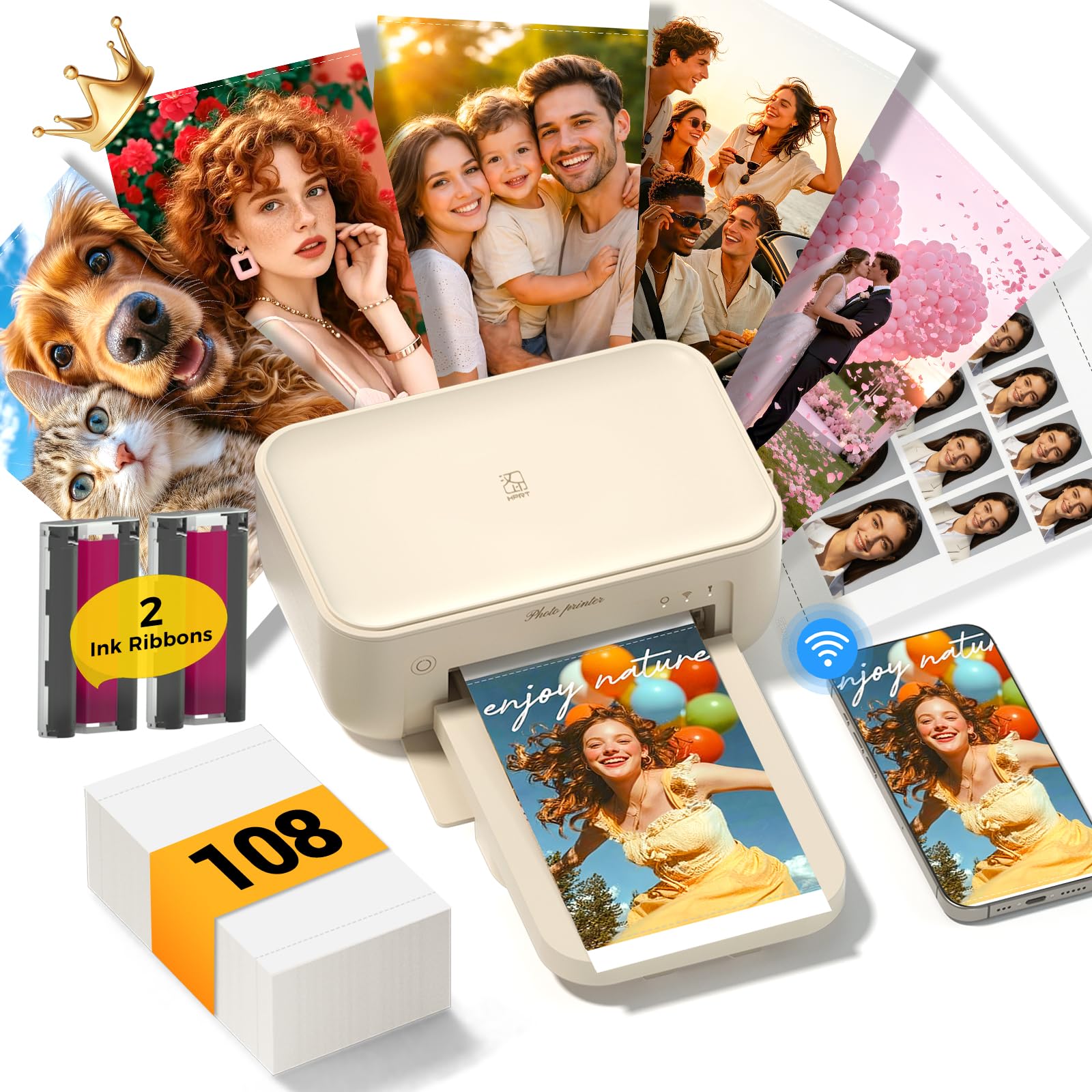
A 4×6 dye-sub workhorse built for volume, with 108 sheets and two ribbons in the box.
If you print in batches — family albums, holiday gifts, a wedding table — this is the one built to keep going. It produces 4×6 prints at 300 DPI resolution, with rich colors and smooth gradients, and each one finishes with a protective coat that resists water, fingerprints, scratches and fading. The box ships with 108 sheets of 4×6 paper, 2 ink ribbons, and a power adapter, so you can print a lot before you buy refills. The HeyPhoto app handles filters, frames, and layouts, and AR video printing lets you scan a still to replay the clip behind it.
What the reviews make clear is that performance is the strong suit — it does what it says. Reviewers liken its print quality to a professional lab, and setup is straightforward. Connection is flexible: use your home 2.4GHz Wi-Fi network, or switch to the built-in Wi-Fi hotspot when there’s no router around. It prints in under 60 seconds per photo, and it weighs 1.97 kg and measures 5.11″D x 7.86″W x 3.42″H, so it sits on a desk or shelf rather than traveling.
The honest notes: connectivity draws the most criticism in the feedback, as some people struggle to get the phone to pair on the first try. Reliability is mixed too — a small number report units stopping after around 100 prints. Most users run it happily for albums, but the setup step deserves patience. If you want the biggest paper bundle and 4×6 output, this is a strong value among the mid-range picks.
Strengths that matter
- 108 sheets and two ribbons included — months of printing before a refill.
- 300 DPI dye-sub output with a protective water-resistant coat.
- Home Wi-Fi or built-in hotspot for flexibility.
- AR video printing for meaningful keepsake gifts.
Honest caveats
- First-time phone pairing can be fiddly — follow the app steps slowly.
- Reliability splits, with a few reporting early failures.
- 1.97 kg is a desk printer, not a bag one.
Right call for: families and event hosts printing 4×6 photos in volume.
Not the one for: pocket carry or quick first-try setup without patience.
6. HP Sprocket Studio Plus 4×6 Wireless Instant Photo Printer
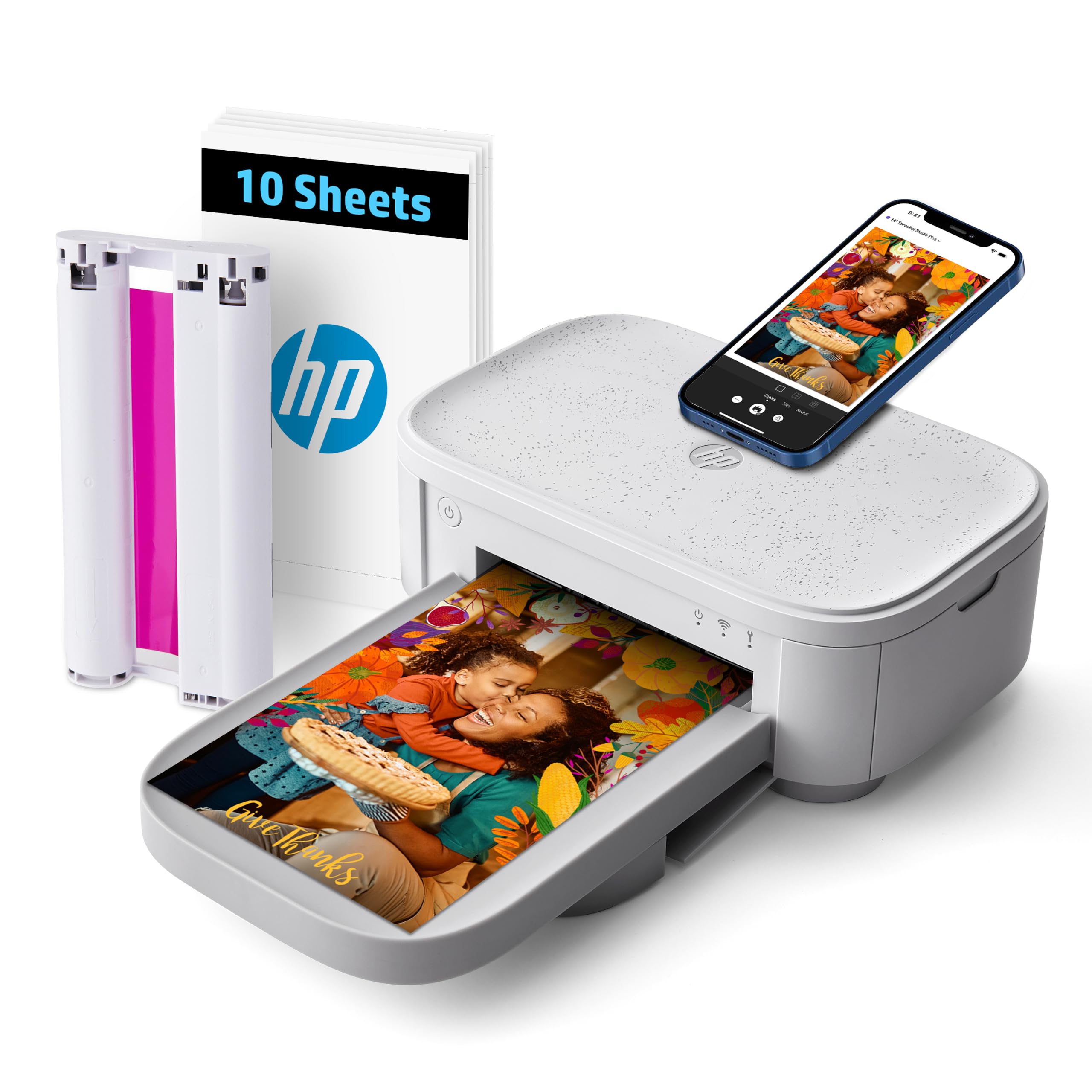
Dry-to-the-touch 4×6 prints from your iPhone, finished on tear-resistant, waterproof paper.
HP’s take on the 4×6 dye-sub printer leans on the Sprocket app for the creative work. You download the app, connect over Wi-Fi in seconds, and print dry-to-the-touch 4×6 photos straight from your phone. The paper is tear-resistant, smudge-proof and waterproof, and HP rates the prints to last for years, though that’s the maker’s figure rather than an independent lab result. Color depth runs at 24 bpp, and it prints one page at a time in both color and black-and-white.
The app is broader than plain printing. You can build a collage, run a photobooth strip, create a photo ID, and add stickers and filters before you print. It’s built around iOS with the Sprocket app, and a single cartridge (HPIS4X6C108) covers the ink side of the equation. For a compact home 4×6 printer, it’s a tidy option that keeps the creative tools in one place.
The honest trade-off is that the 10 starter sheets and one cartridge mean you’ll be shopping refills sooner than with the HPRT bundle and its 108 sheets. Treat the Sprocket Studio Plus as a home 4×6 printer for a small household rather than an event-volume workhorse. If you already use the Sprocket app, this slots straight into it.
Go HP if: you want the Sprocket app’s collage and photobooth tools for home 4×6 printing.
Be ready to: reorder paper and cartridges earlier than the big-bundle picks.
7. Liene White M200 4×6 Photo Printer Battery Edition

A 4×6 dye-sub printer with its own battery, so you can print far from a wall outlet.
Most 4×6 printers need a power cord. This one doesn’t — a built-in rechargeable battery handles up to 40 prints per charge, so you can set it up at a park or a party table without hunting for a socket. It’s a true dye-sublimation printer: three primary colors sink into the paper layer by layer, and a final seal protects the photo from water, scratches and fading. The box includes 20 sheets, 1 ink cartridge, and a power adapter, and the first print takes about 59 seconds.
Quality is what people talk about most — vibrant, bright colors, with picture quality close behind. The print speed gets positive nods, and ink refills are affordably priced. Connection is handled through the Liene app over WiFi with a built-in hotspot that pairs in about 3 seconds, and up to 5 users can connect at once — handy for a group trip. You’ll also get a nudge in the app when ink or paper runs low, which saves wasted prints.
Two things to know. The battery covers 40 prints, so a long all-day event may need a charge break. And the rechargeable reliability draws some mixed notes, as does connectivity in busier network environments — nothing that blocks most users, but worth a steady setup. If portability plus 4×6 quality is the goal, this is the pick that brings both.
The cordless advantage: 40 prints per charge and up to 5 connected users make this the travel and group pick among 4×6 printers.
Quality that holds: dye-sub layering gives it the vibrant, protected prints buyers praise, with refills that don’t sting.
Pick this if: you’ll print away from home and want full 4×6 quality without a cord.
Watch the battery: 40 prints per charge means topping up on marathon days.
8. Canon Ivy 2 Mini Photo Printer Bundle (Blush Pink)

A pocket sticker printer that arrives with 110 prints and a case, so the kit is ready out of the gate.
The bundle is the story here. Alongside the compact IVY 2 Mini printer, you get 110 ZINK sheets (two 50-packs plus 10 in the machine), a protective case, and a USB-C charging cable. That’s a generous paper supply for a palm-sized printer using ZINK’s ink-free paper, where dyed crystals live inside the sheet itself. Prints have a peel-and-stick backing, so photos go straight onto a wall, laptop, or scrapbook page. It charges in as little as 45 minutes and prints its first photo in about a minute.
Print quality is the headline — the sharpness, contrast, and skin tones were improved in this model, and that shows in the finished picture. Compact size gets steady praise, since the whole point is a printer that goes everywhere. The Canon Mini Print app opens up a collage template that fits four photos to a sheet, and the size makes it a natural fit for a party photo booth. It pairs to iOS and Android over Bluetooth and runs one page at a time in both color and black-and-white.
The caveats are color and value. Colored output gets mixed reactions — some find it slightly off — and a few question the per-print value once the included paper runs out. Neither undoes the bundle, which is genuinely generous for the money. If stickers are your goal, this gives you the most paper to start with.
Start here if: you want a sticker printer with a big paper bundle and a case on day one.
Worth knowing: colored prints can lean slightly off, and refill paper is a running cost.
9. Canon Selphy CP1500 Photo Printer Bundle (Black)
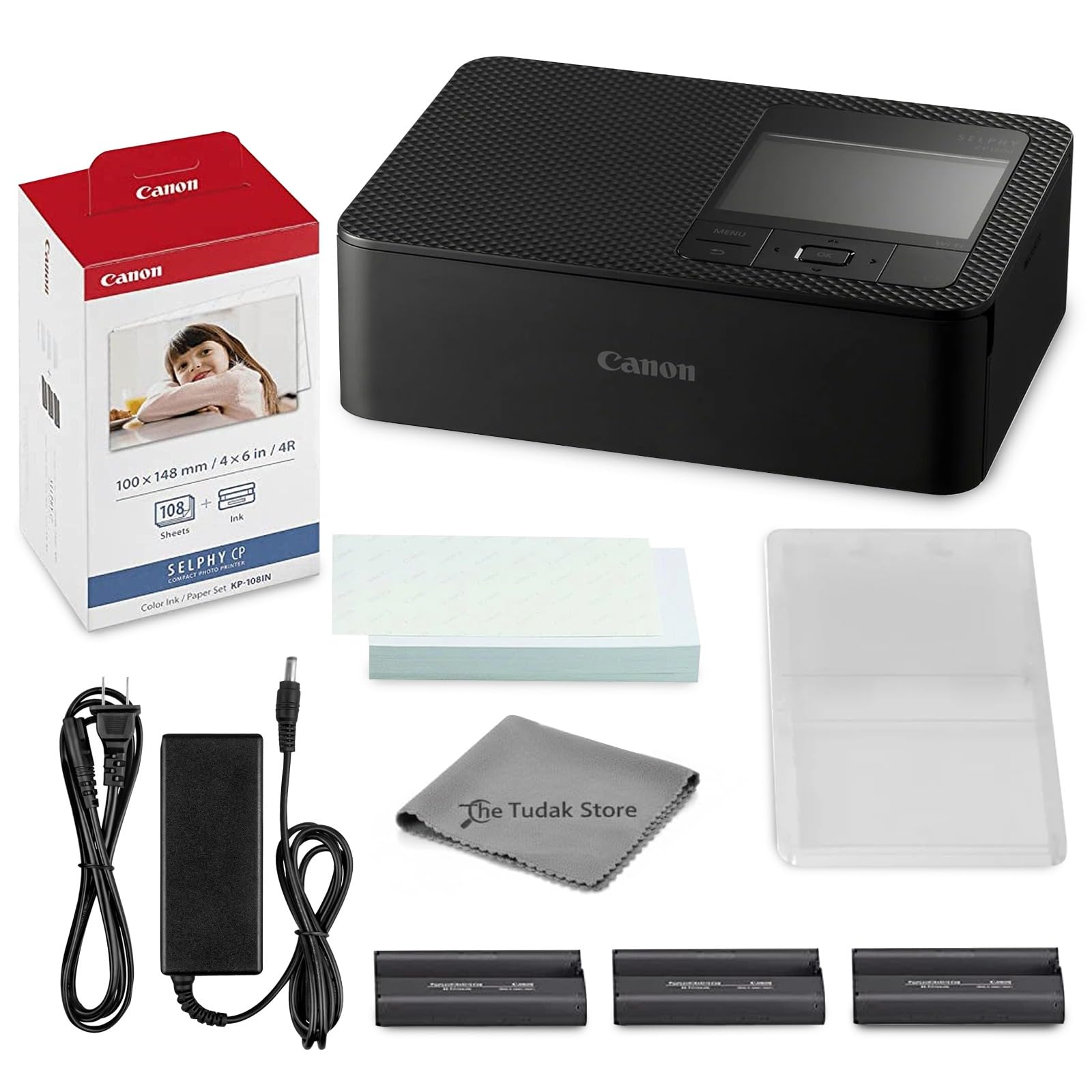
A complete 4×6 dye-sub kit for parties and gifts, with 108 sheets and three ink cartridges in the box.
If you’re setting up a print station at an event, this bundle is built for it. You get the Selphy CP printer, KP-108 photo paper (108 sheets), three full-size color ink cartridges, and a cleaning cloth. Its dye-sublimation process yields 4×6 photos that resist water and fingerprints, at up to 10 color pages per minute — the fastest color throughput of the Canon picks here. Paper and ink come pre-matched, so there are no compatibility guesswork steps. It connects over Wi-Fi to your iPhone, tablet, or computer.
Lab-quality output is the most-praised trait, and the value of the bundle ranks right behind it. Setup is straightforward — the app walks you through, and it even prints without an internet connection, using its own wireless link. The compact footprint fits on a desk, shelf, or in a travel bag, which makes it flexible for journaling, scrapbooking, or a party table. Color depth is 24 bits per pixel, and it handles up to 4×6 inch media.
The honest note: connectivity experiences are mixed, so give yourself a few minutes to pair before the first print. And 100+ ratings is a small pool compared to the Instax Mini Link 3’s 764 — this is a newer-measured listing, though the underlying Selphy line is well established. If you want an all-in kit that prints event-ready 4×6 photos fast, this delivers.
The event advantage: 108 sheets, three cartridges, and up to 10 color pages per minute make it the fastest 4×6 kit for volume.
Works offline: the printer connects over its own wireless link, so an internet outage won’t stop the party printing.
Built for: event hosts and scrapbookers who want a complete, fast 4×6 kit in one box.
Give it a minute: initial Wi-Fi pairing sometimes needs patience.
Know the Specs
Print Technology: ZINK vs Dye-Sublimation
ZINK paper has dye crystals built in, so there’s no ink cartridge — a sticker printer like the KODAK Step Slim uses this. Dye-sublimation printers use ink ribbons and seal each photo with a protective layer, which is why 4×6 picks like the HPRT and Liene M200 resist water and scratches. ZINK keeps the printer small and simple; dye-sub gives you tougher, more color-rich prints.
Pages Per Minute and Print Time
Pages per minute tells you how fast a printer produces images. A small sticker printer typically runs at 1 color page per minute because of the photo-quality process, while some 4×6 units reach several color pages per minute. The HPRT quotes under 60 seconds per photo, and the Liene M200 lists a 59-second first print. Match the speed to your volume — a single print at a time is fine for a keepsake, but events need faster throughput.
Resolution and Color Depth
Resolution, measured in DPI (dots per inch), sets how much detail lands on the paper — the HPRT lists 300 DPI for crisp 4×6 photos. Color depth, measured in bpp or bits per pixel, describes how many color shades the printer can render; several picks here list 24 bpp, which covers the rich gradients you expect from a photo. Higher numbers generally mean smoother, more lifelike color.
Wi-Fi Hotspot vs Bluetooth
Bluetooth pairing through an app is the simplest and lightest on battery — it’s how the KODAK Step Slim and Canon Ivy 2 connect. Wi-Fi, either through your home router or a built-in hotspot, is faster and supports multiple devices at once, like the Liene M200’s 5-user connection. A built-in hotspot matters for travel, because it works even when there’s no network available.
Common Questions
Will these printers connect to my iPhone without a Wi-Fi network?
What is the difference between ZINK and dye-sublimation paper?
How many photos can I print before I need to buy refills?
Can a wireless photo printer print more than one iPhone at a time?
Are the printed photos waterproof?
Do I need the printer’s app, or can I use Apple AirPrint?
How long does a photo printer’s battery last on a charge?
Is a 2×3 sticker print or a 4×6 photo better for gifts?
Can these printers print from a video instead of a still photo?
What resolution do I need for a decent 4×6 print?
The Bottom Line
For most people, the wireless photo printer for iphone that wins is the Fujifilm Instax Mini Link 3. It’s the crowd favorite at 4.5+ stars across 700+ ratings, and nothing else here matches the tactile thrill of an instant film print you can hand to someone. The catch is small frames and single-source paper; if you want a 4×6 to frame, go elsewhere.
For 4×6 photos with real versatility, the YOTON Photo Printer is the strongest all-rounder: 5 color pages per minute, a built-in hotspot, and AR video printing that replays a 15-second clip from a scanned still. For cordless 4×6 printing at a gathering, pick the Liene M200 — its 40-print battery and 5-user connection make it the travel-ready choice.
And if you simply want stickers for a scrapbook or a party, the Canon Ivy 2 Mini bundle gets you printing the moment the box opens, with 110 ZINK sheets, a case, and a cable already inside. Decide between 2×3 stickers and 4×6 prints first, and the choice gets much simpler.
How we choose
We do not accept paid placement. Every pick is matched to a real buyer and a real use-case; we do not hands-on test units.
Sources
Specifications: manufacturer listings and product documentation. Review insights: verified customer reviews, as of November 2026. Pricing: not shown on this page (it changes often); check the current price via the retailer link.
As an Amazon Associate, Tactical Gear Guy earns from qualifying purchases. This does not affect which products we feature.