Specs are compiled from manufacturer listings and verified buyer reviews and can change over time — please confirm the key details on the product page before buying.
If your Wi-Fi dies at the back bedroom or drops in the garage, a wireless access hub is the fix that actually works. It is a small box you connect to your router with an Ethernet cable, and it then broadcasts its own strong Wi-Fi network where you need it. Repeaters copy a weak signal and pass the weakness along. A proper access hub creates a fresh, full-strength network at the far end of your house, and the picks below are the ones worth your money.
This guide is built by comparing the manufacturers’ published specifications and the patterns across verified customer reviews, so you get each pick’s real strengths and trade-offs instead of marketing spin.
You will see Wi-Fi 5, Wi-Fi 6, and Wi-Fi 7 models side by side, and the difference matters more than most buyers expect. Whether you are wiring a shed, a home office, or a whole small business, here is the honest shortlist of the best wireless access hub options for the money.
Top Picks


How To Choose The Best Wireless Access Hub
The first thing to get straight is that an access hub is not a router and not a repeater. It takes an existing internet connection through a cable and turns that into a fresh Wi-Fi signal, which is why the cable matters as much as the radio inside the box.
Check the uplink before anything else
Every hub on this list needs a wired Ethernet connection back to your router or switch. If you cannot run a cable to the spot where the Wi-Fi is weak, no amount of antenna gain will help you. Decide where the cable goes first, then pick the hub.
Match the Wi-Fi generation to your devices
Wi-Fi 5 hubs are the budget-friendly entry point and handle streaming and browsing fine. Wi-Fi 6 hubs add capacity for many devices at once and are the sensible mid-range choice. Wi-Fi 7 hubs are the top tier, and they make the most sense if you have multi-gig internet coming in or plan to keep the hub for a long stretch.
Understand the coverage number in square feet
Coverage ratings are measured in open space, so treat them as a rough guide. Walls, floors, and metal appliances all eat into the figure. A hub rated for a large square footage may cover less in a house with thick interior walls, while a smaller-rated hub in one open room can perform just as well.
Decide how you want to power it
PoE means power travels down the same Ethernet cable as your data, so the hub needs no nearby outlet. That is the cleanest install on a ceiling or high wall. Some models ship with a DC power adapter instead, which is simpler for a desk or shelf but ties you to a socket.
Side-by-Side Comparison
| Model | Best For | Wi-Fi Speed | Coverage | Power | Amazon |
|---|---|---|---|---|---|
| Omada AX3000 (EAP653)★ Best Overall | Whole-home reliability | 3000 Mbps | — | PoE+ / DC (adapter not included) | Amazon |
| Cudy AC1200 (AP1300)Budget Starter | Budget-friendly starter hub | 1200 Mbps | 1,100 sq ft | PoE / DC (adapter not included) | Amazon |
| BrosTrend AC1200 (A1P)Plug-In Pick | Plug-in wall installs | 1200 Mbps | 1,800 sq ft | Wall plug | Amazon |
| TP-Link TL-WA1801 | Easy home setup | 1800 Mbps | — | Passive PoE / adapter included | Amazon |
| NETGEAR WAX210 | Small business networks | 1800 Mbps | 1,500 sq ft | 802.3af PoE (adapter not included) | Amazon |
| Cudy AX3000 Wall (AP3000) | In-wall room installs | 3000 Mbps | 650 sq ft | 802.3at/af PoE | Amazon |
| Omada AX3000 (EAP650) | Big-house coverage | 3000 Mbps | Wide/Extended | PoE / DC (adapter included) | Amazon |
| NETGEAR WAX610 | Large-area business coverage | 1800 Mbps | 2,500 sq ft | PoE+ / adapter sold separately | Amazon |
Detailed Reviews
1. Omada AX3000 Wireless Access Point (EAP653)
Our pick — 4.5+★ from 350+ verified ratings; the strongest balance of quality and price.
A Wi-Fi 6 hub with a five-year warranty and a reputation for running for years without a reboot.
This is the pick for the person who is tired of fiddling. It is a Wi-Fi 6 access hub with a claimed 3000 Mbps of dual-band throughput, which in plain terms is enough headroom for several people streaming, gaming, and working at once without the network buckling. The design is deliberately thin so it disappears against a ceiling or wall instead of looking like a gadget bolted to your paint.
What wins people over is reliability, and it is not close. Buyers report units that ran for years without dropping, which is the trait that matters in the one box feeding Wi-Fi to a whole floor. Setup is a frequent bright spot too, and plenty of buyers mention it, but the durability story is the one that repeats. VLAN support (a way to put guest and staff devices on separate virtual networks) also earns steady praise, which is unusual at this price point and makes it a genuine small-business tool rather than a toy.
The catch is the missing power adapter. This version ships without one, so you either need a PoE+ switch or injector (a device that sends power down the Ethernet cable) or you buy a 12V adapter separately. If you already have PoE, that is a feature — one cable, done. If you do not, budget for the extra piece before it arrives. The other trade-off is that the fancy Omada features like mesh and smooth roaming want an Omada SDN controller (a central management device), so a solo install runs in standalone mode with a shorter feature list.
Why this earns top spot
- 3000 Mbps of Wi-Fi 6 dual-band speed gives you real headroom for many devices at once
- Five-year warranty and free weekday technical support back the purchase
- PoE+ support means one cable carries both data and power
- VLAN support isolates guest traffic from your main network
- Ultra-slim body blends into a ceiling or wall
What to plan around
- No DC power adapter in the box — PoE hardware or a separate adapter is required
- Mesh and smooth roaming need an Omada controller to open up
Reach for this if: you want a set-and-leave-it hub for a home or small office and you have PoE or can add it.
Think twice if: you have no PoE switch and no spare adapter — you will need to add one first.
2. Cudy AC1200 Dual-Band Wi-Fi 5 Access Point (AP1300)
A 1200 Mbps Wi-Fi 5 hub that delivers more real-world 5 GHz throughput than its price suggests.
Start with the number that matters for a cheap hub: it puts out up to 867 Mbps on the 5 GHz band and 300 Mbps on 2.4 GHz, for a combined 1200 Mbps. For a single room or a small floor, that is plenty for 4K streaming on one screen and video calls on another. It also carries a Gigabit Ethernet port, so the wired side is not the bottleneck.
Speed is where this one quietly surprises people — buyers describe pulling strong numbers on the 5 GHz band and steady performance on 2.4 GHz, which is a lot of throughput for something this affordable. The mounting system also earns its keep: it is unusual enough that owners point out how much easier it made installation. Coverage lands around 1,100 square feet by the spec sheet, and Beamforming (which aims the signal at your devices rather than spraying it evenly) helps it hold on at the edges.
Against the BrosTrend below, this Cudy covers less square footage — 1,100 against 1,800 — so if raw area is your priority, the BrosTrend has the edge. What you get in return here is a device limit of up to 100 connected clients and five operation modes, including Access Point, Range Extender, and Router. One thing to know up front: there is no power adapter in the box, so you need PoE or a 12V supply. This is an AC1200 Wi-Fi 5 hub, not a Wi-Fi 6 one, so it is the right call for a budget install rather than a future-proof one.
The honest read: quality is what buyers talk about most here, and the setup process gets almost as much love. That combination is rare at the entry level.
Pick it when: you want strong everyday throughput on a tight budget and your device count stays under a hundred.
Skip past it when: you need the widest possible coverage from a single hub or you have no PoE source in the house.
3. BrosTrend AC1200 WiFi Access Point for Home (A1P)
A wall-plug hub rated for 1,800 square feet, the widest reach of the budget trio.
Some installs do not want a ceiling mount and a cable run. They want a box that plugs into the wall, takes an Ethernet cable, and starts broadcasting. That is exactly what the A1P does, and its 1,800 square feet of rated coverage is the biggest of the budget trio — well ahead of the Cudy’s 1,100 square feet. If your weak spot is a garage or a back bedroom a good distance from the router, that extra reach is the reason to pick this one over the cheaper alternatives.
The 5 GHz band carries 867 Mbps and the 2.4 GHz band 300 Mbps, so streaming and gaming stay smooth on the faster band while smart bulbs and thermostats ride the slower, longer-reaching one. Dual 5 GHz amplifiers and Beamforming work together to push signal toward wherever your phone or laptop actually is. It supports up to 32 Wi-Fi devices, which comfortably covers a household of phones, a couple of TVs, a console, a doorbell, and a printer.
The trade-off is device count. Thirty-two connections is fine for a home, but it is a quarter of what the Cudy handles and nowhere near what a business hub supports, so a busy office or a rental with many guests will feel the ceiling. There is also no PoE here — it is a wall plug, so you need an outlet at the install spot. Setup is the simple web-based kind: plug in, follow the steps, connect to your router by Ethernet, done.
Where it fits: a single stubborn dead zone far from the router, where you want reach without a mounting project.
Best matched to: houses with one far-off room that needs a full-strength network and a free wall socket nearby.
Not the one for: crowded networks where dozens of devices connect at once.
4. TP-Link TL-WA1801 AX1800 Dual Band WiFi 6 Access Point

An AX1800 Wi-Fi 6 hub with four external antennas and a setup most buyers finish in minutes.
Four external antennas and Beamforming do the heavy lifting here, and the AX1800 rating means up to 1.8 Gbps combined across the 5 GHz and 2.4 GHz bands. That is a meaningful step up from the 1200 Mbps AC hubs, and it is the reason this one handles a house full of screens without the stutter you get when Wi-Fi 5 runs out of room. The 5 GHz band on this model stands apart from the Cudy’s 2.4 GHz anchor point — you get the faster band running a Wi-Fi 6 radio, not a Wi-Fi 5 one.
Passive PoE is the installer-friendly touch: power rides the Ethernet cable, so you can place this hub up to 100 feet from the nearest outlet. That is the difference between a hub on a shelf in the hallway and a hub on the ceiling of the room that actually needs it. WPA3 encryption (the current, stronger Wi-Fi security standard) is on board, and it supports Access Point, Client, Range Extender, and Multi-SSID modes.
Here is the honest split. Setup is the thing buyers rave about most, and signal strength follows close behind — this is a genuinely easy hub to get working. But speed and reliability draw a more mixed response, and compatibility gets a noticeable share of complaints, so it is worth checking your router and devices before you commit. Unlike the Omada picks above, this is not a managed-ecosystem device, so you trade centralized control for a simpler, standalone install.
The case for it
- AX1800 Wi-Fi 6 speed with four external antennas for longer reach
- Passive PoE lets you place it up to 100 feet from a power outlet
- PoE injector and power adapter both come in the box
- WPA3 encryption and Multi-SSID with VLAN support
Worth knowing first
- Speed and reliability feedback is mixed rather than glowing
- Compatibility complaints show up often enough to check your setup first
Go this way if: fast, painless setup and Wi-Fi 6 headroom matter more to you than deep network management.
Look elsewhere if: you run unusual routers or legacy gear where compatibility quirks would drive you up the wall.
5. NETGEAR 1.8 Gbps WiFi 6 Wireless Access Point (WAX210)

A wired-only Wi-Fi 6 hub for small offices and retail spaces, with no repeater or mesh mode.
Read the fine print on this one before you fall in love with the specs. The WAX210 is a dedicated Wi-Fi 6 access point for small offices, retail stores, and professional spaces, and it needs an existing router or gateway plus a wired Ethernet connection. It cannot act as a repeater, extender, or mesh node. That is a deliberate design choice, not a limitation to work around — NETGEAR built it to extend a wired network wirelessly and nothing else.
Within that job, it does well. The AX1800 radio covers up to 1,800 Mbps across both bands and supports 128 registered client devices with up to 30 active at once. Coverage is rated at 1,500 square feet indoors, and you can carve out up to 4 separate SSIDs, which keeps the staff network and the guest network from ever touching each other. A wall or T-bar ceiling mount kit comes in the box, and you manage everything from a web browser at aplogin.net.
Power is where buyers split. It runs on 802.3af PoE from your switch, so one cable does power and data — but no adapter is included, and if you have no PoE switch you are buying one separately. The value question gets a similar mix of opinions: some find it reasonable for the hardware, some think it should cost less. Reliability and signal strength are the strongest suits by a clear margin, and its compact body helps it hide in plain sight.
Straight talk: this is a wired-extension appliance, so it rewards a plan. Map the switch and the cable run first, and the install is clean.
Second thought: the browser setup throws a security warning that NETGEAR calls expected behavior — it looks alarming, but it is normal.
Made for: a shop, clinic, or studio that already has a PoE switch and wants clean staff and guest separation.
Wrong turn if: you want a hub that can bounce an existing Wi-Fi signal — this one needs a cable, full stop.
6. Cudy AX3000 Wi-Fi 6 Wall-Plate Access Point (AP3000 Wall)

An in-wall hub that replaces a wall plate and adds five Gigabit ports alongside the Wi-Fi.
Most access hubs give you a radio and one Ethernet port. This one drops into a standard electrical box like a light switch cover and gives you 5 Gigabit ports on the front — one PoE In, one PoE Out, and three LAN ports. That means a single wall spot can feed Wi-Fi to the room and still hardwire a desktop, a printer, and a desk phone. The AX3000 radio pushes up to 2402 Mbps on 5 GHz and 574 Mbps on 2.4 GHz, powered by a 1.3 GHz dual-core processor.
Where it belongs is the building type that hates clutter: hotels, apartments, dorms, and offices. Coverage is rated for up to 60 m² (650 ft²) per unit, which tells you the design intent — one hub per room, not one hub per floor. It supports up to 256 clients with 60 recommended, plus 8 SSIDs, VLAN support, and a Captive Portal for guest logins. A Hardware Watchdog and scheduled reboot help it stay online without anyone walking over to power-cycle it.
The catch is that room-sized coverage figure. Compared with the NETGEAR WAX610 below, which is rated for 2,500 square feet, this is a different tool for a different job — it wins on ports and in-wall neatness, and loses badly on raw area. The other thing to plan for is PoE at the wall: there is no power adapter, so the in-wall box needs to be fed by 802.3at or 802.3af PoE from your switch.
The niche it owns: if you are wiring a building room by room, this is the tidiest box on the list — no cable to a shelf, no wall wart, no clutter.
Choose it for: multi-room buildings where you want Wi-Fi and wired ports from one wall plate.
Not the fit for: a single large open space — you would need several of these to match one wide-coverage hub.
7. Omada AX3000 Wireless Access Point with DC Adapter (EAP650)

The EAP653’s twin at the same 2976 Mbps, with the DC power adapter included in the box.
If you looked at the Best Overall pick and winced at “no adapter included,” this is the same class of hub with that problem solved. The EAP650 hits the same 2976 Mbps of dual-band Wi-Fi 6 speed, same ultra-slim body, same Omada SDN integration and cloud app control. The difference is simple: a power adapter ships in the box, so you can plug it into a wall socket and go without buying PoE gear. For a lot of buyers, that alone makes it the easier purchase.
Performance is what sells this one. Speed, stability, and range all draw strong feedback, and the signal holds up further than most — owners describe solid coverage well past 70 feet and download speeds over 400 Mbps running through the house. Multiple devices stay connected smoothly at once, which is the real test of a Wi-Fi 6 hub. The Omada app keeps setup manageable, and the slim form factor lets it sit on a ceiling without shouting for attention.
The recurring gripe is heat. A few people notice it running warm, which is worth keeping in mind if you tuck it into a tight cabinet with no airflow — give it room to breathe and it stays happy. Beyond that, the mesh and smooth-roaming features still lean on an Omada controller, so a standalone install sticks to the basics. It is also a five-year-backed product, which is a long safety net on a device that may live on your ceiling for years.
What buyers get behind
- 2976 Mbps Wi-Fi 6 speed with the power adapter finally included
- Signal carries past 70 feet with 400 Mbps-plus downloads reported house-wide
- Five-year warranty and free weekday support
- Cloud app management keeps multi-site networks in one place
The fine print
- Runs warm, so give it open air rather than a closed cabinet
- Mesh and smooth roaming need an Omada controller
This is your hub if: you want the Omada experience without buying a PoE injector separately.
Go another route if: you have no airflow where it will hang, or you already own PoE gear and the EAP653 saves you a part.
8. NETGEAR Cloud Managed WiFi 6 Access Point (WAX610)
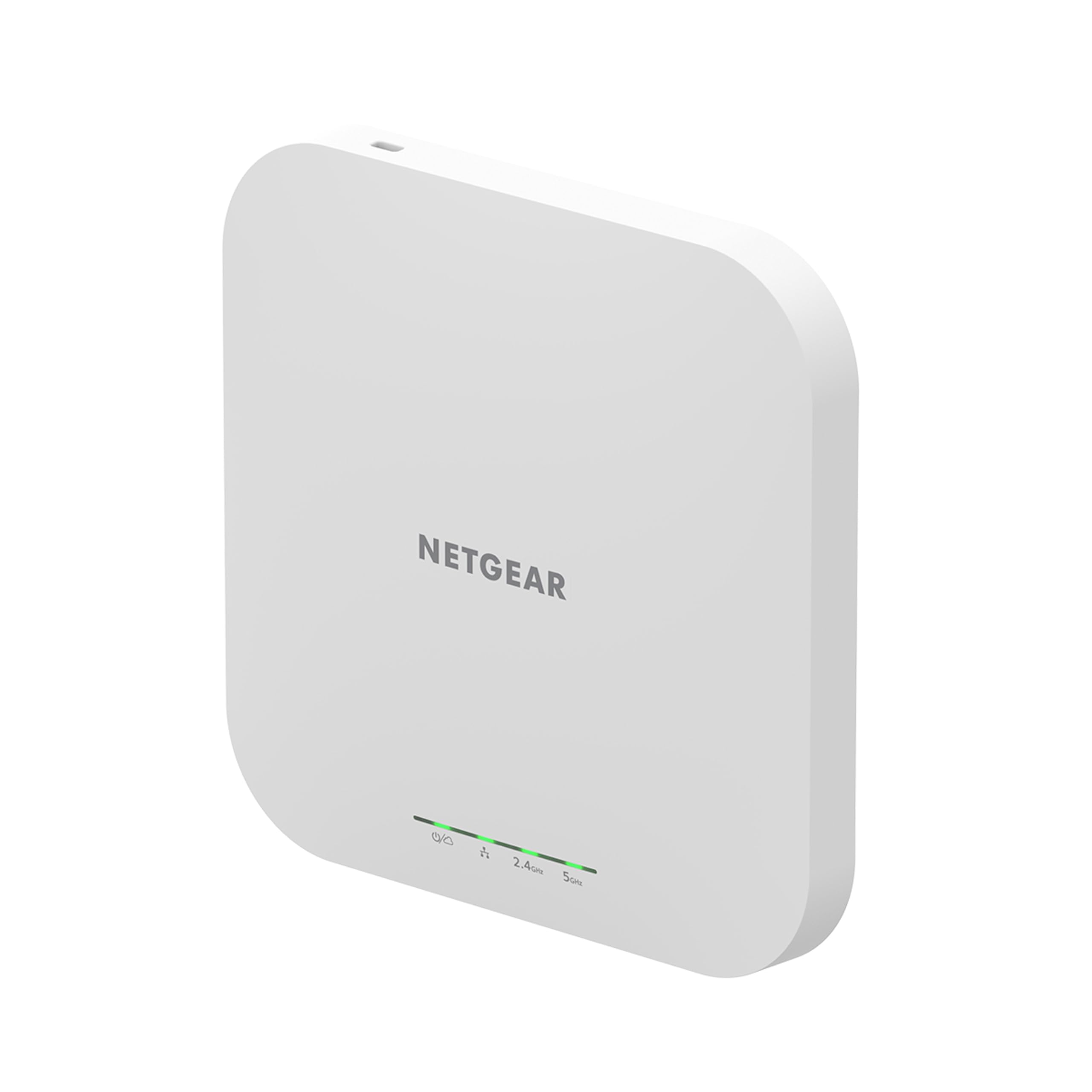
One box, a huge footprint — 2,500 square feet with 200 devices behind it.
If your problem is scale rather than a single dead bedroom, this is the hub to look at. It rates 2,500 square feet of coverage and supports up to 200 client devices, backed by AX1800 dual-band speed and MU-MIMO (which serves several devices at once instead of taking turns). Compared with the Cudy wall-plate above at 650 square feet, this covers a dramatically larger area from one unit — the numbers speak without help.
Wired speed is another step up. There is a 2.5G port on board for maximum throughput if your switch and cabling can feed it, and PoE+ means a single cable powers the unit and carries the data. You also get a year of the NETGEAR Insight subscription included, which puts setup, configuration, and management in the Insight app from wherever you are. WPA3, network and client isolation, rogue AP detection, up to 8 SSIDs, load balancing, band steering, and assisted roaming round out the management side.
Mounting is straightforward with the included wall and suspended-ceiling hardware, and the coverage story gets exactly the kind of feedback you would hope for — owners mention it reaching across both floors of a house. Two things keep it from being a clean sweep. Performance and speed draw a more divided reaction than the coverage does, so read your use case against it rather than assuming the top speed is guaranteed. And no power adapter is included, so PoE+ from a switch or the separately sold adapter is your path to power.
The trade-off in one line: you are paying for footprint and device count, not the fastest single number on the sheet.
Worth noting: the included year of Insight management is a real convenience if you run more than one of these.
Right for you when: you need to blanket a big house or a large floor with one hub and many devices.
Probably overkill when: your weak spot is a single room, where a smaller hub unit handles it cleanly.
Know the Specs
Wi-Fi Generation and Speed in Mbps
The generation — Wi-Fi 5, 6, or 7 — sets the ceiling on speed and how many devices the hub can serve at once. Wi-Fi 5 hubs top out around 1200 Mbps combined, Wi-Fi 6 hubs reach the 1800 to 3000 Mbps range, and Wi-Fi 7 steps beyond that. The Mbps figure is a combined total across both bands, so treat it as a capacity guide rather than a single-device speed you will see on a phone. What you actually notice is whether several streams stay smooth at the same time.
PoE, PoE+, and DC Power
PoE (Power over Ethernet) means power travels down the same cable as your data, so the hub needs no outlet where it is mounted. Standard PoE and PoE+ differ mainly in how much power they can deliver, and some hubs also accept passive PoE or a DC adapter. If a listing says the adapter is not included, that is your cue to check your switch before ordering — otherwise the unit arrives with no way to turn on.
Coverage in Square Feet
Coverage ratings describe the area the hub can reach in open conditions. Walls, floors, and metal appliances cut into that figure, so a hub rated for 1,500 square feet may cover less in a home with thick interior walls. Use the number to compare hubs against each other, and to decide if you need one generous hub or several room-sized ones.
Client Limits and SSIDs
The client limit is how many devices the hub can serve — some cap out at 32, others handle 100 or several hundred. The SSID count is how many separate Wi-Fi network names you can broadcast, which lets you keep guest traffic apart from your own. Both figures matter more in a business or busy household than in a simple home install.
Common Questions
Can a wireless access hub work without an Ethernet cable to my router?
What is the difference between an access hub and a Wi-Fi extender?
Do I need PoE, or can I just use a wall adapter?
Is Wi-Fi 7 worth it over Wi-Fi 6 on an access hub?
How many square feet will one hub actually cover?
Can I run several access hubs on one network?
Will an access hub slow down my existing router?
What security does an access hub add, and do I need WPA3?
How do I manage a hub — app, browser, or controller?
Does an access hub get hot and is that a problem?
The Bottom Line
The Omada EAP653 is the hub I would hand most people first — 3000 Mbps of Wi-Fi 6, a five-year warranty, and a reputation for running for years without complaint. If the missing power adapter puts you off, the EAP650 is the same hub with the brick included, and it covers a big house with signal that carries past 70 feet. Want to buy once and stop thinking about it? The EAP720 brings Wi-Fi 7 and a 2.5G port for the multi-gig internet you may not have yet.
For a budget install, the Cudy AP1300 is the best value of the bunch, and the BrosTrend A1P wins when you need the widest reach in one wall-plug box. Building a shop or a rental with rooms to wire? The Cudy AP3000Wall gives you Wi-Fi and five wired ports from a single wall plate. And if raw area and device count are your whole reason for buying, the NETGEAR WAX610 covers 2,500 square feet with up to 200 devices behind it.
Match the hub to your cable run and your device count, and any pick here will end the dead-zone problem for good. The EAP653 remains the safest first buy of the nine, and it is the one most buyers will never have to think about again once it is mounted.
How we choose
We do not accept paid placement. Every pick is matched to a real buyer and a real use-case; we do not hands-on test units.
Sources
Specifications: manufacturer listings and product documentation. Review insights: verified customer reviews, as of November 2026. Pricing: not shown on this page (it changes often); check the current price via the retailer link.
As an Amazon Associate, Tactical Gear Guy earns from qualifying purchases. This does not affect which products we feature.