Specs are compiled from manufacturer listings and verified buyer reviews and can change over time — please confirm the key details on the product page before buying.
Most people buying an i7 laptop get talked into the wrong one because the listing sells them a processor and hides the screen, the battery and the fan noise. The chip is rarely the problem — the panel, battery and fan noise are. The problem is that a 60Hz panel, a five-hour battery or a fan that never quiets down can make a fast machine feel slow in daily use. This guide ranks eleven i7 laptops by what they do best — gaming frames, all-day battery, a taller screen for spreadsheets — and names the compromise on each.
This guide is built by comparing the manufacturers’ published specifications and the patterns across verified customer reviews, so you get each pick’s real strengths and trade-offs instead of marketing spin.
You will see which i7 machines hold their speed under load, which screens are actually sharp, and which chassis stay cool, so you can pick the right one before you spend big on a windows i7 laptop.
Top Picks

How To Choose The Best Windows I7 Laptop
An i7 badge on the lid says nothing about how the laptop feels after a month of daily use. Two laptops with the same i7 chip can feel worlds apart, because the screen, cooling and battery decide whether you enjoy typing on one or fight it. These four specs decide how an i7 laptop actually feels.
Match the chip suffix to your day
The letter after the model number is the quickest clue. A U-series chip (like an i7-1355U) is built for thin laptops and sipping power, so it suits spreadsheets, email and video calls. An H or HX chip (like the i7-13620H or i7-14650HX) runs hotter and hungrier but keeps its speed during long gaming sessions or video exports. If you mostly do office work, the U chip runs quieter and lasts longer on a charge; if you render or game, the HX earns its extra heat.
Read the screen before the processor
You look at the panel every minute you use the laptop, so check its resolution and refresh rate before the chip name. A 1920 x 1080 panel is the everyday baseline; a 2560 x 1440 QHD panel shows sharper text and more detail on the same screen size. Refresh rate in hertz (the number of times the screen redraws each second) matters most for fast motion — a 165Hz screen smooths out scrolling and game movement in a way a 60Hz panel cannot.
Plan for heat and fan noise
Fast i7 chips make heat, and the cooling design decides whether that heat becomes a roar or a quiet throttle. Gaming laptops with dedicated graphics push more air, so expect audible fans under load. Thin business machines stay quiet because they throttle back when the workload climbs. Decide which you can live with: a loud laptop that never slows down, or a silent one that paces itself.
Count the RAM and storage you will actually use
16GB of RAM is the comfortable floor for an i7 machine — enough to keep a browser full of tabs and a document open at once. If you edit photos, run virtual machines or keep everything open, 32GB gives you headroom. For storage, a 1TB SSD holds a large game library or years of files without you scrambling for an external drive, and an open second SSD slot lets you add more later.
Side-by-Side Comparison
| Model | Best For | Processor | Memory | Display | Amazon |
|---|---|---|---|---|---|
| Acer Nitro V (i7-13620H)★ Best Overall | Gaming and heavy multitasking on a budget | Intel Core i7-13620H, 4.9 GHz max | 16GB DDR5 | 15.6″ FHD IPS, 165Hz | Amazon |
| Lenovo V14 Gen 4Travel Light | Light everyday business travel | Intel Core i7-13620H, 4.9 GHz max | 16GB DDR4 | 14″ FHD anti-glare | Amazon |
| Dell Inspiron 16 Plus 7640Touchscreen Pick | Spreadsheet and creative work on a taller screen | Intel Core i7-13620H, 4.9 GHz max | 16GB LPDDR5 | 16.0″ 2.5K, 120Hz | Amazon |
| Dell Inspiron 3520 | RAM-heavy multitasking with a touchscreen | Intel Core i7-1255U, 4.7 GHz max | 32GB | 15.6″ FHD touchscreen | Amazon |
| HP Essential 17.3″ | A large screen for home and desk work | Intel Core i7-1355U, up to 5.0 GHz | 32GB DDR4 | 17.3″ HD+ (1600 x 900) touch | Amazon |
| Lenovo LOQ (i7-13650HX) | Entry gaming with G-Sync | Intel Core i7-13650HX, 5.1 GHz max | 16GB | 15.6″ FHD IPS, 144Hz | Amazon |
| MSI Katana 15 HX (RTX 5060) | QHD gaming on a dorm desk | Intel Core i7-14650HX, 5.2 GHz max | 16GB DDR5 | 15.6″ QHD, 165Hz | Amazon |
| ASUS ROG Strix G16 | High-refresh gaming with advanced cooling | Intel Core i7-14650HX, 5.2 GHz max | 16GB DDR5-5600 | 16″ FHD+ 16:10, 165Hz | Amazon |
| MSI Katana (RTX 5070 + Dock) | Gaming with a bundled accessory kit | Intel Core i7-14650HX, 2.2 GHz max | 16GB DDR5 | 15.6″ QHD, 165Hz | Amazon |
Detailed Reviews
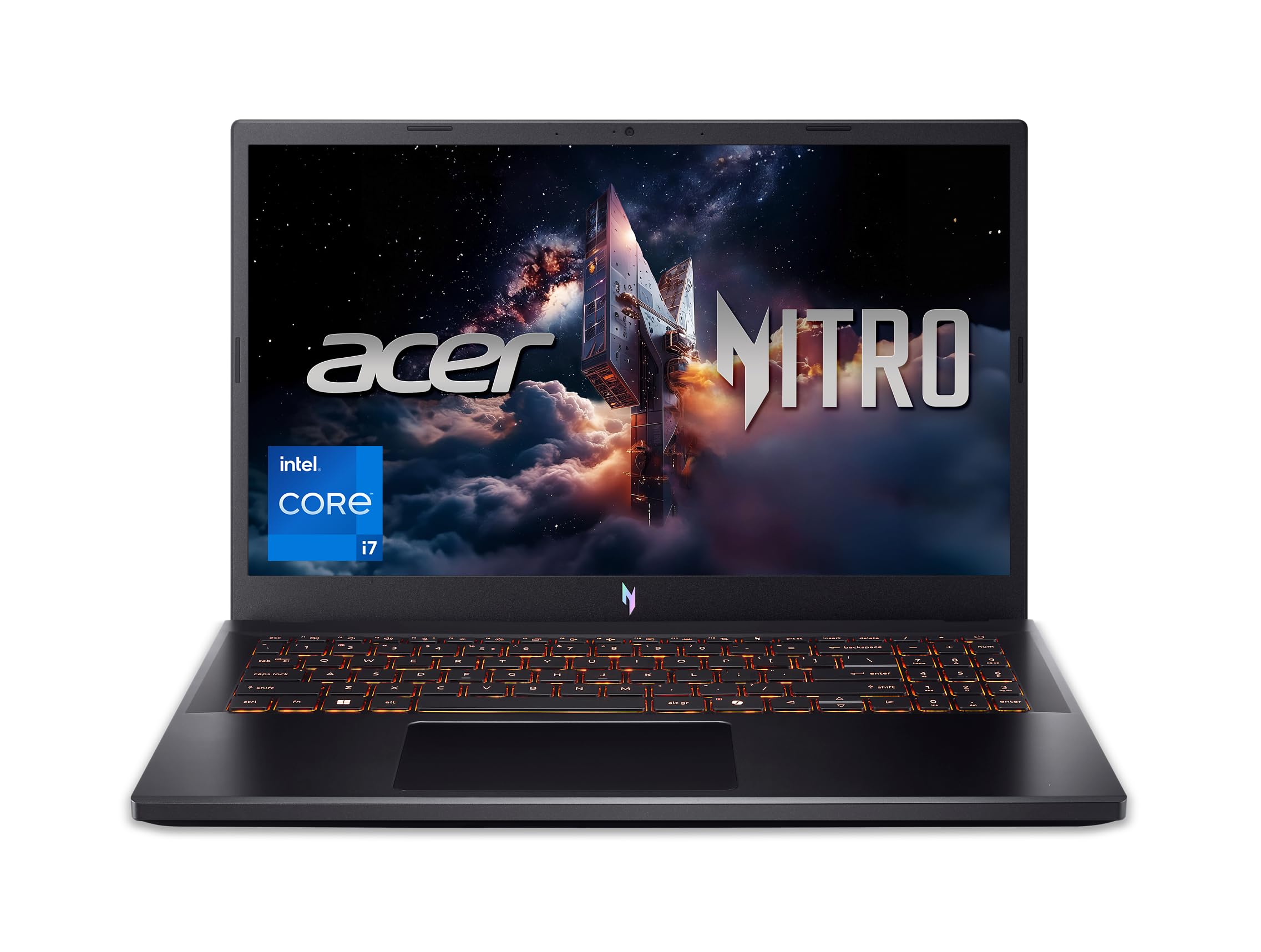
1. Acer Nitro V Gaming Laptop (i7-13620H, RTX 4050, 165Hz)
Our pick — 4.5+★ from 350+ verified ratings; the strongest balance of quality and price.
The all-rounder that hands you gaming frames, a fast screen and room to grow without asking for premium money.
The Acer Nitro V runs on an Intel Core i7-13620H processor (a 13th-generation chip that can boost up to 4.9 GHz) paired with an NVIDIA GeForce RTX 4050 graphics card rated at 194 AI TOPS. In plain terms, that pairing lets you play, record and stream at the same time, then switch to video or photo editing without the machine crawling. It is the pick for someone who wants one laptop that games after work and edits on weekends.
The 15.6-inch Full HD IPS screen refreshes at 165Hz — the panel redraws 165 times a second, so fast camera movement in a game stays clear instead of smearing. That is the standout against the Dell Latitude 5520 in this same list, whose panel runs at 60Hz: 165Hz versus 60Hz is the difference between a smooth pan and a visible blur. Inside, 16GB of DDR5 memory sits in two slots (32GB max) and a 1TB PCIe Gen 4 SSD (a fast storage drive) loads programs quickly, with a second SSD slot left open when you want to add more room.
What wins people over is raw pace — it tears through games and heavy multitasking with no stuttering. The trade-offs are real and worth sizing: the fans can get loud during long sessions, and heat is something to manage with a stand rather than ignore. Battery is the other compromise, with run times split between modest and short depending on what you are doing. As buyers put it, “some buyers report decent battery life of 6 to 7 hours, others mention the battery drains quickly.” Think of it as a desk-and-couch machine that occasionally travels.
Nitro speed for shooters
- 165Hz IPS panel keeps fast motion sharp — far smoother than the 60Hz Latitude here
- RTX 4050 graphics plus an i7-13620H handle gaming and editing in one machine
- Open second SSD slot means storage grows later without a swap
- Thunderbolt 4 port carries charging, data and video through a single cable
RTX 4050 caps settings
- Fans turn audible under sustained gaming load
- Battery life is modest and shrinks quickly during play
- Runs warm enough that a cooling stand helps
budget frame chaser: you want one i7 laptop that games, streams and edits without stepping into premium territory.
want max textures: you need to work unplugged all day, where the short battery and fan noise will bother you.
2. Lenovo V14 Gen 4 (14″ FHD, i7-13620H, 16GB RAM)
A 3.15-pound workhorse that slips into a backpack and still carries a full i7-13620H.
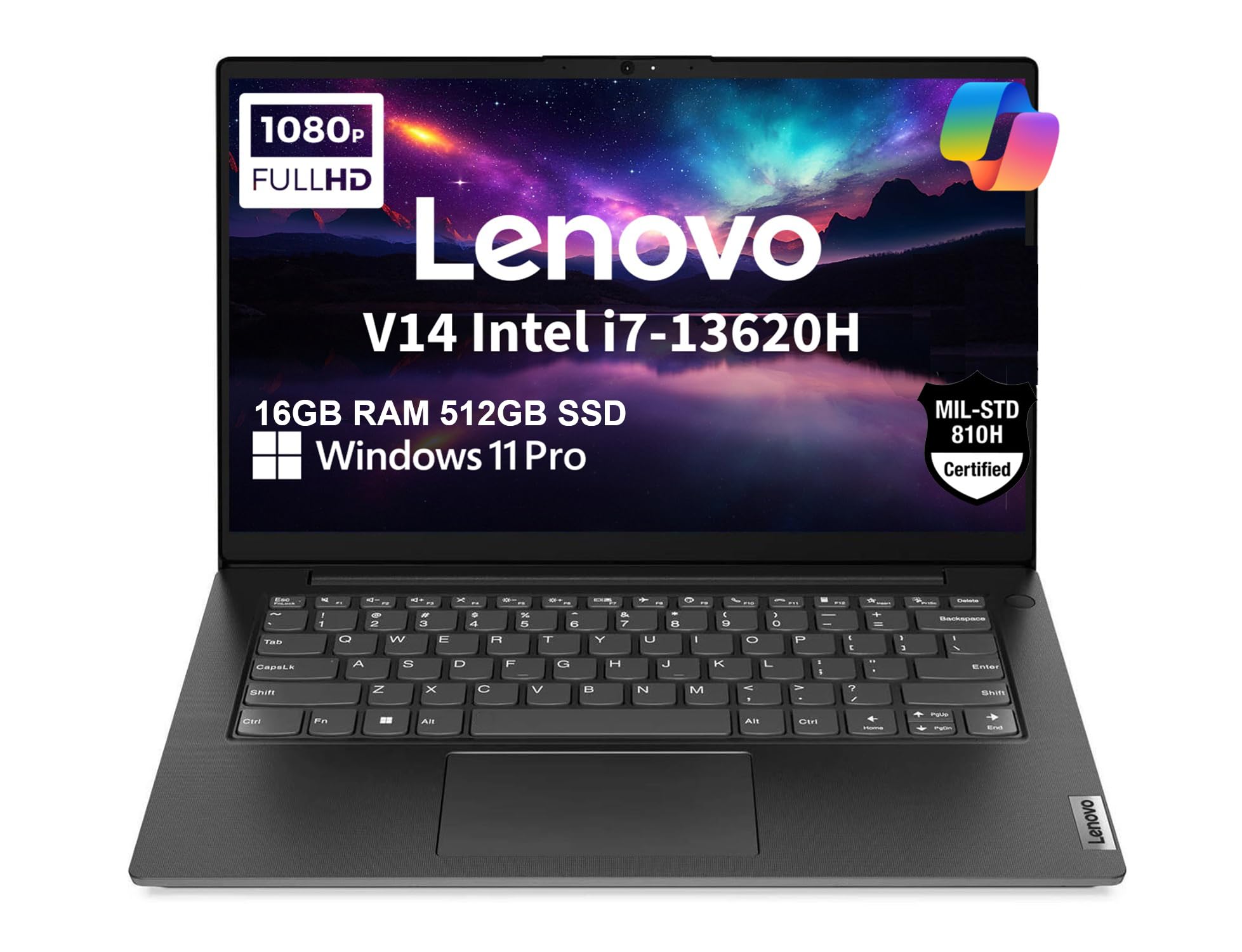
At just 3.15 pounds, the V14 Gen 4 is the machine you grab when the day involves a coffee shop, a client meeting and a train. Lenovo rates the chassis to MIL-SPEC 810H (a military durability standard for drops, vibration and temperature), so it survives being shoved in a bag between stops. The 14-inch Full HD anti-glare screen carries a TÜV Rheinland Low Blue Light certification, which means the panel filters blue light so long typing sessions feel easier on your eyes.
Inside sits the same Intel Core i7-13620H processor (10 cores, up to 4.9 GHz) as the Nitro V, backed by 16GB of DDR4 RAM and a 512GB PCIe NVMe SSD. Hooked to two external monitors through HDMI and USB-C, it drives up to 4K resolution at 60Hz — enough for a proper desk setup when you get home. You also get Wi-Fi 6 and Bluetooth 5.2, plus a 720p webcam with a privacy shutter that slides shut when you are not on a call. Windows 11 Pro comes installed, with BitLocker encryption and Remote Desktop built in.
What people notice first is how light it feels in the hand and how fast it boots for everyday work. The honest catch is that the integrated Intel UHD graphics are built for documents and video calls, not games, and the 45% NTSC panel is not a color-rich screen for photo editing. It is a focused business tool that does that job without fuss.
V14 office workhorse: the commuter or student who values a light bag over raw gaming power, and wants Pro-level security tools without a premium chassis.
single RAM slot: integrated graphics put demanding games and color-critical editing out of reach.
desk-bound multitasker: all-day portability with genuine i7 speed and a tough, tested build.
need discrete graphics: you need gaming graphics or a wide color gamut — this one keeps things business-plain.
3. DELL Inspiron 15 3530 (15.6″ FHD Touch, i7-1355U, 1TB SSD)
A taller 16-inch 2.5K panel that shows more rows, more columns and more of everything at once.
The defining feature here is the screen shape. A 16:10 aspect ratio makes the display taller than a standard 16:9 panel, so you see more rows in a spreadsheet and more of a document without scrolling. Push that to 2.5K resolution at a 120Hz refresh rate (the screen redraws 120 times a second) and text looks crisp while motion stays fluid. For anyone who reads dense material all day, the extra vertical space alone changes the work.
The engine is an Intel Core i7-13620H processor boosting to 4.9 GHz, backed by 16GB of LPDDR5 RAM and a 1TB SSD. Dell also built in ComfortView Plus, a TÜV Rheinland certified hardware feature that cuts blue light without washing out color. Battery life is stated at 964 minutes, and the machine charges over a 100W USB-C adapter.
Owners describe it as reliable and quick to set up, with the snappy 13th-gen i7 handling demanding workloads. What people appreciate most is steady performance over time — the kind of laptop that just works month after month. The honest note is that the taller 16-inch body is a desk-first machine, and there is no wired Ethernet port built in, so plan on a dongle if you need a cable connection.
Plus 2.5K crisp panel: the combination of a tall 2.5K panel, 120Hz smoothness and a 1TB drive covers both heavy document work and creative tasks in one chassis.
ports need adapters: no RJ45 port means an adapter for wired network access.
sharp-screen multitasker: screen real estate is your priority and you want sharp, tall, smooth visuals for spreadsheets or editing.
travel light packer: you need something to carry every day or a built-in Ethernet jack.
4. DELL Inspiron 3520 (15.6″ Touch, i7-1255U, 32GB RAM)

Thirty-two gigabytes of memory for people who never close a tab, a window or an app.
This Inspiron 3520 carries 32GB of high-bandwidth RAM — double the 16GB most i7 laptops here offer. That headroom is what keeps dozens of browser tabs, a spreadsheet and a video call running at once without the machine stalling. The engine is an Intel Core i7-1255U processor (10 cores, up to 4.7 GHz), which keeps pace with the 5.0 GHz Dell 3530 above for everyday tasks. A 1TB PCIe NVMe M.2 SSD rounds out the storage so boot-ups stay quick.
The 15.6-inch Full HD IPS touchscreen is BrightView and micro-edge, so colors pop and the frame stays narrow. A full numeric keypad sits to the right of the keyboard, which speeds up data entry for accounting or spreadsheets. You also get an SD card reader, HDMI, and both USB 3.2 and USB 2.0 ports for plugging in a monitor, a printer or a card from a camera.
The pace here is genuinely good for heavy multitasking, and the touchscreen makes navigation quick. The thing to plan around is battery life — it drains like most laptops of this class, so keep the charger close if you work away from an outlet. It runs warm under load too, which a cooling pad helps tame.
many tabs open: memory is your bottleneck and you want 32GB plus a numeric keypad for heavy multitasking.
latest silicon seeker: you need all-day unplugged runtime or a featherweight frame for daily carrying.
5. HP Essential 17.3″ (HD+ Touch, i7-1355U, 32GB RAM)

A 17.3-inch touchscreen that turns a kitchen table into a comfortable home workstation.
Screen size is the reason to look at this HP. The 17.3-inch diagonal HD+ panel (1600 x 900) is touch-enabled, so you can tap menus and swipe pages without reaching for a mouse. Inside runs an Intel Core i7-1355U processor (10 cores, up to 5.0 GHz) with Intel Iris Xe graphics, paired with 32GB of DDR4 RAM and a 1TB PCIe NVMe SSD. That combination makes light work of email, video calls, documents and a crowd of browser tabs.
A fingerprint reader lets you log in with a touch instead of typing a password, and Wi-Fi 6 plus Bluetooth 5 keep the wireless side current. Ports include USB-C, two USB-A, HDMI 1.4b and a headphone/mic combo. The keyboard is backlit, which helps in a dim room. HP rates the screen at 250 nits (a brightness measure) — fine for indoor use, though it will look faded near a bright window.
The recurring honesty note is the display resolution: at 1600 x 900 it shows less fine detail than a full 1920 x 1080 panel, so text can look softer edge to edge. Beyond that, everyday performance and speed are what people come away happy about. It is a large, relaxed home machine, not a travel laptop.
big 17-inch canvas: a roomy 17.3-inch touchscreen and 32GB of RAM make it an easy everyday companion for home and desk work.
HD+ low resolution: the 1600 x 900 panel is below Full HD, so choose it for size and touch, not for maximum sharpness.
wide-screen basic use: home users and light workers who want a big, tappable screen and plenty of memory for the desk.
pixel density matters: anyone carrying a bag daily or demanding crisp Full HD detail on a large panel.
6. Lenovo LOQ (i7-13650HX, RTX 5050, 144Hz)
A first real gaming rig with G-Sync smoothing the frames your eyes actually see.
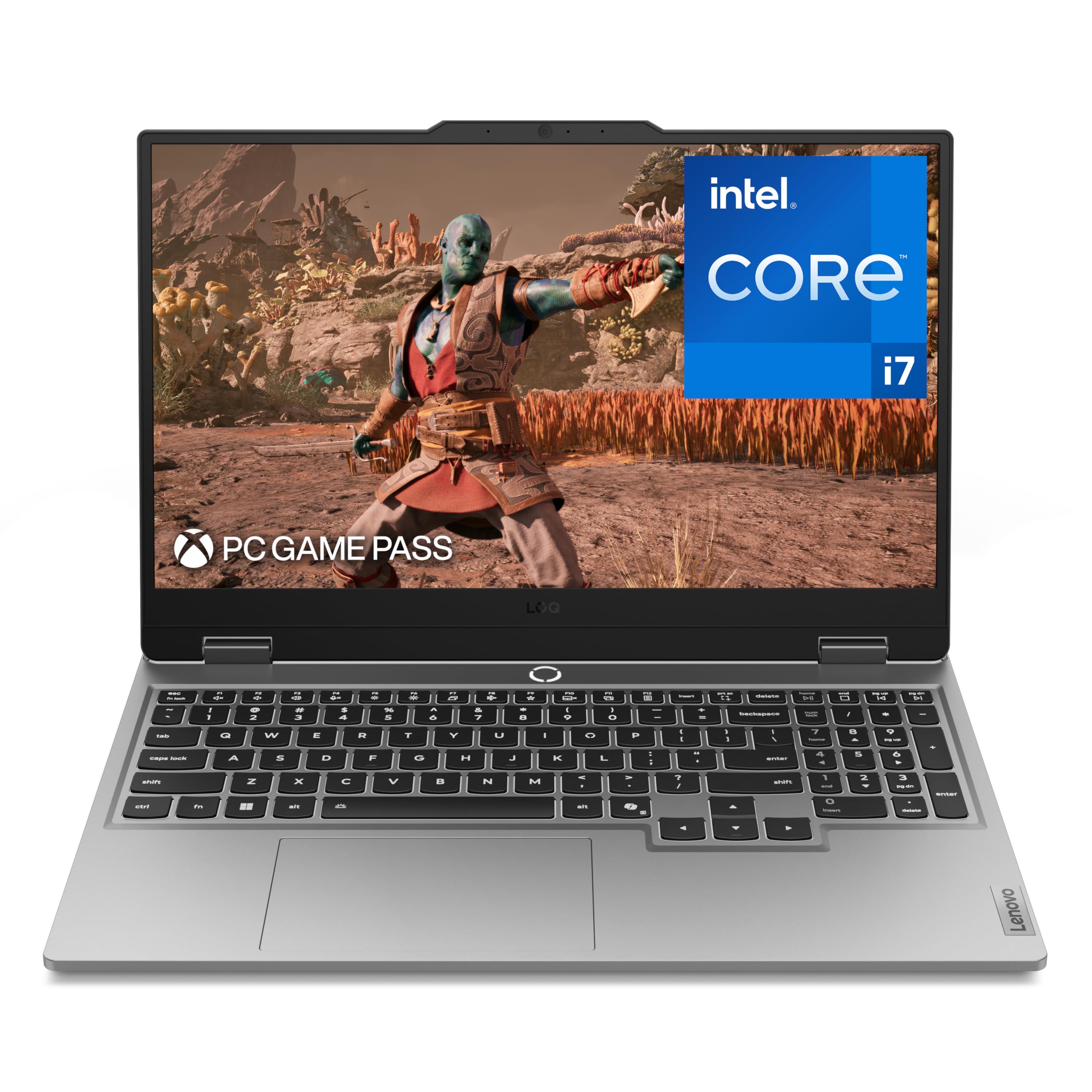
The LOQ runs an Intel Core i7-13650HX processor boosting up to 5.1 GHz with a GeForce RTX 5050 graphics card, and it carries NVIDIA G-Sync — a screen technology that syncs the display to the graphics card so you get no tearing or choppy stutter. The 15.6-inch Full HD IPS panel refreshes at 144Hz, so motion stays fluid in fast games. That refresh rate trails the Nitro V’s 165Hz by a step, but both leave a 60Hz office panel far behind.
Cooling comes from Lenovo’s Hyperchamber design with turbo fans and copper heat pipes, and an AI Engine+ tunes CPU and GPU automatically to keep frame rates steady. You get 16GB of memory and 1TB of storage. Lenovo also touts Rapid Charge Pro, which pushes the battery to 70% in under 30 minutes on compatible setups. The aerospace-grade aluminum cover feels sturdy in hand while keeping the machine manageable in a backpack.
Performance is the draw — it plays games smoothly and handles creative work like Photoshop without complaint. The catches are the heat and battery: the fans push a lot of hot air during sessions, and real gaming runtime is short even though the spec sheet lists a longer figure. The built-in speakers are modest too. It is a plugged-in gaming machine first.
entry gaming start: a first-timer who wants true gaming performance with smooth G-Sync visuals and a sturdy build.
chase high frames: you expect long battery life or loud speakers — this one wants to stay near an outlet.
7. MSI Katana 15 HX (QHD 165Hz, i7-14650HX, RTX 5060)
QHD at 165Hz is the sharp, smooth screen that dorm gamers actually want.
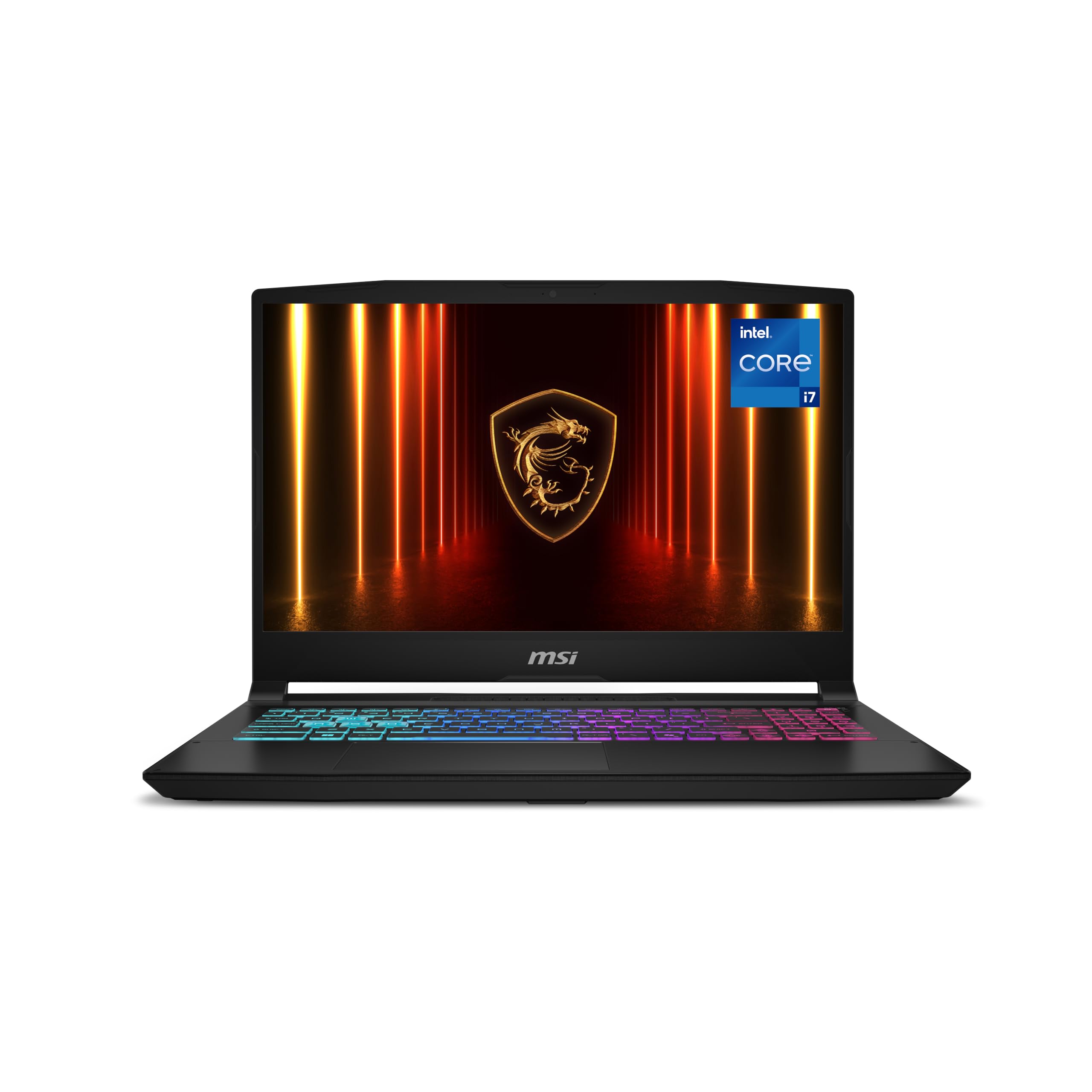
Start with the panel: a 15.6-inch QHD (2560 x 1440) display at 165Hz with 100% DCI-P3 color. That is sharper than the typical 1080p panel, and the color coverage keeps games and media rich rather than flat. The engine is a 14th Gen Intel Core i7-14650HX boosting up to 5.2 GHz paired with a GeForce RTX 5060 graphics card built on the Blackwell architecture, with DLSS 4 and ray tracing for modern titles. Toss in 16GB of DDR5 and a 1TB NVMe SSD and the whole package is ready to play.
Cooling uses MSI’s Cooler Boost 5 with dual fans and a shared-pipe design that spreads heat across CPU and GPU, aiming to hold frame rates steady during long sessions. The 4-Zone RGB keyboard with highlighted WASD keys and a numpad covers both play and typing. Connectivity includes HDMI (up to 8K), USB-C with DisplayPort and Power Delivery, Wi-Fi 6E and RJ45 Ethernet.
The performance is well liked — demanding games run smoothly, and the QHD/165Hz pairing is exactly what seals it for buyers. The trade to weigh is thermals: this class runs hot under load, so keep it on a hard surface. It is a serious gaming machine at a value-minded tier.
sharp gaming visuals: anyone who wants a genuinely sharp QHD 165Hz gaming screen without climbing to the most expensive tier.
carry daily to class: if you mostly need a cool, quiet, thin-and-light laptop — this is a gaming chassis that heats up.
8. ASUS ROG Strix G16 (16″ FHD+ 165Hz, i7-14650HX, RTX 5060)
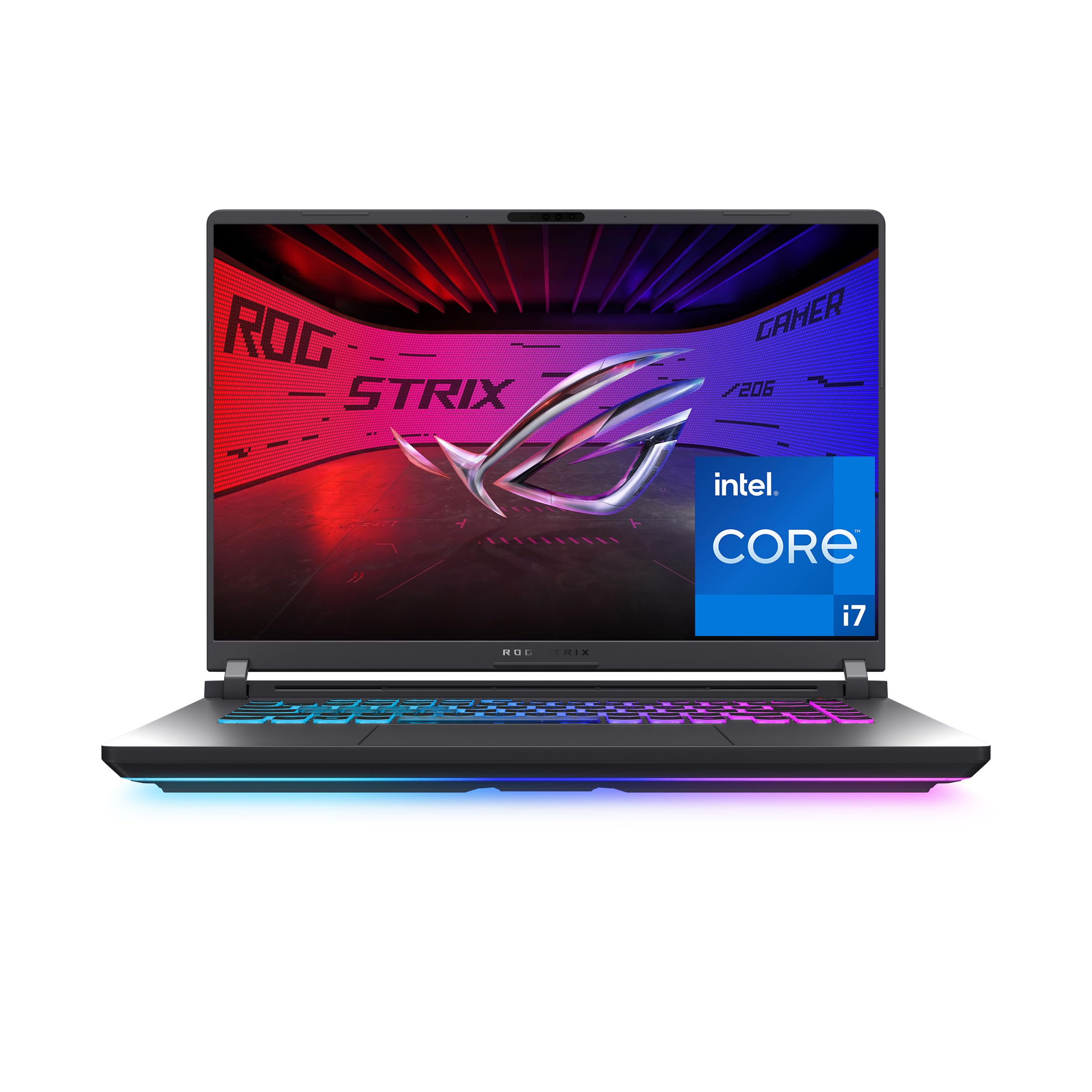
Serious cooling and a 16:10 165Hz panel for gamers who refuse to watch frame rates dip.
The Strix G16 leans on its thermals. ASUS uses an end-to-end vapor chamber (a sealed metal plate that spreads heat across a wide area), a three-fan setup and Conductonaut extreme liquid metal on the chipset. The practical payoff is stable frame rates during long sessions, because the machine sheds heat instead of throttling. The engine is an Intel Core i7-14650HX boosting to 5.2 GHz with a GeForce RTX 5060 GPU on the Blackwell architecture and DLSS 4 support.
The 16-inch FHD+ display runs in a 16:10 shape at 165Hz with a 3ms response, so motion is quick and the extra height gives you more screen. An ACR film boosts contrast and cuts glare. Memory is 16GB of DDR5-5600 with a 1TB PCIe Gen 4 SSD, and Wi-Fi 7 keeps the wireless side ahead of older standards. A 360° RGB light bar rounds out the look, and Stealth Mode switches all lighting off for the office.
What buyers value is reliability baked into the build — this is a machine designed to hold up over months of use. The honest trade-offs: it is a sizeable, desk-friendly gaming laptop, and battery life is brief when unplugged. Fans can be heard under heavy load, though the cooling is what earns the performance.
serious esports rig: gamers and creators who want advanced cooling and a tall 16:10 165Hz screen, and who mostly work plugged in.
tight budget shopper: portability and long battery life top your list — this is a heavier gaming chassis.
9. MSI Katana (QHD 165Hz, i7-14650HX, RTX 5070, Docking Set)

An RTX 5070 gaming rig that arrives with a docking station and accessories already in the box.
This Katana pairs an Intel Core i7-14650HX processor with an NVIDIA GeForce RTX 5070 carrying 8GB of GDDR7 memory — the more capable graphics card of the two Katana models here. It drives a 15.6-inch QHD 165Hz thin-bezel IPS screen, so games and video render sharply with fluid motion. 16GB of DDR5 RAM and a 1TB PCIe SSD cover the memory and storage basics, and Windows 11 Pro comes installed.
The extras set it apart: a 7-in-1 docking station with 1TB storage, a 32GB microSD card with an adapter, a Type-C data cable, a 3-in-1 charging cable and a suede cleaning cloth all ship in the bundle. Connectivity spans USB-C, three USB-A ports, HDMI, an audio combo jack, RJ45 Ethernet, Wi-Fi 6E and Bluetooth 5.3. The 4-Zone RGB backlit keyboard suits both play and typing, and the whole unit weighs 4.29 lbs.
Be clear-eyed on performance: owner views here are split. Some find the RTX 5070 great for online gaming, while others say heavy, graphically demanding titles push it hard, and a few report slow load times or occasional glitches. It works fine for many, but the safest read is to buy it for the graphics card and the bundled kit, and to expect a gaming machine that prefers lighter-to-mid titles over the heaviest ones.
desk docking gamer: you want the stronger RTX 5070 graphics plus a ready-made bundle of dock and cables in a single purchase.
already own dock: you plan on the most graphically demanding games — feedback on heavy-load performance is genuinely mixed here.
Know the Specs
Processor suffix: U vs H vs HX
The letters after an i7 model number hint at how the chip is built. A U-series chip (like the i7-1355U) is made to sip power and stay quiet, so it fits thin laptops for office work. An H or HX chip (like the i7-13620H or i7-14650HX) runs hotter and draws more, but it holds speed through long gaming or rendering sessions. Match the suffix to your workload, not to the number on the badge.
Refresh rate in hertz
Refresh rate is how many times per second the screen redraws. A 60Hz panel (the business standard, like the Latitude 5520 here) is fine for documents. A 144Hz or 165Hz panel (as on the gaming picks) smooths scrolling and fast motion so your eye sees less blur. Higher is better for games and video; for typing and browsing the difference is smaller.
Resolution and panel type
Resolution is how many pixels fill the screen. Full HD (1920 x 1080) is the crisp everyday baseline, while QHD (2560 x 1440) and 2.5K pack in more detail for sharper text and images. IPS panels give wider viewing angles and steadier color than cheaper panel types, which matters if you look at the screen off-axis or edit photos.
RAM and SSD storage
RAM is the short-term workspace your open apps live in — 16GB keeps a busy browser and a document comfortable, and 32GB gives heavy multitaskers far more room. The SSD is long-term storage; an NVMe PCIe drive (the fast kind) boots Windows and loads programs quickly. A 1TB drive holds a large library without an external disk.
Common Questions
Is an i7 laptop overkill for everyday browsing and email?
Does a higher GHz number always mean a faster laptop?
Will a 165Hz gaming laptop screen drain the battery faster?
Can I add more RAM or storage to these i7 laptops later?
Is a renewed business laptop like the Dell Latitude 5520 a safe buy?
Do I need dedicated graphics or is integrated enough?
How long does the battery last on an i7 gaming laptop?
Is QHD better than Full HD on a 15.6-inch laptop screen?
Will an i7 laptop get very hot and loud under load?
Does the touchscreen on these laptops work with Windows 11 well?
The Bottom Line
For most people, the standout in this lineup is the Acer Nitro V, because it delivers a 165Hz IPS screen, RTX 4050 graphics and an i7-13620H in one machine that games, streams and edits without stepping into premium pricing. If screen space matters more than frames, the Dell Inspiron 16 Plus 7640 and its taller 2.5K panel show more of everything at once. For light travel, the 3.15-pound Lenovo V14 Gen 4 is the bag-friendly choice, and for cool-running high-refresh gaming, the ASUS ROG Strix G16 with its vapor chamber cooling is the one to reach for. Whichever fits your day, match the chip suffix and the screen to how you actually work — that decision matters more than any badge on the lid.
How we choose
We do not accept paid placement. Every pick is matched to a real buyer and a real use-case; we do not hands-on test units.
Sources
Specifications: manufacturer listings and product documentation. Review insights: verified customer reviews, as of November 2026. Pricing: not shown on this page (it changes often); check the current price via the retailer link.
As an Amazon Associate, Tactical Gear Guy earns from qualifying purchases. This does not affect which products we feature.