Specs are compiled from manufacturer listings and verified buyer reviews and can change over time — please confirm the key details on the product page before buying.
Your desk space and your upgrade plans decide which Windows 11 desktop fits you. Do you want a full tower that sits under the desk, or a tiny box that hides behind the monitor? If you mostly handle email, spreadsheets, video calls and browser tabs, a compact mini PC with enough memory and a fast solid-state drive (a storage drive with no moving parts) will feel quicker day to day than a big tower with older parts. If you plan to add cards, swap drives often, or keep the machine for many years, a tower with room to grow is the safer buy. Below you get both shapes, in plain language, so you pick the right one the first time.
This guide is built by comparing the manufacturers’ published specifications and the patterns across verified customer reviews, so you get each pick’s real strengths and trade-offs instead of marketing spin.
You will see which configurations actually matter, which specs are just noise, and where the honest trade-offs sit. Every pick below ships with Windows 11 already installed, so you can set it up and start working the same day you open the box with a reliable Windows 11 Desktop.
Top Picks

How To Choose The Best Windows 11 Desktop
The biggest mistake buyers make is shopping by processor name alone. On an everyday office desktop, the amount of memory (RAM) and the type of storage drive decide whether the machine feels snappy or sluggish. A newer chip with a slow spinning hard drive will feel worse than an older chip with a fast solid-state drive.
Memory and storage first, chip second
Memory is your desk space for open apps — 16GB lets you keep a video call, a spreadsheet and a dozen browser tabs open without the system stalling. Storage is the cupboard where files live. An SSD (solid-state drive, which has no moving parts) opens programs and boots Windows far faster than an old spinning drive. Look for an SSD listed as NVMe or M.2, which is the slim card-style format many current desktops use.
Tower versus mini: pick your footprint
A tower has room for extra drives, cards and airflow, which suits buyers who upgrade or expand later. A mini PC is a small box, often mountable behind a monitor, that clears your desk and runs quietly. The trade-off is that a mini PC usually has fewer upgrade options inside.
Windows 11 Home or Pro
Both run the same everyday apps. Pro adds business tools such as BitLocker drive encryption and Remote Desktop, which matter if you work remotely or handle sensitive files.
Ports and monitor support
Count your devices before you buy: monitor, keyboard, mouse, printer, webcam, external drive. A desktop with HDMI and DisplayPort can drive two screens, and some mini PCs handle three or four. Running out of USB ports is the most common day-one surprise.
Side-by-Side Comparison
| Model | Best For | Processor | Memory | Storage | Amazon |
|---|---|---|---|---|---|
| HP Business Tower Desktop (i5)★ Best Overall | All-round office tower | Intel Core i5-10400 | 16GB | 1TB SSD | Amazon |
| KAMRUI Pinova P1 Mini PCSmallest Footprint | Tight desks and travel | AMD Ryzen 3 Pro 7330U | 8GB | 256GB SSD | Amazon |
| ACEMAGIC K1 (Ryzen 5 5425U)Quiet Performer | Triple-screen multitasking | AMD Ryzen 5 5425U | 16GB | 512GB SSD | Amazon |
| Dell Optiplex 7050 SFF | Big memory on a budget | Intel Core i7-7700 | 32GB DDR4 | 1TB SSD | Amazon |
| ACEMAGICIAN K1 (Ryzen 7 7730U) | Quiet office mini PC | AMD Ryzen 7 7730U | 16GB DDR4 | 512GB SSD | Amazon |
| ACEMAGIC Mini Gaming PC (7735HS) | Light gaming and media hub | AMD Ryzen 7 7735HS | 24GB LPDDR5 | 512GB SSD | Amazon |
| GEEKOM A5 Mini PC | Expandable business mini | AMD Ryzen 7 7730U | 16GB DDR4 | 500GB NVMe SSD | Amazon |
| HP Desktop Tower (i5-12500) | Heavy multitasking tower | Intel Core i5-12500 | 32GB | 1TB NVMe SSD | Amazon |
| Dell Tower Desktop (Ultra 7-265) | Future-proof premium tower | Intel Core Ultra 7-265 | 32GB | — | Amazon |
Detailed Reviews
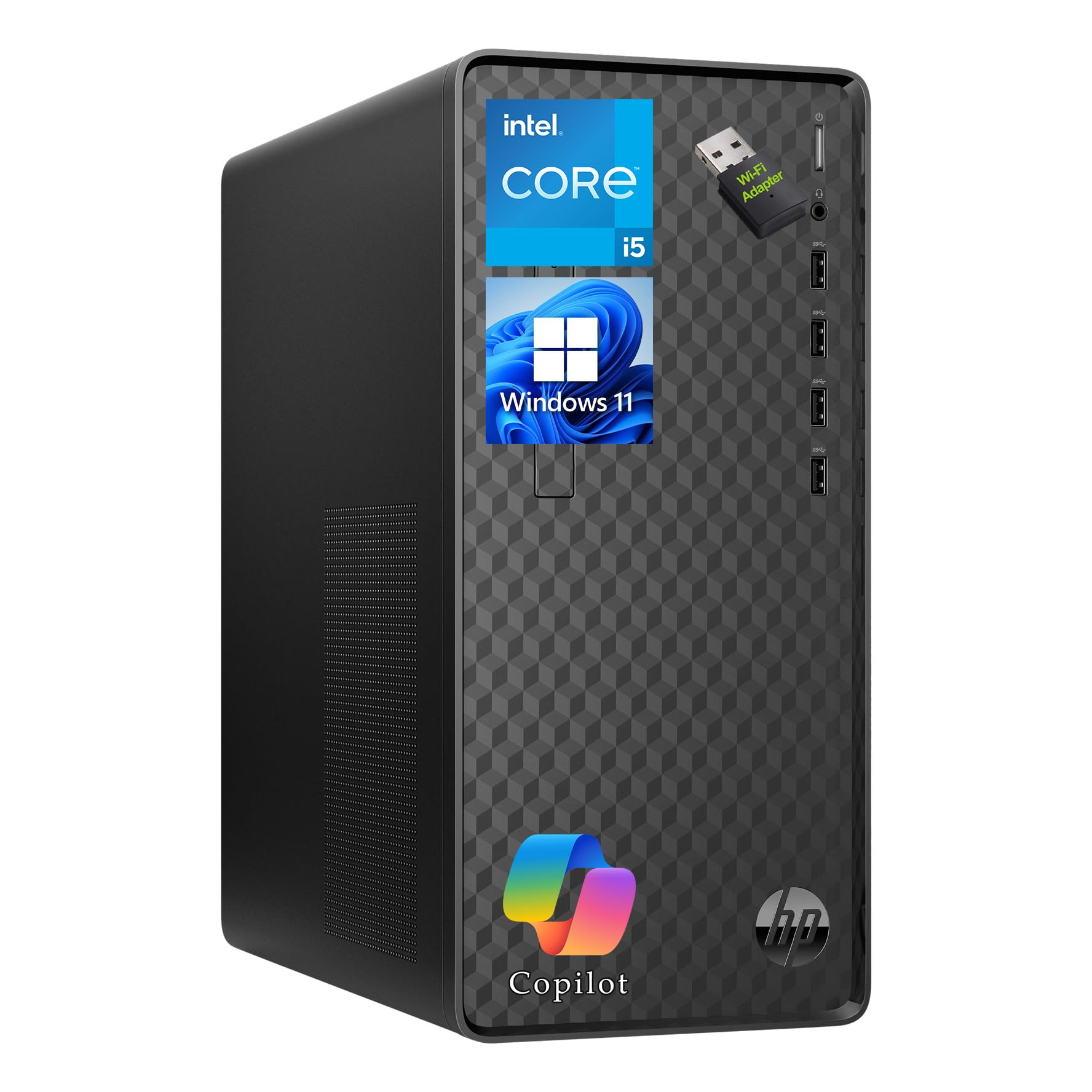
1. HP Business Tower Desktop PC, Intel i5, 16GB RAM, 1TB SSD
Our pick — 4.0+★ from 700+ verified ratings; the strongest balance of quality and price.
The full tower that covers a whole working day without asking you to plug in extras.
This is the pick for the home office or small business desk that needs one machine to do everything. Inside sits the Intel Core i5-10400 running up to 4.3 GHz — a processor that keeps spreadsheets, video meetings and web tools moving together. What makes it the safest first buy is the combination of 16GB of memory and a spacious 1TB SSD (a solid-state drive, so Windows and programs load without the whir of an old spinning disk). You get room for business software, project files and a document library without reaching for an external drive.
You get room to add parts later, because this is a proper tower at 13.2 x 11.9 x 6.1 inches and 9.26 lbs, so it sits under or beside the desk. The ACEMAGIC K1 further down weighs 1.25 lbs by comparison — this HP tower is the one you buy when upgrade room beats hiding in a drawer. Ports are generous: four front USB 3.2 Gen 2 Type-A and four rear USB Type-A, plus Gigabit Ethernet (a wired network port) and an included USB Wi-Fi adapter, so printer, webcam and external drives all find a home.
The practical extras matter here. It arrives with Windows 11 Home and Copilot AI access, a keyboard and mouse in the box, and a 180W power supply with a security lock slot. It carries 4.0+ stars from a large pool of buyers, with the stable wired-network connection, included peripherals and the roomy SSD doing most of the convincing. The honest catch is that it adds a Wi-Fi connection through a plug-in USB adapter rather than building wireless in, so keep a USB port free for it.
Where it earns its keep
- 1TB SSD gives real file room without an external drive.
- Eight USB Type-A ports (four front, four rear) handle every peripheral.
- Intel Core i5-10400 up to 4.3 GHz keeps office multitasking smooth.
- Keyboard and mouse included, ready to work the day it lands.
What to plan around
- Wi-Fi comes from a plug-in USB adapter, not built-in wireless.
- At 9.26 lbs it is a desk fixture, not something you move around.
Go for this one if: you want a dependable desk-bound workhorse with a big SSD and a full set of ports.
Bear in mind: there is no built-in Wi-Fi, so the supplied USB adapter is your wireless link.
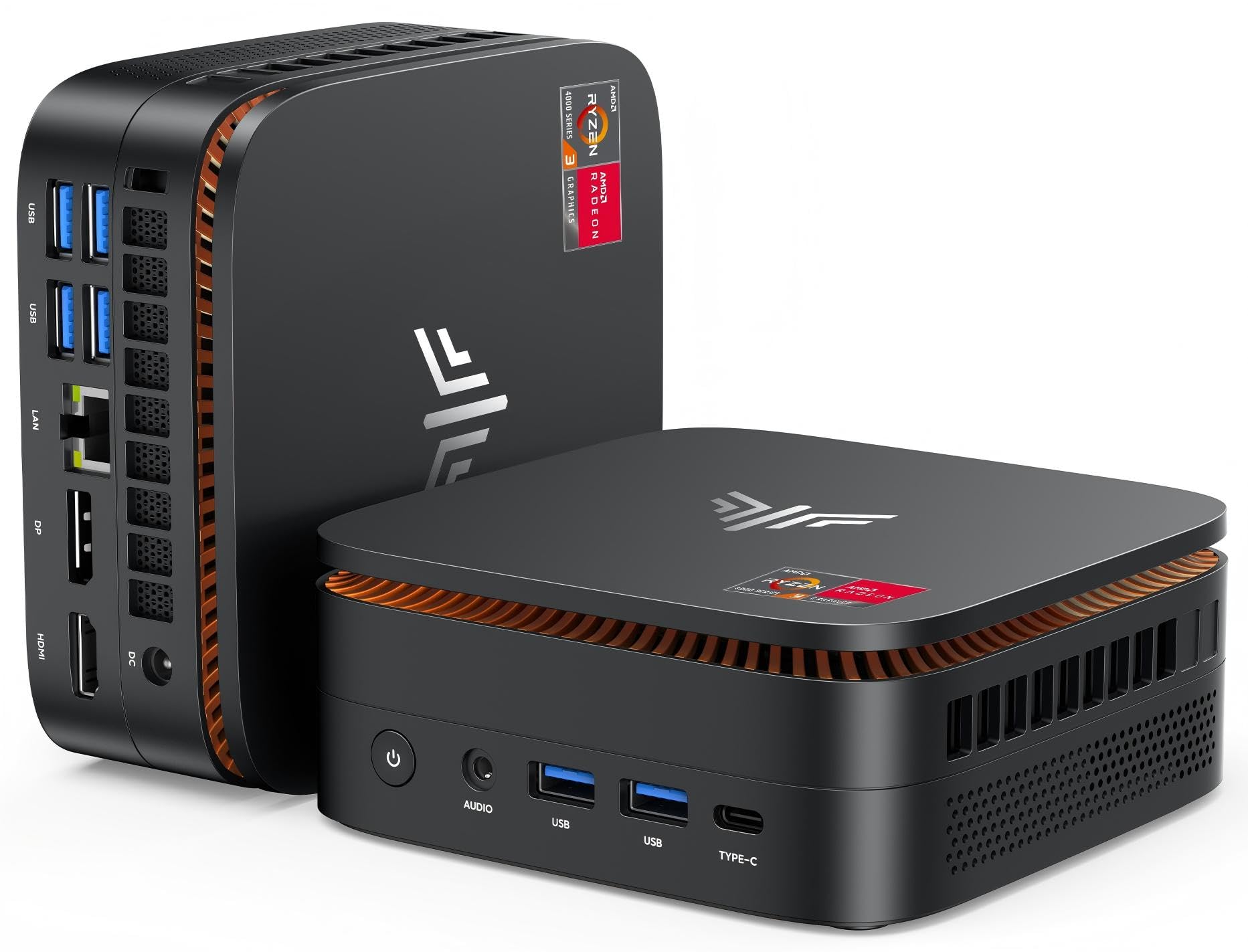
2. KAMRUI Pinova P1 Mini PC
A palm-sized desktop that bolts to the back of your monitor and disappears.
If your desk is a shared kitchen table that has to become a workstation and then clear again, this is the shape you want. The body measures 5.06 x 5.06 x 2.01 inches and the included VESA bracket lets you mount it behind a monitor, which clears the desk entirely. The Dell Optiplex 7050 elsewhere on this list needs far more surface area — this KAMRUI is the one you hide. Inside, the AMD Ryzen 3 Pro 7330U runs up to 4.3 GHz with 8GB of memory and a 256GB M.2 SSD, enough for documents, email, web pages and light image editing.
It comes preloaded with Windows 11 Pro, which brings the business features like Remote Desktop and drive encryption, and it supports Wake On LAN and Auto Power On for kiosk-style setups. Graphics run integrated Radeon at 1.40GHz and drive 4K at 60Hz across HDMI and DisplayPort, so a sharp monitor looks crisp. Wi-Fi 5 on both 2.4GHz and 5GHz bands, Gigabit Ethernet and Bluetooth 4.2 cover the connections. What wins owners over most is simply how little room it takes for the work it does.
Be realistic about the 8GB of memory and 256GB of storage — they suit everyday office tasks, not heavy video editing or large game libraries. There are four USB 3.2 ports, a card reader line-up of audio and Ethernet, and a small blue glow when powered on. For a compact second machine or a minimalist home office, it is hard to argue with the footprint.
Compact by design: 5.06 x 5.06 x 2.01 inches plus a VESA bracket means it mounts behind the screen, freeing the whole desk.
Modest internals: 8GB RAM and a 256GB SSD cover office apps and browsing, but they are not the choice for large creative projects.
Best fit: small spaces, shared desks and anyone who wants the machine out of sight.
Not for: buyers who need big storage or heavy multitasking headroom.
3. ACEMAGIC K1 Mini PC, Ryzen 5 5425U, 16GB RAM, 512GB SSD
Three 4K screens, sixteen gigabytes and a fan you barely hear at under 36dB.
Three monitors is where this mini PC makes its case. The AMD Ryzen 5425U runs 4 cores and 8 threads up to 4.1GHz, paired with 16GB of LPDDR4 memory and a 512GB M.2 2280 SSD. Connect up to three 4K@60Hz displays through HDMI 2.0, DisplayPort 1.4 and USB-C with DP 1.4, and you can spread a spreadsheet, browser tabs and reference docs across all of them without window shuffling. Compare that to the KAMRUI P1’s dual-display approach — this is the pick for multi-screen workers.
The build is what quietly sells it. Fan noise is measured below 36dB under specified test conditions, which keeps it out of mind in a shared study or home office. It measures 5 x 5 x 1.6 inches and weighs 1.25 lbs — the same weight as the heavier-spec ACEMAGICIAN K1 listed next — and the VESA bracket tucks it behind a monitor. Storage can grow via a second M.2 2280 slot that takes SATA or PCIe NVMe drives, and Windows 11 Pro comes preinstalled with Linux compatibility if you want to experiment.
Wireless is handled by Wi-Fi 5 and Bluetooth 4.2 (an older wireless standard), and six USB 3.2 ports plus a 10Gbps USB-C (a fast, reversible connector) cover your peripherals. The trade-off is that it stops at Wi-Fi 5 rather than the newer Wi-Fi 6 you will find on the ACEMAGICIAN or GEEKOM picks — for a wired desk that is a non-issue, for a wireless-only setup it is worth weighing.
Strongest points
- Drives three 4K@60Hz monitors via HDMI, DisplayPort and USB-C.
- Fan noise below 36dB keeps a shared room calm.
- Second M.2 2280 slot accepts a bigger drive down the line.
- Six USB 3.2 ports plus 10Gbps USB-C for peripherals.
Where it holds back
- Wi-Fi 5 rather than the newer Wi-Fi 6 standard.
- Integrated Radeon graphics suit light gaming, not demanding titles.
Worth choosing when: you run several screens and want a near-silent box behind one of them.
Think twice if: you need Wi-Fi 6 speeds or serious gaming graphics.
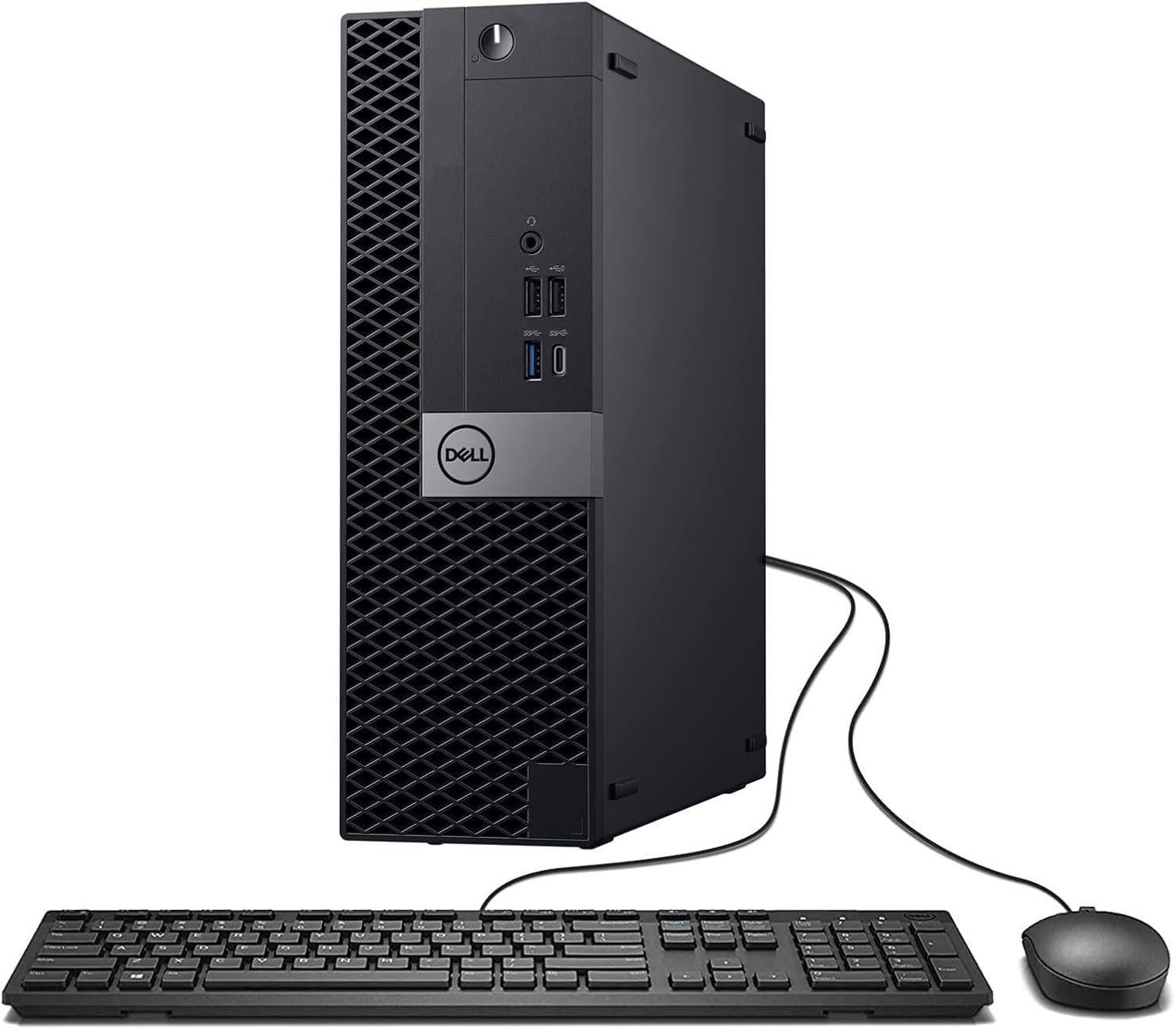
4. Dell Optiplex 7060 SFF Desktop
A terabyte of storage and 32GB of memory for the price of a modest new mini PC.
Here the shop-forecourt arithmetic is the point. The Intel Core i7-7700 runs 4 cores at 3.60 GHz, backed by 32GB of DDR4 memory and a 1TB solid-state drive. That is four times the memory of the KAMRUI P1 further up this list and a hard-drive bucket big enough for years of documents, photos and software installs. For a home office that juggles file archives and multiple apps, that combo is the practical edge.
It ships renewed with Windows 11 Pro, a wired keyboard and mouse, a wireless USB Wi-Fi adapter and a 90-day warranty from the seller. HDMI, DisplayPort and Ethernet are all onboard, so a dual-monitor setup works from the start. The machine’s owner consensus is solid: Windows 11 runs smoothly on it and command response is quick.
The caveats are the shape and the season of the hardware. The small-form-factor case is compact rather than roomy, and as a renewed unit the seller’s 90-day warranty is shorter than a new-machine guarantee. Buyers should budget a close inspection on arrival. For storage-per-dollar, though, it is the pick that does the heavy lifting on a light outlay.
Why it earns a spot
- 32GB DDR4 memory plus a 1TB SSD is a rare pairing at this tier.
- Windows 11 Pro preinstalled, plus wired keyboard and mouse.
- Dual-monitor ready with HDMI and DisplayPort.
- 90-day seller warranty covers the renewed hardware.
Honest limits
- The 90-day warranty is shorter than a new-build guarantee.
- Renewed condition varies, so inspect on delivery.
Best for: storage-hungry homes and offices that value memory over a fresh box.
Look elsewhere if: you want a new unit and a standard multi-year warranty.
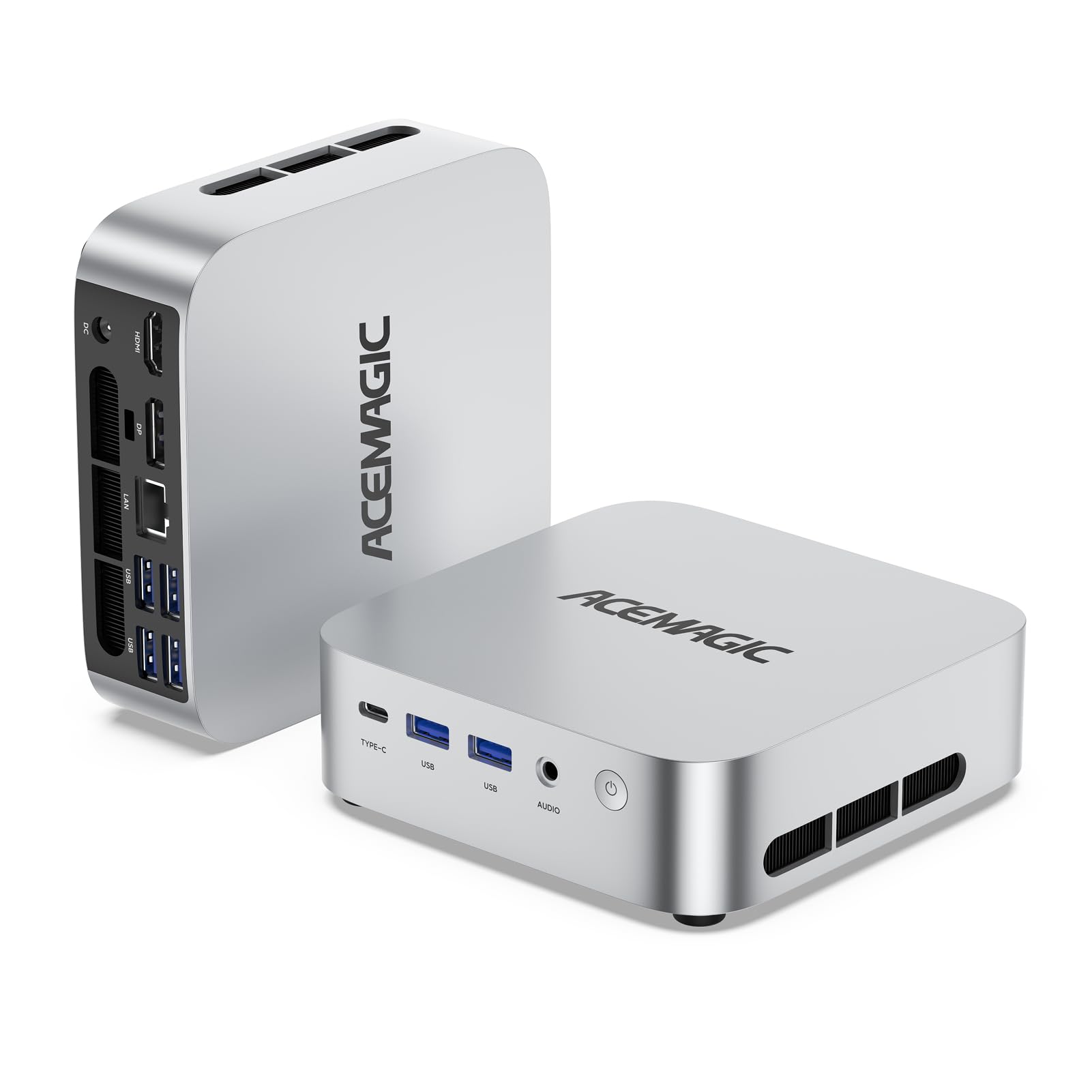
5. ACEMAGICIAN K1 Mini PC, Ryzen 7 7730U, 16GB RAM, 512GB SSD
Eight cores, Wi-Fi 6 and three display outputs in a box that tucks behind the screen.
The AMD Ryzen 7 7730U here is an 8-core, 16-thread chip running up to 4.5GHz with 16MB of cache, paired with 16GB of DDR4 memory and a 512GB PCIe SSD. Set against the 5425U in the ACEMAGIC K1 above, the maker rates the 7730U at up to 8-11% more CPU performance and 28% more GPU performance — a meaningful bump if you run design software or light games. Radeon Graphics with 8 cores at 2000 MHz pushes triple displays via HDMI, DisplayPort and Type-C, so a multi-screen dashboard is easy to build.
Connectivity is where this one clearly leads. Wi-Fi 6 and Bluetooth 5.2 handle wireless, and the Type-C port moves data at up to 10Gbps while also outputting 4K@60Hz. Five USB 3.2 ports cover peripherals, and a 1.0G RJ45 Ethernet port handles wired networking. Storage can grow via an added M.2 NVMe PCIe 3.0 SSD, though the slot does not come with a drive installed.
The honest question is if you need the extra graphics muscle. For email, documents and video calls, the 5425U model is plenty and costs less. If you want headroom now and in a couple of years, the 7730U’s extra 8 cores (processing units) over the lighter Ryzen 5 build makes this the safer long-term desk machine.
Graphics bump: Radeon Graphics with 8 cores at 2000 MHz supports design apps and casual games plus triple displays.
Wireless lead: Wi-Fi 6 and Bluetooth 5.2 mean faster, steadier connections than the older Wi-Fi 5 standard.
Worth it when: you want a compact office PC with a newer processor and modern Wi-Fi.
Value check: for plain document work the cheaper 5425U model already covers it.
6. ACEMAGIC Mini Gaming PC, Ryzen 7 7735HS, 24GB RAM, 512GB SSD

More cores, faster memory and a 2.5GbE port aimed at the desk that doubles as a gaming rig.
The Ryzen 7 7735HS here brings 8 cores and 16 threads with Radeon 680M graphics, which the listing says keeps titles like DOTA 2, CS2, League of Legends and GTA V smooth at 1080p. The memory is the standout spec: 24GB of LPDDR5 at 5500MT/s, a faster class than DDR5-4800 or 4266MT/s, and enough to keep a lot of browser tabs open alongside a spreadsheet and a video call. Dual M.2 slots (2280 and 2242) let you add a second drive, with expansion up to 4TB.
Display output is the highest in this set according to the maker: HDMI, full-size DisplayPort 2.1 and USB-C with DP 1.4, driving up to three 4K displays. The 2.5GbE LAN port runs at 2.5× the speed of standard Gigabit Ethernet for wired networking, and Wi-Fi 6 plus Bluetooth 5.2 cover the wireless side. Six USB ports let keyboard, mouse, headset, webcam and external drives all connect at once.
The trade-off to weigh is scope. This is the gaming-focused pick, and its 12-month warranty is shorter than the 24-month coverage the ACEMAGICIAN K1 receives. If your day is spreadsheets and video calls with an occasional 1080p title at night, it earns its place; if not, the lighter K1 trims the cost.
Why gamers look here
- Radeon 680M graphics with 8 cores and 16 threads for 1080p titles.
- 24GB of LPDDR5 at 5500MT/s outpaces many mini PCs.
- 2.5GbE LAN runs at 2.5× standard Gigabit Ethernet speed.
- DP 2.1 plus USB-C DP 1.4 drives up to three 4K screens.
The fair trade-offs
- 12-month warranty is shorter than the ACEMAGICIAN K1’s 24-month cover.
- Built-in graphics, so cutting-edge AAA titles are not the target.
The right call for: a compact desk that games at 1080p and works all day on 24GB of memory.
Not the right call for: buyers who want a longer warranty on a similar budget.
7. GEEKOM A5 Mini PC, Ryzen 7 7730U, 16GB RAM, 500GB SSD
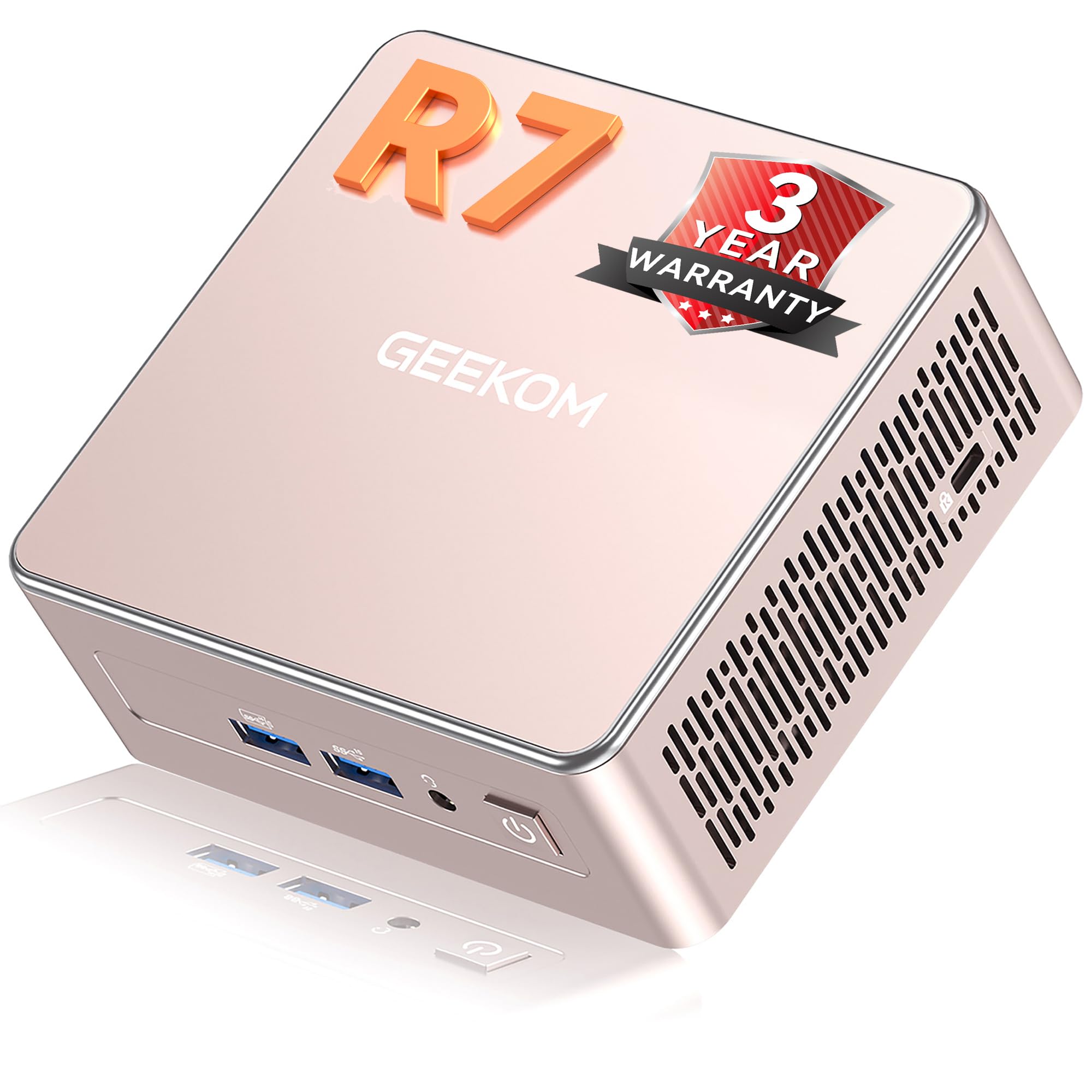
A mini PC that behaves like a tiny workstation, with four screens and a serious upgrade path.
The AMD Ryzen 7 7730U (8 cores, 16 threads, up to 4.5GHz) with Radeon Vega 8 graphics anchors this one, matched with 16GB of DDR4 memory and a 500GB M.2 2280 PCIe Gen4×4 NVMe SSD. Buyers report it handles CAD and 3D-printer design work without lag, and that compact size and quiet running are the daily strengths. Setup is guided onscreen, so the first boot is quick to clear. Four display outputs via dual HDMI and dual USB-C support up to 8K output, which suits monitoring stations, digital signage or a multi-screen home office.
What makes it business-ready is the upgrade route: dual SODIMM slots support memory up to 64GB, and a small SATA drive bay plus an M.2 2242 slot open the way to expanded storage. The IceBlast 3.0 cooling, reinforced metal frame and 15W low-power TDP design keep it quiet and energy-efficient, while Wi-Fi 6, Bluetooth 5.4 and 2.5GbE LAN cover networking. It carries a 3-year limited warranty, which is longer than most of the mini PCs here.
The friction point is the smaller storage starting point than a couple of towers on this list — 500GB fills faster than 1TB if you keep big media libraries. The 16GB of memory does not match the 32GB found on the renewed Dell Optiplex pair, but the ability to grow to 64GB means the ceiling is higher if you upgrade later.
Business backbone: 3-year limited warranty, quad-display support and a metal chassis built for deployment.
Upgrade ceiling: SODIMM slots take it to 64GB of RAM, far beyond the starting configuration.
Strongest when: you need a mini PC for a small business or multi-screen station and value warranty length.
Cost to know: its starting 500GB storage is smaller than the 1TB towers here.
8. HP Desktop Tower
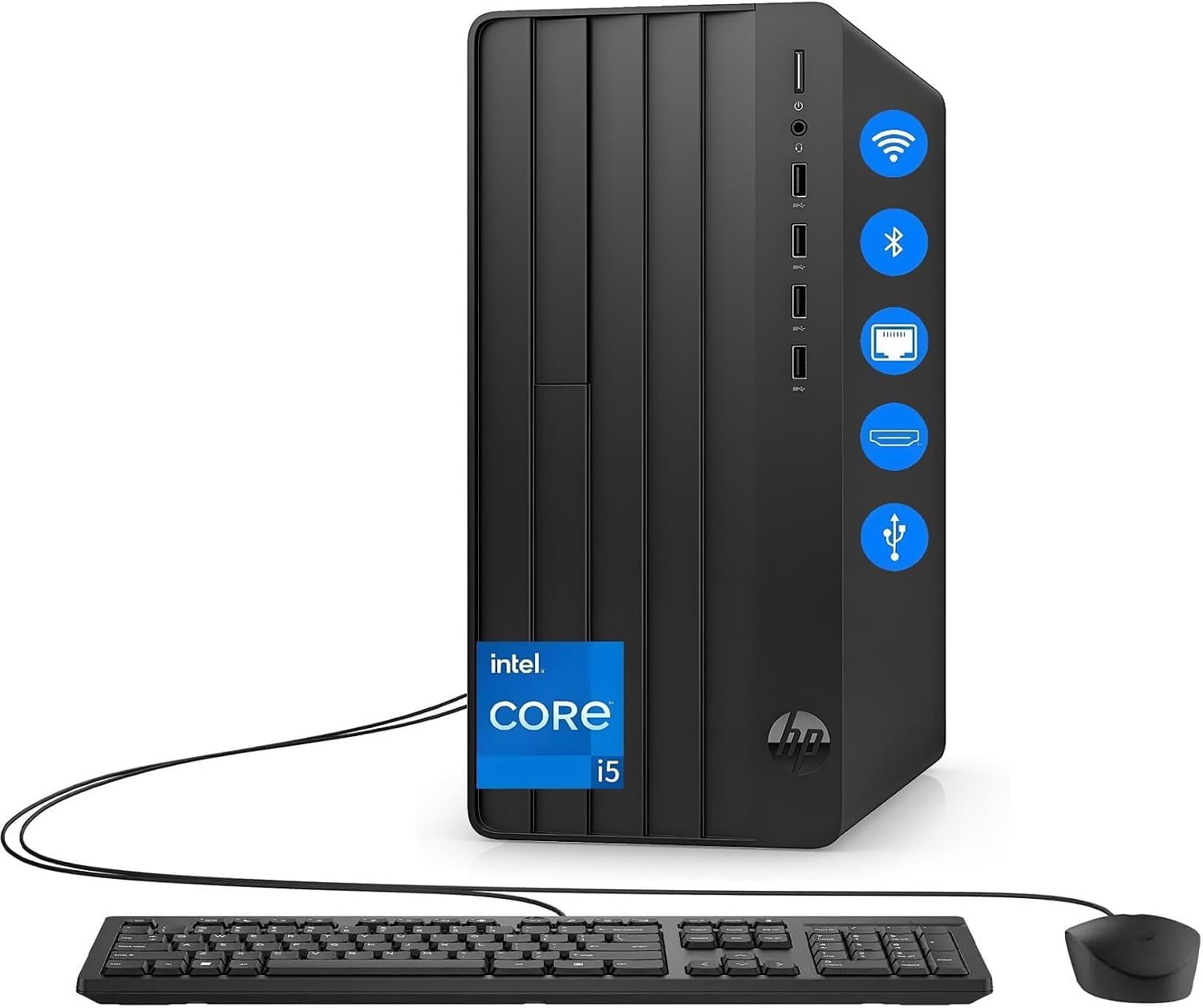
Six cores, 32GB of memory and a terabyte of fast storage aimed squarely at the remote professional.
This is the machine for the buyer who keeps the tabs open, runs a virtual meeting in one window and edits a 40-page document in another. The Intel i5-12500 is a 6-core processor, paired with 32GB of RAM (memory) and a 1TB NVMe SSD (a fast, card-style drive with no moving parts). For Windows 11 Home daily work, that combination is a wide safety net — the memory stops the stall you get when several apps run at once, and the 1TB drive holds years of business files, customer databases and project assets.
Built-in Wi-Fi and Bluetooth mean no dongles (small plug-in adapters) for headsets or mice, and the included wired keyboard and mouse get you working on day one. It ships with Windows 11 preinstalled. Against the HP Business Tower at the top of this list, this model doubles the memory and adds a newer six-core chip — a clear step up for heavy multitasking, and a higher tier when you compare them side by side.
The honest question is whether 32GB and a 1TB NVMe drive are worth the premium over the 16GB pick. They are if you regularly run screen-sharing calls with a dozen browser tabs in the background. If your day is email and a single spreadsheet, the cheaper HP Business Tower covers it.
What makes it strong
- 32GB of RAM handles many apps and tabs without a stall.
- 1TB NVMe SSD gives big, fast file storage.
- Built-in Wi-Fi and Bluetooth keep the desk uncluttered.
- Wired keyboard and mouse included.
What to weigh
- The premium tier is out of step with lighter office needs.
- Integrated Intel UHD Graphics 770, so gaming is not the aim.
Reach for this if: your workload means many open apps at once and you want room to grow.
Look to the cheaper HP tower instead if: your day is email and light documents.
9. Dell Tower Desktop

The newest-generation tower, with tool-free access for anyone who likes to tinker.
If you want the machine in this guide most likely to still feel current years from now, this is it. The Intel Core Ultra 7-265 runs up to 5.3 GHz with 30MB of cache (fast built-in memory), paired with 32GB of RAM. Dell rates the Core Ultra 7-265’s built-in AI features to speed routine tasks and creative work. Four FHD monitors (1080p screens) can connect using DisplayPort and Daisy Chaining (linking screens in a chain), or two 4K displays via HDMI 2.1 and DisplayPort. On top of that, the tool-less entry and removable side panel mean you can swap components yourself without a screwdriver.
The quality-focused verdict from buyers is positive: reliability and solid build are what stand out, and it runs quietly with straightforward setup. Built-in hardware TPM security, a lock slot and a padlock loop protect data in shared spaces. The one consistent gripe is connectivity — several buyers wish for more USB ports and some note the lack of internal Bluetooth, so check your peripherals list before committing.
This is the premium tier pick, and it is priced to match. What you get for it is a current-generation processor, a clean upgrade route and 32GB of memory that outpaces the starting configurations on several picks here. If you want to know that the machine is upgrade-ready for the long haul, it carries the strongest case.
Future-ready build: Intel Core Ultra 7-265 up to 5.3 GHz, tool-less side panel and a hardware TPM chip.
Connectivity caveat: the port count and missing internal Bluetooth are the recurring complaints buyers raise.
Right for: buyers who want the newest internals, upgrade access and reliability for years ahead.
Check first: count your USB devices and decide if you need internal Bluetooth before you buy.
Know the Specs
Processor: cores, threads and speed
A processor’s core count is the number of workers it has for tasks at once, and the max speed in GHz is how fast each core can run. More cores help when several apps are busy together. Clock speed alone is not the whole story, so pair it with memory and storage type.
RAM: your desk space for apps
RAM is temporary working space. 8GB suits web browsing and office apps, 16GB is comfortable for video calls and multitasking, and 32GB helps heavy tab users and design work. Look for DDR5 as the newer standard over DDR4.
SSD type and capacity
An SSD with no moving parts loads Windows and apps in seconds. The NVMe or M.2 form is the fast card-style version. Capacity matters too: 256GB fills quickly, 512GB suits most offices, and 1TB leaves room formedia libraries and project files.
Display outputs and ports
HDMI, DisplayPort and USB-C outputs decide how many monitors you can run. Two outputs mean a dual-screen setup; three or four suit dashboards and control stations. Count your USB devices too, since running out of ports is the most common day-one gripe.
Common Questions
Can I run two monitors on a mini PC with only HDMI and DisplayPort?
Is 8GB of RAM enough for everyday Windows 11 use?
Is a renewed or refurbished desktop a safe buy?
What is the difference between Windows 11 Home and Windows 11 Pro?
Can I add more storage or memory to a mini PC later?
Will a mini PC run quietly in a shared office?
Do these desktops include a keyboard and mouse?
Which desktop is best for light gaming?
Can a mini PC replace a full tower for office work?
Do these desktops come with Wi-Fi built in?
The Bottom Line
For most buyers, the windows 11 desktop winner is the HP Business Tower Desktop because it balances a 16GB memory and 1TB SSD pairing with eight USB ports, an included keyboard and mouse, and room to upgrade — the safe everyday pick that does the whole workday. If you want a small box that disappears behind the monitor, grab the ACEMAGIC K1 Mini PC for its three-screen output and quiet under-36dB (decibel) running. And for storage-hungry or memory-heavy users, the Dell Optiplex 7050 SFF is the one to reach for.
How we choose
We do not accept paid placement. Every pick is matched to a real buyer and a real use-case; we do not hands-on test units.
Sources
Specifications: manufacturer listings and product documentation. Review insights: verified customer reviews, as of November 2026. Pricing: not shown on this page (it changes often); check the current price via the retailer link.
As an Amazon Associate, Tactical Gear Guy earns from qualifying purchases. This does not affect which products we feature.