Specs are compiled from manufacturer listings and verified buyer reviews and can change over time — please confirm the key details on the product page before buying.
You do not need the most expensive recorder on this page. You need the one whose files actually reach your phone, laptop, or cloud account without a cable hunt at midnight. Every pick below records over Wi-Fi or Bluetooth, so your audio moves itself while you get on with the meeting. The real differences sit in how much storage you get, how long the battery runs, and whether transcription happens on the device or in the cloud.
This guide is built by comparing the manufacturers’ published specifications and the patterns across verified customer reviews, so you get each pick’s real strengths and trade-offs instead of marketing spin.
Expect short, plain answers on battery, storage, mic range, and transfer speed before you commit to a recorder. Here is the practical shortlist behind the best WiFi Voice Recorder shopping decision you will make this month.
Top Picks
How To Choose The Best WiFi Voice Recorder
A recorder only helps you if the audio lands somewhere you can read it later. Start with transfer, then work backward to battery, storage, and mics. The features below are the ones that decide whether a device earns a place in your bag every morning.
Transfer speed decides your real workflow
Wi-Fi moves files far faster than Bluetooth on a voice recorder. The iFLYTEK P1 claims Wi-Fi transfer 10 times faster than traditional Bluetooth, syncing an hour-long meeting in about 30 seconds. That matters at the end of a long day, when you want the file on your phone before you leave the room rather than waiting on a slow cable-free link.
Battery hours versus standby days
Look at the continuous recording figure, not the marketing headline. A recorder quoting 45 hours of continuous recording is built for back-to-back workdays. One quoting 5 hours per earbud charge is a different tool entirely. Match the hour count to your longest single session, not your longest week.
Microphone range and array count
More microphones and longer quoted range usually mean better capture in a big room. A single built-in mic can handle a small interview. An 8-microphone system quoting 20 meters is aimed at conference rooms and seminars. Ask where you will actually record before you pay for range you never use.
Side-by-Side Comparison
| Model | Best For | Storage | Recording Time | Weight | Amazon |
|---|---|---|---|---|---|
| Note Pro AI Voice Recorder★ Best Overall | Daily meeting capture | 16 GB | 45 hours | 27.6 g | Amazon |
| Innioasis PR1Offline Transcribing | No-subscription transcription | 64 GB | 17 hours | — | Amazon |
| iFLYTEK P1 Pro 64GB | Noisy rooms and long sessions | 64 GB | 20 hours | 55 g | Amazon |
| Mobvoi TicNote Pods | Call and room in one take | 32 GB | 25 hours | 50 g | Amazon |
| iFLYTEK S6 64GB | Large conference rooms | 64 GB | 960 minutes | 200 g | Amazon |
Detailed Reviews
1. Note Pro AI Voice Recorder
Our pick — 4.0+★ from 350+ verified ratings; the strongest balance of quality and price.
Three millimetres thin, and it keeps recording for 45 hours straight.
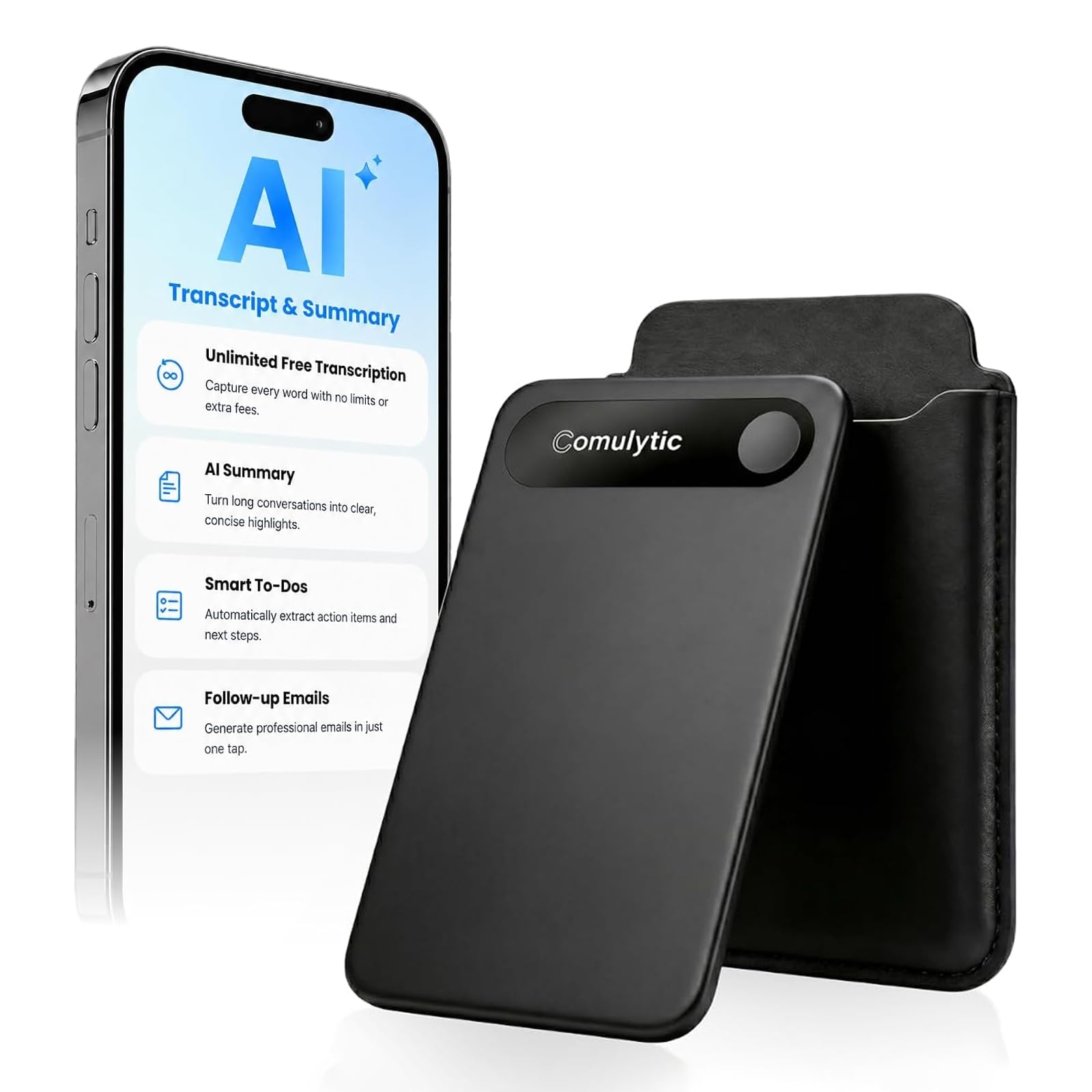
This is the pick for the person who records something every single day and cannot be bothered with a cable at the end of it. The Note Pro is just 3 mm thin, so it slides into a pocket, a notebook, or a shirt without a bulge. A triple-mic array with AI noise reduction captures speech clearly within 5 meters, which covers a normal meeting table without asking anyone to lean in.
You get a full work week out of one charge. The battery runs 45 hours of continuous recording, holds a charge for 107 days of standby (idle time between uses), and refills from empty in 90 minutes — so you stop hunting for an outlet. The 16 GB of storage holds 2700 minutes of audio. The Innioasis PR1 packs 64 GB, against the Note Pro’s 16 GB. The PR1 is the better file hoarder; this one leans on the Comulytic app to move and summarize recordings.
Transcription is the other half of the job. The Comulytic app turns recordings into transcripts, AI summaries, action items, and to-do lists, with a claimed 98% accuracy across 113 languages. The free Starter Plan includes unlimited transcription, while the optional Premium Plan adds Advanced Summary and an Ask Comulytic assistant. The aluminum body and Corning Gorilla Glass over the 0.78-inch display mean it survives a bag full of keys. Files are AES-encrypted and CCPA-compliant, which matters if your recordings cover client calls.
What earns it the top slot
- 45 hours of continuous recording on one charge
- Triple-mic array with AI noise reduction out to 5 meters
- Unlimited free transcription on the Starter Plan
- 3 mm body with Gorilla Glass and an aluminum shell
- Magnetic accessories snap it to a phone or notebook
Where the trade-offs land
- 16 GB is the smallest storage on this list
- The magnetic attachment setup is the recurring gripe — treat the mounts as light-duty
- No headphone jack, so you review through the app
Reach for this if: you record meetings daily and want a slim, encrypted device that never needs a midweek charge.
Look at the PR1 instead if: you need 64 GB of local room for long lectures and offline transcription.
2. Innioasis PR1 AI Voice Recorder
A voice recorder that does the transcription itself, with no internet and no monthly fee.
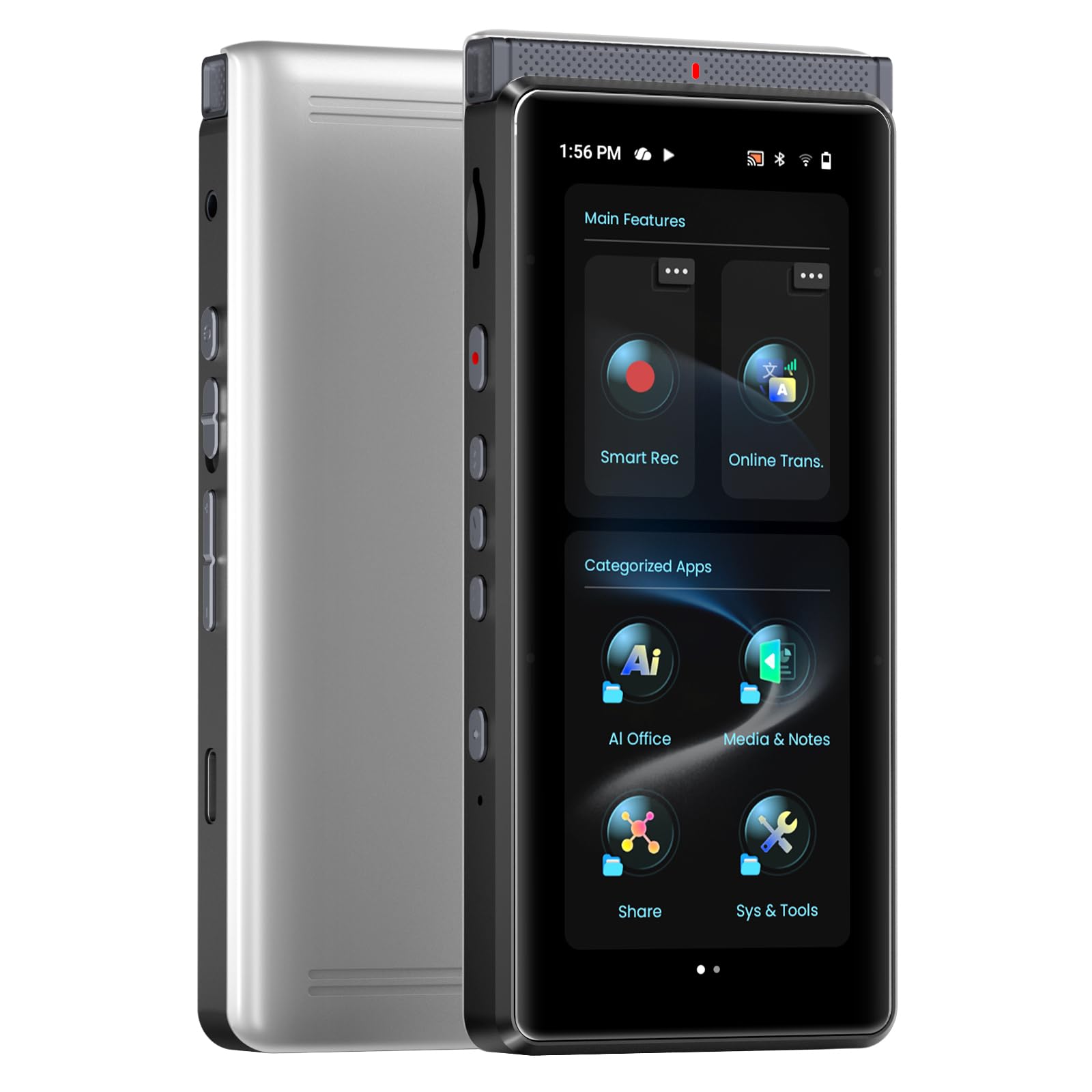
This is the one for the lawyer, journalist, or researcher who cannot send audio to someone else’s server. The PR1 processes speech to text on the device, so nothing is uploaded. It transcribes 70+ languages at up to 95% accuracy, with a Basic Mode for longer battery life and a High Accuracy Mode for critical meetings. The 64 GB of storage versus the Note Pro’s 16 GB is the gap that makes it the better pick for semester-long lecture capture.
The hardware reads like a small phone. A 3.99-inch touchscreen, 4 GB of RAM, and 64 GB of ROM make navigating transcripts and files straightforward rather than a menu crawl. A 2800mAh battery gives up to 17 hours of continuous AI recording with the screen off, or 58 hours of plain Hi-Fi audio recording. Built-in ReadEra handles PDFs and e-books, and Google Docs and Microsoft 365 cover document editing on the same screen.
Capture comes from a 4+1 microphone array — four array mics plus one high-SNR mic — using beamforming to lock onto the speaker and push background noise down. Translation runs online across 150+ languages or fully offline in 40+. The app also backs up through Google Drive and OneDrive over dual-band Wi-Fi. The honest caveat is software polish: the on-device experience draws mixed reports on ease of use, and Bluetooth connections are the part that trips people up, so plan on Wi-Fi or the cable for file transfer.
what separates it: it transcribes on the device with no subscription, which is the single biggest long-term cost saver in this category.
The real limitation: Bluetooth pairing is the weak link — keep your transfers on Wi-Fi or USB-C and you sidestep it.
Best for: confidential interviews and lecture recording where files must never leave the device.
Skip the Bluetooth route: treat that connection as optional backup rather than your daily transfer method.
3. iFLYTEK P1 Pro 64GB AI Voice Recorder

A three-microphone array tuned for the loud seminar hall, not the quiet desk.
Where the standard P1 reaches 5 meters, the P1 Pro doubles that to 10 meters and swaps a dual-mic setup for a three-microphone array with both directional and omnidirectional modes. That is the spec that decides whether you capture a speaker at the far end of a seminar room. Intelligent noise reduction algorithms handle the crowd chatter in between, and the maker quotes face-to-face-quality audio in noisy settings.
The screen is the other upgrade. A 3.2-inch AMOLED display sits on a rugged metal body with a screen password lock, which is the kind of detail that matters when the device carries sensitive client audio. Audio is certified Hi-Res and records at 96kHz / 24bit, so the recordings carry more detail than a standard voice memo. The 64 GB of storage saves nearly 700 hours of audio.
Battery runs up to 20 hours of continuous recording with 38 days of standby and fast charging, and the 55 g body moves easily from room to room. Files move by USB-C, by Wi-Fi for high-speed transfer, or through the app for automatic or manual syncing. GDPR-compliant privacy protection, adjustable indicator light colours, and screen-off mode give you control over what is visible. The trade-off is size and weight — 55 g versus 22.5 g for the wearable P1, so it lives in a bag rather than on a lanyard.
Why seminar rooms like it
- 10-meter capture range with a three-microphone array
- Hi-Res certified 96kHz / 24bit recording
- 20 hours of continuous recording and 38 days standby
- 3.2-inch AMOLED screen with password lock
The honest drawbacks
- 55 g makes it a bag item, not a wearable
- Costs more than the standard P1 for the extra range
Pick it when: your meetings happen in big rooms where the speaker is not close to the table.
Pass if: you record one-on-one and want the lightest possible body.
4. Mobvoi TicNote Pods AI Voice Recorder

It records your call and the room at once, and the AI decides which one matters.
Most recorders force a choice: the phone call or the people in the room. The TicNote Pods do both on two channels at the same time. The earbuds capture your call audio and your own voice, while the charging case microphone picks up ambient room conversation within 10 meters. AI scene detection switches between them automatically, which is what makes it work for a hybrid meeting without you touching a setting.
Endurance is split across the two pieces. Each earbud runs up to 5 hours of continuous recording on one charge, and the charging case extends total recording beyond 25 hours. 32 GB of built-in eMMC storage holds over 2,150 hours of audio locally, so nothing depends on a connection while you record. Recording needs no Wi-Fi connection, which matters for fieldwork and site visits.
You can transcribe in 120+ languages and get a 30-second AI summary that flags the key points, and translation covers 17 languages. A free Plus plan includes 600 minutes of monthly transcription. Shadow AI 2.0 turns recordings into meeting minutes, mind maps, reports, and slides, and three-tier permission controls (Owner / Editor / Viewer) keep team files organized. Keep in mind this is an earbud product at heart — at 50 g for the case setup it carries differently than a pocket recorder, and the 5-hour single-charge figure means long sessions lean on the case.
Its unique trick: two simultaneous channels mean a video call and the people around the table both end up captured.
What to plan around: the 5-hour earbud battery is per charge, so a full conference day depends on the case keeping up.
Made for: hybrid meetings and phone interviews where call audio and room audio both need to be on the record.
Not your fit if: you want a single pocket device and never take calls on the go.
5. iFLYTEK S6 64GB AI Voice Recorder
Eight microphones and a 20-meter reach, built for the boardroom rather than the backpack.
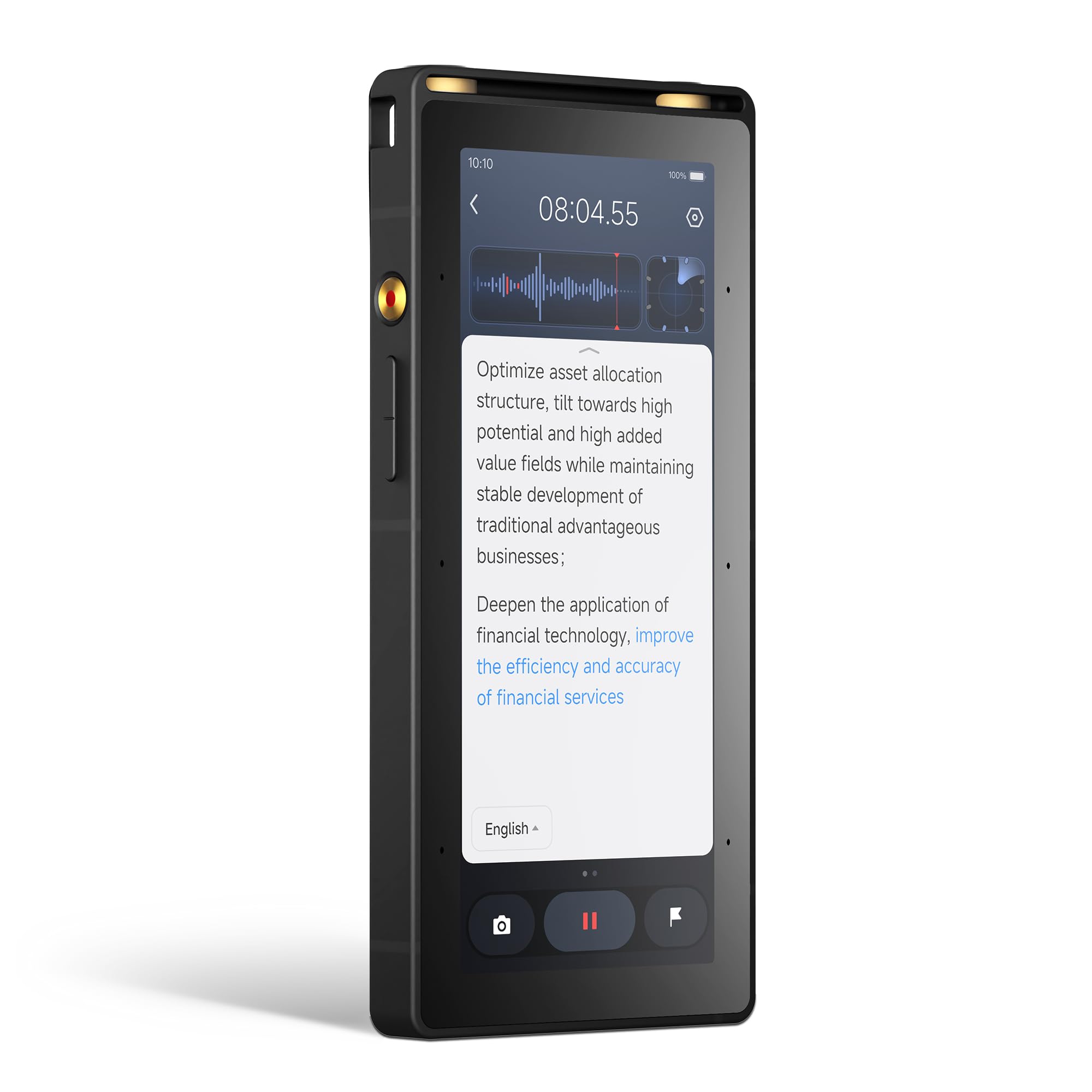
If your recordings happen in a large conference room or a seminar hall, the S6 is the most capable capture tool on this page. An 8-microphone system captures clear audio up to 20 meters, versus the 10-meter reach of the P1 Pro and the 5-meter range of the standard P1. It ships with meeting, interview, lecture, and original sound modes, so the device adapts to the room instead of the other way around.
Transcription identifies speakers and generates structured meeting notes, summaries, and action items. Registering the device open up a 5-year free Pro membership, which is the subscription arrangement to check before you commit. The 64 GB of storage supports long conference recordings, and the 960 minutes of digital recording time covers a full day of sessions. The built-in touchscreen means you can record, review, and manage files without a phone or computer.
The privacy angle is the reason this one suits legal and corporate work. Hardware-level encryption and local storage protect sensitive recordings, and the recorder works online or offline — just download the required language pack before you rely on offline use. Multi-device sync moves files across phone, tablet, and computer. The trade-off is real: at 200 g it is the heaviest recorder here, against 22.5 g for the P1, and it earns that weight with hardware you leave on the conference table rather than carry.
The number that matters: 20 meters of capture range from an 8-microphone array is the widest reach in this shortlist.
What you give up: 200 g of carry weight and a device that lives in a room, not a pocket.
Built for: conference rooms, seminars, and legal or corporate sessions where audio must stay encrypted and local.
Look elsewhere if: you record on the move and want something that slips into a shirt pocket.
Know the Specs
Battery hours versus standby days
Continuous recording time is the number that matters. A recorder quoting 45 hours runs back-to-back workdays on one charge. One quoting 5 hours per earbud charge is a shorter session tool. Standby figures like 107 days or 38 days describe how long the device holds a charge while idle — useful for a recorder that sits in a drawer between uses, but not a measure of how long you can record.
Mic arrays and pickup distance
A microphone array is a group of mics working together, and more of them usually means better capture in a big room. Range figures tell you how far the array reaches: 5 meters for a table meeting, 10 meters for a seminar, 20 meters for a conference hall. Beamforming is the technique that focuses the array on the speaker and pushes background noise down, which is why it matters in crowded rooms.
Storage and file formats
Local storage is measured in gigabytes, and recorders here range from 16 GB to 64 GB. More space means more hours before you offload, which matters for long lectures. Formats like WAV and MP3 decide compatibility, and a plain WAV file opens in almost anything. Watch whether transcription runs on the device or in the cloud, because that changes both your privacy and your monthly bill.
Wi-Fi transfer versus Bluetooth
Wi-Fi moves a recording to your phone far faster than Bluetooth. The iFLYTEK P1 claims Wi-Fi speeds 10 times faster than Bluetooth, turning an hour-long meeting into a 30-second sync. Bluetooth remains useful for accessories and pairing, but for the file itself, Wi-Fi or a USB-C cable is the quicker route. A recorder without Wi-Fi usually means a cable every time you need the audio.
Common Questions
Does a Wi-Fi voice recorder need internet to record?
How much recording time does 64 GB give me?
What is the difference between on-device and cloud transcription?
Is Wi-Fi transfer faster than Bluetooth on these recorders?
Can a voice recorder capture a whole conference room?
Do these recorders work with my phone or laptop?
How long does the battery last on a single charge?
Are my recordings private on these devices?
Can I get transcription without a subscription?
Will a recorder pick up a phone call and the room at the same time?
The Bottom Line
For most people, the wifi voice recorder that fits daily life is the Note Pro AI Voice Recorder, because 45 hours of recording on one charge and unlimited free transcription handle a full work week without a cable or a bill. If silent, fee-free transcription matters more than storage, the Innioasis PR1 keeps 64 GB of audio entirely on the device. And for the boardroom, the iFLYTEK S6 brings 8 microphones and 20 meters of reach that no pocket model matches.
How we choose
We do not accept paid placement. Every pick is matched to a real buyer and a real use-case; we do not hands-on test units.
Sources
Specifications: manufacturer listings and product documentation. Review insights: verified customer reviews, as of November 2026. Pricing: not shown on this page (it changes often); check the current price via the retailer link.
As an Amazon Associate, Tactical Gear Guy earns from qualifying purchases. This does not affect which products we feature.