Specs are compiled from manufacturer listings and verified buyer reviews and can change over time — please confirm the key details on the product page before buying.
Most bad video calls aren’t a camera problem — they’re a lighting problem. Your webcam is fine; it’s the ceiling bulb behind you throwing your face into shadow. The picks below cover the whole range, from tiny magnetic panels that clip to your monitor to a desktop light built for streamers.
This guide is built by comparing the manufacturers’ published specifications and the patterns across verified customer reviews, so you get each pick’s real strengths and trade-offs instead of marketing spin.
A webcam light isn’t about being brighter — it’s about being softer, closer to your face, and adjustable in color temperature. Every pick here was checked against those three things, plus how it actually mounts to your desk. Here is the honest read on the best webcam light for your setup.
Top Picks

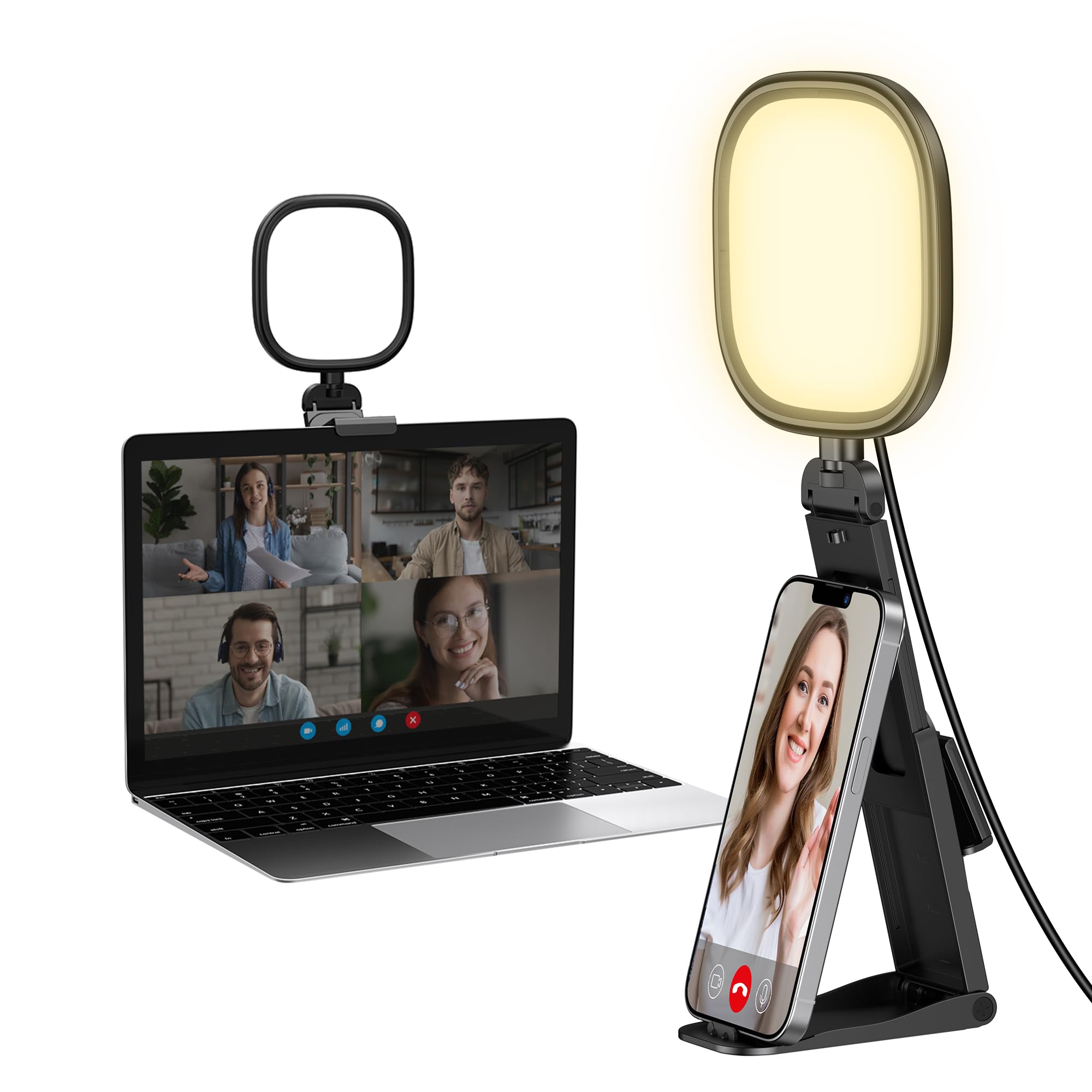

How To Choose The Best Webcam Light
The mistake almost every first-time buyer makes is chasing raw brightness. A harsh 900-lux panel blasting your face from three feet away will make you look like a hostage video. What you want is soft, even light close to your face at a color temperature that matches your room.
Match Color Temperature To Your Room
Color temperature is measured in kelvin, written as K. Lower numbers like 2700K look warm and orange; higher numbers like 6500K look cool and blue. If your home office has warm overhead bulbs, a light set to 3000K blends in naturally. If you’re in a bright white room, 5600K to 6500K sits better. A light with adjustable color temperature lets you correct for whatever your room is doing that day.
Check The CRI Before You Buy
CRI stands for Color Rendering Index — a 0-to-100 score for how faithfully a light shows true color. Cheap LED panels often sit in the 80s, which makes skin look slightly gray or green on camera. Look for CRI 95 or higher. Three picks here hit CRI 96 or above, and that’s the number to scan for.
Pick The Mount That Fits Your Desk
Clip-on lights hang from your monitor edge and save desk space, but they need a monitor edge to grip. Magnetic panels stick to metal monitor backs or a cold shoe mount. Freestanding stands offer more height control but take corners of your desk. Figure out your surface before you shop — a clip that needs a 2-inch edge is useless on a curved bezel.
Side-by-Side Comparison
| Model | Best For | Color Temperature | Brightness (lux) | Mount Style | Amazon |
|---|---|---|---|---|---|
| NEEWER BL60C★ Best Overall | All-around pick | 2500K–9000K | 450lx at 0.5m | Magnetic + cold shoe | Amazon |
| InnoGear Ring LightBudget Champion | Budget desk setup | — | — | Clip-on + stand | Amazon |
| Ulanzi VL100XMost Versatile | Phone vlogging + clip | 2500K–6500K | 900lx max | Clip + 1/4″ screw | Amazon |
| LitONES Eye-Care Ring | Long calls, soft light | 3000K–6500K | — | 2″–2.5″ hanging clip | Amazon |
| NEEWER R06 2-Pack | Two-light setups | 3000K–6500K | 680lx at 0.5m | Telescopic desk stand | Amazon |
| LitONES F626 Desk Ring | Eye comfort + height adjust | 3000K–6500K | — | Anti-scratch base | Amazon |
| LitONES Zoom Light | Studio-grade CRI | 2700K–6500K | — | Metal stand + phone holder | Amazon |
| Logitech G Litra Beam | Gaming + stream presets | 2700K–6500K | — | 3-way adjustable stand | Amazon |
Detailed Reviews
1. NEEWER BASICS Magnetic RGB Video Light, BL60C
Our pick — 4.5+★ from 300+ verified ratings; the strongest balance of quality and price.
A 2.56-inch magnetic panel that runs 2500K–9000K plus full RGB, so it matches a warm lamp or a cool monitor.
The BL60C earns its spot on range. It adjusts from 2500K to 9000K (Kelvin, the color temperature scale from warm orange to cool blue) — wider than nearly everything else in this guide. So you can match a warm lamp in the morning and a cool monitor in the afternoon without swapping gear. Its 60 LEDs split into 20 warm white, 20 cool white and 20 RGB (red-green-blue color LEDs), and the whole thing covers full 360° RGB color with adjustable saturation (how vivid the color is).
It is also genuinely tiny. At 2.56″ x 2.56″ x 1.06″ and 4.4oz with the diffuser on, it disappears into a bag or clips to a monitor back and vanishes. The magnet on the back is the smartest part: stick it on any magnetic metal surface and you’ve got instant repositioning. Three extra cold shoe mounts on the sides and top let you piggyback a microphone or a second light.
The trade-off is real but manageable: 100 minutes of battery life means you’ll want the USB-C cable nearby for long sessions, and the physical buttons aren’t as fast to cycle as a scroll wheel. If you want a light that doubles as a photography fill light, this is the one.
What earns it the top spot
- Widest color range here at 2500K–9000K, plus full 360° RGB
- CRI96+ keeps skin tones honest on camera
- Magnetic back plus three cold shoes make mounting flexible
- 4.4oz and pocket-sized — genuinely portable
Where it asks for a little patience
- 100-minute battery life needs a top-up for all-day calls
- Physical buttons take longer to cycle than a scroll wheel
- 450lx at 0.5m is plenty for a desk, not for a large room
Buy this if: you want one small light that handles warm rooms, cool rooms, and the occasional RGB accent without a second purchase.
Look elsewhere if: you need hours of untethered runtime — the 100-minute battery favors short sessions.
2. InnoGear Ring Light with Stand for Desk Computer Selfie
A 120-LED ring with a desk stand and monitor clamp, for buyers who just need their face lit on Zoom.
If your only complaint is “my face is dark on Zoom,” the InnoGear handles it. It packs 120 LEDs and spreads them across 5 color temperatures and 10 brightness levels — 50 combinations total — controlled by a single dial. Setup takes under a minute, and it works in both horizontal and vertical orientations, so you can clamp it to a monitor edge or stand it on your desk.
Two mounting modes make this more flexible than its price suggests. The stand adjusts from 5.5″ to 8.3″ in height, and the clamp opens from 1.55″ to 2.35″ — enough for most laptop screens and thin monitors. Non-slip sponge pads on the clamp protect your bezel.
The honest caveat is reliability. A meaningful slice of feedback flags the light not turning on or cutting out after a while, which is why it’s a budget pick rather than the overall winner. Buy it as a starter light for weekly calls, not a mission-critical tool that runs six hours a day.
The value read: 50 lighting combinations at the entry tier is generous, and the single dial is far easier to operate mid-morning than buttons and menus.
Reach for this if: you’re outfitting a home office on a tight budget and want a light that works from day one.
Think twice if: you stream all day — the long-term reliability feedback points toward spending a step up.
3. Ulanzi VL100X Selfie Light, Mini Clip LED Panel
A 100-LED clip panel that hits 900 lux at max with CRI 95+, diffused through a soft light board.
The VL100X is the brightest pick here on paper — 900lux at its maximum, driven by 100 LED beads with a color rendering index of 95 or higher. That matters because high CRI means the light shows skin tones accurately rather than turning you vaguely gray. A soft light board sits over the LEDs so the output is diffused instead of a hard glare, and the light spread reaches 120°.
Mounting is the standout. The clip opens to 0.78″ in width and grips a phone, tablet, or laptop lid firmly, and a 1/4-inch screw on the bottom works with a tripod, light stand, or cold shoe adapter. That means one light follows you from a desk webcam setup to a phone vlog rig.
Battery behavior is worth knowing up front: the 2000mAh cell gives up to 120 minutes at maximum brightness and up to 480 minutes turned down low. Charging takes 3 hours via USB-C, and it supports pass-through charging so you can run it plugged in. Reliability is the mixed signal — some units develop issues over time — so treat it as a versatile tool rather than a forever purchase.
Nice fit for: creators who shoot both on a laptop and a phone and want one light that clamps to either.
The honest limit: 120 minutes at full brightness means long streaming sessions should stay plugged in.
4. Ring Light for Computer, Eye-Care Lighting, LitONES V01
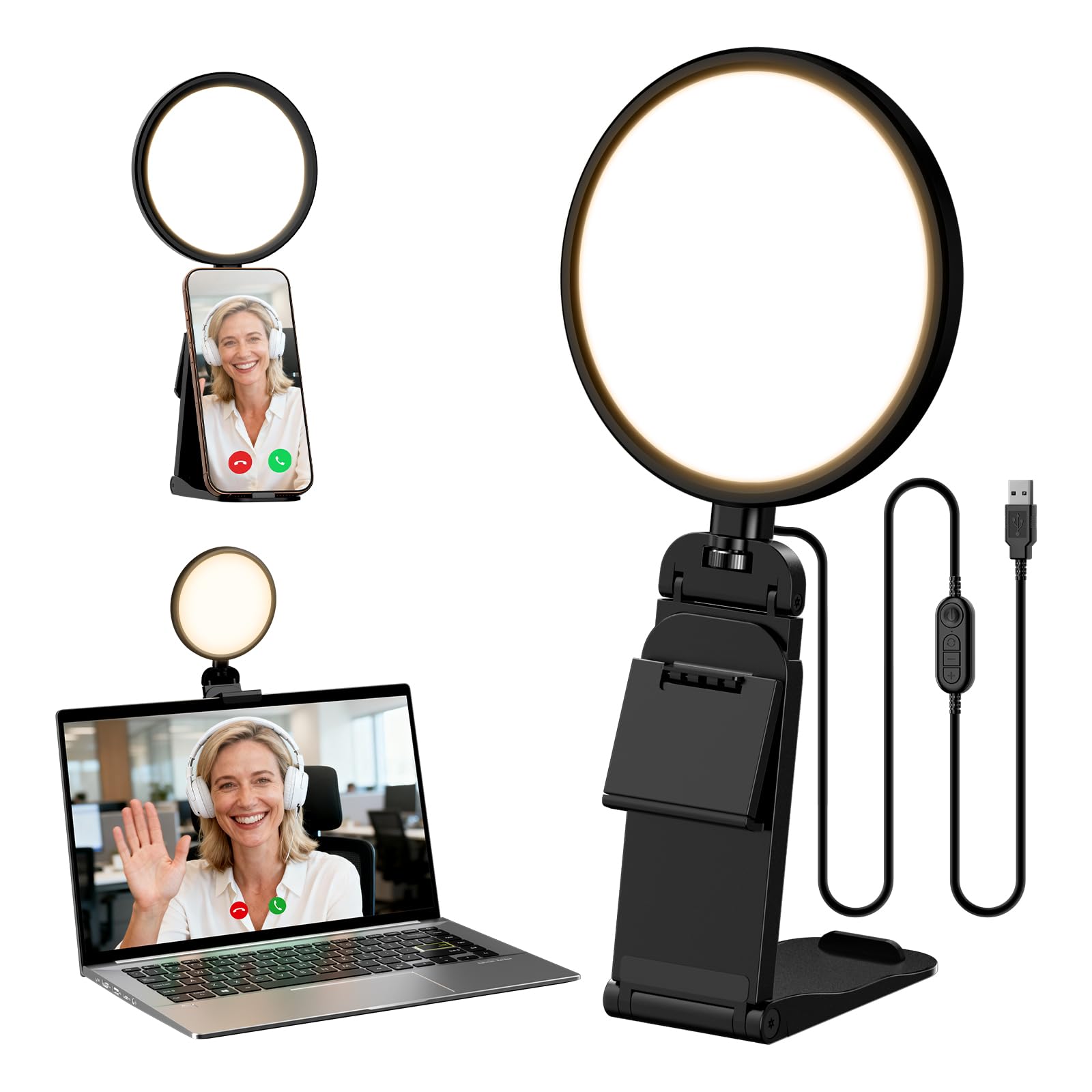
A 4-layer edge-lit soft panel rated CRI 97.8, built to cut glare on back-to-back call days.
LitONES built this one around a 4-layer optical soft panel with edge-lit technology. In plain terms, the light is diffused through multiple layers before it reaches your face, so there are no hot spots or harsh glare bouncing back at you. The color rendering comes in at CRI (Ra) 97.8, which keeps your complexion looking true rather than washed out.
You get 5 color temperatures from 3000K to 6500K and 10 brightness levels from 3% to 100% — 50 combinations in total. The head rotates 360° and tilts 180°, and the height runs from 6 to 8.9 inches, so you can hang it behind a monitor or set it on the desk. The 2-to-2.5-inch stretchable hanging clip fits thin or thick monitors, regular or curved, and it’s tool-free.
Plug-and-play is the design philosophy here — no battery, just USB. LitONES asks for a 5V 2A outlet to avoid flickering, so use a decent adapter rather than a low-power USB port. The recurring note in feedback is durability over the long haul, with a portion of units failing after a few weeks, so this suits buyers who want a refined desk light and can accept that risk.
What stands out: the four-layer diffusion is the difference-maker here — at 11.7oz and 5-inch head, it stays light enough to clip on and forget.
Worth flagging: the power requirement is not a suggestion. A weak USB port causes visible flicker, so budget for a proper 5V 2A adapter.
Pick it for: long days of back-to-back calls where eye strain and harsh light are the real complaint.
Second-guess it if: you need a light that stays on years without care — plan for the occasional early failure.
5. NEEWER Basics 2 Pack 7″ Desktop Ring Lights, R06
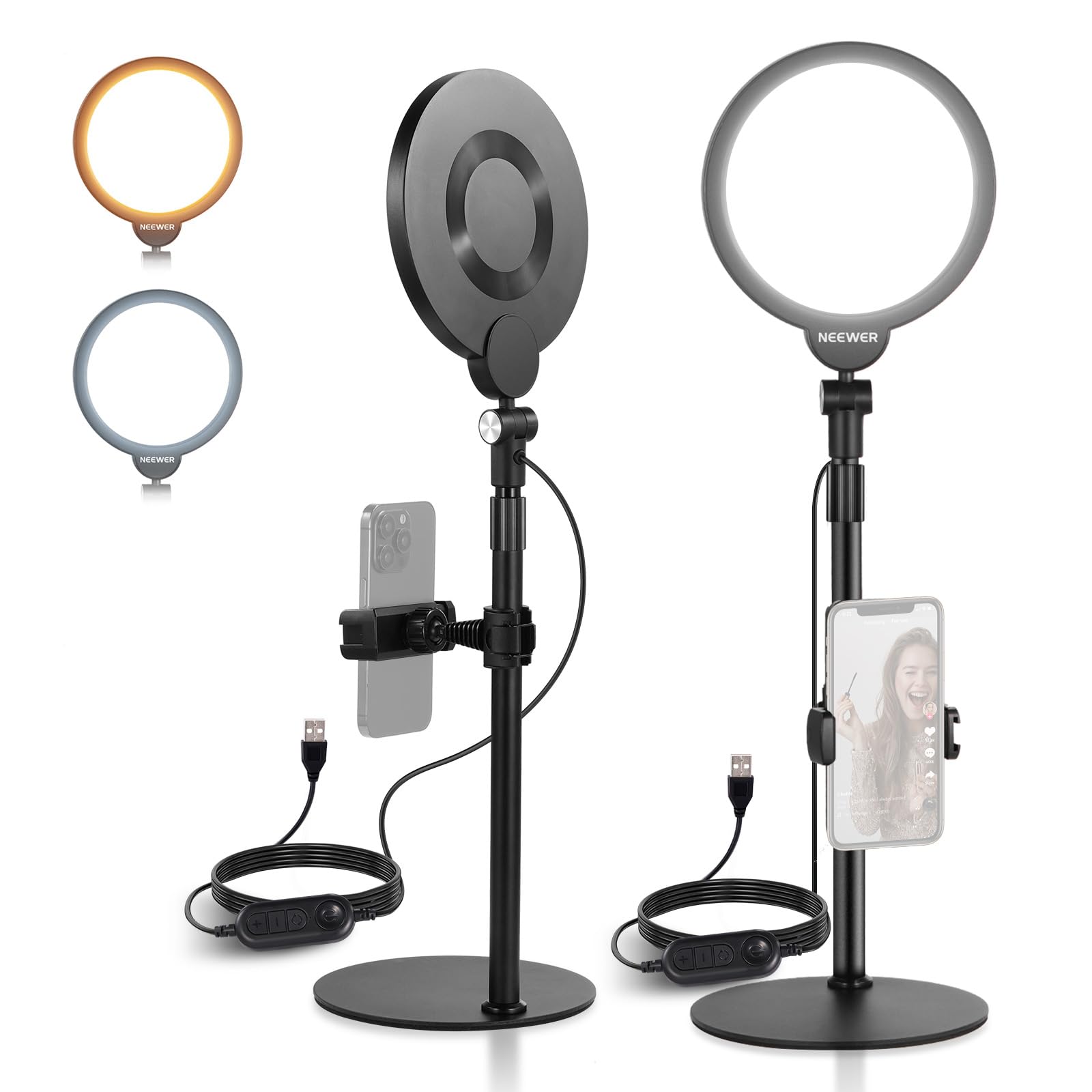
Two 7-inch, 84-LED panels at 680 lux each, so you can key from one side and fill the shadow from the other.
Most single lights leave one side of your face brighter than the other. This pack solves that by giving you two 7-inch panels, each with 84 LEDs and up to 680lux at 0.5m, so you can key from one side and soften the shadow from the other. Each panel steps through 3000K, 3500K, 4400K, 5600K and 6500K and dims from 10% to 100%, with CRI above 95.
The stands are the thoughtful part. A weighed metal base keeps each light planted, and the telescopic center column extends from 23.5″ to 33.1″ so the light sits above your eyeline instead of glaring into the lens. Each unit has a built-in 6.2ft cable and runs on 5V/2A USB — no batteries, no charging.
Owners mention lighting quality more than anything else, and the height adjustment staying stable is a close second. It also throws in two phone holders, which is handy if you rotate between a webcam and a phone camera. The catch: both lights need a USB outlet, so factor in two free ports or a small hub.
Why it earns its spot
- Two panels for proper key-and-fill lighting, not one flat source
- Up to 680lux at 0.5m with CRI above 95
- Telescopic stands reach 33.1″ for above-eye positioning
- Weighed metal bases stay stable during adjustments
Worth sorting before checkout
- Two USB power requirements means two outlets or a hub
- Each light is fixed at 5V/2A — a weak port means dimmer output
- Requires desk space for two separate stands
Built for: anyone who wants professional-looking two-source lighting without buying separates.
Not ideal if: your desk is already crowded — two stands take more room than one clip.
6. LitONES Desk Ring Light with Stand, 30 Modes
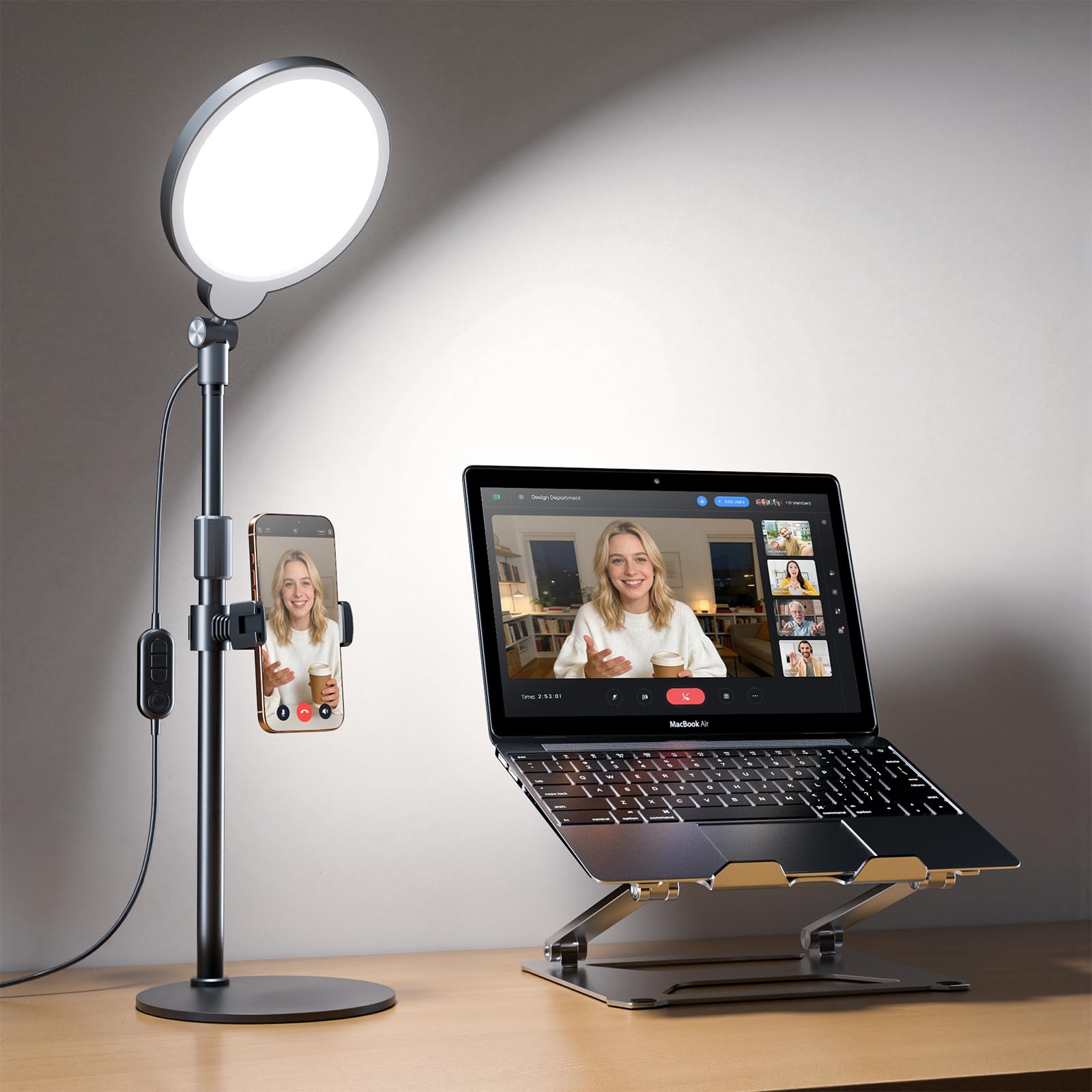
A freestanding ring on a weighted metal base, adjustable from 20.5 to 32 inches with a 360° rotating head.
If clamping to a monitor edge feels precarious, this one sits on your desk instead. The metal-and-ABS base is weighted against scuffs, and the height adjusts from 20.5 inches all the way to 32 inches — a much bigger range than a clip-on can offer. The light head spins 360° horizontally and 180° vertically, so you can aim it behind or beside your monitor.
Lighting quality is the headline: a full LED ring head with edge-lit diffusion delivers even, glare-free output, and CRI 97.8 keeps skin tones accurate. You get 3 color temperatures from 3000K to 6500K and 10 brightness levels, all via USB 5V/2A power with no battery to charge.
The built-in phone holder fits devices from 2.24″ to 3.5″ and rotates 360°, which is useful for hands-free recording. Note that the USB adapter is not included — you’ll need your own 5V 2A source, or flicker becomes possible. There’s also less verified feedback on this specific model than on the LitONES units above, so match your expectations accordingly.
Suits you if: you want tall, adjustable light without trust in a thin monitor clip.
Give it a pass if: your desk space is tight — this occupies a standing footprint.
7. LitONES Video Conference Lighting, 30 Modes, CRI>98
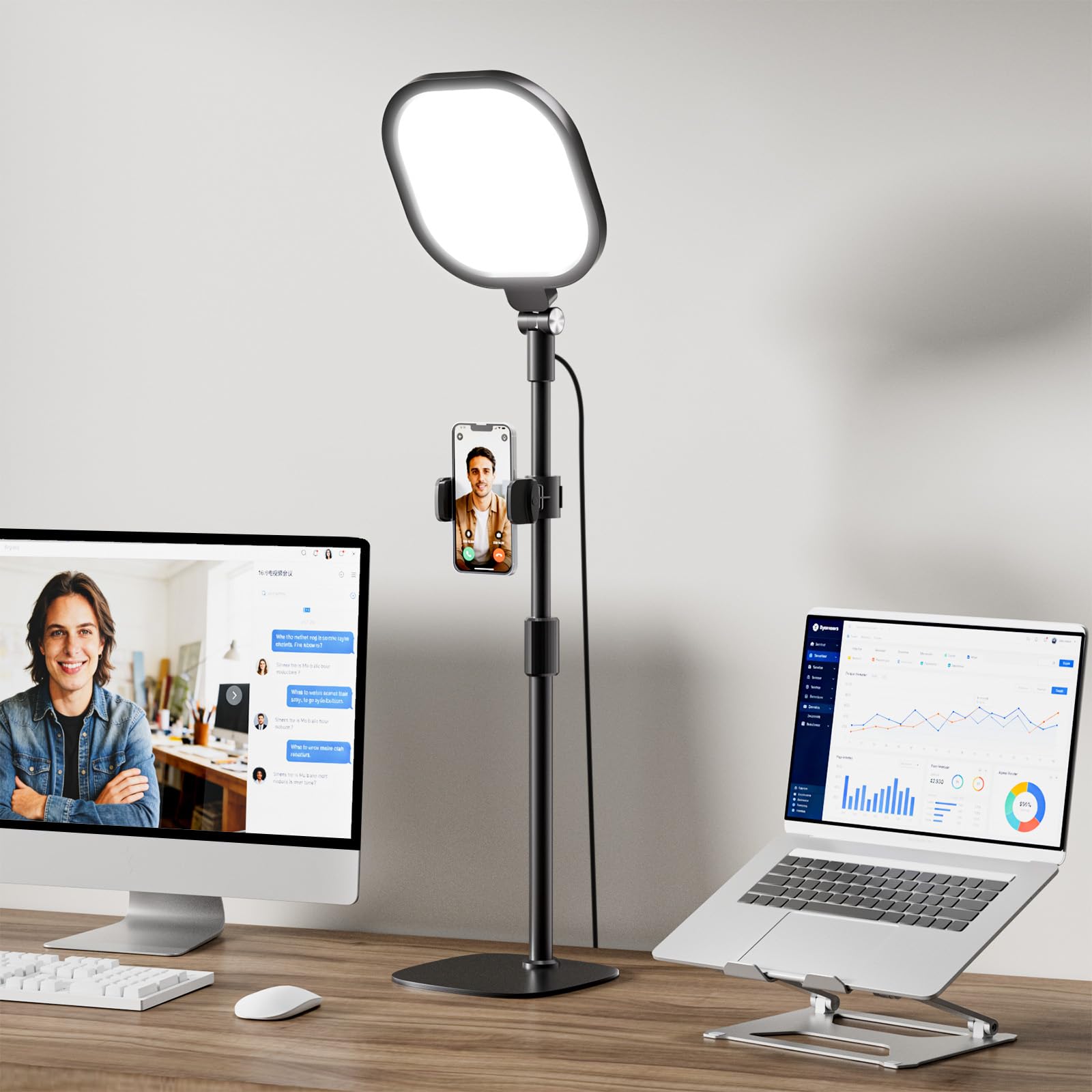
A 7-inch square panel rated CRI>98 — the highest here — with a one-press memory button for your settings.
The number to notice is CRI>98 — the top color rendering score among these eight picks. Higher CRI means the light reveals skin tones and true colors more faithfully, so you look natural instead of vaguely off. It’s paired with a 4-layer optical soft panel that blends diffusion and edge lighting, cutting the glare that makes long calls tiring.
That square 7-by-7-inch head is bigger than a typical ring, which spreads the light over a wider area for more even coverage. You get 30 lighting modes from 3 color temperatures and 10 brightness levels, with stepless dimming from 10% to 100% and a 2700K to 6500K range. The memory function saves your settings with one press, so you don’t re-dial the light every morning.
The stand adjusts between 20.5 and 28.5 inches and the head spins 360°, with a phone holder that does the same. The iron base carries non-slip foam pads to protect furniture. It’s heavier than the clip-on options at 1163g, but that heft is the stability you’re paying for. Owners describe it as a natural fit for home offices and daily video appointments.
The standout: CRI>98 is the spec that separates this from the pack — your skin reads correctly even under aggressive office lighting.
Keep in mind: 1163g on a desk base earns stability but limits portability, so this is a fixed setup rather than a travel light.
Best for: presenters who care most about accurate skin tone and a light that remembers their settings.
Skip if: you need something to slip in a laptop bag — this one stays on the desk.
8. Logitech G Litra Beam Premium LED Gaming Light

A slim LED bar with 2700K–6500K presets saved via on-board controls, USB, or Bluetooth through Logitech’s G HUB.
Logitech G built the Litra Beam for people who stream, and it shows in the software. Brightness and color temperature run from 2700K to 6500K, and you can save presets using the on-board controls, a USB connection, or Bluetooth through the G HUB desktop app. That means one click flips your lighting from a warm evening look to a cool competitive look.
The light itself uses Logitech G’s TrueSoft technology, which delivers balanced full-spectrum LED output with cinematic color accuracy. A 3-way adjustable stand and three mount points on the light give you flexibility in a tight gaming space. The slim profile is a deliberate choice — it slips into gaps where a round ring light won’t.
Owners consistently rate brightness and quality as the two things that stand out, and several say the illumination on their face beats a ring light. The mixed signals are on adjustability and value, so if you want a tool that flexes into any position on a budget, this isn’t the best fit. If you’re already in the Logitech ecosystem and stream regularly, it’s the smoothest experience here.
Where it shines: preset recall through G HUB is a genuine time-saver for anyone who switches between gaming, streaming and calls in one session.
Worth it for: gamers and streamers who want Logitech’s TrueSoft color and app-driven presets in one system.
Better elsewhere if: you want simple clip-on lighting for calls — this premium tier assumes you’ll use the software.
Know the Specs
Color Temperature (K)
Measured in kelvin, this is a light’s warmth on a scale where lower numbers look orange and higher numbers look blue. A light that runs 3000K to 6500K lets you match a cozy evening room or a bright white office. If your light is stuck at one temperature, you often end up fighting the room instead of working with it.
Brightness in Lux
Lux (how much light actually lands on a surface at a set distance) tells you whether a light will be bright enough for your face on camera. The numbers in this guide are stated at 0.5m, roughly arm’s length from your face. 450lx at that distance is enough for a desk. Anything much higher starts to feel harsh unless it’s diffused (spread out and softened). Softer output beats raw brightness every time.
Color Rendering Index (CRI)
CRI is a 0-to-100 score for how faithfully a light shows true color. High CRI keeps skin looking natural; low CRI makes you look gray or green on camera. The picks here range from CRI95 to CRI>98. If a listing doesn’t give a CRI figure, assume it’s on the lower end and check the reviews for “washed out” complaints.
Mounting and Power
Clip-on lights are great for thin monitors but need a bezel to grip. Magnetic and cold shoe mounts suit photographers and vloggers. Stand-based lights offer height control but use desk space. Most picks here power over USB, and several require a 5V 2A source. A weak USB port is the most common cause of flickering.
Common Questions
Do I need a ring light or a panel light for video calls?
Will a webcam light actually make me look better on Zoom?
What color temperature should I set for video meetings?
How much brightness do I actually need from a webcam light?
What does CRI mean and does it matter for webcam lighting?
Will a webcam light work with a curved monitor?
Do I need a USB adapter to power a webcam light?
How long does a battery webcam light last?
Can I use a webcam light for photography or vlogging too?
Is a two-pack light setup worth it for one person?
The Bottom Line
For most people, the webcam light that does the most work is the NEEWER BL60C. It covers a wider color range than anything else here at 2500K to 9000K, adds full RGB, uses CRI96+ for natural skin, and sticks to a monitor magnetically in under a second. For a dedicated desk setup where eye comfort comes first, the LitONES 30-Mode light leads the pack on CRI>98 and its memory function. And if you stream and want app presets, the Logitech G Litra Beam is the smooth system pick. Any of these will fix the dark, flat look on your next call — and the BL60C’s versatility makes it the safest single buy.
How we choose
We do not accept paid placement. Every pick is matched to a real buyer and a real use-case; we do not hands-on test units.
Sources
Specifications: manufacturer listings and product documentation. Review insights: verified customer reviews, as of November 2026. Pricing: not shown on this page (it changes often); check the current price via the retailer link.
As an Amazon Associate, Tactical Gear Guy earns from qualifying purchases. This does not affect which products we feature.