Specs are compiled from manufacturer listings and verified buyer reviews and can change over time — please confirm the key details on the product page before buying.
If you just want one answer: buy the standalone headset that already has controllers in the box and runs without a PC. Everything else in this category is a trade-off between wires, tracking accuracy, and how much fiddling you can stomach.
This guide is built by comparing the manufacturers’ published specifications and the patterns across verified customer reviews, so you get each pick’s real strengths and trade-offs instead of marketing spin.
Both the standalone and tethered paths get covered here, from the budget-friendly bundles to the premium PC setups. Every pick below is judged on tracking, controller quality, and what you actually plug in. This breakdown of the vr headset and controllers market focuses on matching the set to how you really play.
Top Picks


How To Choose The Best VR Headset and Controllers
Your real decision is not resolution. It is if you want to plug a headset into a console or a gaming PC, or strap on one that works alone with two controllers in the box. Settle that first and half the list drops out before you read a single spec.
Standalone Versus Tethered
A standalone headset runs everything inside the unit and tracks its own controllers with cameras on the front. A tethered system needs a console, a PC, or base stations mounted around your room. Standalone gets you playing in minutes with no wires crossing the floor; the trade is raw graphical detail against a tethered PC or console rig.
Field Of View In Degrees
Field of view is the width of the world you see through the lenses, measured in degrees. Numbers like 90 degrees and 110 degrees sound close, but a wider number means more of the scene sits inside your view. A narrower number pushes the edges of the picture closer to your centre of vision, so you notice the edges more.
Refresh Rate And Motion Comfort
Refresh rate, measured in hertz (Hz), is how many times per second the picture redraws. A higher number keeps fast motion looking smoother and reduces the blur that can make you feel uneasy in a headset. At 60 Hz, head turns and quick pans smear and stutter in a way 90 Hz and 120 Hz panels do not.
Controllers And Strap Comfort
Controllers are half the purchase, and they get handled constantly. Motion-sensing controllers track your hands through the air, while button-control pads work more like a standard gamepad. Grip covers and knuckle straps help keep them in your hands during a sweaty session. On the headset itself, a light unit with an adjustable strap and a dial for eye spacing keeps a session comfortable past the first ten minutes.
Side-by-Side Comparison
Each row uses the same three specs so you can scan down the column instead of hunting through paragraphs. Refresh rate tells you how smooth the motion looks. Field of view tells you how wide the picture is. Per-eye resolution tells you how much detail sits in front of each eye.
| Model | Best For | Refresh Rate | Field Of View | Per-Eye Resolution | Amazon |
|---|---|---|---|---|---|
| Meta Quest 3S 256GB★ Best Overall | Most buyers | 60 Hz | — | 1832 x 1920 | Amazon |
| Meta Quest 2 256GB (Renewed)Best Value | Budget-conscious gamers | 90 Hz | 90 degrees | 1832 x 1920 | Amazon |
| PlayerO Marvel’s Iron Man VR BundleWidest Cone | Console players | 60 Hz | 110 degrees | 1920 x 1080 | Amazon |
| HUBXCEL Marvel’s Iron Man VR Bundle | Home theatre fans | 60 Hz | 90 degrees | 1920 x 1080 | Amazon |
| RPlay Marvel’s Iron Man VR Bundle | Casual family play | — | 110 degrees | 1920 x 1080 | Amazon |
| HTC Vive XR Elite + Controllers | Travel and mixed reality | — | 110 degrees | 1920 x 1920 | Amazon |
| HTC VIVE Pro 2 | PC sim enthusiasts | 120 Hz | — | 4896 x 2448 | Amazon |
| Valve Index VR Full Kit (Renewed) | Hand-tracking tinkerers | 60 Hz | — | 1440 x 1600 | Amazon |
| Pimax Crystal Light | Flight and racing sims | 120 Hz | 130 degrees | 2880 x 2880 | Amazon |
Detailed Reviews
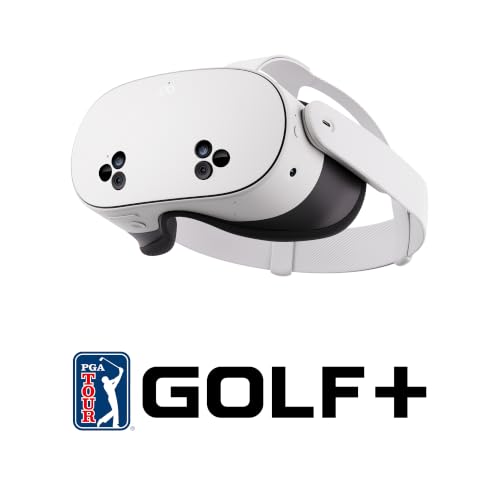
1. Meta Quest 3S 256GB | VR Headset — GOLF+ Included
Our pick — 4.5+★ from 100+ verified ratings; the strongest balance of quality and price.
The cordless all-in-one that gets a first-timer actually playing in minutes.
No console, no gaming PC, no base stations screwed to your wall. This is the pick for the person who wants to unbox a headset, put it on, and be inside a game before the kettle finishes boiling. Two Touch Plus controllers come with it, along with AA batteries and wrist straps already fitted, so there is nothing else to buy on day one.
Games load fast because a Snapdragon XR2 Gen 2 processor (the chip that drives the graphics on this headset) does the work. Meta claims 2x graphical processing power, and you feel that in fast load times rather than in benchmark charts. Inside is 8GB of RAM, which works out to 33% more memory than the lower model — that shows up as sharper graphics and a controller that reacts the instant you move your hand. The battery runs 2 hours, roughly a good session before you need the charger. You get 1832 x 1920 pixels per eye, and the pair of RGB color cameras in the front feed full-color passthrough — the see-through view of your real room that lets you blend digital objects into your own living space.
Here is the honest catch, and it is the one thing that keeps turning up. Many people love what this headset does; what it wins people over with is smooth performance and a fun, versatile mix of gaming, fitness, and entertainment. The friction is the fit. The headset starts to get sloppy after a few minutes and needs adjusting again, so plan on dialling in the straps properly. A handful of folks find the lenses harsh and fuzzy at the fringes compared with the model above. Neither flaw ruins the experience — it is a comfort note, not a deal. Claiming the included GOLF+ and the 3-month trial of 100+ games happens during the app pairing step, so do it then.
Where It Wins
- No wires anywhere — you move freely without tripping over cables
- Touch Plus controllers and AA batteries are in the box
- 2 hours of play per charge
- Full-color passthrough blends your room into the game
Where It Doesn’t
- Fresnel lenses stay fuzzy at the edges for some eyes
- The headset loosens and needs re-adjusting mid-session
Buy it if: you want the shortest path from box to playing, with controllers included.
Think twice if: you are farsighted about lens clarity at the edges, where this design shows its limits.
2. Meta Quest 2 256 GB
Smoother motion than the top pick, and old enough to land at a friendlier tier.
This one makes a specific argument for itself with one number: a display refresh rate of 90 Hz against the 60 Hz on the Meta Quest 3S. Higher hertz means more picture refreshes every second, so quick head turns and fast pans look smoother. If motion blur is the thing that bothers your eyes, this is worth a look even though it is the older headset.
You see a 90-degree field of view (how wide the picture spreads across your vision), a touch narrower than the 110-degree window on the PlayerO bundle. Throw a wider world from that bundle at it and this one frames the scene tighter around the centre of your vision. You get 1832 x 1920 pixels per eye on an LCD panel, and it runs as a standalone all-in-one with its own processor and a hand-tracking system. Storage is the 256GB figure in the name. The bundle goes further than the headset alone: it includes anti-slip silicone grip covers with small bumps to keep the controllers steady in sweaty hands, plus adjustable PU knuckle straps with velcro so you can loosen your grip without dropping them. At 1.8 pounds the headset is light enough to wear through a long session.
Being renewed is the honest caveat, and it cuts both ways. Some buyers report a unit that will not start at all — the kind of hit-or-miss you accept with refurbished stock rather than a brand-new unit. Others find it worth the money and still happily use a refurbished set. The quality of the hardware itself reads consistently strong in the reviews, and it is a favourite among families who pass it around when the older kids visit.
The case for it: you get the faster 90 Hz panel (90 screen refreshes per second, which keeps motion smooth), 256GB of storage, and grip-protected controllers for a mid-range budget — a genuine value pick if you want a second headset or a first one without much outlay.
The knock: renewed stock is not guaranteed. Check the seller’s return terms before you commit, because a failed unit is a hassle rather than a certainty.
The call: the right set for a household that wants a light, quick-to-see-up all-in-one without stretching the budget.
Look elsewhere if: you need a guaranteed-new unit and cannot stomach a refurbished gamble.
3. PlayerO Play-Station VR Marvel’s Iron Man VR Bundle
A console bundle built around one game, with the widest picture window in the console class.
If you already own a Play-Station 4 or 5, this is the way in. You get the headset, a Play-Station Camera, and two Play-Station Move motion controllers in the box, all wired to the console over HDMI and USB. The controllers are what let you replicate the Repulsor Jets and take to the skies as Iron Man, which is the whole point of this bundle.
The viewing window is the standout number: a 110-degree field of view, wider than the 90-degree window on the Quest 2. In a flight-style game, that extra width keeps the skyline sweeping past your edges instead of cutting off at the rim of the lenses. Resolution is 1920 x 1080 with a refresh rate of 60 Hz, and the panel is LED. The catch everybody hits first is the cable — a tethered setup means a cord running from your head to the console, and more than one family member has called that out as the only real complaint.
The other thing to know before you buy concerns the bundled game. This is a disc inside the box, not a code you redeem online, so the usual expiry gripes about digital vouchers should not apply here. What the bundle does well is bring the family in. Enjoyment is the theme that runs through the feedback, and it does something a flat screen cannot — the sense of being inside the suit is better than watching it on a TV. Some games can make a first-timer a little nauseous until they adjust, so start with gentler titles.
What it nails: the 110-degree field of view is the widest in this console group, and a disc-based game means no download code to chase.
Tethered by nature: the cable to your console is the price of the better graphics — plan your play space around it.
Reach for this if: you have a Play-Station and a spare room with a little floor to move in.
Avoid it if: a free-roaming, cord-free session is what you picture when you think of VR.
4. HUBXCEL Newest Playtation VR Marvel’s Iron Man VR Bundle

The console bundle that throws in a second game and a dock to charge your controllers.
Most console bundles stop at the headset, camera, and two motion controllers. This one adds a Batman: Arkham VR disc, a Demo 3.0 code, and a Hubxcel fast-charging dock that the listing describes as a 2-hour fast wireless charger for the controllers. That dock is the practical highlight. Controllers are the part you handle constantly and the part that runs flat, so a charging cradle saves you hunting for batteries.
The screen underneath is a 5.7-inch OLED panel running Full HD at 1920 x 1080 with a 60 Hz refresh rate. OLED is worth explaining in plain terms: each pixel makes its own light instead of sharing a backlight, so dark scenes look deeper. A three-axis accelerometer and gyroscope handle motion tracking, the sensors that read how you tilt and turn your head. The field of view is 90 degrees, a little tighter than the 110-degree PlayerO bundle, which you notice mostly at the edges of a sweeping scene. The Move controllers add an advanced motion sensor that works with the camera to track both broad and subtle hand movements.
The honest follow-up question is about setup: this is a wired Play-Station bundle, so HDMI and USB cables are part of the experience, and the whole thing leans on a console you already own. It is also the most feature-stuffed bundle in this group, which is exactly why it sits in the premium tier. There are no customer reviews posted for this specific listing yet, so weigh it on the bundled extras and the OLED panel rather than on owner testimony.
The strongest fit: a Play-Station owner who wants a game to start with and a tidy place to charge the controllers.
The single caveat: no owner reviews exist for this listing yet, so the bundle extras are your main evidence.
5. RPlay Play-Station VR Marvel’s Iron Man VR Bundle
A 110-degree window and an OLED lens, with the widest scene in the console family.
Two numbers carry this bundle. The 110-degree field of view is as wide as the PlayerO set above, and the 1920 x 1080 resolution runs on an OLED lens panel rather than a plain LED. OLED means each pixel lights itself, so dark scenes stay deep instead of turning grey-ish. For a game like Iron Man, where you spend time flying through skylines, that width and depth matter.
The rest of the kit is familiar: the Play-Station VR headset, a Play-Station Camera, two Move motion controllers, the Iron Man digital code, and a Demo Disc 3.0. Connection runs over HDMI and USB to a Play-Station 4 or 5. Because it is a digital code rather than a disc, you redeem the game online — note given how often console bundles with codes run into expiry trouble with other sellers.
This listing carries very light review history, which is the honest trade-off. You are buying the same hardware as its siblings with a different packager, so treat the headset on its merits and check the return window on the listing. It slots into the premium tier alongside the other Play-Station bundles, so the case for it rests on that OLED lens and the wide cone rather than on a long record of owner feedback.
Why consider it: an OLED lens plus the widest field of view of the console group, with the controllers and camera in one box.
The soft spot: very little review history for this exact listing, so inspections and returns are your safety net.
Fits well for: a Play-Station household that wants OLED depth and a wide view in a single bundle.
Worth skipping if: you want a long track record of buyer feedback before you spend.
6. HTC Vive XR Elite Virtual Reality Headset + Controllers

A compact, glasses-friendly headset that swaps between standalone and PC play.
This is the pick for someone who wears glasses in daily life and does not want to fight a headset over it. The XR Elite sits with adjustable diopter dials and adjustable IPD — the dial that matches the lens spacing to the distance between your pupils — so you tune the focus to your own eyes. Dial both in and the image lands in focus without a glasses frame pressing against your face. Full-color XR passthrough blends your real room into the scene, and a Qualcomm Snapdragon XR2 processor runs standalone sessions.
What earns it a place is flexibility and portability. On its own it is a compact headset you can travel with, running a 1920 x 1920 per-eye display on an LCD panel with a 110-degree field of view and 2 hours of battery. It also connects to a VR-ready PC for low-latency PC-VR play, so one device covers two jobs. Inside-out 6-DoF tracking means it follows your head and controllers without base stations bolted to your walls. The 32 mentions of hand tracking in the reviews suggest people do notice the motion side of it.
Now the honest part, because this is the pick where the feedback swings most. The lightweight frame and balanced build genuinely come through — some describe being able to forget the headset is on at times. Others hit the opposite experience, with the field of view lacking peripheral vision and discomfort arriving after around 40 minutes. Wi-Fi reception is the recurring wobble, with stutters and freezing showing up in some games, and a few report boundary resets and endless loading. Not every unit behaves the same way, but go in with your eyes open on the connectivity side. Download your library and stay near your router.
What it leads on: diopter dials and adjustable IPD make this the friendliest headset here for glasses wearers, and the hot-swappable batteries keep you in the session.
What to watch: the wireless link is the weak point, so a solid router nearby is close to a requirement rather than a nice-to-have.
Leans toward: travellers and specs-wearers who want one headset for both standalone and PC play.
Side-eye if: you have no control over your Wi-Fi, because stutters under poor reception are the known trade-off.
7. HTC VIVE Pro 2 Virtual Reality System

A 5K PC headset that puts raw detail ahead of convenience.
Start with the number that decides this category for you. The VIVE Pro 2 runs a combined 4896 x 2448 resolution, which is the sharpest picture in this entire group by a wide margin. Combined with the 120 Hz refresh rate, the result is picture detail and smoothness no standalone unit here can match. It also pushes a wide 120-degree field of view, the widest in this round-up, and better aligns with how your eyes naturally see.
This is a PC-driven system, not a standalone one. It ships with two Base Station 2.0 sensors and wireless controllers, so you mount sensors around your room and let them track the headset and controllers in space. That setup is the trade-off: more accurate tracking than a self-contained unit, but more gear on your walls and furniture. Comfort has been thought through with a balanced construction and an IPD adjustment dial to reduce eye strain. Battery life runs 6 hours. SteamVR compatibility opens a huge library of PC titles.
Here is where you need to go in realistically. At the premium end, expectations run high, and some buyers find the reliability disappointing — cases of a unit failing early, and mixed feelings about whether the outlay matches the experience. There are also accounts of a fiddly first setup with base stations and update issues. Balance that against owners who describe the immersion as being inside a film and who prefer it over the Valve Index they compared it with. The hardware is capable; the setup demands patience, and no two homes behave alike.
Reasons To Choose It
- 4896 x 2448 combined resolution — the sharpest of the bunch
- 120 Hz refresh rate for smooth fast-motion scenes
- 120-degree field of view, the widest here
- 6 hours of play, with IPD adjustment for eye comfort
The Real Cost
- Base stations mean a permanent room setup
- Some units have proved less reliable than expected
Picture-first buyers: go for this if raw resolution and refresh rate matter more than unboxing and playing.
Patience required: the base-station setup and firmware dance are the tax on that sharpness.
8. Valve Index VR Full Kit (Renewed)

A refurbished PC-VR kit for the buyer who wants Knuckles controllers and hand tracking.
The reason to want this one is the controllers. The Valve Index ships with Knuckles controllers, the motion controllers that track individual fingers, and the headset adds hand tracking on top. That is a different kind of input from the button and motion pads on the console bundles above. The full kit also includes the headset, controllers, and base stations, so it covers the whole setup in one purchase.
The display runs 1440 x 1600 pixels per eye with a 60 Hz refresh rate, wired to a PC over USB, and the base stations handle room-scale tracking. It is a renewed unit: professionally inspected and tested to work and look like new, with replacement or refund available under the Amazon Renewed Guarantee. Functionality is the strong point in the feedback, and owners who get a good unit report it working properly with no issues at all.
The catch is the trust equation of a refurbished kit. One buyer needed a new cable before the headset worked, and another finds the repairs lower in quality than the price suggests. It is a small sample, so the sensible move is to open it as soon as it arrives and test everything inside the return window. If you get a clean unit, the Knuckles controllers are a genuinely different feel for hand presence in VR.
Go for it if: you want finger-level tracking on a PC budget and are comfortable testing a renewed kit right away.
Not for: anyone who needs new-in-box certainty and a long, clean history of reviews.
9. Pimax Crystal Light VR Headset with Controllers

The high-resolution PC headset aimed squarely at flight and racing simulator fans.
This is a specialist tool for one buyer: someone who spends hours in Microsoft Flight Simulator or iRacing and wants every dial on the cockpit readable. The number that sells it is 2880 x 2880 pixels per eye at 35 PPD. PPD means pixels per degree, a measure of how dense the picture is in your field of vision, so small in-game text stays sharp instead of smearing. The big 130-degree field of view, the widest here, pulls a wide world into your vision.
Local dimming is worth explaining in plain words: the panel can darken specific patches of the screen, which boosts contrast and lets you pick out detail in dark scenes. In a night flight or a tunnel, that is the difference between reading the cockpit and squinting at grey mush. Refresh rate is selectable at 72Hz, 90Hz, or 120Hz to match your PC’s graphics card, and the headset can run on inside-out camera tracking or expand to Lighthouse base stations. Setup uses Pimax Play software with an in-room setup the maker puts at 10 minutes. The build is described as lighter than the Crystal model with balanced weight for long sessions. SteamVR compatibility covers flight and racing sims plus popular VR games.
The purchase works differently from everything else here, and you need to know it. This is a partial-payment version: pay an amount on Amazon, use the headset for 14 days, then complete a one-time payment through Pimax Play. That is a big practical choice in how you pay, so read the terms before you commit. There are also no customer reviews posted for this specific listing, so judge it on the spec sheet and the return policy rather than on owner experience.
Who it’s built for: sim pilots and racers who rank readable cockpit text and a wide view at the top of their list, with up to 120 Hz on tap.
The fine print: split-payment terms and zero reviews on the listing mean you are buying on published specs and the 30-day return window.
Perfect match: a dedicated sim rig owner chasing the finest per-eye detail and the widest cone in this roundup.
Not your set if: you want a simple one-click purchase with a stack of verified buyer feedback behind it.
Know the Specs
Three specs do most of the work in a VR buying decision. Here is what each one actually means when you put the headset on.
Refresh Rate In Hertz
Hertz (Hz) counts how many times per second the picture redraws. A 90 Hz panel redraws 90 times a second, and a 120 Hz panel 120 times. Higher numbers make fast head movement look smoother, which cuts down the sense of blur and unease some people feel in VR. A 60 Hz headset is fine for slower scenes, but quick pans and head turns show their choppiness more.
Field Of View In Degrees
Field of view is the arc of the world you see through the lenses. Think of it as how much of a room you can see without turning your head. A 110-degree window frames more of a scene than a 90-degree one, so a sweeping view stays inside your vision instead of running past the edges.
Per-Eye Resolution
Virtual reality gives each eye its own image. A per-eye figure like 1920 x 1920 describes one eye’s picture, while a combined figure like 4896 x 2448 adds both together. Specs are rarely listed the same way, so the number that feels comparable across listings is usually the per-eye one. More pixels mean sharper text and finer detail, which matters most for flight and racing sims.
Tracking And Controllers
Inside-out tracking uses cameras on the headset itself, so there is nothing to mount. Base-station tracking uses sensors placed around your room and reads both headset and controllers with more precision. Controllers come in two styles: motion-sensing units you swing through the air, like the Move and Touch controllers, and button pads. If finger tracking matters, Knuckles-style controllers track individual fingers.
Common Questions
Do I need a PC or console to use every VR headset here?
What is the difference between 60 Hz, 90 Hz, and 120 Hz in a headset?
Why do some VR bundles have an expiring game code?
Does a wider field of view actually help in VR?
Can I use a VR headset with glasses on?
What is the battery life of a standalone headset?
What does PPD mean and does it matter?
Is a renewed VR headset worth considering?
Why do some headsets need base stations mounted around a room?
What is the difference between motion controllers and button controllers?
The Bottom Line
If you want one safe answer, the Meta Quest 3S 256GB earns the top spot — it is the set that gets you and your controllers into a game without a console, a PC, or a wall full of sensors, and it carries a strong 4.5+ star record. Know that the Quest 2 has more reviews behind it, but this one holds the higher score. If smooth motion is the thing that bothers your eyes, pick the Quest 2 for its faster 90 Hz panel (90 screen refreshes per second). For PC sim work, the Pimax Crystal Light gives you the sharpest per-eye detail and the widest view, provided you are fine with its split-payment terms. And if you already own a Play-Station, the PlayerO bundle pairs its 110-degree window with a disc-based game you will not have to redeem before it expires.
How we choose
We do not accept paid placement. Every pick is matched to a real buyer and a real use-case; we do not hands-on test units.
Sources
Specifications: manufacturer listings and product documentation. Review insights: verified customer reviews, as of November 2026. Pricing: not shown on this page (it changes often); check the current price via the retailer link.
As an Amazon Associate, Tactical Gear Guy earns from qualifying purchases. This does not affect which products we feature.