Specs are compiled from manufacturer listings and verified buyer reviews and can change over time — please confirm the key details on the product page before buying.
You want a mouse that plugs in once, works every time, and does not need a fresh battery every few weeks. That is the whole job of a USB wireless computer mouse: a tiny receiver goes into your laptop’s USB port, and the mouse talks to it over a 2.4 GHz radio link. The important split is between mice that come with that receiver in the box and Bluetooth-only mice that leave you pairing every time you switch machines. Everything below ships with a real USB dongle, and the picks are sorted by what each one is genuinely good at.
This guide is built by comparing the manufacturers’ published specifications and the patterns across verified customer reviews, so you get each pick’s real strengths and trade-offs instead of marketing spin.
Some mice here run two years on a set of batteries, others need a charge every week, and one carries a 36,000 DPI sensor. Matching those numbers to how you actually work is the fastest way to pick right, and this guide to the best USB Wireless Computer Mouse lays out each trade-off in plain terms.
Top Picks

How To Choose The Best USB Wireless Computer Mouse
The first thing to check is what is actually in the box. A USB wireless mouse should ship with a small receiver — often called a nano receiver or dongle — that plugs into a standard USB-A port and pairs itself the moment you switch the mouse on. If a listing only mentions Bluetooth, you will be re-pairing it every time you move between a work laptop and a home desktop. Every pick below includes a USB receiver, so the connection is the same every time you sit down.
Receiver type and port reality
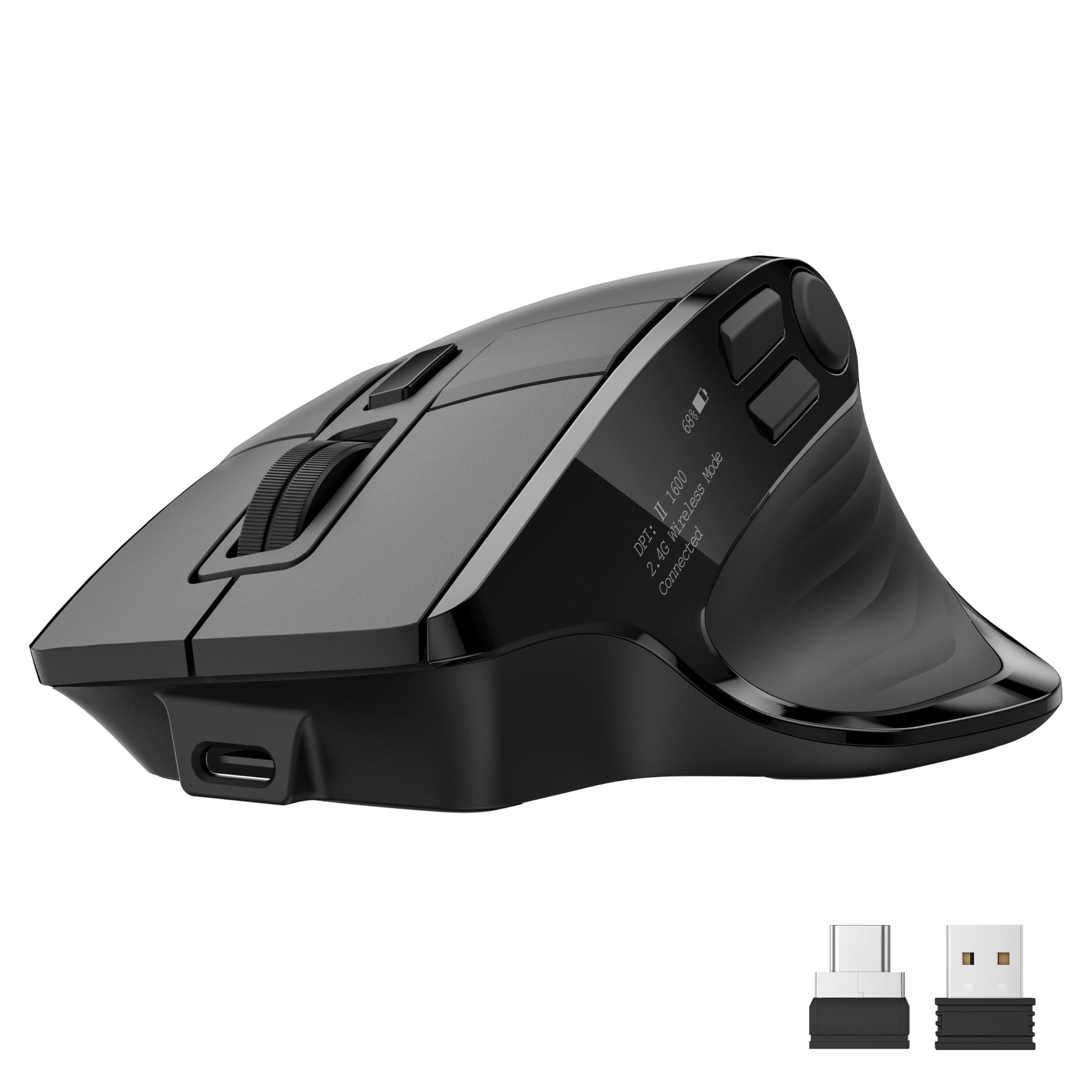
A nano receiver is designed to sit flush in the port so it does not snag on a bag or block the USB ports beside it. Some mice, like the Acer multi-device model, also include a USB-C receiver so you can use it on a laptop that has dropped USB-A altogether. If your machine is USB-C only, check that the box includes the right dongle before you commit — a USB-A-only mouse will need an adapter.
DPI and sensor precision
DPI stands for dots per inch, and it measures how far the cursor moves across the screen for each inch you slide the mouse. A 1600 DPI sensor is plenty for documents, web browsing and light photo work. Higher figures like 4000 DPI or 36,000 DPI matter for fast, precise cursor snaps in gaming or detailed editing, where you want the pointer to cross a big monitor with a short flick of the wrist. Most daily users never need the top end, but adjustable DPI lets you dial it back.
Battery: months versus hours
Battery figures come in two flavours and they are not comparable. Standard office mice quote life in months — the HP X3000 G3 rates 15 months on a single AA, and the Logitech M510 claims two years, helped by an on/off switch and a sleep mode. Rechargeable gaming mice quote hours instead, because brighter sensors and LED lighting drain faster. A 450-hour or 420-hour rating sounds huge until you remember it is measured with the LEDs off.
Hand size, grip and button count
Mouse shape matters more than any spec sheet line. A full-size contoured body with a broad palm area and rubber grips suits larger hands and long sessions. A compact travel mouse suits smaller hands and slips into a laptop bag. Three buttons covers the basics — left, right and scroll wheel. Five or more buttons add back and forward navigation or programmable shortcuts, which speed up browsing and spreadsheets but take a week or two to feel natural.
Side-by-Side Comparison
| Model | Best For | Battery | Buttons | Top DPI | Amazon |
|---|---|---|---|---|---|
| Logitech M510★ Best Overall | All-day desktop comfort | 2 years | 7 | — | Amazon |
| HP 400 QuietQuietest Clicks | Quiet shared spaces | 24 months | 5 | 6000 | Amazon |
| Acer Multi-DeviceFour-Device Hub | Switching between devices | 500mAh rechargeable | 5 | 4000 | Amazon |
| ASUS ROG Strix Impact III | Competitive gaming | 450 hours | 4 | 36000 | Amazon |
| Alienware AW720M | Long gaming sessions | 420 hours | 8 | 26000 | Amazon |
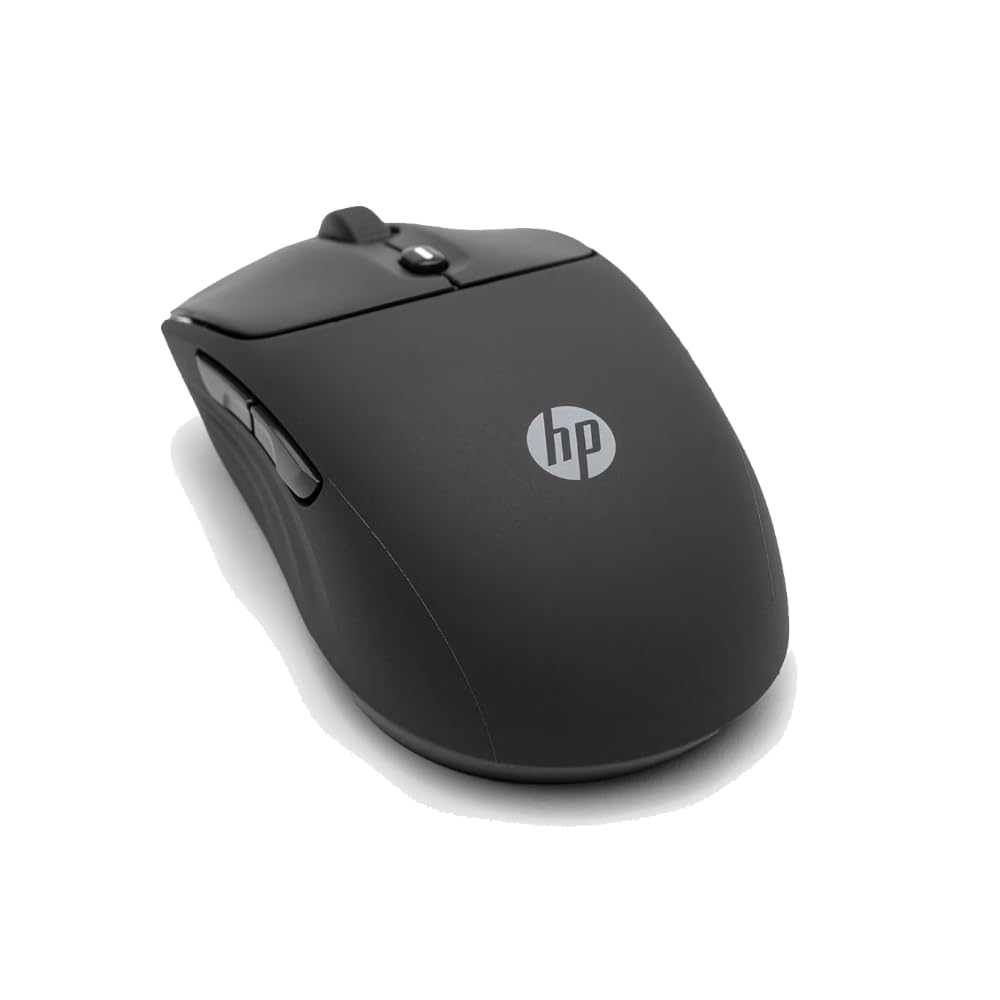
| HP X3000 G3 | Multi-surface work | 15 months | 3 | 1600 | Amazon |
| Logitech M170 | Throwing in a laptop bag | 12 months | 3 | — | Amazon |
| Acer Slim Wireless | Lightweight travel | — | 3 | 1600 | Amazon |
| Amazon Basics Wireless | Spare and basic use | 6 months | 3 | — | Amazon |
Detailed Reviews
1. Logitech M510 Full Size Ambidextrous 2.4 GHz Wireless Mouse
Our pick — 4.5+★ from 35,000+ verified ratings; the strongest balance of quality and price.
The mouse you charge once and forget about for two years.
Two years. That is the battery rating on the M510’s pair of AA cells, and it turns the whole ownership experience into ignoring the mouse entirely. An on/off switch and a sleep mode stretch it further, and a small indicator light warns you before the cells flatline. Put beside the Amazon Basics mouse and its 6-month rating, this is 15 months vs 6 months in the same room — the kind of gap that means one mouse lives on a desk and the other keeps a spare battery in a drawer.
The shape is the reason to pick it over a slim travel mouse. A broad palm area, gently curved sides and soft rubber grips give your whole hand somewhere to rest, which is why larger-handed buyers keep calling it out as a fit that finally works. Seven buttons are on hand too: the three standard ones plus Back and Forward, both of which you can reprogram to switch applications or go full screen. That is seven against the Amazon Basics’ 3 — a 7-button body versus a 3-button one, so budget for the extra week it takes your thumb to learn the side keys.
Side-to-side scrolling and zoom round out the controls, letting you sweep across a wide spreadsheet or a map without hunting for the bottom scrollbar. It needs Logitech’s SetPoint software on Windows or Control Center on Mac to open up those extras, so the plain setup is fine, the power-user setup takes a small download. One honest note from the long-term crowd: some heavy users report lag or early failures, so if you game competitively or slam the buttons, treat it as an office workhorse rather than a speed tool.
full size grip comfort
- A 2-year battery rating on two AA cells, plus on/off switch and sleep mode
- Full-size contoured body with soft rubber grips and a broad palm rest
- 7 buttons including Back/Forward, reprogrammable with Logitech software
- Side-to-side scrolling and zoom for wide documents and maps
- Unifying receiver stays in the laptop and can pair extra compatible devices
bulky for travel
- Right-hand-oriented shape despite the ambidextrous listing
- Horizontal scroll and reprogramming need a separate software download
- Some long-term gaming users report lag; built for desk work
desk workhorse: anyone at a desk for six or eight hours who wants their hand supported and their battery forgotten.
small hands pass: you need a mouse to disappear into a slim laptop sleeve — this is a full-size body.
2. HP 400 Wireless Mouse
A soft-silicone mouse with muted clicks built for a shared office.
If you work beside someone or take calls in the same room, the click noise is the spec that matters most, and this is the pick built around it. Quiet clicks sit alongside vertical and horizontal scrolling and a Microsoft Wheel setting that turns the centre button into a shortcut key. The body is wrapped in soft silicone rubber that you can wipe clean, an ambidextrous shape that suits either hand, and it comes in five colour options if basic black is not the mood.
Battery life reaches 24 months, and the sensor adjusts up to 6000 DPI so it tracks on almost any surface you set it down on. That combination — long life plus high ceiling — means one mouse handles a bare desk at the office and a coffee table at home. It runs over Bluetooth or the 2.4GHz dongle, which is genuinely useful if one of your machines has no free USB port. The eco side holds up too: at least 40% post-consumer recycled materials and FSC certified packaging.
dual bluetooth quiet clicks: quiet operation is the second thing buyers talk about, right behind overall quality, and the silicone shell gets described as a nice, soft feel in hand. The colour range gets its own fans, with the purple option named again and again.
no dongle storage: the click is muted by design, so if you like a firm, audible confirmation under your finger, this will feel soft rather than snappy. It is a deliberate trade, not a fault.
office pick: quiet, cleanable, dual-connection and a two-year battery all sound like your kind of morning.
gamer skip: you want a heavy click and a big, tall ergonomic hump under your palm.
3. Acer Wireless Mouse
One mouse that pairs with four devices over USB-A, USB-C and Bluetooth.
Four devices, one mouse, three ways to connect: 2.4GHz over the included USB-A or USB-C receiver, Bluetooth, and a wired mode when the battery needs topping up. That dongle pair is the practical bit — the USB-C receiver covers modern laptops, the USB-A covers older desktops, though you cannot run both receivers at once. The rechargeable 500mAh battery charges over USB Type-C while you keep working, and a small OLED screen on the body shows what is left so you are not caught out mid-meeting.
Precision runs to 4000 DPI across five settings — 1200, 1600, 2400, 3200 and 4000 — so you can drop to 1200 for steady document work and push to 4000 when you want the pointer to cross a big screen fast. Five programmable buttons give you 16 preset options without installing drivers, which is the sort of thing that saves you a download and an afternoon. Click noise sits at a rated 35 dB, quiet enough for a library or a late-night desk.
The catch that shows up in practice is the scroll wheel, which some users find laggy compared with the rest of the mouse, and the programmable buttons have their own quirk: options 6 through 13 do not work on macOS. Battery feedback also splits opinion, with some calling it excellent and others underwhelmed. Give yourself the stated one to two week adjustment period on the shape, and it settles in.
ergonomic busy desk fit
- Pairs with up to 4 devices across 2.4GHz, Bluetooth and wired modes
- Includes both USB-A and USB-C receivers for older and newer laptops
- 500mAh rechargeable battery with OLED charge readout on the body
- Five DPI steps from 1200 up to 4000
- Rated 35 dB clicks for shared or quiet spaces
needs steady hand
- Scroll wheel can feel laggy against the rest of the tracking
- Programmable options 6–13 are not supported on macOS
- Battery performance reads mixed among long-term users
- Wants one to two weeks of hand adjustment
long shift use: the person with a work laptop, a home desktop and a tablet who is tired of owning three mice.
precision tasks no: Mac-heavy setups that lean on the extra programmable buttons — half the presets stay dark.
4. ASUS ROG Strix Impact III Wireless Gaming Mouse

Featherweight at 57 grams, with a sensor that reads 36,000 DPI.
The number that stops gamers in their tracks is 36,000 — that is the DPI ceiling of the ROG AimPoint optical sensor, with a rated deviation under 1%. In plain terms, the pointer tracks where you mean it to track, shot after shot. The body carries that same intent: 57 grams, excluding battery and receiver, so flicks and turns cost less wrist effort. Four buttons stay simple and ambidextrous, and replaceable switches mean the click mechanism can be swapped rather than retiring the whole mouse.
Connection gives you two routes. ROG SpeedNova handles the 2.4GHz RF side with low latency and efficient power draw, or you can pair it to as many as three devices over Bluetooth. The ROG Omni Receiver lets several supported devices share one dongle, which cleans up a cluttered hub. Battery life is rated up to 450 hours, so the charging cable stays in the drawer for weeks rather than nights.
57 gram gaming speed: responsiveness is the aspect buyers land on hardest after build quality, and the lightweight shell and long battery get their share of praise too. The RGB lighting even earns a mention for flashing different colours per preset.
pricey for casual: connectivity is the split one — some units pair and hold their link without a hitch, others need a reconnect now and then. It is also an optical gaming sensor, so it will feel twitchy if you are used to slow document-cursor movement.
competitive play pick: the difference between 57 grams and a full-size office body is the difference between a good session and a sore one.
budget buyers pass: you want a palm-filling shape for spreadsheets — compact and light are the whole point here.
5. Alienware AW720M Tri-Mode Wireless Gaming Mouse

The eight-button gamer with a magnetic charger you just snap on.
Eight fully programmable buttons is the biggest count on this list, which gives a strategy gamer or a heavy shortcut user room to map everything without reaching for the keyboard. Under that sits a 26,000 DPI sensor that tracks up to 650 IPS and handles up to 50G of max acceleration — figures aimed at fast, sweeping mouse movement rather than slow clicks. Tracking like that keeps up with a hard flick across a large desk mat.
Battery is where the Alienware separates itself from most gaming mice. A USB-C dongle connection gives up to 140 hours of play, and Bluetooth stretches to 420 hours, both rated without the LED lighting running. The included dongle extender is a small but real detail for anyone whose tower sits under a desk, and 1000Hz wireless polling keeps the response tight. Magnetic snap-on charging means you never hunt for a cable port mid-game.
Two things land as fair notes rather than flaws. The left and right main buttons are not programmable, so the eight-button flexibility applies to the rest of the layout, and some users report unreliable units arriving dead or dropping out. Performance is what buyers lead with, battery life next, and the ergonomic shape gets credited with easing wrist strain over long sessions. Set expectations to match.
multi device setup: you want maximum buttons, wireless polling you can feel, and a battery measured in hundreds of hours.
lightweight fans pass: you expect to remap the primary left and right clicks — those two stay stock.
6. HP X3000 G3 Wireless Mouse

A 15-month AA battery and LED tracking that works off a bare table.
Fifteen months on a single AA battery is the headline, and it makes the X3000 G3 an easy one to leave switched on. Compare that to the 6-month rating on the Amazon Basics mouse, and the difference is 15 months vs 6 months — enough to make the battery bin feel like someone else’s problem. An on/off switch alongside the sleep behaviour keeps that figure honest.
The practical trick here is the LED multi-surface technology. It is aimed at tracking smoothly on almost any surface, so a hotel desk, a café table or a train tray table all work without a mouse pad in your bag. The 1600 DPI optical sensor gives you precise, everyday cursor control, and a contoured 3-button body with a scroll wheel lets you work all day with either hand. The nano receiver tucks inside the mouse when you travel, and the range is rated to 30 feet.
Where the picture needs shading: some compact-handed users love the fit and others find it small, connectivity splits between smooth and the occasional disconnect, and durability is the honest weak spot — a few report failures inside a couple of months. Treat it as a lightweight work companion rather than a rough-handled one, and it will serve well.
15 month battery life: quality leads the conversation, with value for money right behind, and the ergonomic shape and ease of setup get steady credit for fitting comfortably in the hand.
basic sensor only: the small, glove-like body is the thing some hands cannot get used to, and the plastic shell is not built for abuse.
set and forget: you want months of battery life, a mousepad-free surface, and a small shape that disappears into a laptop bag.
high dpi needers: your hands run large — the compact body asks a lot of a big palm.
7. Logitech M170 Wireless Mouse

Small enough to toss in a bag, patient enough to last a year.
Twelve months of battery life from one AA cell, plus auto sleep to stretch it further, is the sort of spec that suits a mouse living in a backpack. Pair that with a compact shape and an ambidextrous design that guides either hand into a natural position, and you have a sensible travel tool. The USB receiver goes in the port and stays there — plug-and-play, no pairing dance.
Camera-friendly numbers aside, the line-by-line scrolling and optical tracking are the daily experience: smooth cursor control on almost any surface. If you have ever priced a laptop-travel mouse against an office mouse, this one spreads a wide footprint — 7.75 inches by 5 inches in its retail package, against the Amazon Basics’ 3.97-inch package, which is the difference between a pocket mouse and a boxed one.
Compatibility is broad: Windows, macOS, Linux, Chrome OS, ipadOS and Android. The plastic body includes certified post-consumer recycled material, with a stated minimum of 38% recycled content on the Rose colour. What some owners cannot get past is the compact fit and the occasional dropped connection, so try the shape in hand before committing if you have long fingers.
bag pocket fit: commuters and students who want one small mouse living permanently in a bag.
desktop users pass: all-day desk users with wide hands — the compact shell will leave your palm hanging.
8. Acer Computer Mouse Wireless
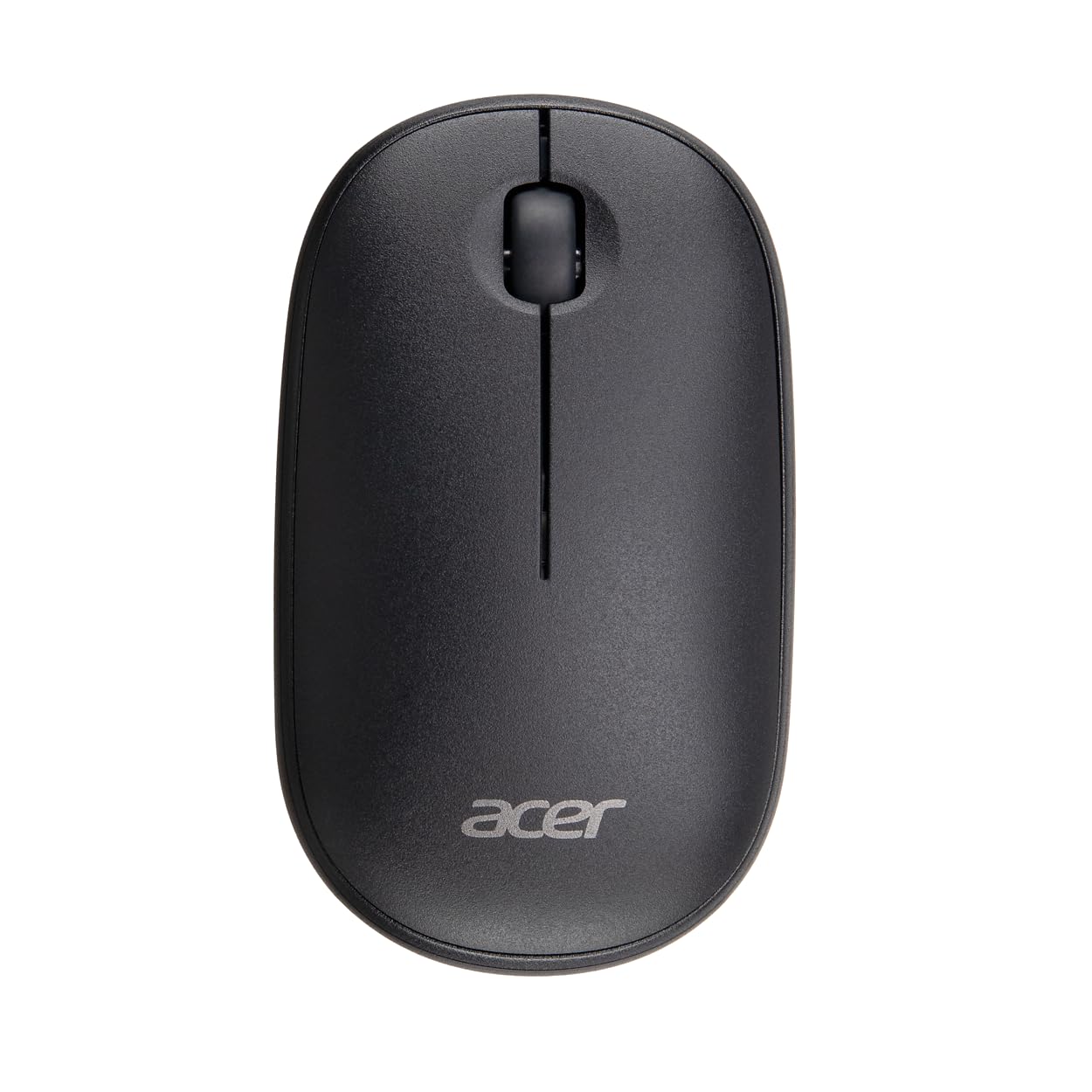
A 45-gram slim mouse built to glide, not to be noticed.
Forty-five grams is the lightest body here, and it is a deliberate choice for long workdays — less mass to push across the desk means less wrist effort hour after hour. The slim profile at just over four inches long and 1.26 inches tall slides into a laptop sleeve without a bulge, and the ambidextrous shell works for either hand. A 1600 DPI optical sensor handles the daily cursor work, and the 2.4GHz link holds up to 20 feet from the receiver.
Setup is about as simple as it gets: push the USB-A receiver into a Windows, macOS or Linux machine and it works, with no driver or software download. One note from the maker worth taking seriously is the click sound — they lean into the crisp, audible feedback as part of the feel, so this is not a quiet mouse. If you share a room with others, keep that in mind.
It is worth saying plainly that this one has far fewer owner reports behind it than the rest of the list, so treat it as a solid, simple, lightweight option rather than a long-proven veteran. The upside is the spec sheet cuts no corners on the basics: 45g, 1600 DPI, 20-foot range, three buttons, plug and play.
laptop companion: a light, slim, plug-and-play mouse is exactly what your bag and your wrist need.
palm rest users: you want a track record of thousands of long-term reviews before you commit.
9. Amazon Basics 2.4 GHz Wireless Optical Computer Mouse

The spare mouse you grab for a second machine and forget about.
Three buttons and a scroll wheel, a compact nano receiver that stays plugged in without blocking the ports beside it, and an optical sensor that tracks across varied surfaces without a mouse pad. That is the whole pitch, and it is a sensible one for a second setup or a home PC that only needs the basics. The ambidextrous plastic shell suits either hand, and the receiver stores inside the mouse when you pack it away.
The numbers are honest about its place. Battery life is rated 6 months, which puts it at 6 months against the HP X3000 G3’s 15 months — the same job, done with fewer months between battery swaps. Button count is 3 against the Logitech M510’s 7, so you get the essentials and no side shortcuts. It is also a 3.97-inch package against the M170’s 7.75-inch one, meaning it sits on the smaller end of the table.
Where buyers get most animated is the fit and feel — it works right away, feels right in hand, and the value lands. There is no Bluetooth here, so it pairs over 2.4GHz only. Durability is the recurring worry, with the shell and switches not built for heavy travel, so treat it as a desk mouse and a very good cheap spare rather than a workhorse.
spare mouse buy: a second computer, a kid’s desk, or anyone who wants the basics to just work.
feature seekers pass: daily commuters who need a shell that survives constant bag life.
Know the Specs
2.4 GHz versus Bluetooth
A 2.4 GHz connection uses a dedicated USB receiver that plugs into your computer and pairs itself the second you flip the mouse on. It is the reason a USB wireless mouse works instantly on any machine without digging through settings menus. Bluetooth skips the dongle but usually requires pairing, and can lag behind 2.4 GHz in response time. If a listing mentions both, check that the box actually includes the receiver — the HP 400 and Acer multi-device models offer both routes, and the Acer supplies USB-A and USB-C receivers.
DPI explained
DPI is the sensitivity of the sensor: the higher the number, the further the cursor travels per inch of hand movement. A 1600 DPI sensor is a comfortable daily setting. Stepping up to 4000 DPI gives you faster cursor travel for big displays, and 26,000 or 36,000 DPI is a gaming territory where small, precise hand movements translate to instant on-screen snaps. Adjustability matters more than the ceiling for most people — the Acer lets you move between 1200 and 4000, and the HP 400 works up to 6000.
Battery life in months vs hours
Office mice rate their battery in months because they sip power across a day of browsing. Gaming mice rate theirs in hours because brighter sensors and LED lighting drain cells faster. Compare like with like: 2-year ratings (Logitech M510), 24-month (HP 400), 15-month (HP X3000 G3), and 12-month (Logitech M170) are monthly specs. 450-hour and 420-hour ratings (ASUS ROG and Alienware) are hours, and often measured with lighting off.
Button count and programmability
Three buttons — left, right and scroll wheel — cover the fundamentals. Seven buttons on the Logitech M510 adds back and forward plus two programmables. Five on the Acer gives 16 preset shortcuts but only on Windows for most of them. Eight on the Alienware builds a full gaming layout. Programmable buttons save time once you learn them, but they cost a week of retraining and sometimes a driver download.
Common Questions
Will a USB wireless mouse work on a laptop without a USB-A port?
Do I need to install software to use the extra buttons?
What is the difference between 1600 DPI and 36,000 DPI?
How long does the battery actually last on a wireless mouse?
Is a 2.4 GHz USB mouse better than Bluetooth for gaming?
Can a wireless mouse work on a glass or glossy desk?
Is the Logitech M510 worth it over the Amazon Basics mouse?
Can I use these mice with both a Mac and a Windows laptop?
Does a lighter mouse actually reduce wrist fatigue?
Can I return a wireless mouse if the receiver is missing from the box?
The Bottom Line
For most desk-bound buyers, the usb wireless computer mouse to reach for is the Logitech M510. A 2-year battery rating on two AA cells, a full-size body with soft rubber grips, and seven buttons with Back and Forward is the strongest combination of endurance and daily comfort here. If quiet matters more than button count, the HP 400 Quiet Wireless Mouse gives you silicone softness and 24 months of battery. And for gaming, the ASUS ROG Strix Impact III pairs its 36,000 DPI sensor with a 57-gram body and 450 hours of play, which is not a mouse you will be charging nightly.
How we choose
We do not accept paid placement. Every pick is matched to a real buyer and a real use-case; we do not hands-on test units.
Sources
Specifications: manufacturer listings and product documentation. Review insights: verified customer reviews, as of November 2026. Pricing: not shown on this page (it changes often); check the current price via the retailer link.
As an Amazon Associate, Tactical Gear Guy earns from qualifying purchases. This does not affect which products we feature.