Specs are compiled from manufacturer listings and verified buyer reviews and can change over time — please confirm the key details on the product page before buying.
You have a perfectly good USB printer sitting next to a computer that has to stay switched on just so everyone else can print. A USB network server ends that arrangement. It takes the printer’s USB plug, puts it on your wired or wireless network, and lets every laptop in the house or office send jobs to it. The catch is that these little boxes are not plug-and-play gadgets — the setup is where most of them live or die. This guide flags which print servers configure cleanly and which ones stall on IP setup.
This guide is built by comparing the manufacturers’ published specifications and the patterns across verified customer reviews, so you get each pick’s real strengths and trade-offs instead of marketing spin.
Some models here are wired-only and cheap, some add Wi-Fi, and one is built specifically for label makers. Below you get the honest trade-offs on every one. The short version: the right usb network server is the one whose setup you can actually finish.
Top Picks

How To Choose The Best USB Network Server
Buying one of these is mostly a compatibility exercise, not a spec contest. The chip inside is small and cheap on almost every model. What differs is whether the box speaks the same language as your printer and your computers.
Check your printer against the compatibility list first
Every maker publishes a list of supported printers, and you should read it before you order. The X-MEDIA unit names more than 320 printer models it works with. Long as that list is, your exact printer model still has to appear on it. Multi-function printers with their own proprietary drivers are a common exclusion across this whole category.
Decide if you need Wi-Fi or plain Ethernet
A wired Ethernet print server plugs into your router with a cable and is the simpler, steadier option. A wireless model adds 2.4GHz Wi-Fi so the printer can sit anywhere in range. Wi-Fi adds a configuration step, and it is the step where people get stuck.
Print server versus full device server
A basic print server only handles printing. A USB device server, like the Silex DS-510, runs software on each computer that makes a remote USB device look like it is plugged in locally. That lets you share scanners, flash drives and webcams, not just printers. It also means software to install on every machine, which is its own kind of work.
Budget for a browser and a manual
Almost every model here is configured through a web interface where you set a static IP address or let DHCP assign one. Set aside fifteen minutes and a laptop with an Ethernet port for the static IP step.
Side-by-Side Comparison
| Model | Best For | Network | USB Ports | Setup Style | Amazon |
|---|---|---|---|---|---|
| X-MEDIA XM-PS110U★ Best Overall | Wired office printing | 10/100Mbps Ethernet | 1 (USB 2.0) | Browser interface | Amazon |
| StarTech PM1115U2Network Pro Pick | Networking pros on wired LAN | 10/100Mbps Ethernet | 1 (USB 2.0) | Manual, LPR queue | Amazon |
| CHEECENT CR202Best for Two Printers | Sharing two printers over Wi-Fi | Ethernet or 2.4GHz Wi-Fi | 2 (USB 2.0) | Browser interface | Amazon |
| LK100EW | Printers, scanners and dongles | Ethernet or 2.4GHz Wi-Fi | 1 (USB 2.0) | Client software plus web | Amazon |
| Silex DS-510 | Scanners and mixed USB gear | Gigabit Ethernet | 2 (USB 2.0) | Virtual Link software | Amazon |
| Digitus DN-13020 | NAS plus print in one box | 10/100Mbps Ethernet | 1 (expandable by hub) | Browser interface | Amazon |
| DYMO LabelWriter Print Server | LabelWriter label makers | Ethernet | 1 (USB) | Install CD plus Ethernet | Amazon |
| Lantronix xPrintServer | AirPrint from iPhones and iPads | Ethernet | 1 (USB 2.0) | Plug and play AirPrint | Amazon |
Detailed Reviews
1. X-MEDIA XM-PS110U Print Server
The tiny wired box that puts a USB printer on the whole office LAN.
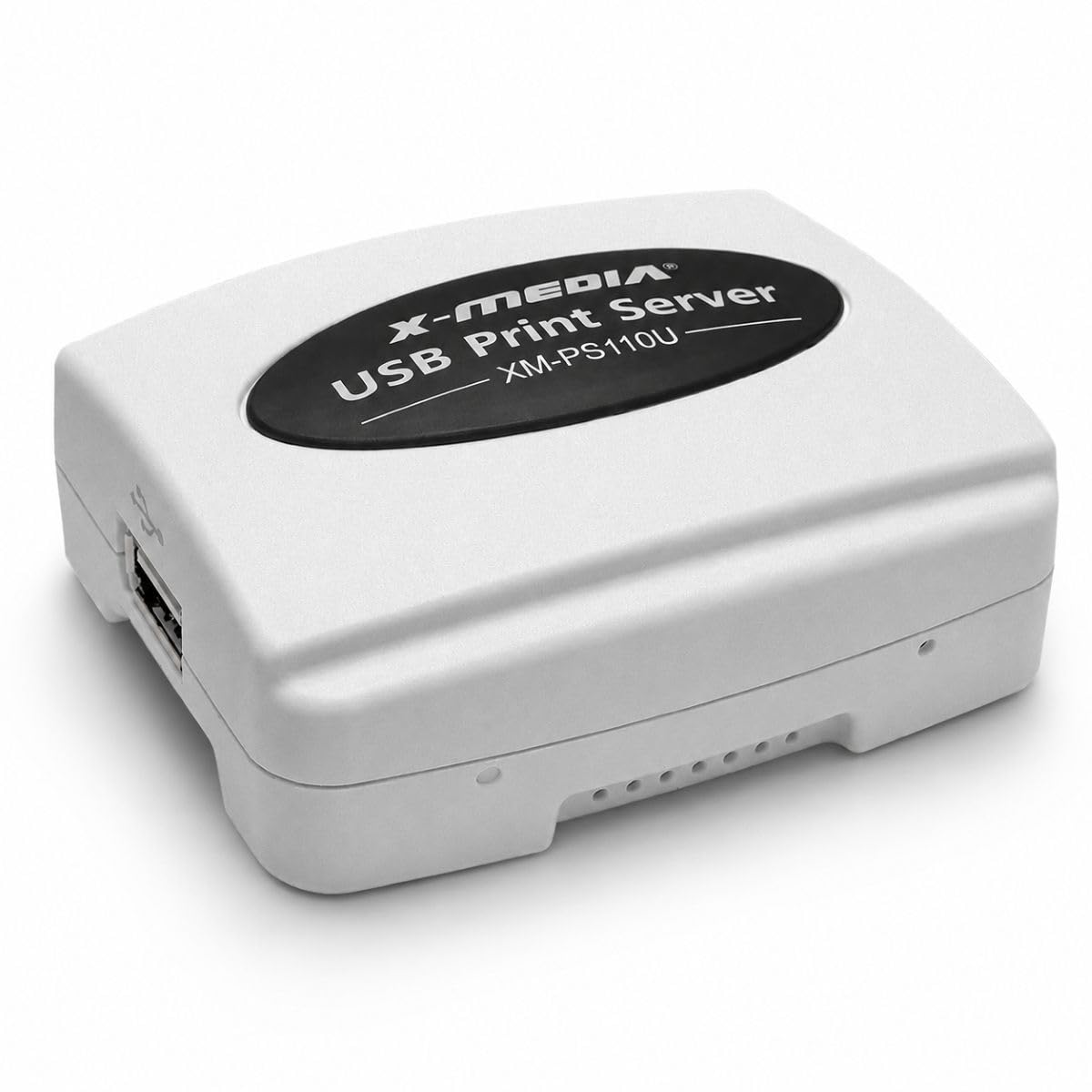
The XM-PS110U is the strongest balanced pick here because it does the basic job with the fewest moving parts. One USB 2.0 port goes to the printer, one Ethernet jack goes to your router, and the management page lives in a web browser. There is no software to install on each computer and no Wi-Fi password to wrestle with.
What makes it flexible is the compatibility footprint — the manufacturer states support for more than 320 printer models. Multi-protocol and multi-OS support means it plays nicely in mixed Windows, Mac and Linux households. The high-speed microprocessor and USB 2.0 compliant port are the reason a print job does not crawl along in the queue.
It is genuinely tiny at 1.9 ounces, so it disappears behind the router and you forget it exists. That weight figure is worth contrasting with the CHEECENT CR202 at 8.8 ounces — the X-MEDIA is the far more discreet box to tuck away.
Be realistic about the fiddly part. Reliability is the most-discussed topic on this listing and the honest verdict is genuinely mixed — some units settle in and print for ages, others need a couple of attempts before they behave. Treat the initial setup as a real task, not a plug-in-and-go moment.
Where it earns its keep
- Wired 10/100Mbps Ethernet keeps the connection steady with no Wi-Fi dropouts
- Compatible with more than 320 printer models per the maker
- 1.9 ounces disappears behind the router
- Browser-based setup means no client software on every computer
Where it asks patience
- Setup can require more than one attempt
- Reliability is mixed across the reviews
- No Wi-Fi — the printer has to sit near a cable run
The right caller: you have a wired router nearby and a printer that appears on that 320-plus list.
Pause here: you want the printer in a room with no Ethernet run.
2. StarTech PM1115U2 Print Server
Twenty-two feet of nothing — just a clean LPR queue and a cable.
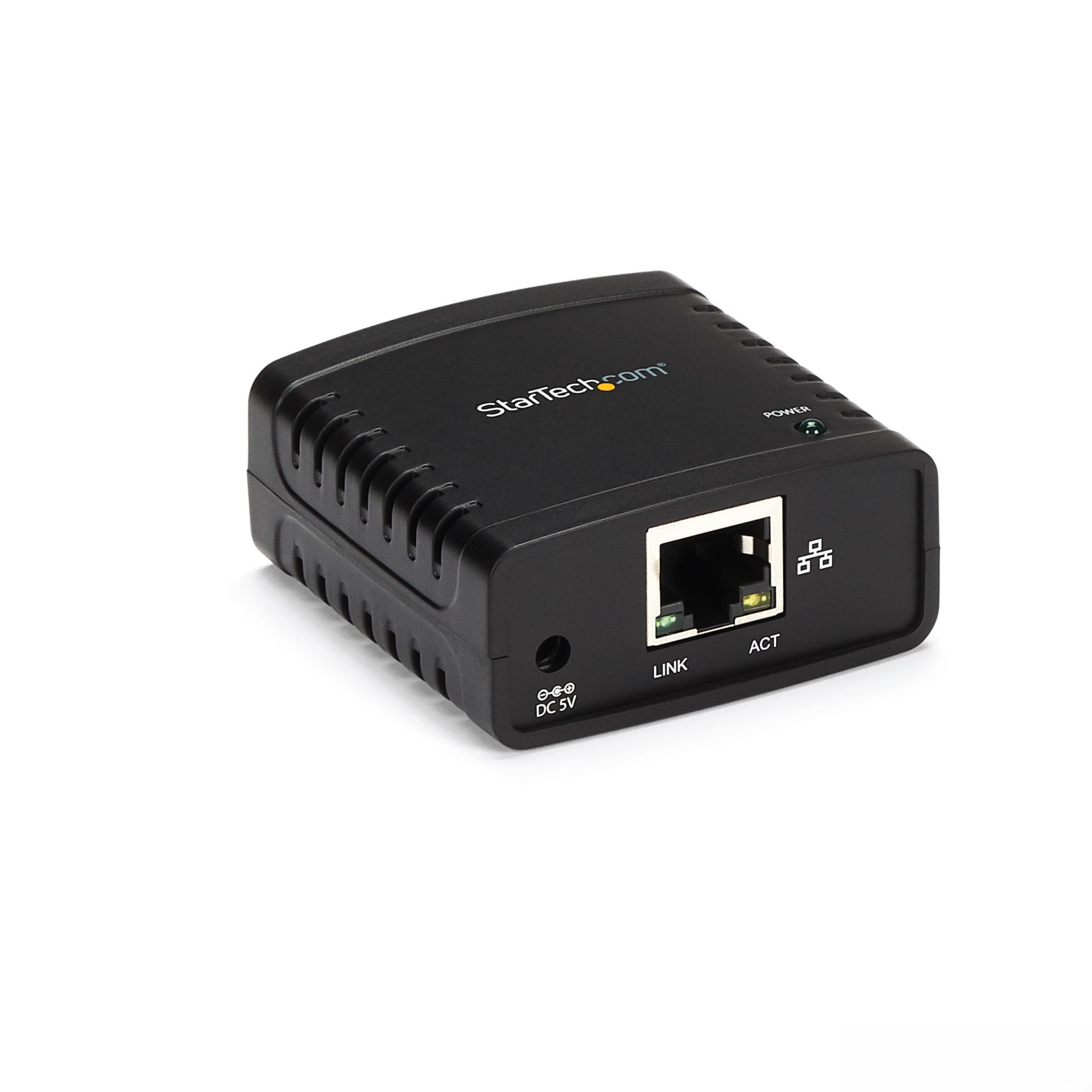
This one is for the person who already knows what LPR means. StarTech’s box configures through a web interface using a static IP or DHCP and prints to a queue called LP1. It auto-senses between 10Base-T and 100Base-TX so the link negotiates itself. The included universal power adapter covers North America, the UK, Europe and Australia in one box.
The honest limitation is baked into the listing: it is not plug-and-play and needs intermediate network knowledge. It also will not work with USB hubs, multi-function printers with proprietary drivers, or printers that demand full bi-directional communication. That last line rules out a lot of all-in-one machines.
Network compatibility is the most-disputed topic on this product, and Windows 10 Pro systems and certain HP printers are the recurring flashpoints. The Mac side rides on LPR and Bonjour Print Services, so it generally plays nicer there. Included software is Windows-only, which is worth knowing if you run Linux.
The trade you make: you get genuine LPR networking and TAA compliance for a mid-range outlay, at the cost of doing your own IP setup.
Who it frustrates: anyone hoping to connect an all-in-one that scans as well as prints.
Buy this if: you can type an IP address, pick a subnet and move on with your day.
Look away if: your printer is a multi-function model that needs full two-way communication.
3. CHEECENT CR202 Wireless Print Server for USB Printer, 2 Port
Two printers, one box, and a metal shell you can screw to the wall.
Most servers in this category take a single printer. The CR202 takes two, with two USB ports that let multiple computers share both machines over an Ethernet or Wi-Fi local network. If you have an old laser and a colour inkjet both gathering dust next to a dedicated PC, this is the box that retires that PC.
Build quality is the standout — it arrives in a metal shell with a mounting hole, so you can fix it to a desktop edge or a wall rather than balance it on a shelf. At 8.8 ounces it has real presence in the hand. Compare that to the X-MEDIA XM-PS110U at 1.9 ounces and you see where the metal went.
Read the fine print before you order. This is not plug-and-play, it does not support phones, scanners, Chromebooks, Android devices, 3D printers or photo printers. It prints, and that is all it does. Compatibility runs through the most printers on the market but is not guaranteed for every one, and you may need to switch off the printer’s bidirectional mode.
Setup splits the room fairly evenly — half the buyers find it the easiest thing they have configured, half call it a slog. The browser-based manager saves you from installing extra software, and the listing carries a video walkthrough worth watching before you start. Wi-Fi connectivity is the shakier half of that story, so a cable run is the safer bet where you have one.
Best match: a small office with two USB printers and no appetite for a dedicated host machine.
Think twice: you also want to share a scanner or print from a phone.
4. LK100EW USB Device Server
A real device server, not just a print server — printers, scanners and dongles.
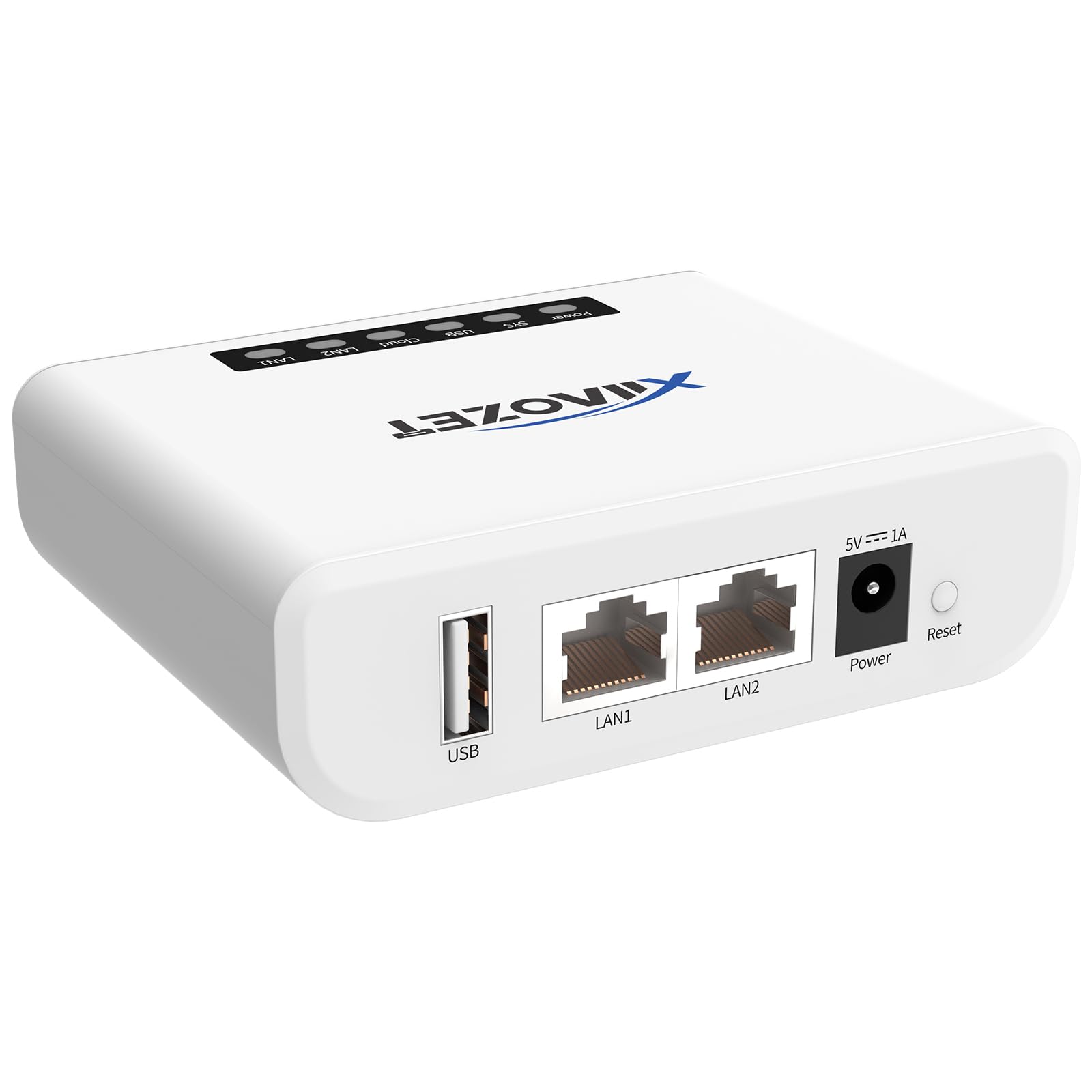
The LK100EW earns its place by doing more than printing. Its virtual USB software simulates a direct cable connection across the network, so a scanner or a USB dongle behaves as though it is plugged into your own machine. That opens up sharing options the pure print servers here simply cannot offer.
For straight printing you add the device by IP address or hostname, and it speaks RAW and IPP protocols. It handles HP, Canon, Epson and other brand printers that way. Deployment is flexible too — it works over 2.4GHz Wi-Fi or through its Ethernet port, so you can choose steadiness or placement.
Working with Dymo 450 label printers is the use case that comes up again and again, and functionality is what buyers praise most about this one. The hardware is genuinely well received. The friction sits in compatibility, which is a mixed bag — Windows 10 is the recurring pinch point, so confirm your operating system before committing.
It is a physically larger box than most at 4.53 x 3.35 x 2.76 inches, which is roughly double the footprint of StarTech’s little cube at 2.1 x 2.1 x 0.9 inches. The extra bulk comes from the Wi-Fi radio and device-server hardware inside.
Why it stands out: genuine device-server flexibility with RAW and IPP printing support.
The catch: mobile printing and AirPrint are not supported, so phones are out.
Reach for it when: you want to share a scanner or dongle alongside the printer.
Not your box: you print from an iPad or phone and need AirPrint.
5. Silex DS-510 USB to Gigabit Ethernet USB Device Server

The one that handles webcams and sound cards other servers cannot touch.
The DS-510 is the serious piece of kit in this lineup, and the reason is its data transfer rate of 480 megabits per second over USB 2.0 paired with a Gigabit Ethernet connection. Silex’s Virtual Link software networks the device to your computers, and AutoConnect handles printers across multiple Windows machines without you setting up each queue by hand.
You can share a webcam or a USB sound card over your network, not just a printer, because it supports isochronous transfer (a USB data mode that streams audio and video smoothly). It also works with virtualization platforms (software that runs several virtual computers on one machine), including Citrix, VMware, MS Terminal Server and Hyper-V. That matters if your small business runs virtual desktops, because each one can reach the shared device.
The build is Japanese-made with key US components, and it feels like it. At 10.6 ounces it is a dense, powered unit rather than a featherweight dongle. Quality is what wins the most praise here, with speed close behind — the box does move data briskly.
Compatibility is the most-discussed part of this listing and it is genuinely mixed. It shines with Windows 7 virtual machines, and it works with specific hardware like the Fujitsu ScanSnap S1500 and iX500 desktop scanners. Catalina on the Mac side is where it falls short, so check your OS version carefully first.
The case for it
- Gigabit Ethernet and 480 megabits per second USB transfer
- Isochronous mode supports webcams and sound cards
- Virtualization-ready for Citrix, VMware and Hyper-V
- Two USB ports for printers plus a second device
What it asks
- Compatibility is mixed and Catalina is a known gap
- Installation splits buyers — some easy, some not
- Premium-tier pricing for a small network box
Your pick if: you need to share scanners, webcams or virtualised environments, not just a printer.
Check first: you run a current macOS build — this one predates Catalina support.
6. Digitus Multifunction USB Network Server, 1-Port, DN-13020
Three functions in one grey box: network USB hub, print server and NAS.
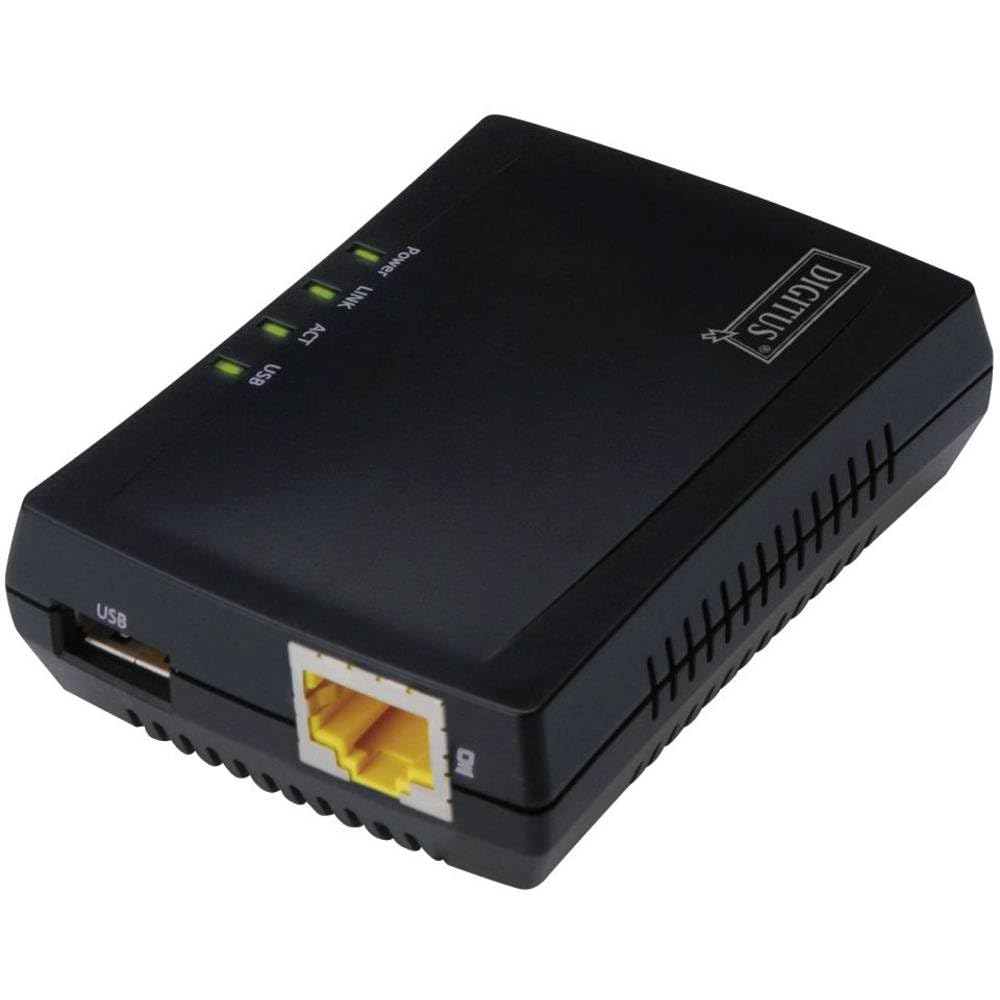
Digitus bundles three jobs into one device. It acts as a network USB hub so you can connect USB gear over the LAN, it works as a print server, and it turns a plugged-in storage drive into network storage via its NAS function. The LAN port reaches transfer rates of up to 100 Mbps.
The storage side runs FTP, SMB and CIFS servers, so you can reach files over the network from wherever you are. The single USB 2.0 port can be expanded by adding a USB hub if you need more devices at once. Setup goes through a web browser, which keeps things simple.
One limitation you need to know about is stated plainly: multiple users cannot access the device simultaneously. That is a shared-resource box, not a true concurrent workspace. Run one job at a time and the DN-13020 handles it without trouble.
The device is broad in what it can attach — printers, scanners, DVD drives, storage media, cameras, webcams, digital TV tuners and more. Supported operating systems run from Windows 10 back through Vista and XP plus Mac OS 10.10, so it suits an older mixed office where nothing is brand new.
The value read: you get print sharing, USB-over-network and NAS in one box instead of three separate purchases.
The honest limit: it cannot serve two users at the same moment, so plan around one job at a time.
Worth a look if: you also want to hang a hard drive off the network without buying a separate NAS.
Step back if: several people need to hit the same attached device simultaneously.
7. DYMO LabelWriter Print Server for Label Makers

Not a general print server — a dedicated bridge for DYMO LabelWriter label makers.
This box does one thing and is honest about it. It links a DYMO LabelWriter label maker to your wireless network so everyone on that network can print labels straight from their computers, without the label maker being tethered to one machine. It connects to the label maker over USB and to the network over Ethernet, and includes the installation CD, the A/C adapter and a one-year limited warranty.
If your workflow is small parcels, file folders, shipping labels or asset tags, this turns a single label maker into a shared office resource. Windows and Mac are both supported. It is a purpose-built part, not a general purpose one, and that focus is exactly its appeal.
Buyers who love it describe it as excellent quality and rate it five stars. The reliability story is more balanced overall, with plenty of flawless long-run reports alongside some units that stop working properly. Setup splits the field — some find it easy, others hit unclear instructions and struggle.
Network compatibility is the recurring weak point, so treat the initial connection step with care. The clear-eyed view is this: if you own a DYMO LabelWriter and want it shared, this is the only box here built for that specific job. Without a DYMO LabelWriter, this box has no job to do.
Made for: an office with a DYMO LabelWriter that needs to be shared across desks.
Wrong tool: you want to share a normal paper printer — this will not do it.
8. Lantronix XPS1002FC-02-S xPrintServer Office Edition
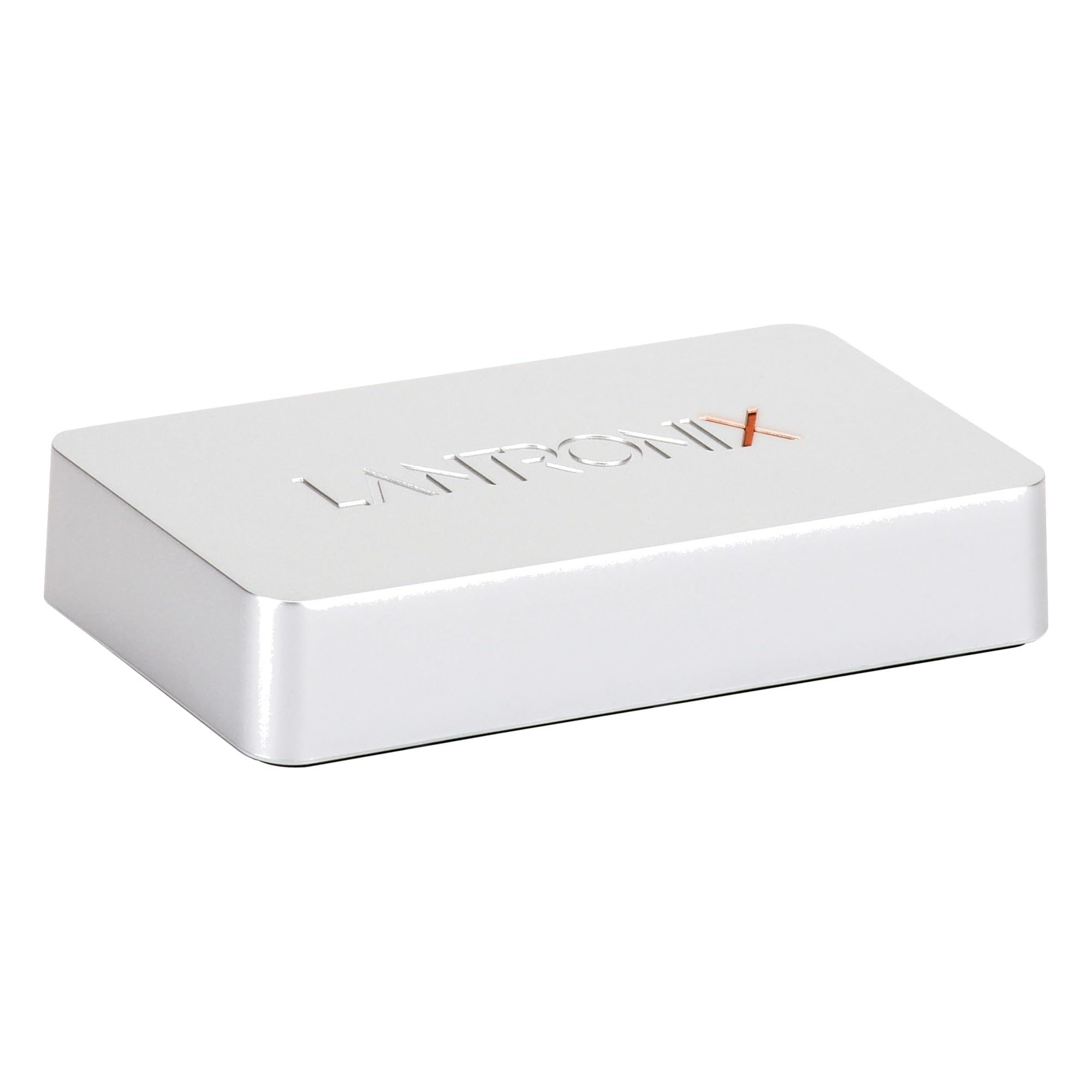
Turn a plain USB printer into an AirPrint target for iPhones and iPads.
This is the pick for a house full of iPhones and iPads. The xPrintServer adds Apple AirPrint to a wired USB printer so iOS devices print with no separate app to download and install. It also handles wireless Android device and Chromebook printing through Google Cloud Print, and there are no iOS or Android client license fees to pay per device.
The setup is what works in its favour. This is the one box in the lineup buyers describe as plug and play, and it detects printers reliably. You can manage printer users and configuration through a web browser interface. Lantronix includes an international power supply, and the unit runs on 5 volts at 1 pound.
Where it stumbles is the software side and the price. Compatibility is mixed — Ricoh copiers are a known sticking point, so check your machine. Print speed is also reported as slow for some jobs, with long processing times. The value verdict is the harshest on this listing, with buyers feeling it costs too much for what it does.
Weigh it honestly against the alternatives. It is the only AirPrint-first option here, and the DS-510 will not do AirPrint at all. If AirPrint is a must-have, that gap decides the purchase.
Its real job: AirPrint and Cloud Print for a plain USB printer, with no per-device licensing.
The honest caveat: higher sticker and slower job processing, with Ricoh copiers specifically excluded.
The fit: an Apple-heavy household or classroom that needs a plain printer on AirPrint.
Not worth it for: budget-conscious buyers who just need Windows computers to share a printer.
Know the Specs
10/100Mbps Ethernet versus Gigabit
A 10/100Mbps LAN port is the older, slower standard and is plenty for a print job, which is a trickle of data. Gigabit is faster on paper, and the Silex DS-510 uses it, but you will only feel the difference when moving large files or running a scanner. For plain printing, 10/100Mbps is not a bottleneck you will notice.
USB 2.0 ports and printer compatibility
USB 2.0 is the version most of these ports use, and its speed is far more than a printer needs. The real limiter is not the USB version but the printer’s driver. Multi-function models with proprietary drivers often refuse to work through these boxes, which is why the maker’s compatibility list matters far more than the port spec.
What not plug and play actually means
You will open a web page on the device, give it an IP address (either a fixed one or one handed out by your router’s DHCP), and point your computers at that address. If you can find your router’s settings page, you can finish this.
Print server versus USB device server
A print server only handles printing jobs. A device server runs software that makes a remote USB device look local, so it can share scanners, storage drives and webcams. The trade-off is that the software has to be installed on every computer that wants access.
Common Questions
Will a USB network server work with my all-in-one printer?
Why is my printer not showing up after I connect the server?
Can I share a scanner or flash drive with one of these boxes?
Do these servers support printing from an iPhone or iPad?
Do I need to install software on every computer?
What happens if my router reboots and the server keeps the same address?
Can two printers be shared through one server?
Does a USB network server work with Macs and Windows together?
Is a wireless print server as reliable as a wired one?
Will a dedicated label maker server work with a normal printer?
The Bottom Line
For most buyers, the usb network server that gets out of your way is the X-MEDIA XM-PS110U, because it covers the most printer models with the plainest wired setup and no client software to install. If you need to share two printers, reach for the CHEECENT CR202. And when scanners, webcams or virtual desktops are part of the picture, the Silex DS-510 is the one to choose.
One honest caveat: the top pick has a mixed reliability record and a lower score than the Silex DS-510’s 4.0+. If you rely on older devices and want support that others have already worked out, pick the Silex. But for a plain USB printer on a wired network, with your printer model on the list, the X-MEDIA wins on breadth and simplicity.
How we choose
We do not accept paid placement. Every pick is matched to a real buyer and a real use-case; we do not hands-on test units.
Sources
Specifications: manufacturer listings and product documentation. Review insights: verified customer reviews, as of November 2026. Pricing: not shown on this page (it changes often); check the current price via the retailer link.
As an Amazon Associate, Tactical Gear Guy earns from qualifying purchases. This does not affect which products we feature.