Specs are compiled from manufacturer listings and verified buyer reviews and can change over time — please confirm the key details on the product page before buying.
Two USB-C cables can look identical and still behave nothing alike. One pushes 240W into a laptop and stays cool; another slows your phone to a trickle and frays at the plug within months. This list separates the cables that actually deliver the wattage printed on the box from the ones that quietly give up. One note on selection: every pick here is a USB-C to USB-C cable (both ends USB Type-C, not USB-A), so not every pick is the exact number you searched — the nearest same-type length or wattage serves the same purpose.
This guide is built by comparing the manufacturers’ published specifications and the patterns across verified customer reviews, so you get each pick’s real strengths and trade-offs instead of marketing spin.
Check the wattage number on the package before anything else. A cable rated for the power your laptop actually draws is the difference between a real work session and a slow drip. The picks below are sorted by wattage ceiling, data speed, and build, so you can match one to your device in a minute.
Top Picks

How To Choose The Best USB-C to USB-C Cable
The cable is the cheapest part of your charging setup and the first to fray at the plug collar. Get the wattage and the connector right, and length, braid, and plug style are just preference.
Match the wattage rating to your biggest device
A cable’s wattage ceiling is a hard limit, not a suggestion. If your laptop charger pushes 140W or 240W and your cable tops out at 60W, the laptop will simply charge slower — the cable protects itself. Buy for the hungriest device you own — a 240W cable still charges a phone at phone speed. A 240W cable also steps down cleanly to 100W, 65W, and phone-level speeds, which is why the top-rated picks here aim high.
Read the data rating before you plan to move files
Charging and data are separate lanes on a USB-C cable. Many fast-charging cables move data at 480Mbps (megabits per second — roughly 60 megabytes per second in real terms), which is fine for photos but painful for video projects. If you plan to clone an SSD (a fast solid-state drive) or run a monitor, you want a USB4 or Thunderbolt-rated cable with a much higher number like 20Gbps or 40Gbps, where the G stands for gigabits and the step up is enormous.
Judging durability without touching the cable
Bend ratings are the closest thing to a lifespan number. A cable tested to 5,000 bends is built for a daily commute; one tested to 10,000 or 36,000 bends is aiming at years of bag life. Braided nylon outlasts smooth rubber because it resists the fraying that starts at the plug collar. Aluminum shells at the connector ends help a little with heat, which matters on high-wattage cables that get warm under load.
Length and plug style decide where the cable lives
A short 3-to-4-foot cable is a desk and bedside tool — it stays put and never tangles into a nest. Six-foot and 10-foot cables are for reaching across a couch or hotel room, but the longer the run, the more you want a thick conductor and a high wattage rating to fight voltage drop. A transparent or display-equipped plug is handy if you like seeing live wattage, but it adds a fragile element that a plain molded plug avoids.
Side-by-Side Comparison
| Model | Best For | Max Wattage | Length | Data Speed | Amazon |
|---|---|---|---|---|---|
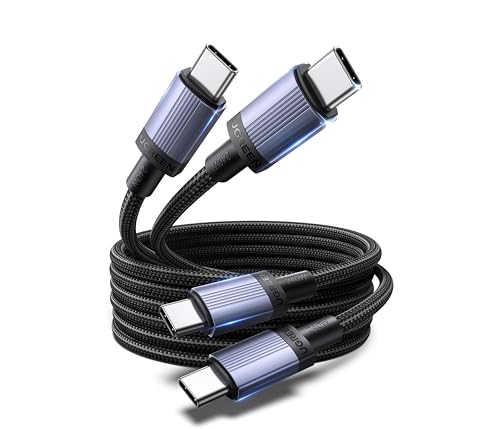
| UGREEN 240W USB C Cable 2-Pack, 10ft★ Best Overall | Charging a big laptop anywhere in the room | 240W | 10 feet | 480Mbps | Amazon |
| SOOPII 240W USB C to USB C Cable [4ft 2-Pack]Live Wattage Display | Seeing live charging wattage on the plug | 240W | 4 feet | 480Mbps | Amazon |
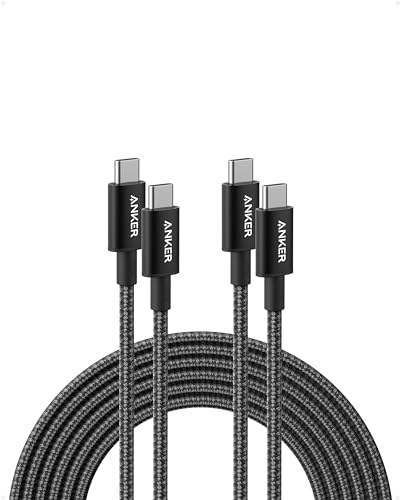
| Anker USB C to USB C Cable, 100W (2-Pack, 10 ft)The Household Standard | Everyday phone and tablet charging | 100W | 10 feet | 480Mbps | Amazon |
| Apple 60W USB-C to USB-C Woven Charge Cable (1 m) | Clean bedside and desk charging for Apple gear | 60W | 1 meter (3 feet) | USB 2 rates | Amazon |
| Acer USB4 Cable 40Gbps, 8K@60Hz 240W | Driving a monitor and moving big files | 240W | 3.3 feet | 40Gbps | Amazon |
| Anker USB C to USB C Cable, 60W (5-Pack, 6 ft) | Stocking every room and bag with one cable | 60W | 6 feet | 5Gbps | Amazon |
| Amazon Basics USB-C to USB-C 2.0 (Pack of 2) | Basic charging and data on a strict budget | 15W | 6 feet | 480Mbps | Amazon |
| Belkin USB-C to USB-C Cable, USB4, 6.6ft | Long-reach USB4 work at a monitor desk | 240W | 6.6 feet | 20Gbps | Amazon |
| Silkland USB-IF Certified USB4 for Thunderbolt 5 Cable 5FT | Workstation power plus 80Gbps transfers | 240W | 5 feet | 80Gbps | Amazon |
Detailed Reviews
1. UGREEN 240W USB C Cable 2-Pack
Our pick — 4.5+★ from 3,500+ verified ratings; the strongest balance of quality and price.
Ten feet of 240W braided cable for the price of a single branded one.
If your laptop charger lives across the room and you are tired of dragging the machine to an outlet, this is the pick. Two braided cables, each 10 feet long, rated to carry 240W through a PD 3.1 connection (the newest Power Delivery standard, which allows far more wattage than older PD versions). The maker states it takes a 16-inch MacBook Pro to 56% in 30 minutes, and it steps down cleanly for 140W, 100W, and 65W devices, so the same cable handles your phone tomorrow.
The length is the real story here. Set against the SOOPII 4-foot pair, this one gives you 10 feet versus 4 feet — a 2.5x gap — which is the difference between a cable that reaches the couch and one that does not. That extra reach is what buyers talk about most after the build itself: the quality of the cable is the standout praise, and durability runs close behind. The braided nylon is rated above 10,000 bends, so the plug collar should survive being stuffed into a backpack daily.
Under the hood is a genuine E-Marker chip (a tiny identity chip that tells your laptop how much current the cable can safely take) plus low-resistance conductors to keep heat down at full 240W. Data tops out at 480Mbps, which is fine for photos and documents but not for video editing off an external SSD. And it will not carry video to a monitor — this is a charging-first cable, not a display cable. As the crowd favorite at 4.5+ stars across 3,600+ ratings, it earns the top slot on both score and volume.
Where it earns the crown
- 240W PD 3.1 rating covers a 16-inch laptop and steps down for phones
- 10 feet of reach with a tangle-free braided jacket
- E-Marker chip negotiates safe current automatically
- Two cables in the pack — one for the desk, one for the bag
Before you commit
- No video output, so it will not drive a monitor
- 480Mbps data is slow for large SSD transfers
- 10 feet is more cable than a small desk needs
Buy it if: you charge a laptop and a phone from one outlet and want real reach without paying premium-tier money.
Look at the Acer instead if: you need the same cable to push 8K video to a display.
2. SOOPII 240W USB C to USB C Cable 4ft 2-Pack
A cable that shows you the watts as they flow, in real time.
The LED display is the reason to look here. Plug in and the plug end tells you the live wattage moving into your phone or laptop — useful when you suspect a charger is underperforming and want proof. It carries the same 240W ceiling as the top pick (48V at 5A), so a 240W laptop is within reach. What you give up is length: set against the UGREEN pair, this one gives you 4 feet versus 10 feet — a 2.5x gap — so it is a desk and bedside cable, not a couch cable.
What wins people over is the build — a transparent shell over a rugged nylon braid, tested to 36,000+ bends, which is a serious number for a cable that lives in a daily carry. The E-Marker chip is upgraded and auto-identifies your device, and the maker backs it with a 24-month warranty. Data is 480Mbps, and there is no video output. It does support Super Fast Charging on Galaxy S23 and S22 when paired with an original charger.
Both the durability and the display are honest mixed bags in the details. Some braids have failed after a few months, and a slice of the display feedback finds the reading hard to see or off-target. The recurring gripe is that the screen can be finicky in bright light — treat the display as a nice-to-have, not a lab instrument. It is still a strong 4.5+ star pick from a large base of buyers, and the transparency look is genuinely distinctive on a desk.
The display payoff: live wattage on the plug is a small feature that changes how you troubleshoot a slow charge — you see the problem instead of guessing at it.
The honest caveat: the screen and the braid are the two areas that split opinion, so go in expecting a great cable rather than a ruggedized one.
Reach for this if: you want to know exactly what your charger is pushing and like a transparent, tech-forward look.
Skip the display if: you need maximum length or a cable rated for the most brutal handling — the braid is not the toughest in this group.
3. Anker USB C to USB C Cable 100W 10 ft
The cable you hand to everyone, because it is tough enough to survive them.
Two 10-foot nylon cables at 100W is the setup most people actually need. That wattage covers an iPad, a MacBook Air, most ultrabooks, and every phone on the market — and it steps down for 60W and 65W chargers without complaint. Where the SOOPII runs 240W versus this one’s 100W (a 2.4x gap), the Anker trades peak wattage for a tougher jacket and a much longer run, which for phone-and-tablet charging is the better trade.
Durability is the theme here: a hard-wearing nylon exterior and a 5,000-bend rating (the cable survives 5,000 bends in testing), plus a hook-and-loop tie and an 18-month warranty in the box. Data is 480Mbps, and video output is not supported. What wins people over across a huge install base is the build quality — it is the most-praised trait by a wide margin, with reliability right behind — and buyers frequently note the cables reach across a hotel room without straining. The 3.2-ounce ship weight tells you these are not flimsy.
The honest catch is charging consistency on hungrier devices: one slice of the feedback notes some devices charging unreliably or stopping, and a stiffness complaint shows up too, especially fresh from the start. Neither is a defect pattern for most owners — this is among the most-reviewed cables in the list — but if you are powering a 140W-or-higher laptop, go for the 240W picks instead. For phones, tablets, and travel, it is the safest default purchase on the page.
Why it stays on the list: 10 feet of nylon at 100W with a year-and-a-half warranty is a boring, dependable combination that almost no one regrets.
Where it stops: a full-power gaming laptop will want more than 100W, and the cable can feel stiff when it first comes out of the package.
Best fit: anyone charging phones, tablets, or an ultrabook who wants two long cables that survive kids and backpacks.
Not the one for: a 140W+ laptop workstation or a monitor setup — the wattage and data ceiling are both modest.
4. Apple 60W USB-C to USB-C Woven Charge Cable (1 m)

The short, tidy cable for people who want the plug to feel right every time.
If your phone lives on a nightstand or beside a laptop, a one-meter cable (3 feet) is the correct length — long enough to reach, short enough to disappear. This one charges at up to 60W, which covers an iPhone, an iPad, and a MacBook Air. It also triggers fast charging on the select iPhone models that support it when paired with a compatible USB-C adapter. The adapter is not included, so plan on supplying your own brick.
Being an actual Apple-made cable is the whole point for some buyers: the connector seats with the exact tolerance those devices expect, and the woven jacket resists the fraying that smooth rubber shows. Quality is what draws the most praise, durability close behind, and the length wins consistent approval for desk and bedside setups. Data moves at USB 2 rates, which is fine for syncing photos and backups but not a speed story.
Here is where to be honest: at 60W this is the lowest wattage of the desk-friendly picks, so it cannot feed a high-wattage laptop. The reliability and the value are both contested in the details — some units have stopped working within a few months, and a share of buyers think the price-to-cable ratio is thin for what is essentially one short cable. None of that makes it a bad cable; it makes it a fit question. If you own Apple gear and want the exact-part feel, this delivers it. If you are powering a laptop workstation, the 240W picks do more for less.
What the woven build gets you
- Genuine Apple part with the fit those devices are built around
- Woven jacket that resists the fraying rubber cables show
- 1-meter length that stays tidy on a desk or nightstand
- Up to 60W with fast charging on supported iPhone models
Where the math gets tight
- 60W ceiling will not feed a high-wattage laptop
- USB 2 data rates only
- Adapter sold separately
- Mixed long-term reliability and value feedback
It is the right cable when: you want one short, well-made cable that feels native to your iPhone, iPad, or MacBook Air.
Pass on it when: you need 100W-plus for a laptop or a single cable that does both power and fast data.
5. Acer USB4 Cable 40Gbps

One short cable that charges, drives a monitor, and moves files fast.
This is the cable for the person who wants one run between laptop and dock instead of three. It carries 40Gbps of data (gigabits per second, where 40 is roughly eighty times the 480Mbps charging cables above), pushes an 8K@60Hz signal to a monitor, and still handles 240W of charging on the same cable. For a portable monitor, an external SSD, or an eGPU setup, it removes the tangle of separate cables at a stroke.
Build quality is what buyers notice first, with reliability right behind. The braided jacket, aluminum alloy casing, and bend-resistant design are aimed at heat and pressure resistance — useful when a cable sits under a monitor arm all day. It is USB-IF certified (the body that tests and blesses USB implementations), and it talks to outputs of 100W, 66W, 60W, 40W, 30W, 20W, and 18W. All of this in a 3.3-foot run that weighs 68 grams.
Compatibility is the one place to check before you buy. A slice of feedback reports trouble with Apple devices, which lines up with the maker’s own warning: the device port has to support Thunderbolt (a high-speed connection standard), and the port has to support video output, for this cable to do its display job. It is not a universal cable — it is a high-speed cable for ports that speak the same language. Confirm your hardware first, and the build quality here makes it a solid pick for a static dock setup.
The one-cable payoff: 40Gbps data, 8K@60Hz video, and 240W charging in 3.3 feet is a dock cable that replaces three.
The compatibility check: Apple and older USB-C ports have reported problems, so verify Thunderbolt and video support on your machine before committing.
Pick it for: a desk with a USB4 or Thunderbolt dock, a portable monitor, or an external SSD that needs speed.
Think twice if: you are on an Apple laptop without Thunderbolt or your port does not output video — a plain 240W charging cable will serve better.
6. Anker USB C to USB C Cable 60W 6 ft

Five six-foot cables so every room and bag stops borrowing from another.
Five 6-foot cables cover the couch, the bed, the car, the office, and one spare in a bag. Each cable runs 6 feet, charges at up to 60W, and moves data at 5Gbps (gigabits per second, meaningfully faster than the 480Mbps charging cables). Nylon braiding covers the outside, and PowerIQ 3.0 (Anker’s own charging-negotiation tech) tune the current to whatever you plug in.
What wins people over across one of the largest review pools in this category is the build quality, with functionality right behind it — the cables are reported as well-made and consistent. Length comes up often as the small joy of the set, since 6 feet is enough to reach from a low outlet to a nightstand without strain. The 20V maximum voltage ceiling keeps the 60W rating honest on devices that ask for less.
The fair caveat is lifespan on the very cheapest end of the set: a share of buyers report a cable failing after three to six months, and that is the one area that splits opinion. Where the UGREEN 2-pack uses a 10,000-bend build, this Anker set leans on volume and price over the longest lifespan, so it is best treated as a stock-up rather than a forever cable. For charging phones, tablets, and consoles around a house, the convenience of five is hard to argue with.
The five-pack logic: 5 x 6 feet at 60W turns a chronic cable scavenger hunt into a solved problem, and the data speed beats the pure charging picks.
The fair trade: this is a volume buy — a modest share of units have failed early, so keep one spare rather than relying on a single cable.
It suits: a busy household or office that needs several 6-foot 60W cables at once and wants data a step faster than basic.
Not the pick for: a single critical charging setup where one faultless 240W cable matters more than five good ones.
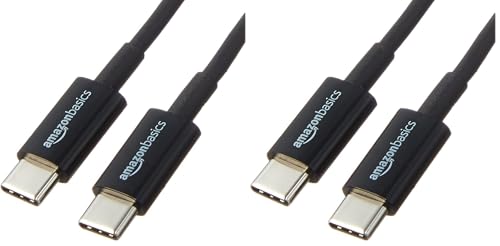
7. Amazon Basics USB-C to USB-C 2.0 Cable Pack of 2
No frills, two long USB-IF certified cables for the most basic jobs.
This is the cable for a drawer, a spare desk, or a guest room where speed was never the point. It carries up to 15W (5V at 3A) and moves data at 480Mbps, with a 6-foot run in the pack. It is USB-IF certified — the same independent testing body the higher-end picks use — which means it should behave predictably with any USB-C device. For a phone on a nightstand or a tablet at a kitchen counter, 15W is enough.
The honest limit is the wattage. At 15W this cable will charge a laptop very slowly or barely at all, and the manufacturer states limited charging speed for PD-enabled devices (Power Delivery, the fast-charging standard most laptops lean on). It is exactly the wrong cable for a MacBook Pro or a gaming laptop. It is exactly the right spare for the small stuff, and the 6-foot length makes it more useful than a short stub.
Two things keep it on the shortlist: certification and price. The 2.8-ounce ship weight suggests a molded build that is light to carry, and the round connector housing is familiar rather than clever. Feedback here is thin but entirely positive — satisfied buyers who found it worked and felt of good quality. Buy this for the devices that live on slow charging and treat it as a reliable filler cable, not a power cable.
The certification dividend: USB-IF testing means the cable should work as promised, which matters more on a cheap cable than on a premium one.
The 15W ceiling: this will not fast-charge a laptop or a PD-hungry phone — go up the list for those.
Get it for: spare charging on a phone, tablet, or accessory where 15W is plenty and a certified cable is enough of a promise.
Avoid it for: any laptop or fast-charging phone — the 15W limit makes it the wrong tool for high-power jobs.
8. Belkin USB-C to USB-C Cable, USB4, 6.6ft

USB4 speed and 240W charging, with the extra feet to actually reach.
Short USB4 cables are a recurring annoyance when your dock sits far from the laptop. Belkin answers with 6.6 feet of USB4: 20Gbps data (gigabits per second, and the maker claims it is four times faster than USB 3.0), 4K@60Hz HDR video to a monitor (4K resolution at 60 frames per second with high dynamic range), and up to 240W of power delivery — all at a length the Acer at 3.3 feet cannot match. If your setup wants reach and speed together, this is the pick that gives you both.
The cable is USB-IF certified and backward compatible with Thunderbolt 4, Thunderbolt 3, USB 3.2, USB 3.0, and USB 2.0 devices up to 20Gbps. The fire-resistant jacket is a small confidence detail for a cable that sits under a desk for years. Compatibility is the trait that draws the most approval, with quality close behind — buyers describe it as a solid everyday cable that just works with their gear.
What it is not: a Thunderbolt 5 or 80Gbps cable. Where the Silkland pushes 80Gbps, this Belkin holds at 20Gbps, so if you shuttle huge video projects daily the Silkland is the faster lane. For monitor duty at 4K@60Hz and daily charging up to 240W, 20Gbps is more than enough, and the 6.6-foot length solves real problems the short cables create.
The fit: a desk where the laptop and dock sit apart and you want one USB4 cable to close the gap at 240W and 20Gbps.
The trade-off: 20Gbps is half the speed ceiling of an 80Gbps cable, so it is not the pick for the most data-hungry workflows.
9. Silkland USB4 for Thunderbolt 5 Cable 5FT

The data-heavy workhorse: 80Gbps one way, 240W the other.
If you move large files for a living, the number that matters is 80Gbps. The maker states it shifts a 6GB file in 1 second, and claims 120Gbps unidirectional display bandwidth — three times Thunderbolt 4 and USB4 40Gbps — for dual 8K@60Hz, triple 4K@144Hz, or a single 4K@540Hz display. That is a workstation-grade spec sheet for video editors, 3D artists, and anyone running multiple high-refresh monitors off one port.
Power keeps pace: 240W through PD 3.1 (48V at 5A), with a built-in E-Marker chip handling over-voltage, over-current, and short-circuit protection and stepping down for 60W, 100W, and 140W devices. The build backs it up — 48-strand braided nylon rated at three times the abrasion resistance, an aluminum shell for heat dissipation, and triple shielding (tin-plated foil, 28AWG oxygen-free copper, rhodium-plated connectors) to keep the signal clean. Performance and quality are both strongly praised in the feedback, with speed and material earning consistent approval.
The one honest flag is compatibility: this cable is built for Thunderbolt 5, Thunderbolt 4, USB4, and USB 3.2 ports, and a slice of buyers found it did not play nicely with their specific hardware. Before buying, confirm your machine’s port type and the actual speeds it supports, because the cable cannot create capability the port lacks. Do that, and this is the fastest, toughest cable on the page at 5 feet and 0.08 kg.
The numbers that sell it
- 80Gbps bidirectional, 120Gbps display bandwidth per the maker
- 240W PD 3.1 with E-Marker protection circuits
- 48-strand braid, aluminum shell, triple shielding
- USB-IF certified, 5-foot run
What to verify first
- Needs a Thunderbolt or USB4 port to hit its rated speeds
- Some owners mention compatibility trouble on their gear
- Overkill for phone charging or a basic desk
Buy it when: you run a Thunderbolt 5 or USB4 workstation and move big files or multiple monitors daily.
Not for: a phone-and-tablet household — you would be paying for speed your ports cannot use.
Know the Specs
Wattage and Power Delivery (PD)
Wattage is the ceiling on how much power a cable can safely carry. A 60W cable feeding a 240W laptop will not melt — it will throttle, and the laptop charges slowly. Power Delivery is the negotiation standard, and PD 3.1 is the newest version that open up the highest wattages. Wattage works like pipe width: a 240W cable only moves 240W if the charger on the other end supplies it. Always match the cable to your biggest device, not your smallest.
Data Speed: Mbps vs Gbps
The data rating is separate from the charging rating, and it is where cables quietly differ. The slowest picks here move 480Mbps (megabits per second) — fine for photos, slow for a full SSD clone. Then 5Gbps, 20Gbps, 40Gbps, and 80Gbps step up in big jumps, because the “G” is a thousand times the “M.” If you plan to use the cable with a monitor or a fast drive, buy for the data number you need. If it lives in a charger, the charging wattage matters far more.
The E-Marker Chip
An E-Marker is a tiny identity chip inside the connector that tells the charger and device how much current the cable can handle. Without it, a high-wattage charger may refuse to push full power because it cannot confirm the cable is safe. Every 240W pick in this list has one. It is also what lets a cable step down cleanly for a phone one minute and a laptop the next, without you thinking about it.
Bend Ratings and Longevity
Bend ratings are the closest thing to a lifespan promise in a cable spec. A 5,000-bend rating targets a daily commute; 10,000 and 36,000 bends target years of bag life. Braided nylon jackets resist fraying better than smooth rubber, and aluminum connector shells help shed heat on high-wattage cables. None of this makes a cable immortal — plug collars are still the first part to fail — but a higher bend number is real evidence of a sturdier build.
Common Questions
Will a 240W USB-C to USB-C cable charge my older 65W laptop?
Do I need an E-Marker chip to fast-charge a laptop?
What is the difference between a charging cable and a USB4 cable?
Can a USB-C to USB-C cable send video to my monitor?
Is a longer USB-C cable slower at charging?
How long should a USB-C cable last before it stops working?
Will a USB-C to USB-C cable work with my iPhone?
Can I use a 60W cable with a 100W charger?
Does a USB-IF certified cable matter when buying?
Can a USB-C cable carry both power and data at the same time?
The Bottom Line
The usb-c to usb-c cable that makes the most sense for most people is the UGREEN 240W 2-Pack because it covers both a laptop and a phone at 240W through PD 3.1 (Power Delivery 3.1, a fast-charging standard), reaches 10 feet without strain, and survives daily bag life with its braided build. If your desk needs speed and a monitor, grab the Silkland 80Gbps USB4 cable for the fastest data lane on the page. And for a pure household stock-up of long, tough 60W cables, the Anker 5-Pack is the one to reach for.
One last thought worth keeping in mind: a cable is one of the few pieces of tech where the highest-rated, most-reviewed option is actually the value pick. The UGREEN pair carries a 4.5+ star score with thousands of ratings behind it, which is the kind of track record a commodity cable rarely earns. Match the wattage to your hungriest device, check the data rating if you move files or drive a monitor, and the cable stops being the weak link.
How we choose
We do not accept paid placement. Every pick is matched to a real buyer and a real use-case; we do not hands-on test units.
Sources
Specifications: manufacturer listings and product documentation. Review insights: verified customer reviews, as of November 2026. Pricing: not shown on this page (it changes often); check the current price via the retailer link.
As an Amazon Associate, Tactical Gear Guy earns from qualifying purchases. This does not affect which products we feature.