Specs are compiled from manufacturer listings and verified buyer reviews and can change over time — please confirm the key details on the product page before buying.
You want a desk or cordless phone that plugs into your internet and just works, without a technician visit or a monthly line rental. The nine phones below cover every real type of VoIP phone — desk handsets with dozens of programmable keys, cordless DECT sets that roam a warehouse, and home-service bundles that replace a landline outright. Each one runs on SIP, the standard language business phone systems speak, so your provider can register it once the network sees it.
This guide is built by comparing the manufacturers’ published specifications and the patterns across verified customer reviews, so you get each pick’s real strengths and trade-offs instead of marketing spin.
The catch nobody mentions up front: several of these phones ship without a power brick because they expect power over Ethernet from your switch. Check what is in the box before you order, and you avoid a dead phone on day one. Here are the types of voip phones worth your desk space, sorted by what each one actually does best.
Top Picks
How To Choose The Best Types of VoIP Phones
The first decision is not brand, it is shape. A fixed desk phone suits someone who sits at one workstation all day and transfers calls constantly. A cordless handset suits anyone who walks between an office, a stockroom and a shop floor while the phone keeps ringing. A home-service bundle suits a household swapping out a landline. Settle the shape first and only a handful of specs still matter.
Lines vs. SIP accounts — the number that actually limits you
A line is one call path the phone can hold or answer at the same time. A SIP account is one registration with your phone provider. Most people need one or two of each and never think about it again. Busy reception desks and managers who cover several numbers need more of both, and that is where the cheap models run out of room.
Power over Ethernet, and why the power brick is missing
Many business desk phones draw their electricity from the network switch through PoE, so the box ships without an adapter. That saves a wall socket and cuts cable clutter. It also means a phone plugged into a plain home router will sit dark until you buy a separate supply or add a PoE switch. Read the box contents before you click buy.
BLF keys, headset support and the small stuff that decides your day
BLF (busy lamp field) keys are the little lights beside a colleague’s name that show whether they are on a call. On a reception phone they save a hundred interruptions a day. Headset support matters just as much if you wear one for hours — check whether the phone takes a USB headset, an RJ9 wired headset, or Bluetooth.
Side-by-Side Comparison
| Model | Best For | Lines / SIP Accounts | Display | PoE | Amazon |
|---|---|---|---|---|---|
| Grandstream GXP2135★ Best Overall | Everyday office desk | 8 lines / 4 SIP | 2.8-inch color | Built-in | Amazon |
| Grandstream DP720 DECTBest for Roaming | Roaming cordless work | Needs DP750 base | — | — | Amazon |
| Poly VVX 411Reception Ready | Multi-line reception | 12 lines / 4 soft keys | 3.5-inch color | Yes | Amazon |
| Ooma Telo + HD3 | Replacing a home landline | Single-line operation | 2-inch color (handset) | — | Amazon |
| Grandstream GXP2170 | Busy multi-line desk | 12 lines / 6 SIP | 4.3-inch color | Integrated | Amazon |
| Yealink W73P | Cordless office system | Up to 10 SIP accounts | 1.8-inch color | — | Amazon |
| Fanvil X210 | Manager with DSS keys | 20 SIP lines | 4.3-inch + two 3.5-inch | Dual-port Gigabit | Amazon |
| Yealink T57W | Touch-screen executive | 16 VoIP accounts | 7-inch adjustable touch | 802.3af | Amazon |
| Cisco CP-7841-K9 | Cisco-network desks | Four line keys | 384×106 grayscale | — | Amazon |
Detailed Reviews
1. Grandstream GXP2135 IP Phone | 8 Lines, 4 SIP Accounts
Our pick — 4.5+★ from 250+ verified ratings; the strongest balance of quality and price.
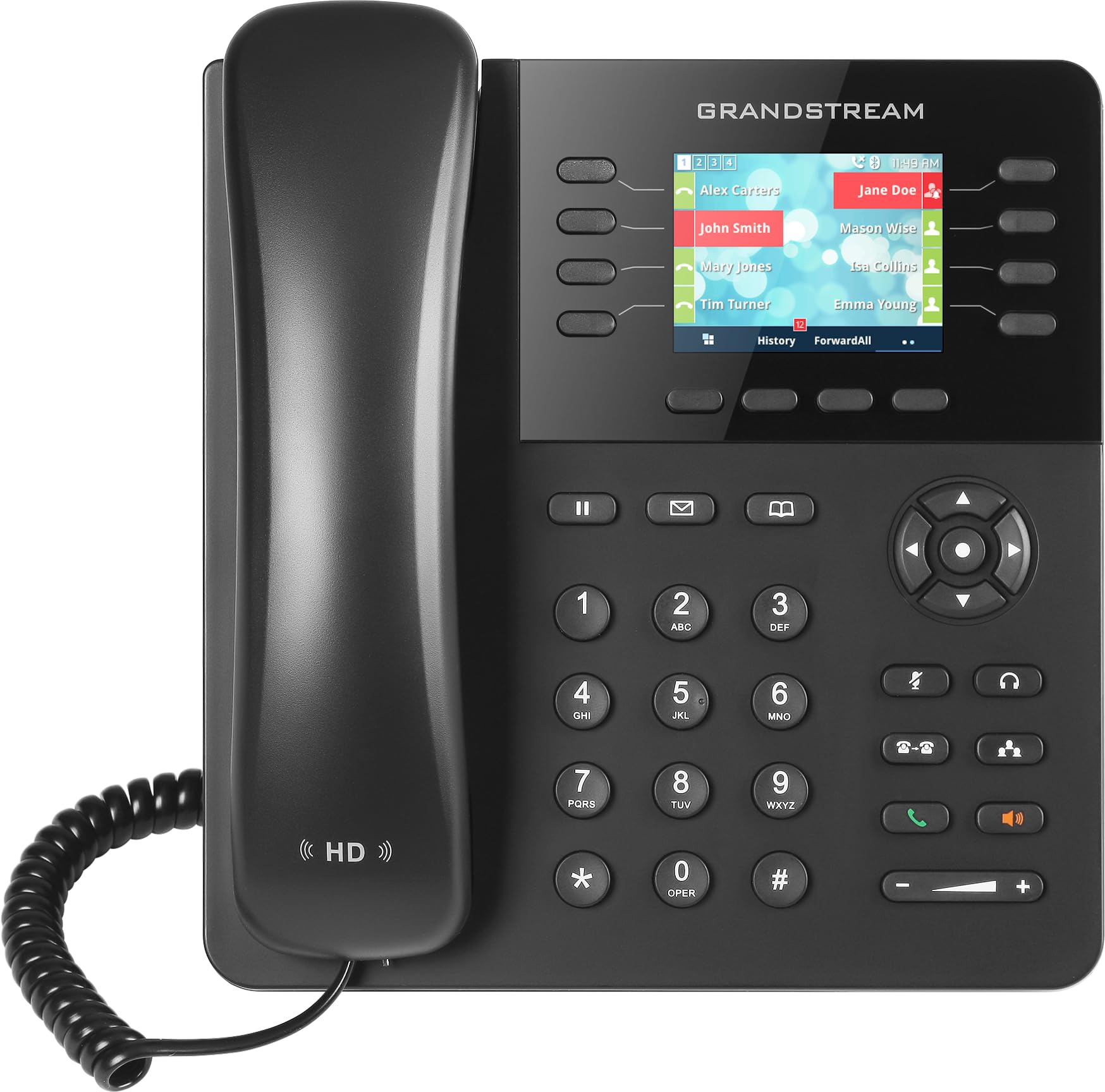
A small-office desk phone with 32 programmable BLF keys, built-in Bluetooth and PoE for well under big-switchboard money.
This is the pick for the office manager who needs a real key panel behind the desk. Thirty-two programmable BLF/speed-dial keys let you put every colleague’s extension on a labelled button that lights up when they are on a call. That means you can see who is free before you transfer, without dialling and hoping.
Compared with the GXP2170 higher up this list, you give up some capacity: this model runs 8 lines and 4 SIP accounts against the 2170’s 12 lines and 6 SIP accounts, and 32 BLF keys against 48. For a team of a dozen or fewer, that trim is invisible in daily use. The 2.8-inch color display is where it shows — it is a small screen, and reading a name at a glance takes a second look.
Where it earns its keep is the fit and finish. The handset feels solid in the hand, the HD audio on the speakerphone is full duplex (both ends can talk at once without cutting each other off), and the built-in Bluetooth pairs a headset or a mobile phone for contact books and call transfer. Dual auto-sensing Gigabit ports let you daisy-chain a PC through the phone on one wall drop.
What earns its place on the desk
- 32 programmable BLF/speed-dial keys put the whole team on lit buttons — no dialling to check if someone is free.
- Built-in Bluetooth pairs a wireless headset or a mobile for contact books and call transfer.
- Dual auto-sensing Gigabit ports plus built-in PoE mean one cable to the wall carries power and network.
- HD audio on both handset and speakerphone, with a full duplex speakerphone for hands-free calls.
Where it asks you to compromise
- The 2.8-inch display is small — plan on leaning in to read caller names from across the room.
- Feature depth takes a little study; changing wallpaper and screensaver is far easier on the computer dashboard than on the phone itself.
- Four SIP accounts will feel tight if you cover several providers or a shared reception line.
It carries the highest review score on this list — 4.5+ stars across 280+ owners — and the solid handset and speakerphone build is why. One owner said it runs like a more expensive model. The screen size is the trade-off buyers raise most, followed by setup depth on the device itself.
Reach for this if: you run a small office, a clinic front desk or a support line and want a key panel that shows the whole team’s status at a glance.
Think twice if: you regularly juggle more than four SIP registrations — the GXP2170 further down gives you six.
2. Grandstream DP720 Dect Cordless VoIP Telephone
A walk-around handset that keeps you reachable across the floor, not chained to a desk.
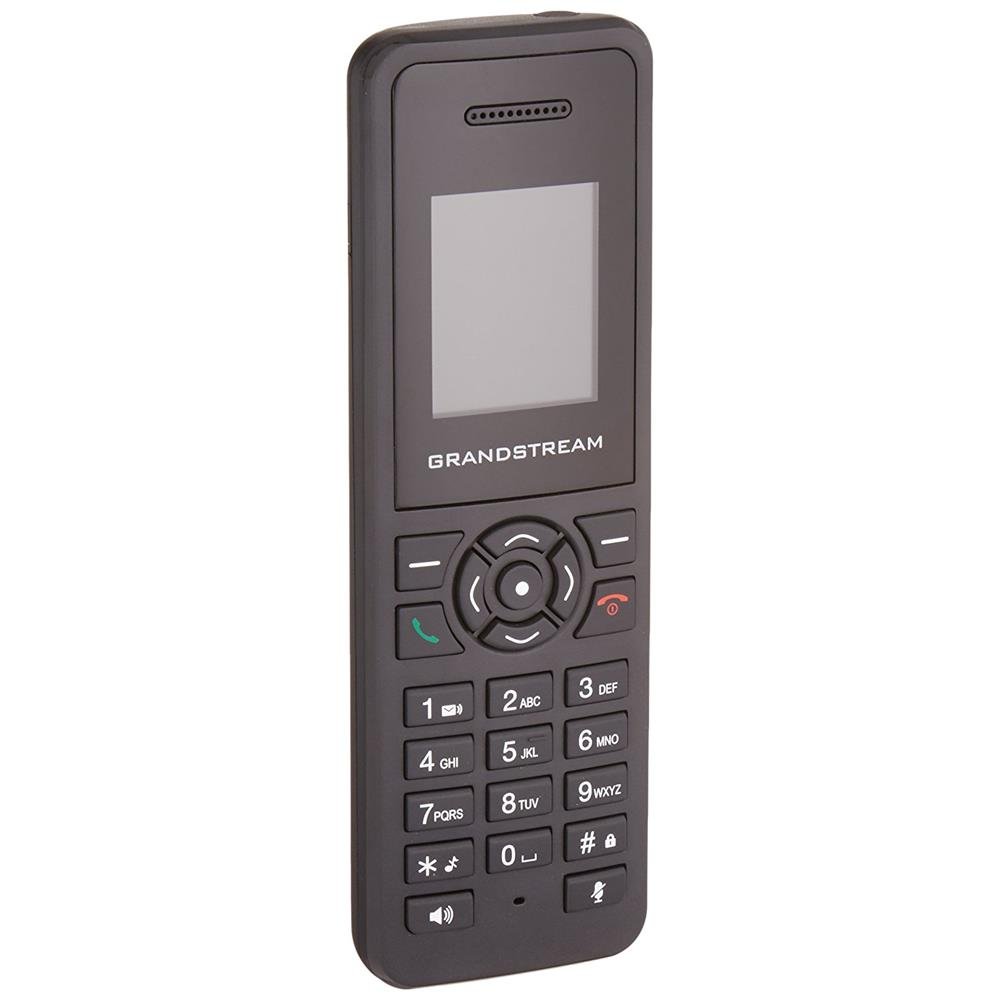
Here is the type of VoIP phone most warehouses and workshops overlook: a cordless DECT handset. DECT is the dedicated wireless standard for voice, so it holds a stable link further from the base than a Wi-Fi handset and does not compete with your data traffic. This one pairs to a Grandstream DP750 base station, so it is an add-on handset rather than a standalone phone.
At 9.6 ounces it sits light in the hand, and a dedicated MWI (message waiting indicator) lamp flashes for voicemail and missed calls. Two standard AAA rechargeable batteries are included, so you swap them like any household battery instead of hunting a proprietary pack. Reception in a metal-racked warehouse is the use case buyers describe, and it holds up there.
The honest limit is where the sound lands. Clarity of the handset divides opinion sharply — some love it and some find the earpiece thin. Setup and pairing are the strong suit, and the phone itself feels light-duty in the hand, which is a fair trade for the price. Keep it on the charger between calls and the batteries stay topped up.
The best fit: a second or third handset on an existing Grandstream DECT base — a shop floor, a back office, a stockroom — so the person picking stock can still answer.
What to know first: it needs a compatible DP750 base to register; bought on its own with no base, it will not make a call.
Suits you when: your team already runs a Grandstream DECT base and you need coverage that reaches the far aisle.
Not for you if: you want a single box that works straight from the router with no base station on the shelf.
3. Poly VVX 411 12-Line VoIP Business Phone
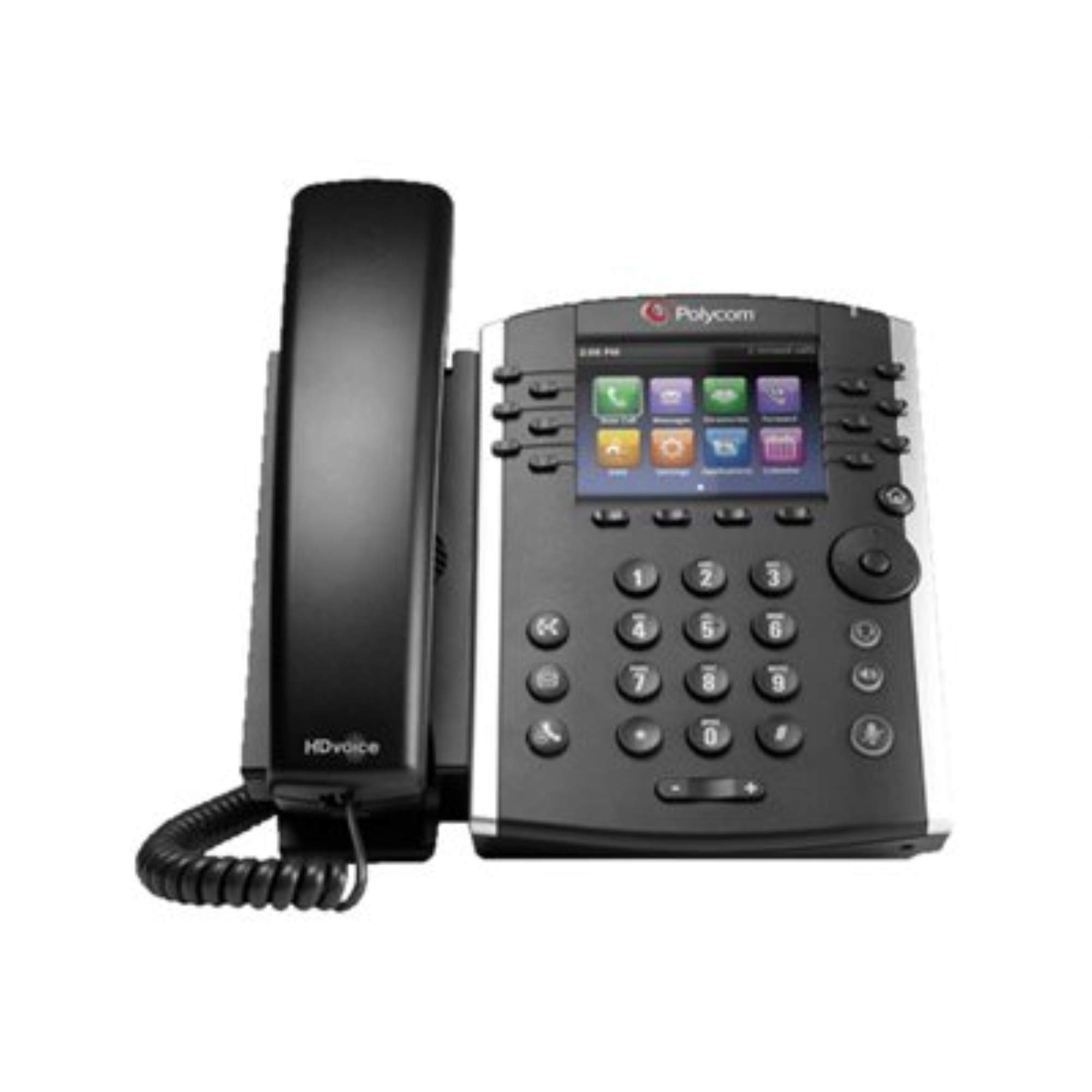
Twelve line keys, a backlit 3.5-inch screen and a speakerphone built to sound like a meeting room.
A reception desk lives and dies on transfer speed, and this is the shape built for it. Twelve line keys cover your lines plus autodial or contact keys, and four context-sensitive soft keys put transfer, conference and call park right where your thumb already is while you are mid-call. No menu diving to move a caller along.
The audio side is Poly’s Acoustic Fence and HD voice, paired with a full duplex speakerphone that keeps both ends audible at once. Two high-speed 10/100/1000 Ethernet ports have an integrated switch, so one wall drop feeds the phone and your PC. Power over Ethernet is built in, which removes the separate adapter from your desk — and yes, the adapter is genuinely not in the box.
That missing power supply is the one thing to plan around. If your switch does not push PoE, budget for an adapter or the phone stays dark. Durability and ease of use read well across the reviews, with the sturdy build and real buttons getting plenty of credit; the recurring caveat is that a unit can fail early, so buy where returns are easy.
Where it shines: the button feel. If you like real keys to push and a screen you can read across a counter, this is the desk phone’s desk phone.
The one snag: no AC adapter is included, so confirm your PoE switch before you plan the desk layout.
Built for: a reception or front-desk role where forward, park and conference are the day’s main verbs.
Skip past it if: you need tight out-of-the-box integration with a specific open-source PBX and want minimal tuning.
4. Ooma Telo VoIP
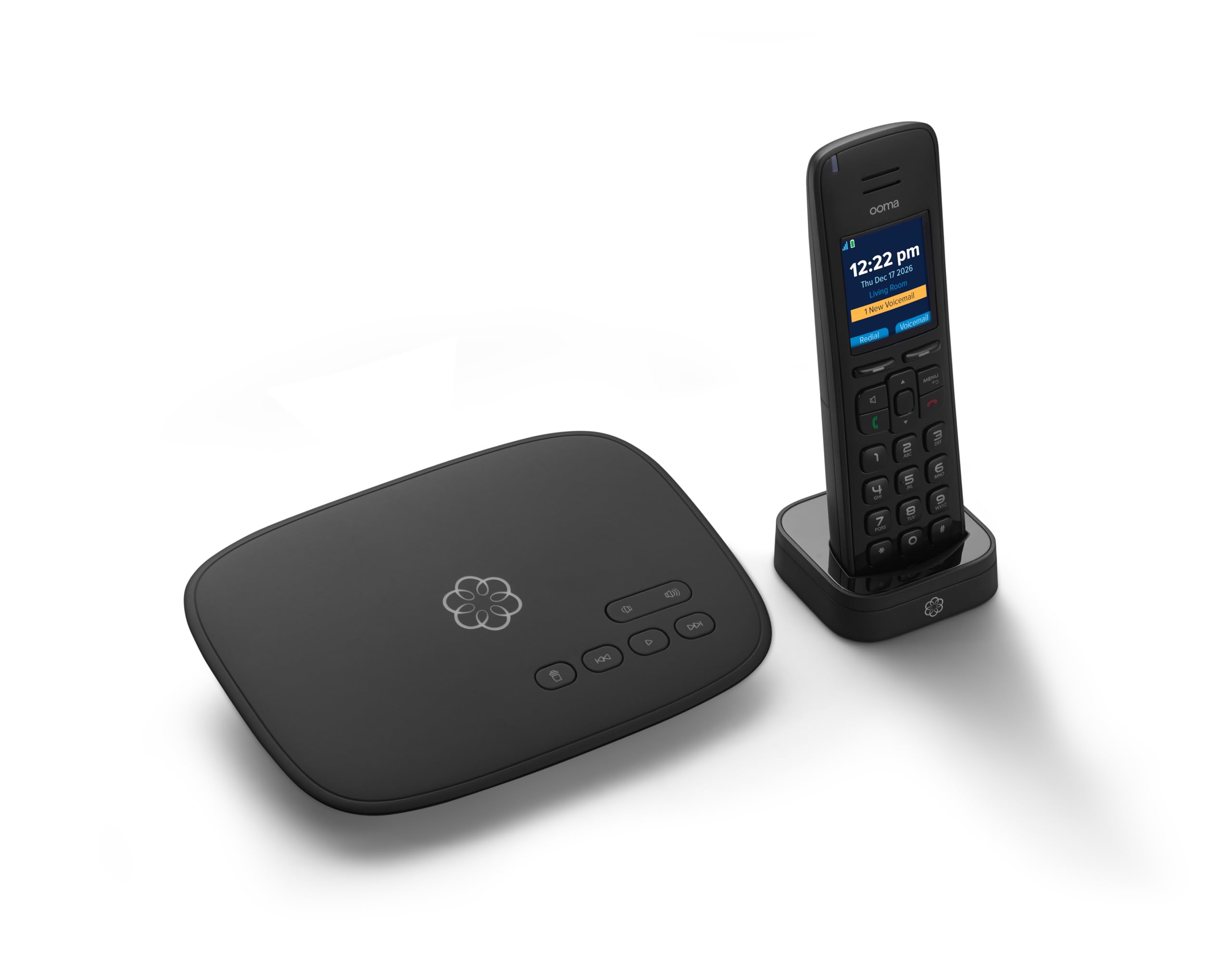
A VoIP bundle that replaces a copper landline outright: base unit, HD3 cordless handset and calling service in one box.
This is a different animal from the desk phones. Ooma Telo pairs a base unit with an HD3 cordless handset and a phone service, so you are not hunting a SIP provider to register it. Nationwide calling runs free, you pay the applicable monthly taxes and fees, and the plan includes voicemail, caller-ID, call-waiting, 911 calling and text alerts. It works only in the US.
The HD3 handset carries a 2-inch color display and a full duplex speakerphone, and the Ooma mobile app lets you answer your home line from a phone in your pocket. Setup is the part buyers praise hardest — plug the base into your router, pair the handset, port your number. One owner ported a home number and cancelled the old carrier in the same afternoon.
Two things to get right before ordering. First, it is a wired box: it needs an Ethernet connection to your router, and it does not run over Wi-Fi on its own. Second, sound quality is the split opinion here — plenty of homes report clear calls, while others find the HD3 earpiece hard to follow. A stable internet connection is the underlying requirement for all of it.
The appeal: one package that replaces a copper landline with internet calling, including the handset, the service and number porting.
Do this first: check that your router sits somewhere you can run a cable to the Telo, because a Wi-Fi-only setup will not work.
Pick it if: you want a home phone across the house and a predictable monthly bill instead of a landline carrier.
Look elsewhere if: your internet is unreliable or your router has no free Ethernet port — the Telo cannot paper over either.
5. Grandstream GXP2170 IP Phone | 12 Lines, 6 SIP Accounts

Forty-eight on-screen keys and a 4.3-inch screen for the person who answers everyone’s calls.
Step up from the GXP2135 and the buttons grow in every direction. This model gives you 12 lines and 6 SIP accounts against that phone’s 8 lines and 4 accounts, plus 48 on-screen customizable BLF/speed-dial keys against 32. Add up to four GXP2200EXT expansion modules and you can reach up to 160 contacts on lit keys. For a switchboard or a manager covering a whole department, that is the difference between scanning a panel and hunting a directory.
The 4.3-inch 480×272 color LCD is big enough to read a caller name without leaning in, and five soft keys plus 5-way voice conferencing handle a bridge call from the desk. Dual Gigabit ports with integrated PoE keep the wiring to one cable. Pair it with a Grandstream UCM PBX and the value sharpens further.
Reliability is the caveat to weigh. Most units run steady for months on end, but the occasional phone freezes and needs a reboot, and a few lose audio on the far end over time. Setup is either a breeze or a project depending on your PBX. It is also a substantial piece of hardware at 1.43 kg — the GXP2135 above is a lighter 1.12 kg on the same desk.
Why it earns the space: 48 programmable keys plus expansion modules turn a whole department into one glanceable panel.
The honest trade: a heavier body at 1.43 kg and an occasional freeze that a reboot clears — plan for a spare.
Made for: the receptionist or office manager who fields calls for a dozen extensions and wants every name on a button.
Wrong call if: a simple two-line desk setup is all you need — the GXP2135 does that with less hardware on the desk.
6. Yealink W73P DECT Cordless IP Phone System

A base station plus handset that grows to ten cordless phones on one system.
Where the DP720 is a single add-on handset, this is the whole cordless office in a box: a W70B base station and a W73H handset, ready to register more handsets as you hire. The system handles up to 10 DECT cordless handsets and up to 10 SIP accounts, with up to 20 simultaneous calls. One base, a whole floor covered.
The battery is the headline number — up to 35 hours of talk time and up to 400 hours of standby, both quoted under ideal conditions. That is a handset you charge overnight and forget about, not one that dies mid-shift. The 1.8-inch 128 x 160 TFT color screen is small but sharp, driving an interface that is easy to pick up. A Noise Reduction System and FNR (Flexible Noise Reduction) tighten speech clarity, and the Opus audio codec keeps voice crisp on compatible networks.
Build quality is the strongest suit in owner feedback — this is a phone that takes being carried around a warehouse, and reception holds up across a metal-racked floor at distance from the base. Compatibility draws praise too, whether the platform is Zoom Phone or 3CX. The smaller review base is the honest note: this is a newer system than the desk-phone stalwarts here, so fewer long-term field reports exist.
Best for: a growing office or shop that wants cordless reach without wiring a handset to every desk.
The scale note: start with the included handset and base, then add handsets as the team grows — up to 10 on the system.
Choose it when: you want one base to grow into a ten-handset cordless fleet and battery life that stretches past a full shift.
Stay clear if: you need a large documented pool of long-term owners to lean on before committing.
7. Fanvil X210 Enterprise VoIP Phone
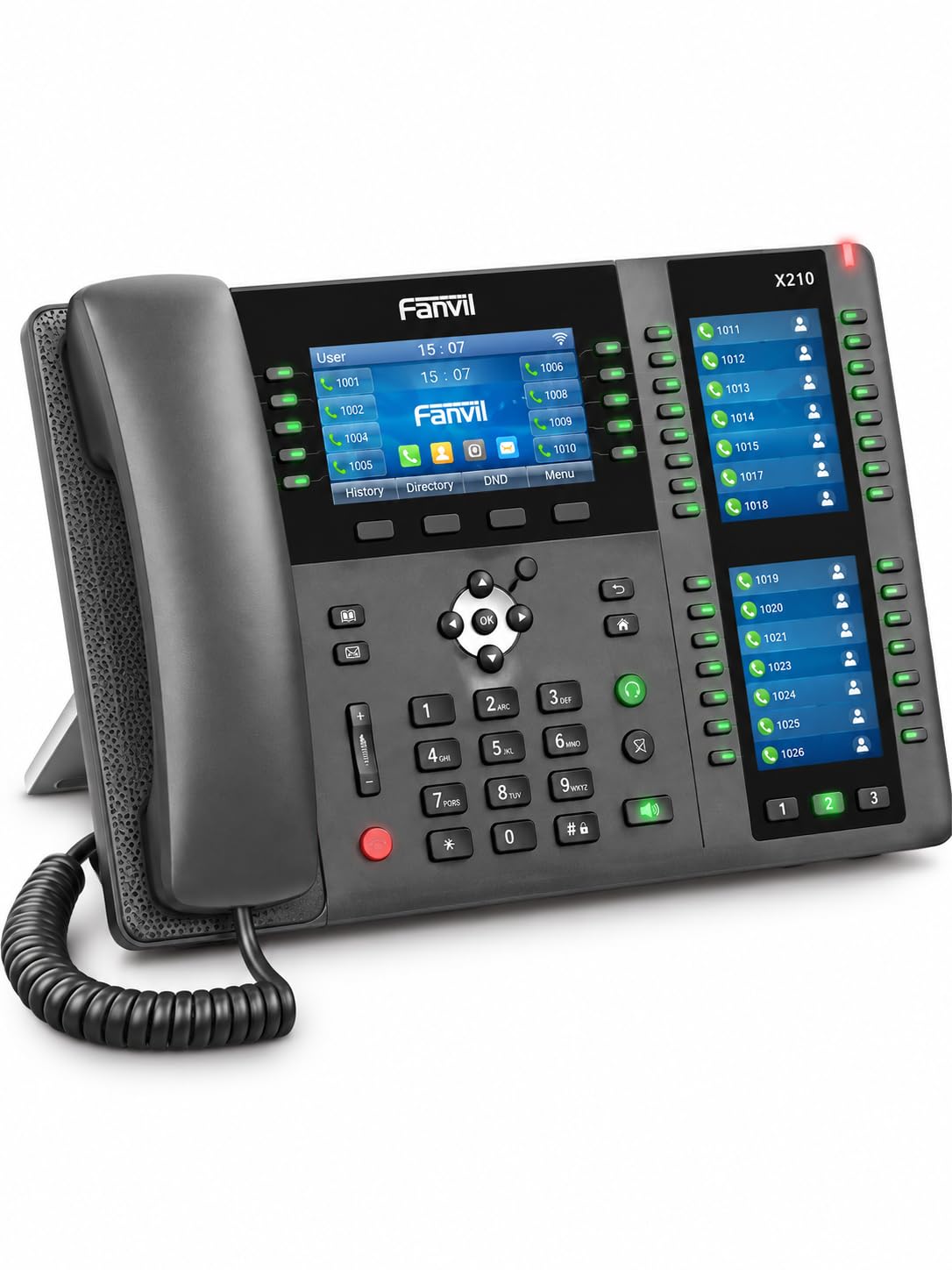
Three color displays and twenty SIP lines for the busiest desk in the building.
The spec that jumps off the sheet is the screen layout. A 4.3-inch main color display sits beside two 3.5-inch side color displays dedicated to DSS (direct station select) keys — the same idea as BLF keys, showing who is on a call on a screen instead of a tiny lamp. Twenty SIP lines across dual-port Gigabit Ethernet make this a manager’s or dispatcher’s phone, not a general-issue handset.
Fanvil points this at business managers and busy office professionals, and the compatibility list reads like a PBX directory: 3CX, Asterisk, BroadSoft, Avaya, Metaswitch and Elastix are all named. That breadth matters if your IT team runs a platform that is not the office default. It is a chunky piece of hardware at 3.9 pounds, so plan desk space and a firm surface.
Two practical points before you order. The power adapter is not included, so the phone expects PoE from your switch or a separate supply. And the review base is thin compared with the desk-phone veterans on this list, so long-term wear is less documented. Conference calling is listed as 2-way, which is a basic bridge rather than a group call.
What sets it out: the dedicated side screens put DSS keys in front of you without paging through menus on the main display.
Plan around this: no power adapter in the box, so confirm your PoE switch or budget for a supply.
Right for: a dispatcher, front-of-house manager or multi-line operator who wants every contact on a screen key.
Overkill if: your team runs two lines and a shared extension — the simple key phones here cost less desk space.
8. Yealink T57W IP Phone, 16 VoIP Accounts

A 7-inch adjustable touch display and 29 touch keys, built for a heavy call load.
This is the executive shape: a big 7-inch 800×480-pixel color touch display that tilts to your eye line, and 29 touch keys on top of 16 SIP accounts. Instead of hunting labelled buttons, you tap the screen. HD Voice runs through Yealink Acoustic Shield, a noise-handling layer aimed at open-plan offices where the person beside you is on their own call.
The connectivity is where it pulls away from a plain desk phone. 802.11ac Wi-Fi means you can place it where there is no network drop, dual-port Gigabit Ethernet with 802.3af PoE keeps the wired route clean, and a USB 2.0 port takes a wireless USB headset or handles call recording. It also works with DECT dongles and up to four compatible cordless handsets, so one desk can cover the whole floor.
Read the box carefully. The power adapter is not included — this phone expects PoE from your switch or a separate supply, and a fair number of buyers were caught out by that and had to reuse an old adapter. Functionality reports split between units that provision cleanly and the occasional dead-on-arrival unit, so buy with a return window you trust.
Why an executive would want it
- 7-inch 800×480 adjustable color touch screen with 29 touch keys — a menu you can actually tap through.
- 802.11ac Wi-Fi frees the phone from a fixed network drop.
- USB 2.0 handles call recording or a wireless USB headset in one port.
- 16 SIP accounts and DECT support let one desk cover a whole department.
What trips people up
- No power cord in the box — PoE switch or separate supply required.
- A small share of units arrive faulty, so the return path matters.
The one for: a manager who spends the day on calls and wants a large readable screen rather than a button field.
Second-guess it if: you have no PoE switch and no spare adapter, because a brick-less box will not boot.
9. Cisco CP-7841-K9 7800 Series VoIP Phone

The no-frills desk handset for offices already running Cisco phone systems.
Four line and programmable feature keys, a 384×106-pixel graphical grayscale display, and dedicated fixed keys for the everyday actions. That is a deliberately plain sheet, and for a desk that needs to answer, hold and transfer, plain is a feature. Wideband audio is supported on the handset, speaker and headset for clearer speech than a narrowband line.
The built-in speakerphone gives you hands-free, and the phone lists compatibility across VoIP services, Cisco’s own platform, third-party services and Ethernet-based networks. It is light at 0.87 kg — easy to shift around a desk. What is not included is the power supply, so the same PoE rule applies as to the Poly and Yealink desk phones here.
Be realistic about fit. This is a general-issue handset, not a feature panel: no giant screen, no touch, no three-screen DSS layout. If your organization already standardizes on Cisco, it slots straight in. If you are building from scratch, the Grandstream and Yealink picks on this list give you more buttons and a larger screen for less desk real estate.
The appeal: a clean, familiar handset that fits an existing Cisco-managed fleet with minimal fuss.
Set expectations: four lines and a grayscale screen cap what it can do — this is a working phone, not a switchboard.
Good fit for: a standard office desk inside a Cisco phone deployment that needs a reliable everyday handset.
Look past it if: you are starting fresh and want a color screen or more than four line keys without changing platforms.
Know the Specs
Lines vs. SIP accounts
A line is a call path you can hold or answer simultaneously; a SIP account is a registration with your provider. The GXP2135 offers 8 lines over 4 SIP accounts while the GXP2170 raises that to 12 lines and 6 SIP accounts — useful if more than one person shares the phone or you cover several numbers. Match these to your busiest hour, not your quietest.
PoE and the missing power brick
PoE (power over Ethernet) sends electricity down the same network cable as data, so a PoE switch can power the phone with no wall adapter. Phones that list PoE still often ship without a supply, which is why the Poly VVX 411, Yealink T57W and Cisco CP-7841 all come adapter-free. Confirm your switch pushes PoE, or buy the adapter separately.
BLF and DSS keys
BLF (busy lamp field) keys are labelled buttons beside each colleague that light up when they are on a call. DSS (direct station select) keys do the same job on a screen. The GXP2135 carries 32 BLF keys and the GXP2170 doubles the expansion room with 48 plus support for add-on modules. On a reception desk, these keys replace a lot of dialling.
DECT cordless range and battery
DECT is a dedicated voice wireless standard, separate from Wi-Fi, so calls do not fight your data traffic. The Yealink W73P quotes up to 35 hours of talk time and 400 hours of standby, and can register up to 10 handsets on one base. A DECT handset like the DP720 needs a compatible base first — it is an add-on, not a standalone phone.
Common Questions
Will a VoIP desk phone work with my regular home internet router?
Do I need a base station to use a DECT cordless VoIP handset?
What is the difference between lines and SIP accounts on a VoIP phone?
Can I use a wireless headset with these phones?
Is a PoE switch required, or can I buy a power adapter separately?
Does a VoIP phone work during a power cut or internet outage?
How many handsets can I add to the Yealink W73P system?
Can I keep my existing home phone number with Ooma?
Which VoIP phone has the best call quality on this list?
Do these phones work with 3CX or Zoom Phone?
The Bottom Line
The types of voip phones winner for most offices is the Grandstream GXP2135: 32 programmable BLF keys, built-in Bluetooth and dual Gigabit PoE ports at 4.5+ stars, the highest score on the list. If you need to grow into a switchboard, the Grandstream GXP2170 doubles the keys and adds a bigger 4.3-inch screen. And for a cordless office that covers the whole floor, the Yealink W73P grows to ten handsets on one base.
Whichever you choose, match the shape to your day — desk, cordless or landline replacement — rather than the longest spec sheet.
How we choose
We do not accept paid placement. Every pick is matched to a real buyer and a real use-case; we do not hands-on test units.
Sources
Specifications: manufacturer listings and product documentation. Review insights: verified customer reviews, as of November 2026. Pricing: not shown on this page (it changes often); check the current price via the retailer link.
As an Amazon Associate, Tactical Gear Guy earns from qualifying purchases. This does not affect which products we feature.