Specs are compiled from manufacturer listings and verified buyer reviews and can change over time — please confirm the key details on the product page before buying.
Most people who buy a Surface Pro keyboard end up frustrated by the touchpad, not the keys. The cursor jumps. The right-click stops working. Two fingers on the pad do nothing at all. This guide is about the touchpad first and the keys second, because that pad is the part you use every minute you are not actively typing.
This guide is built by comparing the manufacturers’ published specifications and the patterns across verified customer reviews, so you get each pick’s real strengths and trade-offs instead of marketing spin.
You will see which covers wear the Microsoft name, which budget covers pair over Bluetooth and charge on their own cable, and which older covers stop at which Surface generation. The short version below is what most people need from the surface pro touchpad.
Top Picks

How To Choose The Best Surface Pro Touchpad
Your touchpad disappoints you most when it lags or drops out, and that depends on one structural question: does the cover talk to your tablet through the magnetic connector, or over Bluetooth? Key feel, backlight, and price tier all matter less than that connection.
Magnetic attachment versus Bluetooth pairing
A magnetic cover draws its signal and its power straight from the Surface’s connector, so there is nothing to pair and nothing to recharge. A Bluetooth cover runs on its own battery, charged with a USB-C cable, and the tablet treats it as a separate wireless device. Bluetooth covers tend to be cheaper, but you are now responsible for keeping one more battery topped up. Microsoft’s own covers are the magnetic type, and the budget third-party covers are almost all Bluetooth.
Confirm your Surface generation before anything else
The budget covers cluster around the 12.3-inch Surface Pro 3 through Pro 7+. The newer 13-inch tablets — Surface Pro 8, Pro 9, Pro 10 and the Copilot+ edition — use a different cover family entirely. One cover in this list deliberately covers the 13-inch machines instead. Buying across that line is the single most common mistake, because the cover will attach but the touchpad and typing will not work.
The touchpad needs a Windows settings visit
Several third-party covers ship with tap-to-click and right-click turned off by default. You fix it in Windows Settings under Bluetooth and devices, in the Mouse and Touchpad pages. Turn on tap with a single finger for a left-click, and turn on press the lower right corner to right-click. Skip that step and the pad will feel broken when it is not.
What the backlight and key count tell you
Key counts here run from 77 to 79, which is a full mechanical keyset either way — you are not losing a row to get a cheaper cover. The backlight is the more useful number. Microsoft’s covers light in a single color, while the budget covers offer a 7-color LED backlight you can dim.
Side-by-Side Comparison
| Model | Best For | Surface Fit | Connection | Backlight | Amazon |
|---|---|---|---|---|---|
| Surface Pro Signature Keyboard with Fingerprint Reader★ Best Overall | Everyday daily driver | Pro 8, Pro X | Magnetically | Single color | Amazon |
| mobee Type Cover for Surface Pro 7+/7/6/5/4/3Budget Champion | Cheapest working spare | Pro 7+ / 7 / 6 / 5 / 4 / 3 | Bluetooth | 7-color RGB | Amazon |
| Wireless Finest Surface Pro KeyboardTop Performer | Long typing sessions | Pro 3 / 4 / 5 / 6 / 7 / 7+ | Bluetooth | 7-color LED | Amazon |
| Seagtigau Type Cover (Wine) | Colour over grey | Pro 7+ / 7 / 6 / 5 / 4 / 3 | Bluetooth | 7-color RGB | Amazon |
| Zoof Type Cover (Sapphire) | Quiet typing | Pro 7+ / 7 / 6 / 5 / 4 / 3 | Bluetooth | RGB | Amazon |
| mobee 13-inch Keyboard for Surface Pro 11/10/9/8/X | Newest Surface Pro models | Pro 11 / 10 / 9 / 8 / X | Bluetooth | 7-color | Amazon |
| Microsoft Surface Pro Keyboard with Pen Storage | Pen owners | Copilot+ / Pro 9 / Pro 8 | Surface connector | Backlit | Amazon |
| Microsoft Surface Pro Keyboard | Pro X and Pro 8 owners | Pro X, Pro 8 | Bluetooth | LED backlighting | Amazon |
Detailed Reviews
1. Surface Pro Signature Keyboard
Our pick — 4.5+★ from 450+ verified ratings; the strongest balance of quality and price.
The cover that logs you in with a fingertip instead of a password.
This is the cover to buy if you want the touchpad to just work the moment it clicks down. It gives you a large touchpad for precise navigation and control, and it mounts through the Surface’s magnetic connector — so there is no Bluetooth pairing step, no separate battery to charge, and no chance of the pad dropping out mid-scroll. A built-in fingerprint reader handles sign-in, so you sit down, touch the pad, and you are already in Windows.
You get a full mechanical keyset with 78 keys, backlit in a single color, and the key spacing is set for fast, accurate typing like a traditional full-size keyboard. It measures 12.53″L x 10.01″W x 0.7″H and weighs 1.4 pounds — that 0.7-inch thickness is the layer that closes over your screen to protect it and save battery, and it folds flat back when you want to use the tablet on its own. Compare it to a slim third-party cover and the dimensions tell the story: the mobee Type Cover measures 11.3″L x 8.8″W x 0.3″H, while this Signature Keyboard covers a 12.53″ by 10.01″ footprint that exactly matches the 12.9-class Surface screen it sits on.
What wins people over is the magnet attachment — buyers describe a connection sturdy enough that the cover does not shift while you type on your lap. The backlight gets consistent thanks for evening work. The one thing to go in knowing: it only fits Surface Pro 8 and Surface Pro X, so if you own a Pro 7 or older, this is not your cover. And the Fingerprint Reader build is the pricier of the Signature options, so you are paying for the sign-in convenience rather than the keys.
What earns the top slot
- Magnetic connection means the touchpad works instantly, with no pairing and no charging
- Fingerprint Reader signs you into Windows with a touch
- Large touchpad with a 78-key backlit mechanical keyset
- Closes over the screen to protect it and conserve battery
Where it will not suit you
- Fits Surface Pro 8 and Surface Pro X only
- Backlight is a single color, not the multi-color budget option
Buy this one if: you own a Pro 8 or Pro X and want the pad to be the least interesting, most reliable part of your day.
The honest limit: that same magnetic fit locks it out of the 12.3-inch Pro 3 through Pro 7+ crowd entirely.
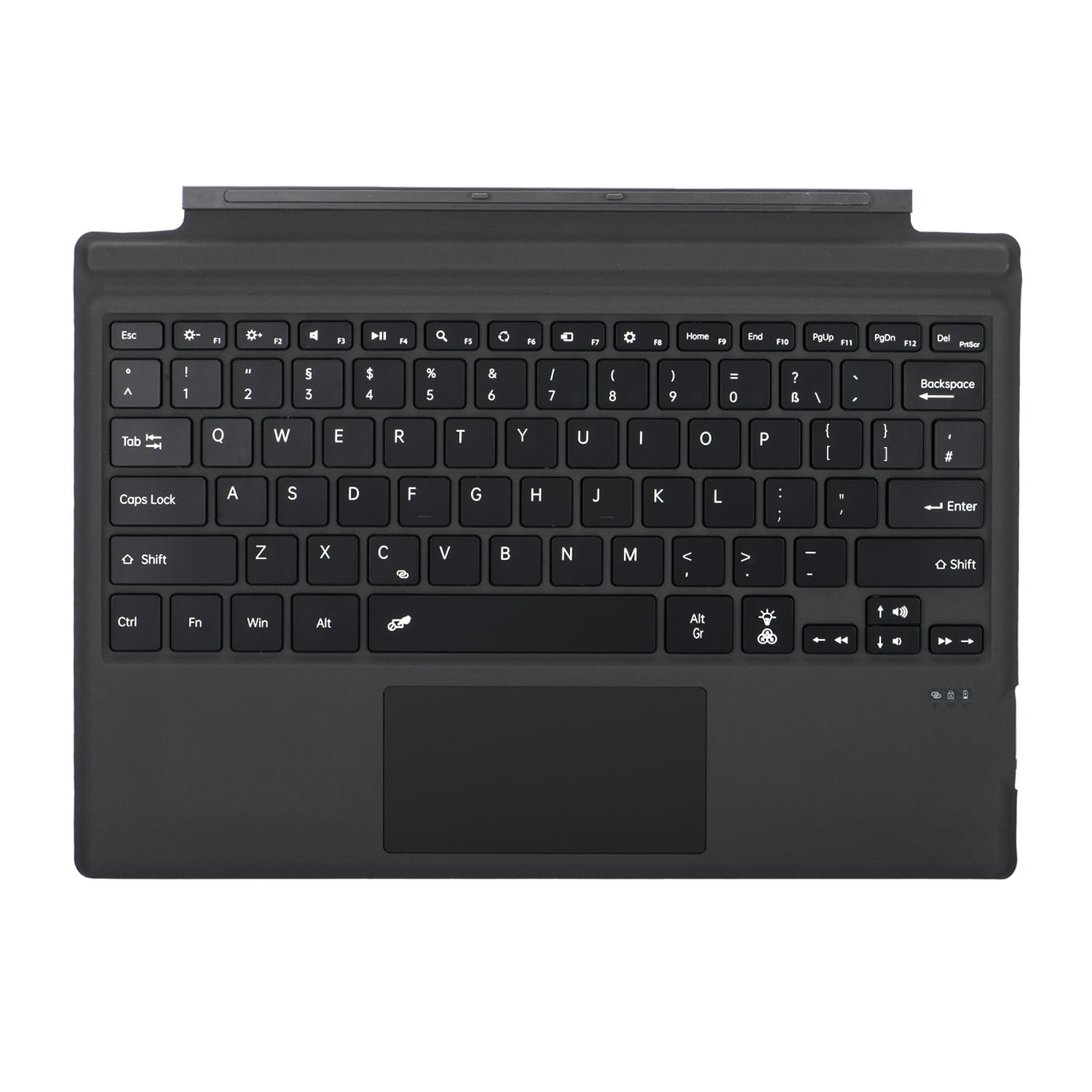
2. mobee Type Cover
A replacement cover that costs a fraction of the Microsoft original.
This is the cheapest sensible way back into a working keyboard and touchpad if your old cover died. It covers the 12.3-inch Surface Pro 3 through Pro 7+, and it attaches magnetically so you can detach the tablet and use it flat whenever you want. The difference is underneath: this one connects over Bluetooth and charges through a USB-C port, so it does not draw power from the Surface connector. mobee quotes over 3 months of standby time per charge.
The touchpad is a multi-touchpad with typical scroll and gesture support, and the keys carry a 7-color backlight in a polyurethane enclosure. Set-up is a one-time pair — after that it reconnects automatically when you open it. Worth budgeting five minutes for the Windows settings step, because tap-to-click and corner right-click are off until you switch them on.
Compatibility is what people praise most about this cover — it fits the listed Surface Pro generations cleanly and is treated as a straight replacement. The honest caveat is that function is split down the middle: some units work exactly as promised, and a share arrive or go dead and simply will not respond. That split is the real trade-off of the cheap Bluetooth route, and it is why this sits below the magnetic covers here rather than above them.
The value read: for the money, you get a functional backlit cover and a real touchpad across six Surface generations — a sensible stopgap rather than a lifetime purchase.
Check before you click buy: confirm your tablet is one of the 12.3-inch models, because this does not fit the 13-inch Pro 8 or newer.
Worth it for: budget-first buyers with an older 12.3-inch Pro who need a working pad today.
Think twice if: you want a cover that never needs a charge — this one runs on its own battery.
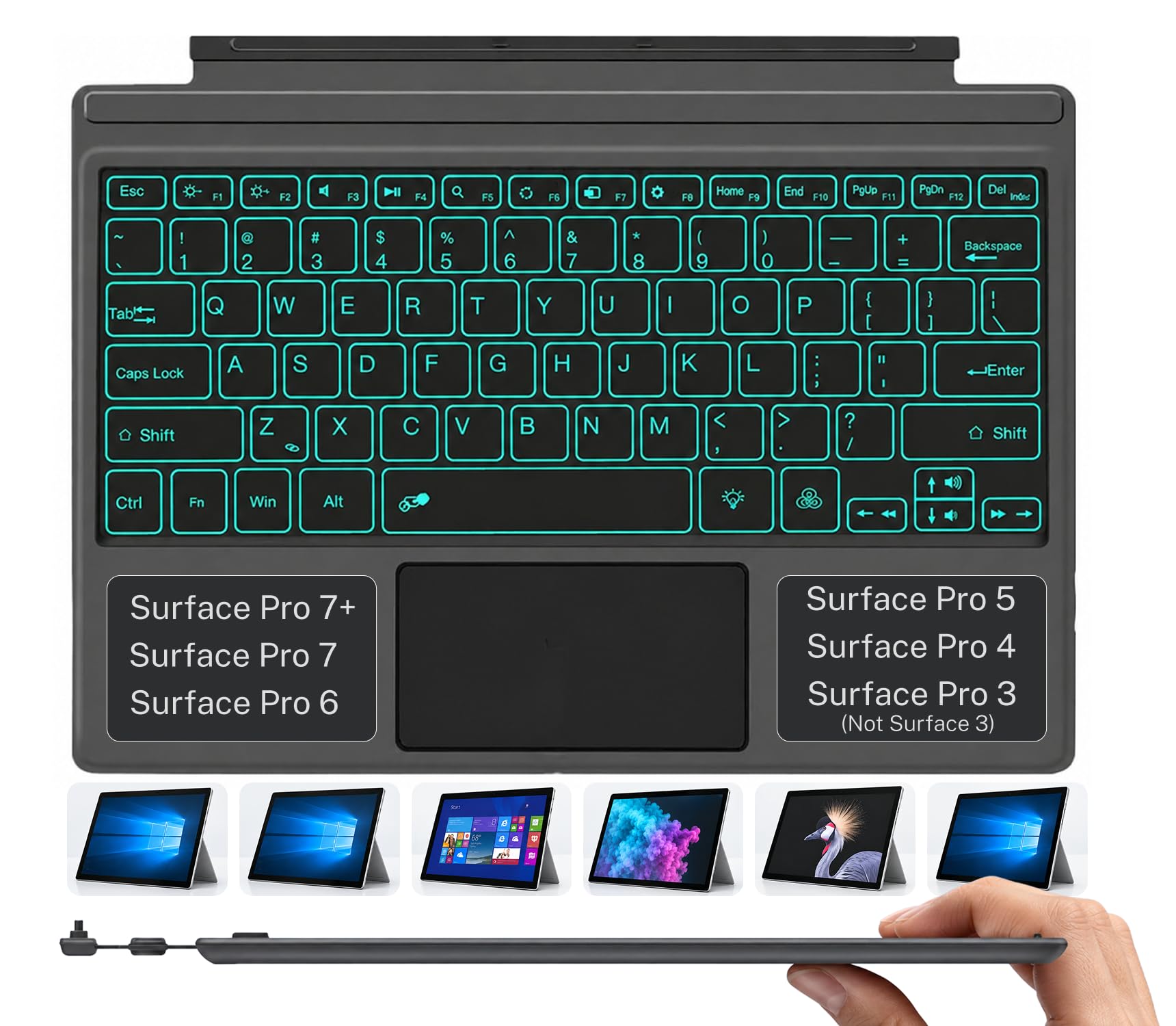
3. Wireless Finest Surface Pro Keyboard
The budget cover with the most track record behind it.
Type on this for an evening and the thing you notice is the quiet. The keys are quiet and the deck is sturdy, with an ergonomic tilt that keeps your hands from cramping on a long document. The trackpad is the part that earns its keep — it handles scrolling and multi-touch gestures so you can navigate and control the tablet like a mouse without lifting your hands off the keys. Detach it and it switches cleanly between tablet and laptop mode.
Build quality is the trait reviewers praise most often for this cover. Set-up is genuinely simple: pair it once over Bluetooth and it reconnects when you open it. The 7-color LED backlight gives you a dim-room-friendly glow. Be aware it charges by USB-C cable and does not draw power from the Surface magnet, so it is a separate battery to keep topped up, and it fits Surface Pro 3 through Pro 7+ at 12.3 inches.
The mixed signals are honest ones worth hearing. Battery life is the recurring complaint — some covers hold a charge for days and some want recharging often — and responsiveness draws the most critical feedback of any single area. That is the price of a wireless pad at this tier. If you want a pad that never needs charging, the Microsoft covers higher up this list are the safer route.
Where it holds up: comfortable quiet typing, a gestures-capable trackpad, and a 7-color backlight, all with a simple one-time Bluetooth pair.
The catch: an external USB-C charge cycle and a battery that behaves inconsistently between units.
Pick it if: you do long typing sessions on a 12.3-inch Pro and want a comfortable, quiet deck with a capable pad.
Pass if: a battery you must remember to charge would annoy you more than it helps.
4. Seagtigau Keyboard Type Cover
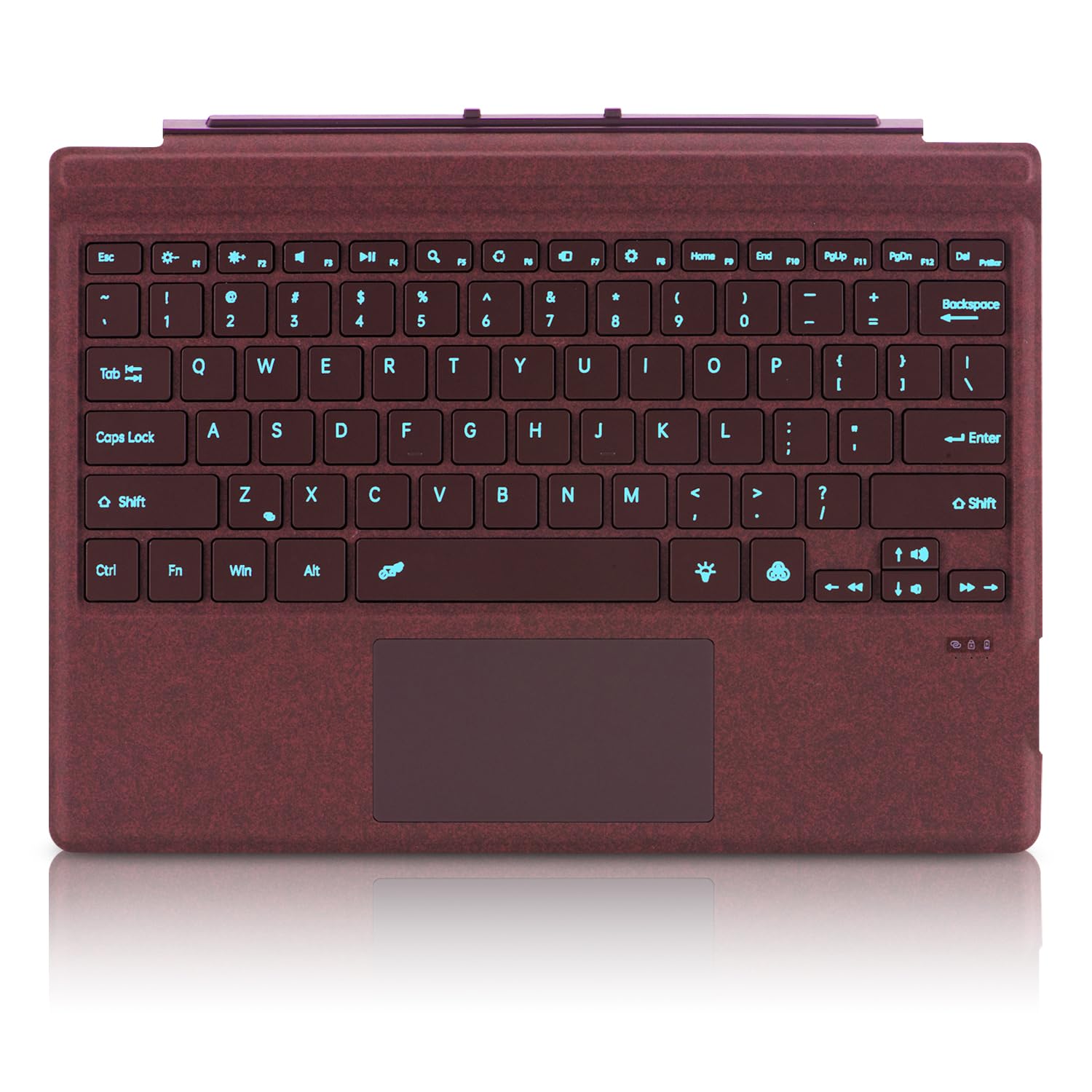
A deep wine finish for people tired of grey covers.
Colour is the reason to look here, and it is a good one — the wine polyurethane finish sets your Surface apart from every other grey tablet on the tray table. Underneath, it is a Bluetooth cover for the 12.3-inch Surface Pro 3 through Pro 7+, with magnetic detach and multi-angle adjustment so you can set the screen angle for lap, plane, or desk work. The touchpad is a multi-touchpad that handles the usual gestures.
The keys carry a 7-color LED backlight with 3 adjustable brightness levels, so you can drop to a low glow in a dark cabin rather than a single fixed setting. It charges externally through a USB-C port — not through the Surface magnet — and it is thin and light enough to live in a backpack sleeve. Pair once over Bluetooth and it reconnects when you open it. The same caveat applies to any cover in this family: it will not fit Surface 3, the Surface Go line, or Pro 8 and newer.
Why the colour crowd picks it
- The wine finish stands out from standard grey and black covers
- Built-in multi-touchpad with gesture support
- 7-color backlight with 3 brightness levels
- Magnetic detach with multi-angle adjustment
Keep in mind
- Bluetooth connection, charged by USB-C rather than the Surface magnet
- Does not fit Surface Pro 8 or newer
Made for: anyone who wants their 12.3-inch Pro to look different from the person next to them, without giving up a real touchpad.
Check first: that your tablet is Pro 3 through Pro 7+ — the 13-inch models are out of scope.
5. Zoof Type Cover

The sapphire cover people choose when typing noise matters.
Noise level is what this cover is known for, and it is the trait that carries it in a shared office or a late-night kitchen table. The sapphire polyurethane finish gives it a cool blue look, and the multi-touchpad handles the usual two-finger scroll and gesture set. It mounts magnetically for detach and reattach, pairs once over Bluetooth, and charges through USB-C at 11.5″L x 8.6″W x 0.2″H. The 0.2-inch profile is thin enough to disappear into the tablet when closed.
It covers the 12.3-inch Surface Pro 3 through Pro 7+. Once paired, it reconnects automatically when you open it, and the 12-month warranty covers the first year.
The trade-offs here are real and specific. Battery life is the sore point — some users report roughly four hours of use between charges, and it cannot draw power through the tablet, so there is always a cable in your bag. A portion of units also stop working on some buyers. If you want a cover you never think about, the magnetic Microsoft options are the safer bet.
The draw: quiet typing and a real multi-touchpad in a 0.2-inch-thick sapphire package.
The watch-out: short battery life on a separate USB-C charge, plus uneven long-term reliability.
Fits best: a quiet-room user on a Pro 3 through Pro 7+ who values silent typing above battery convenience.
Look elsewhere if: frequent recharging or the chance of a unit that quits would drive you mad.
6. mobee Bluetooth Keyboard
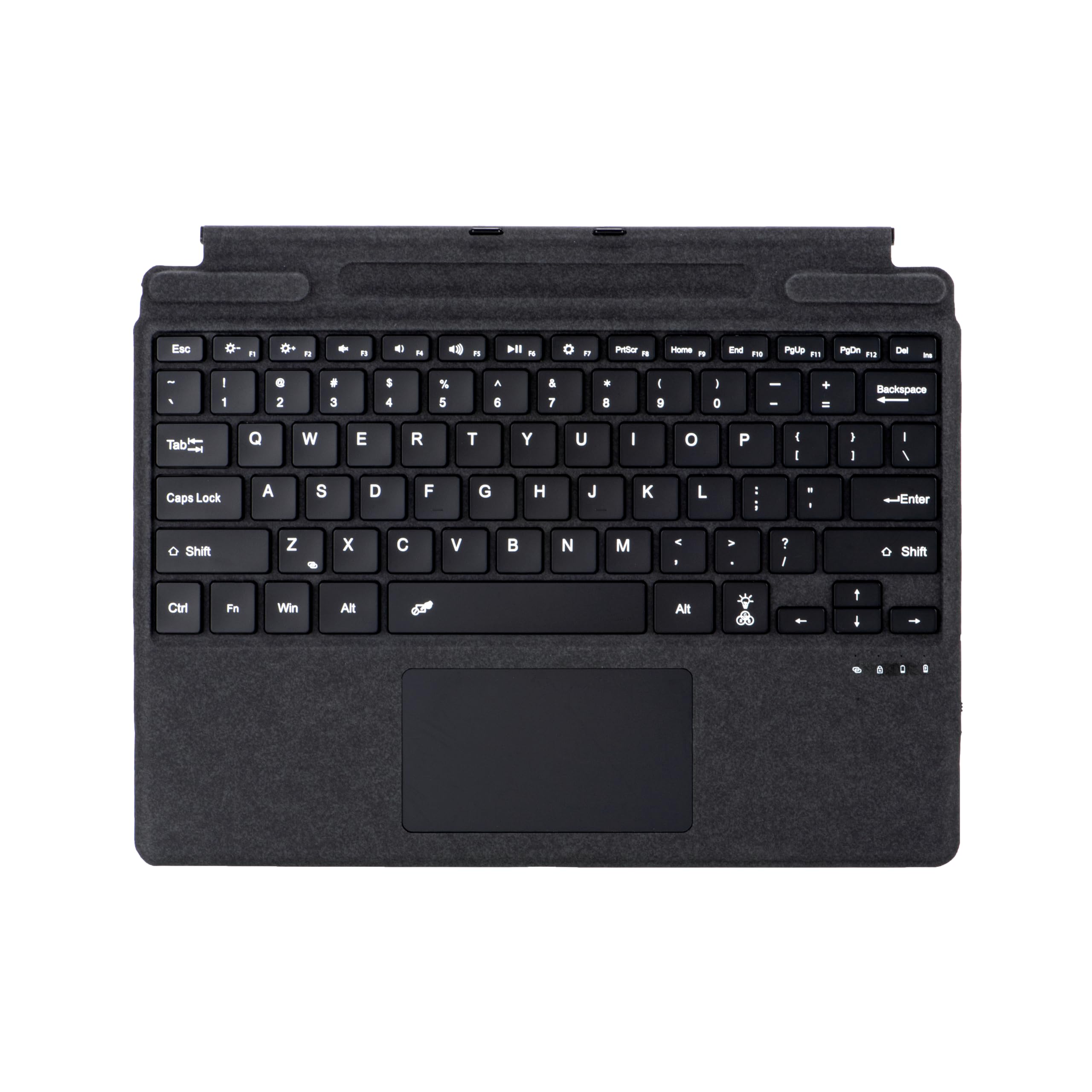
The budget cover built for the 13-inch Surface Pro family.
Most cheap Surface covers stop at the 12.3-inch models, so this one is the exception worth knowing about. It is designed for the 13-inch Surface Pro line — Copilot+ 11th Edition, Pro 11, Pro 10, Pro 9, Pro 8 and Pro X — which is exactly where the cheap third-party options dry up. It has a 78-key deck, a built-in trackpad, a 7-color backlight and a pen holder, all in a metal, plastic and rubber build.
Connectivity is Bluetooth, so you pair it once and it reconnects when you open it, and it charges through a USB-C port rather than drawing on the Surface’s battery. The trade-off is stated plainly by the maker: it does not fit the 12-inch Surface Pro Copilot edition, so check your exact model before ordering. At 11″L x 8″W x 0.28″H it is compact enough to leave attached.
For a 13-inch Surface Pro owner shopping on a budget, this is the only cover in this group that will physically do the job — the older 12.3-inch covers on this list plainly do not fit. For 13-inch Surface Pro owners, compatibility is settled: this is the only budget cover here that fits.
Where it wins: it is one of the few budget covers for 13-inch Surfaces, with a trackpad, 7-color backlight and pen holder included.
Double-check: your Surface is the 13-inch model, not the 12-inch Copilot edition.
On your shortlist if: you own a 13-inch Surface Pro 8 through the Copilot+ edition and want the budget route.
Not for you if: your tablet is the 12-inch Copilot model or any older Pro.
7. Microsoft Surface Pro Keyboard with Pen Storage, Alcantara, Black

The one with a home for your Surface Slim Pen.
Losing your pen is a small daily tax on Surface ownership, and this cover solves it with built-in pen storage. It is also the Microsoft model with the modern keys: a dedicated Copilot key for instant access to the Copilot experience, plus a microphone mute key and a snipping key. The large trackpad handles precise navigation, the 78-key mechanical set is backlit, and the key spacing is tuned for fast, fluid typing. It wraps the whole thing in Alcantara and measures 12.5″L x 10″W x 0.5″H.
Owners describe it as easy to work with, and the appearance and build quality come up as the reason to choose the Microsoft option over a third-party cover. It clicks in place with enhanced magnetic stability that adjusts to almost any angle, and it folds back flat so you can use the tablet alone. It fits the Copilot+ 11th Edition, Surface Pro 9 and Surface Pro 8.
The connectivity is the mixed note — for most it connects easily to the tablet, but the connection is the one area where experiences split. If you rely heavily on the pen, though, the storage bay alone changes how you carry this thing.
What makes it different: integrated pen storage, a Copilot key, mic-mute and snipping keys, and an Alcantara deck — the most feature-complete cover for the current Surface Pro line.
Worth knowing: it does not fit the 12.3-inch Pro 3 through Pro 7+ models, and the Surface connector is the only way it mounts.
Choose it when: you carry a Surface Slim Pen every day and want it attached to the cover rather than rolling around your bag.
Not the one if: you are on an older 12.3-inch Pro — this cover will not attach.
8. Microsoft Surface Pro Keyboard
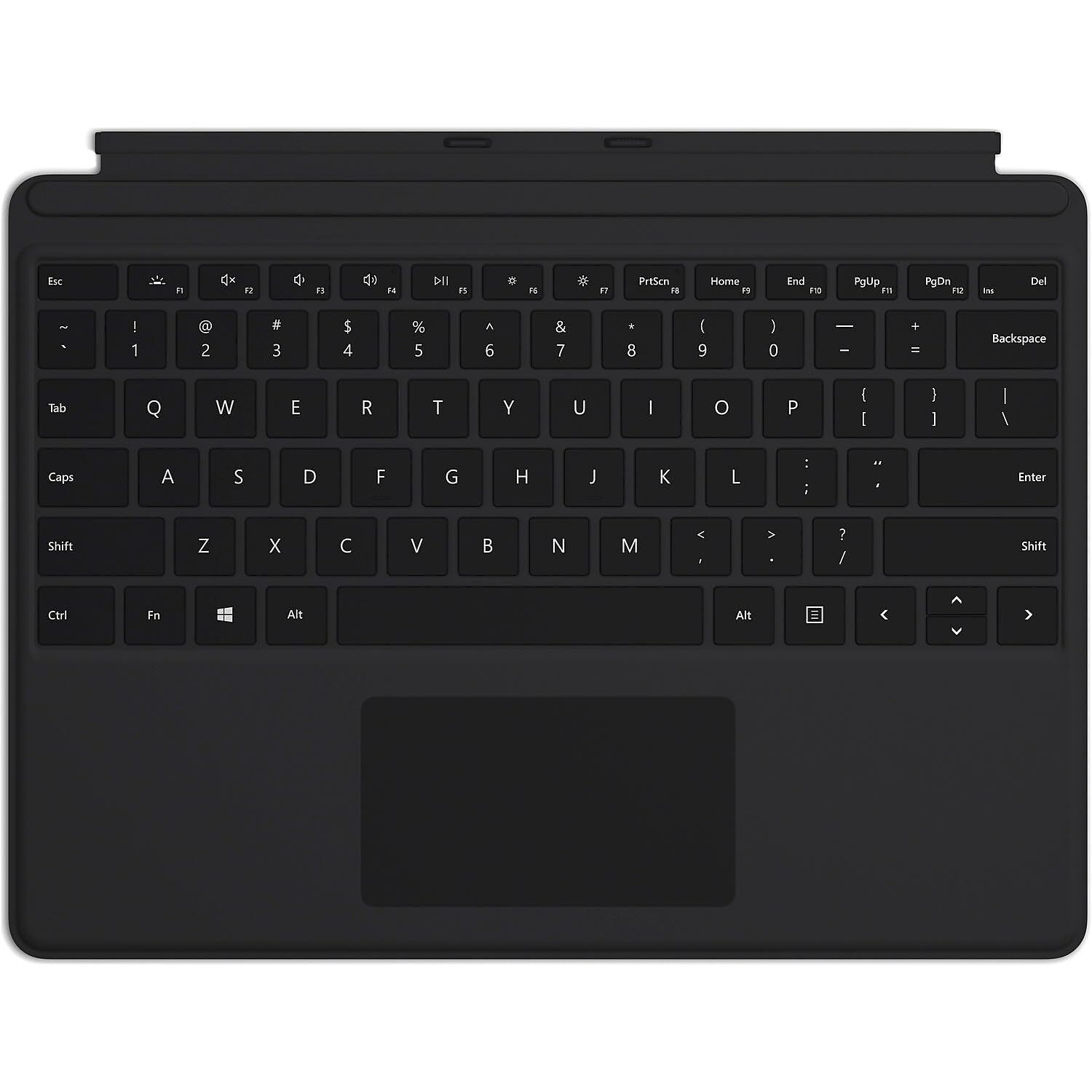
A large glass touchpad and 79 keys, tuned for the Pro X.
The touchpad is the reason this one matters. It is a large glass touchpad rather than a plastic one, which means your finger glides rather than drags, and cursor control on small targets stops being a chore. Around it are 79 mechanical keys — one more than most covers here — with LED backlighting and optimal key spacing for fast, fluid typing. It is a full QWERTY deck that performs like a traditional full-size keyboard despite the slim build.
It clicks in place instantly on the Surface Pro X kickstand and holds with enhanced magnetic stability that adjusts to almost any angle. Close it and you protect the screen and conserve battery; fold it back and the tablet stands alone. The polycarbonate body keeps it light.
Quality and function are the two things that keep coming back — it works cleanly with the Pro X in day-to-day use, and the backlight is easy to read in a dim room. The one repeated note is value: some find the cost hard to justify compared with a third-party cover. That is the honest decision — you are buying the glass pad and the Microsoft fit, not extra features. Note the fit is narrow: Surface Pro X and Surface Pro 8 only.
What you get for the money
- Large glass touchpad that glides under your finger
- 79 backlit mechanical keys with full QWERTY layout
- Instant magnetic click with enhanced stability
- Folds flat for tablet use and closes to protect the screen
The honest trade
- Fits only Surface Pro X and Surface Pro 8
- Cost is the repeated value question compared with third-party covers
Reach for this if: you own a Pro X or Pro 8 and want a glass touchpad over a plastic one.
skip it if: your Surface is any other generation — the magnetic fit will not land.
Know the Specs
Magnetic connector versus Bluetooth
A magnetic cover draws both signal and power from the Surface’s connector, so there is nothing to pair and no battery to charge. A Bluetooth cover pairs wirelessly and runs its own battery, charged with a USB-C cable. Magnetic is more reliable for the touchpad; Bluetooth is usually cheaper and often the only option for third-party covers.
Surface generation fit
Two size families dominate: the 12.3-inch Pro 3 through Pro 7+, and the 13-inch Pro 8 and newer. Covers are made for one or the other, and a cover from the wrong family may physically attach but will not type or track. Always match your exact Surface model to the listed compatibility before ordering.
Touchpad settings in Windows
Third-party covers commonly ship with tap-to-click and right-click disabled. In Windows Settings under Bluetooth and devices, open Mouse and Touchpad. Turn on single-finger tap for left-click and lower-right-corner press for right-click. This alone fixes most complaints that a new cover’s pad is unresponsive.
Backlight and key count
Key counts in this group run 77 to 79 for a full mechanical deck. Backlight runs from single-color on Microsoft covers to 7-color RGB you can dim on third-party models. Backlight drains the cover’s own battery on Bluetooth models, so it is worth knowing before turning it up every night.
Common Questions
Will a Surface Pro Type Cover touchpad work on any Surface Pro model?
Why does my new touchpad not right-click?
Do third-party covers charge from the Surface or need their own cable?
How long does the Bluetooth keyboard battery last?
Is Alcantara a good material for a keyboard cover?
Can I use a Surface Pro 8 keyboard cover on a Surface Pro 7?
Does a larger trackpad make a real difference?
Why does backlight drain the battery faster on some covers?
Can I pair a Bluetooth cover with more than one Surface?
Is the pen covered by the warranty if the keyboard fails?
The Bottom Line
For most people, the surface pro touchpad answer is the Surface Pro Signature Keyboard with Fingerprint Reader, because the magnetic connection makes the large touchpad work the instant it clicks down — no pairing, no charging, and a fingerprint sign-in to seal it. If you are on a 12.3-inch Pro and want the feel, the Signature Type Cover in Alcantara holds the same touchpad quality in a softer shell. And if you own a 13-inch Copilot+ Surface, the Microsoft Surface Pro Keyboard with Pen Storage is the cover built for that line.
The third-party covers here win on price and colour, but the magnetic Microsoft covers draw power from the Surface connector, so you never pack a charging cable for the keyboard.
How we choose
We do not accept paid placement. Every pick is matched to a real buyer and a real use-case; we do not hands-on test units.
Sources
Specifications: manufacturer listings and product documentation. Review insights: verified customer reviews, as of November 2026. Pricing: not shown on this page (it changes often); check the current price via the retailer link.
As an Amazon Associate, Tactical Gear Guy earns from qualifying purchases. This does not affect which products we feature.