Specs are compiled from manufacturer listings and verified buyer reviews and can change over time — please confirm the key details on the product page before buying.
Most small offices get burned the same way: the phone arrives, the box looks fine, and then you discover it needs power you don’t have, a service it won’t accept, or a setup screen your receptionist can’t crack. This guide ranks desk phones that actually place and receive calls on a business VoIP service — and it flags the one wiring detail and the one subscription detail that decide everything before you buy.
This guide is built by comparing the manufacturers’ published specifications and the patterns across verified customer reviews, so you get each pick’s real strengths and trade-offs instead of marketing spin.
You’ll see why line count and Power over Ethernet matter more than screen size, which models carry built-in Wi-Fi for a leased office with no cabling, and when a locked service plan is worth the trade. The picks below cover every realistic small-office shape — from a two-person front desk to a twelve-line reception position — so read on for the small business voip telephone that fits the way your team actually answers calls.
Top Picks

How To Choose The Best Small Business VoIP Telephone
A business desk phone is not a fancier home phone. It is a device that registers with a calling service over your network, then splits your staff across lines, extensions and shared buttons. Nail three specs — service compatibility, power, and how many calls one person juggles — and the rest is comfort.
Confirm what your phone service actually accepts
An open-SIP phone (one that speaks the standard Session Initiation Protocol that most business VoIP providers use) works with any provider that hands you SIP credentials. A provisioned phone is locked to one provider and will not register anywhere else. Read the listing carefully: several phones here will not work on a standard analog wall jack at all, and one is built exclusively for a single cloud service.
Decide how the phone gets power
Power over Ethernet (PoE) means the network cable itself carries electricity, so you skip the wall adapter and the extra cable behind the desk. That only works if your network switch supplies PoE. If it doesn’t, you need a power adapter — and some of these phones ship without one, which is the single most common surprise in the reviews.
Match the line count to the job
A three-line phone suits a single desk. Eight or twelve lines belong at a reception position where one person answers for a whole team and watches who is free. BLF keys (Busy Lamp Field keys — the little lights that show whether a colleague is on a call) are what make a shared front desk work, so count those buttons as carefully as you count lines.
Side-by-Side Comparison
| Model | Best For | Lines / SIP Accounts | Network & Power | Display | Amazon |
|---|---|---|---|---|---|
| Grandstream GXP2135★ Best Overall | Busy front desk and reception | 8 lines / 4 SIP accounts | Dual Gigabit ports, built-in PoE | 2.8-inch color | Amazon |
| Grandstream GXP1630Best Value | Tight budgets, light call volume | 3 lines / 3 SIP accounts | Dual Gigabit ports, integrated PoE | 2.9-inch LCD | Amazon |
| Ooma 2602 OfficeBest for Ooma Offices | Teams already on Ooma Office | 2 lines | — | 2.2-inch | Amazon |
| Yealink T33G | Four-line desks on a budget | 4 SIP accounts | Dual Gigabit ports, 802.3af PoE | 2.4-inch color | Amazon |
| Poly VVX 411 | Twelve-line reception positions | 12 line keys | Dual Gigabit ports, PoE | 3.5-inch color | Amazon |
| Polycom VVX 350 | Small desks wanting Poly HD voice | — | Two Gigabit ports | 3.5-inch color | Amazon |
| Poly VVX 450 | Twelve lines with a bigger screen | 12 line keys | Dual Gigabit ports, PoE | 4.3-inch color | Amazon |
| Yealink SIP-T54W | Managers who want Bluetooth and Wi-Fi | — | Ethernet, built-in Wi-Fi and Bluetooth | Adjustable display | Amazon |
Detailed Reviews
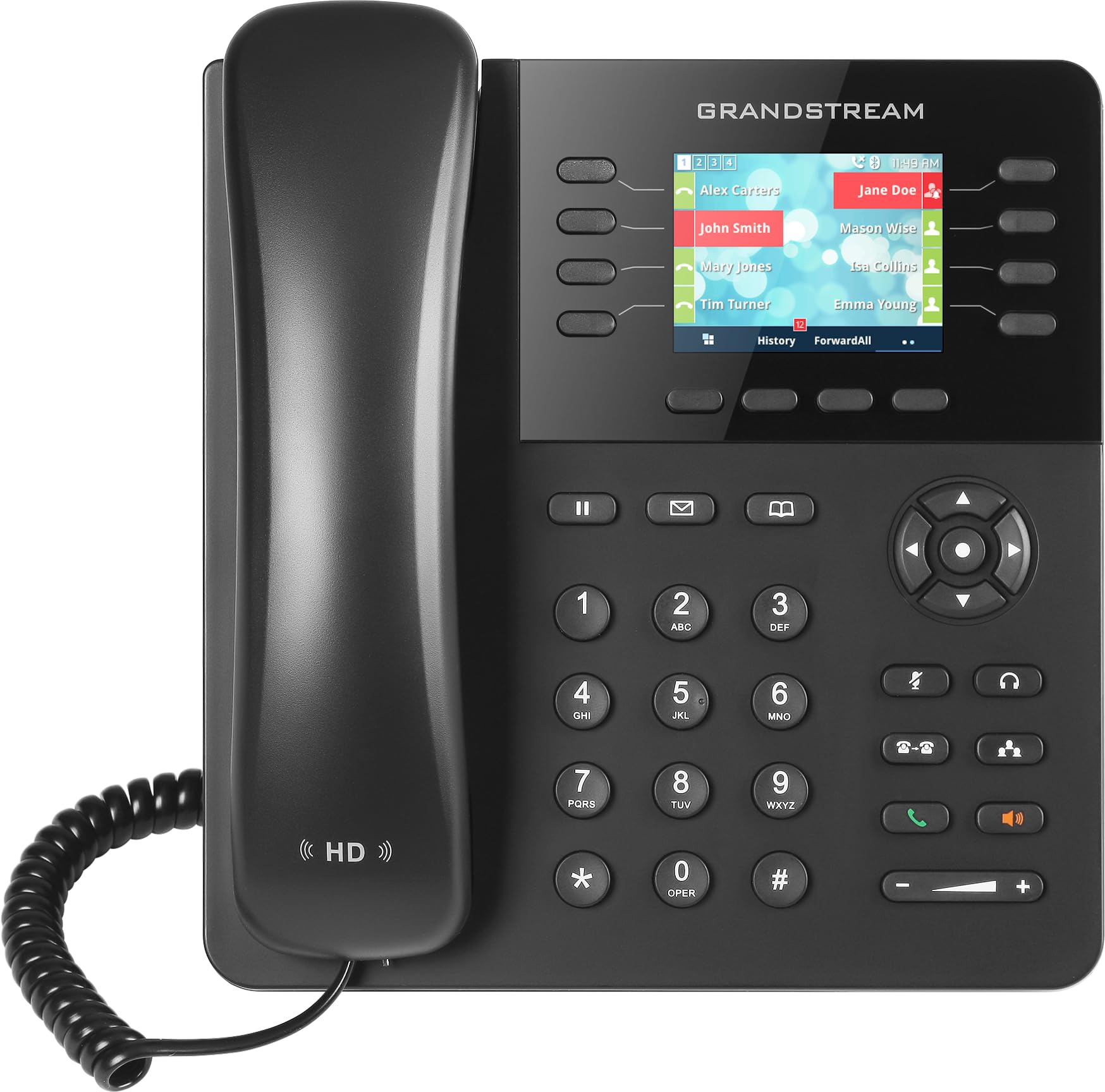
1. Grandstream GXP2135 IP Phone | 8 Lines, 4 SIP Accounts
Our pick — 4.5+★ from 250+ verified ratings; the strongest balance of quality and price.
The reception-desk workhorse: thirty-two programmable buttons and Bluetooth in one plastic body.
For a front desk that answers for a whole team, the number that matters here is 32 — the count of digitally programmable BLF and speed-dial keys. That means you can park an extension for every colleague on the phone face and see who is already on a call. The 8 lines and 4 SIP accounts give one person room to juggle multiple conversations without asking the caller to ring back.
Setup is a single cable: plug in the network cord and built-in PoE (Power over Ethernet — one cable carries both the data and the electricity) powers it up. Dual switched, auto-sensing Gigabit ports keep the phone on a fast wired link. The handset and speakerphone both run HD audio with a full duplex speakerphone, so both people in a conversation can talk at the same time without cutting each other off. Handy bonus: built-in Bluetooth syncs a headset and can pull contacts and calendars from a phone, which is unusual at this tier.
The one honest caveat is the screen. Some owners find the 2.8-inch color display small and hard to read, so pair this with a desk where the phone sits close to hand rather than across the room. The button layout gets mixed reactions too — a few people find the menus fussy until they have used it a week. Neither is a reason to skip a phone this capable; they are a reason to look at it before ordering a dozen.
What earns it the top slot
- 32 BLF and speed-dial keys — the busiest key count here, four times the 8 on the GXP1630 below
- 8 lines and 4 SIP accounts for a true reception position
- Built-in PoE plus dual Gigabit ports for a clean, fast install
- Built-in Bluetooth for headset and contact syncing
Where it asks for patience
- The 2.8-inch color screen reads small up close
- Some features hide behind menus that take a week to learn
- No Wi-Fi, so it needs a wired run or a PoE switch
Reach for this if: one person fields calls for a whole team and you want programmable buttons for every colleague’s extension.
Think twice if: your front desk sits in the open and the small display has to be read from a distance.
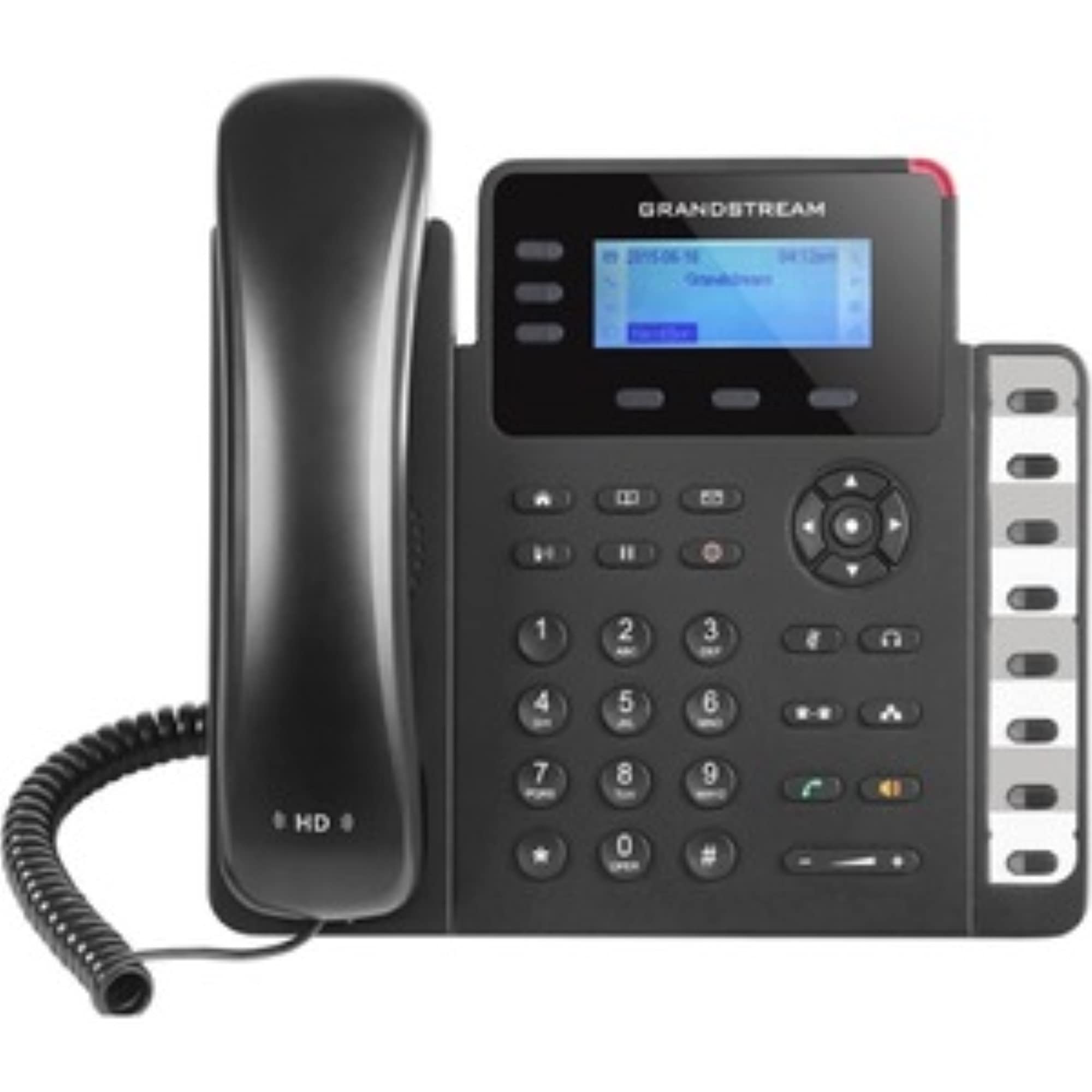
2. Grandstream GXP1630 IP Phone
Three lines, eight speed-dial keys, and the lowest entry price in the group.
A single-desk office does not need a twelve-button panel. It needs a phone that rings, conference-calls four people at once, and remembers the client list. The GXP1630 hits all three: 3 SIP accounts and 3 line keys, 4-way conferencing, and up to 500 contacts with 200 call-history records.
The build carries a 2.9-inch LCD, which is the largest screen on any Grandstream here — bigger than the 2.8-inch on the GXP2135 above. It uses dual-switched Gigabit ports with integrated PoE, so the same one-cable install works here. Sound handles HD audio on both the handset and the speakerphone, and you get 8 dual-coloured BLF keys if you want to watch a few extensions.
Setup splits opinion. The phone is a Grandstream, so configuring it takes the usual web-interface work, and some buyers find certain features are not very intuitive. A few units arrive dead and need a return, which is the rare case rather than the pattern. The reasonable approach is to set it up once with your provider’s SIP credentials and then leave it alone.
Cheapest capable desk phone: If your team is two or three people on separate extensions, this hits every requirement — conferencing, HD audio, PoE — without paying for buttons you will never program.
The trade-off: Three lines is a hard ceiling. The moment one desk starts answering for the whole company, you want the 32 keys on the GXP2135.
Buy it for: individual desks that need three lines, four-way conferencing and a big contact list.
Outgrow it when: your front desk starts fielding calls for more than three people.
3. Ooma Provisioned 2602 Office IP Desk Phone
Locked to one service by design — and genuinely simple because of it.
This is the one phone on the list you should buy only if you have already chosen Ooma Office. It registers with that service and nothing else. In return, setup is close to plug-and-play: you activate your account, follow the install guide, and you are taking calls, with 24/7 support by phone or chat if something stalls.
For a small team, the 2.2-inch display and its status buttons show who is free to take a call and who should go to voicemail — the virtual-receptionist trick. It handles 2 lines of service and 5-way conferencing, which is more conference parties than most phones here. Noise shield technology (built-in processing that reduces background chatter) helps when the office gets loud, and the Ooma mobile and desktop apps let you answer the business number from your cell phone.
The catch is the subscription. Ooma Office plans are billed per user per month, and videoconferencing, call recording and CRM integration sit on higher tiers. Compare that recurring cost to the open-SIP phones here that work with the provider you already pay. If you have not picked a service yet, start elsewhere.
Plug-in simplicity: For an owner who wants a working business line by lunchtime and does not want to touch SIP settings, this is the least friction on the list.
What it cannot do: It will not register with a different VoIP provider, so it is a commitment to one service rather than a flexible handset.
Right call if: Ooma Office is already your phone service and you want a desk phone that just works.
Look elsewhere if: you are still shopping for a VoIP provider or want a phone that travels between services.
4. Yealink T33G IP Phone

A crisp 320 x 240 color screen on a four-account desk phone.
The headline here is the screen resolution. The T33G carries a 2.4-inch display at 320 x 240 pixels with a backlight, which keeps contact names and line labels sharp at a desk-distance glance. It handles up to 4 SIP accounts on multi-line operation, so one person covers four separate numbers without switching devices. That is 4 SIP accounts against the 3 on the GXP1630 above — one more line for a solo operator or a small support desk.
Networking is dual-port Gigabit Ethernet with 802.3af PoE support. Watch the fine print: no power adapter is included, so the phone needs a PoE switch, or you buy an adapter separately. Buyers rate the basic quality and the value highly; reliability is where reports split, with some units that never power up needing a return.
In a head-to-head with the GRP2612W, this one needs a cable but offers a sharper four-line base with no wireless setup risk. If your desk already has wired network, that is the cleaner choice.
Display-first pick: For an operator who lives on the screen — checking line status, scrolling contacts — this gives you the cleanest 2.4-inch panel in the group.
The catch: No power adapter in the box. Budget for a PoE switch or a separate adapter before install day.
Made for: single desks with four incoming numbers and a wired network that supports PoE.
skip it if: you cannot supply PoE and do not want to track down a power adapter.
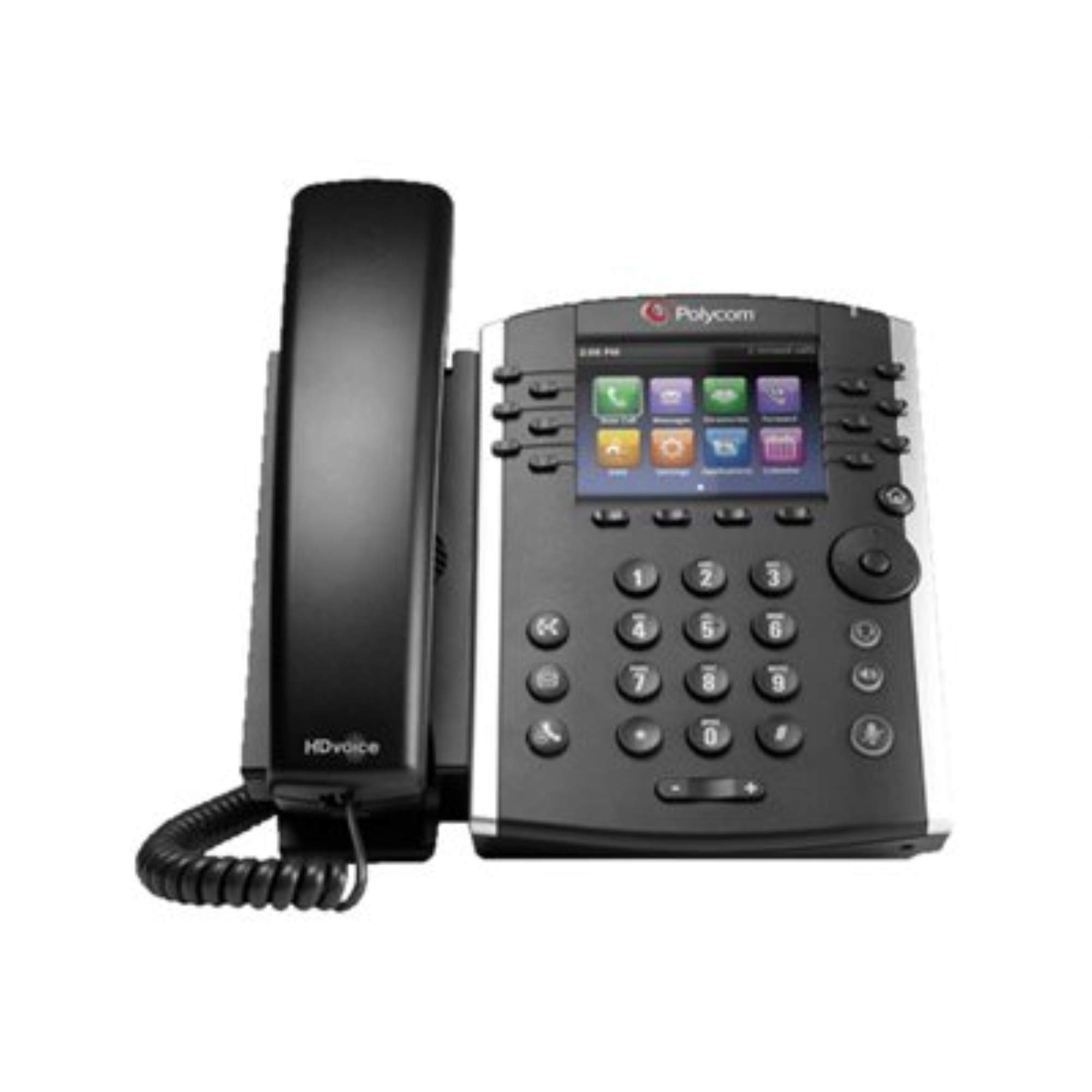
5. Poly (Polycom) VVX 411 12-Line VoIP Business Phone
Twelve line keys, a 3.5-inch color display, and Poly’s noise-cutting audio.
For a reception position that juggles a dozen numbers at once, 12 line keys is the spec that earns its place. Each key can hold either a line or an autodial/contact entry, and 4 context-sensitive soft keys keep transfer, conference and call park visible exactly when you are on a call. A backlit 3.5-inch color display shows the whole panel at a glance.
The audio side is Poly’s strong suit: Poly HD voice and Poly Acoustic Fence (processing that reduces background noise) keep the call clean, and the full duplex speakerphone with Acoustic Clarity means both sides can talk at once. Two 10/100/1000 Gigabit ports with an integrated switch let you run the phone and a PC off one wall jack. PoE keeps it to a single cable.
Reliability is where the reports get honest. Most units run without trouble, but a share of buyers report a phone that dies not long after arrival or fails to power up. There is also the power problem: this phone does not include a power adapter, so it must be on a PoE switch or paired with a purchased adapter — the most-mentioned practical gripe on this model. Buy from a seller with an easy return and it is a manageable risk.
Why it fits a busy desk
- 12 line keys — twice the 8 lines on the GXP2135 at the top of this list
- 4 context-sensitive soft keys for transfer, conference and park
- Poly Acoustic Fence and full duplex speakerphone
- Two Gigabit ports with passthrough to your PC
What to weigh
- Power adapter not included — PoE or a separate adapter required
- A portion of units arrive dead or fail early
- 3-way conferencing only
Built for: a staffed reception desk where one person answers for twelve lines and monitors a PC from the same port.
Go another way if: you cannot guarantee PoE and want a phone that ships with its own power supply.
6. Polycom VVX 350 Business IP Phone

A larger 3.5-inch color panel with Poly’s voice tech — if your service accepts it.
The VVX 350 keeps the 3.5-inch color display from the VVX 411 above, which makes on-screen caller information easy to read at a glance. It runs Polycom HD Voice for natural-sounding calls, and two Gigabit ethernet ports handle the network with passthrough for your computer. A USB port lets you move data on and off the phone quickly.
Where it earns caution is compatibility. It integrates with more than 60 call-control platforms, but the loudest complaints come from buyers whose phone would not register. That usually traces back to a hosted service that does not match the firmware variant on the box. Confirm with your provider that they support this exact model before you order a batch.
There is also no power supply in the box, so plan for PoE or a separate adapter. Get the compatibility sorted first and this is a comfortable phone with a wide screen; get it wrong and the screen never lights a call.
Comfortable, if compatible: A wide 3.5-inch screen and Poly’s HD voice at a mid-tier position — solid for a small front desk once your provider confirms support.
Confirm before you buy: The most-discussed issue by far is service compatibility, so verify the model against your hosted phone system first.
Choose it when: your call platform lists this model as supported and you want a big, readable screen at a small-desk position.
Hold off if: you cannot confirm your provider supports it.
7. Poly VVX 450 Business IP Phone

Twelve lines on a 4.3-inch screen — the biggest display here.
This is the VVX 411’s line capacity paired with a much bigger window. Twelve line keys cover your lines plus autodial and contact keys, and the 4.3-inch backlit color display shows all of them at once, which is what makes a busy front desk manageable. Four context-sensitive soft keys keep transfer, conference and park within reach.
Audio runs Poly HD voice and Poly Acoustic Fence to cut background noise, with a full duplex speakerphone using Acoustic Clarity. Two USB ports let you connect a headset and add Wi-Fi with an optional dongle. Two 10/100/1000 Gigabit ports with an integrated switch mean a single wall connection serves both the phone and a PC.
Power is the recurring hitch: PoE saves the adapter, but the phone does not ship with a power supply, so plan for a PoE switch. Buyers pass mixed verdicts on overall quality, and the practical advice is to buy where you can return easily. It is a strong, wide-screen desk phone for a team that answers a lot of lines, provided the install is wired right.
The wide-screen argument
- 4.3-inch color display — the largest screen on this list
- 12 line keys for reception-grade call handling
- Two USB ports for headset and optional Wi-Fi dongle
- Poly HD voice and Acoustic Fence
Weigh these first
- Power supply not included — PoE or adapter needed
- Quality reports split, so a return-friendly seller matters
- 3-way conferencing only
Suits: a twelve-line reception desk that wants everything visible on one big color screen.
Not ideal if: you have no PoE and cannot add a power adapter to the order.
8. Yealink SIP-T54W IP Phone, Classic Gray

A manager’s phone that pairs a headset over Bluetooth and joins the network wirelessly.
Make no mistake about the shape of this one: it is a mid-level phone tuned for professionals and managers with a moderate call load, not a twelve-line reception panel. What it brings instead is built-in Bluetooth and built-in Wi-Fi, an ergonomic design with an adjustable display, and SIP compatibility with IP PBX systems. For someone who wears a wireless headset and wants to drop the phone anywhere in the office, that combination is the point.
The ergonomics matter in daily use: an adjustable display tilts to your sightline, which is a small thing you notice after an hour of calls. Connectivity between Wi-Fi and a wired SIP setup is where buyers get split reports, so test the wireless path before you commit. Use of the phone’s core calling features wins the most praise, and setting it up is straightforward.
The most-mentioned gripe is what is not in the box: no power adapter and no power cord, so either PoE or a separately purchased adapter is needed. The specs also list no answering-system type, and the box is the phone, cable and handset only. If you want a big-screen reception set, the VVX 450 above is the better fit; if you want a manager’s wireless desk phone, this one is the pick.
Wireless manager’s tool: Bluetooth headset pairing plus built-in Wi-Fi and an adjustable display, made for a moderate call load rather than a switchboard.
The gap to plan for: No power adapter or cord included, and the Wi-Fi path earns mixed reports — budget for PoE or an adapter and test the wireless link early.
Best for: a manager or professional who works from a wireless headset and wants the phone untethered from ethernet.
Different pick needed if: you are staffing a reception desk and need a dozen visible line keys.
Know the Specs
SIP Accounts vs. Lines
A SIP account is one registered identity with your phone provider; a line key is a physical button that lights up for a call. One SIP account can drive several line keys, which is why a phone can list 4 SIP accounts and 8 lines at once. More SIP accounts mean more separate business numbers on one desk.
Power over Ethernet (PoE)
PoE sends electricity along the network cable, so the phone needs no wall adapter and you get a one-cable desk. The phone only gets power this way if your network switch supplies PoE. If it does not, you need a power adapter — and several phones on this list ship without one.
Open SIP vs. Provisioned
An open-SIP phone registers with any provider that gives you SIP credentials, so it moves with you if you switch services. A provisioned phone is locked to one provider. The Ooma 2602 is the provisioned example here: it is easy to set up but only works with Ooma Office.
BLF and Speed-Dial Keys
BLF (Busy Lamp Field) keys are programmable buttons that show whether a colleague’s extension is busy. Speed-dial keys call a number with one press. On a shared front desk, more programmable keys mean you can watch more extensions without hunting through menus — which is why key count matters as much as line count.
Common Questions
Will these phones work with my current VoIP provider?
Do I need a PoE switch for these desk phones?
What is the difference between SIP accounts and line keys?
Can I use a business VoIP phone on a standard analog wall jack?
Which phone is best for a reception desk that answers for the whole team?
Can these phones connect to a wireless headset?
How many parties can join a conference call on these phones?
Do these phones need a subscription to work?
Can I brand these phones with my company logo?
What happens if a phone arrives that will not power up?
The Bottom Line
For most small offices, the small business voip telephone that earns its spot on the busiest desk is the Grandstream GXP2135, because 32 programmable BLF keys and 8 lines let one person answer for a whole team. If you are wiring a desk with no ethernet run, reach for the Grandstream GRP2612W and its built-in dual-band Wi-Fi. And if your team already runs on Ooma Office, the Ooma 2602 plugs straight into the plan you are paying for. Whichever you pick, check PoE or an adapter before the box arrives — that one detail decides whether your first call connects or your desk phone sits dark.
How we choose
We do not accept paid placement. Every pick is matched to a real buyer and a real use-case; we do not hands-on test units.
Sources
Specifications: manufacturer listings and product documentation. Review insights: verified customer reviews, as of November 2026. Pricing: not shown on this page (it changes often); check the current price via the retailer link.
As an Amazon Associate, Tactical Gear Guy earns from qualifying purchases. This does not affect which products we feature.