Specs are compiled from manufacturer listings and verified buyer reviews and can change over time — please confirm the key details on the product page before buying.
You do not need a full keyboard under your left hand to play well — you need the right half of one. A single hand gaming keyboard gives your off-hand every movement and ability key within thumb reach, while your mouse hand gets the whole desk to sweep across. That freed desk space is the real upgrade, and every pick below is built around it.
This guide is built by comparing the manufacturers’ published specifications and the patterns across verified customer reviews, so you get each pick’s real strengths and trade-offs instead of marketing spin.
Your first decision is control style: analog-style control or simple crisp clicks. Some pads here run magnetic Hall Effect switches (magnets that register how far you press each key), while others use classic mechanical or membrane keys. Prices climb as the switch tech gets faster, so pick your control style first to narrow your single hand gaming keyboard shortlist.
Top Picks
How To Choose The Best Single Hand Gaming Keyboard
Start with the hand you are not using. A one-handed pad is a second input device, so the first question is whether it replaces your movement keys or sits alongside them for macros and abilities. Get that wrong and even a great pad feels like clutter.
Key count and layout shape
Count the keys you actually touch in a match. A 29-key pad covers movement, crouch, jump and a handful of abilities, and it frees desk space for wide mouse sweeps. A 32 or 35-key pad adds room for more macro binds, which matters more in MMOs and MOBAs than in a straight shooter.
Switch type: magnetic versus mechanical
Hall Effect magnetic switches sense how far you push a key rather than just whether it clicked. That lets you set the actuation point (the depth at which the key registers) and reset it instantly on release. Classic mechanical switches give a fixed, crisp click with no tuning — simpler, and plenty fast for most players.
Thumb control is where pads live or die
Your thumb does the movement work that a joystick would on a controller. An 8-way directional thumbpad gives you full movement range, while a four-direction knob limits you to cardinal directions. Read the thumb section of any pad’s description before you buy.
Side-by-Side Comparison
| Model | Best For | Keys | Connectivity | Switch Type | Amazon |
|---|---|---|---|---|---|
| Razer Tartarus V2★ Best Overall | All-round left-hand pad | 32 | USB-A wired | Mecha-membrane | Amazon |
| MechLands AJAZZ AK029Best Value | Fastest response on a budget | 29 | USB-C wired | Hall Effect magnetic | Amazon |
| AJAZZ AK029 WhiteWhite Desk Pick | White-desk builds | 29 | USB-C wired | Hall Effect magnetic | Amazon |
| AJAZZ AK029 Magnetic | FPS movement tech | 29 | USB wired | Hall Effect magnetic | Amazon |
| Redragon K585 PRO | Wireless desk freedom | 42-key layout | 2.4GHz / Bluetooth / USB-C | Hot-swap mechanical | Amazon |
| EPOMAKER HE30 | Portable tournament pad | 36 | USB-C wired | Hall Effect magnetic | Amazon |
| Hilitand One-Handed Combo | Mobile and tablet gaming | 35 | Bluetooth 5.0 | Membrane | Amazon |
| Keychron C0 HE | Windows and macOS setups | 35 | USB-A wired | Hall Effect magnetic | Amazon |
| Razer Tartarus Pro | Analog pressure control | 32 | USB wired | Analog optical | Amazon |
Detailed Reviews
1. Razer Tartarus V2 Left-Handed Gaming Keypad
Our pick — 4.0+★ from 12,500+ verified ratings; the strongest balance of quality and price.
The one owners keep coming back to, thumbpad and all.
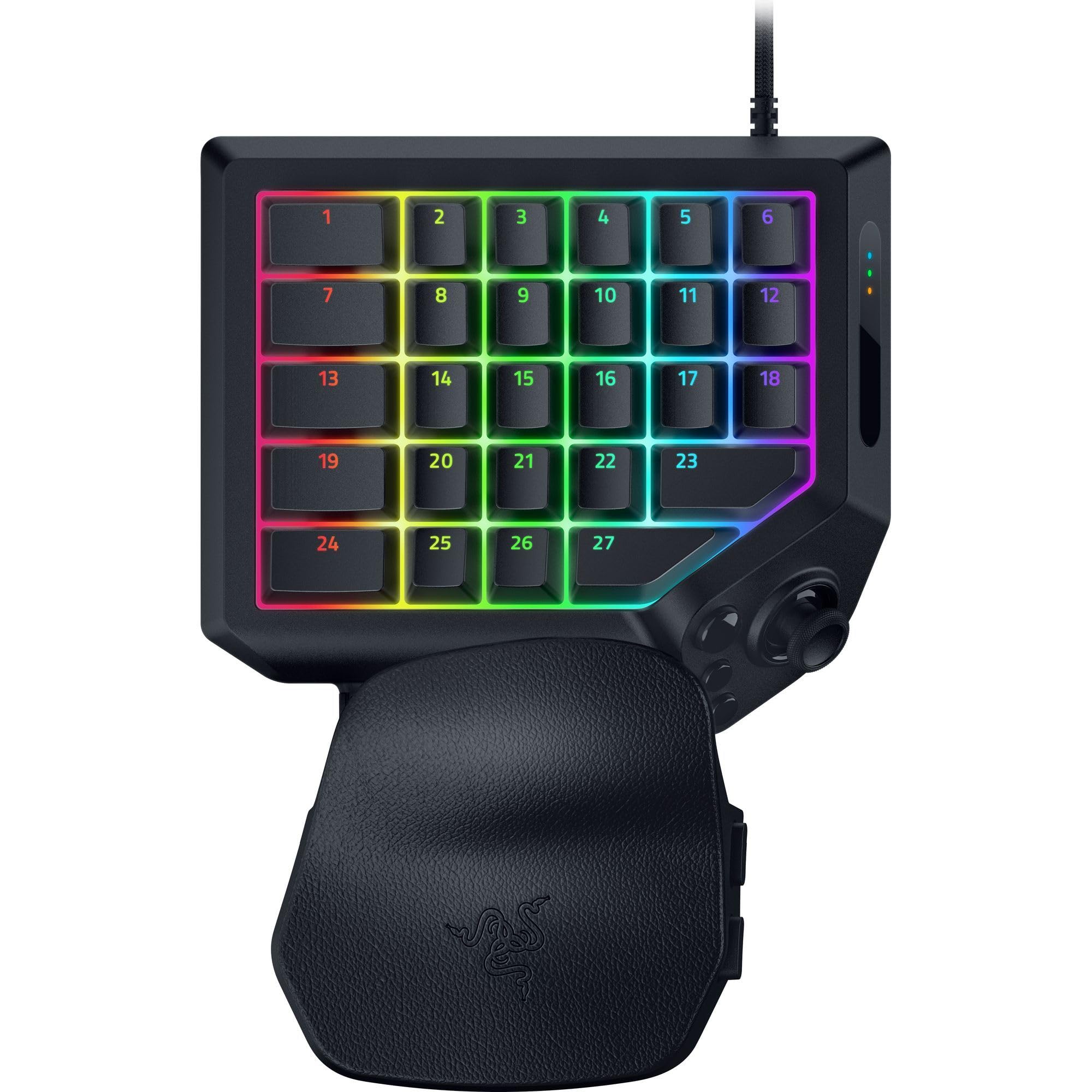
This is the pad to buy if you want the safest, most-proven left-hand setup rather than the newest switch tech. The Razer Tartarus V2 is the crowd favorite by a wide margin — 4.0+ stars across 12,000+ ratings, far more than anything else on this list. It packs 32 programmable keys into a half-keyboard shell, and its 8-way directional thumbpad makes strafing feel closer to a console stick than to WASD.
The switches are mecha-membrane, which means each key gives you the tactile snap of a mechanical press on top of a soft rubber dome underneath. That mix is comfortable for long sessions and keeps the pad quiet compared to a loud clicky board. Razer Hypershift lets you remap every key and key combination, so ability rotations and multi-key commands can fire from one press. Chroma lighting syncs across 16.8 million colors on individually backlit keys and links with other Razer gear and 30+ partner devices.
Here is where it gets honest: the thumbpad and button reliability are the most-discussed topics on this pad, and not everyone lands on the same side. The recurring gripe is the d-pad — it can stop responding months in, and some keys stick and need a PC reset. The plastic top row also sits a stretch away from the bottom row, which smaller hands will notice. Judge it as a desk pad you treat with a little care, not a tank. It is also the one pad here where the thumbstick surface feels slick under a light touch, so grip tape is a cheap fix worth planning for.
What works in a match
- 32 programmable keys with Hypershift remapping for deep macro banks
- 8-way thumbpad gives movement a natural, stick-like feel
- Mecha-membrane keys are quiet and cushioned for long sessions
- Chroma RGB syncs with Razer gear and 30+ partner devices
What to keep an eye on
- The thumbpad is the most-discussed weak point over time
- Sticky keys can force a reset mid-session
- Slick thumbstick surface needs grip tape for confident strafing
Reach for this if: you want the most battle-tested left-hand pad with a true 8-way thumbpad and deep macro remapping.
Look elsewhere if: you want tunable magnetic switches or you have small hands that would strain across the top row.
2. MechLands AJAZZ AK029 One Handed Gaming Keyboard
Tournament-grade speed in a red-transparent half board, without the premium tag.
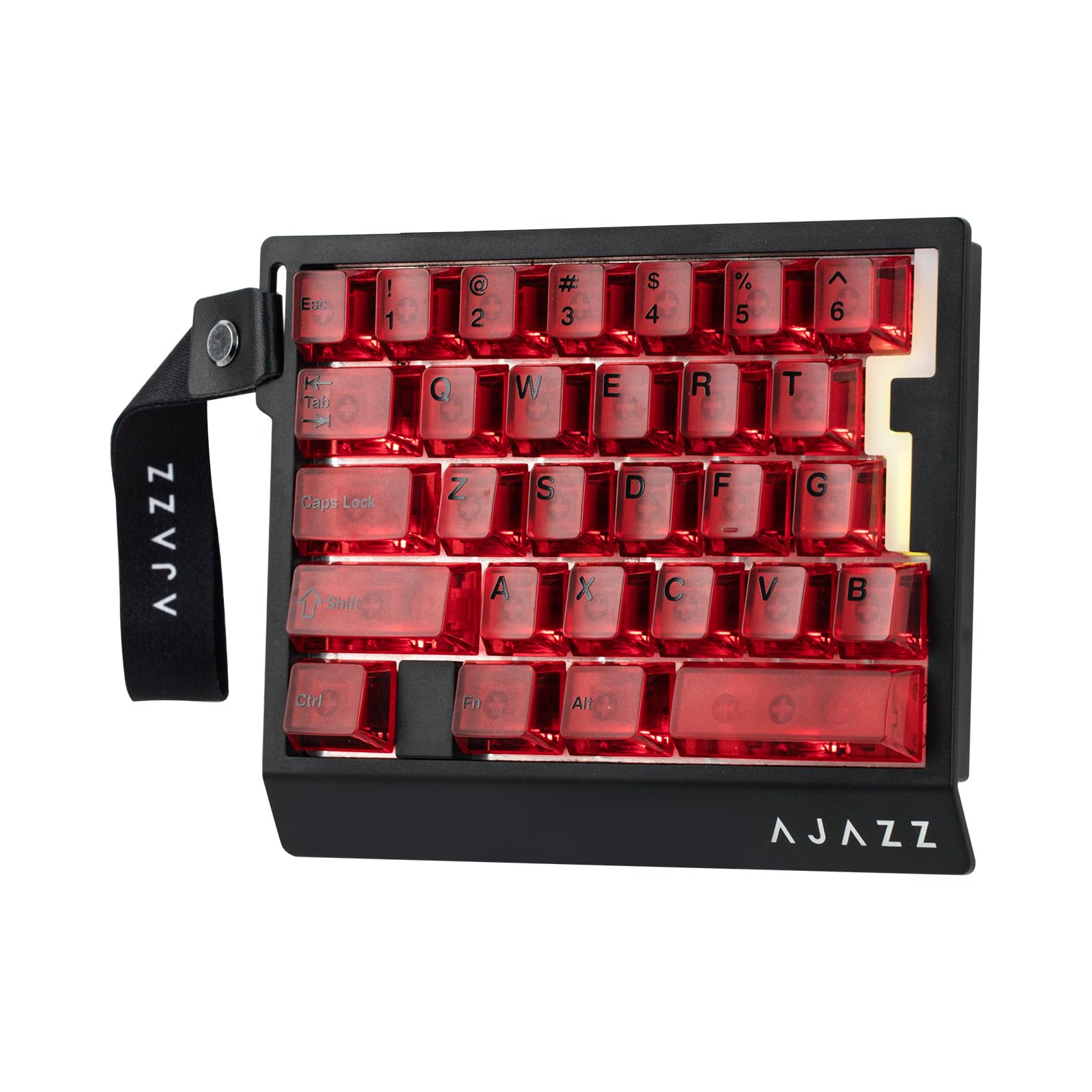
If raw reaction speed is the thing you chase, the AK029 is the pad that puts it in reach on an entry-level budget. Its 8000Hz polling rate (how many times a second the pad reports keystrokes to your PC) and 128kHz scan rate push response time down to as low as 0.125ms. In practice that means your strafe and double-tap leave your fingertip as fast as the pad can register them. It also carries 29 keys against the Razer Tartarus V2’s 20 listed button count — a 45% more gap in key coverage.
The switches are magnetic Hall Effect, so each key tracks how far you push it instead of a fixed click point. Rapid Trigger resets a key the instant you lift, and Snap Key (SOCD) and Dynamic Keystroke (DKS) let one key fire crouch-jump or instant weapon-swap combinations. A five-layer sound-dampening stack (PO cotton, IXPE pad, PET pad, EPDM bottom cotton and silicone) over an aluminum plate gives the keystrokes a low, creamy tone rather than a hollow rattle. South-facing RGB shines through dye-sublimated keycaps, and the double-shot ABS legends resist fading.
Where it wins people over: performance is what buyers praise most — the responsive keys clear expectations and the sound is genuinely satisfying for a piece this small.
The trade-off to know: it is wired USB-C only, so there is no untethered option if you like to move the pad around. One reviewer noted the lack of a wireless version as the one thing missing.
The short answer: the AK029 is the pick for a shooter player who wants 8000Hz speed and magnetic feel without paying flagship money.
Consider another pad if: you need wireless freedom — this one lives on a cable.
3. AJAZZ AK029 Wired One-Handed RGB Gaming Keyboard
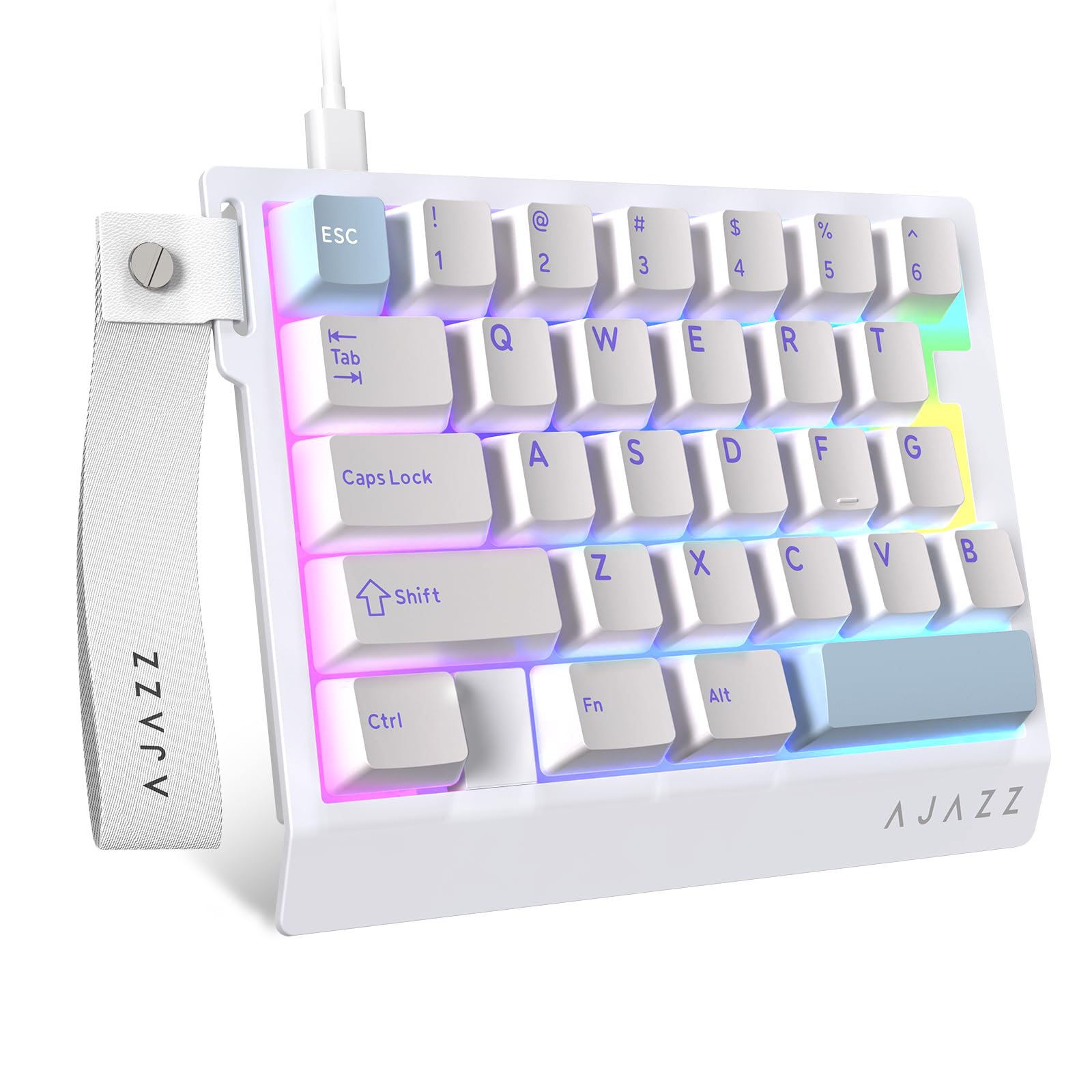
The same 29-key platform in white, for builds that stay color-matched.
This white AK029 is the option for someone whose desk already has a light color scheme and does not want a black pad breaking it up. Under the aluminum positioning plate it runs the same 8000Hz polling and 128kHz scanning chipset, with a response time around 0.125ms. The 0.01mm Rapid Trigger precision removes the dead zone, so key resets happen close to instantly and side-to-side strafing stays smooth.
What sets this version apart is flexibility in the switch bay. The magnetic switches are hot-swappable (you can pull and swap them without soldering) and each can be tuned to its own actuation curve. That means you can set movement keys to a light, fast actuation and ability keys to a firmer, deeper one. The five-layer acoustic structure keeps keystroke sound crisp without excess clatter, and the full-spectrum RGB modes let you color-code macros so the right key pops under pressure. It carries an ambidextrous hand orientation, so it can sit on either side of your setup.
The honest catch is that there is no buyer feedback recorded yet on this specific white listing, so you are leaning on the platform’s specs rather than a track record. The design is proven on the same AK029 body, but the colorway itself is newer ground. Drivers handle macro remapping, so plan on spending some time in software to get the most out of it.
Pick this one when: a white desk build needs a matching 29-key pad with tunable magnetic switches.
Hold off if: you want a well-documented review history before you commit to a colorway.
4. AJAZZ AK029 Magnetic Switch One Handed Gaming Keyboard
A movement-tech pad built for counter-strafing, with a wrist rest baked in.
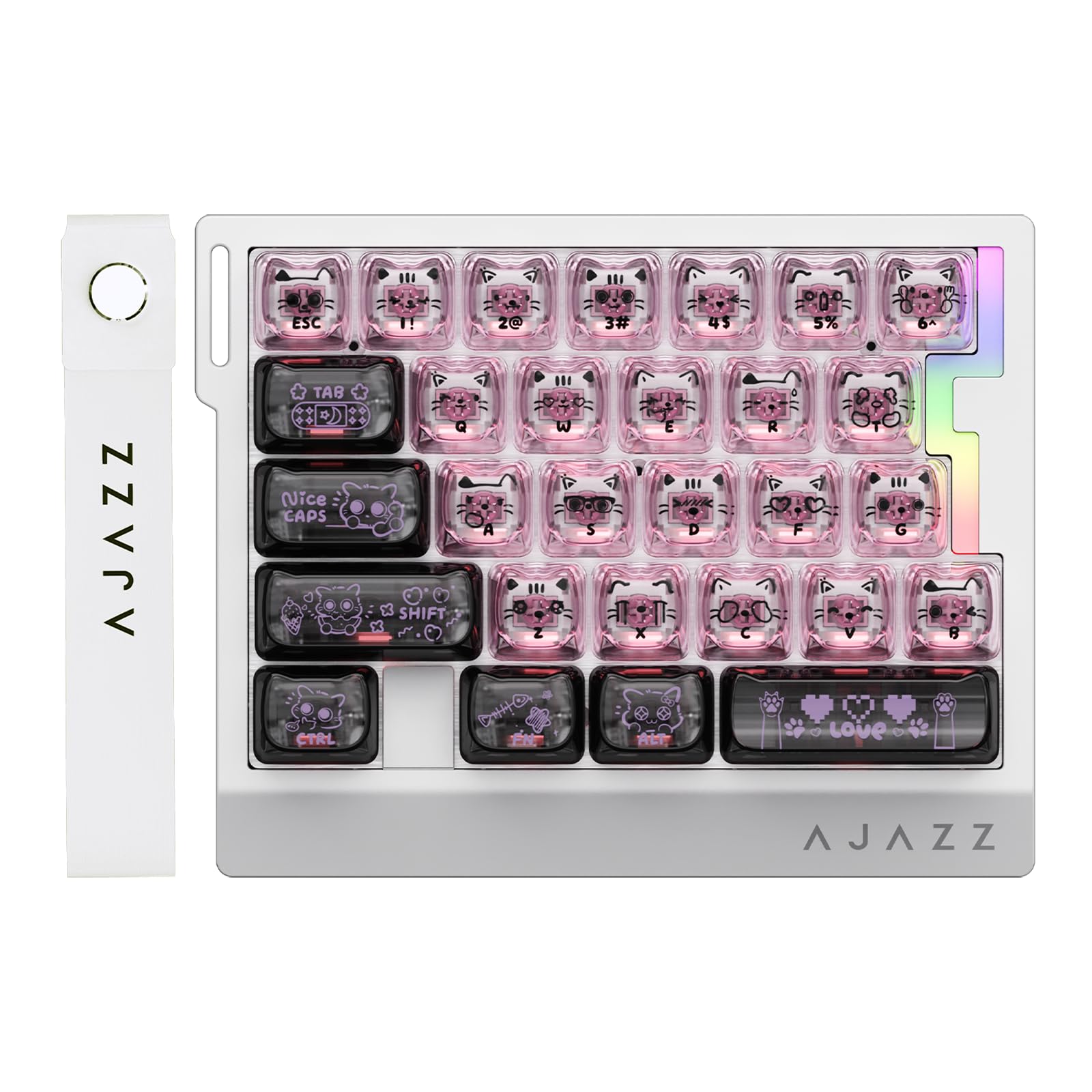
For competitive shooters, the AK029 in this black-pink-transparent trim leans hard into movement mechanics. Snap Key (SOCD) prioritizes your latest input of opposite directions, so you never freeze on the spot mid-strafe. Dynamic Key Switch (DKS) binds multiple actions to a single keystroke, which is exactly the tool for advanced movement and instant counter-strafing. The 8KHz polling rate and 128KHz full-key scan keep latency as low as 0.125ms.
The integrated ergonomic wrist rest conforms to your palm, and that matters during marathon sessions when hand fatigue creeps in. The aluminum alloy plate and five-layer sound-dampening stack give the pad a creamy, low-noise keystroke. RGB runs 20 preset lighting effects, so you can match your rig or color-code ability clusters.
The trade-off here is the switch bay. This version is not listed as hot-swappable the way the white AK029 is, so you get the tuned magnetic switches from the start without the option to swap them later. If you like to tinker with different switch feels, that is a real limitation worth weighing. The 29-key layout also leaves less macro room than a 32 or 35-key pad, so MMO players will feel the squeeze more than shooter players.
Who this suits: an FPS player who wants SOCD and DKS movement tools with a built-in wrist rest and no soldering ambitions.
The verdict: a strong movement-focused shooter pad with the comfort of an attached wrist rest.
skip it if: you want to swap switches yourself or need a large macro bank for MMO rotations.
5. Redragon K585 PRO Wireless One-Handed RGB Gaming Keypad

Cut the cable and place the pad wherever your off-hand wants it.
Wireless is the whole point of the K585 PRO, and it is the pick here if you hate a cable dragging across your desk. It connects over 2.4GHz, Bluetooth or USB-C, and it runs 15-20 hours of continuous play on a single charge. That is enough for a long session or two before you plug back in. The 42-key layout, with 7 onboard macro keys that expand to 28 across 4 profiles, gives you more bindable actions than any other pad on this list.
What wins people over is the build quality, closely followed by how it plays in FPS games — it feels solid in the hand and responsive where it counts. The upgraded socket accepts almost any 3-pin or 5-pin switch, so you can drop in your own feel without soldering, and the stock Blue switches are rated for 50 million keypresses. The magnetic wrist rest unclips when you want a smaller footprint. Pro software lets you record macro sequences and design custom lighting.
The recurring honest note is the wireless link. Bluetooth drops out sometimes for some setups, so if your desk has a lot of interference, the 2.4GHz dongle is the steadier path. The Blue switch version is also loud — the click carries, which is fine solo but noticeable in a shared room. Its 42-key body also takes noticeably more desk room than a 29-key pad, though the extra width suits long fingers.
Why it earns a spot
- 2.4GHz, Bluetooth and USB-C give you a cable-free desk
- 15-20 hours of continuous play per charge
- 42-key layout with 28 macro binds across 4 profiles
- Hot-swap socket takes 3-pin or 5-pin switches without soldering
What to plan around
- Bluetooth can drop on some setups; the dongle is more stable
- Stock Blue switches are loud clicks
- Larger footprint than a compact 29-key pad
Best for: a gamer who wants the pad untethered and a big macro bank for MMOs and MOBAs.
Think twice if: you need a whisper-quiet pad or a very small desk footprint.
6. EPOMAKER HE30 One-Handed Hall Effect Keyboard
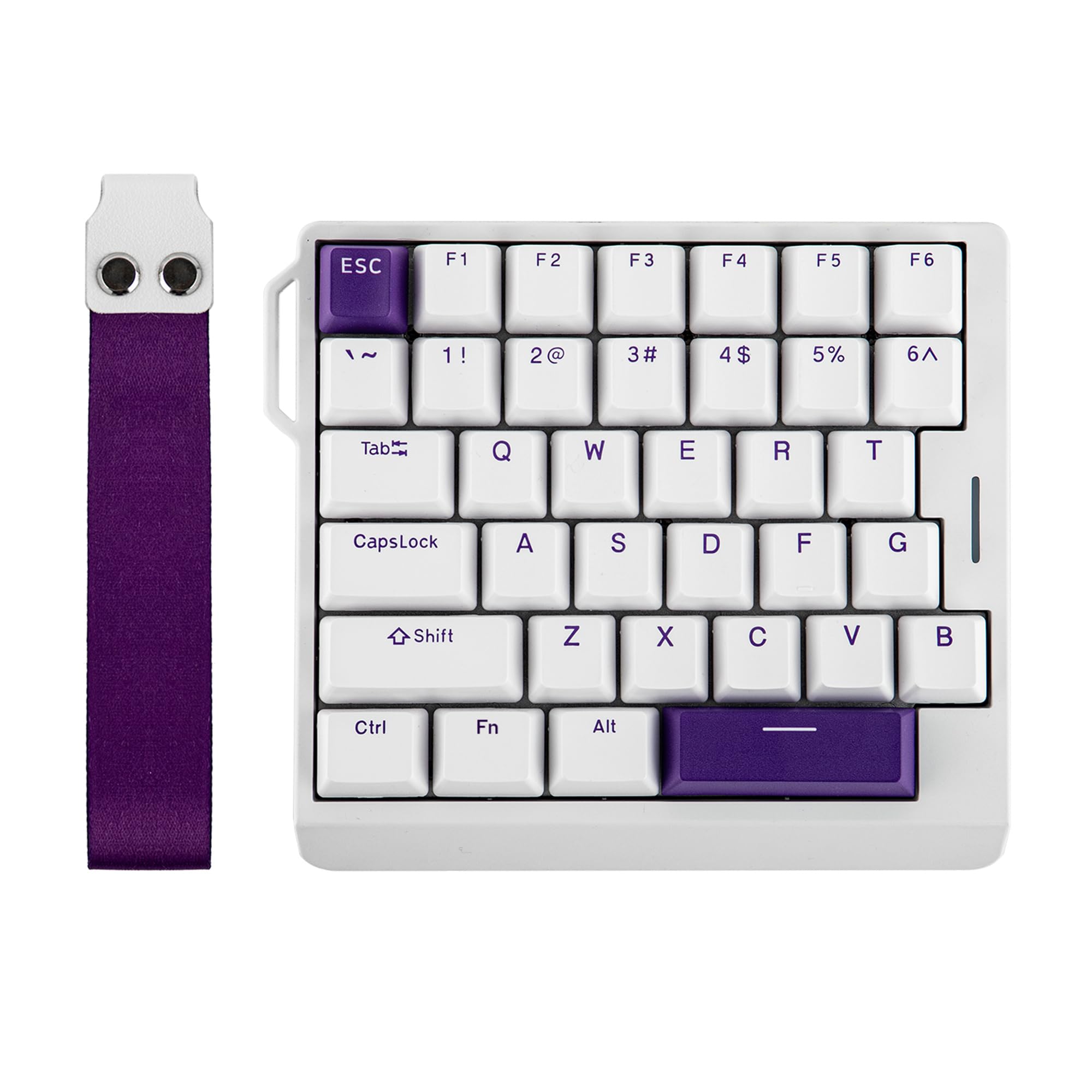
A half board that clips to your gear bag and tunes each key to the millimeter.
Most one-handed pads live on a desk. The HE30 is built to travel — its 30% compact layout frees huge swipe room for wide, low-sensitivity mouse flicks, and the removable wrist strap lets you secure it to a gear bag for a local tournament. It runs 36 programmable keys on a left-hand layout with premium PBT keycaps that resist the greasy shine and fading that plagues cheaper plastics over time.
The tuning depth is what separates it. Each Hall Effect switch supports an adjustable trigger, so you can set movement keys to a 0.1mm instant response or configure a heavy action to 3.4mm to stop accidental presses. DKS and MT (Mod Tap) push true analog input, with one stroke delivering up to 4 actions. Snap Key (SOCD) prioritizes your latest direction input so your character never freezes, and anti-ghosting keeps rapid sequences clean. Its 8,000Hz polling and 0.125ms latency match the AK029 pads keystroke for keystroke.
Its sound and feel win people over: factory-lubed switches (pre-greased at the factory) sit under a tray-mount design with multiple dampening layers, so each press lands with a creamy tone instead of a hollow clack. The catch is software. You configure it through a Chrome-based web tool, and it is wired-only over USB A-to-C (a standard USB cable). Want a plug-and-go pad with no browser setup? This is not it. For a player who likes to dial in every key, it is among the most tunable pads here.
Why it stands out: adjustable trigger from 0.1mm to 3.4mm and DKS analog input give you control no fixed-switch pad offers.
The one limitation: web-based software and a wired connection mean you cannot just plug in and play.
Go for it when: you travel to lans and want deep per-key tuning in a pad you can strap to a bag.
Pass if: you want zero software setup or a wireless connection.
7. One Handed Gaming Keyboard and Combo

The combo that takes your phone into the game, not just your PC.
This is the pick for the gamer who plays as much on a phone or tablet as on a PC. The bundle includes a Bluetooth 5.0 conversion adapter, which lets you drive mobile games with a real keyboard instead of touch controls. It runs 35 keys with no key conflict (every press registers even when you hold several at once) and gives the keys a clear, clicking mechanical-style sound. Dual USB ports keep it plug and play across most connections.
The RGB backlighting makes it usable in a dim room, and the compact size slips easily into a bag while freeing desk space at home. It works across phones, computers, laptops and most games, so one pad covers several setups. Because the keys are membrane rather than mechanical or magnetic, the feel is softer and less tunable than the Hall Effect pads here — you get a simple, straightforward keypress without actuation tuning or SOCD movement tech.
The honest note is that the specifications list an Android focus, so check it against your exact device before you buy. The membrane build also means this pad is about convenience and mobile coverage, not competitive switch precision. Treat it as a travel-and-couch companion rather than a tournament tool.
Suits you if: you want one pad to game on phone, tablet and PC with a Bluetooth adapter in the box.
Not the one if: you need magnetic switches or analog actuation tuning for competitive shooters.
8. Keychron C0 HE Wired One-Handed Gaming Keypad
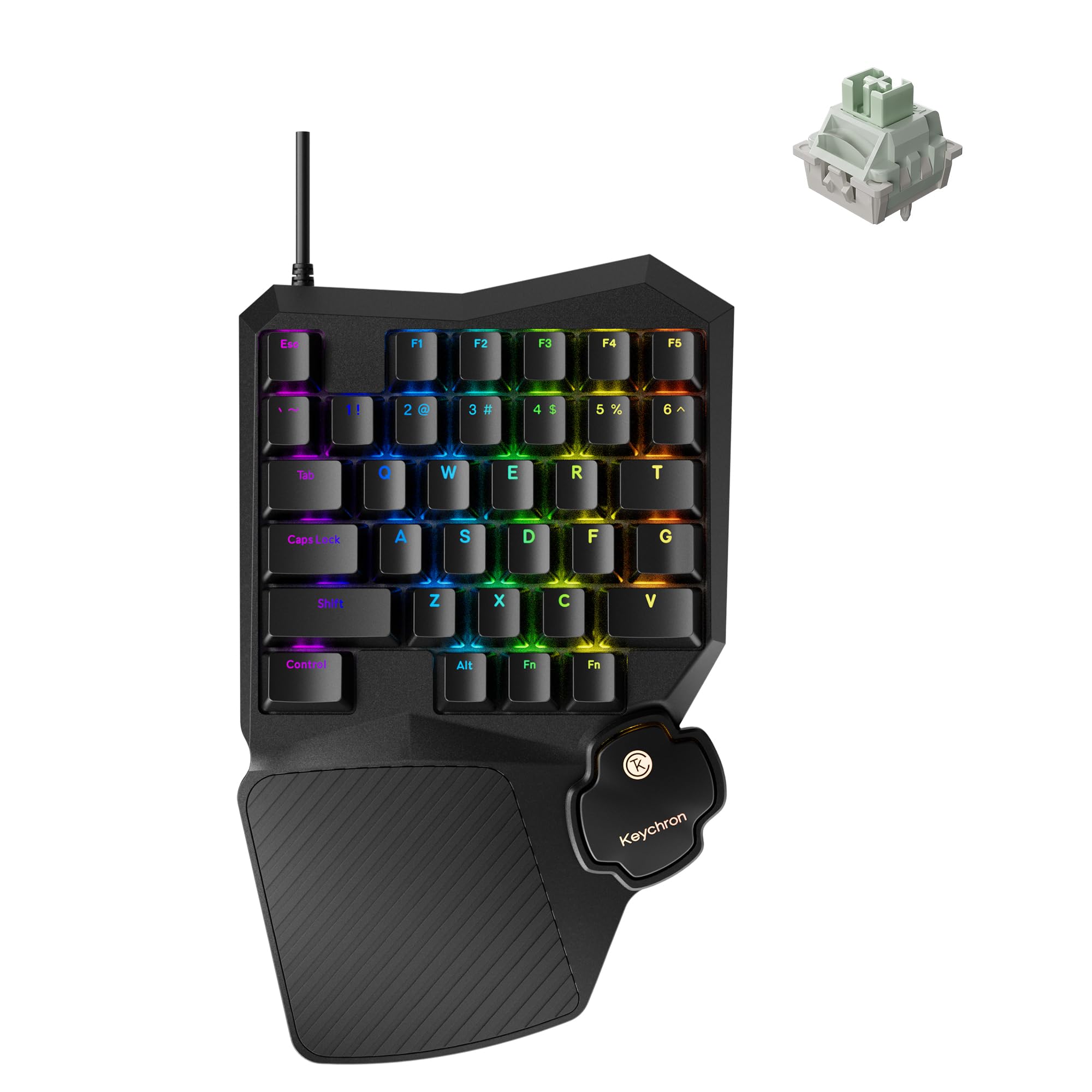
Runs on Windows and macOS without a single install, thanks to a browser configurator.
The C0 HE is the pick if you split your time between a Windows PC and a Mac. It supports both operating systems, and it customizes through a browser-based configurator — no software to install, so you remap keys and lighting on whichever machine is in front of you. Its 35 programmable keys sit in a compact one-handed layout that keeps essential commands within thumb reach during long MMO and MOBA sessions.
The Hall Effect magnetic switches register key travel in real time, with adjustable actuation at 0.01mm precision, so inputs respond based on how far you press rather than a fixed click point. Combined with the 8K polling rate and Rapid Trigger, it gives you fast resets for precise movement in titles like Valorant and CS2. Per-key RGB lets you color-code clusters. It also handles streaming and editing work — triggering OBS scenes, push-to-talk and timeline shortcuts from dedicated keys.
The recurring honest point is the configurator: it works well but only in Chromium-based browsers, so Firefox users will need to switch. It is also wired with a non-detachable USB-A cable, so plan your desk around a fixed lead. Owners describe the 8K polling as insanely fast, and the Keychron build quality holds up for a pad in this price range.
What makes it the cross-platform answer: the browser configurator runs on Windows and macOS, so one pad configures the same way on both.
Design detail to weigh: the USB-A cable is non-detachable, which keeps it simpler but less tidy to route.
Select this if: you game and stream across Windows and macOS and want a 0.01mm-precision Hall Effect pad with no install.
Look past it if: you only browse with Firefox or you want a detachable cable.
9. Razer Tartarus Pro Gaming Keypad

The one pad that reads how hard you press, not just whether you did.
The Tartarus Pro is the pick for someone who wants the feel of an analog joystick spread across keys. Its analog-optical switches register various levels of pressure, closer to a joystick than a click — so a light press and a hard press can mean two different things. It brings 32 programmable keys, an 8-way directional thumbpad for natural movement, and Razer Hypershift so every key and key combination can be remapped. Chroma lighting syncs with other Razer gear and 30+ partner devices across 16.8 million colors.
It shares the layout DNA of the Tartarus V2, but the switch tech is the whole difference — optical analog here versus mecha-membrane there. Owners put its 60-macro capacity to work for both gaming and speeding through work projects, and the functionality is the part that earns the most praise. The thumbpad gives console-style control for players who find WASD cramped.
Know the honest limits. The analog keys can feel mushy when you use them as plain buttons, and the software for the analog layers has a steeper learning curve than a standard keypad tool. The thumbpad’s grip is also the most-discussed weak point — the surface is a little too slippery for confident strafing. Some players find the jump key by the thumb awkward to reach, and comfort varies depending on the angle you rest your hand. This is a renewed listing, so expect a previously owned unit, and pair it with a wrist pad if palm support matters to you.
The draw for analog fans
- Pressure-sensitive analog switches open joystick-style control
- 32 programmable keys with Hypershift remapping
- 8-way thumbpad gives natural console-like movement
- Chroma RGB syncs with Razer gear and 30+ partners
Real limits to expect
- Analog keys can feel mushy as plain buttons
- Software takes time to learn for analog layers
- Slick thumbpad surface needs grip tape for strafing
The confident call: the Tartarus Pro delivers variable pressure control no fixed-switch pad here matches.
The caution: a slippery thumbpad and a software learning curve mean it rewards patient tuning, not plug-and-play.
Know the Specs
Polling Rate and Latency
Polling rate is how many times a second the pad reports keystrokes to your PC. A standard pad usually tops out lower; the 8000Hz pads here report 8,000 times a second and push response as low as 0.125ms. That speed helps most in fast shooters where a frame of delay decides a duel.
Hall Effect and Rapid Trigger
Hall Effect switches use magnets to sense how far a key travels, not just whether it clicked. That is what makes adjustable actuation possible — you choose the depth at which a key fires. Rapid Trigger resets a key the instant you lift it, so repeat taps stay clean during fast strafing.
Thumbpad vs Thumbstick
Your thumb handles movement. An 8-way directional thumbpad gives you full movement range like a console stick, while a four-direction knob limits you to cardinal directions. Read the thumb section of any pad’s description — it decides how natural strafing feels.
Common Questions
Will a one-handed gaming keypad work alongside my normal keyboard?
What does 8000Hz polling rate actually do for me?
Is a Hall Effect keypad better than a mechanical one?
Do I need software to remap the keys on these pads?
Can a one-handed keypad be used left or right handed?
How long does a wireless gaming keypad last on a charge?
Will a one-handed keypad work with my console or phone?
What is the difference between Snap Key SOCD and DKS?
Can I swap the switches on these pads without soldering?
The Bottom Line
For most players, the single hand gaming keyboard winner is the Razer Tartarus V2 because it pairs a true 8-way thumbpad and 32 remappable keys with the deepest track record of any pad on this list. If you want the speed of magnetic switches, grab the MechLands AJAZZ AK029 for its 8000Hz polling and creamy low-noise sound. And if you want to cut the cable and place the pad wherever your off-hand rests, the Redragon K585 PRO is the one to reach for with its 2.4GHz, Bluetooth and USB-C trio.
How we choose
We do not accept paid placement. Every pick is matched to a real buyer and a real use-case; we do not hands-on test units.
Sources
Specifications: manufacturer listings and product documentation. Review insights: verified customer reviews, as of November 2026. Pricing: not shown on this page (it changes often); check the current price via the retailer link.
As an Amazon Associate, Tactical Gear Guy earns from qualifying purchases. This does not affect which products we feature.