Specs are compiled from manufacturer listings and verified buyer reviews and can change over time — please confirm the key details on the product page before buying.
If a room in your house or office keeps dropping Wi-Fi, the fix is usually not a bigger router — it is a dedicated access point wired into your network with a single Ethernet cable. A PoE Wi-Fi 6 access point (PoE means Power over Ethernet: the same cable that carries data also carries the power) mounts on a ceiling or wall and broadcasts a strong signal from where you actually need it. This guide ranks the models worth your time by real coverage numbers, port layouts, and how owners say they behave after months of use.
This guide is built by comparing the manufacturers’ published specifications and the patterns across verified customer reviews, so you get each pick’s real strengths and trade-offs instead of marketing spin.
Some units ship with a power injector and some expect you to own a PoE switch already, and that single detail derails more installs than any speed rating. Below you will find the PoE Wi-Fi 6 access point that fits your cabling, your room count, and your patience for setup.
Top Picks


How To Choose The Best PoE Wi-Fi 6 Access Point
The first thing to settle is power. An access point that draws its electricity from the network cable needs a switch that speaks the right PoE standard, or an injector that sits between the switch and the AP. Get that wrong and the unit sits dark on your ceiling no matter how good its radio is.
Check the power your switch can actually deliver
Your access point gets its power straight from the network cable, so the switch you already own decides which units you can run. Standard PoE (802.3af, the basic power-over-cable standard) sends a modest amount of power down the cable, while PoE+ (802.3at, the higher-power version) sends more. A few units also accept passive PoE (always-on power at a fixed voltage), and some ship with a DC adapter instead. Before you buy, check what your switch outputs and match it — a PoE+ switch will happily run an 802.3af access point, but a plain PoE switch may not have enough headroom for a unit built around PoE+.
Match coverage to the room, not the whole house
Coverage figures are quoted as square feet for a reason: one AP fills a zone, and you add more APs for more zones. A unit rated around 1,400 square feet suits a large open floor, while a wall-plate model aimed at hotel rooms covers a far smaller footprint on purpose. Buy for the space you are trying to light up, then plan the next AP if the building is bigger.
Decide if you want a controller or standalone mode
Some access points can be set up on their own through a web page, and others really want a controller — either a hardware unit, a software controller, or a cloud dashboard. If you run one AP in a home, standalone is fine. If you plan four or five across an office, a controller makes roaming and guest networks far easier to manage.
Look at the wired ports, not just the radio
A wall-plate access point often includes extra Ethernet ports for the devices in that room, and one of them may pass power through to a wired camera or phone. A ceiling disc usually gives you a single uplink. Think about what you want to plug in at that spot before you pick the shape.
Side-by-Side Comparison
| Model | Best For | Rated Speed | Coverage | Power In | Amazon |
|---|---|---|---|---|---|
| Omada EAP615-Wall★ Best Overall | One room, one private network | 1800 Mbps | 538 sq ft | 802.3af/at PoE | Amazon |
| Omada EAP653Ceiling Workhorse | Whole-home ceiling coverage | 2976 Mbps | — | PoE+ / passive / DC | Amazon |
| Zyxel NWA50AXPRO2.5G Uplink Pick | 2.5G uplink on old cabling | 2.5 Gbps | Wide coverage | PoE+ | Amazon |
| Cudy AP3000 | Big open floors | 3000 Mbps | 1400 sq ft | 802.3at/af / passive / DC | Amazon |
| NETGEAR WAX210PA | Buying with the adapter included | 1800 Mbps | 1500 sq ft | Adapter or PoE switch | Amazon |
| Grandstream GWN7665 | Dense device counts | 5.4 Gbps aggregate | 175 m | PoE / PoE+ auto | Amazon |
| Cisco CBW150AX | Injector in the box, small business | 1 Gbps | Large area | PoE injector included | Amazon |
| HPE Instant On AP22 | Cloud-managed small office | 1774 Mbps | Long range | 802.3af Class 2 / 12V | Amazon |
| Ubiquiti U6-LR-US | Long reach from one mount | 2.4 Gbps (5 GHz) | Long range | 802.3at PoE | Amazon |
| Ubiquiti U6-Mesh-Pro | Outdoor and indoor mixing | 2973 Mbps | 2000 sq ft | PoE | Amazon |
| eero PoE 6 | App-first homes | 1.6 Gbps | — | PoE | Amazon |
Detailed Reviews
1. Omada AX1800 Wall-Plate Wireless Access Point (EAP615-Wall)
Our pick — 4.5+★ from 400+ verified ratings; the strongest balance of quality and price.
A wall plate that puts a private network in every room and gives you three ports to plug into.
This is the pick for a hotel room, a dorm, an office cubicle or a spare bedroom that needs its own clean Wi-Fi — and four wired jacks on the faceplate. The radio runs Wi-Fi 6 with 1024-QAM (a modulation scheme that packs more data into each signal) and four spatial streams, which adds up to 1800 Mbps of dual-band throughput. Coverage is rated at 538 square feet, so think of it as one room plus a hallway rather than a whole floor.
The port layout is what makes it different from every ceiling disc here. One uplink port is powered by 802.3af/at PoE, and three downlink ports let you hardwire a desk PC, a TV or a printer right where they sit. One of those access ports also passes PoE through, so it can feed a wired device that needs power of its own. Compare that to the Cudy AP3000 below, which covers 1400 square feet but gives you no extra jacks and no per-room privacy.
What wins people over is plain build quality and steady performance — the device itself is the most-praised thing about it. Owners describe it as fast and tidy, with speeds running 50 to 100Mbps quicker than what they replaced, and one reports several units blanketing a 6500 sq ft building. The in-wall fit keeps a room looking clean instead of trailing a power cube. Signal strength is the one area where opinions split; a few find it less punchy than a ceiling unit expected to throw across a big open space. Into the Omada SDN platform it slots in beside the EAP653 as a managed node, or it runs standalone if you prefer.
What earns the top spot
- Three downlink Gigabit ports plus one PoE pass-through port at the wall
- 1800 Mbps dual-band Wi-Fi 6 with four spatial streams
- Rated for 538 sq ft — right-sized for a single room
- Managed through Omada SDN or run standalone
Where it asks a little more
- Won’t blanket a large open floor the way a ceiling unit can
- Signal strength is the split opinion — fine for a room, not for a warehouse
Reach for this if: you want Wi-Fi and wired ports in the same room, and a faceplate that hides the cable.
Think twice if: your goal is one AP covering a whole open-plan space — a ceiling model suits that better.
2. Omada AX3000 Wireless Access Point (EAP653)
The slim ceiling disc that keeps working year after year — and owners keep saying so.
Reliability is the thing this access point is known for. It is the trait owners bring up more than any other, and the pattern is consistent: units that were installed years ago are still pushing Wi-Fi without drama. That matters when the AP is screwed to a ceiling and you would rather not climb a ladder again. The specs back the intent — Wi-Fi 6 with 1024-QAM and HE60 (a Wi-Fi 6 efficiency feature that stretches each transmission), dual-band speeds up to 2976 Mbps, and a 3000 Mbps data transfer rate on the sheet.
You can power this ceiling unit three different ways, which is rare. It takes standard 802.3at PoE+, 48V/0.5A passive PoE, or a 12V/1.5A DC supply — though the DC adapter is not in the box. That means an older passive-PoE switch can still run it, a real convenience when you are retrofitting an existing building. The slim housing blends into a modern office, hotel, classroom or café ceiling instead of hanging there like a hockey puck. Pair it with an Omada controller and it handles Mesh Wi-Fi and smooth roaming. WPA3 (the newest Wi-Fi security standard), band steering, load balancing and beamforming are all on board.
The catch is what is not included: no DC adapter, so budget for an injector or a PoE+ switch if you do not already have one. And the smooth roaming and mesh features need an Omada SDN controller (the software that manages the network) to actually switch on — standalone mode gives you a working AP but not the roaming polish. Backed by a 5-year warranty and weekday technical support, it is a low-risk choice for a home or a small office that wants one ceiling AP done right.
Why it holds second: reliability is the headline here, and the mix of PoE+ / passive PoE / DC options means it fits switches that other units here would refuse.
The honest note: add the cost of a PoE injector to your plan if you don’t own a PoE+ switch, and expect the roaming features to stay dark unless you add an Omada controller.
Suits: a home or small office that wants one slim ceiling AP with a long warranty and flexible power.
Look elsewhere if: you need the box to include everything — the injector and DC adapter are on you.
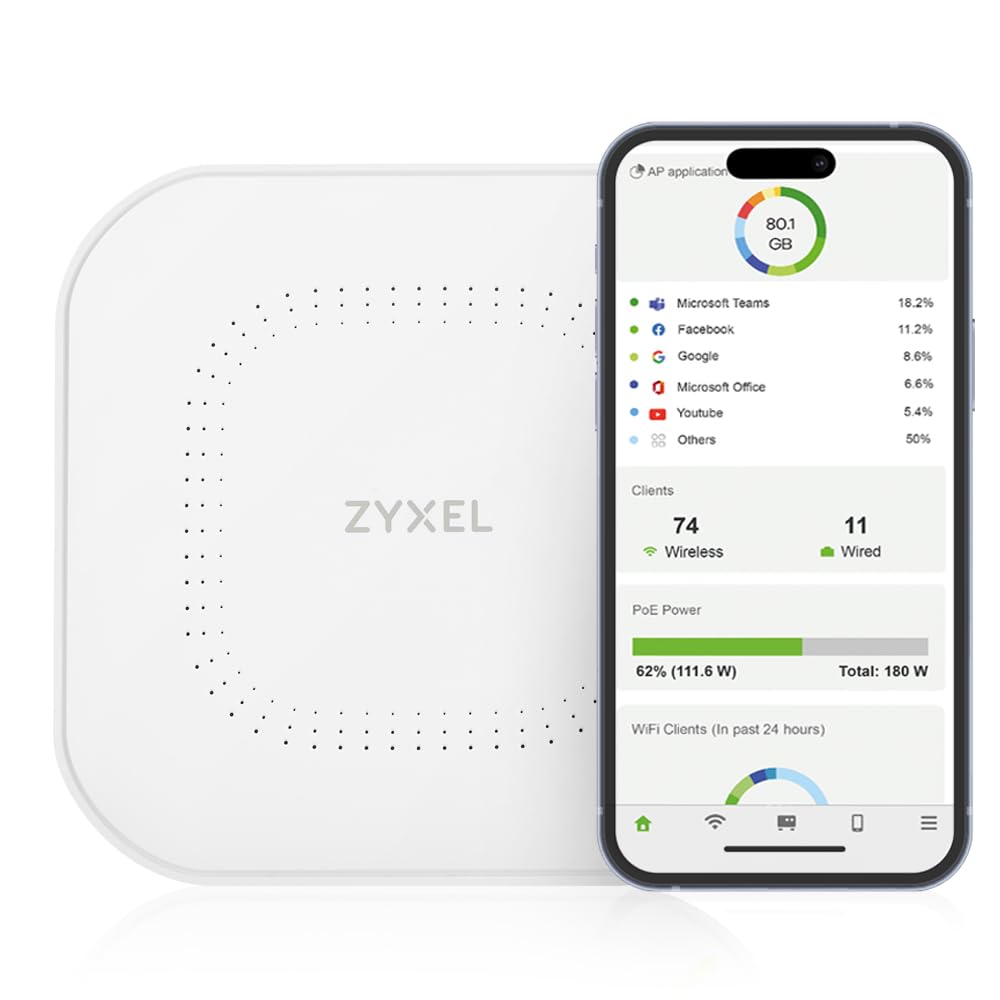
3. Zyxel WiFi 6 Wireless Access Point AX3000 (NWA50AXPRO)
A 2.5-gigabit uplink that runs on the Cat5e cable already in your walls.
Here is the head-to-head that matters: this Zyxel moves data at 2.5 gigabits per second over its multi-gig port, while the Omada wall-plate above tops out at 1.8 gigabits per second — a meaningful edge on paper, and a real one if your internet plan or internal traffic is climbing past a single gigabit. The trick is that it does it on existing Cat5e cabling, so an upgrade does not mean re-pulling wire through the building. Total throughput is 3000 Mbps with 160MHz channel support (a wider lane for data) so many devices get faster simultaneous transmission.
Three high-gain internal antennas push the signal into hard-to-reach corners and across multiple floors. Wi-Fi 6 tools are all accounted for — OFDMA, MU-MIMO, band steering, fast roaming with 802.11r/k/v, WPA3, VLAN tagging, and 4G/5G interference filtering. Management is the flexible part: NebulaFlex lets you pick between a local GUI or the cloud Nebula Control Center, with no extra licensing to switch from one to the other.
Where buyers are consistently happy is stability — it just keeps running, including with OpenWRT for the tinkerers. Speed checks have come back strong, with owners reporting roughly 840 MB up and down. Setup is described as quick and the price-to-performance reads well. The fair warning is configuration: opinions split, with some finding the simple mode easy and others wishing for more depth. If you want a deeply detailed dashboard from the start, plan to use Nebula rather than the local screens.
The selling point: a 2.5G port and 160MHz channels mean you are not capped at gigabit speeds as your network grows.
Watch for this: the configuration interface is the split opinion — simple is fine for some, shallow for others.
Get this one if: your wired backbone is heading past gigabit and you want a capable AP without new cable runs.
Steer clear if: you want an exhaustive configuration panel on the device itself with no cloud account.
4. Cudy AX3000 Wi-Fi 6 Access Point

One disc, 1400 square feet, and a 1.3 GHz dual-core CPU to hold the line.
If your building has one big open floor and you’d rather not crawl around installing several APs, this is the coverage play. It is rated for 1400 square feet — 2.6 times the footprint of the Omada wall-plate at 538 square feet — with five internal antennas and beamforming to steer the signal where devices actually sit. The radio splits 2402 Mbps on 5 GHz and 574 Mbps on 2.4 GHz, and a shielded 2.5GbE PoE input port carries both data and power.
The hardware inside is sized for a busy household or small business. A 1.3 GHz dual-core CPU and 512 MB of RAM support up to 150 recommended connected devices, while OFDMA, MU-MIMO and BSS Color keep the airwaves from getting crowded. It accepts 802.3at/af PoE, 48–57V passive PoE, or 12V DC — no adapter in the box — so most switches will power it. For a wider rollout it manages multiple APs centrally with a captive portal for guest logins, WPA3 security and fast roaming.
A handful of extra modes set it apart from the plain discs: it will act as a router, range extender, WISP client or client bridge, and it adds WireGuard and OpenVPN (two VPN protocols) plus a hardware watchdog and scheduled reboot for hands-off maintenance. What buyers find reliable is the hardware — standard PoE+ switches are the norm and it behaves. The speed note is odd but telling: some call it fast and one considers it almost too quick for a simple home. The honest limit is setup depth and app polish compared with a bigger ecosystem.
Why it earns this spot
- 1400 sq ft coverage and 150-device capacity from one mount
- 2.5GbE PoE input plus passive PoE and 12V DC options
- Router, extender, WISP and client modes built in
- Watchdog, scheduled reboot and online detection for low-maintenance sites
Set expectations here
- No power adapter included
- Setup and app feel less refined than the larger ecosystems
Made for: a large room, shop floor, or small business that wants one AP to cover a wide footprint.
Know before you buy: supply your own PoE injector or switch — nothing in the box powers it.
5. NETGEAR 1.8 Gbps WiFi 6 Wireless Access Point (WAX210PA)

The one that hands you the power brick, so you can install it today.
Most units on this list leave the injector out and expect you to own a PoE switch. This NETGEAR runs the other way: the AC power adapter is included in this SKU, so a small office with a plain switch can get it on a ceiling without buying extra hardware. It also takes power from a PoE-capable switch if you have one. Coverage is rated at 1500 square feet indoors, and the dual-band Wi-Fi 6 radio pushes up to 1800 Mbps across 2.4 GHz and 5 GHz.
For a small business it is well thought out. It supports 128 registered client devices with up to 30 active at once, and MU-MIMO keeps those devices moving at the same time. Four separate SSIDs (a network name you broadcast) let you keep staff and guest traffic isolated and secure. There is a single 1G Ethernet port to the network, WPA2 and WPA3 encryption with MAC address filtering, and setup runs from any browser — no app required, with the default login printed on the product label.
Wireless speed and the compact, discreet look are what people like about it; the clean mount suits a retail store, lobby or dental office. Where it gets less consistent is setup — some find it simple, others find it finicky — and the overall take splits between loving it as an access point and wanting more from it. Treat it as a straightforward ceiling radio for a modest office rather than a deep, tunable system, and it earns its place.
What seals it: the included AC adapter plus browser-based setup means no separate injector and no app to install.
Realistic caveat: setup is the split opinion here, and 30 active devices is a small-office ceiling, not a building-wide one.
Best for: a small business that wants a ceiling AP with the power brick included and a browser-only setup.
Not the pick if: you need to serve more than 30 active devices at once.
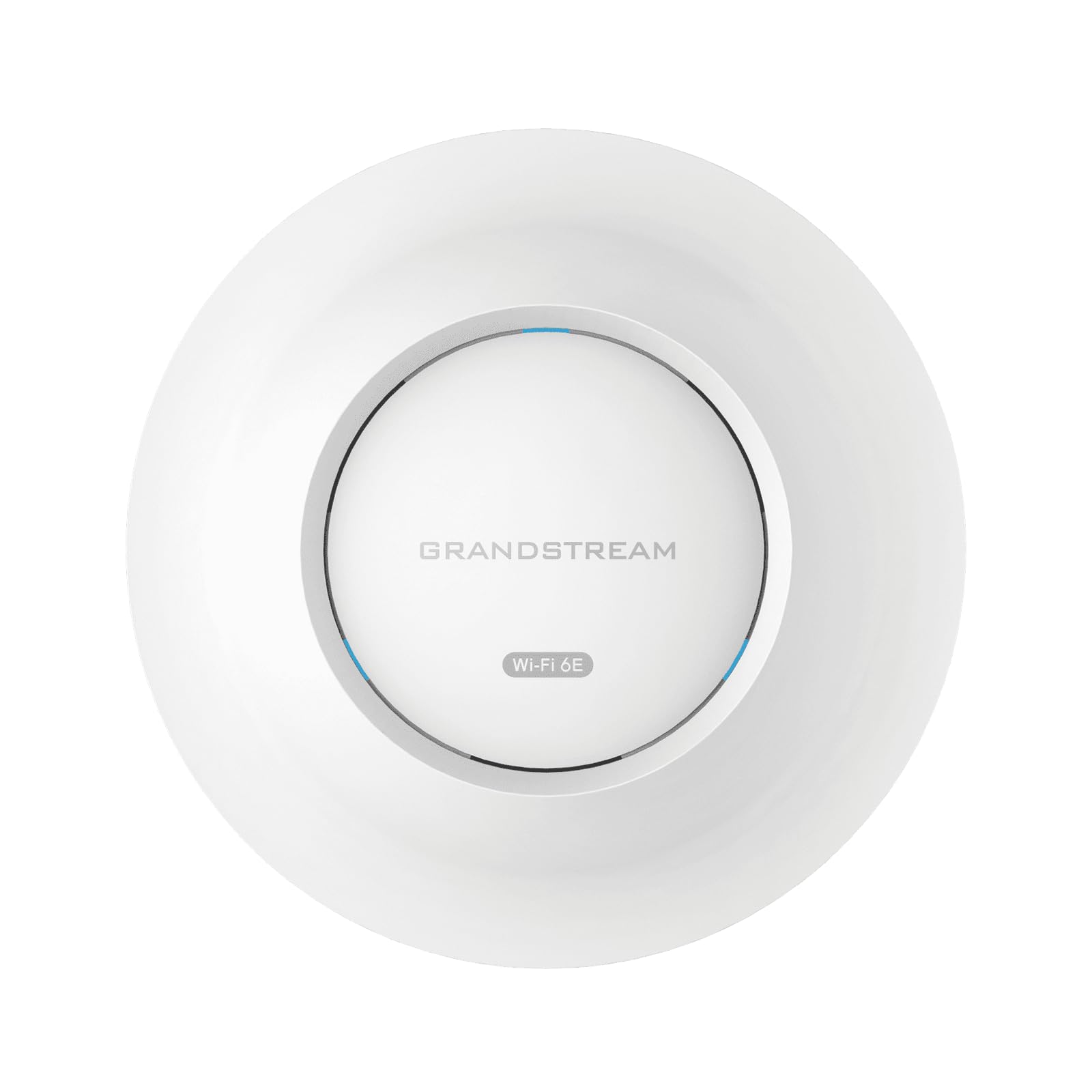
6. Grandstream GWN7665 AX5400 Wi-Fi 6E Access Point
When the room is packed with phones and laptops, this one keeps count.
Density is where this access point lives. It is rated for 384 concurrent Wi-Fi clients — far more than anything else here — and 5.4 Gbps of aggregate wireless throughput across three ports (3.5 Gigabit wireline to be exact). The radio is tri-band with a 6 GHz channel, which means it can use the newest Wi-Fi 6E airspace. That is the pick for a classroom, a meeting hall, or an office where dozens of devices fight for airtime.
Coverage is rated up to 175 meters, and the wireless stack is full: tri-band 2×2:2 MU-MIMO with downlink and uplink OFDMA keeps many devices served at once, and advanced QoS helps low-latency traffic like calls hold their place. Security is taken seriously — secure boot, digital-signature lockdown of critical data and control, plus a unique certificate and random default password per unit. It senses whether the switch is sending PoE or PoE+ and adapts its own power draw to match.
Management is the quiet strength. The built-in controller handles up to 50 local GWN access points, GWN.Cloud handles unlimited APs, and GWN Manager covers on-premise setups, so the same unit works for one office or a campus. The honest split is connectivity: some report it works exactly as intended while others hit connection trouble, so plan to spend a little time on the initial config. No power adapter is in the box.
The capacity story: 384 concurrent clients and tri-band 6 GHz airspace make it the one to reach for in crowded rooms.
Size the catch: connectivity is the mixed note, and the box ships without a power adapter.
Pick this for: a crowded classroom, hall or office where client count is the real problem.
Skip if: you want a plug-and-play single-AP home setup — this one is built for larger deployments.
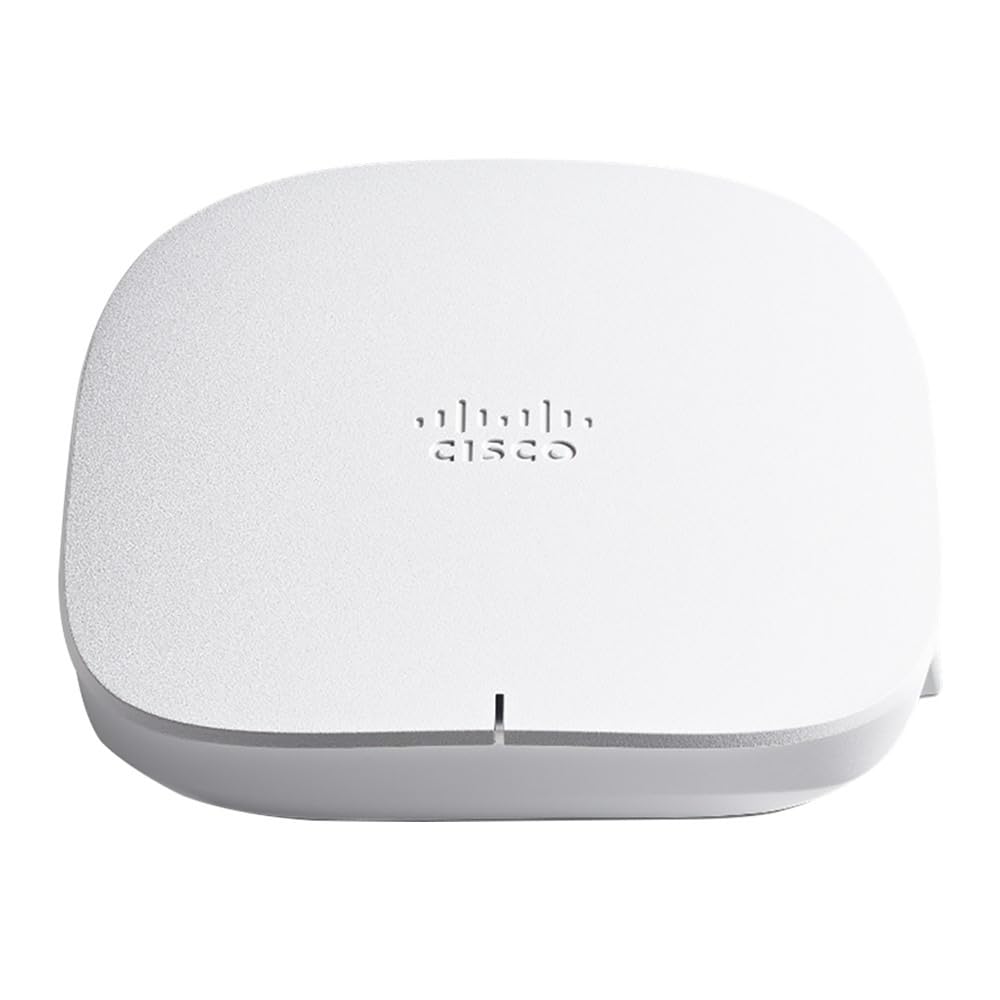
7. Cisco Business 150AX Wi-Fi 6 Access Point (CBW150AX-B-NA)
A business-class AP that comes with everything for the wall — injector and all.
For a small business that wants enterprise-grade security without enterprise-grade complexity, this is the tidy option. The Wi-Fi 6 radio is 2×2, meaning two streams per band, and it is built for highly secure, reliable coverage in a small footprint. The 1Gbps Ethernet port connects to your existing network. Cisco’s Umbrella integration layers on enterprise-class threat filtering aimed at malware, phishing and other attacks before they reach devices on your network.
What makes it easy on a first install is the box contents: a PoE injector, a mounting kit, a Cat5 Ethernet cable and a quick start guide are all there. That means you can power it over Ethernet without owning a PoE switch, and mount it on a wall or ceiling with what came in the package. Management runs from the Cisco Business Mobile app or a browser. Mix and match with other Cisco Business Wi-Fi 6 access points and mesh extenders to grow coverage as the building expands.
The honest catch is pace. Owners flag long reboot times as the most-discussed issue, so if your team needs a unit back online instantly after a config change, this is not the one. Value reads well and setup is quick when it behaves, but the overall experience and signal quality split between strong and underwhelming. Budget for a short wait on reboots and it is a sensible small-business pick with strong security lineage.
The reasons it made the shortlist
- PoE injector and mounting kit included — no extra hardware to buy
- Enterprise-class security with Cisco Umbrella threat filtering
- Managed from the Cisco Business app or a browser
- Expands with other Cisco Business Wi-Fi 6 APs and mesh extenders
The trade-offs to weigh
- Long reboot times come up repeatedly
- Signal quality splits between praise and disappointment
Go for it if: you want a small-business AP with the injector included and Umbrella security on board.
Hold off if: rapid reboots and instant restarts matter to your daily workflow.
8. HPE Networking Instant On AP22 Wi-Fi 6 Access Point (R4W01A)

Set it up from the cloud app in minutes and let it manage itself.
This is the pick for the small business owner who would rather not log into a local web page. The Aruba Instant On cloud app walks you through setup and keeps the network manageable from anywhere. The radio is Wi-Fi CERTIFIED 6 with 2×2 streams: 1200 Mbps on 5 GHz plus 574 Mbps on 2.4 GHz, totaling 1774 Mbps. One Gigabit 100/1000 uplink connects to your wired network and the unit is recommended for up to 75 max active devices.
This particular SKU, R4W01A, is the unit-only package — it can be powered by 802.3af Class 2 PoE or a 12V local adapter, but the adapter itself comes in the separate R6M49A package. Two-factor authentication is enabled for security, and the unit measures 6.3″L x 6.3″W x 1.5″H at 1.1 pounds, light enough for a ceiling mount without drama. Performance and setup are the two things owners praise most — it runs well and it is easy to get going.
Signal strength and range are the fair warning. Some report mediocre speed and reach, while others describe a huge Wi-Fi 6 span, so plan for the room you are covering rather than a whole floor. A few find the available settings limited and the value middling compared with more configurable options. If a clean cloud dashboard and fast setup matter more than deep tuning, this is a tidy fit.
In its favor: 1774 Mbps across both bands and app-based management in a 1.1-pound, 6.3-inch square housing.
Before you order: this SKU ships without the 12V adapter, so plan on PoE or buy the adapter-equipped package.
Fits best: a small office that wants fast cloud setup and up to 75 devices.
Not ideal if: you expect adjustable settings and confirmed range in a sprawling building.
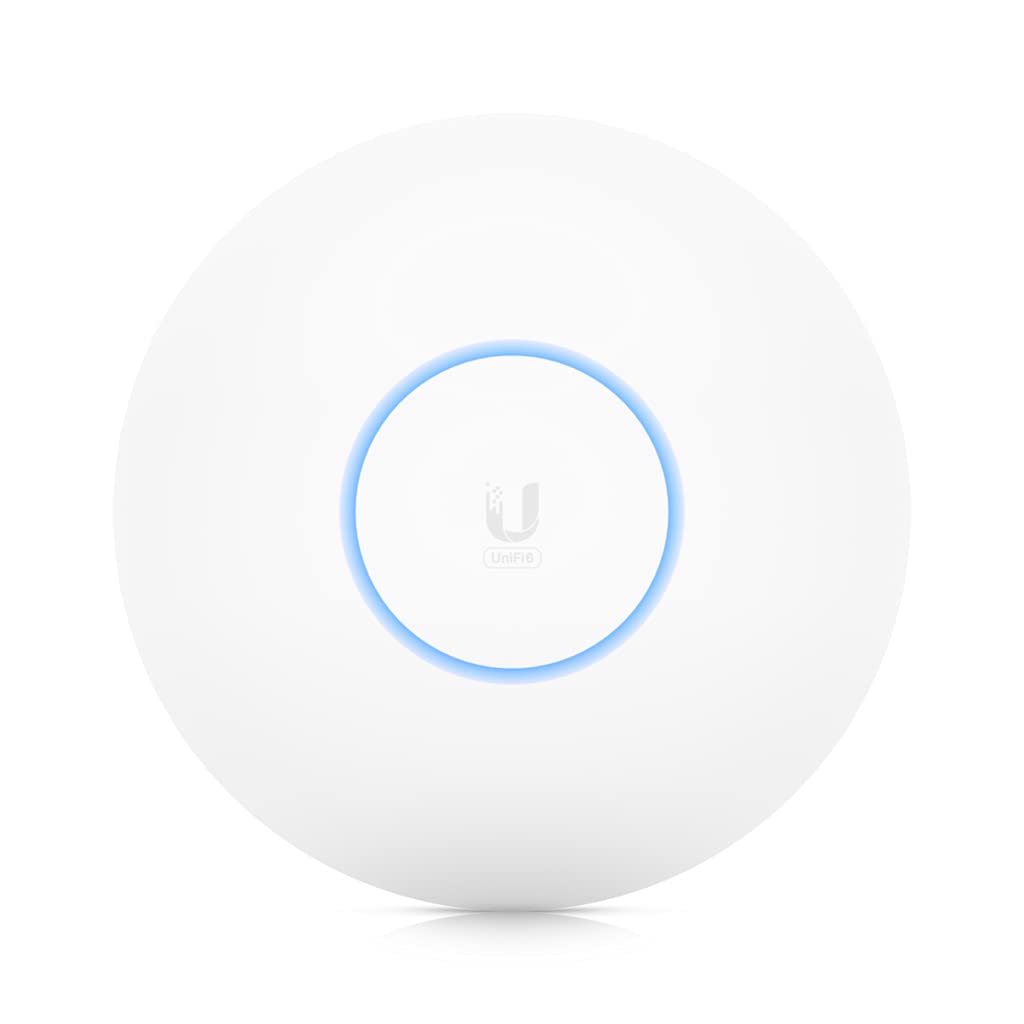
9. Ubiquiti UniFi 6 Long-Range Access Point (U6-LR-US)
Four streams on both bands and a radio rate that pushes reach to the far corners.
The point of this access point is distance. It uses four-stream Wi-Fi 6 across both bands: a 5 GHz band with 4×4 MU-MIMO and OFDMA at a radio rate of 2.4 Gbps, and a 2.4 GHz band with 4×4 MIMO at 600 Mbps. Running the internals is a 1.3 GHz dual-core processor, now upgraded to support full-duplex 1 Gbps TCP/IP performance. That combination is built to hold strong signal over a long throw rather than just fill one room.
For power it wants 802.3at PoE, and the injector is not in the box — so a PoE+ switch or injector is a prerequisite. That is worth checking before you order, because this unit expects more power headroom than a basic PoE port. Owners find it easy to set up and quick to deliver, with strong signal and high throughput that holds up across a home; one setup pulls clean numbers from a Verizon FIOS 300/300 link.
The honest limit is that the long-range label is about reach, not a free pass through thick walls, so mount it sensibly and you will get the most from it. The UniFi ecosystem rewards you with a shared dashboard once you have a controller in place. Bring an injector and a plan, and this is the most reach per mount among the ceiling units here.
Where it wins: 2.4 Gbps on 5 GHz and 600 Mbps on 2.4 GHz from four-stream radios, with a 1.3 GHz dual-core CPU behind them.
Prep work: no PoE injector included, and it wants 802.3at power.
Choose it for: a home or office where one AP has to reach a long way across open space.
Look past it if: you don’t have PoE+ power ready — the injector is separate.
10. Ubiquiti UniFi U6 Mesh Pro Access Point

One unit that is equally at home on a patio wall or a hallway ceiling.
Most access points want to stay indoors. This one is weatherproof and built for exposed outdoor mounting, so it can cover a deck, a courtyard or a garage without a second enclosure. It is rated for 2000 square feet of coverage with an integrated omnidirectional super antenna, and it runs Wi-Fi 6 with four spatial streams and a 2973 Mbps data transfer rate. The design is meant to serve more than 350 connected devices.
Power comes over PoE, and unlike the U6-LR above, this package includes a PoE injector along with the mounts and screws. That makes the first install simpler: one cable, one injector, mounted outside or in. The antenna is omnidirectional, which spreads signal in every direction around the unit rather than aiming a narrow beam — handy for a patio or an open yard where devices roam.
The honest catch is that this is a young listing with limited buyer history to lean on, so the safe read is to trust the published specs and the UniFi platform rather than a body of owner experience. For an outdoor spot where the alternative is a weather-beaten indoor AP, the weatherproofing and the included injector make it a clean fit. Just confirm the mounting surface and cable route before you climb up.
Standout spec: 2000 square feet of coverage, 350+ devices, and a weatherproof housing that tolerates exposed outdoor placement.
Fair caveat: limited owner history so far — lean on the specs and the platform rather than a track record.
Reach for this if: you need Wi-Fi reaching outside — patio, yard, garage — and want the injector included.
Think twice if: everything you need to cover is indoors and a cheaper ceiling disc would do.
11. Amazon eero PoE 6 Wi-Fi 6 Access Point
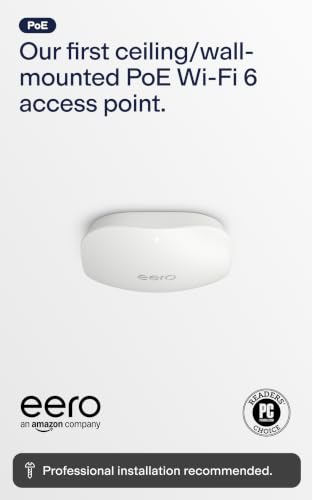
The ceiling AP for people who would rather tap through an app than open a config page.
If you already live in the eero app, this is the natural ceiling addition. It is a PoE-powered Wi-Fi 6 access point built for professional installs, mounting to a ceiling or wall so the radio sits where coverage needs it rather than where the router happens to be. Wireless speeds run up to 1.6 Gbps, which handles streaming, gaming and working from home, and the AC adapter is not included — power comes over Ethernet.
The eero TrueMesh technology routes traffic intelligently to cut drop-offs and dead spots, and adding it is easy because the hardware is cross-compatible with other eero products. Setup runs through the eero app once the PoE infrastructure and access points are in place, and you can manage the network from anywhere. Automatic updates keep the system current, though online security and extra network-management features sit behind a separate subscription.
The thing buyers like most is that it simply functions — the signal lands strong on every device. Speed is the split note, with some reporting speed issues, so treat it as a coverage solution rather than a raw-speed champion. Phone support is there for setup issues. It is the cleanest route for an eero household that wants a hardwired ceiling AP and the same app in charge.
Why it made it: 1.6 Gbps Wi-Fi 6 in a PoE ceiling/wall mount, managed entirely from the eero app with TrueMesh routing.
Count the costs: no AC adapter in the box, and online security features need a separate subscription.
Right for: an eero home that wants a hardwired ceiling AP and one familiar app in charge.
Wrong for: you if you want a speed-first AP or a setup with no subscription extras.
Know the Specs
PoE, PoE+ and Passive Power
Power over Ethernet carries both data and electricity on one cable, which is why an access point on a ceiling needs no outlet nearby. Standard 802.3af is the entry level, PoE+ (802.3at) delivers more power for radios that want it, and passive PoE runs at a fixed voltage that the switch and the AP must agree on. Some units add a DC jack for a wall adapter. Check what your switch outputs and what the AP expects — the two have to match or the unit stays dark.
Dual-Band Speed Numbers
Manufacturers list a combined figure — the 5 GHz and 2.4 GHz rates added together — so a “3000 Mbps” unit is not 3000 on a single device. The 5 GHz band is the fast lane where phones, laptops and TVs should land, and 2.4 GHz is the long-throw band that gets through walls. Higher stream counts and wider channels raise the ceiling, and features like OFDMA and MU-MIMO decide how well many devices share the lane at once.
Square-Foot Coverage Ratings
Coverage figures describe how much floor a single access point is expected to fill, which helps you plan how many you need. A wall-plate designed for one hotel room will list a small footprint on purpose, while a ceiling disc can claim over a thousand square feet. Walls, floors and furniture all cut the effective range, so treat the number as a starting point and plan more APs for a multi-floor building.
Client Counts and Controllers
Two access points with the same speed rating can behave very differently once a room fills with devices. A high client count — like the 384 rated on the Grandstream or the 350+ on the U6-Mesh-Pro — means the access point is built to serve many gadgets at once without dropping them. A controller, whether hardware, software or cloud, is what lets several APs share one network name so your phone hops between them without a hiccup.
Common Questions
Will a PoE Wi-Fi 6 access point work with my existing router?
Do I need a PoE switch or can I use an injector?
How many access points do I need for a two-floor house?
What is the difference between Wi-Fi 6 and Wi-Fi 6E on these units?
Can I run one of these without a cloud account or controller?
Will a wall-plate access point cover a big open-plan office?
What does 2.5G uplink actually get me?
How do I keep guest devices off my main network?
Can an indoor access point be mounted outside?
What speed should I expect from a Wi-Fi 6 access point on a phone?
The Bottom Line
For most buyers, the poe wi-fi 6 access point winner is the Omada EAP615-Wall because it solves the everyday problem — one room, its own clean network, and three wired ports plus a PoE pass-through right at the wall. If you want a slim ceiling disc that keeps running year after year with flexible PoE+ or passive power, grab the Omada EAP653. And for a large open floor where one mount has to cover a wide footprint, the Cudy AP3000 is the one to reach for.
One honest nudge before you commit: the Cudy AP3000 is the room-filler, and it is among the most-reviewed units in this group — a sign that a wide footprint and a sensible feature set are what most people actually need. Whichever you pick, match the power to your switch first, and the install becomes one cable run and a ladder.
How we choose
We do not accept paid placement. Every pick is matched to a real buyer and a real use-case; we do not hands-on test units.
Sources
Specifications: manufacturer listings and product documentation. Review insights: verified customer reviews, as of November 2026. Pricing: not shown on this page (it changes often); check the current price via the retailer link.
As an Amazon Associate, Tactical Gear Guy earns from qualifying purchases. This does not affect which products we feature.