Specs are compiled from manufacturer listings and verified buyer reviews and can change over time — please confirm the key details on the product page before buying.
The short answer: a pocket cinema projector lives or dies on two things — how many lumens it actually throws and whether it can stream Netflix without a stick hanging out of the back. Buy for brightness first, smart apps second, and ignore the “4K” badge on anything that only decodes 4K. The picks below cover the whole span from a palm-sized bedroom box to a battery-powered unit that survives a backyard night.
This guide is built by comparing the manufacturers’ published specifications and the patterns across verified customer reviews, so you get each pick’s real strengths and trade-offs instead of marketing spin.
You’ll see native resolution, ANSI or ISO brightness (the honest way to measure light output), throw ratio (how far back you need to sit), and battery hours wherever they exist. Every pick here is small enough to carry — that is the whole point. Here is the practical shortlist for a pocket cinema mini projector that earns its shelf space.
Top Picks

How To Choose The Best Pocket Cinema Mini Projector
Most people buy a mini projector expecting a TV in their pocket and get a dim rectangle instead. The fix is to shop for three numbers in a specific order: brightness, native resolution, and throw ratio. Everything else — apps, speakers, stands — is comfort.
Brightness is the number that decides everything
Brightness is measured in lumens, and you’ll see two kinds on listings: ANSI lumens and ISO lumens. Both are real measurement standards, unlike a plain “lumens” figure a manufacturer writes itself. A unit rated in ANSI or ISO lumens tells you roughly what you’ll see on a wall. A unit rated in plain lumens tells you what the factory measured under conditions you will never reproduce.
Practically: a darker room forgives a dim projector in a way a lit room never will. If you plan to watch at night or in a bedroom with the curtains shut, a lower-lumen unit can look fine. If you want a usable picture with lamps on or daylight leaking in, brightness has to climb.
Native resolution versus “4K support”
Native resolution is the actual pixel grid inside the projector. “4K support” or “4K decoding” means the projector accepts a 4K signal and then scales it down to whatever its native panel is. Both are legitimate — but only one of them describes what hits the wall.
For a sharp picture on a small box, aim for native 1080p (the projector’s real, built-in resolution). The smallest units often use native 720p, which still looks clean on a 60-inch image in a dark room. Neither is wrong; just know which panel you’re buying.
Throw ratio and where you’ll point it
Throw ratio is a ratio of distance to picture width. A lower ratio (like 1.0:1 or 1.1:1) means you get a big image from a short distance, which is exactly what a small bedroom or a dorm needs. A higher ratio (like 1.33:1) needs more room behind the projector.
Rotating stands and tilt bases matter more than they sound. A 180° or 270° stand lets you aim at a ceiling without stacking books under the projector — the single most-used feature on a bedroom projector.
Built-in apps or a streaming stick
Some of these units carry a licensed smart system (Google TV, Roku TV, Whale TV OS) with the streaming apps built in. That means one remote and no dongle dangling off the HDMI port. Others are display-only and need a stick for Netflix, Prime Video, or Hulu.
Neither approach is inferior — but a built-in system means fewer cables to pack, and a stick-based setup is easier to upgrade later. Check which streaming apps are licensed on the unit itself before you assume.
Side-by-Side Comparison
| Model | Best For | Brightness | Native Resolution | Smart System | Amazon |
|---|---|---|---|---|---|
| Vamvo Google TV Portable Smart Proyector★ Best Overall | Built-in Google TV with no stick | — | Native 1080P, 4K decoding | Google TV 5.0, Android 14.0 | Amazon |
| iTJQ Mini Projector Full HD 1080PBudget Champion | Cheapest way onto a wall | 2000 lm | 1920 x 1080 pixels | None — mirroring only | Amazon |
| LYNCAST X1 Pro Netflix-LicensedBest for Travel | Soda-can travel size | 400 ANSI lm | 1280 x 720 HD | Whale TV OS, licensed Netflix | Amazon |
| Aurzen Roku TV E1R | Roku fans on a tight budget | 160 lm | 1280 x 720 | Roku TV built in | Amazon |
| iWIMIUS S29 Smart Mini Projector | Big sound, short throw | — | Native 1080P, 4K support | Built-in app store, Netflix compatible | Amazon |
| Aurzen Roku TV D1R air | USB-C power bank operation | 300 ANSI lm | 1920 x 1080 | Roku TV built in | Amazon |
| XGIMI Vibe One | Battery-powered room hopping | 250 lm | 1980 x 1080 pixels | Google TV with licensed Netflix | Amazon |
| WiMiUS P67 Smart Mini Projector | Best picture for the money | — | Native 1080P, 4K decoding | Whale TV Smart OS | Amazon |
| Dangbei Freedo | Brightest of the battery group | 450 ISO lm | 1920 x 1080 | Google TV with licensed Netflix | Amazon |
Detailed Reviews
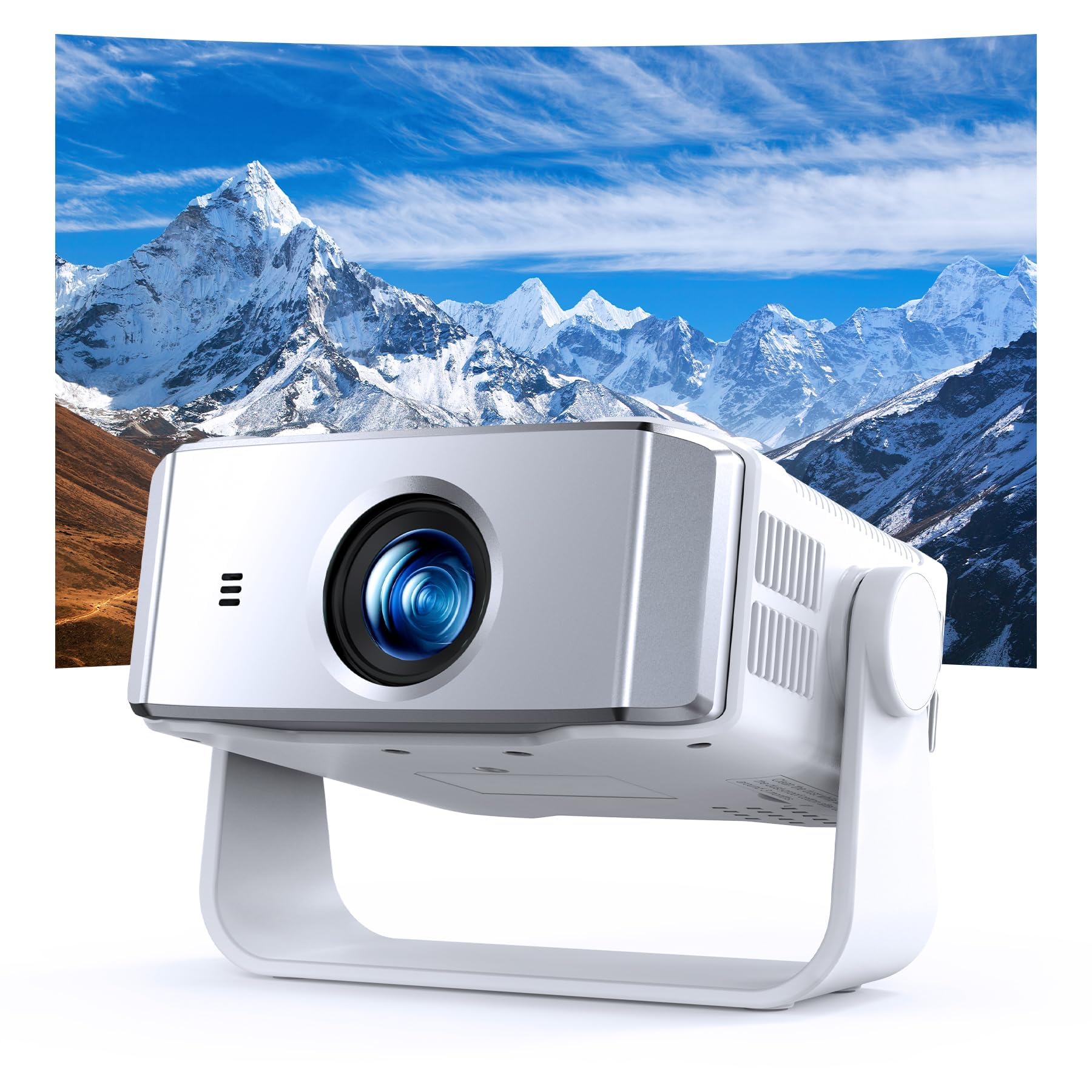
1. Google TV Projector
Our pick — 4.5+★ from 500+ verified ratings; the strongest balance of quality and price.
A licensed Google TV box you point at a wall, with the streaming apps already inside.
The thing that makes this the pick to beat is the operating system, not the optics. It runs Google TV 5.0 on Android 14.0 — the full licensed version — so Netflix, YouTube, Prime Video, Sling TV, Hulu + Live TV, ESPN, Fox Sports, CNN and NBC are already on the home screen. You are looking at 10,000+ apps with no TV stick plugged into the HDMI port, no second remote, and no input-switching ritual before every movie. For a bedroom or a rented apartment, cutting the dongle out of the chain is the difference between a two-minute setup and a ten-minute one.
Setup is where it pulls away from the cheaper field. AI auto focus, auto keystone and screen alignment square the picture within seconds of power-on, even when you’ve set it at an angle on a shelf or a nightstand. A 50–100% digital zoom resizes the image without you moving the unit. The AI voice assistant on the remote handles app launches and volume with the mic button. The 360° rotating stand throws the image onto a ceiling or a wall, and the throw ratio is a short 1.33:1, which keeps a big picture within reach in a small room.
Picture-wise it’s native 1080P with 4K decoding and HDR10+ support through a precision glass lens, which the maker says evens out edge sharpness. Dolby-certified audio and high-fidelity speakers carry the sound without an external bar. Connectivity is where it gets genuinely current: two-way Wi-Fi 6, Bluetooth 5.4, HDMI, USB, and a 3.5mm jack, so a PS5 or laptop drops straight in. Add a 2-year money-back guarantee and 24/7 support and the package holds together. It also carries 4.5+ stars across 500+ ratings, the most of any pick on this page.
What it nails
- Licensed Google TV 5.0 on Android 14.0 — no stick, no extra remote, 10,000+ apps on one home screen
- AI auto focus, auto keystone and screen alignment finish setup in seconds at any angle
- Two-way Wi-Fi 6 and Bluetooth 5.4 keep mirroring and audio links steady
- 360° rotating stand plus 1.33:1 throw ratio works in tight rooms
Where it asks a little of you
- You need a Google account signed in before the full TV experience open up
- The maker’s own “higher brightness than typical 1080P” line comes without an ANSI figure to check it against
The call: if you want a projector that behaves like a smart TV the moment it boots, this is the one to start with.
Think again if: you want to skip the sign-in and just mirror your phone — a display-only unit does that with less setup.
2. Mini Projector Full HD 1080P
The modestly priced starter box that gets a 60-inch cartoon on the wall tonight.
Start with the honest caveat because it changes how you’d use this one: the streaming apps are not built in. Due to streaming copyright rules, Netflix, Prime Video and Hulu need a TV stick or Roku plugged into the HDMI port. Everything else mirrors wire-free once your phone joins the same Wi-Fi network as the projector. If you own a spare Fire Stick or Roku, this is a complete setup. If you don’t, factor one in.
On the light side it rates 2000 lm with a 2000:1 contrast ratio across a 1920 x 1080 pixel panel. Compare that to the LYNCAST X1 Pro at 400 lm and the brightness gap in the spec sheet is enormous — though as always with plain-lumen figures, judge it in a dark room rather than by the number. It’s an LCD unit, so it stays cool and quiet under load; the maker cites the fan running down to 30dB, which is roughly the level of a soft conversation and won’t fight the dialogue.
You can plug in almost anything: HDMI, USB, Type-C and a 3.5mm audio jack (a standard headphone-style socket) connect laptops, tablets, TV sticks, a PS4, PS5 or a Switch. The built-in 3W Hi-Fi stereo speaker covers a cozy night without extra gear, and Bluetooth sends audio out to a speaker or headphones. It carries a 200+ rating history at 4.5+ stars, and buyers report the little things most — the unit’s appearance draws the most comment, and its stability next, with buyers noting it holds upright without tipping. A short throw (a wide image from close up) keeps placement forgiving. Honestly, the listing is enthusiastic about the 1080P badge; this is a small-sensor LCD unit, so expect pleasant rather than sharp on a big wall, and pack a stick for the paid services.
Who this suits: a first projector for a kid’s room, a dorm, or anyone testing whether a big screen actually gets used before spending more.
The real limit: the paid streaming apps need a stick, so the true setup cost includes one if you don’t have a spare.
Pick it when: you already own a streaming stick and want the cheapest route to a wall-sized image.
Leave it if: you want Netflix to load from the projector’s own home screen without extra hardware.
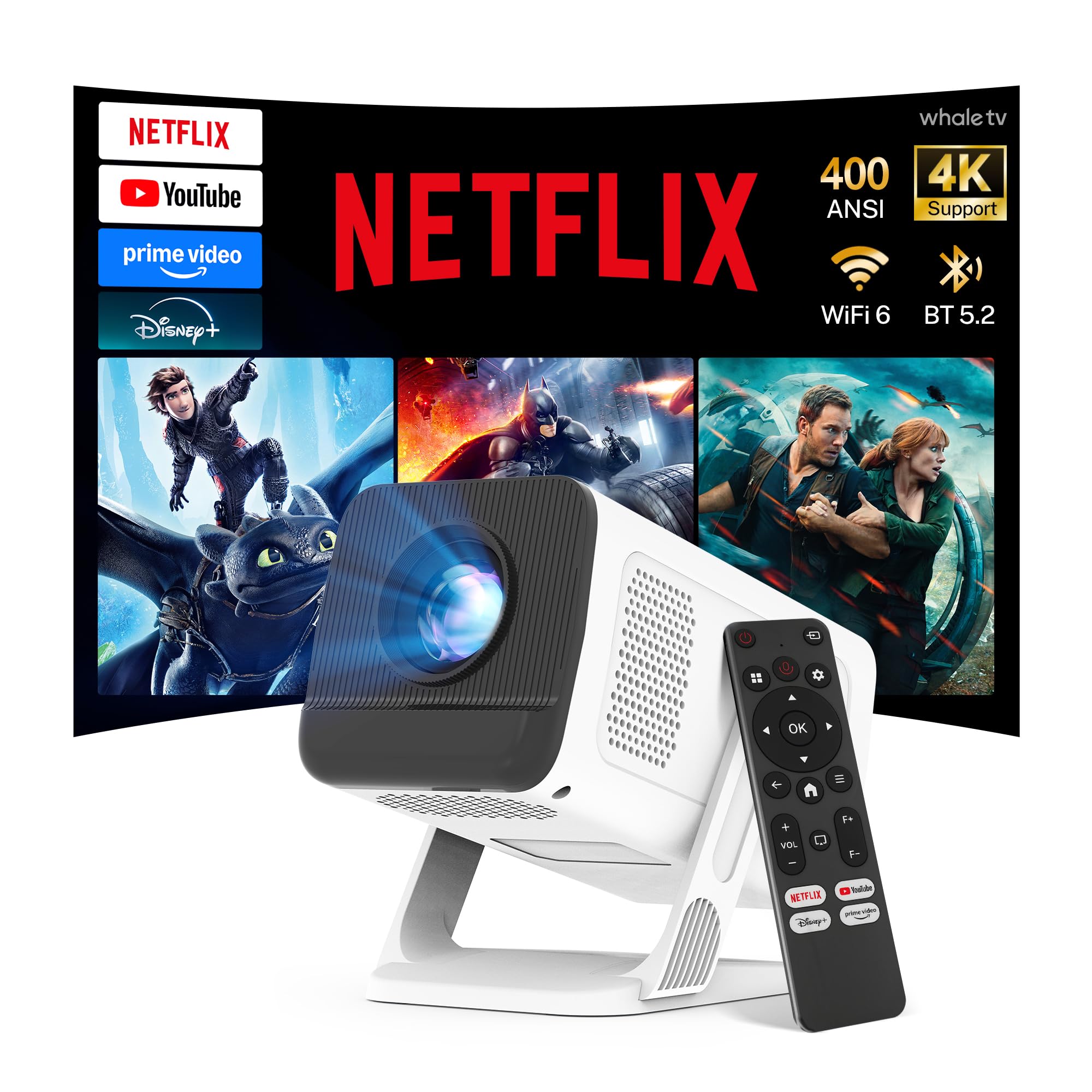
3. LYNCAST X1Pro Smart Projector
The one that disappears into a backpack and still opens Netflix on its own.
Weight is the headline and there is nothing close on this page. The X1 Pro tips the scales at 356 g — roughly the heft of a soda can — and measures about 5.4 × 4.3 × 3.36 inches. That is a projector you actually carry, not one you carry reluctantly. If your use case is a hotel room, a tent, or a friend’s apartment, this lands in a bag pocket and stops being a decision.
Here is the honest trade for that size: the panel is native 1280 × 720 HD, not 1080p. It accepts 1080P and 4K input and displays it at 720p. Pair that with 400 ANSI lumens and you have a unit built for a low-light room, which is where the maker points it. Against the iTJQ’s listed 2000 lm, the raw figure looks small — but ANSI lumens and plain lumens are not the same measurement, so treat this as a compact night viewer rather than a daylight performer. What the X1 Pro does bring is a 10,000:1 dynamic contrast ratio and up to 125% sRGB color gamut, versus the iTJQ’s 2000:1. That contrast advantage is the difference between murky shadows and a picture with some depth in a dark room.
Whale TV OS runs the show, with officially licensed Netflix plus Prime Video, YouTube, Disney+, Hulu and Tubi, and 10,000+ apps and 800+ free ad-supported channels from the box. Wi-Fi 6 handles the streaming and two-way Bluetooth 5.2 lets it double as a speaker or feed a soundbar. Automatic vertical keystone covers up to ±40°, manual focus lets you dial in sharpness, and a 50–100% digital zoom resizes without moving the unit. The 270° rotating stand aims at a ceiling in seconds. Add the 5W built-in stereo speaker and it’s a full kit with one packing list: two AAA batteries for the remote are not included.
Why it earns the travel slot
- 356 g and about the size of a soda can — genuinely packable
- Officially licensed Netflix plus 800+ free channels, no stick required
- 10,000:1 dynamic contrast and up to 125% sRGB for a small box
- 270° rotating stand makes ceiling projection a one-hand move
What to know before you buy
- Native 720p panel, not 1080p — 4K is input only and scales down
- 400 ANSI lumens wants a dim room; plan for evening viewing
- Remote ships without the two AAA batteries it needs
Reach for this if: portability is the whole reason you’re buying a projector, not a nice-to-have.
Look elsewhere if: you plan to watch with any daylight reaching the wall — you’ll want more lumens.
4. Aurzen Roku TV E1R Mini Projector
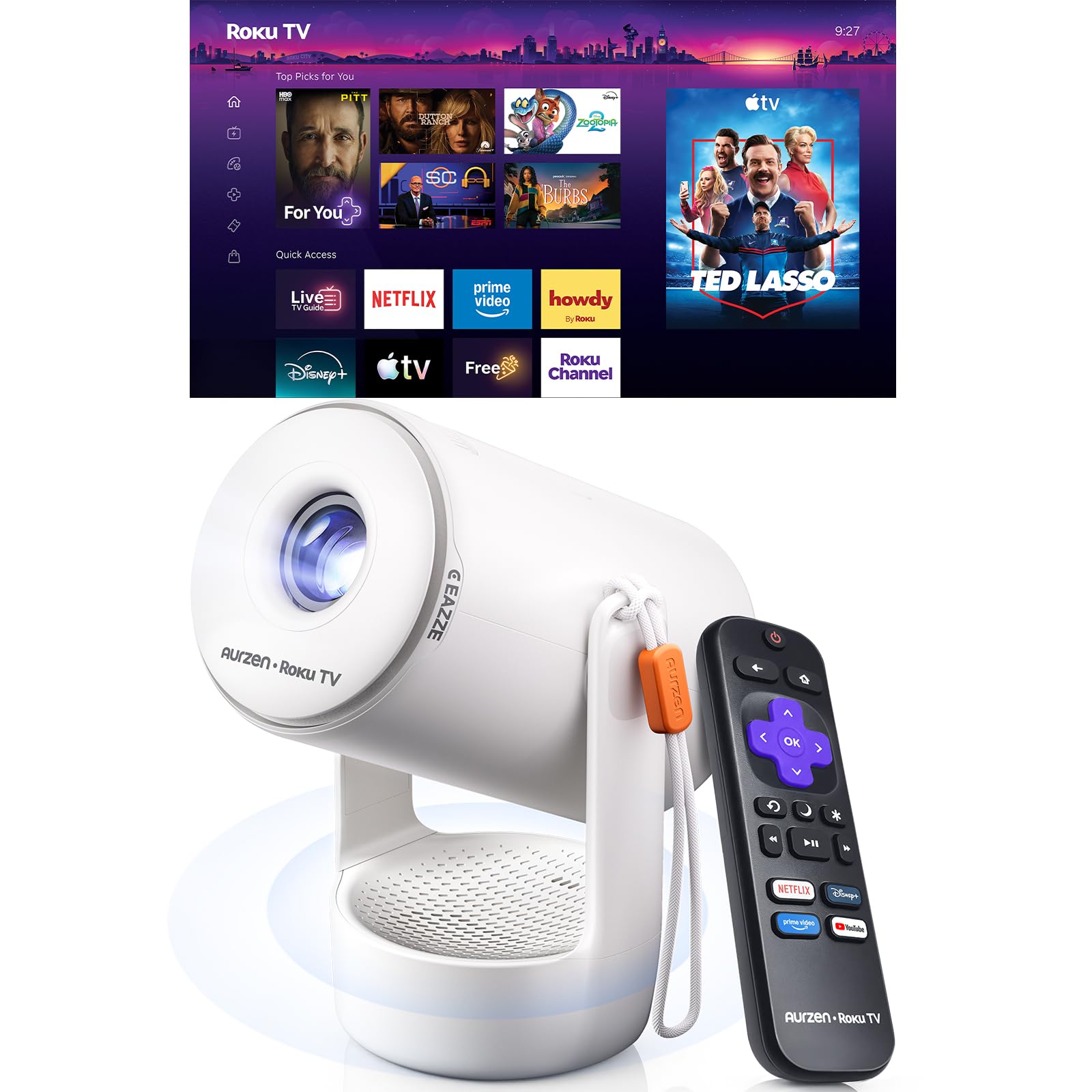
Roku’s home screen on a palm-sized box, for people who already know the remote.
If your household already lives inside Roku, you’ll pick this up in minutes. The Roku TV system is built in — no dongle, no input switching — and it pulls in Netflix, Prime Video, Hulu, YouTube, The Roku Channel and Apple TV plus live sports and free movies from the same home screen. You will need a Roku account and an internet connection to activate it, though creating the account is free. For a bedroom TV replacement or a dorm room, that’s the entire setup.
Placement is the quietly clever part. A built-in strap lets you carry it from room to room, the whole unit weighs under 1 lb, and the integrated stand rotates 180° so it can fire at a wall or a ceiling without extra hardware. A 1.12:1 throw ratio builds a 40–120 inch picture from a short distance, which is exactly what a small room can accommodate. Auto vertical keystone squares the image and a top focus wheel fine-tunes sharpness. What it will not do is run on battery — this needs a wall outlet through the included DC power cable, and USB-C power input is not supported. Plan for a socket near the wall you’re projecting onto.
You get a 1280 × 720 picture at 160 lm (lumens, a measure of light output), and the maker has put real effort into sound instead: a sound chamber 3× larger than the baseline with Dolby Audio, quoted at up to 2× the volume. In a small room, clear dialogue matters more than raw lumens, and that’s where the E1R’s budget goes. Six picture modes — Movie, Sports, Vivid, Standard, Low Power and Roku’s automatic mode — cover the range. Two-way Bluetooth 5.2 sends audio to speakers or headphones and accepts music from your phone. Apple AirPlay casting is on board for iOS devices. A dust cleaning kit ships in the box, and the maker’s advice is to check the lens every 3 months and keep it in a low-dust room.
The speaker story: a bigger chamber and Dolby Audio push this above what its picture figure would suggest for a bedroom or patio night.
Plan around this: 160 lm is the lowest figure on this page, so treat it as a dark-room projector — and make sure an outlet is within cable reach.
Suits you if: you want Roku’s interface and AirPlay on a U.S.-style smart TV without buying the TV.
Not your pick if: you need battery power or a picture that survives a lit room.
5. iWIMIUS S29 Smart Mini Projector
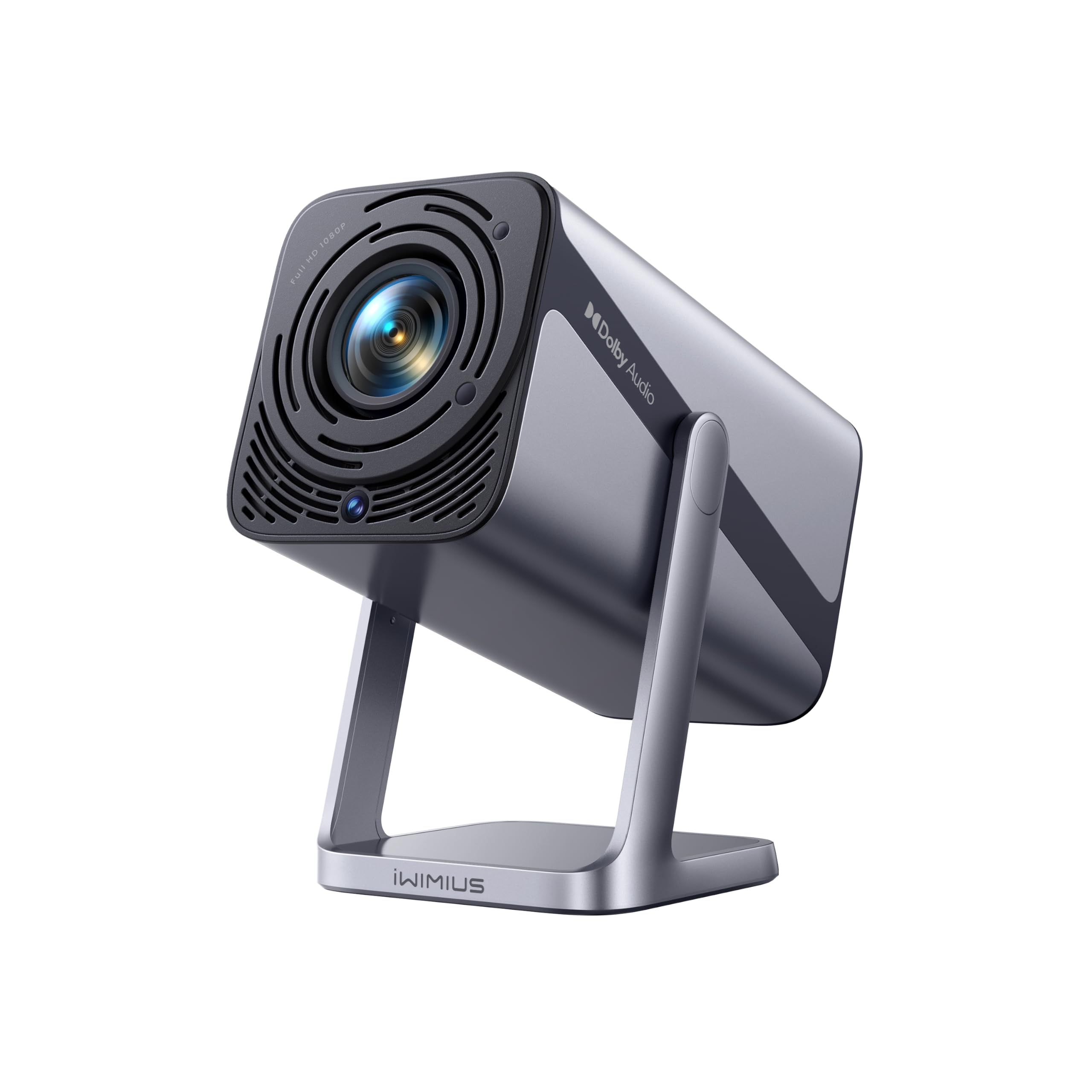
Two 10W speakers and a 1.1:1 throw ratio make this the backyard crowd-pleaser.
Most mini projectors give you a picture and leave the audio as an afterthought. The S29 goes the other direction: dual 10W speakers with Dolby Audio, and two-way Bluetooth 5.2 so the unit also works as a standalone speaker or feeds headphones. HDMI ARC adds a one-cable path to a soundbar or AV receiver. For a movie night where the sound needs to reach the back of a patio, that’s the spec doing real work.
The spatial numbers back it up. A 1.1:1 short throw ratio builds a 50–200 inch image from a shorter distance than a standard long-throw unit, and shorter distance reduces optical distortion for a cleaner edge. The 360° adjustable stand aims at a wall or a ceiling, a 1/4″ mounting thread handles desktop, tripod, wall or ceiling installation, and the whole unit weighs 2.4 lbs. Auto focus and 4D/4P keystone correction mean it lands sharp from the front, side or ceiling, and the 100%–50% zoom resizes without shuffling the box.
Inside it’s native 1080P with 4K support, a 20,000:1 contrast ratio and HDR10 — among the strongest contrast figures here, ahead of the LYNCAST’s 10,000:1. Netflix, YouTube and Prime Video are accessible from the built-in app store or web browser with regular OTA updates, and the maker flags that some apps work through the browser only. Wi-Fi 6 handles wireless mirroring via AirPlay and Miracast, citing up to 9.6 Gbps. Fan noise is quoted under 30dB. Comfort comes from a 2-year money-back guarantee with 3-year repair coverage and lifetime support. The audience here skews into outdoor and bedroom use, with users reporting good results for backyard viewing and easy wireless connection to a laptop, and the picture and setup ease drawing approving comments.
Where it wins
- Dual 10W Dolby Audio speakers plus HDMI ARC — the loudest built-in setup here
- 1.1:1 short throw makes a 50–200 inch image in a small room
- 20,000:1 contrast with HDR10 for deep shadows in a dark room
- Auto focus with 4D/4P keystone works from front, side or ceiling
What to note
- Some apps are reachable through the web browser only, so a paid service may not have a dedicated tile
- Remote needs two AAA batteries, sold separately
Go for it when: you’d rather not add a soundbar to a portable setup.
Skip past if: you need every streaming app to have a proper built-in tile — browser access isn’t the same thing.
6. Aurzen Roku TV D1R Portable Projector
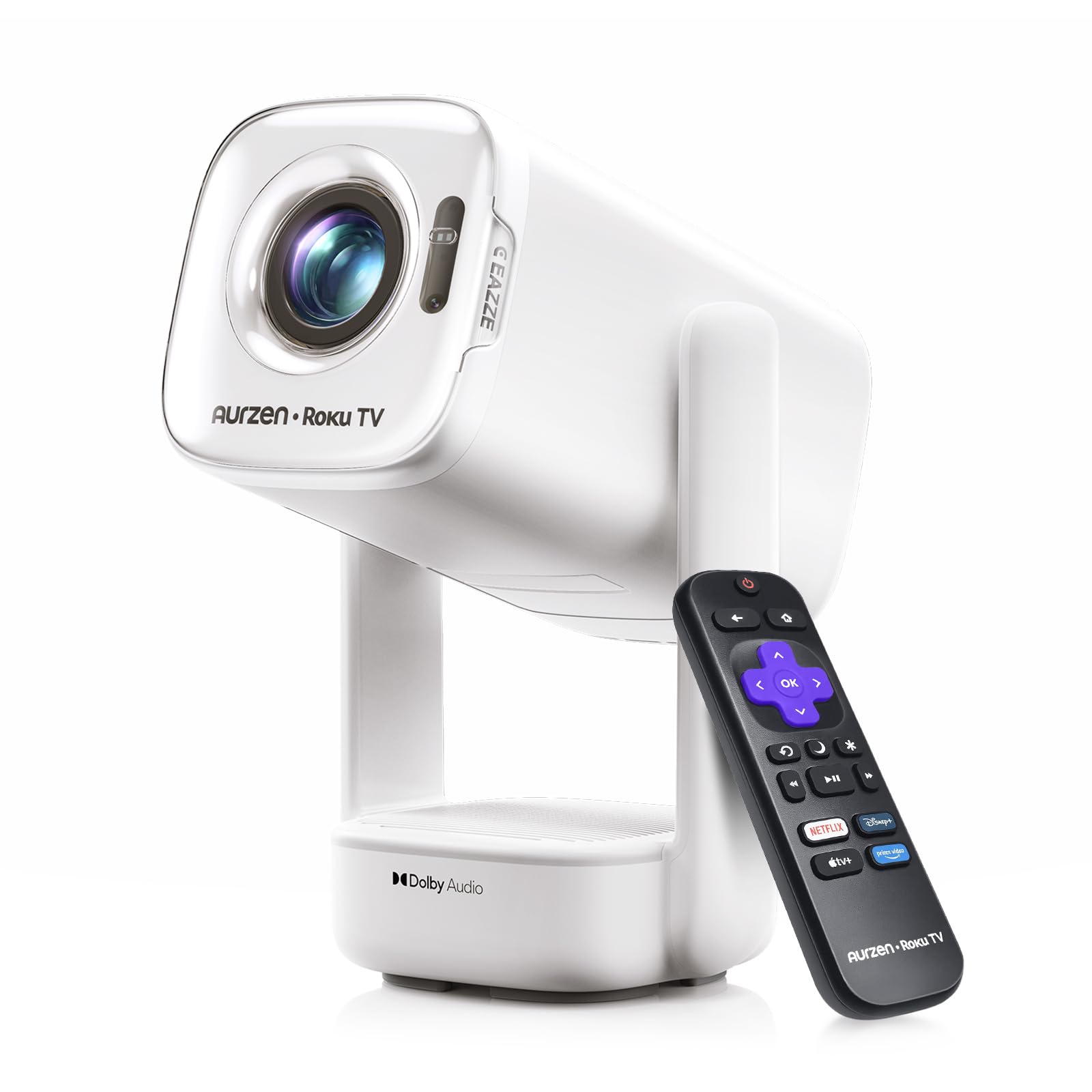
A Roku TV projector that runs off a USB-C power bank instead of a wall socket.
Power is the feature that separates this from every other Aurzen here. It takes 65W+ USB-C PD input, which means a compatible wall charger, a laptop charger, a power bank, or the Aurzen PowerBase Stand (sold separately) will run it. There’s a catch baked into the spec: you need a 65W+ USB-C PD source outputting 20V/3.25A and a 5A E-Marker USB-C to USB-C cable. Meet those two conditions and the projector leaves the outlet behind for camping, road trips and football nights in the yard.
The picture steps up too. Native 1920 x 1080 clarity — genuinely native, described by the maker as not just 1080P supported — at up to 300 ANSI lumens on a 1000:1 contrast ratio. ANSI is a real measured standard, and Aurzen presses the point with an SGS certification under ANSI/ISO 21118. In plain terms: 300 ANSI lumens is a rated figure you can compare, not a self-reported one. It’s best in a dark or low-light room; for daytime use you’d need blackout curtains and no direct sun on the wall.
Setup is hands-off: TOF real-time auto focus (a distance sensor that pulls focus for you) measures the gap and sharpens the image, and auto keystone holds the picture straight as you move it between rooms. The gimbal stand rotates smoothly and stays where you put it, and the power input sits at the bottom so the cable stays out of the rotation path — a small detail that stops the cord tugging the projector every time you adjust the angle. It weighs 1.18 kg (2.60 lb) and measures 5.35 × 4.33 × 10.12 inches. Dual 5W speakers live in the independent audio base rather than the body, creating a larger chamber with less vibration, and Dolby Audio handles the tuning. Six picture modes cover Roku, Vivid, Standard, Eco, Movie and Sports, and the maker suggests an 80-inch screen at about 7.26 ft. Roku TV with 500+ free channels is built in. Fan noise runs 29–35 dB at one metre by mode (about the level of a quiet room); owners mention the sound quality and quiet operation draw steady warm comments, and the picture improves noticeably once the room darkens.
The power play: USB-C PD input is a genuinely different capability from a built-in battery — it means a power bank extends runtime indefinitely rather than adding two hours.
Worth checking first: your charger and cable have to hit 65W+ and 5A E-Marker spec, or the unit won’t cooperate.
Right for you if: you already carry a high-wattage USB-C charger or power bank and want to leave the wall outlet at home.
Wrong for you if: you’d rather not think about charger specs — a built-in battery is simpler.
7. XGIMI Vibe One Portable Projector
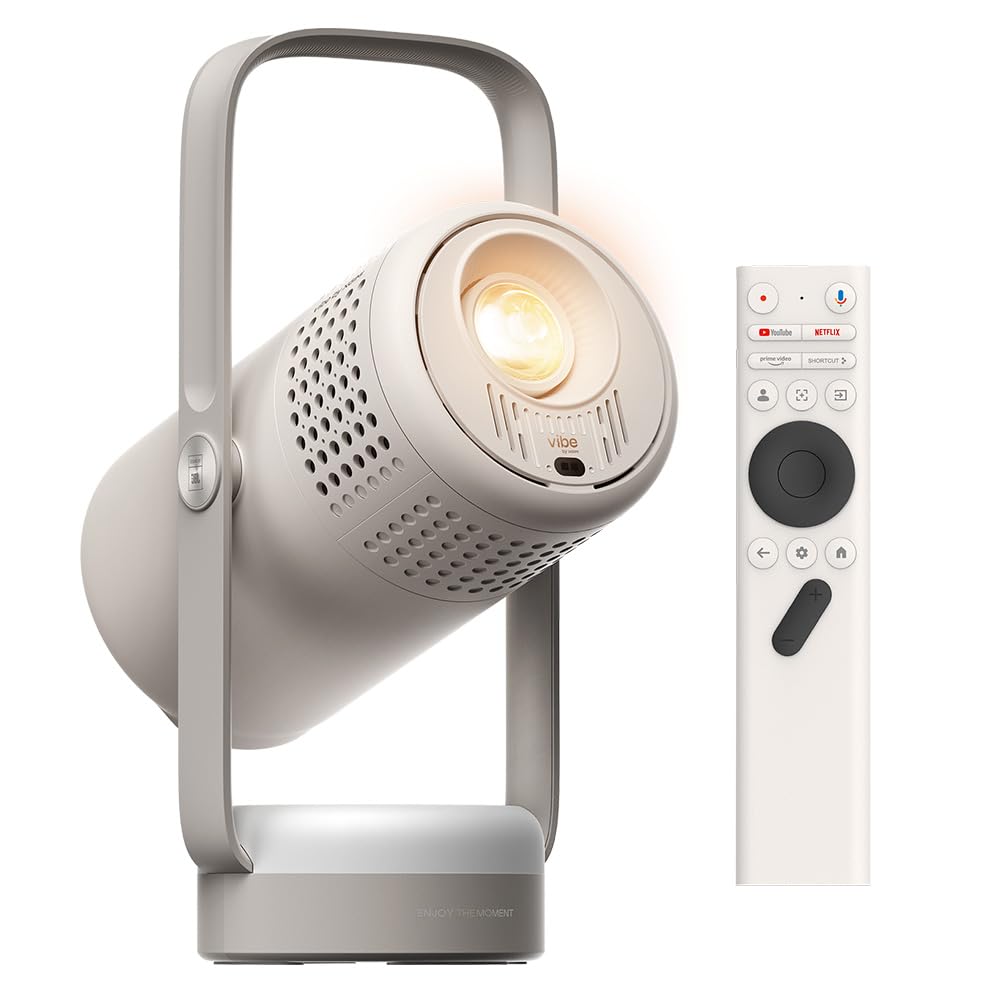
A cordless projector with a real battery, a handle, and a look you won’t hide in a drawer.
Battery is the reason to look here, and the numbers are specific: up to 1.2 hours of video playtime and 4 hours of music playtime on one charge. Nobody is watching a double feature on that, but it’s enough to move from room to room without hunting an outlet, or to finish a ballgame on a patio. That’s the honest framing — a battery projector buys you placement freedom, not all-night runtime.
Inside it’s native 1080p on Google TV with licensed Netflix, which the maker pegs at 400,000+ movies and TV episodes in one place. Brightness is 250 lm at a 1500:1 contrast ratio — the listing’s brightness figure draws mixed reactions, with some finding it stronger than expected and others calling it unremarkable, so judge it as a dim-room unit. Dual 3W speakers carry the audio and Ambient Light Mode sets a mood between films. An Ambient Light Mode plus a 160° adjustable stand that doubles as a carry handle means it flips from wall to ceiling in one motion, and the stand does the lifting when you move it.
Auto keystone correction and auto focus handle setup on their own, so there is no wheel to fiddle with. Connectivity lists Bluetooth and Wi-Fi, with HDMI and USB on the hardware side. It measures 5.31 × 4.53 × 12.09 inches — tall rather than wide, which is the stand design at work. The finish is Cloud Ash, and the box includes the adapter and cable, battery, remote and manual. With 750+ ratings at 4.0+ stars, this sits among the more-reviewed picks here. What buyers keep circling back to is portability and ease of connection, including one pairing to a Sonos sound system, and sound that runs quieter than expected. Buying an XGIMI for a fixed spot on a shelf wastes money; buying it because you want to carry a screen between rooms is the sound use.
What makes the case
- Up to 1.2 hours of video and 4 hours of music on the built-in battery
- Google TV with licensed Netflix and a native 1080p panel
- 160° stand doubles as a handle — wall to ceiling in one flip
- Auto focus and auto keystone set themselves up
Worth knowing
- 1.2 hours of video won’t cover a long film on battery alone
- 250 lm wants a dark room; daylight viewing isn’t the job here
You’ll love it if: the projector’s job in your home is to move — bedroom, patio, kitchen — and you want it cordless for that.
Pick a different one if: you want to watch feature-length films without a power cable.
8. WiMiUS P67 Smart Mini Projector

An 80-inch screen from 5.8 feet away — this is the small-room specialist.
Balanced against the Vamvo above, the P67 has the stronger throw figure: 1.0:1 versus 1.33:1 (a lower ratio means a bigger image from closer). In practice that means an 80-inch image from 5.8 feet and up to 120 inches from 8.7 feet, which is the difference between “a projector won’t fit in this apartment” and “walk to the couch and press play.” Add a 270° rotating stand that aims at walls, ceilings or attic slopes without repositioning, and a 1/4″ tripod screw for flexible placement, and it fits spaces where most projectors don’t.
The internals go further than the price would suggest. Whale TV Smart OS runs the show with 2GB RAM and 16GB storage — enough for smooth app switching and a genuinely usable home screen, unlike entry-level Android boxes that stall on the first input. Netflix, YouTube, Prime Video, Apple TV, Max, ESPN and free live channels are all on the surface, and the maker claims more app choice than many Linux-based smart projectors. Native 1080P with 4K decoding and HDR10 handles the picture, backed by ISO-tested brightness (ISO is a measurable standard, unlike a self-reported lumen figure). Note that 4K content decodes and displays at 1080P, and daylight viewing needs blackout curtains.
Setup is automatic: auto focus, vertical keystone (which squares up the image) and a 50%–100% zoom so the screen resizes without moving the unit. Wi-Fi 6 and two-way Bluetooth 5.4 make casting one-tap from iPhone, Android or PC without third-party software, and the unit doubles as a Bluetooth speaker. Dual speakers, Eye-Care Mode and scheduled power-on/off give parents a way to cap screen time. It weighs 1.94 lbs. Support is the strongest in this group — 24/7 help, a 2-year low-maintenance return policy, a 3-year warranty and lifetime technical support. It’s also the highest-rated pick here at 4.5+ stars, and reviewers rank picture quality first — crisp optics and vibrant colours — then the barely audible fan.
The case for it
- 1.0:1 ultra-short throw: 80 inches from 5.8 feet, 120 inches from 8.7 feet
- 2GB RAM and 16GB storage keep the smart system responsive
- Native 1080P with HDR10 and ISO-tested brightness
- 3-year warranty, 2-year return policy and 24/7 support
Be aware
- 4K content is decoded and shown at 1080P — that’s the panel
- Wants a dark room; daytime viewing means blackout curtains
Fit for: a small apartment or bedroom where six feet of space is all you have to work with.
Not for: a bright living room in daytime — that’s a curtains-closed projector.
9. Dangbei Freedo Portable Projector
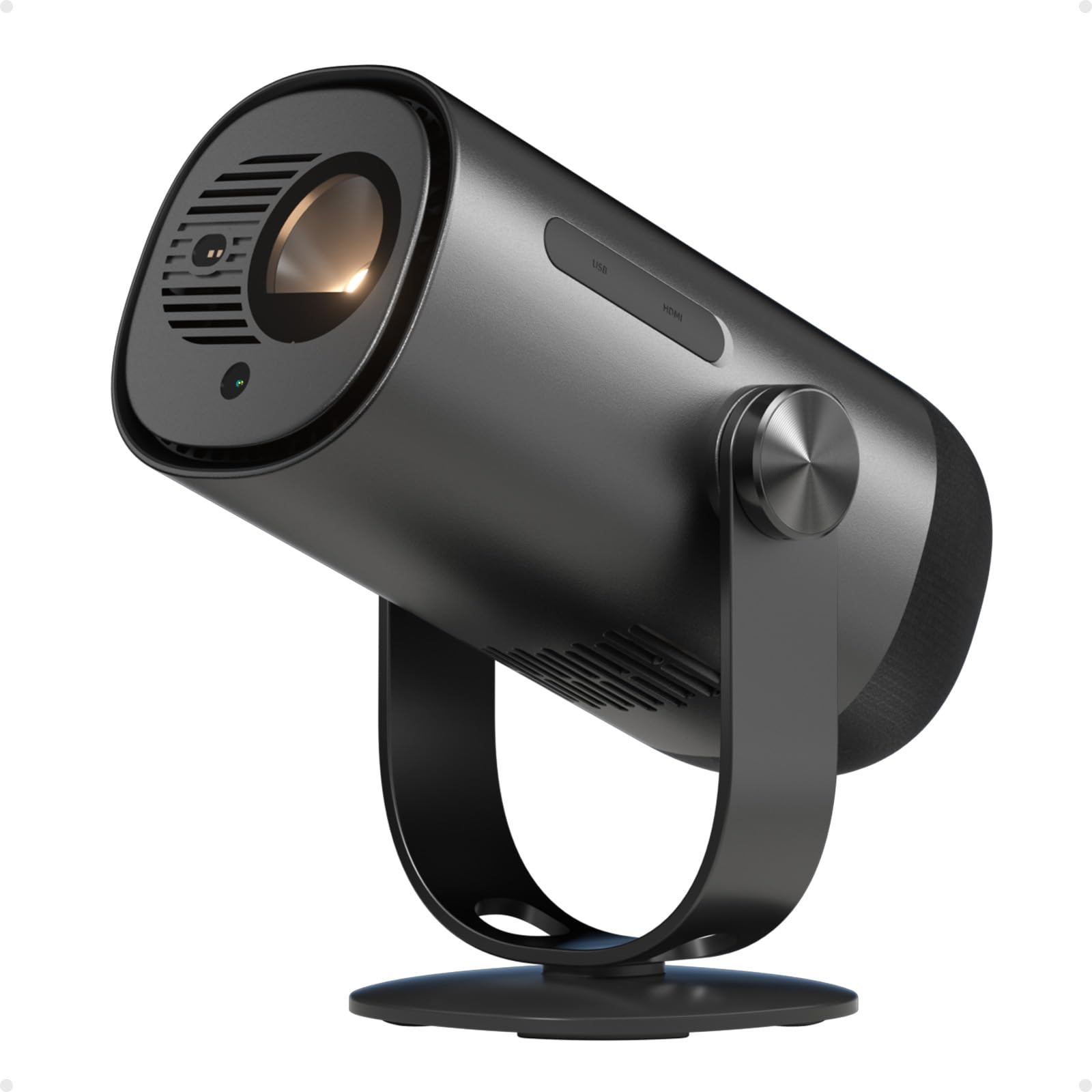
The brightest battery projector here, and the one that lasts through an actual film.
Two figures matter on the Freedo and they belong together: 450 ISO lumens and 2.5 hours of video on a charge. That’s the combination nobody else here offers. The XGIMI Vibe One manages 1.2 hours of video; the Dangbei doubles that and throws more light while doing it. ISO lumens are a measured standard, so 450 is a real figure you can weigh against other ISO-rated units. For a two-hour film on a wall in the yard, this is the setup that finishes the film without hunting for a cable.
The panel is native 1080p Full HD with HDR10 and 4K support over HDMI 2.1, plus over 90% DCI-P3 colour coverage and a calibrated D65 colour temperature option for truer whites. It’s a DLP engine rather than the LCD used widely on this page, and the maker sizes the image at 40 to 180 inches via a 165° wide-angle tilt stand. 360° surround sound carries the audio. At 3 lbs it fits in one hand, and 65W fast charging from any USB-C power bank tops it back up. On connectivity it’s WiFi 5 and Bluetooth 5.1 with HDMI 2.1, USB 2.0 and Type-C — older wireless standards than some rivals, but the wired side is current.
Setup is handled by InstanPro: auto focus, auto keystone, intelligent screen fit and obstacle avoidance (it dodges what’s in the way), plus eye protection that dims the beam when something crosses the lens. In practice you power it on and it finds the rectangle. Google TV with licensed Netflix, YouTube, Disney+ and Prime Video is built in, along with Google voice control and phone casting. The value read on this one is strong — the question mark sits around image and sound, which land as a mixed picture rather than a clear win, so go in expecting a good all-rounder rather than a reference picture. For outdoor movies where the battery matters more than perfect blacks, the trade makes sense.
The headline number: 450 ISO lumens with 2.5 hours of battery is the longest combined runtime-and-brightness offering in this lineup.
Set expectations: DLP colour and the built-in sound are competent rather than standout — the battery and brightness are what you’re paying for.
Built for: backyards, campsites and anywhere the nearest socket is far away, especially a full-length movie.
Not built for: anyone chasing the most detailed picture or the richest built-in audio in this group.
Know the Specs
ANSI and ISO Lumens
Lumens measure how much light a projector puts on the wall. ANSI and ISO lumens are both standardised test methods, so two projectors rated that way can be compared honestly. A plain “lumens” figure is usually measured by the manufacturer under ideal conditions and tends to read high. When you see a listing quoting 2000 lm with no standard named, treat it as a comfortable indoor dark-room projector and don’t compare it directly to a 400 ANSI lumen unit — they’re different measurements, not a fair fight.
Native Resolution vs 4K Support
Native resolution is the actual pixel grid, and it’s what you see. “4K support” or “4K decoding” means the projector accepts a 4K signal and scales it down to its own panel. On the units here, that means a native 1080p projector can play a 4K stream but displays it at 1080p — which still looks sharp on a home wall. A native 720p unit accepts the same signal and shows you 720p. Neither figure is dishonest; just read both.
Throw Ratio
Throw ratio compares distance to image width. A lower number gives a bigger picture from closer, which is what small rooms need. A 1.0:1 ratio like the WiMiUS P67 builds an 80-inch image from 5.8 feet; a 1.33:1 unit like the Vamvo needs more distance for the same size. If you’re projecting across a narrow bedroom, short throw matters more than brightness.
Battery Playtime and USB-C Power
Built-in battery playtime on this page runs from 1.2 hours of video to 2.5 hours, so almost none of them will finish a long film on one charge. A USB-C PD input is a different approach — it lets you run from a power bank instead, which gives indefinite runtime as long as the bank holds up. Check the wattage and cable spec, since some units require a specific voltage and current to accept power.
Contrast Ratio
Contrast ratio compares the brightest white to the deepest black. Higher numbers mean more separation between sunlight and shadow on screen, which matters most in dark rooms where you notice murky blacks. On this page the range runs from 1000:1 to 20,000:1 — but brands measure contrast with different methods, so use it as a rough ordering tool between similar units, not a precise comparison. A native 1080p panel with HDR10 support and a modest contrast figure can still beat a 720p panel with a bigger headline number.
Built-In Smart Systems
A licensed smart system — Google TV, Roku TV, Whale TV OS — puts the streaming apps on the projector itself, which means one remote and no stick. The catch is that licensing varies: a unit with “Netflix compatible” printed on the box may only reach Netflix through its web browser rather than a dedicated app tile. Look for the word “licensed” if a proper built-in app matters. Units without a smart system mirror your phone instead, which works fine for photos and browsers but needs a stick for paid streaming services.
Common Questions
Can a pocket mini projector really stream Netflix without a streaming stick?
What is the difference between a projector listed at 2000 lumens and one at 400 ANSI lumens?
Does a 4K projector actually show 4K on the screen?
How big a picture can I get in a small bedroom?
Will a mini projector work outdoors during the day?
Is a built-in battery worth it on a small projector?
Can I power one of these from a USB-C power bank?
Do these projectors need a screen or can they go straight on a wall?
How loud is the fan on a mini projector?
Do I need a Google or Roku account to use a smart projector?
The Bottom Line
For most people, the pocket cinema mini projector that earns its place is the Vamvo Official Licensed Google TV Projector, because licensed Google TV with AI auto focus gets you watching in seconds with no stick and no second remote. If brightness and a short throw matter more than the smart system, grab the WiMiUS P67 — 1.0:1 for an 80-inch image from 5.8 feet, plus 2GB RAM and 16GB storage. And for a backyard night where the socket is far away, the Dangbei Freedo is the one to reach for, with 450 ISO lumens and 2.5 hours of battery.
The honest nudge: the highest-rated pick here sits at 4.9 stars with a few hundred ratings behind it, and the two most-reviewed units both sit above 4.5. That spread tells you this category has settled into a reliable band: the differences are about which trade-off you accept, not which one fails. Pick the trade-off that matches your room: short throw or long, cordless or plugged in.
How we choose
We do not accept paid placement. Every pick is matched to a real buyer and a real use-case; we do not hands-on test units.
Sources
Specifications: manufacturer listings and product documentation. Review insights: verified customer reviews, as of November 2026. Pricing: not shown on this page (it changes often); check the current price via the retailer link.
As an Amazon Associate, Tactical Gear Guy earns from qualifying purchases. This does not affect which products we feature.