Specs are compiled from manufacturer listings and verified buyer reviews and can change over time — please confirm the key details on the product page before buying.
You want a printer that turns your iPad into a live photo booth — guests tap, a picture drops out, and nobody stands around waiting. The catch most buyers hit is that “iPad compatible” means different things on different boxes, and a printer that fights your Wi-Fi will stall your whole event. One honest matching note: the picks below are chosen for iPad/iOS printing compatibility, so not every one is the exact model you typed into the search bar — the nearest same-type machine serves the same job. What actually matters at a booth is how fast it prints, whether the paper survives a coat pocket, and whether the connection holds when five people try at once.
This guide is built by comparing the manufacturers’ published specifications and the patterns across verified customer reviews, so you get each pick’s real strengths and trade-offs instead of marketing spin.
Some print 2×3 stickers in seconds, some deliver lab-style 4×6 sheets that cost more per sheet but survive a scrapbook. Read on for the picks, the trade-offs, and the setup traps — this is the working shortlist of the Best Photobooth Printer for iPad.
Top Picks
How To Choose The Best Photobooth Printer for iPad
A photobooth printer for iPad is a compact printer that talks to your tablet over Wi-Fi or Bluetooth and spits out a finished photo in front of your guest. The right one keeps printing when the venue Wi-Fi dies and when ten guests want a turn. Here is what to weigh before you buy.
Connection method is the deal-maker or deal-breaker
Most of these printers ship with a built-in Wi-Fi hotspot — a tiny wireless network the printer creates itself, so your iPad connects straight to the printer instead of a router. That matters at a party: event venues often have weak or overloaded internet, and a printer that depends on the house network will drop out mid-queue. Bluetooth is the other route. It pairs quickly on the good units, but Bluetooth has less headroom for many devices, so pair one iPad and let guests use it rather than expecting everyone to connect. If several people need to print at once, look for a stated multi-device connection number in the specs.
Print size and paper type decide your booth’s look
You are choosing between two formats: 4×6 sheets (a classic photo, good for frames and albums) and 2×3 or 3×3 stickers (the instant-gratification booth keepsake). Some units handle both. Think about your queue: a 4×6 is the size guests expect to take home, while a sticker is faster to hand out and cheap enough to print plenty of. If your booth prints stickers, check that the paper is adhesive-backed before you buy — not every 2×3 media is peel-and-stick.
Print technology: dye sublimation versus ZINK
Dye sublimation printers put down the colors in layers and finish each photo with a clear protective coat, which is why many of these prints resist water, fingerprints and scratches. ZINK (Zero Ink) printers skip cartridges entirely by using dye crystals inside the paper — simpler to run, but a different finish and feel. Dye sublimation suits a high-volume booth; ZINK suits a casual sticker station. A high-volume event wants the sturdier, more predictable finish; a casual party or a scrapbook project can live happily with ZINK.
Media cost and capacity per cartridge
Every print costs you a slice of a paper-and-ink set, so look at how many sheets each cartridge or ribbon produces. Bundles that include paper and ribbons get you through your first event without a shopping trip. High-capacity ribbons stretch further between changes, which matters when you are mid-party with a line of guests.
Side-by-Side Comparison
| Model | Best For | Print Size | Print Speed | Connection | Amazon |
|---|---|---|---|---|---|
| Liene Pearl N200 Pro★ Best Overall | Sticker booth on the go | 2×3 sticker | 1 ppm | Bluetooth, USB-C | Amazon |
| HPRT 4×6 Beige (108 + 2 Ribbons)Budget Pick | Budget 4×6 booth | 4×6 | 1.3 ppm | Wi-Fi + hotspot | Amazon |
| HP Sprocket Studio PlusApp-First Option | App-driven editing | 4×6 | 1 ppm | Wi-Fi | Amazon |
| HPRT CP4100 (108 + 2 Ribbons) | Volume 4×6 printing | 4×6 | 1 ppm | Wi-Fi + hotspot | Amazon |
| Liene Amber M110 | Dual-size booth | 4×6 + 3×3 sticker | 1 ppm | Bluetooth | Amazon |
| Liene White M200 Battery Edition | Cordless events | 4×6 | 1 ppm | Wi-Fi + hotspot | Amazon |
| Canon Selphy CP1500 (White) | Connected all-rounder | 4×6 | 1 ppm | Wi-Fi, USB, memory card | Amazon |
| Canon Ivy 2 Mini | Pocket sticker printer | 2×3 ZINK sticker | — | Bluetooth | Amazon |
| Canon Selphy CP1500 (Black) + 2 KP-108IN | High-volume kit | 4×6 | 10 ppm | Wi-Fi, USB | Amazon |
Detailed Reviews
1. Liene Pearl N200 Pro Portable Photo Printer
Our pick — 4.5+★ from 700+ verified ratings; the strongest balance of quality and price.
The pocket booth machine that turns any iPad session into peel-and-stick keepsakes.
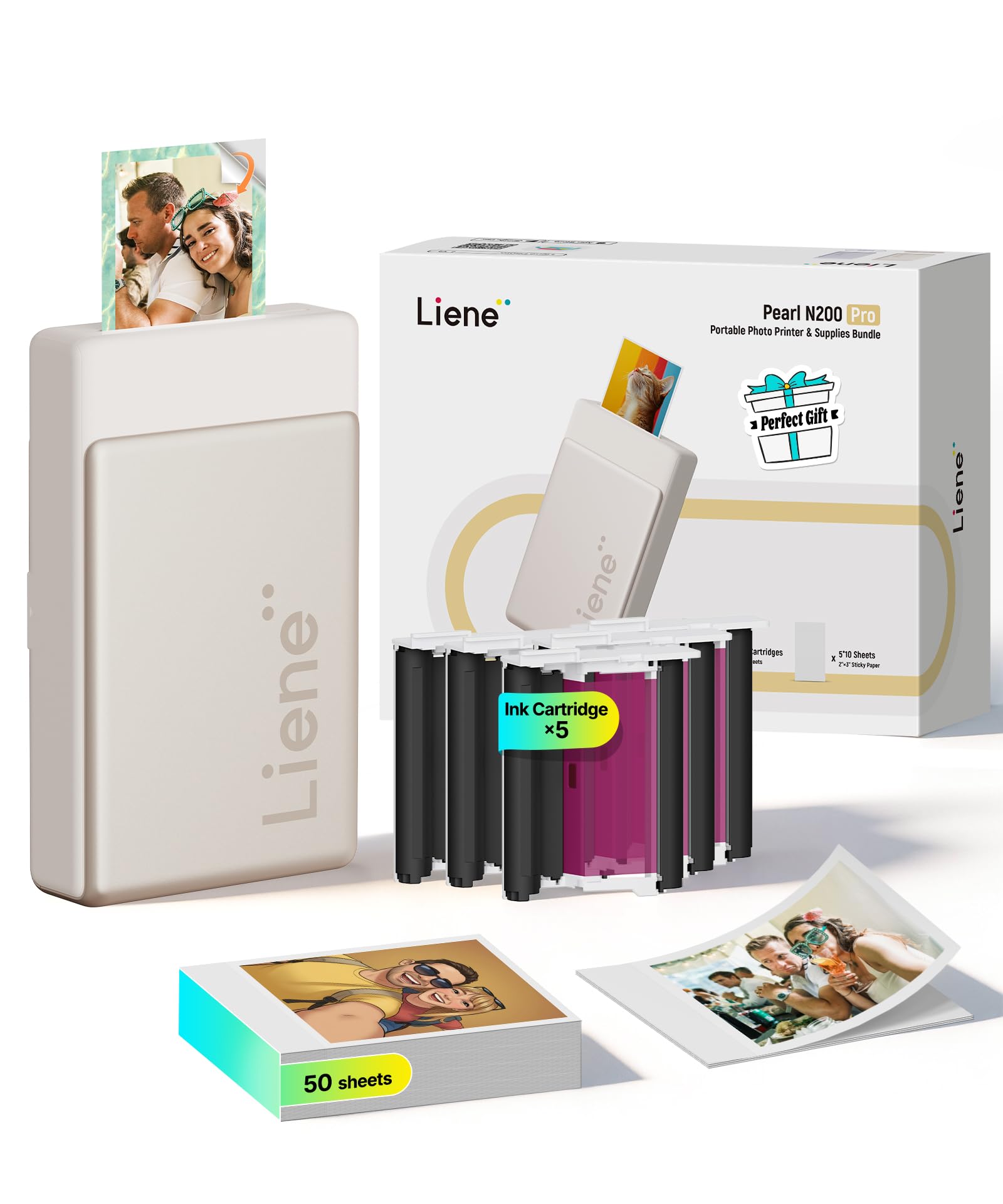
This is the smallest and easiest entry into a sticker booth: a 3-inch portable printer that weighs 340 g (about three-quarters of a pound) and prints 2×3 adhesive-backed photos from the Liene app. Prints run at 1 page per minute, so a guest is not waiting long between taps. The dye sublimation process (a method that lays color down in layers) gives a finish that looks richer than a plain instant print. Those 50 sheets of 2×3 adhesive paper mean guests can slap their photo onto a journal, a phone case, or a party board.
What wins people over is the print quality — that is the aspect buyers single out above all else, and the color stays close to the original. The app carries real weight too: it has built-in frames, AI background removal for custom borders, watermarks and timestamps, plus an InstaPic mode that skips the select-edit-print dance and shoots straight to print. A single full charge prints up to 27 stickers, which covers a cozy party. Bluetooth pairing is the one spot that asks patience — quick-connect works, but it is the part that occasionally needs a second try before your iPad and the printer are talking.
Against the bigger machines in this list, the Pearl N200 Pro trades paper size for pocketability — the Liene Amber M110 and the HPRT beige model both print full 4×6 sheets, while this one keeps to 2×3 stickers. That is a deliberate trade if your booth is about instant souvenirs rather than framed portraits. The compact body and 27-print battery make it the one to grab when the booth has to travel.
Booth-friendly wins
- 340 g body slips into a tote — a genuine portable booth
- Up to 27 sticker prints on one charge
- InstaPic mode prints straight from the camera screen
- 50 adhesive sheets and 5 cartridges included
Worth knowing before you tap Buy
- Sticker-only — no 4×6 option
- Bluetooth connection can take a retry at first pairing
- 2×3 prints suit keepsakes, not framed portraits
Reach for this if: your booth is a sticker station and you want the lightest carry in the lineup.
Look elsewhere if: guests expect a full 4×6 print to take home.
2. HPRT Photo Printer 4×6” Beige
A full 4×6 booth machine that gets the essentials right without the premium tag.
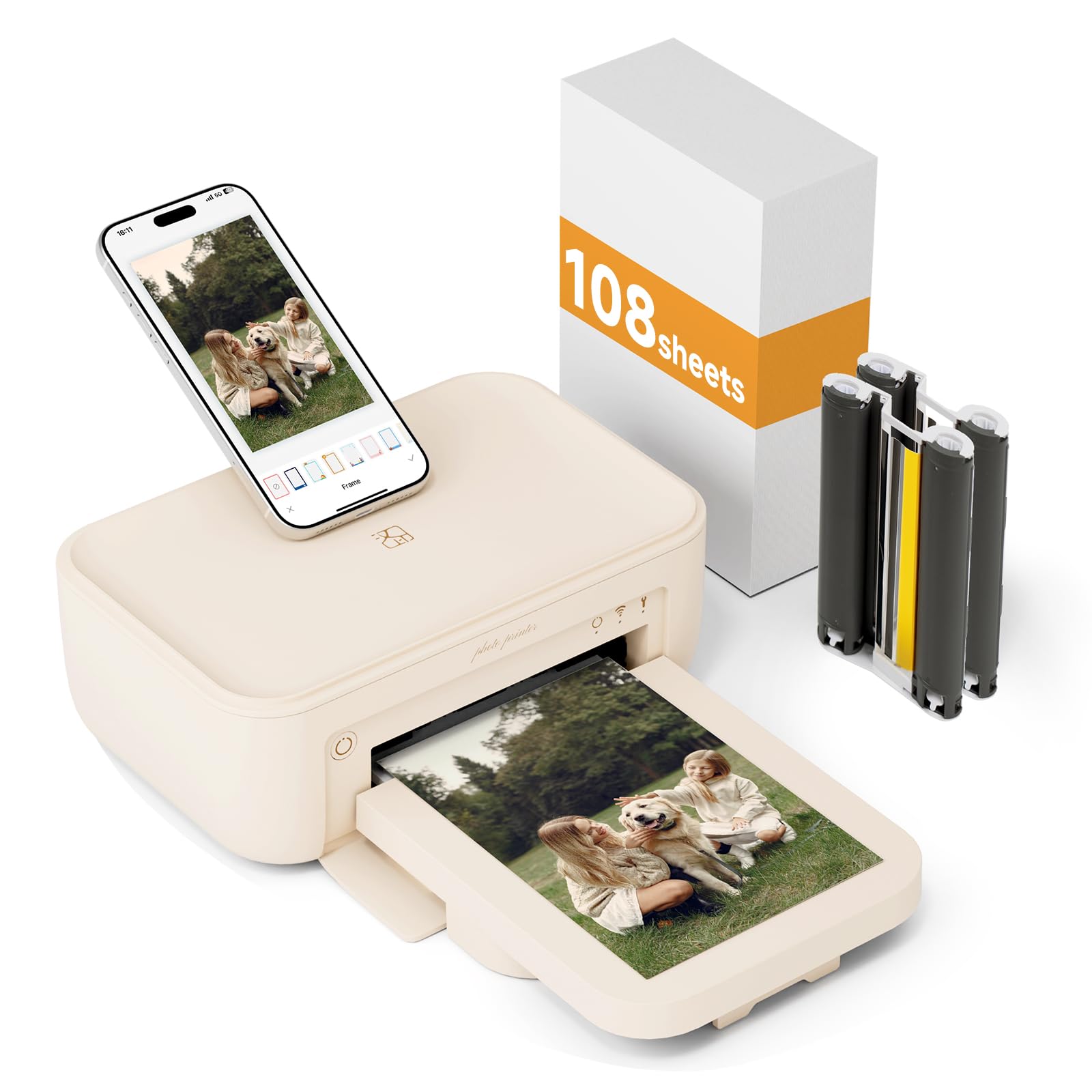
The connection design is what earns this a booth slot: you can print over your home Wi-Fi or, when there is no network, connect directly to the printer’s own built-in hotspot (a signal the printer makes itself). That second option saves an event — a dead venue router does not stop the queue. It prints at 1.3 pages per minute, the fastest of the 4×6 models here against the Liene Pearl N200 Pro’s 1 page per minute. The output is 4×6 with a clear protective film over the colors to resist dust, water, oil and scratches.
The bundle is genuinely event-ready: 108 sheets of photo paper and 2 ribbons, with each ribbon rated for about 54 sheets. Each ribbon is rated for about 54 sheets, which the brand says is 35% to 50% more than typical ribbons — fewer mid-party swaps. Buyers report print quality is what the crowd notices most, with picture quality close behind — a 40th birthday party is the kind of scene they describe, with prints going out to guests and a second unit ordered afterward for a family member who was there. The speed advantage is real: at 1.3 pages per minute it edges ahead of the 1 page per minute of the Liene Pearl N200 Pro above.
The honest catch is reliability. Feeding has been the recurring issue on some units, with jams after a picture or two that need the cartridge pulled and reseated to resume — treat the ribbon tray with care and keep spare paper on hand. It is also the most physically roomy of the group at 2.3 pounds, so this is a table-top booth unit rather than a bag printer. Buyers who want a dependable 4×6 with a hotspot and a large media bundle will find the value here hard to argue with.
On the connection: the dual-mode Wi-Fi plus built-in hotspot is the feature that makes this a booth printer rather than a desk toy — it prints whether or not the venue has working internet.
The line to weigh: feeding reliability is the weakest link, so plan for an occasional reseat of the ribbon rather than a smooth run.
The ideal owner: a party host or small event planner who wants a 4×6 booth machine with a big starter media bundle.
One caveat: expect to baby the ribbon tray now and then if a print jams.
3. HP Sprocket Studio Plus 4×6 Wireless Instant Photo Printer
HP borrows the photobooth concept and builds it right into the app.
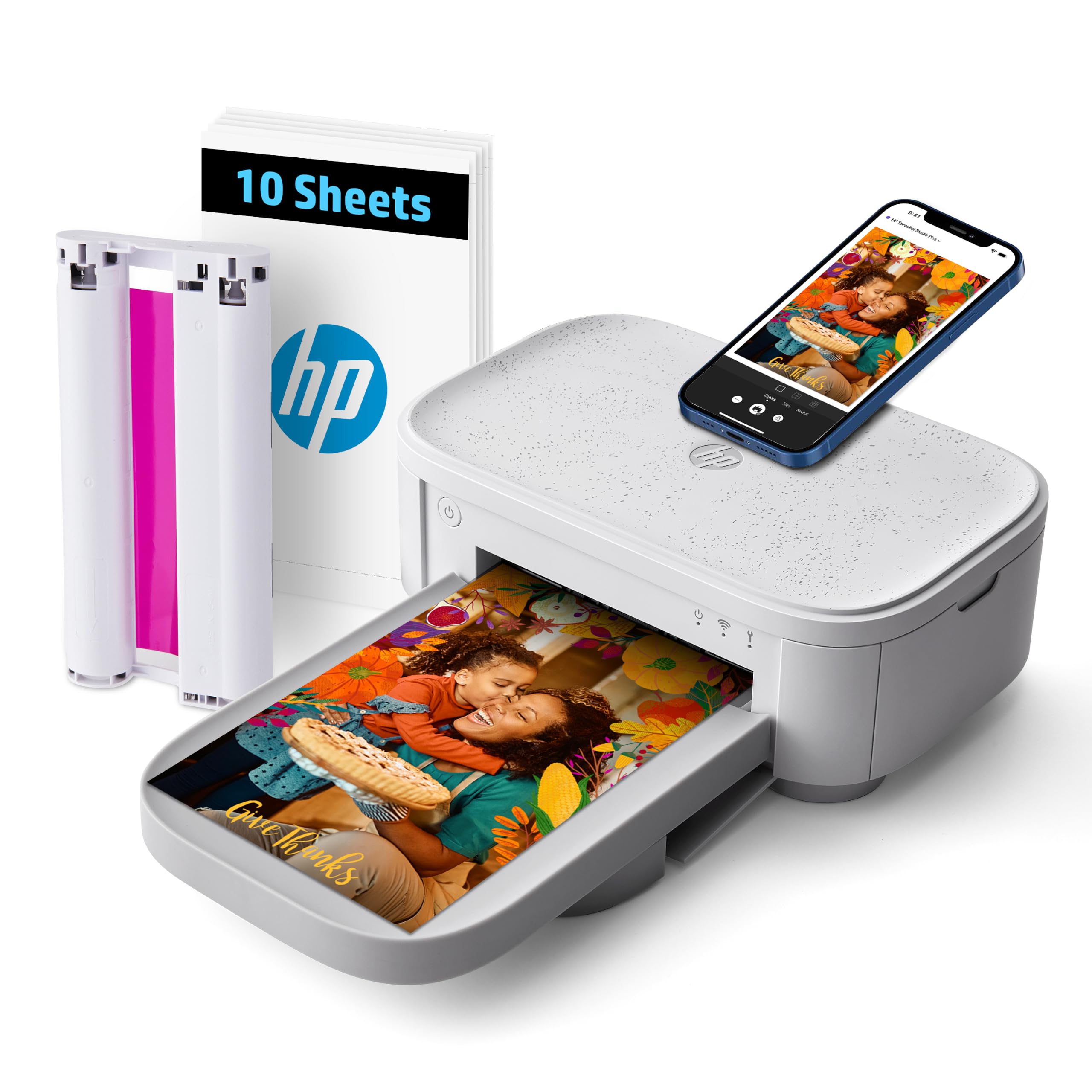
Here is the detail that speaks to this exact job: the HP Sprocket Studio Plus has a photobooth mode built into its companion app, alongside collage, photo ID and other templates. For an iPad setup, that means the software side of your booth is already there — you connect the printer to Wi-Fi through the Sprocket app and let guests create their shot. It prints 4×6 dye-sublimation photos with a tear-resistant, smudge-proof, waterproof finish the brand says lasts for years, at 1 page per minute.
Setup is the pleasant part. The Sprocket app is friendly, you add stickers, frames and filters before printing, and the whole workflow runs from your phone or tablet in seconds. It comes with 10 sheets and a cartridge, which is enough to test the workflow and a short party, but not a full evening’s queue — plan to buy more media for a real event. If your booth leans on creative tools and a polished app, this is the one that gets the software right.
The trade-off to weigh is that the app is the gateway; there is no browsing to the printer through an SD card or memory card as on the Canon Selphy models. That is fine if your booth is app-driven, and a limitation if you want flexible inputs. It sits in the middle of the group on both size and finish — a 4×6 machine with an editor’s heart.
Why it fits a booth: the photobooth mode plus collage and ID templates live inside the app, so the creative booth experience is mostly software you do not have to build.
The honest limit: the 10-sheet, one-cartridge starter pack is a test kit, not an event supply — add paper and cartridge for a full night.
Best match: a host who wants the booth experience to come from a polished editing app.
Think twice if: you need to print directly from a memory card or USB drive.
4. HPRT Photo Printer 4×6 CP4100
The 4×6 workhorse that prints a photo in under a minute and bundles its own media.
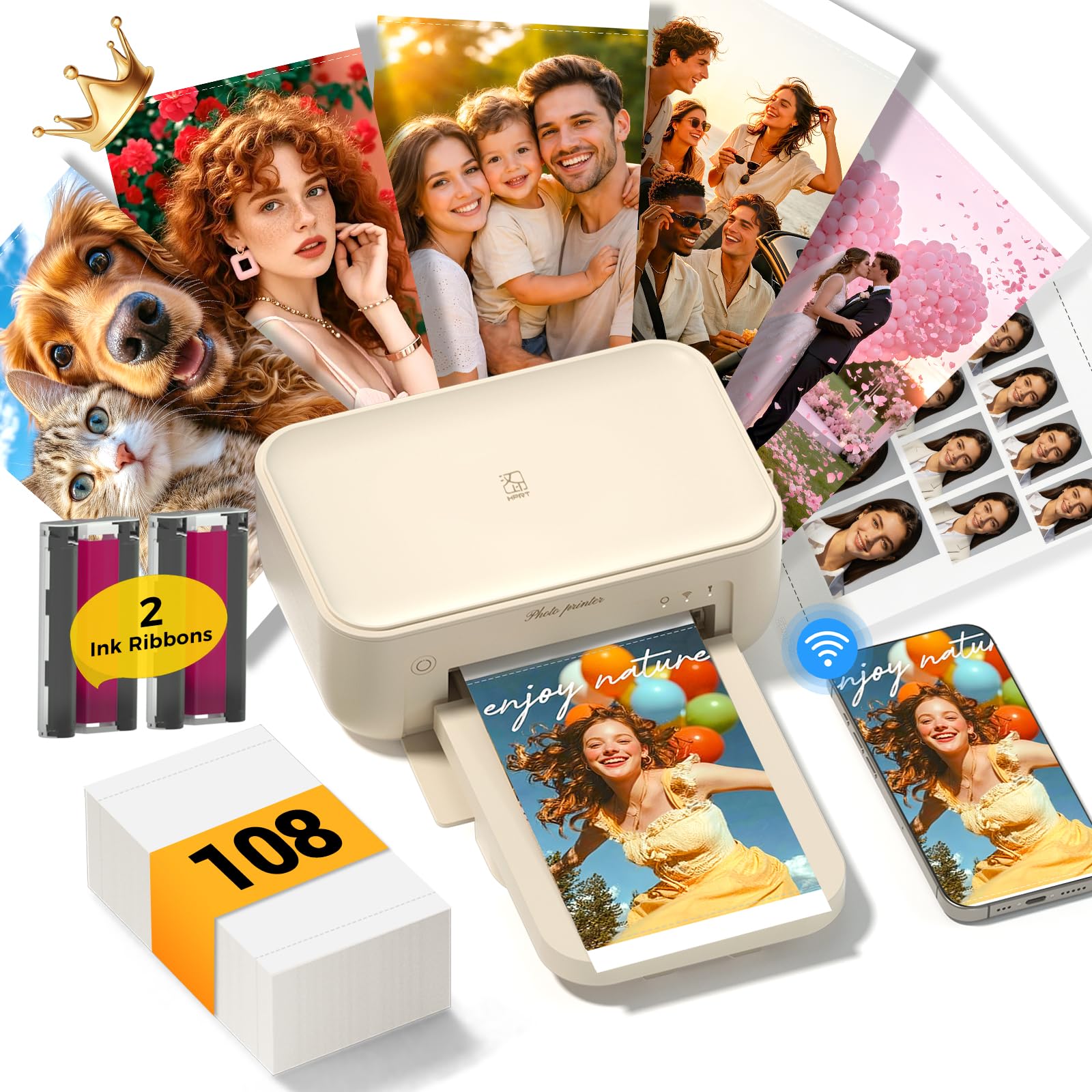
The number that matters for a busy booth is the print time: this HPRT CP4100 turns out a 4×6 photo in under 60 seconds, at a stated 300 DPI resolution (dots per inch — how much detail each print holds). It applies a protective coating that resists water, fingerprints, scratches and fading. It is also the more compact of the two HPRT units here — 5.11″D x 7.86″W x 3.42″H versus the HPRT beige model’s 11.7″D x 7.8″W x 3″H, a real difference on a crowded table. You get 108 sheets of 4×6 paper and 2 ribbons in the box, so the booth is print-ready on arrival.
What the crowd responds to is the output: buyers describe picture quality comparable to a professional lab. One of the more-loved features is AR video printing (augmented reality — print a still from a video, then scan the print with the HeyPhoto app to replay the original clip). That is a genuinely fun addition for a wedding or milestone booth, because the guest takes home a photo that plays back a moment. Setup is straightforward through the app, and the dual Wi-Fi options (home network or built-in hotspot) keep the printing going when the venue signal is weak.
The part to weigh before committing is connection consistency: a mixed field of owners mention trouble getting the printer recognized on both iPhone and Android, so a live test before a big event is worth the effort. Performance otherwise holds up, with picture quality and ease of setup both landing among the aspects buyers talk about most. If you want a self-contained 4×6 booth with AR extras and a large media bundle, this earns its place.
What a booth gains
- Under-60-second 4×6 prints at 300 DPI
- AR video printing adds a memory-with-audio keepsake
- 108 sheets and 2 ribbons included
- More compact than the HPRT beige sibling
Where it can stumble
- Connection to phones is the most-reported weak point — test before the event
- Reliability carries mixed feedback
- Cost per photo rises once the bundle runs out
Pick this one: when the booth needs fast 4×6 prints and a fun AR extra, and you can run a connection check first.
The catch: phone connectivity is inconsistent enough that a dry run is worth the time.
5. Liene Amber M110 Bluetooth Portable Photo Printer
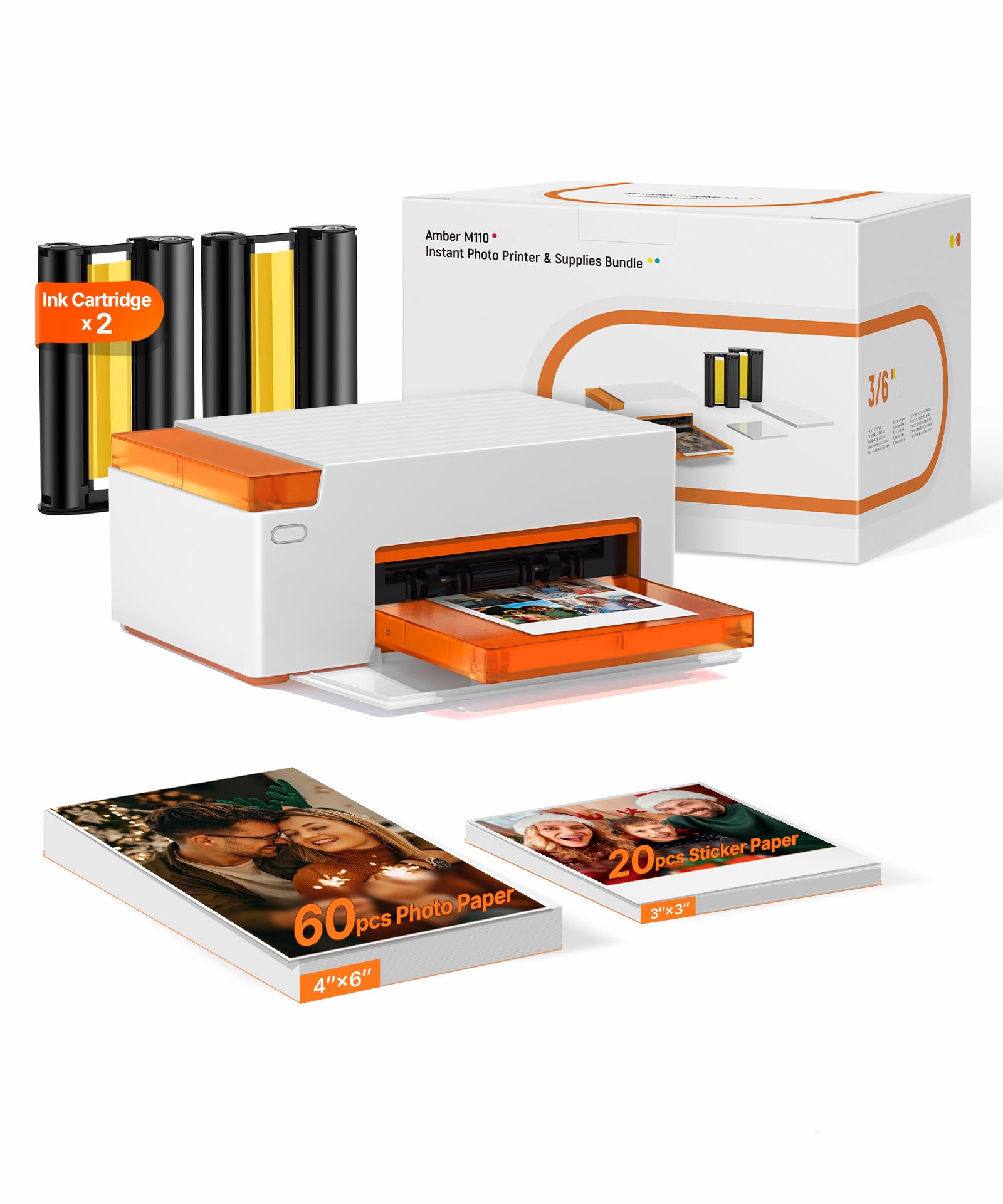
One printer, two paper trays — full 4×6 sheets and 3×3 stickers from the same machine.
The Amber M110 solves a booth problem most rivals do not: a dual-tray design that prints both standard 6-inch 4×6 paper and 3-inch sticky-backed paper from one compact body. Guests can choose a framed photo to take home or a sticker to slap on a phone case, and you do not need two printers on the table. It pairs over Bluetooth in 13 seconds — quick enough that a guest can be printing before the next person arrives — and the first print comes out in 59 seconds. The package is respectable, at 80 sheets: 60 4×6 plus 20 3×3 sticker sheets and 2 cartridges.
Print quality is the runaway favorite with buyers here, and it shows in the details: the thermal-dye sublimation process drives dyes deep into the paper, and a laminated surface resists water, scratches, fingerprints and fading. Colors come out vibrant and true, with a glossy finish, and the Liene app adds Polaroid borders, filters, contrast and brightness tweaks, plus print-status checks. Multiple devices can connect at once, so a handful of guests can share the queue rather than passing a single iPad around.
The honest trade-off is cartridge yield — the ink cartridge can fall short of the advertised 40-sheet rating, so order spares before a large event. The adhesive sheets can also be the hardest to keep stocked if the sticker tray is popular. Layout-wise it is compact and light enough for event hopping, and the dual-tray flexibility is the reason to pick it over the single-format machines.
What makes it flexible: the dual tray means one printer handles both take-home 4×6 photos and peel-and-stick 3×3 keepsakes without swapping machines.
Plan the supplies: cartridge yield can fall short of the stated 40 sheets, so carry extras into a busy booth.
Choose this when: your booth wants both a framed 4×6 and a quick sticker from a single compact unit.
The trade: buy spare cartridges up front — the yield can surprise you.
6. Liene White M200 4×6 Photo Printer, Battery Edition

A 4×6 printer with a battery — the booth that never needs an outlet.
For a booth set up in a field, a garden, or a hall with no convenient plug, the rechargeable built-in battery is the headline. This Liene runs up to 40 prints per charge without being plugged in, so a cordless 4×6 booth is genuinely possible. When you are near power, the AC adapter keeps it going. The built-in Wi-Fi hotspot connects in about 3 seconds, avoiding reliance on a venue network, and it supports up to 5 simultaneous users, so several guests can print from their own devices.
Photo quality is the crowd-pleaser here — dye sublimation drives three primary colors into the paper layer by layer, with a final protective layer that resists water, scratches and fading. The app handles basic editing plus filters and borders, and it warns you when ink or paper is about to run out. The 20-sheet, one-cartridge starter pack gets you through a short session and a dry run before the main event. A magnetic top holds the paper cassette after printing, which is a small quality-of-life touch when the table is crowded.
The trade-offs are worth stating frankly: connection can be the fussy part, and some customers note the printer balking outside a home setup, so test it on-site first. The 40-print battery ceiling also means a full evening of volume may need a charger or a second unit. For a cordless, app-driven 4×6 booth that sets up anywhere, this is a strong option.
The cordless advantage: 40 prints on a charge and a 3-second hotspot connection mean the booth can go where there are no outlets or routers.
The pre-event check: connectivity and reliability can be inconsistent outside a home network, so run it at the venue first.
Ideal for: outdoor or outlet-free booths that still want full 4×6 prints.
Keep in mind: 40 prints per charge is the ceiling — pack the adapter for long events.
7. Canon Selphy CP1500 White
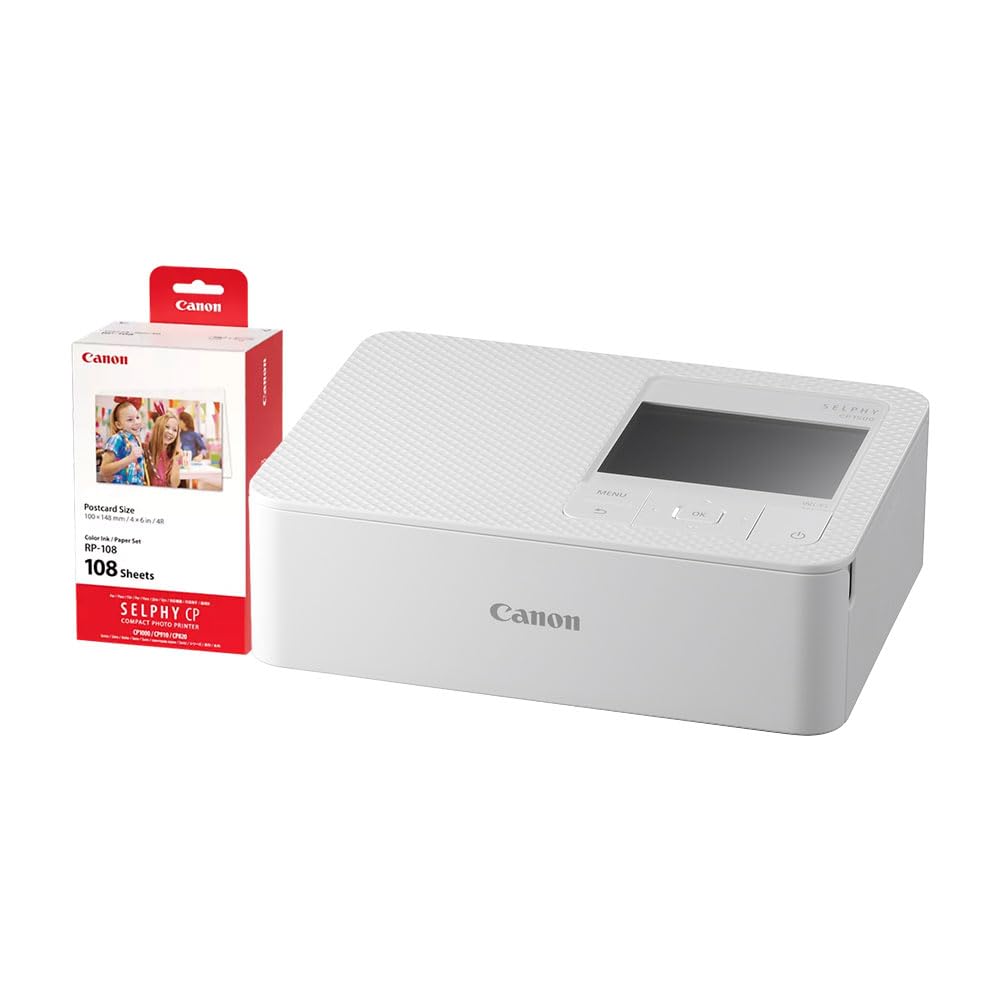
The CP1500 gives your booth more ways in than any Wi-Fi-only machine.
Where most of this list connects by app and Wi-Fi only, the Selphy CP1500 opens the doors: Wi-Fi, USB, and memory card connections let you print from your iPad, a computer, a camera, a memory card, or even a USB flash drive. That flexibility is the reason a booth host might choose it — if a guest hands over a memory card or a photographer wants to print straight from a camera, the CP1500 can do it. It prints 4×6 photos, the output is instantly dry and water resistant, and the brand says the prints continue to look great for up to 100 years.
The built-in 3.5-inch display lets you view, edit, and add filter effects like sepia or black and white right on the machine, without a second screen. The bundle includes the RP-108 high-capacity color ink and paper set for 108 4×6 sheets, so you start with a full media load. The SELPHY Photo Layout app (v3.0) adds spool printing (queuing jobs so they print in order), a built-in manual, and Siri shortcut support on iOS. The printer can also stamp a QR code on each photo that links guests to an event or wedding website — a neat booth flourish.
The catch to weigh is the cold tone some buyers notice in the prints, which leans more clinical than warm, alongside mixed reports on how the functions behave day to day. It is also the heavier cabinet of the group, so it lives on a table rather than in a bag. With a small footprint for what it does, it is the connective hub of this lineup.
Why a host picks it
- Wi-Fi, USB and memory card inputs in one machine
- 3.5-inch LCD for on-printer editing
- QR-code overlay plus an event-app Siri shortcut
- 108-sheet RP-108 ink and paper set included
Room for doubt
- Prints can read a touch cold in tone
- Functionality gets mixed feedback
- Heavier than the portable picks
Best for: the host whose booth needs to accept photos from cards, cameras, and computers as well as an iPad.
Weigh this: if a warm color cast matters more than input flexibility, look at the other 4×6 picks.
8. Canon Ivy 2 Mini Photo Printer (Blush Pink) Bundle

The no-cartridge sticker printer that only needs a Bluetooth tap to start.
The Ivy 2 Mini is the leanest booth setup of the lot: ZINK (Zero Ink) technology means no cartridges to change at all, because the color dye crystals live inside the paper itself. It prints 2×3 photos with a peel-and-stick backing you can adhere to a wall, a card, or a gift, and the bundle brings 110 sheets so a party board fills up fast. It powers up in as little as 45 minutes, so the booth is ready after a quick charge.
What people love is the picture quality and the compact footprint — it prints the exact small size the booth needs. The collection of 110 sticky sheets plus the protective case and USB cable makes it a self-contained sticker station. Print quality was improved on the Ivy 2 with tune skin tones, better contrast, and sharper detail. The 4-to-a-sheet collage template is the booth-friendly touch: four small prints on one adhesive sheet, which is exactly what a group photo board calls for.
The catch is battery life — it heats up as it prints and can drain within about half an hour of steady use, so keep it charged and plan to give it a breather between bursts. Color accuracy also draws mixed reactions: fine for scrapbook moments and instant keepsakes, less exacting if you want faithful reproduction. For a light, cartridge-free sticker booth, it is a charming and simple choice.
The simple-booth draw: no cartridges and 110 adhesive sheets in the box mean fewer parts to manage at an event.
The honest limit: it runs warm and can drain in about 30 minutes of constant printing, so manage the burst pace and keep it topped up.
Yours if: you want a cartridge-free, pocket-sized sticker booth with a big starter stack of sticky paper.
Skip the idea if: you need long uninterrupted printing runs or lab-exact color.
9. Canon Selphy CP1500 Black

The CP1500 black kit stacks two full ink-and-paper sets for a long night of booth printing.
This is the same Selphy CP1500 platform in black, bundled with two KP-108IN color ink and paper sets so you can print a full event without restocking. It prints 4×6 photos at a stated 300 x 300 dpi, connects by built-in Wi-Fi plus the companion iOS/Android SELPHY Layout app, and also prints off an SD card, USB drive, or computer. That input range is what separates it from the app-only machines: a photographer can hand over a card and the booth prints from it directly.
The control side is generous for a compact printer: a 3.5-inch LCD handles viewing, editing, and adding effects, and you can assign gloss, semi-gloss, or satin finish to each print. The kit includes a full set of manufacturer accessories and a one-year manufacturer warranty, so it arrives event-ready.
What to weigh is color predictability — the recurring note is a green tint and muted contrast on some prints, so a test batch before the party is wise. It is also a table-top unit rather than a carry-along. For volume printing with maximum input flexibility and a long starter supply, this kit is the pragmatic pick.
Room to run: two KP-108IN sets plus SD card, USB and Wi-Fi inputs make this the least likely printer to stall mid-event.
The check to run: color can lean green and muted on some batches, so print a few test shots at the venue before the doors open.
Made for: a high-volume booth that needs a long media supply and accepts cards, drives, and phones.
Test first: print a sample batch to confirm the color lands where you want it.
Know the Specs
Print technology: dye sublimation vs ZINK
Dye sublimation is the process behind most of these pick’s prints: the printer lays down color in layers and finishes each photo with a clear protective coat. That is why those prints resist water, fingerprints and scratches and feel like a proper photo. ZINK, used on the Canon Ivy 2 Mini, skips cartridges and uses dye crystals inside the paper instead. A busy booth that wants a durable, predictable finish favors dye sublimation, while a casual sticker station values ZINK’s cartridge-free simplicity. When you see “2×3 adhesive” or “peel-and-stick,” confirm the media is sticky before you order — not every small-format paper is.
Connectivity and print speed
The connection type decides how your booth behaves. A built-in Wi-Fi hotspot means the printer broadcasts its own signal, so it keeps working even when the venue internet is down — look for that in the specs if your event is off-site. Bluetooth is quicker to pair but better with a single device handling the queue. Print speed, measured in pages per minute (ppm), tells you how fast the queue moves: the 4×6 HPRT beige model at 1.3 pages per minute leads the 1 page per minute Liene Pearl N200 Pro. Faster is better for high traffic, but the honest truth is that a steady printer beats a fast one that keeps dropping the connection.
Common Questions
Will these printers connect to my iPad directly without a router?
Can more than one guest print at the same time?
Which print size should a photo booth offer, 4×6 or 2×3?
How long does a print take to come out?
Do I need to buy paper and ink separately, or is it in the box?
Will these work with an Android phone or only iPad and iPhone?
What’s the difference between dye sublimation and ZINK printing?
How long will a printed photo last before it fades?
Can I print from a memory card or USB drive instead of an iPad?
How many prints can I get before I change the cartridge?
The Bottom Line
For most people building a booth around an iPad, the photobooth printer for ipad that earns the top spot is the Liene Pearl N200 Pro because it weighs 340 g, prints adhesive 2×3 stickers at 1 page per minute, and runs up to 27 prints on a single charge — the lightest, most travel-ready sticker station in the lineup. If you want full 4×6 take-home photos with a built-in hotspot and a large media bundle, grab the HPRT beige model. And for a booth that stays cordless, the Liene White M200 Battery Edition is the one to reach for, with 40 prints per charge and a 3-second hotspot connection.
One last word before you buy: check the media format your booth actually hands out. A sticker booth lives or dies on adhesive paper, and a framed-photo booth needs 4×6 sheets — the Pearl N200 Pro nails the first, the HPRT and Selphy models the second, and the Amber M110 can do both. Buy the media to match the guest list, not the other way around, and your queue will keep moving.
How we choose
We do not accept paid placement. Every pick is matched to a real buyer and a real use-case; we do not hands-on test units.
Sources
Specifications: manufacturer listings and product documentation. Review insights: verified customer reviews, as of November 2026. Pricing: not shown on this page (it changes often); check the current price via the retailer link.
As an Amazon Associate, Tactical Gear Guy earns from qualifying purchases. This does not affect which products we feature.