Specs are compiled from manufacturer listings and verified buyer reviews and can change over time — please confirm the key details on the product page before buying.
You are about to move expensive parts into a new home, and the wrong box makes you fight every screwdriver turn. The right case clears your GPU’s length, fits your cooler under its height ceiling, and shows off the build you paid for. This guide covers nine mid-tower options that real builders keep coming back to, and it tells you plainly which one fits your parts list.
This guide is built by comparing the manufacturers’ published specifications and the patterns across verified customer reviews, so you get each pick’s real strengths and trade-offs instead of marketing spin.
Clearance numbers decide a build before you ever pick up a screwdriver, so every pick here is checked against GPU length, cooler height and radiator size. Read on for nine mid-towers checked against real GPU, cooler and radiator dimensions.
Top Picks
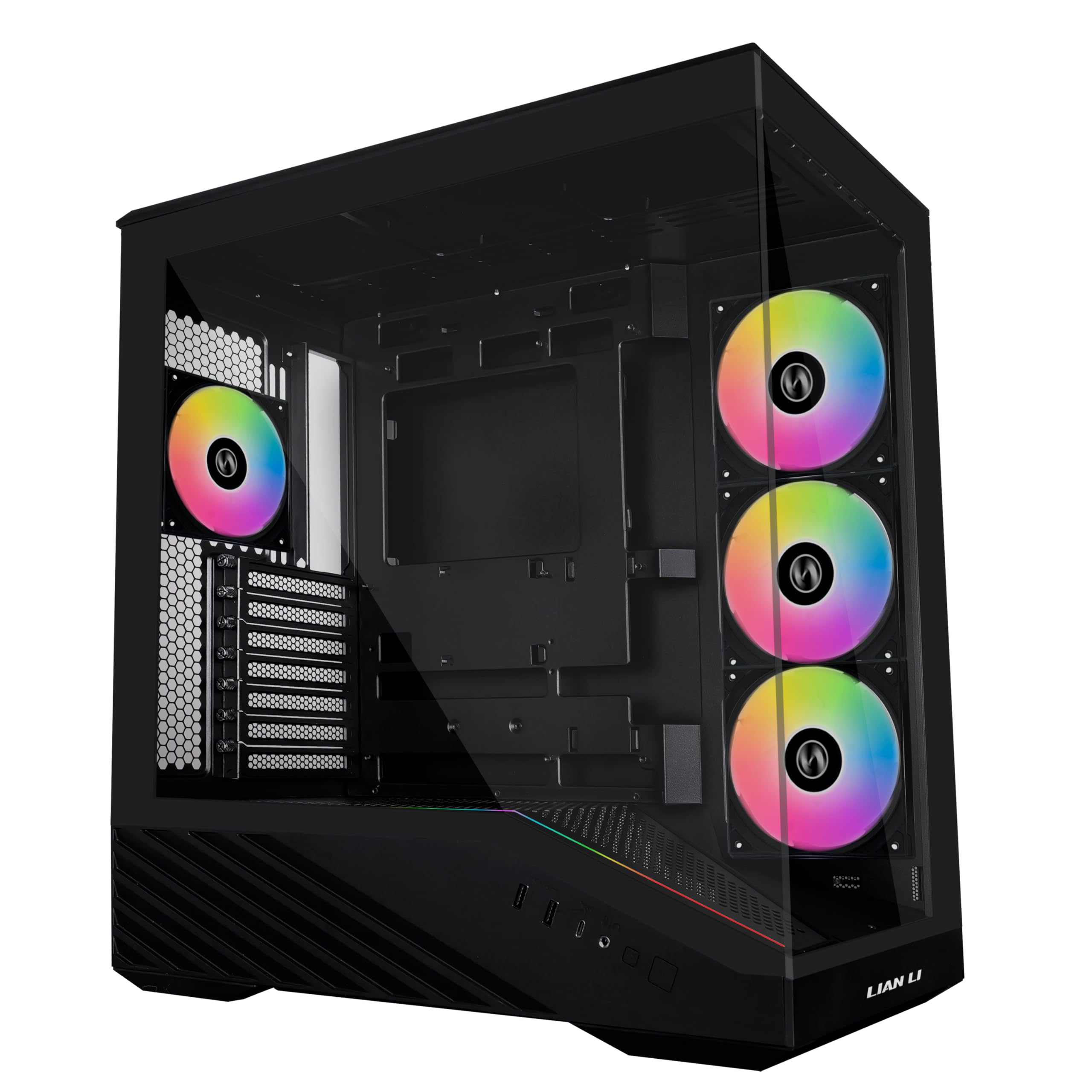

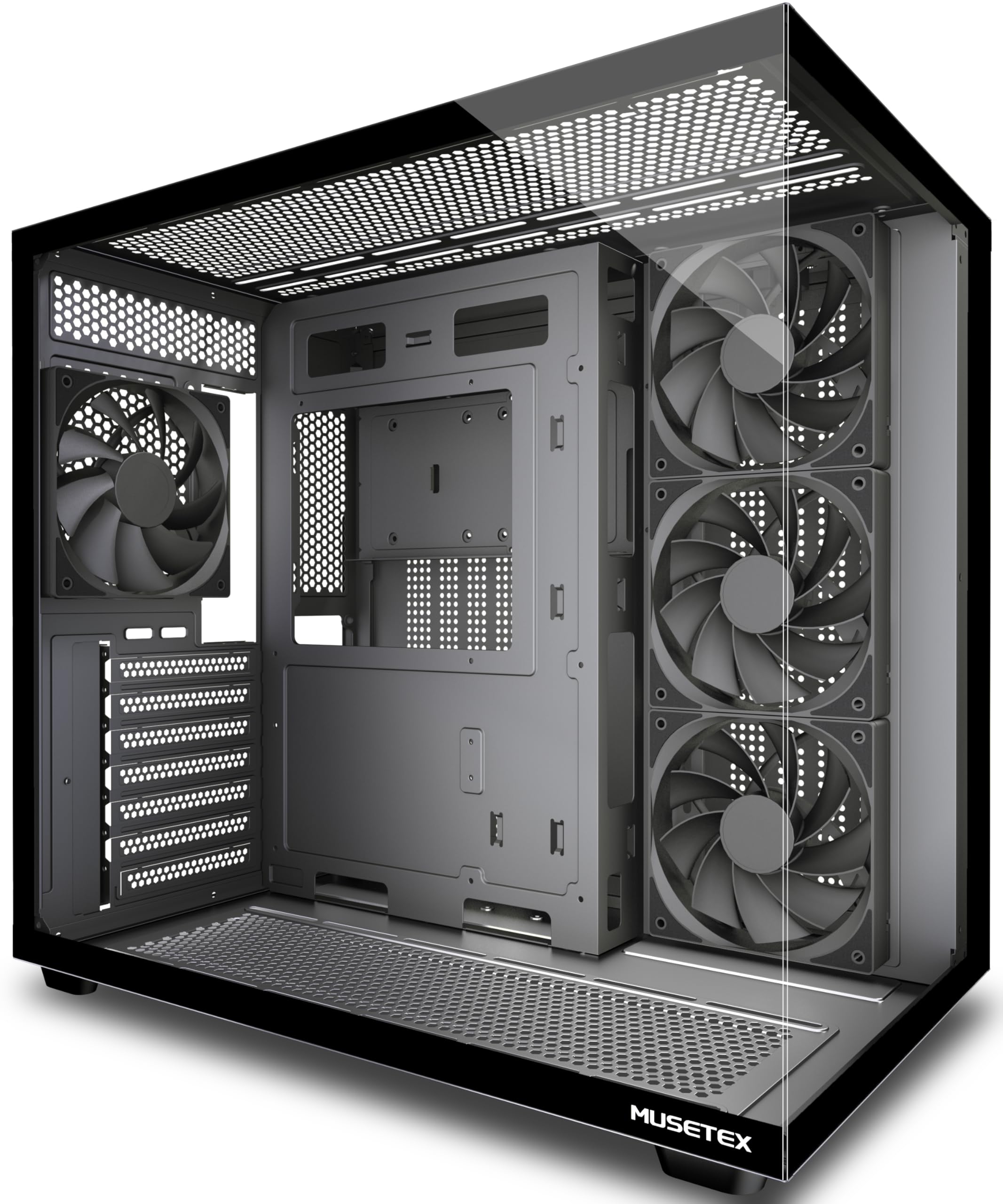
How To Choose The Best Personal Computer Case
A case is the one part you buy around the parts you already own. Parts lists change, graphics cards get longer, and an AIO radiator has to land somewhere. Get GPU length, cooler height and radiator size right and the build takes an afternoon instead of a weekend.
Check GPU length first, because it is the hardest limit to move
A long graphics card is fixed metal, so the case’s GPU clearance has to be the larger number. Pick a chassis whose stated GPU clearance sits comfortably past your card’s length. Mid-towers here range from 380mm to 420mm, and that span is the difference between a card that slots in and one that fouls the front fans.
Measure your CPU cooler against the height ceiling
A tower air cooler rises straight off the socket, and the glass side panel caps how tall it can be. Compare the cooler’s stated height to the case’s CPU cooler clearance before you buy anything. The picks below run from 160mm to 180mm of headroom, and a big dual-tower cooler can easily sit above the smaller end of that.
Decide where the radiator goes before the fans
Everything here mounts a 360mm radiator somewhere, but “somewhere” matters. Top-mount keeps the front open for intake fans, while front-mount pulls warm air across your board. Think through which one your parts and lighting plan wants, then check the case supports that position.
Balance fan count against the panels
Pre-installed fans save you a separate fan order and the cabling that comes with it. A case that ships with four fans at the front and rear starts pulling air on day one. Glass-forward showcases trade mesh intake area for the view, so pick based on whether your parts run hot.
Side-by-Side Comparison
| Model | Best For | GPU Clearance | CPU Cooler Height | Included Fans | Amazon |
|---|---|---|---|---|---|
| Lian Li V100-ATX★ Best Overall | Overall showcase build | 420mm | 178mm | 4 PWM ARGB | Amazon |
| ASUS A31 ATXBest Glass Showcase | Hidden-connector builds | 380mm | — | Not stated | Amazon |
| MUSETEX Y6Best Wide View | Wide-angle display shelf | 410mm | 160mm | 4 Non-LED | Amazon |
| MONTECH XR Panoramic | Reverse-blade lighting | 420mm | 175mm | 3 ARGB PWM | Amazon |
| Thermaltake View 270 Plus | Builder-friendly first tower | 420mm | — | 3 ARGB | Amazon |
| MONTECH AIR 903 MAX | Mesh-first airflow | 400mm | 180mm | 4 (140mm) | Amazon |
| be quiet! Pure Base 501 | Quiet office build | — | — | 2 PWM | Amazon |
| CORSAIR 3500X RS ARGB | White panoramic builds | — | — | 3 Reverse ARGB | Amazon |
| Thermaltake View 380 | Dual-chamber hidden-cable builds | 415mm | — | 4 ARGB | Amazon |
Detailed Reviews
1. Lian Li V100-ATX Mid-Tower PC Case-Black-V100RX
Our pick — 4.5+★ from 700+ verified ratings; the strongest balance of quality and price.
Four fans and 178mm of cooler headroom, straight from the start.
Here is the number that decides your build: 178mm of CPU cooler clearance. A big dual-tower air cooler fits here without you measuring twice and sweating. The same box swallows a 420mm graphics card and a 360mm top radiator, so the parts you already own have somewhere to go.
Then there are the fans. Four 120mm PWM units come pre-installed, and PWM means the board can slow them when the system is idle. They are rated for 61.47-60.4 CFM of airflow (cubic feet per minute — the volume of air each fan moves) and 26.5-30.8 dBA (decibels, a sound-level scale where a quiet room sits well under 30). Lian Li also builds in a 26-LED ARGB light strip, and you can daisy-chain the fans so one cable chain handles the whole set.
Buyers report the case is spacious enough for two 360mm fan-and-cooler setups, and building inside it is genuinely easy. The tool-less side panels pop off without a screwdriver, which matters every time you swap a drive or tidy a cable. It takes ATX, Micro-ATX and Mini-ITX boards, plus back-connect ATX or Micro-ATX boards for cleaner routing. The crowd favorite sits at 4.5+ stars across 700+ ratings, which is a lot of people agreeing about a box.
Where it wins your parts list
- 178mm cooler clearance — the most headroom here, and 18mm more than the MUSETEX Y6
- Four PWM ARGB fans included, so you are not buying fans on day one
- 420mm GPU and 360mm top radiator support in the same chassis
- Tool-less panels and four internal bays for drive flexibility
The honest catch to weigh
- At 8200g it is a heavy box to lift onto a desk
- Fan specs top out near 30.8 dBA, audible under full load
- ARGB daisy-chaining needs a free motherboard header to sync
Reach for this if: you are running a tall air cooler or a long graphics card and you want the fans already fitted.
Think again if: you need a lightweight case to carry to a friend’s place — 8200g fights you on every move.
2. ASUS A31 ATX Mid-Tower PC Case
Two glass panels and an 8° angled base that tilts the whole show toward you.
The A31 is built around a pillar-free panoramic view. Both front and side are tempered glass, and there is no corner strut cutting through the sightline. An 8° angled base does more than look unusual — it lifts the front edge so the internals tilt up toward your eyes and gives cooler air a straighter path in.
This is the case to pick if you are moving to a hidden-connector motherboard. All the modular cables route behind the board, so the glass shows components instead of a rat’s nest. ASUS lists a 360mm radiator with up to 80mm of clearance, so a thick radiator stack has space.
Owners point to the design and appearance as the reason they bought it, and the value holds up next to the rest of this group. Assembly goes quickly, and the solid glass side panel is a real panel rather than a thin sheet. At 18.1 pounds it is 3.6 pounds heavier than the MONTECH XR Panoramic, though — a desk piece, not a LAN-party traveller.
What the layout buys you: a cable-free interior view, which is the whole point of buying a glass case in the first place. Route your cables once behind the board and the front stays clean.
What to plan around: 380mm of GPU clearance is fine for most cards but tight for the very longest ones. Measure your card’s exact length before you commit.
Buy this one if: you are building with a hidden-connector board and want the cleanest possible glass view.
Look elsewhere if: your graphics card runs past 380mm — that is the hard ceiling here.
3. MUSETEX Y6 PC Case
A 270° wrap of dual tempered glass that shows off the parts you paid for.
Two tempered glass panels meet on the front and side here, giving you a 270° view instead of the usual single window. The black matte texture on the remaining panels keeps it from looking plasticky. If you have a graphics card with a lit shroud or a display you want seen, this is the frame for it.
Inside, the Y6 splits into two chambers. The power supply sits in its own compartment with an independent ventilation channel, which keeps PSU heat away from your board. Four 120mm non-LED fans come fitted — three reverse fans on the side and one forward fan at the rear. Non-LED means no lighting wire to route, so the build stays simple. Owners mention it handles massive GPUs and tall CPU tower coolers, including a 360mm AIO system, and that it offers excellent value.
Clearances tell the story: 410mm for the graphics card, 160mm for the CPU cooler, 230mm for the power supply and a 360mm top radiator. The case quality is what wins people over most, and the 270° glass is the visual payoff. Cable management is the one area where feedback splits, so give yourself extra time to tidy the back before you close it up.
A dual-chamber design that earns its keep: the PSU’s own vent channel keeps warm exhaust off the motherboard, and the magnetic dust filters top and bottom cut the cleaning routine.
The catch worth knowing: 160mm of cooler clearance is the tightest in this group. A large dual-tower air cooler will foul the glass here.
The fit test: a smaller cooler and a long graphics card, plus a wish to show the internals off through 270° of glass.
The mismatch: you run a cooler taller than 160mm, or you need more than three internal drive bays.
4. MONTECH XR PC Case

Reverse-blade fans turn their lit faces inward, so the frames never block the glow.
Most case fans show you their support struts. These two side-mounted reverse-blade fans flip that around, so the illuminated face points into the case and the clean side faces out. A third fan at the rear completes the three-fan layout. The result is a glass showcase where the light comes from the right direction, and it is why design wins people over here more than any other single trait.
Clearances are generous across the board: 420mm for the graphics card, 175mm for the CPU cooler and 230mm for the power supply. That 420mm matches the Lian Li V100-ATX, and it beats the ASUS A31’s 380mm limit by a wide margin. You can mount up to nine fans in total, or drop in a 360mm radiator at the top if you would rather liquid-cool.
Panoramic front and side tempered glass keep the GPU and cooling in view, and the wood-grain I/O area is a warm accent against the black chassis. USB-C and two USB 3.0 ports sit within reach. Removable magnetic filters at the top, side and bottom make the dust routine a thirty-second job. Owners mention how easy the cable routing is, especially the front-panel and GPU cables. At 14.5 pounds it is 3.6 pounds lighter than the ASUS A31, which makes it far kinder to move.
The lighting design is the point: reverse-blade side fans are rare at this level, and they solve the problem of fan frames cutting your ARGB in half.
One practical caveat: three ARGB PWM fans need a lighting header on your board for control. Check your motherboard before you buy.
Worth grabbing for: a gaming build where the lighting is the show and you want the fans to point it the right way.
Skip the gamble if: your board has no ARGB header — the lighting will run on its own defaults instead of syncing.
5. Thermaltake View 270 Plus TG ARGB Black Mid Tower E-ATX Case
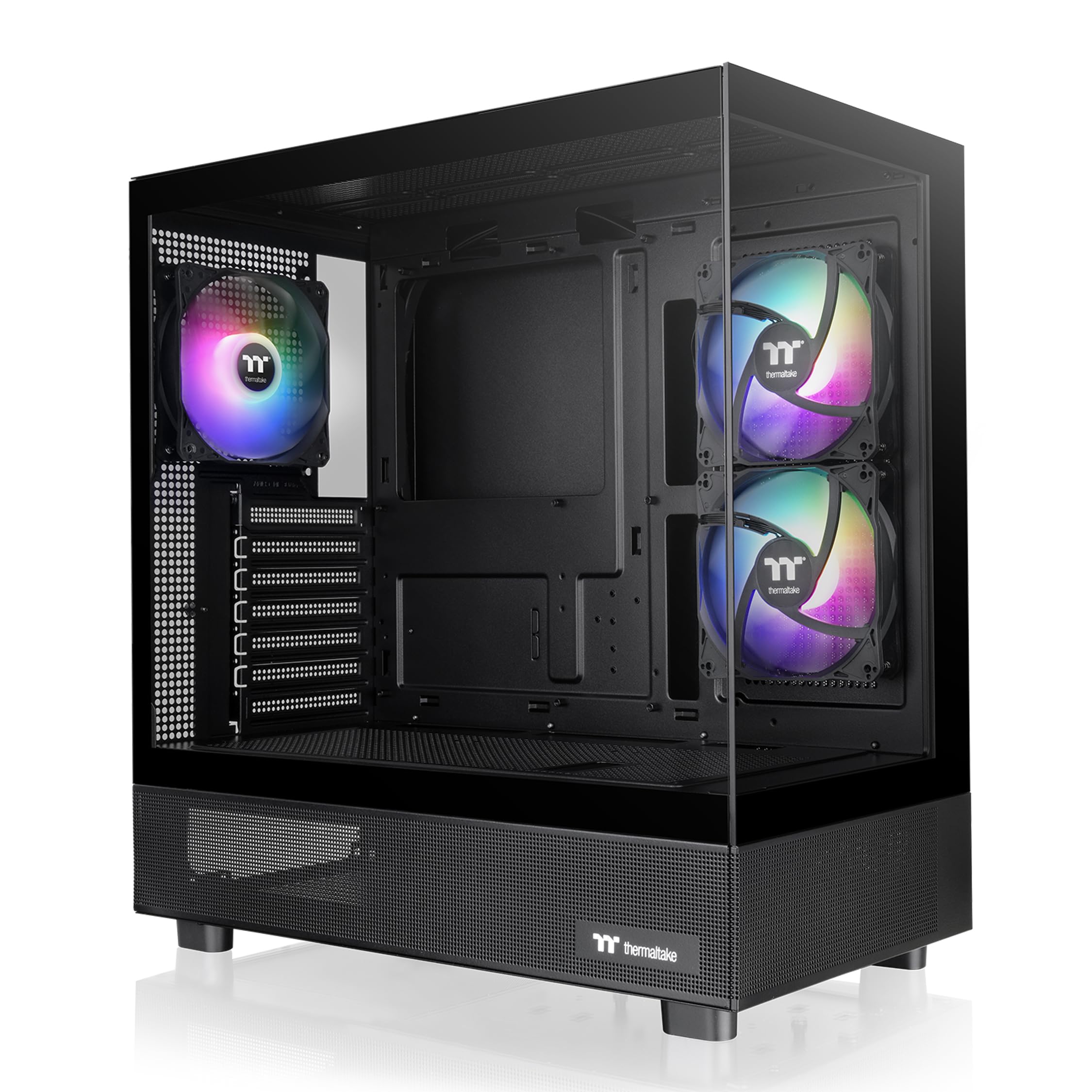
The case that gets out of the way when you are building your first system.
Thermaltake trimmed the friction out of the first-build experience. The front and side glass panels meet in a pillarless corner, so there is no corner post to work around while your hands are inside. Three 120mm ARGB fans come pre-fitted, which removes the fan-buying step entirely.
The 420mm graphics card limit matches the Lian Li V100-ATX, so long cards are safe here. It handles up to a 360mm radiator at the top, and the case is rated for as many as nine fans in total. I/O runs one USB 3.2 Gen 2 Type-C, two USB 3.0 ports and an HD audio jack — the Type-C port is the one worth having for modern boards.
Owners describe it as the best tower they have owned, which is a strong thing to say about a box. The three ARGB fans and the overall look carry the case, and assembly is quick. E-ATX support matters if you plan a larger board later. The moving parts are the glass panels, and everyone notes how easily they come off and go back on. At 14 pounds it stays manageable for a single-person lift.
The build experience: a pillarless corner and tool-friendly panel removal make this the least fiddly chassis in the group for a first-timer.
What to double-check: the listing gives no CPU cooler height figure, so confirm clearance against your cooler before ordering.
Go here when: this is your first build and you want furniture that cooperates instead of fighting you.
Check first if: you run a very tall air cooler — you will need to confirm the height yourself.
6. MONTECH AIR 903 MAX PC Case

A mesh front and four 140mm fans that push a serious volume of air.
This is the case for someone whose system runs hot and stays that way. The front panel is ventilated mesh, not glass, so intake air comes in unobstructed. MONTECH then fits three 140mm HP140 ARGB PWM fans at the front and one 140mm PWM fan at the rear. Customers note the pre-installed fans move a lot of air, and airflow is among the most-praised traits on the listing.
The 140mm fan size is the quiet advantage here. A bigger fan moves the same air at lower speed, so you get cooling without the whine. Clearance runs 180mm for the CPU cooler — the tallest ceiling in this group — and 400mm for graphics cards. E-ATX, ATX, Micro-ATX and Mini-ITX boards all fit. Radiators up to 360mm mount at the front and the top.
Two internal bays is on the light side for a drive-heavy build, so count your 3.5-inch drives before committing. Cable management gets a routing channel and the front I/O carries one USB Type-C, two USB 3.0 ports, mic and audio jacks, plus power, reset and LED buttons. There is also room for two 3.5-inch hard drives under the shelf. The case is well constructed and easy to build in, and the value shows up in the strength of the airflow.
Why airflow chasers like it
- 180mm CPU cooler clearance — the most of any pick here
- Four 140mm fans included, three of them ARGB PWM
- Ventilated mesh front panel for direct intake air
- 360mm radiators at both front and top, plus vertical GPU mount ready
What you give up for that airflow
- Two internal bays only — tight for multiple drives
- Mesh front means no full glass front panel
- 400mm GPU limit sits below the MONTECH XR Panoramic’s 420mm
Pair it with: a hot graphics card, a tall air cooler and a case that should not need fan upgrades on day one.
Pause if: you plan three or more internal drives — two bays will not carry that load.
7. be quiet! Pure Base 501 PC Case
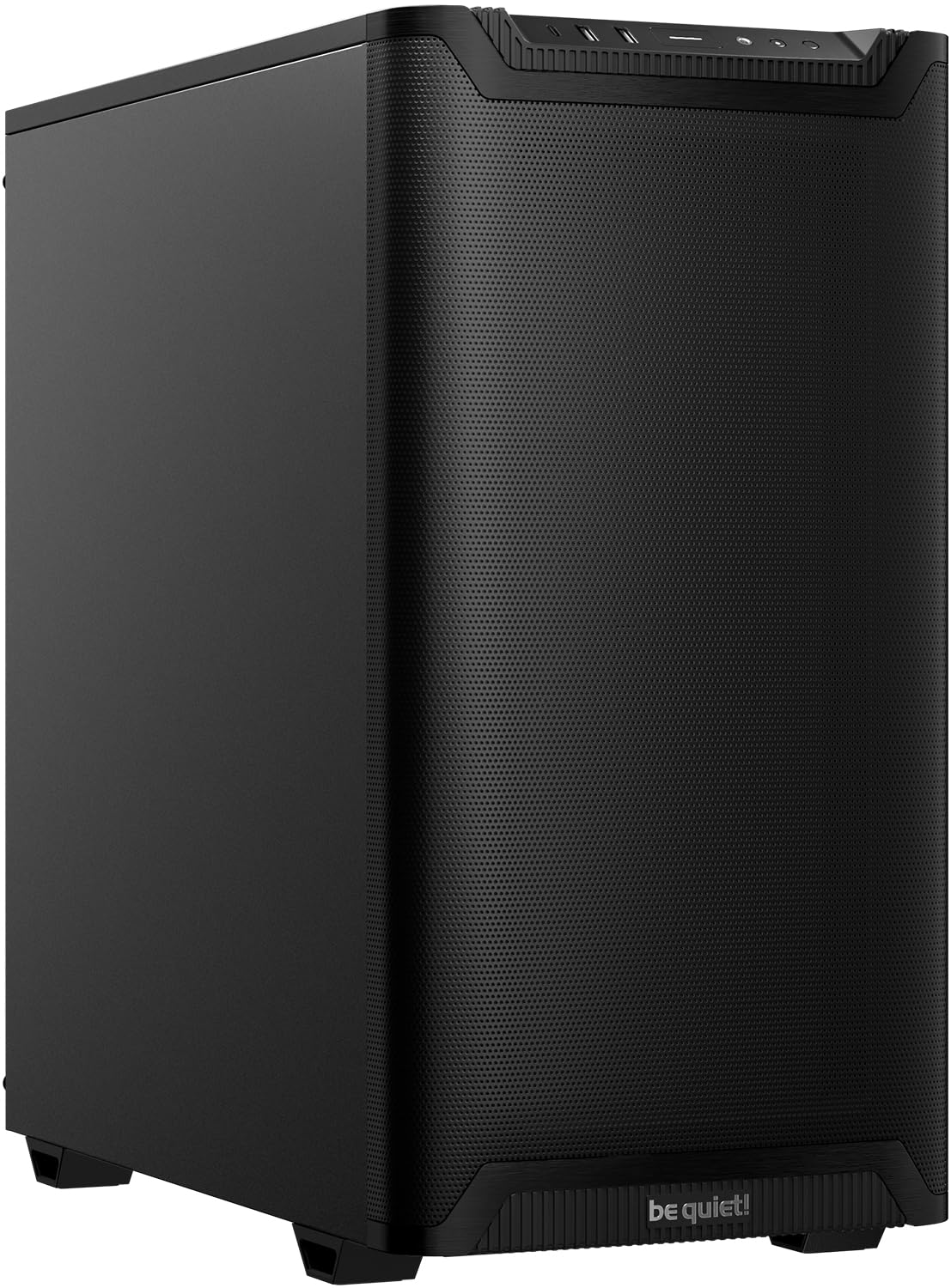
A minimal black tower built to disappear into an office and stay quiet.
Noise is the spec that does not live on a badge, and this case targets it directly. Sound-dampening material lines the side panels, which cuts fan and drive noise before it reaches your ears. A pre-installed Pure Wings 3 140mm PWM fan runs airflow-tune blades to lower turbulence and the noise that comes with it. Reviewers point out the sound-dampening panels are the reason the machine stays quiet under load.
The case supports up to three front fans or a 360mm radiator, plus up to three top fans or a 240mm radiator. Six storage drives fit inside, which is more drive capacity than several flashier cases here. Front I/O runs USB 3.2 Gen 2 Type-C plus dual Type-A ports.
PCIe slots rotate 90° so you can mount a graphics card vertically with an optional riser cable — a neat answer to GPU sag on a long card. It weighs 6.8kg, which is light enough to shift around a desk. The trade-off is visual: there is no panoramic glass front here, so plan on buying a case for quiet and clean lines rather than a light show.
Quiet is the product: dampening on the side panels and a 140mm PWM fan behind it are what you are actually paying for.
What it is not: a showcase case. Owners of glass builds may find the minimal face and lack of ARGB a step down in the looks department.
The right buyer: a bedroom or office build where fan noise is the enemy and the case face should stay understated.
The wrong buyer: you want 420mm of GPU room and a full glass front — this is not that case.
8. CORSAIR 3500X RS ARGB Panoramic Mid-Tower PC Case – White
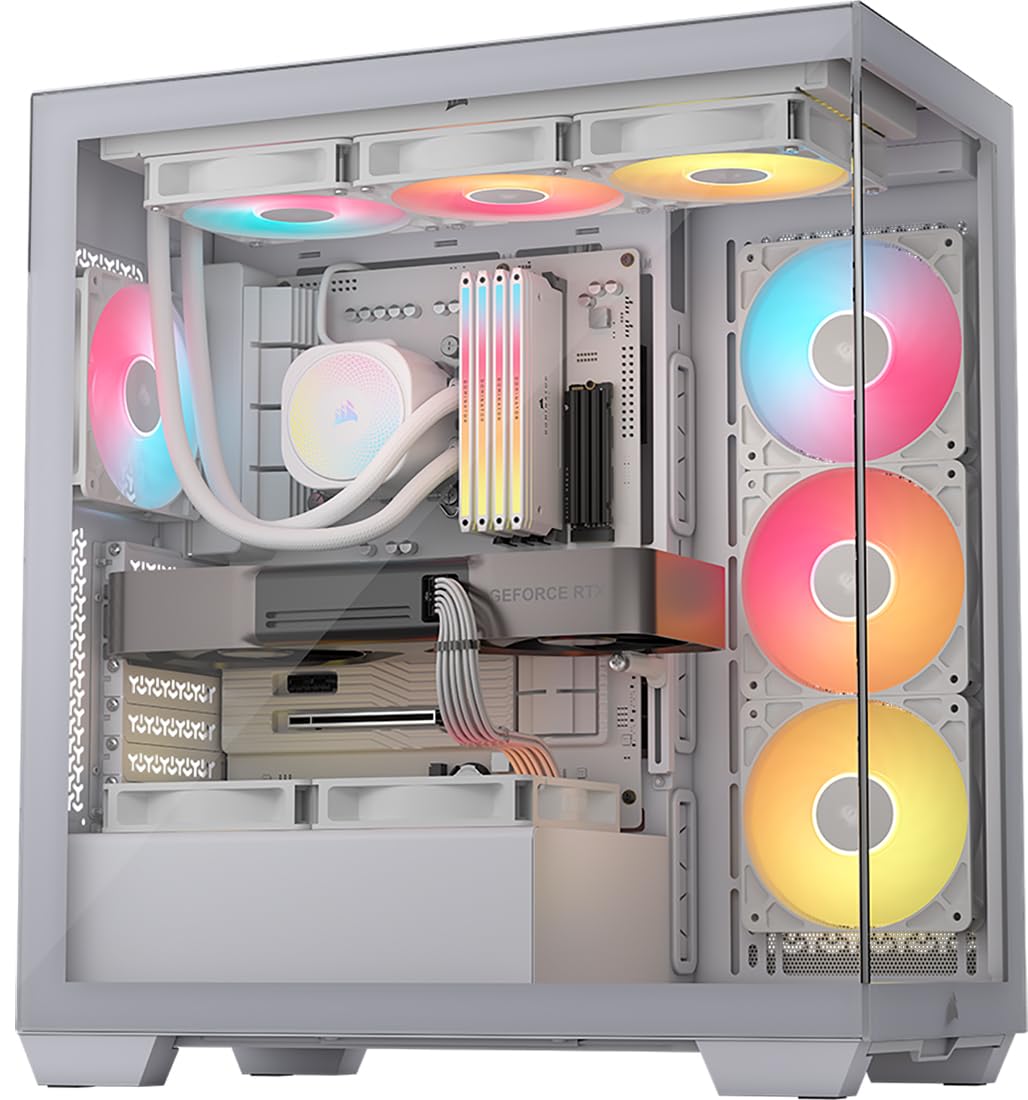
A white wraparound glass frame that turns the whole build into a display.
White builds live or die on the case, and this is the one that commits. The wraparound glass aesthetic gives you a front and side view in one continuous run, so the white chassis shows through behind your parts. Three RS120-R ARGB fans come pre-installed, with control routed to your board through a +5V ARGB header.
Support runs from Mini-ITX all the way up to EATX, which covers basically any board you might move into it. Cooling capacity is the standout: side, roof and PSU mounting points accommodate up to 10x 120mm fans. That is a large fan allowance, and it means you do not sacrifice cooling for a glass front. Radiators up to 360mm fit, and the interior takes up to 10 storage drives.
Owners point to the clear views inside the front and side glass panels as the reason the case works. Build quality carries it, and the extra space behind the motherboard makes cable management straightforward. It is validated for ASUS BTF, MSI Project Zero and Gigabyte Project Stealth boards, so the hidden-connector crowd is covered. The front and side glass come off without fuss, which helps at build time and on cleaning day.
The white-build pick: wraparound glass plus reverse ARGB fans gives the cleanest white showpiece in this group.
Keep in mind: white surfaces show every smudge and fingerprint, so budget a little cleaning time to keep it looking new.
Pick it for: a white-themed build that needs a panoramic view and room for plenty of fans.
Pass it over: you have an ATX board but no +5V ARGB header — the fan lighting routing gets awkward.
9. Thermaltake View 380 TG ARGB Black ATX Case

Four hydraulic-bearing fans and a dual chamber for a clean, spacious build.
The View 380 takes the pillarless front-and-side glass idea and adds a dual-chamber interior. Splitting the chassis into two zones gives the power supply its own space and keeps the main compartment clear for board, GPU and cooling. Four hydraulic-bearing 120mm ARGB Lite fans come pre-installed — hydraulic bearings are the quiet, long-wearing form of fan bearing, so the noise stays low over time.
It is compatible with hidden-connector motherboards from ASUS and MSI, so rear-mounted cables stay out of the glass view. Graphics cards up to 415mm fit, which sits between the 420mm Lian Li V100-ATX and the 400mm MONTECH AIR 903 MAX. A 360mm radiator mounts at the top. I/O carries one Gen 2 USB 3.2 Type-C, two USB 3.0 ports and an HD audio jack. Three internal bays handle a sensible drive load.
Owners cast it as well built and easy to assemble, with room for aftermarket fans and space to step up to a bigger GPU later. Cooling holds up, and the case takes a 3070 and an AIO cooler without complaint. Cable management is the one split point — some find the space generous, others want more. Give your back-panel routing a little extra planning and the result stays tidy.
Where it makes sense: a dual-chamber layout with hidden-connector support and four fans already in place — a lot of interior for the price tier.
The fair caveat: cable management space divides opinion, so plan the routing order before you start plugging things in.
Fits best with: a hidden-connector board and a graphics card that needs real length clearance.
Look elsewhere if: cable tidying is your least favourite job — this one rewards patience.
Know the Specs
GPU clearance in millimetres
This is the maximum graphics card length a case will hold before the card fouls the front panel or fans. Ask for the exact length of your card, then compare it to the clearance figure. A 420mm case takes the longest cards on the market, while 380mm covers most mainstream models. Always leave a little margin for a card with a thick backplate or 16-pin connector.
CPU cooler height
Air coolers rise straight up from the socket, so the case’s height ceiling has to clear the cooler’s own height. A 160mm ceiling fits most modest tower coolers, while 178mm to 180mm fits taller dual-tower models. Since the glass side panel is a hard wall, measure the cooler before you order the case — not after.
ARGB and PWM fans
PWM (pulse-width modulation) means the motherboard can vary fan speed instead of running it flat out, so a PWM fan can stay quiet when the system is idle. ARGB (addressable RGB) means each LED can be a different colour, and the fans sync to your board through a header. Check your board has the right header before you rely on lighting control.
Radiator support and mounting
A 360mm radiator spans three 120mm fan slots, so the case needs a position wide enough to hold it. Top-mount keeps the front free for cool intake air; front-mount pulls warm air across your board. Both work, but the case has to list the size and the position, or your AIO box stays unopened on the desk.
Common Questions
Will my graphics card fit in a mid-tower case?
How do I know if my air cooler is too tall for the case?
Can I fit a 360mm AIO in these cases?
Do I need a hidden-connector motherboard to use those cases?
Is more pre-installed fans always better?
Should I pick a mesh front or a glass front case?
Will a mid-tower case fit an E-ATX motherboard?
How much does a case’s weight matter?
Does a quiet case cost cooling performance?
Can I mount my graphics card vertically in these cases?
The Bottom Line
For most builds, the personal computer case winner is the Lian Li V100-ATX because it pairs 178mm of cooler clearance and 420mm of GPU room with four PWM ARGB fans already fitted. If you are moving to a hidden-connector board and want the cleanest glass view, grab the ASUS A31. And if your system runs hot and you want mesh intake with 180mm of cooler headroom, the MONTECH AIR 903 MAX is the one to reach for. One honest nudge: the Lian Li holds the highest score in this group at 4.5+ stars, but the MUSETEX Y6 has more ratings behind it — the higher score wins if clearance is your deciding factor.
How we choose
We do not accept paid placement. Every pick is matched to a real buyer and a real use-case; we do not hands-on test units.
Sources
Specifications: manufacturer listings and product documentation. Review insights: verified customer reviews, as of November 2026. Pricing: not shown on this page (it changes often); check the current price via the retailer link.
As an Amazon Associate, Tactical Gear Guy earns from qualifying purchases. This does not affect which products we feature.