Specs are compiled from manufacturer listings and verified buyer reviews and can change over time — please confirm the key details on the product page before buying.
You want to swap a graphics card, test a second motherboard, or run a CPU on the bench without squeezing your fingers into a cramped tower. An open test bench fixes that: your parts sit out in the air, screwed to a bare metal frame, so you can reach every slot and feel the heat leave the board. The trick is picking one that stays rigid once it is loaded and does not fight you during assembly. This guide covers seven open frames that fit ITX, MATX, ATX and EATX boards, and tells you which ones hold up under a heavy build.
This guide is built by comparing the manufacturers’ published specifications and the patterns across verified customer reviews, so you get each pick’s real strengths and trade-offs instead of marketing spin.
Before you spend a weekend with an Allen key, know which frames are stiff, which ship with tools, and which need a drill and patience. The crowd favorite here holds 4.5+ stars across 80+ ratings, and every pick below is worth a look as a pc test bench.
Top Picks
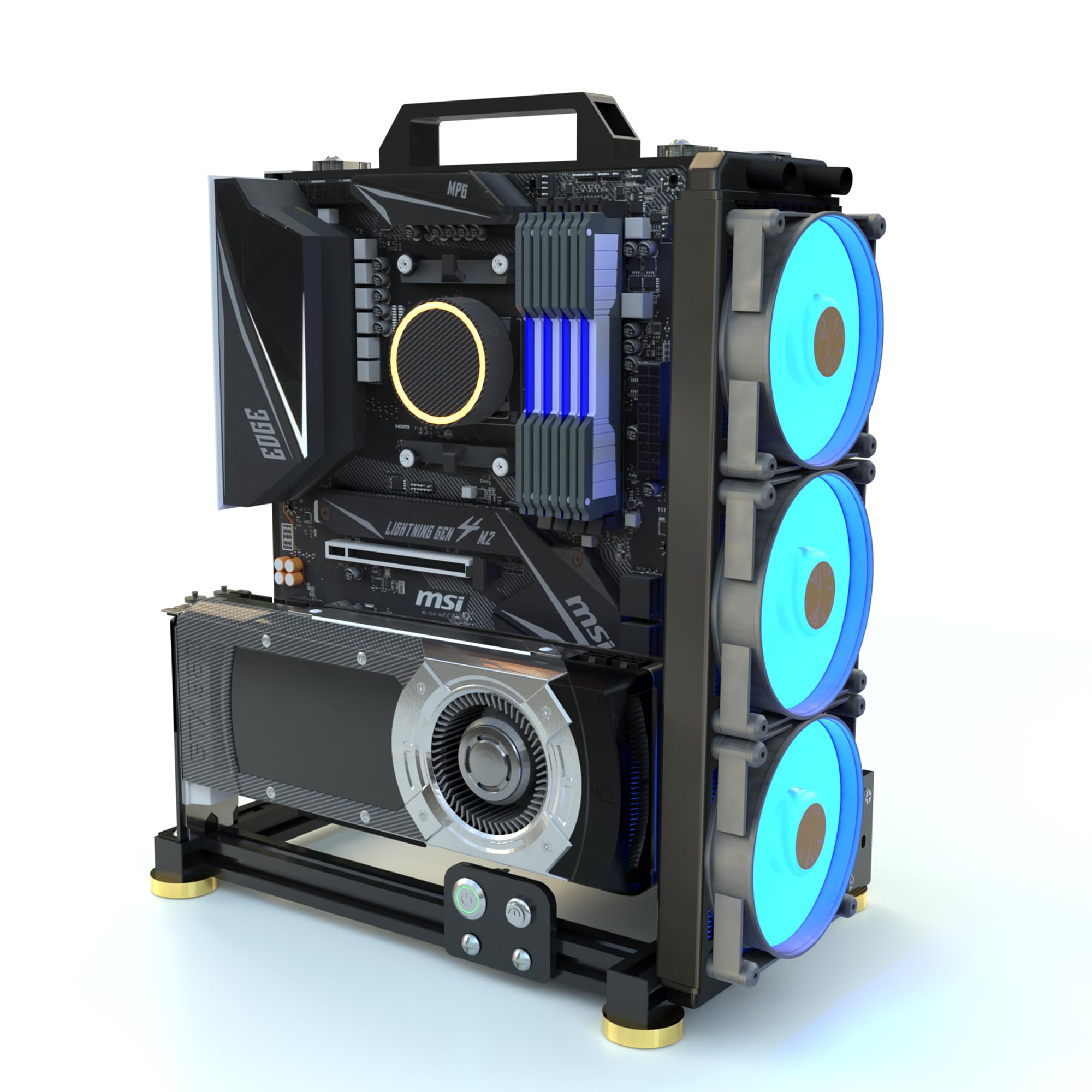
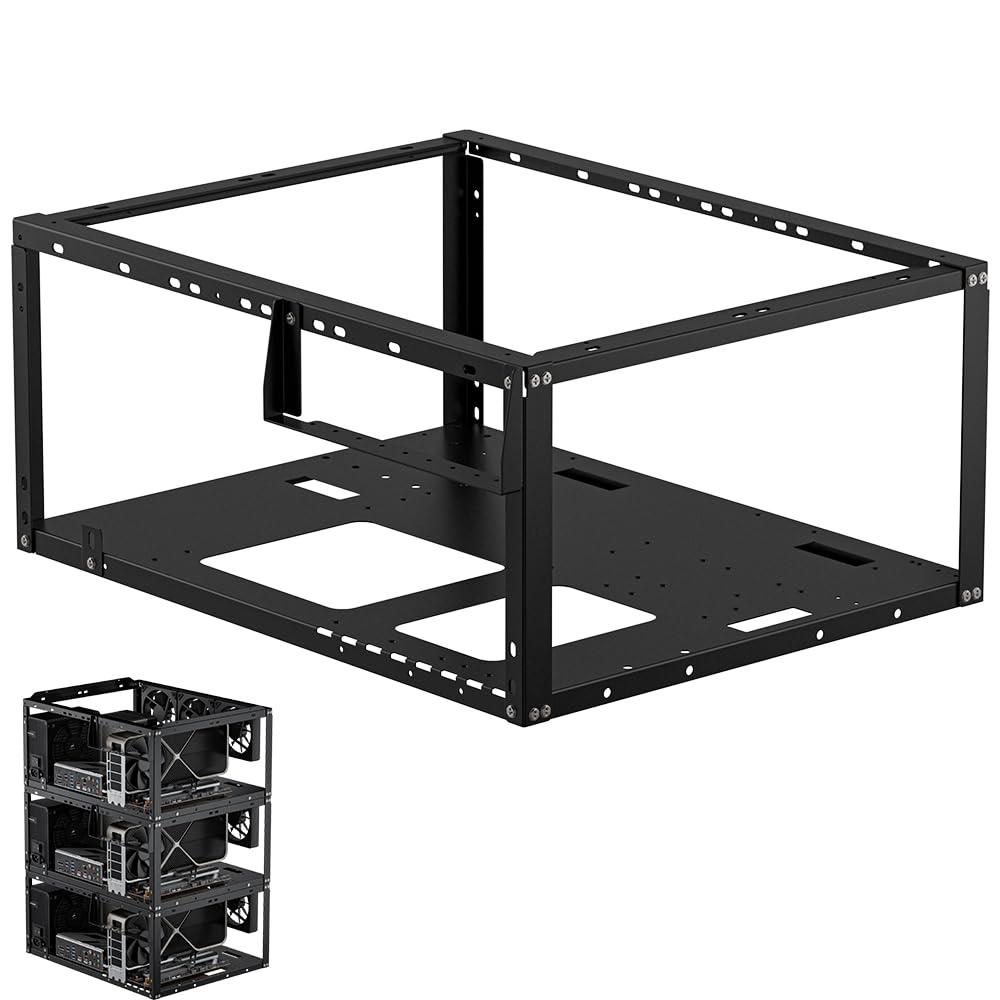
How To Choose The Best PC Test Bench
A test bench is a bare frame, not a finished case. You screw your motherboard, power supply, graphics card and drives to it, and everything sits in open air. The three things that decide whether you will love or resent yours are motherboard support, rigidity once loaded, and how clean the assembly goes. Start with the board size you actually own.
Match the bench to your motherboard size
A small ITX board will bolt to almost any frame here, but an EATX workstation board needs a bench that lists EATX support outright. If your motherboard is longer than the spacing between the standoffs, the bench simply will not work. Check the listed motherboard support before anything else, then confirm your power supply will fit too — ATX, SFX and 1U units each mount differently.
Rigidity is the real trade-off
Thin aluminum feels springy and can let a long graphics card sag. Thicker panels and a proper base plate hold their shape, which matters most when you stack a bench or slide it around a workshop. Buyer reviews split sharply on this point, so read what people say about sturdiness after assembly, not just from the start.
Count your bays and fan mounts
Two internal bays cover a single boot drive. If you run several backup drives or plan to test multiple builds, aim for four or five bays. Fan and radiator support matters just as much: an open frame with room for a 360mm radiator handles liquid cooling, while a basic frame is air-only.
Side-by-Side Comparison
| Model | Best For | Internal Bays | Motherboard Support | Enclosure Material | Amazon |
|---|---|---|---|---|---|
| DIY Aluminium Open Case (3.ATX)★ Best Overall | Best overall for most builders | 4 | EATX, ATX, MATX, ITX | Aluminum | Amazon |
| JOYJOM Techbench Server Rack CaseStacking Champion | Stacking and E-ATX builds | 5 | EATX, ATX, Micro ATX, ITX | Metal | Amazon |
| Yoqanr Open Air Frame | Premium MATX build | 4 | MATX | Aluminum | Amazon |
| MerainMe Open Air Case | Dual 360 water cooling | 5 | ATX, MATX, UMATX, ITX | Aluminum | Amazon |
| DIY Open Frame Chassis (Type-C) | Full-size GPU clearance | 4 | EATX, ATX, MATX, ITX | Aluminum | Amazon |
| Black PC Frame Test Bench | Budget first open build | 2 | Micro ATX systems | Aluminum | Amazon |
| Red PC Frame Test Bench | Cheapest entry into open frames | 2 | ITX, Micro ATX, ATX | Aluminum | Amazon |
Detailed Reviews
1. DIY Aluminium Pc Open Case (3.ATX)
Our pick — 4.5+★ from 80+ verified ratings; the strongest balance of quality and price.
The frame that turns a drawer of spare parts into a running rig in one afternoon.
Four internal bays is the number that sets this bench apart from the small frames further down this list. It takes a 3.5-inch hard drive or an SSD in each bay, so you can mount a boot drive plus backup storage without swapping cables. The frame itself is aluminum, and it weighs 2 kg, which is light enough to carry between a desk and a workbench. It supports EATX, ATX, MATX and ITX motherboards, so the same bench works whether you are testing a tiny ITX board or a full workstation slab.
The graphics card support is listed as unlimited length, which means a long triple-fan GPU will clear the frame without a fight. Cooling is covered both ways: air or water, with room for two 120mm-class fans and a liquid loop. Power supply options go wide too, covering ATX, SFX and 1U units, so you are not locked into one PSU format. Assembly is the part reviewers warm to — the kit ships with a full screwdriver and plier set plus an acrylic template that shows where the standoffs go. Owners single out the design most often, with well over twenty mentions of how good the frame looks and how much they enjoy building on it.
The honest catch is material consistency. Aluminum that thin can feel springy in the hand, and a handful of builds report hardware that fits loosely from the start. Once it is screwed together it firms up, and most people describe the finished frame as solid. Treat it as a bench you assemble once and leave in place rather than one you fold up and carry weekly. If you want the widest board support and the most storage bays without paying flagship money, start here.
Where this bench earns its keep
- Four internal bays hold a boot drive and backups together
- EATX down to ITX board support covers nearly any build
- Unlimited graphics card length, so long GPUs clear easily
- Air or water cooling with room for two fans and a radiator
- ATX, SFX and 1U power supply options
- Ships with a full tool kit plus an acrylic mounting template
What you should know going in
- Aluminum can feel springy before the frame is fully tightened
- A few builds find hardware that fits loosely at first
- Best assembled once and left in place rather than folded away
The short answer: the strongest all-round frame for a first or second open build, and the one most people should buy.
Think again if: you need a bench that folds flat into a bag every week.
2. PC Test Bench (Stackable)
Built like a server shelf, it takes a workstation board and holds a full-length GPU without sagging.
Five internal bays and stacked steel set this one apart from the thin aluminum frames on this list. The body is 1.5mm SPCC steel panels over a 0.8mm base plate, with a sandblasted finish, and that thickness is the reason it feels rigid once bolted down. It supports boards up to 330 by 330mm, which means EATX, ATX, Micro ATX and ITX all fit. Graphics card clearance runs to 310mm with internal fans or 335mm with an external fan mount, and a 165mm CPU cooler fits under the frame.
Cooling support is broad: eight 120mm fan positions or a liquid loop with one 360mm, two 240mm and one 120mm radiator. Storage runs to two HDDs plus three SSDs, and standard ATX power supplies fit up to 300mm in length. The frame measures 435 x 340 x 195 mm. Compare that to the slim 6.5-inch-deep profile of the Yoqanr further down — this is a much bigger footprint, sized for a bench or rack rather than a desktop corner. It stacks up to ten units horizontally, which is what makes it the pick for anyone running a rack of test rigs.
Buyers praise how well it suits rack and stack setups, and one was happy enough to buy a second unit. The build feels rigid, and an E-ATX board with a full-length GPU drops in with room left over. The recurring complaint is the instruction booklet — it is short on steps, so plan to work from the pictures and your own sense of how frames go together. Once assembled, it is a solid piece of kit. If you plan to stack or rack multiple benches, this is the frame to buy.
Why it holds its shape: 1.5mm SPCC steel panels and a 0.8mm base plate mean the frame does not flex under a heavy E-ATX board and a long GPU.
Where it asks patience: the instructions are thin, so expect to reverse-engineer some of the assembly yourself.
Reach for this if: you want to stack or rack multiple test benches and need one that stays rigid under load.
Look elsewhere if: your desk has no room for a 435mm-wide frame and you need something compact.
3. Open Air Frame Computer Case (MATX Motherboard)

A thick 8mm aluminum shell that feels like a machined bracket, not a bent frame.
Aerospace magnesium aluminum alloy at an actual 8mm thickness — that is the spec that justifies a premium price here. The surface gets a corrosion-resistant metal treatment, and metal support rods plus anti-slip pads on the bottom bracket keep it from sliding while you work. It supports standard MATX motherboards, so this is the bench for a tidy mid-size build rather than a giant workstation board. It holds four hard drives, any solid-state or mechanical drive, and runs a standard ATX power supply. Water cooling support spans 120, 140, 240, 280 and 360mm radiators, so a full custom loop is on the table.
The build arrives as a kit, not a finished frame, so you install it per the instructions before it is ready. Product size comes in at 11.1 x 11.1 x 5.12 inches, a compact footprint that suits a desk or a shelf. The thick aluminum is what separates it from the budget frames here — the material is heavy stock rather than the springy sheet some thin benches use. Expect the assembly to feel more like bolting together a machined part than bending a wire frame.
The set includes support rods and pads, but the frame is on you to assemble from the parts, which is worth knowing before you buy. If a rigid, corrosion-oriented aluminum bench for a MATX board is what you are after, this one is built for it. It is not the frame for a big EATX board, so match it to a mid-size build.
Built to last: aerospace magnesium aluminum alloy at an actual 8mm thickness gives this bench a machined, heavyweight feel that thinner frames do not match.
Fits a mid-size build: MATX board support, four drive bays and a standard ATX power supply cover a tidy workstation without the extra footprint.
Who it is for: a MATX builder who wants thick aluminum and a custom water loop in the same frame.
Who it is not for: anyone running an EATX board or looking for a bench that arrives ready to use.
4. Open Air Computer Case PC Test Bench

Two 360mm rads, three HDDs and a full-size GPU — this frame is built for a serious loop.
The headline is cooling: it supports two 360mm water cooling units mounted on the case, plus integrated liquid drainage for 120, 240 and 360 coolers. That is more radiator room than the single-360 frames here, so a big dual-radiator build fits. The body is aviation magnesium aluminum alloy at 8mm real thickness, finished by NC machining with a sandblasted, hard anodized surface. It supports ATX, MATX, UMATX and ITX motherboards, three HDDs and two SSDs. Case size comes in at 38 x 30 x 20cm, with five internal bays to spread the drives across.
The frame lists no length limit on the graphics card when you are running air cooling. There is one catch there: if you install a CPU water block, graphics card length gets a 28cm limit, so measure a long GPU before you commit to a big loop. An ATX power supply fits, and the open frame design lets heat leave quickly, which is the whole point of going open. Cleaning dust is easier too, since nothing is boxed in behind side panels.
This is the pick for a water-cooled show build, where the radiator and loop are the star. If your plan is a simple air-cooled test rig, the dual-radiator room is more than you need, and a lighter frame will do the same job. Buy it when the loop is the centerpiece.
Built for the loop: dual 360mm radiator mounting makes this the frame for a show-grade water build.
The catch: fit a CPU water block and graphics card length is limited to 28cm.
5. DIY Open Frame PC Chassis
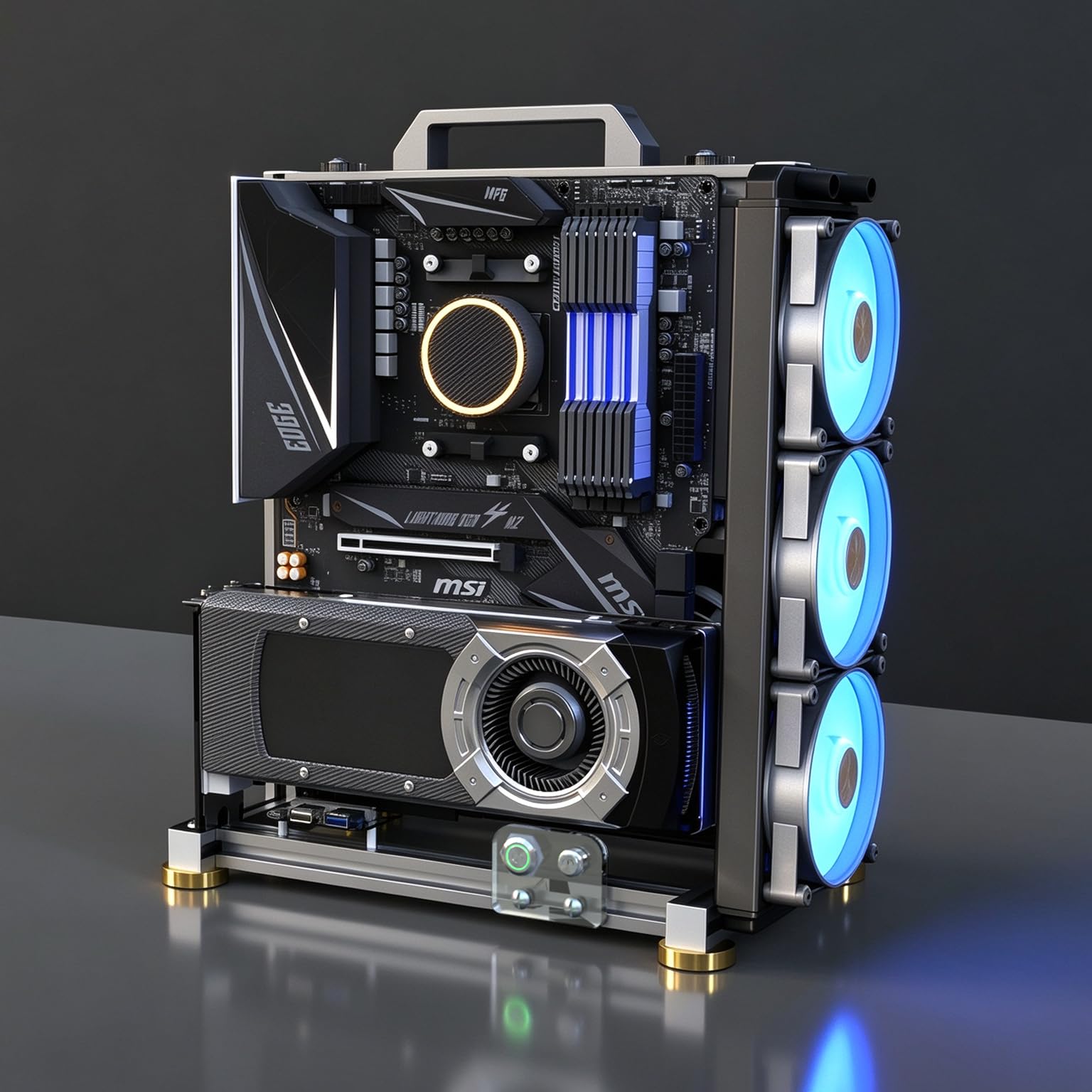
The frame with a front-panel Type-C lead and no ceiling on graphics card length.
Type-C support on the frame is the feature the twin DALAIBUKESI bench at the top of this list does not spell out, and it means a modern front-panel cable drops into the chassis without a workaround. The graphics card support is listed as unlimited length, so the longest triple-fan GPU clears the frame. Motherboard support covers ITX, MATX, ATX and EATX, so the same bench takes a tiny test board or a full workstation slab. Power supply options are wide — ATX, SFX and 1U formats each fit. Cooling is water-compatible, and a 12cm fan size is listed for the frame.
Internal bays come to four, the same count as the top pick, and drives mount at 3.5-inch size for HDDs or SSDs. The frame is aluminum and weighs 4.5 pounds, so it sits light on a desk while still holding a full build. It measures 7.9 inches deep by 11.8 inches wide by 14.2 inches tall — those are the dimensions that decide whether it fits the shelf beside your monitor. The open design keeps airflow moving and lets you route cables with a zip tie instead of threading them through a panel gap.
The trade-off here is the same as the other aluminum frames: the sheet is thin enough to feel light before it is fully loaded, and it firms up once everything is bolted down. Type-C and unlimited GPU clearance are the reasons to pick it over the top pick, while the top pick edges it on included tools and the acrylic mounting template. If a front Type-C port matters for your build, this is the frame that offers it.
Reasons this earns a slot
- Type-C support for a modern front-panel cable
- Unlimited graphics card length clears a long GPU
- ITX to EATX motherboard support fit many builds
- ATX, SFX and 1U power supply options
- Four primary bays at 3.5-inch size
The honest limits
- Slim aluminum feels light before a build goes in
- Fewer published reviews than the top pick
- No included tool kit listed
The deciding factor: a front Type-C lead and unlimited GPU clearance make it the choice for a modern build.
Pass it by if: you want the widest set of included build tools and mounting aids.
6. Black PC Frame Test Bench

A 500-gram aluminum frame that gets your first open build off the ground for very little.
At 500 grams, this is one of the lightest frames here, and that lower weight is the reason it is the budget-friendly start. The body is aluminum with a black finish, and it is built around Micro ATX form factor computers, so it suits a small test system. Cooling is water-ready for a CPU loop, with an open frame that lets heat leave without a side panel in the way. It comes as a DIY bare frame, assembled from a simple structure, which is the point for anyone who wants to build and swap parts for fun.
Internal storage is two bays, so plan for a single boot drive unless you add a second. Assembly is mixed on this one: some builds go together quickly, while others note the instructions skip steps and expect you to work the order out from the pictures. Screws show up as a concern too — the included set screws strip more easily than you would like, so swapping in your own hardware is the usual fix. Once assembled, it is sturdy for a 500g aluminum frame. Buyers like how it looks, and it does its job for a simple open test rig.
The honest picture is a starter bench. Tighten the screws gently, swap the set screws for better ones, and it will hold a MATX board and a drive without complaint. If you need to hold a big EATX board or a full stack of drives, step up to a steel frame instead. For a first open build on a tight budget, it earns its place.
Light and simple: a 500g aluminum black frame built for a Micro ATX board and water cooling, at the lowest entry point on this list.
Where it needs care: the included set screws strip easily and the instructions skip steps, so replace the screws and follow the pictures.
Good starting point for: a first open frame for a small MATX system.
Skip it for: a large EATX board or a build that needs several internal drives.
7. PC Frame Test Bench (Red)

The entry-level bare frame that fits an ITX, MATX or ATX board and an ATX power supply.
Made from 20×20 aluminum alloy, this red bare frame is the simplest and cheapest way onto an open bench. It supports ITX, Micro ATX and ATX motherboards, an ATX power supply and PCI expansion cards, so a full MSATX or ATX build is within reach. The structure is a stackable block-style frame that disassembles for transport, which suits a bench you move around. It has two internal bays at 3.5-inch size and air cooling. If you want to watch a build come alive on a bare frame, this is the cheapest way in.
Assembly is the point of friction here. The frame goes together like an Erector set, and builders with mechanical sense find it quick, while others hit stripped screws or holes that do not line up. The included Allen wrench works, but the screws are not magnetic, so lining them up by hand takes patience. The plastic end caps are on the brittle side too — handle them gently during install, or swap to your own hardware. Once assembled, the frame is sturdy enough to hold a MATX build.
Two internal bays keep this a single-drive bench, and the air-cooled design means no radiator mount. That is the fit: a simple entry bench for someone testing one board at a time, not the frame for a stacked workstation. If you enjoy a build project and want to spend as little as possible, grab this and buy better screws.
What it delivers
- ITX, Micro ATX and ATX board support in a single frame
- ATX power supply support for standard PSUs
- Lightweight, stackable 20×20 aluminum alloy frame
- Assembles and disassembles for transport
What trips people up
- Instructions and screw quality need patience
- Non-magnetic screws are fiddly to start
- Brittle plastic caps and screw holes that can strip
- Only two internal bays and no radiator mount
The budget move: the bare-frame bench for a first open build on a tight budget.
Not for: a build with multiple drives or a custom water loop.
Know the Specs
Internal bays and drive storage
Internal bays are the slots where you bolt a hard drive or SSD to the frame. Two bays cover a single boot drive; four or five let you run backups or test several builds on one bench. Pick the bay count to match the drives you actually use, not the maximum the frame lists.
Motherboard support and board size
Every bench lists which motherboard sizes it takes. ITX is the smallest, MATX and ATX are the standard sizes, and EATX is the largest. A bench built for EATX will take smaller boards, but a MATX-only bench will not fit a big EATX slab. Match this to your board before you buy.
Enclosure material and rigidity
Aluminum is light and easy to move; steel is heavier and stiffer once bolted down. Thick aluminum panels hold their shape better than thin sheet, which matters when a long graphics card hangs off the frame. Check the listed panel thickness where the maker publishes it.
Cooling and radiator support
An open frame already runs cooler than a closed case, but fan and radiator support still decides what you can mount. A frame with room for a 360mm radiator handles a custom loop, while an air-only frame keeps the build simple. Match the mount room to the cooler you plan to use.
Common Questions
Will a full-size ATX board fit on a test bench built for MATX?
Do open test benches keep my parts cooler than a closed case?
How much assembly is involved in these frames?
Can I mount a water cooling loop on an open bench?
How much does an open bench hold in drives?
Are these frames sturdy enough for a heavy graphics card?
Can I stack two test benches together?
What should I do if the screws in a test bench strip?
Do these benches come ready to use or as a kit?
The Bottom Line
For most builders, the pc test bench winner is the DIY Aluminium Open Case (3.ATX) because it covers EATX, ATX, MATX and ITX boards, holds four internal bays, and arrives with the tools and acrylic template to put it together. If you plan to stack or rack rigs, the JOYJOM techbench gives you steel panels and stacking up to ten units. And when the loop is the centerpiece, the MerainMe open air case fits dual 360mm radiators.
How we choose
We do not accept paid placement. Every pick is matched to a real buyer and a real use-case; we do not hands-on test units.
Sources
Specifications: manufacturer listings and product documentation. Review insights: verified customer reviews, as of November 2026. Pricing: not shown on this page (it changes often); check the current price via the retailer link.
As an Amazon Associate, Tactical Gear Guy earns from qualifying purchases. This does not affect which products we feature.