Specs are compiled from manufacturer listings and verified buyer reviews and can change over time — please confirm the key details on the product page before buying.
Most people buying a cheap printer get burned by the ink, not the machine. The headline price looks harmless, then a replacement cartridge set quietly costs as much as the printer did. That is the single most important thing to understand before you buy: the real running cost lives in the ink, not the box. This guide covers nine genuinely affordable printers, from budget cartridge models to refillable tank systems, so you can pick the one that keeps your total cost down over the years you actually own it.
This guide is built by comparing the manufacturers’ published specifications and the patterns across verified customer reviews, so you get each pick’s real strengths and trade-offs instead of marketing spin.
You will see print speeds in pages per minute, paper tray sizes, and whether a machine takes cartridges or refillable ink tanks. That way you can compare cartridge and tank models on cost per page rather than the sticker alone. This breakdown of the best affordable printers keeps the focus on what you actually pay to keep printing.
Top Picks
How To Choose The Best Affordable Printers
The right pick depends on your monthly page count and whether you print mostly black documents or color. A home user who prints a few school forms a week has very different needs from a small office pushing out reports all day. Work out your monthly page count first, then match the machine to it.
Cartridges versus refillable ink tanks
A cartridge printer uses sealed ink cartridges you swap out when they run dry. They are common on budget models and easy to replace, but the cartridges add up over time. A tank printer holds larger reservoirs you refill from bottles, which tends to lower the cost per page when you print in volume.
Print speed in pages per minute
Speed is listed as pages per minute, or ppm — how many pages the printer finishes in sixty seconds. Black text is usually faster than color. If you mostly print documents, the black speed matters most; if you print photos or color flyers, check the color figure too.
Paper handling and the document feeder
An automatic document feeder (ADF) pulls a stack of pages through the scanner one at a time, so you are not lifting the lid for every sheet. A larger paper tray means fewer refills during long jobs. Duplex printing, or automatic two-sided printing, flips the page for you and cuts paper use in half.
Side-by-Side Comparison
| Model | Best For | Black ppm | Color ppm | Ink System | Amazon |
|---|---|---|---|---|---|
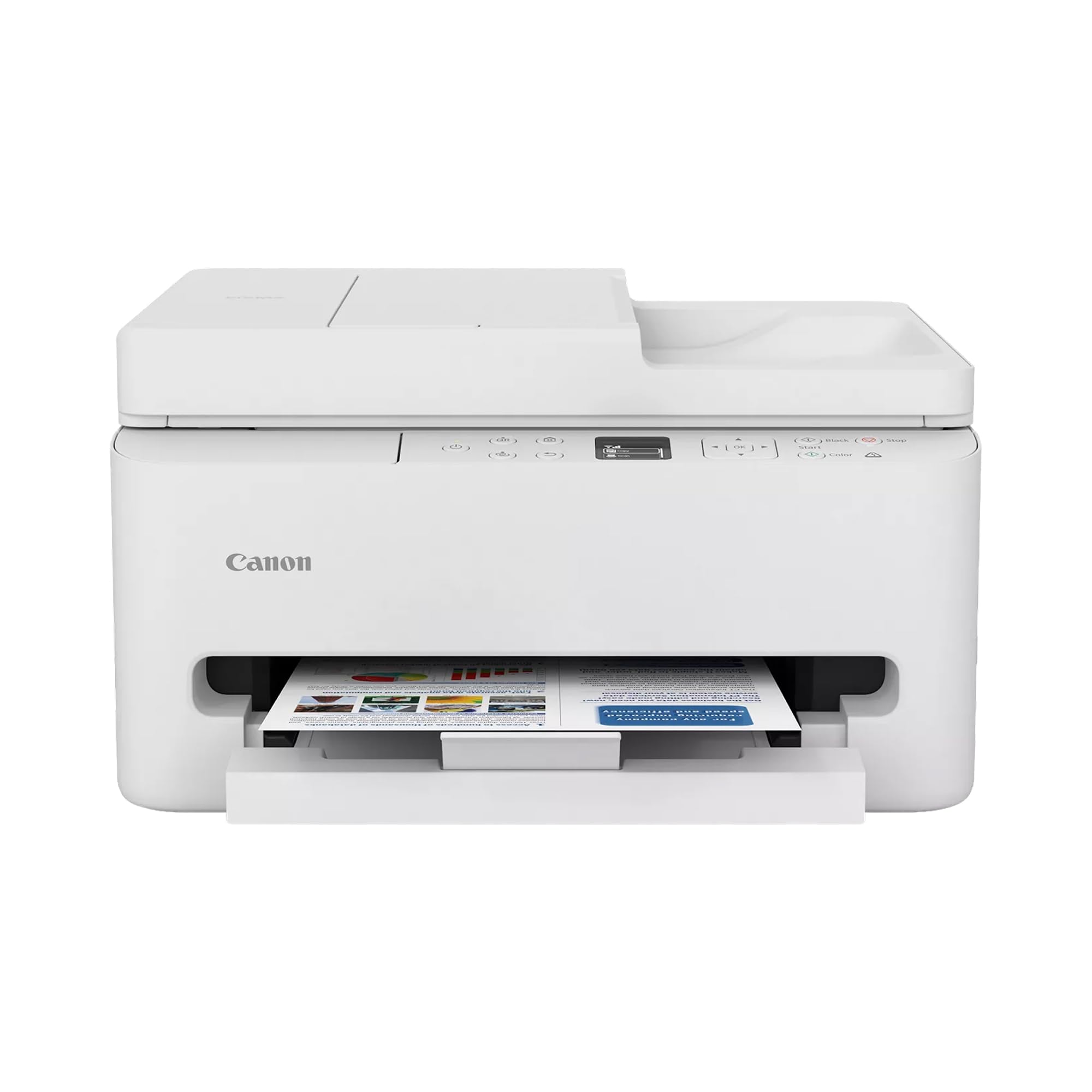
| Canon PIXMA TR7120★ Best Overall | Hybrid workers and home desks | 14 | 9 | 2-cartridge hybrid | Amazon |
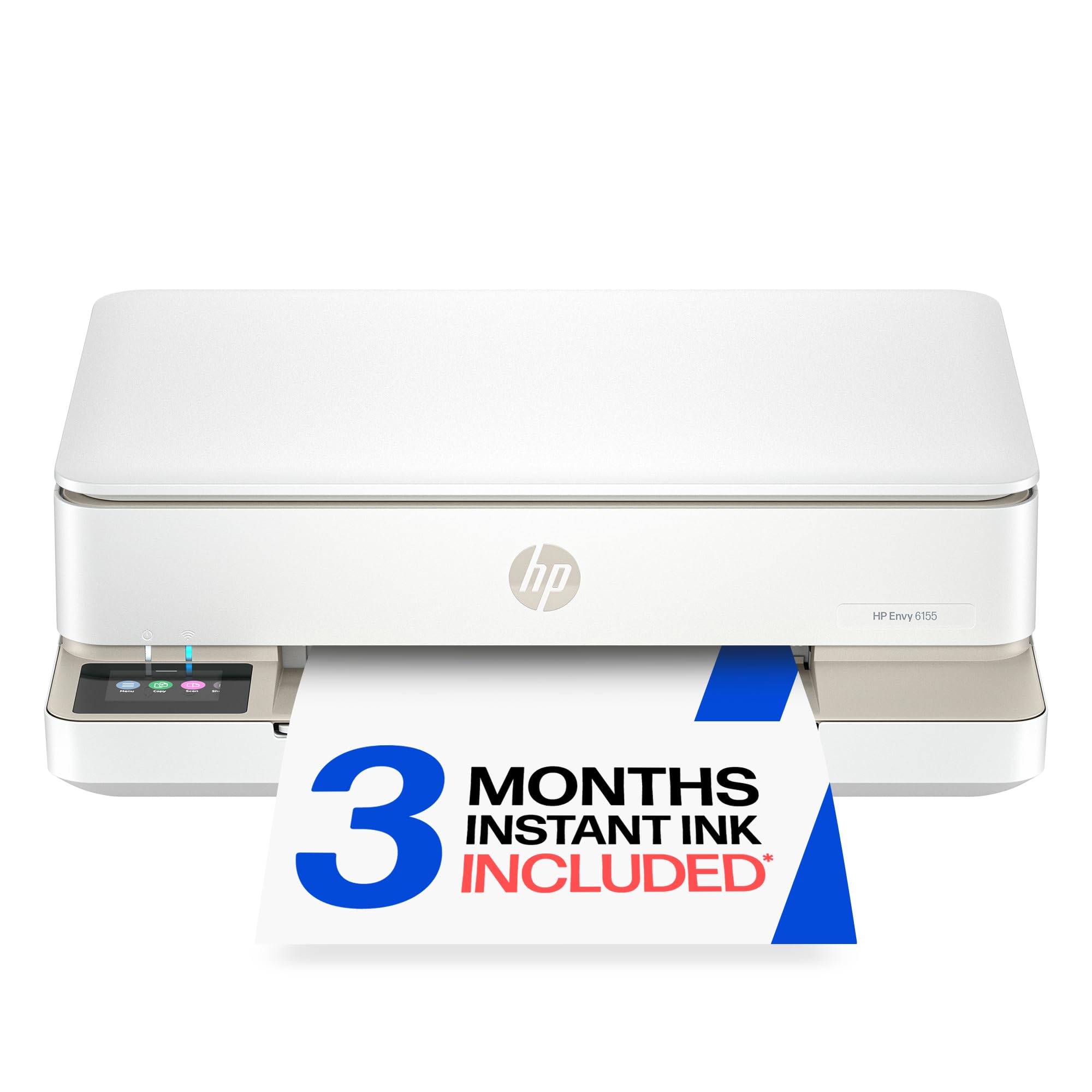
| HP Envy 6155Home Favorite | Everyday home color printing | 10 | 7 | HP 68 cartridges | Amazon |
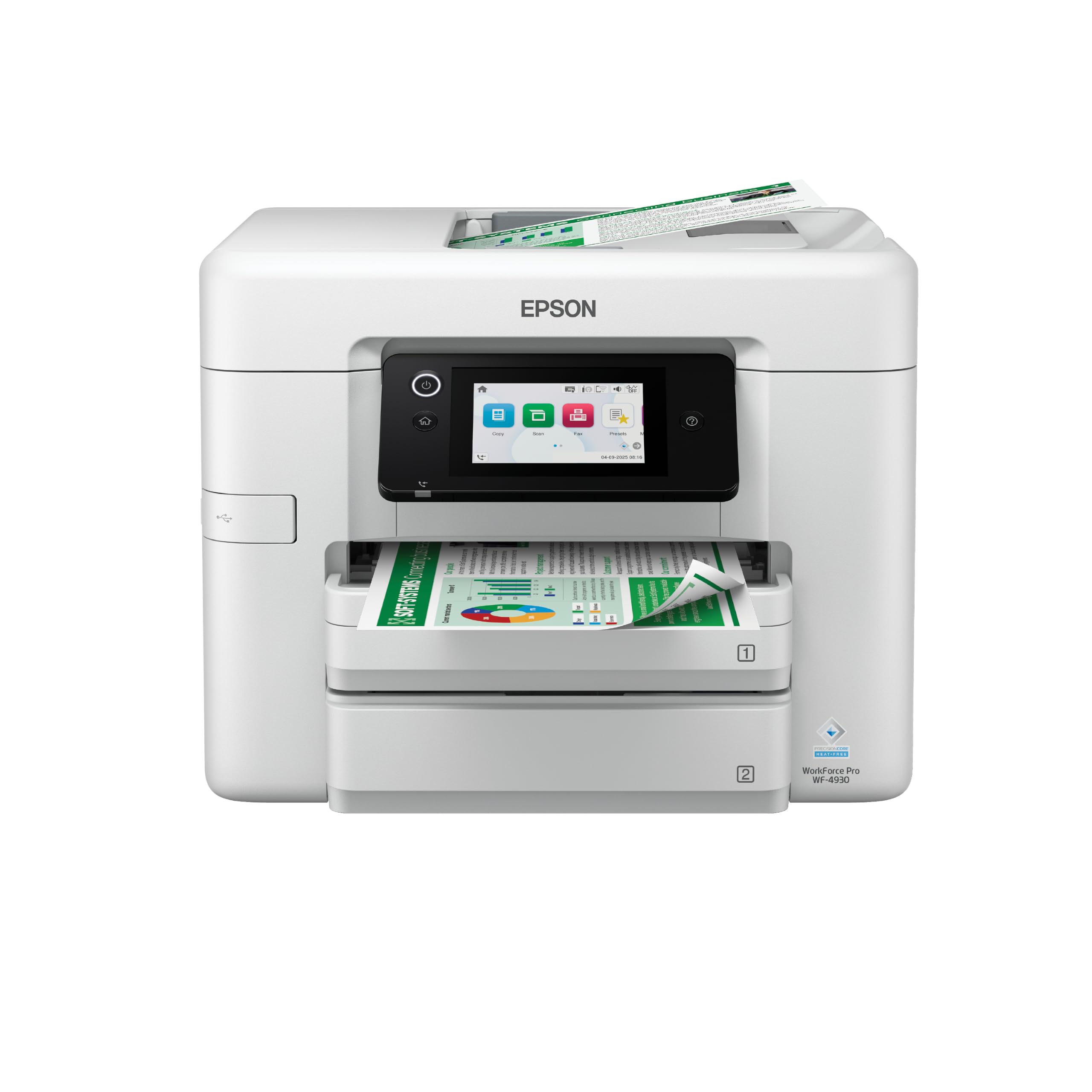
| Epson WorkForce Pro WF-4930Speed Leader | High-volume office output | 25 | 12 | Epson 842 cartridges | Amazon |
| HP OfficeJet Pro 8135 | Home office with fax | 20 | 10 | HP 923 cartridges | Amazon |
| Brother INKvestment 1365 | Low-cost color pages | 16 | 9 | Brother LC504 | Amazon |
| Epson EcoTank ET-2900 | Lowest ink hassle long-term | 11 | 6 | Epson 522 ink bottles | Amazon |
| Brother INKvestment 5010 | Small business workload | 28 | 26 | Brother LC506 | Amazon |
| Canon MAXIFY GX2020 | High page volume in a small office | 15 | 10 | GI-25 ink bottles | Amazon |
Detailed Reviews
1. Canon PIXMA TR7120 Wireless Color Inkjet Printer
The everyday all-in-one that handles a stack of pages without you babysitting it.
This is the pick for the person who works from a desk at home some days and prints school forms or contracts on others. It prints black documents at 14 pages per minute (ppm — pages finished in sixty seconds) and color at 9 ppm. That color figure matters for photo prints and colored flyers, where it runs quicker than the HP Envy 6155’s 7 ppm color.
The feature that saves real time is the automatic document feeder (ADF), which pulls a stack of sheets through the scanner one at a time instead of you lifting the lid for every page. Automatic two-sided printing flips each sheet on its own, so long documents use half the paper. A 1.42-inch monochrome OLED screen — a small display that shows ink levels and status — lets you check things at a glance. It connects over dual-band Wi-Fi, meaning it works on either the 2.4GHz or 5GHz band so the signal is steadier.
Buyers report that build-and-print quality is what wins them over, more than any other point in owner feedback. You get sharp text and vivid color from the 2-cartridge hybrid ink system (two ink cartridges, one black and one color, that work together). The honest catch is consistency: the same buyers who love the output also flag that the wireless connection and overall reliability can be hit or miss. So treat a stable spot near your router as part of the setup. Expect to lean on the Canon PRINT app for first-time setup.
Where it pulls ahead
- 14 ppm black and 9 ppm color keep a home desk moving
- ADF plus automatic duplex means multi-page jobs run themselves
- Dual-band Wi-Fi gives you a 2.4GHz and a 5GHz option
- OLED status screen shows ink and printer state at a glance
What to keep in mind
- Wireless connection and reliability land in mixed territory
- Cartridge ink means running costs climb with heavy printing
Reach for this if: you want one compact machine for home paperwork, scanning and the odd color print.
Look elsewhere if: you print hundreds of pages a month and want tank-style refills instead of cartridges.
2. HP Envy 6155 Wireless All-in-One Color Inkjet Printer
A small-footprint home printer built for homework sheets and borderless photo prints.
If your printing is mostly color — kids’ projects, recipes, the occasional photo — this is a sensible fit. It prints black at 10 pages per minute and color at 7 ppm, which is adequate for light home use but a step behind the Canon TR7120’s 14 ppm black for document-heavy days. The 100-sheet input tray means fewer top-ups, and automatic two-sided printing saves paper on longer homework packets.
Owners regularly single out print-and-copy quality as the reason they are happy with the machine, and the compact body fits neatly into a small home office nook. A 2.4-inch color touchscreen (a fingertip display for menu navigation) keeps settings reachable without a phone. One detail worth knowing: it is built to accept only genuine HP-chipped cartridges, so third-party refills are blocked by firmware — the arrangement keeps quality steady but ties you to HP ink.
The trade-off is reliability at the edges. Functionality and connectivity draw a mixed response — it usually works, but some units fight the network and occasionally refuse a job outright. That said, most owners mention it behaves as expected, so it is a fair pick rather than a flawless one. The included three-month Instant Ink trial gives you a running-cost cushion to test before committing to a subscription.
Bottom line: A tidy, touchscreen-driven home printer that handles color well and keeps paper use down with duplex — best for light-to-moderate household volume.
The caveat: Multi-page document speed is modest, and connectivity can be finicky, so position it near the router.
Fits: households printing a mix of color and documents who want a small, touchscreen machine.
Trade-off to accept: genuine-HP-ink lock-in and an occasional network stumble.
3. Epson WorkForce Pro WF-4930 Wireless All-in-One Printer
The volume machine that moves through stacks of paperwork in minutes, not coffee breaks.
The number that matters here is 25. The WorkForce Pro WF-4930 prints 25 pages per minute in black and 12 ppm in color, which runs circles around the 10 ppm black of the HP Envy 6155. For a busy office or a heavy document household, that difference is real time saved on every job. A 500-sheet paper capacity, split into two 250-sheet trays, means fewer stops to reload between stacks.
It is built for workload, using PrecisionCore Heat-Free technology (a print head that runs without heating) designed to reduce downtime on high-volume days, with DURABrite Ultra instant-dry pigment ink for prints that are dry on contact. Duplex printing, copying, scanning and fax are all handled automatically, backed by a 50-sheet ADF. A 4.3-inch color touchscreen, plus voice control through Siri, keeps operation simple. Wi-Fi Direct lets you print without a router nearby.
This is the one that earns trust for out-of-the-box reliability — buyers describe it working immediately and setting up quickly, with the print quality drawing steady praise. It does weigh 23.6 pounds, so it is a desk-anchor rather than a portable gadget. It also takes Epson 842 genuine cartridges exclusively, so stay on top of ink before a big batch job.
Standout spec: 25 ppm black over 500 sheets of capacity turns a week of admin into one long run.
Real-world weight: 23.6 pounds means give it a permanent desk spot, and stock Epson 842 ink so a big job never stalls.
Choose it for: document-heavy days where speed and a big paper supply matter most.
Skip it for: a small shelf — its size and 23.6-pound weight want a dedicated desk.
4. HP OfficeJet Pro 8135 Printer
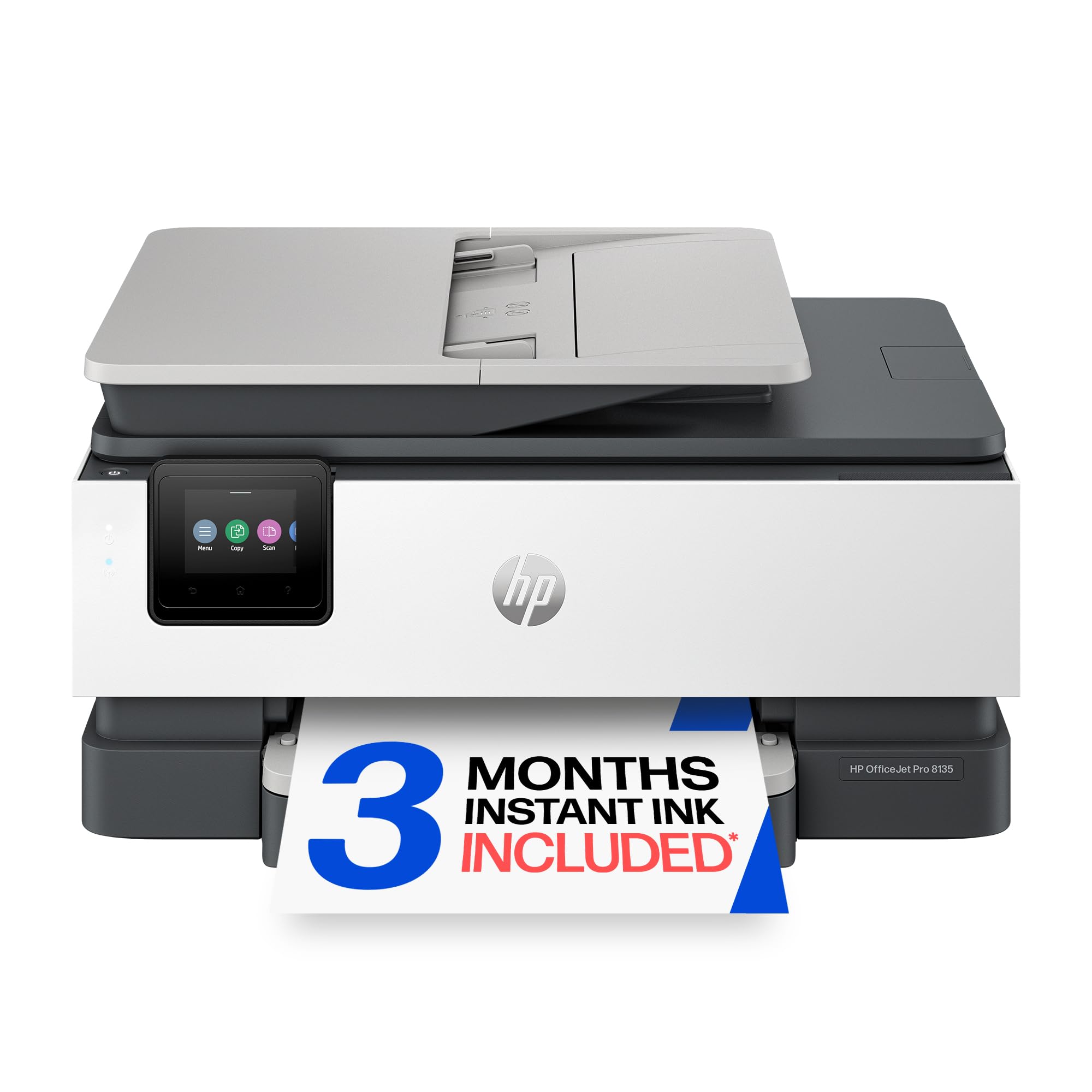
Report-ready speed, a fax line, and a screen that treats setup like a smartphone.
Running a home office of business documents and flyers, you get 20 ppm black and 10 ppm color (ppm means pages per minute, so 20 black pages print in about a minute). The first page is out in 18 seconds — the time between pressing print and the sheet starting to move. A 225-sheet input tray keeps a morning of work going without refills. A 2.7-inch color touchscreen with a phone-like interface makes navigation quick. Print, scan, copy and fax are all included, with an automatic document feeder (a tray that pulls pages through for multi-page scans) so you don’t feed each sheet by hand.
Print quality is what most owners rave about, followed closely by an easy setup that is done in minutes. Fast performance is the other steady theme, with jobs wrapping up faster than expected. HP Wolf Essential Security helps keep the network protected, and dual-band Wi-Fi works to auto-detect and resolve connection problems.
The honest trade-off is ink: some owners note that a full refill set can climb toward what the printer itself cost. That is cartridges for you — the machine is engineered to accept only genuine HP 923 chips, so factor the running cost into your budget. The three-month Instant Ink trial softens the first stretch while you gauge how fast you actually go through ink.
What makes it office-ready
- 20 ppm black and an 18-second first page keep reports flowing
- 225-sheet tray and an ADF for multi-page scan and copy work
- Fax, auto duplex and HP Wolf security in one unit
- 2.7-inch color touchscreen feels like a phone to navigate
Where it bites
- Replacement ink can approach the printer’s own cost
- Genuine-HP-ink lock-in limits third-party savings
Best matched to: a home office that prints reports and flyers and wants fax in one box.
Think twice if: you print in volume and cringe at cartridge refill pricing.
5. Brother INKvestment 1365 Printer
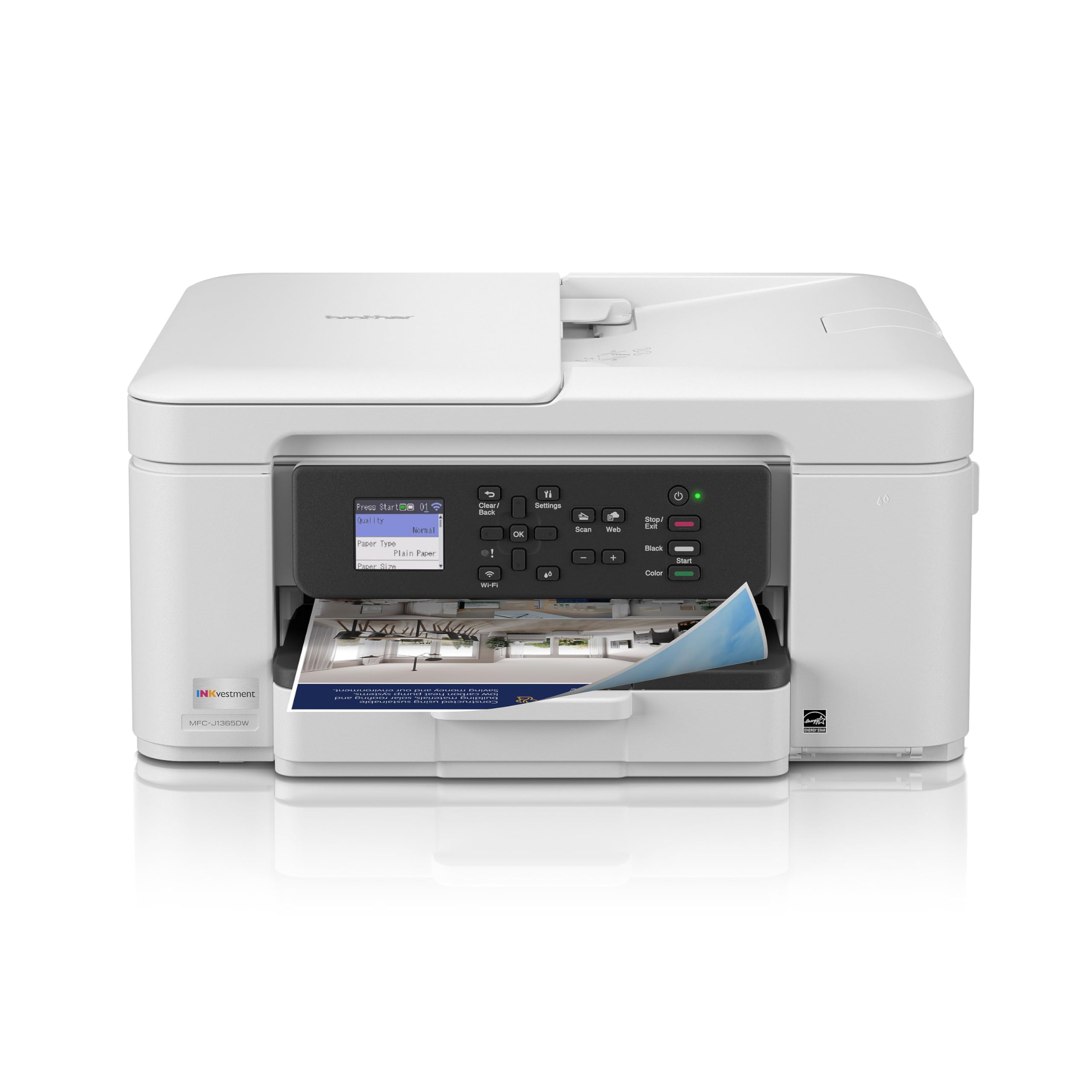
Bundled high-yield cartridges that push the cost per page down without a tank.
Brother attacks running cost from the cartridge side: this printer ships with a 1,200-page yield black cartridge and a 500-page yield cartridge for each of cyan, yellow and magenta. That in-box volume means you print a long time before the first replacement. It moves at 16 ppm black and 9 ppm color, with a first page out around 6.2 seconds in black and 9.6 seconds in color. The 150-sheet tray and 20-page ADF handle everyday jobs, and automatic duplex printing saves paper on longer documents.
Print quality is the standout — owners describe it as exceptional and treat it as excellent value for the money. Cloud app support covers Google Drive, Dropbox, Box and OneDrive straight from the 1.8-inch color display, and Wi-Fi Direct lets you print even where there is no network. USB is there for a wired setup when you want it.
The catch is getting online the first time: setup and connectivity are the most divided points in owner feedback, with a share of buyers struggling to connect over Wi-Fi and finding the process fiddly. Print speed draws a little mixed comment too, despite the quoted 16 ppm. Buyers who value low ink cost above all else will find the bundled yield compelling; those who want plug-and-play networking should plan a little patience on day one.
The value story: A 1,200-page black cartridge in the box is a genuine head start on running cost, and quality backs it up.
Plan around this: First-time Wi-Fi setup can take a few tries — use Wi-Fi Direct or USB if the network gives you trouble.
Worth it when: low ink cost and strong print quality top your list.
Pass if: you want a fuss-free, first-try wireless setup.
6. Epson EcoTank ET-2900 Printer
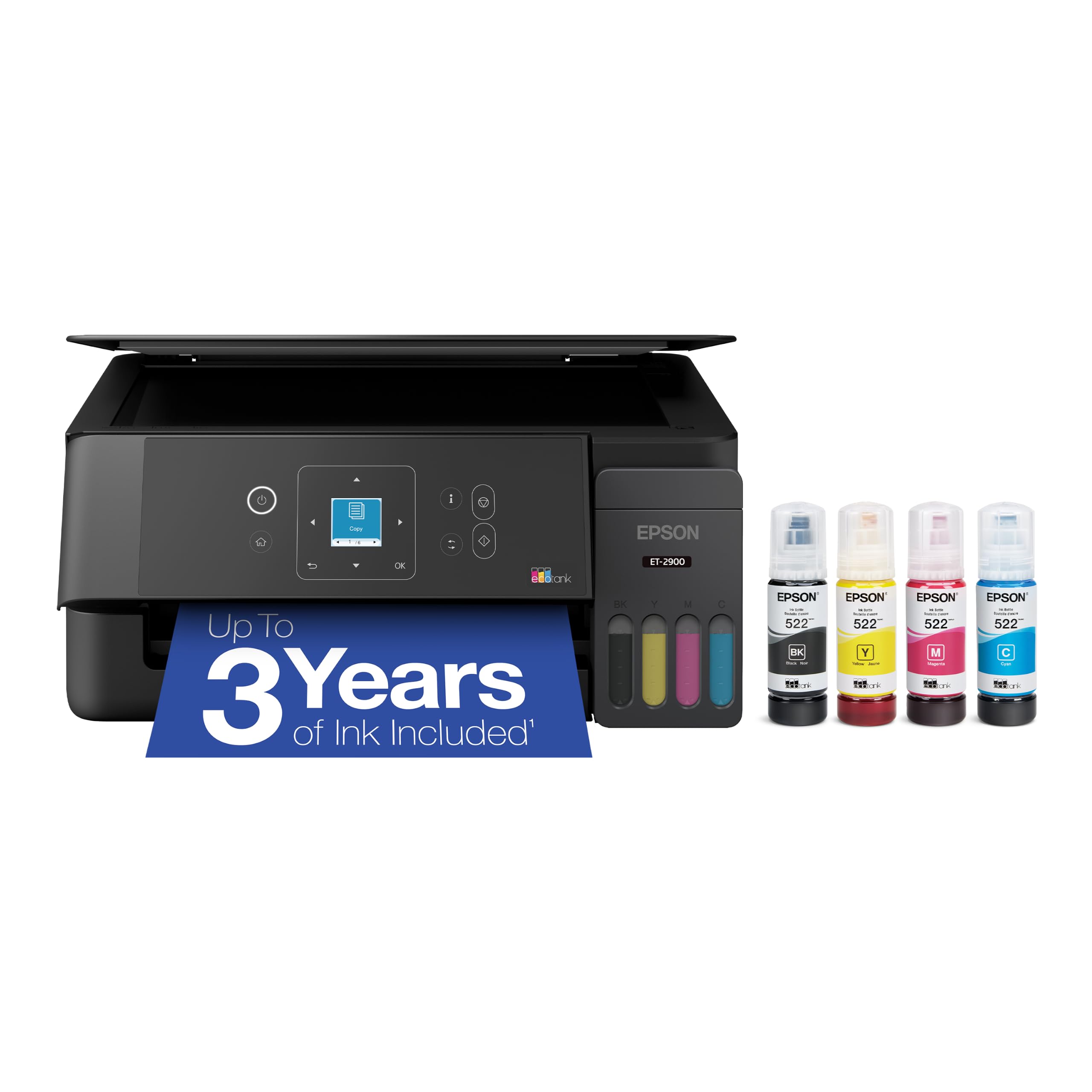
The cartridge-free route — fill it from bottles and forget the ink aisle for a long while.
This is the pick for anyone tired of the cartridge treadmill. The EcoTank ships with enough ink to print up to 3,600 pages in black and 6,500 in color, and each replacement bottle set is equivalent to about 80 cartridges. Those numbers are the whole pitch: you refill from bottles instead of swapping cartridges. It prints 11 ppm black and 6 ppm color with zero warmup time, and a 100-sheet tray plus a high-resolution flatbed scanner cover home jobs. It weighs 9.3 pounds, light enough to move without a second pair of hands.
Refilling is the clever bit — keyed EcoFit bottles are shaped so each color fits only its own tank, which removes the risk of putting cyan in the black slot. A 1.44-inch color display handles navigation. Epson built and sold 100 million EcoTanks worldwide, and this is the seventh generation of the tank design.
Color printing is slow at 6 ppm, so this is a documents-first machine rather than a photo sprinter. It is also a cartridge-free system, meaning no cheap third-party cartridge shortcut exists — the savings come from bottles over the long run, not from day-one ink deals. For a household that prints steadily, that math works in your favor.
Ideal for: steady home printers who want to stop buying cartridges and refill from bottles instead.
Not for: anyone who prints lots of color fast — 6 ppm color is deliberate, not speedy.
7. Brother INKvestment 5010 Wireless Color All-in-One Printer

Small-business speed with a duplex feeder that scans both sides in one pass.
When a small office needs raw throughput, this is the fastest in the list at 28 ppm black and 26 ppm color — faster on color than most rivals manage on black. The first page is out in about 4.5 seconds black and 4.7 seconds color. A 250-sheet paper tray and a 50-page single-pass duplex ADF (it scans both sides of a stack without you re-feeding) cover busy document days, with automatic two-sided printing on paper up to 8.5 x 14 inches.
It ships with a 1,800-page yield black cartridge and 750-page yield cartridges for each color, so the in-box ink lasts through real startup volume. Print quality is what owners praise most, with easy setup running a close second, and it is described as both fast and reliable. Wi-Fi Direct, Ethernet and USB give you several ways to connect, and the 2.7-inch color touchscreen lets you print from and scan to cloud apps directly.
Two things temper the picture: wireless connectivity draws a mixed response, and color saturation comes up as a weakness for some — output leans toward accurate documents rather than punchy photos. Security features aimed at business use round out the package. For a firm printing reports and presentations, those are small notes against a strong speed-and-capacity story.
Speed you can build a workflow on: 28 ppm black and 26 ppm color turn heavy batches into quick runs, and the single-pass duplex ADF keeps scanning just as brisk.
Balanced against it: colors can look muted versus a photo-first printer, and the wireless link sometimes needs coaxing.
Made for: a small business that lives on reports, scans and presentations.
Not the pick if: vibrant photo color is your priority over document speed.
8. Canon MegaTank MAXIFY GX2020 Printer

A refillable desktop tank built to push thousands of pages between ink top-ups.
The headline here is volume per fill: a single set of GI-25 bottles prints up to 3,000 black and 3,000 color pages, so the ink lasts through serious workloads. It prints at 15 pages per minute black and 10 color, runs automatic two-sided printing, and feeds a 35-sheet ADF for scanning multi-page documents. A 2.7-inch color touchscreen handles navigation, and print, copy, scan and fax are all covered.
Print quality is what the review pages rave about most, and setup is described as simple. That combination is why it suits a small office that prints a lot and wants a compact tank machine rather than a bulky floor unit. This is a genuine output-volume tool: refill the bottles and keep going.
The honest note sits with reliability and networking — the scanner and the wireless link both draw mixed feedback, with a share of buyers reporting connection trouble or a scanner that quit. That is worth knowing if you depend on scanning as much as printing; keep the firmware current and give it a strong signal. For high-volume printing with low ink fuss, the tank math is the reason to choose it.
Why the tank matters
- Up to 3,000 black and 3,000 color pages from one bottle set
- 15 ppm black with automatic duplex and a 35-sheet ADF
- 2.7-inch touchscreen plus print, copy, scan and fax
Where to be careful
- Scanner and wireless reliability land in mixed territory
- Color speed of 10 ppm trails the black figure noticeably
Strongest match: a small office printing thousands of pages per fill that wants tank economics.
Caution zone: if scanning is critical, weigh the mixed scanner feedback before committing.
Know the Specs
Pages per minute (ppm)
This is how many pages a printer finishes in sixty seconds. It usually splits into a black figure and a color figure, and black is nearly always faster. A machine rated 25 ppm black will finish a long document far quicker than one rated 10 ppm, so match the number to how much you print.
Cartridge versus tank ink
A cartridge printer uses sealed units you swap out, while a tank printer holds larger reservoirs you refill from bottles. Cartridges are simple but add cost per page; tanks carry a higher upfront outlay and lower running cost when you print steadily. The right choice tracks your monthly page volume: cartridges for light printing, tanks for steady volume.
Automatic document feeder (ADF)
An ADF pulls a stack of pages through the scanner one at a time so you do not lift the lid for every sheet. Feeder capacity, such as 50 sheets, tells you how big a stack it can take. A duplex ADF scans both sides in one pass, which speeds up two-sided paperwork.
Duplex printing
Duplex printing means automatic two-sided printing — the machine flips the page itself. It cuts paper use in half on long documents and saves you the manual flip. Useful for reports and forms where you want a tidy two-sided finish.
Common Questions
Will a cheaper printer cost more in ink than a tank model?
Which printer is best for a small home office that prints a lot?
Can I use third-party ink cartridges in these printers?
What is the difference between an ADF and duplex printing?
Do I need a color printer or is black and white enough?
How long does a refillable tank ink set last?
Is a wireless printer slower than a USB connection?
Which affordable printer is best for scanning stacks of documents?
What print resolution do I need for photos and documents?
Do these printers support printing from a phone?
The Bottom Line
For most households, the affordable printers winner is the Canon PIXMA TR7120 because it packs an ADF, automatic duplex, dual-band Wi-Fi and a status screen into one compact machine that handles both documents and color. The Epson WorkForce Pro WF-4930 is the one to reach for if speed and a big paper supply top your list — 25 ppm black across 500 sheets. And if running cost is the real question, the Epson EcoTank ET-2900 refills from bottles for up to 3,600 black or 6,500 color pages, which is the closest thing to ending the ink treadmill. Whichever you pick, weigh the cartridge or tank ink system against your monthly page count, not just the sticker price.
How we choose
We do not accept paid placement. Every pick is matched to a real buyer and a real use-case; we do not hands-on test units.
Sources
Specifications: manufacturer listings and product documentation. Review insights: verified customer reviews. Pricing: not shown on this page (it changes often); check the current price via the retailer link.
As an Amazon Associate, Tactical Gear Guy earns from qualifying purchases. This does not affect which products we feature.