Specs are compiled from manufacturer listings and verified buyer reviews and can change over time — please confirm the key details on the product page before buying.
You want to play your Switch on a hotel TV, and the official dock is a plastic brick that eats half your bag. A third-party dock replaces that brick with something closer to a phone charger — and the good ones also add a wired network port the official dock does not have. The catch is that these docks vary wildly inside, so the wrong pick can flicker, drop the picture, or refuse to wake your console. Here is what actually matters and which ones hold up.
This guide is built by comparing the manufacturers’ published specifications and the patterns across verified customer reviews, so you get each pick’s real strengths and trade-offs instead of marketing spin.
Picture quality depends on one thing: whether the HDMI port pushes a clean 1080p signal. Everything else — port count, shell material, the size of the thing — is secondary. The best 3rd Party Switch Dock for most people is the one that keeps that signal steady and still fits in a coat pocket.
Top Picks

How To Choose The Best 3rd Party Switch Dock
The first thing to understand is that no dock makes your Switch output more than 1080p to a TV. The console itself tops out there in TV mode. Any listing promising 4K is talking about a passthrough spec the dock supports for other USB-C devices, not what your Switch will send.
Pick your port layout before anything else
A dock-only box gives you the smallest possible package, but it assumes you already own the official Switch charger and an HDMI cable. If you travel with the console, a kit that includes both cables means one bag, one plug, and no scavenger hunt at the hotel. Count the USB ports too — those are where your wired controllers and adapters live, and the Switch needs a compatible one to talk to them.
Wattage tells you how fast it charges while docked
Power Delivery (PD) is the charging standard that lets a USB-C plug negotiate how much power it sends. A dock rated for higher PD wattage passes more current through, which keeps the console topped up during TV play. Most listings suggest using the original Switch charger as the supply, and that is the safe route — the dock only relays what the brick gives it.
Decide if you want Ethernet
A wired LAN port on the dock gives you a stable connection instead of Wi-Fi, which helps with large downloads and online matches. That is the feature the official dock has and many cheap replacements leave out. Check the listing for the words LAN or Ethernet before you assume it is there.
Side-by-Side Comparison
| Model | Best For | Ports | Video Output | Ethernet LAN | Amazon |
|---|---|---|---|---|---|
| Kstkry TV Dock Station★ Best Overall | Pocket travel on a budget | HDMI, USB 3.0, USB-C, LAN | 4K / 1080p / 720p | 1000Mbps LAN | Amazon |
| iPLYGAM Switch1 TV DockBest Value | Wired network on the cheap | 7 ports (HDMI 2.0, LAN, 2x USB 2.0, USB-C, Type-C) | 4K / 1080p / 720p | 1000Mbps LAN | Amazon |
| ANQUORA HDMI 2.0 DockPocket Aluminum Pick | Pocket aluminum travel | HDMI, USB 3.0, USB-C | 4K@60Hz / 2K@120Hz HDR | — | Amazon |
| DGBOSEN Switch 2 Dock | Handheld owners with a LAN | 5 ports (HDMI 2.1, LAN, 2x USB 3.0, USB-C) | 4K@60Hz~120Hz HDR / 1080p | 1000M LAN | Amazon |
| YEEKRNOW USB C Switch 2 Dock | Fast charging while docked | 5 ports (HDMI, 2x USB 3.0, Gigabit LAN, USB-C PD) | 4K@60Hz | Gigabit LAN | Amazon |
| JSAUX HC6502 65W Dock | Charging phones and handhelds too | 3 ports (HDMI, USB A 2.0, USB-C) | 4K@120Hz (Switch limited to 60Hz) | — | Amazon |
| Wzygdzsw 3-in-1 Dock Set | A complete kit from the start | 4 ports (HDMI, 1x USB 3.0, 2x USB 2.0) | 1080p@60Hz | — | Amazon |
| RuntoGOL TV Docking Station | Plug-in-and-play with charger included | 5 ports (HDMI, USB 3.0, 2x USB 2.0, USB-C) | 2K / 4K / 1080p / 720p | — | Amazon |
| aikeec Screen TV Dock Station | A dock-only spare for the living room | Dock only | HDMI output | — | Amazon |
Detailed Reviews
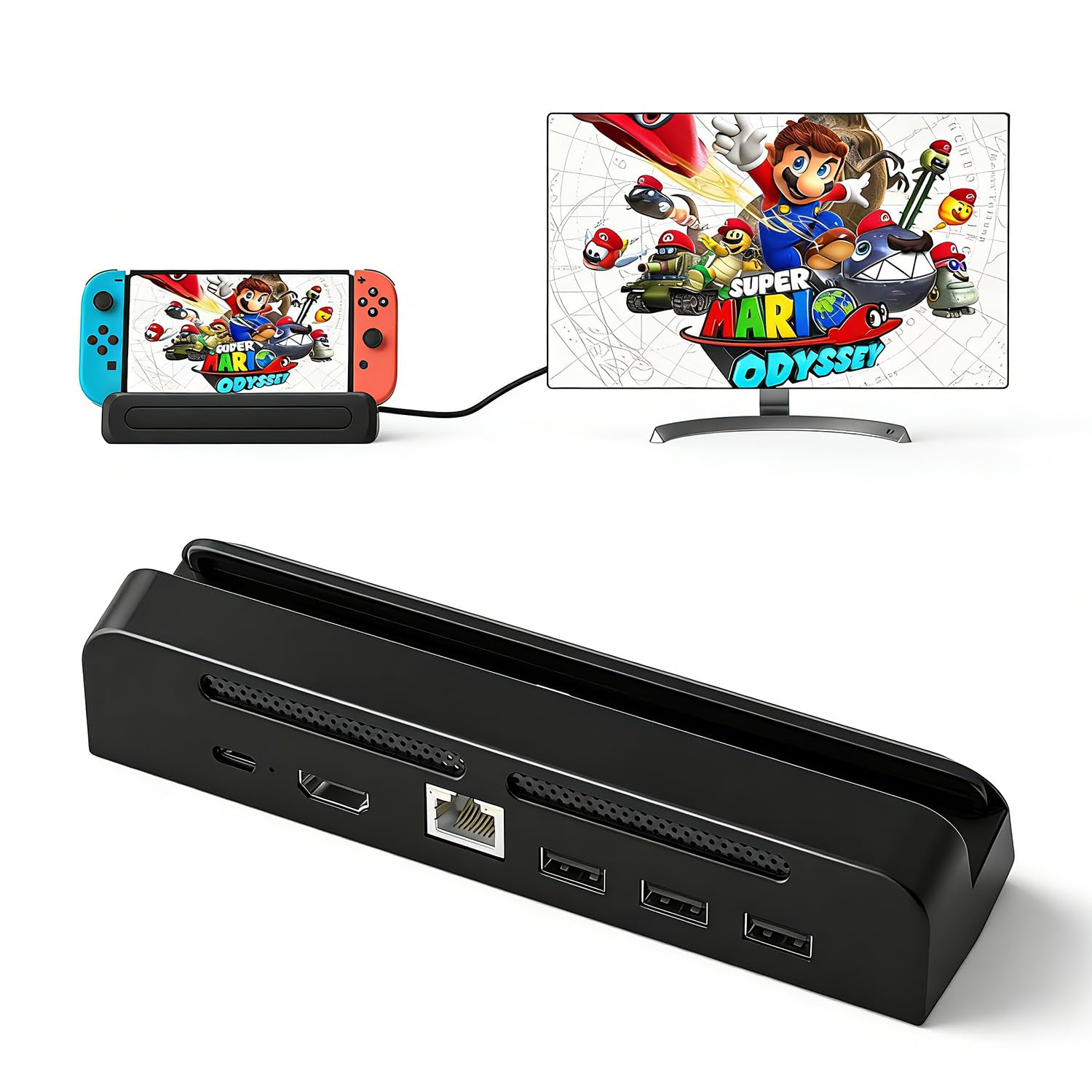
1. Kstkry TV Dock Station for Nintendo Switch 1/OLED
Our pick — 4.5+★ from 70+ verified ratings; the strongest balance of quality and price.
The travel dock that costs little and still brings a wired network port.
What makes this one worth carrying is the combination nobody expects at the entry tier: a 1000Mbps LAN port (a wired network jack) sits alongside the HDMI, USB 3.0 and USB-C charging ports. Plug a network cable into it and your console stops leaning on hotel Wi-Fi for updates and online matches. It also replaces the original Switch Dock entirely, so you leave the plastic brick at home and keep the console in your pocket or bag.
You get video output at 4K, 1080P and 720P, though the console itself only sends 1080P in TV mode. The dock keeps charging the console through the USB-C port while you play, and Kstkry recommends using the original charger for the supply. The shell is built to resist the scuffs that come with being tossed in a bag, and the listing backs it with a 1-year warranty.
Compatibility covers the standard Switch and the OLED model, and the setup needs no extra driver — plug in, switch the TV over, play. The honest trade-off is that a dock this small does not prop the console on a stand the way the official cradle does, so you will want a stable surface under it. Budget tier, full-size feature set.
What earns the top slot
- 1000Mbps LAN port for wired play and downloads
- Pocket-sized replacement for the bulk original dock
- Charges through USB-C while you play
- Works with Switch and Switch OLED, no drivers needed
Where it asks for care
- Listed for 4K but your Switch caps TV output at 1080P
- Original charger recommended rather than included
- No cradle-style stand for the console
Grab this one: if you want the smallest package that still gives you a real wired network jack for the lowest spend.
Think again: if you need an HDMI cable and power brick in the box, because this listing is the dock on its own.
2. iPLYGAM Switch1 TV Dock with 1000Mbps Ethernet LAN Port
Seven ports and a glowing light bar, sized for a hotel nightstand.
Count the connections on this one and the value case writes itself: 7 ports total, versus the single-port design of a compact charger-style dock. That works out to be a lot more hardware for nearly the same spend. The layout is one HDMI 2.0 port, one Ethernet port, two USB 2.0 ports, a USB-C input rated to 100W max, and a Type-C output, with a TV/Tabletop mode button on the back.
That footprint is also why it feels substantial in the hand. At 5.64″L x 1.96″W x 1.29″H it is a good deal bigger than the ANQUORA puck at 2.01″L x 0.47″W x 2.28″H, so it wants a spot on a shelf rather than a pocket. The upside is anti-skid pads on the bottom that keep it planted, and a small blue light bar on the front you can toggle with a sun-icon button.
The dock carries a chipset with overcharge, overheat and short-circuit protection, and it charges the console while the TV plays. Wired networking is the headline draw — no separate adapter needed for Switch 1 or the OLED. Note the packing list clearly: no AC adapter and no HDMI cable inside, so bring your own. It is the pick for a fixed second TV rather than constant travel.
Read the fit first: the wired Ethernet connection and the mode-switching button are why people pick this, and the network side is not always plug-and-play for everyone. Treat Ethernet as a bonus you will test, not a guarantee.
Matches you if: a desk or travel bag has room for a palm-sized dock and you want Ethernet plus a mode button without paying premium rates.
Pass if: cables and a charger in the box matter — this one ships dock-only, and it needs the official Switch charger to feed it.
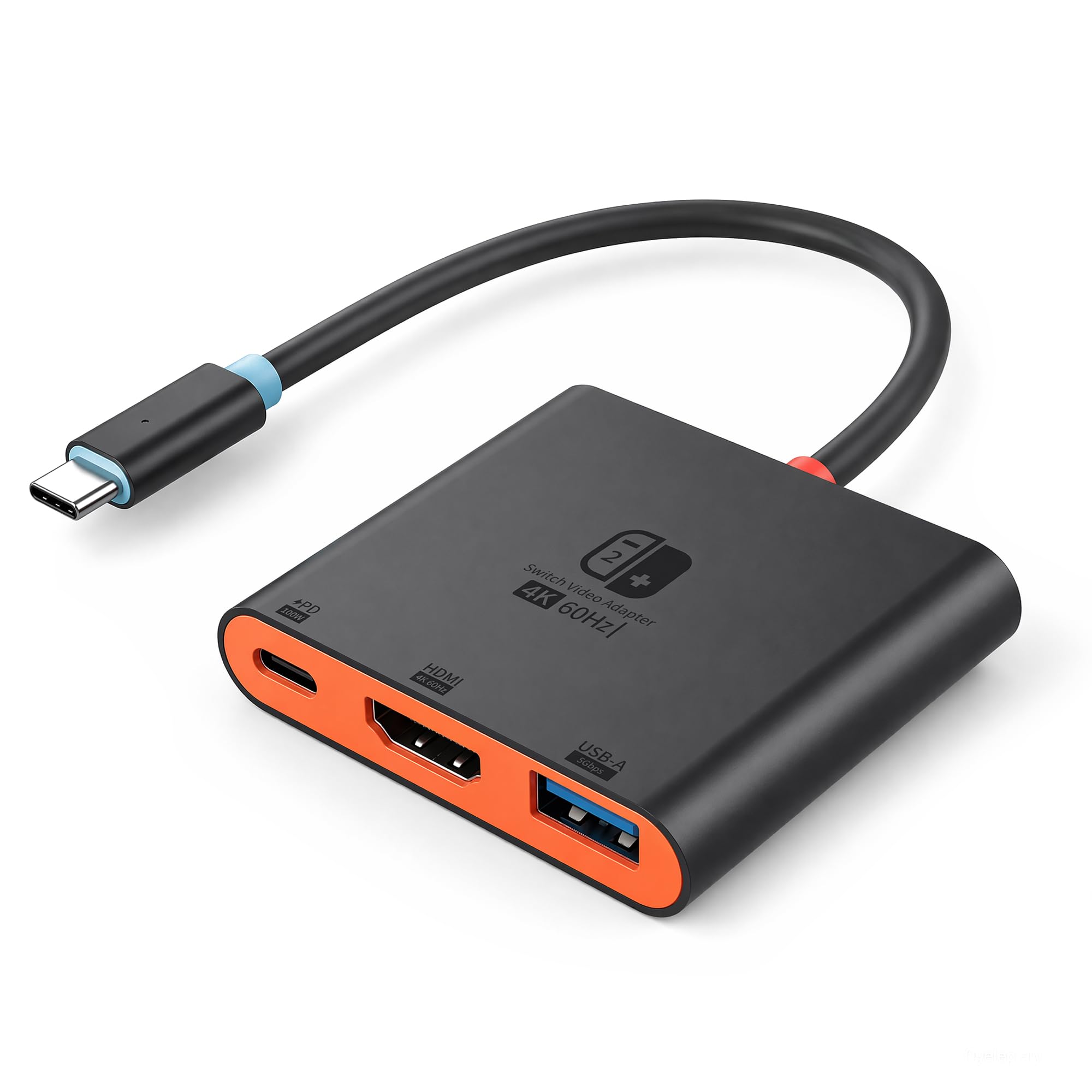
3. ANQUORA HDMI 2.0 4K@60Hz HDR & PD 100W Docking Station
A 43 g aluminum puck that vanishes into a jacket pocket.
You can pack this one and forget it is there: it weighs 43 g and measures 2.01″L x 0.47″W x 2.28″H. That is meaningfully tidier than the iPLYGAM’s 5.64″L x 1.96″W x 1.29″H footprint, so it takes up less room in a bag. The aluminum alloy shell does real work too — it spreads heat instead of trapping it, which keeps the connection steadier across a long session on a warm hotel desk.
Video output runs 4K@60Hz with HDR (high dynamic range, which widens the gap between dark and bright parts of the picture), and it steps back to 2K@120Hz for monitors that prefer speed. Your Switch still sends 1080P in TV mode. Charging goes through a 100W PD port, and a USB 3.0 port at 5Gbps handles controllers and adapters with low lag.
Compatibility is wider than the console: it also drives Switch 2, Steam Deck, ROG Ally and other USB-C video devices, and the listing names Switch system version 23.5.0 as supported. Where it asks something of you is networking — there is no LAN jack on this one, so online play stays on Wi-Fi. Travel-first buyers will not miss it.
The case for the puck
- 43 g and pocket-flat for real portability
- Aluminum shell spreads heat during long sessions
- 100W PD passthrough keeps the console charging
- Works with Switch 2, Steam Deck and ROG Ally too
What you trade for the size
- No Ethernet port, so wired play is out
- Only one USB port on the whole dock
Built for: the traveler who wants the lightest possible dock and does not mind staying on Wi-Fi.
Look past it: if a wired network connection is part of your setup, since there is no LAN socket here.
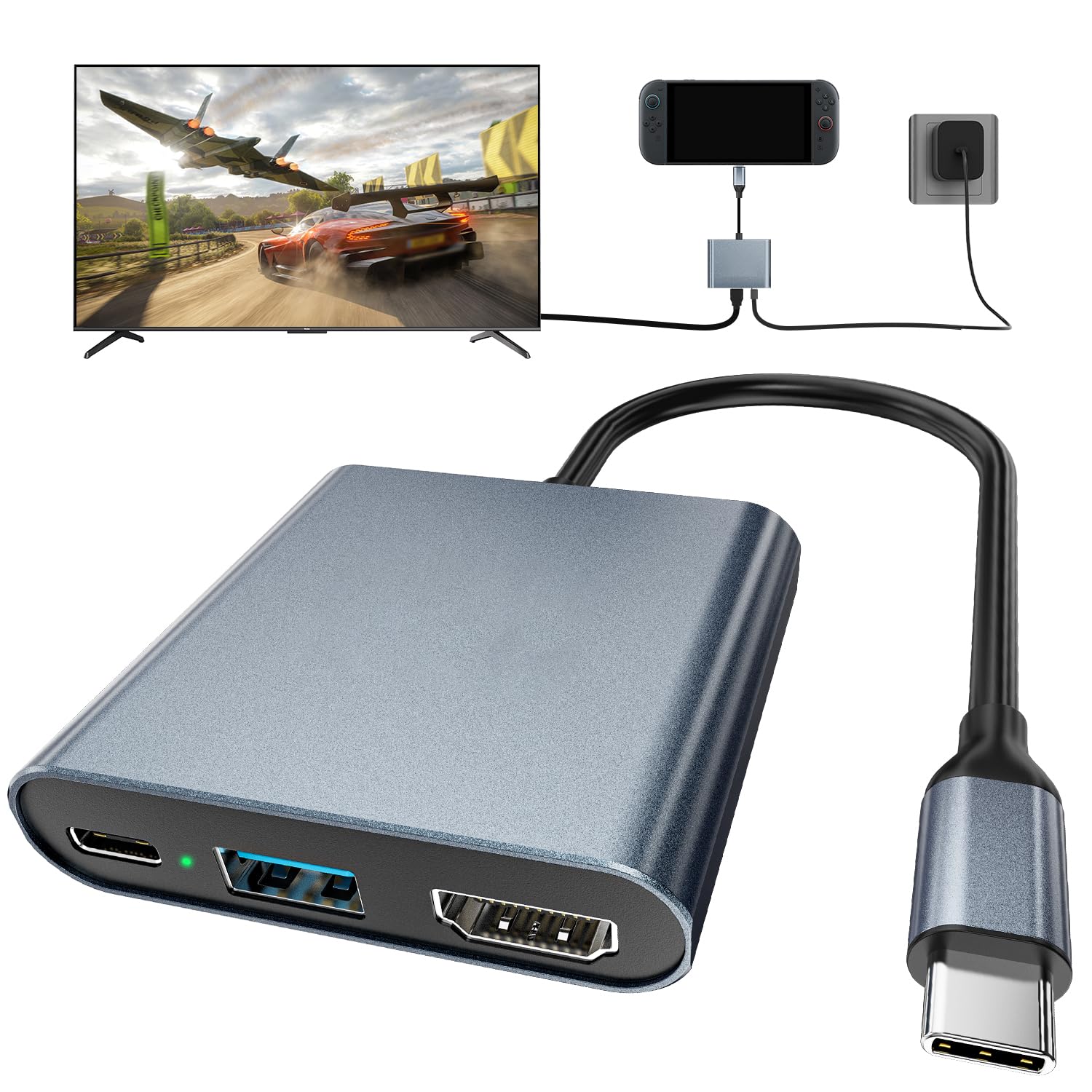
4. DGBOSEN Switch 2 Dock Portable USB C Docking Station
Five ports and a metal shell for people docking more than one handheld.
What owners talk about most with this one is simply that it does the job — the functionality is the thing that keeps coming up, and the build quality runs a close second. The hardware behind that reputation is a 5-port layout: an HDMI 2.1 output, a 1000M Ethernet jack, two USB 3.0 inputs and a USB-C charging port rated to 100W.
Video runs 4K@60Hz~120Hz HDR with a 1080P (1920×1080) fallback, and the wired Ethernet means zero-latency online play instead of Wi-Fi guesswork. The aluminum alloy body is there to shed heat rather than trap it, and the two USB 3.0 ports push data at up to 5Gbps — well clear of USB 2.0 speeds. The built-in chipset adds short-circuit, overcurrent and overheat protection.
One detail the listing stresses: on a Switch 2, video output only works through the USB-C port on the bottom of the console. The top port does not carry video, so plug in the right side or you will get nothing on the TV. Picture quality draws some mixed notes from buyers on certain displays, so test your panel early. Otherwise the compatibility list is long — Switch, Switch OLED, Switch 2, Steam Deck, Steam Deck OLED, MSI Claw, ROG Ally and Legion Go.
Where it shines: 5 ports and a 1000M wired jack in a body small enough for a backpack, which is why it suits handheld owners who dock in more than one room.
Worth your money if: you split time between a TV and a monitor and want wired networking plus two fast USB ports on one dock.
Hold off if: you need one hundred percent certainty on picture output for your specific screen — some units draw complaints on resolution, so buy where you can return easily.
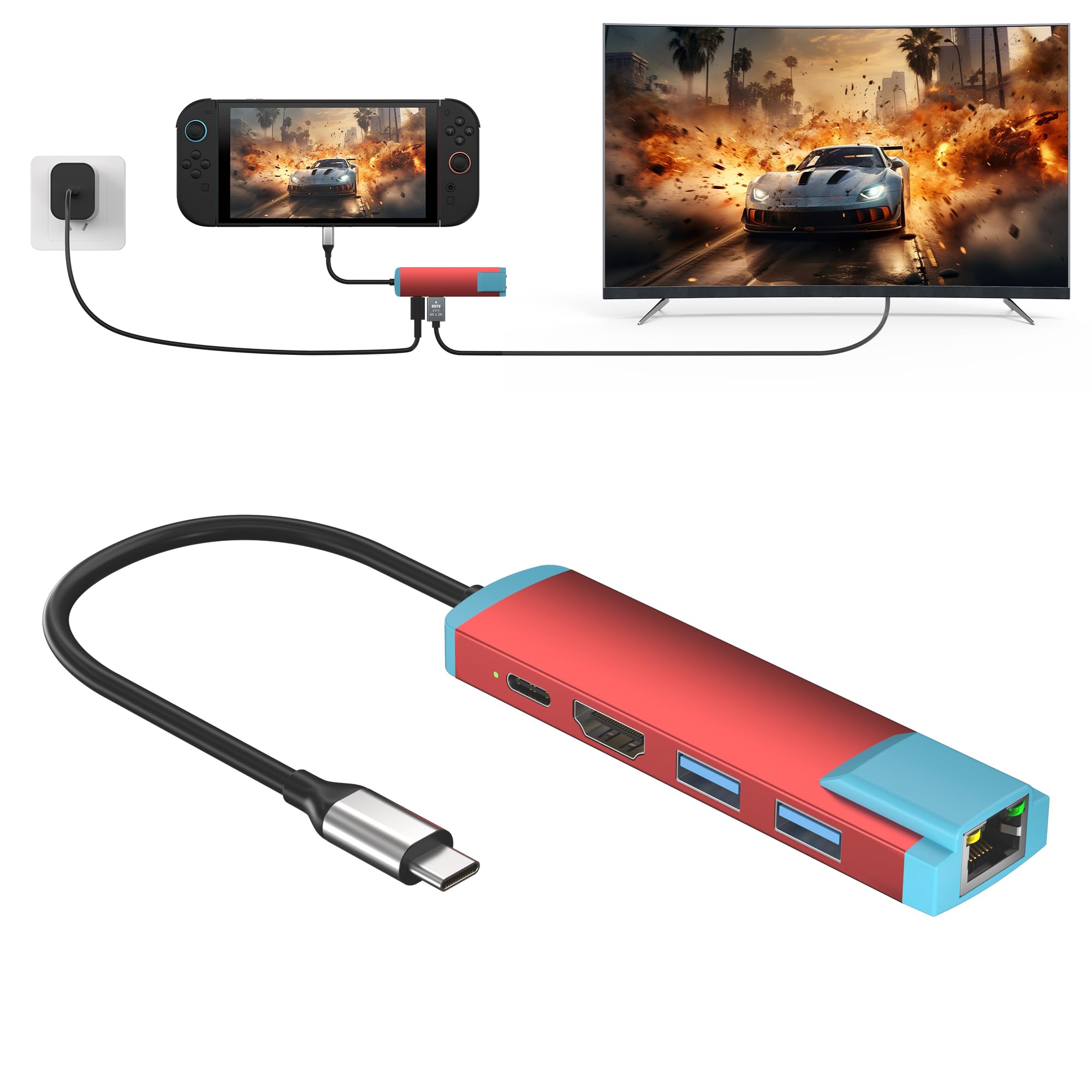
5. YEEKRNOW USB C Switch 2 Dock with Gigabit Ethernet
Gigabit networking in a dock that weighs barely more than a deck of cards.
This is the highest-rated dock in this lineup at 4.5+ out of 5, and the spec sheet explains why it earns that. It carries 5 ports: a 4K@60Hz HDMI output pumping 3840×2160P, a USB-C power delivery port, two USB 3.0 ports, a 1000M wired Ethernet jack and a 100W PD charging port. That is two USB 3.0 ports where the ANQUORA puck gives you one.
Travel is the whole point here. It weighs 45 g (1.5oz) and measures 4.72×2.36×0.79 inches, so it slips into a pocket the way the official dock never will. Charging goes through the PD port (Power Delivery, a USB-C charging standard) at a maximum of 100W. The listing recommends staying within 60W for continuous charging — pair it with the original Switch charger (20V/3A 60W) and it tops the handheld up at full speed while the TV plays.
Compatibility stretches past the console: Switch 2, Switch, Switch OLED, Steam Deck and Steam Deck OLED all work, plus Thunderbolt 3 and 4 laptops and USB-C video devices generally. The realistic limitation is cabling — it feeds off a PD supply rather than supplying its own, so keep your charger in the bag.
The one to carry: 4.5+ stars with a gigabit jack and two USB 3.0 ports make this the strongest all-rounder for pocket travel.
Mind the supply: the dock does not include the charger, and it wants a PD-rated cable and brick to pass full power through.
6. JSAUX HC6502 65W Switch Dock with 4K@120Hz HDMI
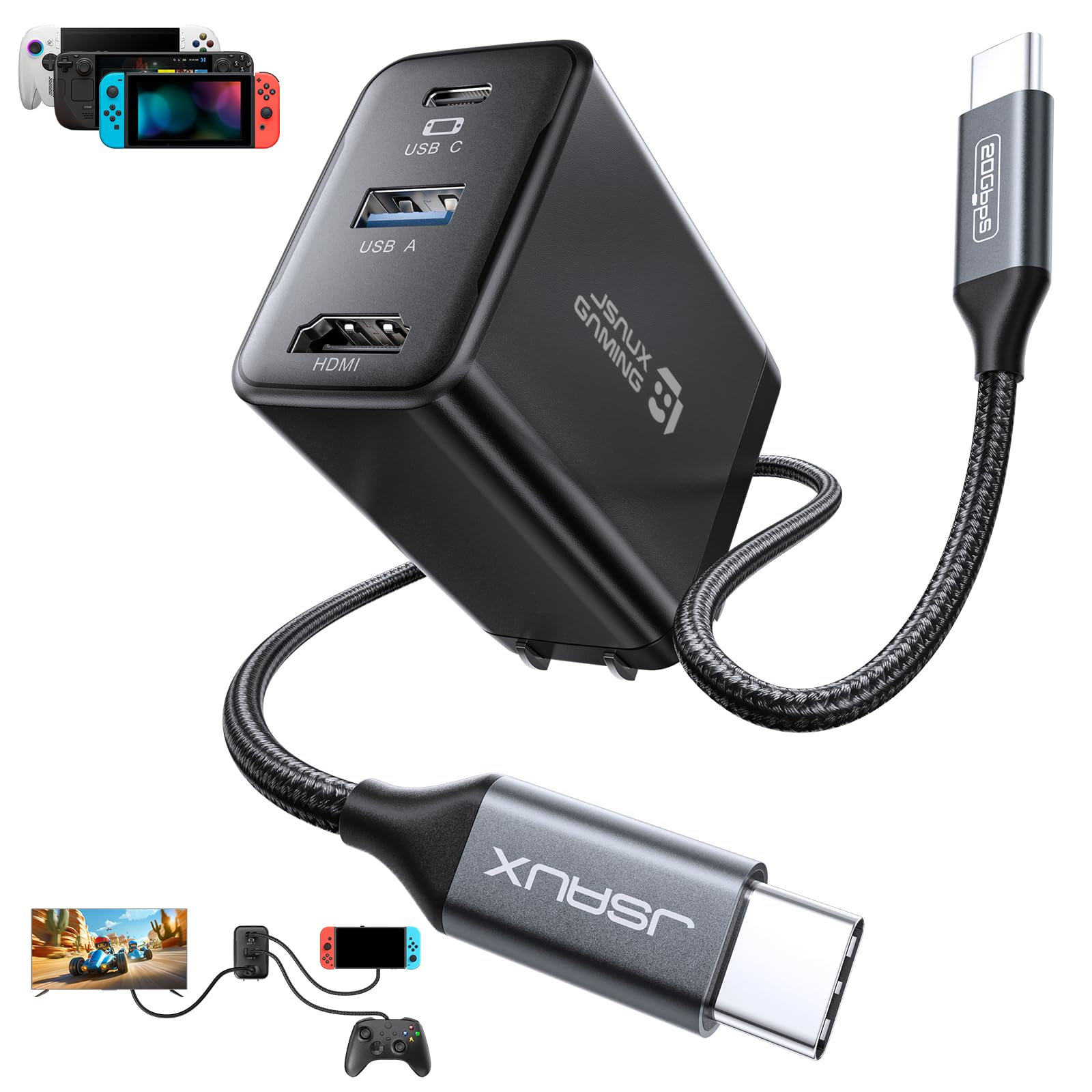
It charges your laptop and your handheld, not just the console.
JSAUX puts a 65W USB-C PD output in a dock that fits in a Switch bag, which turns it into a charger for phones, tablets, Steam Deck, ROG Ally and USB-C laptops as well. That is the reason to spend at this tier — it replaces the charger brick you were already carrying. Video output runs 4K@120Hz, though for a Switch that caps at 4K@60Hz because of official system limits.
The 4-in-1 layout is tight: one HDMI port, one USB A 2.0 port at up to 480 Mbps and 5V 0.6A, and the PD charging path. The USB A port is for keyboards, wireless receivers and drives — not third-party controllers, which the Switch does not support through it. JSAUX points you toward the Switch Pro Controller or a Bluetooth pad instead.
Two setup notes earn their space here. Plug into the bottom USB-C port on the console, since that is the only one that carries video. And if a system update prompt shows up, pick “Later” — VRR is not supported on this dock and should be switched off in TV Mode Settings first. Pair it with the included 3.3FT USB-C to USB-C cable, or a full-featured cable that supports USB4 and video if you need a longer run.
For multi-device bags: one dock doubles as a 65W laptop charger, which cuts the number of bricks you pack.
The honest limit: at 3 ports it is the sparsest dock here, with no LAN jack and a USB A 2.0 slot rather than faster USB 3.0.
Reach for it if: you carry a laptop or a Steam Deck and want one charging brick for everything.
Skip if: wired networking is on your list, because there is no Ethernet port to plug into.
7. Wzygdzsw 3-in-1 TV Dock Set with Charger and HDMI Cable

Everything in one box, so you never hunt for a cable on arrival.
If you own no spare charger and no spare HDMI cable, this kit solves that on day one. The box carries the dock, a high-bandwidth HDMI cable rated for 1080p@60Hz and a PD charger that delivers up to 39W. That is a complete travel set, and it lines up well against the dock-only listings that leave you buying accessories separately.
Inside, the 3-in-1 hub gives you HDMI output, a high-speed USB 3.0 port and two standard USB 2.0 ports, plus cable management built into the base and a non-slip pad underneath. The charger side runs a multi-protection system with thermal monitoring against over-current, over-voltage and overheating. Note what is missing: no Ethernet and no Switch 2 support — this one is for Switch and Switch OLED only.
The chipset is built to hold a steady 1080p picture to the TV, and the quality is what buyers single out. The mixed part is reliability — the same functionality people like is also where some units draw complaints — so treat it as a spare for a solid home setup rather than a rough-and-tumble travel dock. Buy from a seller with easy returns and shake it down early.
Pick this for: a first-time dock buyer who wants charger, cable and hub in one order without shopping for parts.
Only if Switch 1 or OLED: it does not work with Switch 2, so handheld owners of the newer console should look at the DGBOSEN or YEEKRNOW instead.
8. RuntoGOL TV Docking Station with 15V/2.6A USB-C Charger
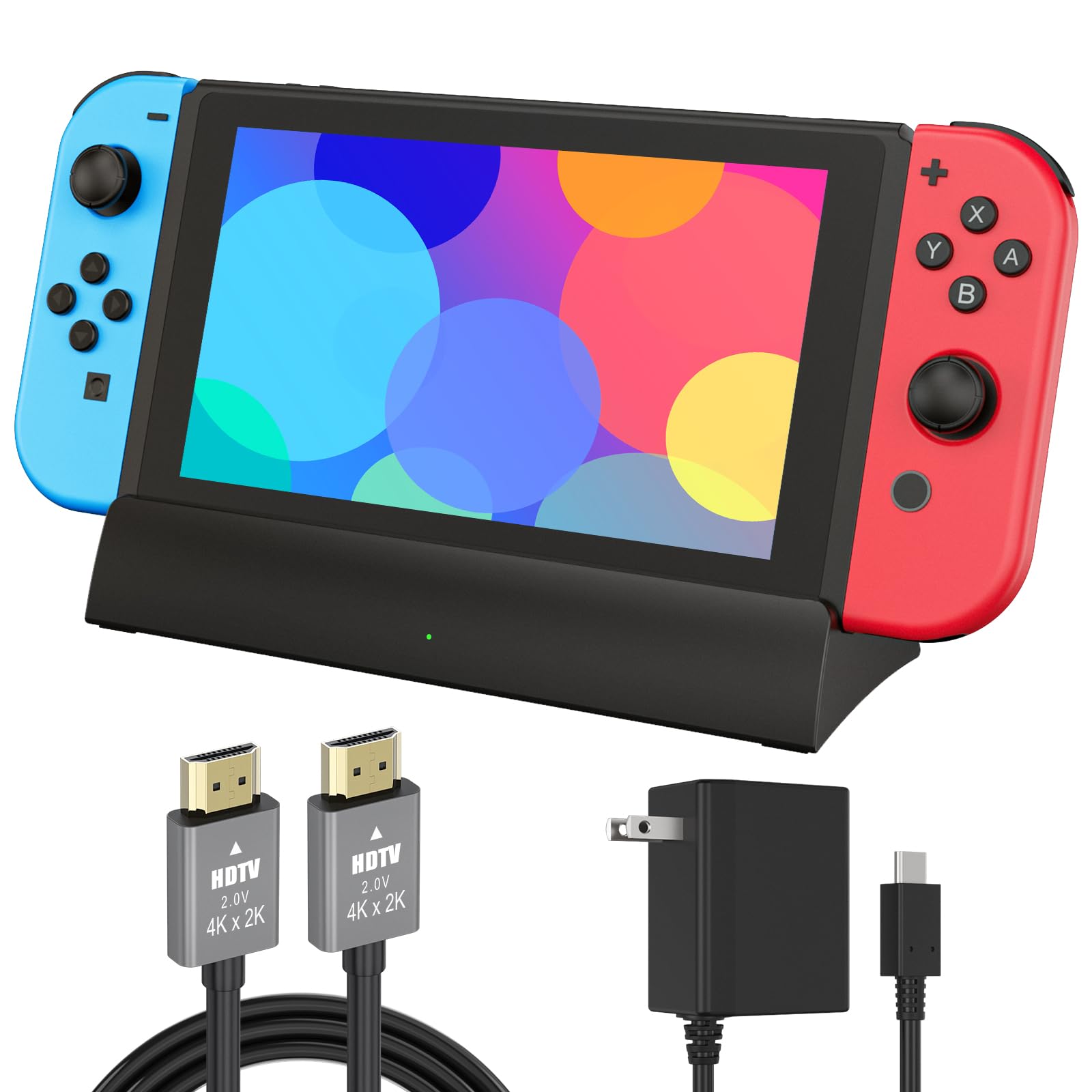
A 15V/2.6A brick in the box means fewer parts to forget.
RuntoGOL packages the dock, an HDMI cable and a 15V/2.6A power adapter together, which is why this one suits a household that does not keep spare Switch chargers around. At 100 g (3.5 ounces) and 6.8 in x 2.8 in x 1.5 in, it shaves the official dock’s bulk without turning into a coin-sized puck. That middle ground sits well on a shelf or in a laptop sleeve.
The layout runs 5 ports: one HDMI output, one USB-C power input, one USB 3.0 port and two USB 2.0 ports. Video output supports 2K, 4K, 1080P and 720P, with the console capped at 1080P as ever. A button on the back flips between TV mode and handheld mode, and the built-in chipset adds short-circuit, overcharge, recovery and overheating protection.
RuntoGOL points out a genuine advantage over the official cradle: the console screen is less likely to be scratched, and a non-slip pad stops the unit sliding. Two things to know — it does not work with Switch 2, and a protective cover on the console has to come off before you dock it. Reliability is the area where feedback splits, so buy with a return path.
Kit-first appeal: charger and HDMI cable in the box plus up to 39W PD and a mode button make this the easy handoff to a second TV.
Fits you best if: you want one click of a button to switch between the TV and handheld, and a charger that arrives with the dock.
Not your pick if: you need wired Ethernet, since this dock has no LAN port.
9. aikeec Screen TV Dock Station for Nintendo Switch

The sit-and-stay dock for a second TV that never hits the road.
This is the heaviest dock here at 11.04 ounces, and that heft is the point: it is a multiport station designed to sit still on a shelf, not to be carried. It docks the console for HDMI output to a TV and fits Switch, Switch Lite and Switch OLED on the compatibility list. If your goal is a permanent second station so you stop unplugging the living-room setup, that is what this is built for.
Read the fine print before you buy: the box includes the dock only — no charging cable, no HDMI cable and no packaging extras. You feed it with your own Switch charger and your own HDMI lead. The plastic enclosure is the same material class as most competitors, but at this weight it does not pretend to be a travel companion.
Reliability is a fair question here, more than on the other picks. Owners are split on function, so buy it as a convenient spare with a return window rather than a mission-critical rig. Treat it as a stationary dock and it does the basic job of getting your console onto a second screen.
Why a stay-put dock works
- Works with Switch, Switch Lite and Switch OLED
- Heavier 11.04 oz body sits stable on a shelf
- Simple HDMI docking for a second TV
What to expect before ordering
- Dock only — bring your own charger and HDMI cable
- Functionality feedback is split, so buy where returns are easy
Made for: a permanent spare station on a bedroom TV where the dock never moves.
Left alone by: travelers, since it is the heaviest and most stationary option in this group.
Know the Specs
Power Delivery (PD) wattage
PD is the charging standard that lets a USB-C plug agree on how much power to send. The number on a dock is the ceiling it can pass through, not what it generates — it only relays what your charger supplies. A higher figure means a more capable dock that keeps the console topped up during TV play and can also charge phones or laptops on the same plug.
HDMI version and resolution
HDMI 2.0 and 2.1 are the video connection standards that carry your picture to the TV. Higher version numbers and refresh figures like 120Hz describe what the port can do with other devices. Your Switch sends 1080P in TV mode regardless, so match the dock’s port to your screen and ignore resolution claims beyond what your console outputs.
Wired Ethernet (LAN) port
A LAN port lets you run a network cable straight from the dock to your router instead of using Wi-Fi. That gives a steadier connection for big downloads and online matches, which is why it is the feature most worth checking on a replacement dock. Speeds like 1000Mbps describe the port’s ceiling, not your internet plan.
USB port type and speed
USB 2.0 and USB 3.0 are the data standards for your accessories. A USB 3.0 port moves data faster than USB 2.0, which helps with drives and adapters. On the Switch, third-party controllers via a USB port are not supported, so use a Switch Pro Controller or a Bluetooth pad instead.
Common Questions
Will a third-party dock damage my Switch?
Can a third-party dock output 4K for my Switch?
Do I need the original Nintendo charger to use a third-party dock?
Why does my dock only work with the bottom USB-C port on my Switch 2?
Is a wired Ethernet port on a Switch dock worth it?
Can I use a third-party controller through the dock’s USB port?
How do I switch between TV mode and handheld mode on these docks?
Does a compact dock run hotter than the official one?
Will my Switch dock work with a protective cover on the console?
Can a third-party dock also charge my phone or laptop?
The Bottom Line
For most people, the best 3rd party switch dock is the Kstkry TV Dock Station — it puts a 1000Mbps LAN port (a wired internet connection) and USB 3.0 in a pocket-sized box at the entry tier, and it takes the console out of the official brick. If pocket travel and portability lead your list, the YEEKRNOW USB C Switch 2 Dock is the highest-rated of the bunch and still gives you gigabit networking at 45 g. And if you want one dock that also charges your laptop or handheld, the JSAUX HC6502 65W Dock carries 65W of power delivery. Buy on fit — ports, wattage and size — and the right pick for your setup will be obvious.
How we choose
We do not accept paid placement. Every pick is matched to a real buyer and a real use-case; we do not hands-on test units.
Sources
Specifications: manufacturer listings and product documentation. Review insights: verified customer reviews, as of November 2026. Pricing: not shown on this page (it changes often); check the current price via the retailer link.
As an Amazon Associate, Tactical Gear Guy earns from qualifying purchases. This does not affect which products we feature.