Specs are compiled from manufacturer listings and verified buyer reviews and can change over time — please confirm the key details on the product page before buying.
You want a single 16GB DDR4 laptop stick that your machine actually boots with, not the fastest kit on the page. Your laptop takes a 260-pin SODIMM (the short, wide memory stick laptops use instead of the tall desktop kind). The safest upgrade on this list is the Crucial 16GB DDR4 3200MHz CL22 module, because your laptop will drop it to a slower speed automatically if that is all it supports. Match the pin count, the memory generation and your maximum capacity first, and the rest is speed and rank detail.
This guide is built by comparing the manufacturers’ published specifications and the patterns across verified customer reviews, so you get each pick’s real strengths and trade-offs instead of marketing spin.
You will see which sticks are slower 2666MHz modules, which are matched 2x8GB kits, and where a cheap single module beats a premium one. Here is the short version: 16gb laptop ddr4 ram is worth buying only when the speed, rank and pin count line up with your machine.
Top Picks


How To Choose The Best 16GB Laptop DDR4 RAM
Almost every failed memory upgrade fails for one of three reasons: the stick was the wrong length, it was the wrong memory generation, or the laptop already had its maximum. Get those three right and any of these nine modules will work.
Start with form factor and pin count, not speed
A laptop memory stick is a SODIMM, and DDR4 SODIMMs have 260 pins — the gold contact edge that slots into the socket. A desktop DIMM is much longer and will not fit at all. Every module on this list is a 260-pin SO-DIMM, so the physical fit is settled; your job is confirming your laptop uses DDR4 rather than DDR3 or DDR5.
Decide how much speed your laptop can actually use
A 3200MHz stick in a laptop that only runs 2666MHz memory will downclock itself to 2666MHz — it will not run faster, and it will not break. That is why a slower 2666MHz module is often the honest buy: you pay for exactly what your machine can deliver. Only chase 3200MHz if your laptop’s own specification says it supports it.
Single stick or two-stick kit
Laptop boards commonly have two memory slots. One 16GB stick leaves a slot free for a future upgrade; a 2x8GB kit fills both slots now and runs them as a matched pair. Matched kits are designed to run together as a set, and the maker of one of these kits warns against mixing sticks from different kits — that is a stability warning, not a marketing line.
Rank, latency and voltage in plain terms
Rank (written as 1Rx8 or 2Rx8) describes how the chips on the stick are wired; dual rank can help performance but some laptops have a maximum rank per slot. Cas latency is the delay in clock cycles before memory answers a request, so a CL19 module answers slightly sooner than a CL22 one. Voltage is simple: DDR4 SODIMMs run at 1.2V, and every pick here is listed at that standard.
Side-by-Side Comparison
| Model | Best For | Speed | Cas Latency | Capacity / Form | Amazon |
|---|---|---|---|---|---|
| Crucial 16GB DDR4 SODIMM★ Best Overall | Most laptop owners | 3200 MHz | CL22 | 16GB single, 260-pin SO-DIMM | Amazon |
| TEAMGROUP Elite DDR4 16GBSteadiest Everyday Pick | Long-term daily use | 2666 MHz | CL19 | 16GB single, 260-pin SO-DIMM | Amazon |
| Timetec 16GB DDR4 3200MHzSpeed With Fallback | Mixed-speed systems | 3200 MHz | CL22 | 16GB single, 260-pin SO-DIMM | Amazon |
| G.SKILL Ripjaws DDR4 SO-DIMM | Filling both slots | 3200 MT/s | CL22 | 16GB kit (2x8GB), 260-pin SO-DIMM | Amazon |
| Samsung 16GB DDR4 3200MHz 2Rx8 | Dual-rank setups | 3200 MHz | CL22 | 16GB single, 260-pin SO-DIMM | Amazon |
| PNY DDR4 16GB Kit | Gaming laptops | 3200 MHz | CL22 | 16GB kit (2x8GB), 260-pin SO-DIMM | Amazon |
| SK HYNIX 16GB 2RX8 | NAS and mini PCs | 2666 MHz | CL19 | 16GB single, 260-pin SO-DIMM | Amazon |
| Samsung SODIMM 16GB PC4 3200 1Rx8 | Single-rank laptops | 3200 MHz | — | 16GB single, 260-pin SO-DIMM | Amazon |
| A-Tech DDR4 16GB 2666MHz | Budget capacity boost | 2666 MHz | CL19 | 16GB single, 260-pin SO-DIMM | Amazon |
Detailed Reviews
1. Crucial 16GB DDR4 3200MHz Laptop Memory
Our pick — 4.5+★ from 17,000+ verified ratings; the strongest balance of quality and price.
A 3200MHz stick that steps down to 2933MHz or 2666MHz on slower laptops.
Your laptop either runs 3200MHz memory or it does not, and this module handles both. It is rated at 3200MHz but also listed as compatible at 2933MHz and 2666MHz, so a slower machine simply runs it at the slower speed instead of refusing to boot. That flexibility is why it takes the top spot for a first-time upgrader who has not yet opened the case.
It is a single 16GB stick in the 260-pin SO-DIMM shape, non-ECC, at 1.2V, rated PC4-25600 with a CL22 cas latency. Rank is listed as 1Rx8 or 2Rx8 depending on the module, so check your laptop’s supported rank if you are near its maximum. The install itself is the easy part — the maker publishes step-by-step how-to guides and a System Scanner that reads your laptop and names the right part, which removes the guessing that sinks most first upgrades.
The one thing people notice after fitting it is how quickly the whole job goes: in and out in minutes, no software to configure. What wins people over is simply that it functions — the module is the most-praised attribute in its own review pool by a wide margin, with quality close behind. This is the crowd favorite here at 4.5+ stars across 17,000+ ratings, and it is the highest-rated pick on the page. The honest catch: on a laptop that only supports 2666MHz, you are paying for speed the machine will never use, and a small number of buyers hit a stick that did not agree with their board.
Why It Earns The Top Slot
- Runs at 3200MHz but also listed for 2933MHz and 2666MHz laptops, so a slower machine still boots
- Single 16GB module keeps your second slot free for a later upgrade
- Maker’s System Scanner and upgrade selector name the right part before you buy
- Non-ECC, 1.2V, 260-pin SO-DIMM — the standard laptop fit
Worth Knowing Before You Order
- Rank varies between 1Rx8 and 2Rx8 by module, so verify if your laptop caps rank per slot
- The 3200MHz rating is wasted on a laptop that tops out at 2666MHz
Made for: anyone upgrading a DDR4 laptop who wants the lowest-risk single stick and does not want to think about speed tiers.
Think twice if: your laptop’s manual caps memory at 2666MHz — a slower, cheaper-rated module gives you the same real-world result.
2. TEAMGROUP Elite DDR4 16GB 2666MHz SODIMM
A 2666MHz CL19 module with a lifetime warranty and free technical support.
If your laptop’s spec sheet says 2666MHz, this is the module that gives you nothing wasted and nothing missing. It runs at 2666MHz with a CL19 cas latency — one clock cycle quicker to answer than the CL22 sticks above — and it is built to JEDEC standards with RoHS compliance in the manufacturing. Capacity is a full 16GB in one 260-pin SO-DIMM, at the standard 1.2V.
The reason it sits this high is staying power, not headline speed. It carries a lifetime warranty plus free technical support, and the maker even attaches an installation video to the product images — useful if you have never unclipped a laptop’s back panel. What people value most is that it just keeps working: reliability is the most-praised trait in its review pool, and memory quality is second, so the pattern is steady operation rather than a dramatic speed jump.
Compare it against the Timetec module and the trade is clear: you give up the 3200MHz rating, but you gain the lower CL19 latency and the lifetime warranty. An occasional buyer reports a compatibility miss, so confirm your laptop takes DDR4 SODIMM before ordering. Two slots free? One of these plus a second later is a clean path.
The case for it: JEDEC-compliant 2666MHz, CL19 latency, lifetime warranty and free support — a module selected for the long haul rather than a benchmark sheet.
The catch: compatibility is the one area where a few buyers came away unhappy, so the pre-purchase check on form factor and generation is on you.
Reach for this if: your laptop tops out at 2666MHz and you want a warranty you will likely never need to use.
Look elsewhere if: your machine genuinely supports 3200MHz — the Crucial or Timetec sticks will feed it faster memory.
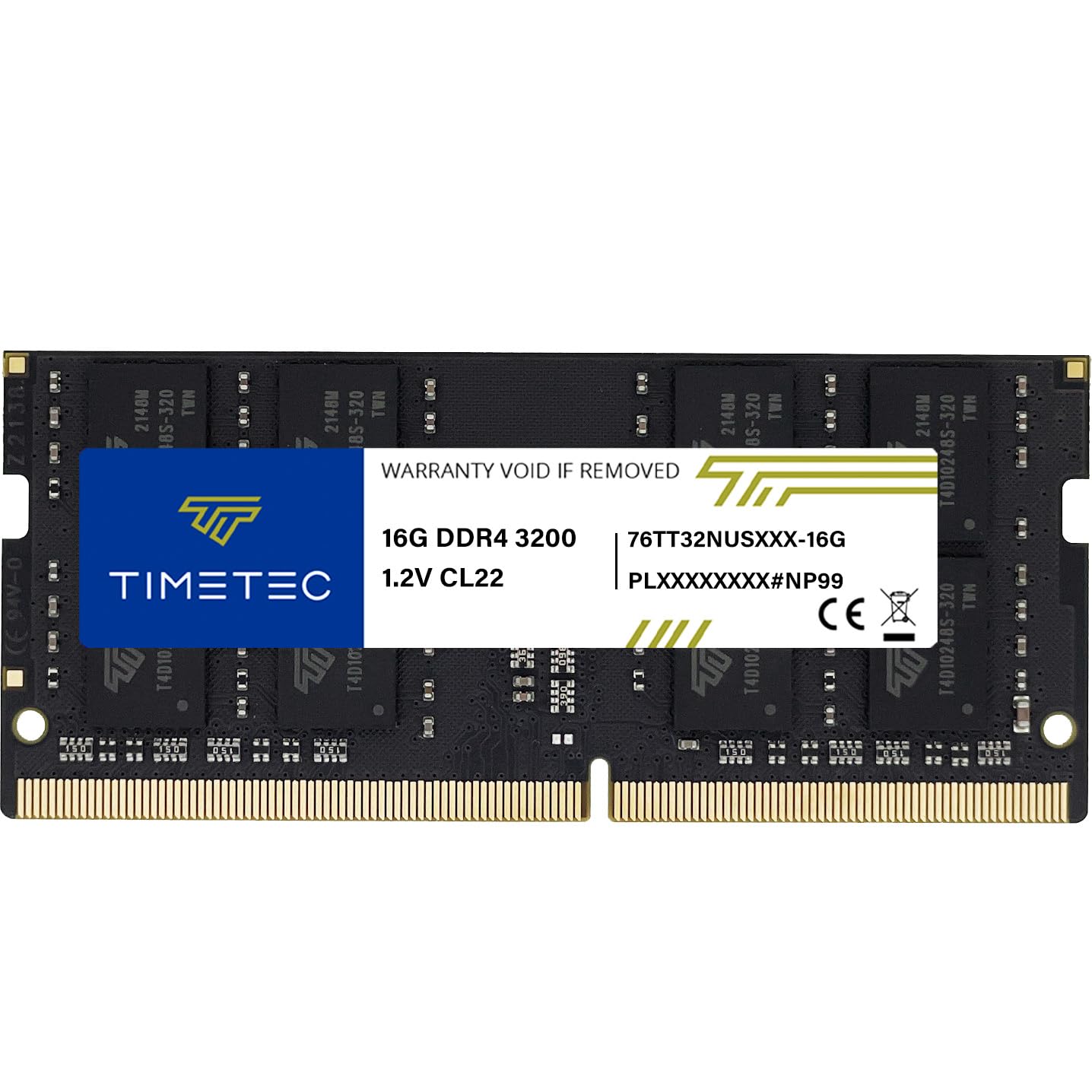
3. Timetec 16GB DDR4 3200MHz PC4-25600 SODIMM Laptop RAM
Rated at 3200MHz, with a documented downclock to 2933MHz or 2666MHz.
Here is the practical difference between this and the Crucial module: both are 3200MHz CL22 260-pin SO-DIMMs, and both step down to 2933MHz or 2666MHz on a slower machine. The Timetec spells that fallback out explicitly in its own listing, which makes it the easier one to buy blind if you are unsure what your laptop supports. It is a single 16GB module, non-ECC, unbuffered, at 1.2V.
Performance is the trait this module is bought for — it is the most-praised attribute in its review pool, with memory quality second. Owners run it in everything from older Dell laptops to Synology NAS units, and the recurring theme is that the machine simply feels quicker once it is in. Installation is plug-and-play with no expertise required, and it is backed by a limited lifetime warranty with US-based technical support.
One quirk to know: PCB colour and rank (1Rx8 or 2Rx8) can vary by production batch, so do not expect to pick your colour. Performance stays consistent across batches per the maker. At 4.5+ stars across 600+ ratings, it sits just behind the Crucial on score but delivers the same speed ceiling.
Where it shines: a documented downclock path to 2933MHz and 2666MHz takes the fear out of buying 3200MHz memory for a laptop you have not looked up yet.
Small annoyance: PCB colour and rank depend on the batch, so the stick that arrives may look different from the photo.
Best fit: the buyer with a 3200MHz-capable laptop who also wants the safety net of automatic stepping down.
Pass on it if: you specifically need a known rank for a laptop that limits rank per slot.
4. G.SKILL Ripjaws DDR4 SO-DIMM 16GB Kit

A matched 2x8GB kit that fills both slots at 3200MT/s CL22.
This is not one 16GB module — it is two 8GB modules sold as a matched kit, so it fills both of your laptop’s memory slots at once. Speed is quoted as up to 3200MT/s with a CL22-22-22-52 timing set at 1.20V, non-ECC and 260-pin. If your laptop has two free slots, a matched pair like this is the cleanest way to hit 16GB, because the sticks are designed to run together as a set.
The maker is unusually direct about one rule: do not mix memory kits. Combine this pair with a different kit and you invite stability issues or system failure. Kits also boot at the JEDEC default SPD speed at default BIOS settings on compatible hardware, so the first boot is the safe, standard speed. Performance is what buyers come for here — it is the most-praised trait in its pool, with value for money second, and the shared theme is that it runs right away.
At 4.5+ stars across 400+ ratings it ties the Crucial for the highest score on the list, though it trails on review volume. The real decision is structural, not a quality gap: with two 8GB sticks you use both slots and leave no room to add more later, while a single 16GB module keeps one slot in reserve.
What Makes It Work
- Matched 2x8GB pair designed to run together as a set, so both slots work in step
- Up to 3200MT/s at CL22-22-22-52 and 1.20V — the same speed ceiling as the top picks
- Runs right away on a compatible laptop, with JEDEC default SPD on first boot
The Trade-Offs
- No upgrade headroom — both slots are occupied after installation
- Must not be mixed with another kit, per the maker, or you risk instability
Pick this when: both your slots are empty and you want a matched pair that boots at the standard speed with no BIOS fiddling.
Not for you if: you are upgrading a laptop with one filled slot — a single 16GB module keeps your options open instead.
5. Samsung 16GB DDR4 3200MHz SODIMM

A 16GB 2Rx8 dual-rank stick at 3200MHz CL22.
Rank is the detail most upgraders skip, and it is the whole point of this module. It is specified as 2Rx8 — dual rank, x8 chips — in a single 16GB 260-pin SO-DIMM at 3200MHz, CL22, 1.2V, non-ECC and unbuffered. Dual rank often helps performance on memory-hungry work, but some laptops cap rank per slot, so read your spec sheet before you assume it fits.
Each module goes through quality assurance testing before it ships, and performance is the trait buyers praise most here, with memory quality close behind. The pattern across the pool is machines that run better than they did before the swap. Speed, capacity and compatibility all draw favourable notes too.
Here is the honest part: reliability is the mixed bucket in its pool, with a handful reporting failures while most report no trouble at all. Sizing that against 4.5+ stars across 400+ ratings, this is a memory module to buy and forget — not one to worry about daily. Against the Timetec, the headline speeds match at 3200MHz CL22; what you are choosing here is the defined 2Rx8 rank rather than a batch-dependent one.
The reason to pick it: a guaranteed 2Rx8 dual-rank configuration at 3200MHz CL22, which takes the guesswork out of the rank question.
One caveat: reliability is the one mixed note in its reviews — rare enough not to define the product, but worth a burn-in test during the return window.
Suits you if: you need a dual-rank 16GB module and you have confirmed your laptop handles 2Rx8 in a single slot.
Skip the dual rank if: your laptop’s spec lists a 1Rx8 maximum — a single-rank module is the safer purchase.
6. PNY DDR4 16GB 3200MHz Notebook Memory Kit

A 2x8GB 3200MHz CL22 kit that runs at rated speed without tinkering.
Built for PC enthusiasts and gamers, this kit is two 8GB 260-pin non-ECC SODIMMs at 3200MHz with a CL22 cas latency and 22-22-22 timings at 1.2V. It is also listed as backwards compatible with 2933MHz, 2666MHz, 2400MHz and 2133MHz — a wide fallback range that covers older laptops still doing daily duty.
What buyers talk about most is reliability: the kit runs at its rated speed without fuss. Quality is the next thing praised, and installation is consistently described as easy. That combination is the point of a matched pair — you are buying the pair so the two sticks behave as a set rather than two strangers in adjacent slots.
Score-wise it matches the Samsung dual-rank at 4.5+ stars, on a similar review base. The difference is architecture: two 8GB sticks versus one 16GB stick. On a gaming laptop with both slots empty, this fills them properly. On a laptop with one slot already occupied, a single module is the simpler answer. Memory capacity is the one mixed note in its feedback — a few expected headroom the pair does not leave them.
Where It Delivers
- Runs at the rated 3200MHz without tinkering, per the review pattern
- Backwards compatible with 2933MHz, 2666MHz, 2400MHz and 2133MHz systems
- Matched 2x8GB kit at CL22-22-22 and 1.2V
What To Expect
- Both slots filled — no further expansion without swapping sticks out
- Capacity is the mixed note in its feedback, so confirm 16GB is your target, not a stepping stone
Made for: an enthusiast or gaming laptop with two free slots, where a matched pair running at rated speed is exactly the goal.
Not the one if: you want to reach 16GB now and still have a spare slot for later.
7. SK HYNIX 16GB DDR4 SO-DIMM 2666MHz

A 2666MHz CL19 2RX8 module that fits Synology NAS boxes and mini PCs.
Here is one head-to-head worth seeing plainly: the Timetec runs at 3200MHz and this module runs at 2666MHz. If your machine is a 2666MHz unit, that gap never shows up in daily use. What you get instead is a CL19 cas latency — one cycle quicker than the CL22 sticks — on a 2RX8 16GB PC4-21300 module in the 260-pin SO-DIMM shape.
The crowd this suits best is not a laptop at all. Owners slot it into Synology DS224+ systems and similar small machines, and compatibility is the most-praised trait in its pool by a clear margin, with memory quality second. The speed notes are modest, so set your expectation at a small improvement in processing rather than a transformation.
At 4.5+ stars across a few hundred ratings, it is a specialist choice rather than the default. If you run a NAS or a mini PC on DDR4 SODIMM and you know its ceiling is 2666MHz, this is the module that fits the job. For a general laptop upgrade, the 3200MHz options above give you more headroom.
What it is good at: stepping into a 2666MHz machine — especially a Synology NAS — with a dual-rank 16GB module and a lower CL19 latency.
The limitation: it caps at 2666MHz, so a laptop that can run 3200MHz memory will never see its full potential here.
Buy it for: a NAS, mini PC or older 2666MHz laptop where you have already confirmed the speed ceiling.
Leave it be if: you are buying for a modern laptop — you would be paying for speed this module cannot reach.
8. Samsung SODIMM 16GB PC4 3200 DDR4 1Rx8 (M471A2G43AB2-CWE)

A 16GB 1Rx8 single-rank stick at 3200MHz for laptops that cap rank per slot.
Where the Samsung dual-rank above is a 2Rx8 stick, this one is 1Rx8 — single rank — at 16GB, PC4-3200AA, 3200MHz, in the 260-pin SO-DIMM shape. It is listed for all systems that support DDR4 SODIMM, and the maker names Dell, HP and Lenovo laptops on the listing. If your laptop’s manual limits rank per slot, the 1Rx8 spec is the number to compare against.
The feedback profile here is small but clean: functionality is the most-praised attribute, quality comes next, and value rounds it out. A 16GB module at this speed keeps a slot free, so you can add a second later without pulling this one out.
It is a 4.5+ star product on a lighter review base than the top picks, which makes it a fit-based choice rather than a consensus one. The reason to pick it is specific: you need one rank, not two. If rank is not a constraint for your machine, the Crucial or Timetec covers the same ground with far more owner experience behind it.
Why it exists in this list: a defined 1Rx8 single-rank 16GB module at 3200MHz for laptops that cap rank in a slot.
What to weigh: a lighter review base than the leading picks, so your laptop’s spec sheet matters more than the crowd here.
Right for you when: your laptop specifies 1Rx8 single rank and you want one 16GB stick at 3200MHz.
Go elsewhere if: rank is not a constraint — the more-established picks offer the same capacity with deeper feedback.
9. A-Tech DDR4 16GB 2666MHz PC4-21300 SODIMM Laptop Memory

Straight capacity, no frills, for a laptop that stays inside 2666MHz.
A-Tech’s module is a no-frills 16GB DDR4 SO-DIMM at 2666MHz, also listed at 2667MHz PC4-21300 (PC4-2666V), non-ECC and unbuffered at the standard 1.2V. Cas latency is CL19 — quicker to answer than the CL22 modules, in the same way as the TEAMGROUP stick. It is a straight capacity upgrade: more memory for the machine, with the maker’s blunt compatibility note that this will not work with desktop DIMM slots or DDR2, DDR3 or DDR5 systems.
Quality is the trait praised most in its reviews, with functionality just behind, and installation commonly described as simple and plug-and-play. It covers laptop, notebook, mini PC and all-in-one systems that take DDR4 SODIMM. A limited lifetime warranty and a pre-and-post-sales technical support line round out the package.
Be honest about the speed side: opinions on speed are mixed in its feedback, and that is the right expectation for a 2666MHz module — it does not promise a dramatic jump, just more working memory. If your laptop is capped at 2666MHz, this delivers the capacity you want without paying for speed it cannot use. Weigh it against the lighter weight of the TEAMGROUP module too — 9.93 g here versus 9 g there. Both fit, but the difference tells you which one is easier to handle during a tight installation.
The value read: 16GB of DDR4 at 2666MHz, CL19, with a limited lifetime warranty and tech support on both sides of the sale.
The catch: speed is the one mixed note in its feedback — a fair signal that this is a capacity upgrade, not a performance one.
Choose it if: your laptop sits at 2666MHz and you simply want more memory for everyday multitasking.
Better elsewhere if: you expect a visible speed change — a 3200MHz module in a capable machine is a more sensible buy.
Know the Specs
Speed in MHz and What It Actually Does
The number after “MHz” is how many million cycles of memory traffic happen each second. A 2666MHz module and a 3200MHz module are not interchangeable in effect, but the difference only exists if your laptop supports it — a 3200MHz stick in a 2666MHz machine runs at 2666MHz. Many modules are listed as automatically downclocking to 2933MHz or 2666MHz to match the system, which is why a faster stick does not waste your money outright; it just may not deliver its full speed.
Cas Latency, the Delay Before Memory Answers
Cas latency (CL) is a count of clock cycles memory waits before answering a request. A CL19 module waits fewer cycles than a CL22 module, so in theory it responds a touch sooner. This is a small effect next to the difference between 2666MHz and 3200MHz, and the two numbers trade against each other, so do not buy on cas latency alone.
Rank and What 1Rx8 or 2Rx8 Means
Rank describes how the memory chips on the stick are grouped electrically. 1Rx8 is single rank; 2Rx8 is dual rank. Some laptops specify a maximum rank per slot, and a dual-rank stick can be rejected where a single-rank one works. If your manual lists a rank limit, follow it — it outranks speed and latency every time.
Capacity, Slots and the Upgrade Path
A single 16GB module gives you a full 16GB in one stick and leaves a slot free for later. A 2x8GB kit fills both slots with two matched sticks now. Neither is better in the abstract; the single stick gives you future headroom, while the kit gives you a matched pair used as designed. Check the laptop’s maximum supported capacity before either, because it caps the whole plan.
Common Questions
Is DDR4 SODIMM the same as a desktop DIMM?
Will a 3200MHz module work in a laptop that only supports 2666MHz?
Should I buy one 16GB stick or a 2x8GB kit?
Can I mix this memory with the stick already in my laptop?
What does 1Rx8 versus 2Rx8 mean and does my laptop care?
Do I need to change anything in the BIOS after installing the RAM?
How do I know my laptop takes DDR4 and not DDR5?
Is a 2666MHz module pointless if my laptop supports 3200MHz?
Will a NAS take a laptop SODIMM module?
Is it worth checking a memory scanner before ordering?
The Bottom Line
For most people, the 16gb laptop ddr4 ram winner is the Crucial 16GB DDR4 3200MHz CL22 module because it covers both 3200MHz and slower 2933MHz and 2666MHz laptops with one part, and it carries the deepest owner experience of anything here. If you want a lower cas latency (the delay before the memory responds) and a lifetime warranty on a 2666MHz machine, reach for the TEAMGROUP Elite 16GB. And if both your slots are empty, the G.SKILL Ripjaws 2x8GB kit gives you a matched pair at the same speed ceiling. Match the pin count, the generation and your maximum capacity first — the rest is detail.
How we choose
We do not accept paid placement. Every pick is matched to a real buyer and a real use-case; we do not hands-on test units.
Sources
Specifications: manufacturer listings and product documentation. Review insights: verified customer reviews, as of November 2026. Pricing: not shown on this page (it changes often); check the current price via the retailer link.
As an Amazon Associate, Tactical Gear Guy earns from qualifying purchases. This does not affect which products we feature.