Specs are compiled from manufacturer listings and verified buyer reviews and can change over time — please confirm the key details on the product page before buying.
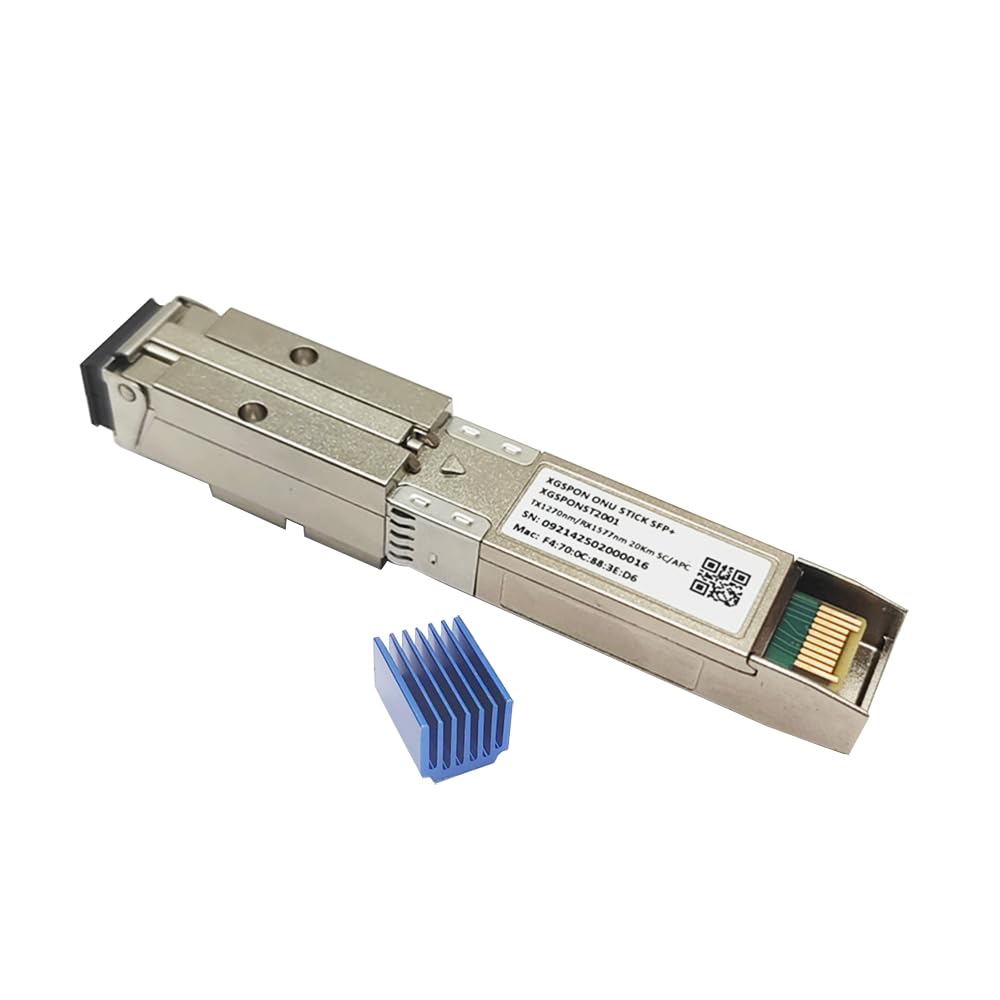
You want your own router to talk directly to the fiber line, without a rented box sitting in the middle. An XGS-PON ONU Stick is a tiny module that slides into an SFP+ port (the small metal slot on routers and switches built for 10-gigabit links) and turns that port into a fiber modem. The catch most buyers hit is firmware: a stick that arrives blank or with the wrong build can be a paperweight. The three picks below all ship with the 8311 community firmware already on board, so you can get to the web setup page instead of a command-line headache.
This guide is built by comparing the manufacturers’ published specifications and the patterns across verified customer reviews, so you get each pick’s real strengths and trade-offs instead of marketing spin.
Speed, firmware, and heat are the three things that decide whether a stick earns its slot in your rack. This breakdown of the xgs-pon onu stick market covers which module suits which router.
Top Picks
How To Choose The Best XGS-PON ONU Stick
This is not a category where you compare brand logos. Three numbers and one firmware detail decide almost everything: the PON standard your provider runs, the transmit and receive wavelengths, and whether the stick arrives ready to configure. Here is what actually separates a working install from a return.
Match the standard before anything else
XGS-PON runs 9.953Gbps in both directions, which is why it is called symmetric — upload matches download instead of trailing it. A stick built for GPON or XG-PON will not negotiate on an XGS-PON line, no matter what the listing says. Check your provider’s PON type first; every module below is XGS-PON, with two of them also claiming XGPON support.
Wavelengths and the SC/APC connector
The sticks here transmit at 1270nm and receive at 1577nm, the standard XGS-PON pair. The connector matters more than most buyers expect: these use SC/APC (an angled green fiber connector that cuts back-reflection at the join), not the flat SC/UPC face. If your drop cable ends in a flat connector, you need an adapter before anything will light up.
Firmware: the real make-or-break
The 8311 community firmware is what makes these sticks configurable inside your own network — it is a user-maintained build that exposes the settings a provider’s own ONT normally hides. All three picks here ship it pre-installed, which is the single biggest shortcut you can buy in this category. A blank stick means a flashing session before you get a single link light.
Side-by-Side Comparison
| Model | Best For | Speed | Form Factor | Firmware | Amazon |
|---|---|---|---|---|---|
| 8311 XGSPON ONU Stick SFP+ 10G Transceiver★ Best Overall | Bypassing a rented AT&T modem | 9.953Gbps symmetric | SFP+, SC/APC | 8311 V2.8.3 pre-installed | Amazon |
| Iszo XG-PON/XGS-PON ONU Stick SFP+ | Multi-platform compatibility | — | SFP+, SC APC | 8311 | Amazon |
| NCNWGW XGSPON SFP+ ONU Stick | Web and SSH management | 9953 Mbps TX/RX | SFP+, SC APC | 8311 pre-flashed | Amazon |
Detailed Reviews
1. 8311 XGSPON ONU Stick SFP+ 10G Transceiver
Our pick — 4.5+★ from 40+ verified ratings; the strongest balance of quality and price.
The build that installs in minutes because the hard part is already flashed on it.
Take the 8311 community firmware V2.8.3, already on the stick when it arrives, and pair it with the MaxLinear PRX126 chipset inside. That combination is what turns a 5-minute job out of a weekend project. You point a browser at 192.168.11.1, log in as root with no password, and the one-click web setup walks you through the rest. No serial console, no flashing utility, no hunting for a binary.
The headline numbers are serious hardware, not marketing: 9.953Gbps in each direction over single-mode fiber up to 20km. For a home or small office, that headroom means the stick will not be your bottleneck for years. It is fully ITU-T compliant across G.9807.1, G.9807.2, G.987.2 and G.988, and it handles OMCI L2 MAC bridging up to 64 bridges — enough VLAN separation for a segmented home lab. Built-in DDM (digital diagnostic monitoring, the stick’s own temperature and optical power readout) lets you check signal levels from the management page instead of guessing.
What wins people over here is function above all — the module simply works, and AT&T and Quantum Fiber buyers report the speeds holding up in real service. AT&T fiber users are the loudest group, with a reported 1.2Gbit up and down running on a 1 Gbps plan, and Quantum Fiber installs are called out as compatible too. The trade-off is heat: this is a small powered module in a metal slot, and it runs warm under load. Give it airflow and it is a non-issue; box it into a sealed cabinet and you will feel it.
What earns the top slot
- Firmware V2.8.3 is already flashed, so setup starts at the web page
- 9.953Gbps symmetric over single-mode fibre up to 20km
- DDM readout for temperature and optical power in real time
- Hot-pluggable SFP+ — drop it into any enabled switch port
Where it asks for patience
- Runs hot in operation and needs breathing room around the slot
- SC/APC angled connector, so a flat-ended patch cable needs an adapter
Settle on this one if: you want the shortest path from box to link light and your provider runs XGS-PON.
Keep shopping if: your slot is in a sealed enclosure with no airflow — that heat has to go somewhere.
2. XG-PON/XGS-PON ONU Stick SFP+ Transceiver with 8311
A stick that lets you rewrite its identity — the detail that saves an install when the provider locks you to a serial number.
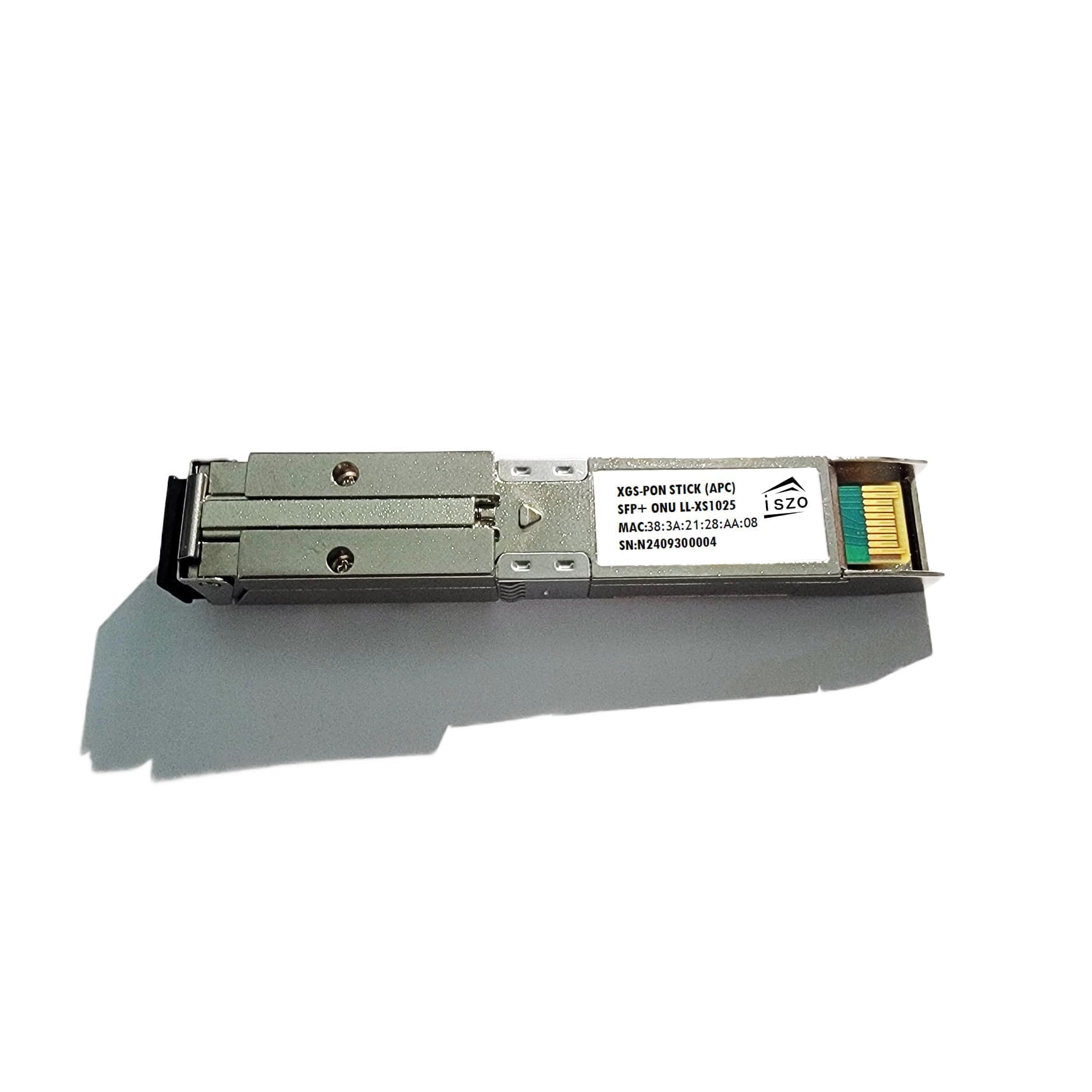
This is the pick for the buyer whose provider is fussy about authentication. Where the 8311 above gets you running fast, the Iszo adds a level of control you cannot buy your way out of later: it supports modifying the PON serial number, vendor ID, equipment ID, logical ONU ID, logical password and MAC. In plain terms, the stick can present itself to the fiber network the way your old ONT did. That is the difference between a module that registers and one that sits blinking.
It covers both XGPON and XGS-PON, and handles symmetric and asymmetric protocols — useful if you are unsure which flavour your line uses or plan to move between them. The SFP package uses an SC APC connector, matching what most fiber drops already terminate in, and it is rated for 20km of single-mode fiber transmission. Compatibility is listed for Huawei, ZTE, Ubiquiti and Mikrotik gear, which covers the router crowd most likely to be doing this swap.
The flexibility buys you options: editable serial, vendor and MAC fields mean you can clone the identity your provider expects instead of asking them to re-provision. That is a real advantage over sticks with a fixed identity.
The honest trade-off: this is specialist territory. You are editing identifiers on a live fiber link, so read your provider’s setup before you touch those fields. And with less of a public track record behind it than the top pick, expect to do a bit more of your own troubleshooting.
Reach for this if: your ISP pins an ONT identity and you need the stick to answer with the right credentials.
Pass it over if: your line registers without fuss — the top pick gets there with less fiddling.
3. NCNWGW XGSPON SFP+ ONU Stick 8311 Chip 1270/1577nm SC APC

Built-in MAC plus SSH access for the buyer who wants to script a fiber link, not click through wizards.
Here the emphasis is control at the command line. The stick carries its own MAC (media access control address, the hardware identifier a network uses to address it) and ships with 8311 pre-flashed, so both a browser page and an SSH session are open to you. For a home-lab operator, that means you can automate setup and pull diagnostics without a GUI. The one-click web setup at 192.168.11.1 with user root and no password is still there for the first login.
On paper the numbers line up with the class leaders: a 9.953G TX and RX rate, 1270nm out and 1577nm in, over single-mode fiber up to 20km. It is hot-pluggable with DDM support, so you can swap it into a live SFP+ port and read its temperature and optical power from the management side. The pitch to buy it is space: it replaces the bulky standalone ONT box and frees the shelf for your router. Listed compatibility runs to Huawei, ZTE and Mikrotik.
Ease of use is genuinely part of the draw — buyers describe it as a plug-and-play PON solution, and it is reported working on Hotwire and Fision fiber through a Unifi UDM Pro. The caveat this whole category shares shows up here too: it runs hot. That is expected of a 10G optical module, but it does mean the slot should breathe. Compared with the top pick, this one trades a little polish and track record for more management headroom.
The smart call for: tinkerers on UniFi or Mikrotik who want SSH on their fiber stick and room to script it.
Better left alone if: you want zero fiddling and a proven install path — the Best Overall pick is the safer bet.
Know the Specs
Symmetric 9.953Gbps — why the number gets written that way
10G fiber links actually run at 9.953Gbps once the protocol overhead is accounted for; the “10G” is shorthand. Symmetric means the same rate both ways, so a 10G plan uploads at 10G, not a slower tier. That matters for cloud backups, large file sends and running a server from home. An XGS-PON stick is what lets a 10-gig router port accept that fiber line directly.
1270nm TX / 1577nm RX — the wavelength pair
Light travels down fiber at specific colours, measured in nanometres. The stick sends at 1270nm and receives at 1577nm, which is the standard split for XGS-PON so upstream and downstream do not collide. If your provider’s equipment expects a different pair, the link will not come up no matter how good the hardware is.
8311 firmware — what it actually does for you
The 8311 community build is alternative software that exposes the configuration a stock ONT hides, letting you set identities and diagnostics from a web page at 192.168.11.1. Pre-installed firmware saves you from flashing the module over a serial connection before first use. That single detail is the difference between a plug-in job and an evening of serial flashing.
DDM and heat — the management you will actually use
DDM (digital diagnostic monitoring) is an on-board readout of the module’s temperature and optical receive power. It tells you whether a weak signal is the cause of a dropout, before you start pulling cables. Because an SFP+ module draws power in a tight metal shell, it runs warm — leaving airflow around the slot is the practical fix, and it is a trait of every stick in this category, not a defect of one.
Common Questions
Will an XGS-PON ONU Stick work with my existing router?
What is the difference between XGS-PON and XG-PON?
Do I need SC/APC or SC/UPC connectors for these sticks?
Why does my ONU stick run hot?
Is pre-installed 8311 firmware better than flashing it myself?
Can I replace my provider’s ONT with one of these sticks?
How far can the fiber run be?
What does DDM do and do I need it?
Will these sticks work with an older GPON line?
Can I put the stick straight into my ONT’s old fiber cable?
The Bottom Line
For most buyers, the xgs-pon onu stick winner is the 8311 XGSPON ONU Stick SFP+ 10G Transceiver because it ships with V2.8.3 already flashed, runs 9.953Gbps symmetric to 20km, and has real owner installs on AT&T and Quantum Fiber behind it. If your provider pins an ONT identity, grab the Iszo XG-PON/XGS-PON stick for its editable serial and MAC fields. And for home-lab operators who want SSH access, the NCNWGW XGSPON stick is the one to reach for. Any of the three will do the core job; pick on firmware and identity control, and give the SFP+ slot some airflow.
How we choose
We do not accept paid placement. Every pick is matched to a real buyer and a real use-case; we do not hands-on test units.
Sources
Specifications: manufacturer listings and product documentation. Review insights: verified customer reviews, as of July 2026. Pricing: not shown on this page (it changes often); check the current price via the retailer link.
As an Amazon Associate, Tactical Gear Guy earns from qualifying purchases. This does not affect which products we feature.