Specs are compiled from manufacturer listings and verified buyer reviews and can change over time — please confirm the key details on the product page before buying.
Here is the thing an Xbox Series S owner learns the hard way: a 1TB USB drive does not work the same way a console expansion card does. On the Series S, you can play Xbox One games directly from an external USB drive, but Xbox Series X|S games have to be stored on that drive and then copied back to the console’s internal SSD before you can launch them. That rule decides which drive suits you: a mechanical drive for playing Xbox One titles straight off USB, an SSD for fast copy-backs of Series X|S games.
This guide is built by comparing the manufacturers’ published specifications and the patterns across verified customer reviews, so you get each pick’s real strengths and trade-offs instead of marketing spin.
You will see the difference between a rugged portable SSD that doubles as a work drive and a plug-and-play game drive that just holds a library. Both are here, sorted so you can spot the right one fast. The picks below range from a rugged IP65 portable SSD to a pre-formatted 1TB mechanical game drive.
Top Picks


How To Choose The Best Xbox Series S 1TB Hard Drive
The biggest mistake Series S owners make is assuming any 1TB drive will run every game straight off the cable. It will not. Microsoft’s own rules split your library in two, and knowing that split before you buy saves you from a drive that disappoints on day one.
Know which games play straight off the drive
Xbox One games can be played directly from a USB extended storage drive. That frees up the console’s internal SSD for the newer stuff. Xbox Series X|S games are different — they must be stored on the external drive as a buffer, then copied back to the internal SSD to play. A drive like the Avolusion models spells that out plainly on the listing.
Match the connection to your patience level
A USB 3.0 mechanical hard drive moves data at 5 gigabits per second, which is fine for parking a big backlog of games. A USB 3.2 Gen 2 solid state drive like the Samsung T7 Shield runs at up to 1,050 MB/s, so copying a game back to the console takes far less time. If you swap games often, that gap decides whether a copy-back takes seconds or minutes.
Decide whether the drive leaves the house
If the drive lives behind the TV, a slim plastic or aluminum shell is plenty. If it rides in a backpack, look for an IP65 rating (water and dust resistance) and a drop rating — the T7 Shield lists protection from falls up to 9.8 feet. Those two figures are the difference between a drive that survives a commute and one that does not.
Side-by-Side Comparison
| Model | Best For | Drive Type | Connection | Stated Transfer Rate | Amazon |
|---|---|---|---|---|---|
| Samsung T7 Shield 1TB★ Best Overall | Rugged all-rounder | Solid State Drive | USB 3.2 Gen 2 | Up to 1,050 MB/s | Amazon |
| Samsung T9 1TBFastest Pick | Fastest transfers | Solid State Drive | USB 3.2 Gen 2×2 | Up to 2,000 MB/s | Amazon |
| WD_BLACK D30 1TBConsole Style Match | Matching the console | Solid State Hard Drive | USB 3.2 Gen 2 | Up to 900 MB/s | Amazon |
| Avolusion HD250U3-WH 1TB | White aluminum shell | Mechanical Hard Disk | USB 3.0 | 5 gigabits per second | Amazon |
| GAZELLE Ultra Slim 1TB | Cross-device use | Mechanical Hard Disk | SATA / USB 3.0 + Type-C | 120 MB/s | Amazon |
| Toshiba Canvio Gaming 1TB | Console-first storage | Mechanical Hard Disk | USB 3.0 | 5 gigabits per second | Amazon |
| Avolusion HD250U3-X1-1TB-XBOX | Simple plug and play | Mechanical Hard Disk | USB 3.0 | 5 gigabits per second | Amazon |
Detailed Reviews
1. Samsung T7 Shield Portable SSD 1TB
Our pick — 4.5+★ from 16,000+ verified ratings; the strongest balance of quality and price.
The drive that shrugs off a backpack tumble and still moves a game file in seconds
If your gaming setup shares a bag with a laptop and a water bottle, start here. The T7 Shield carries an IP65 rating, which is a two-part protection score for dust and water spray, and Samsung lists drop protection from falls up to 9.8 feet. That IP65 rating and 9.8-foot drop protection make it the only drive here rated to leave the house without a padded case.
Speed is where it earns its keep. It runs over USB 3.2 Gen 2 and is rated for read and write speeds up to 1,050 and 1,000 MB/s, so copying a Series X|S game back onto the console’s internal SSD does not turn into a coffee break. That matters more than raw capacity here, because Series S owners are constantly shuffling games back and forth. Samsung’s Magician software also lets you monitor drive health and set LED colors.
What wins people over is performance, and the compact size is a close second — this thing disappears into a pocket, which is why it travels so well. One honest catch: reliability and value both draw a mixed read in the review pages, usually from people comparing it against cheaper standard SSDs. It lists compatibility with Xbox Series S and Series X, but remember the console rule — this is storage and a fast copy source, not a place to launch Series X|S games.
Where it pulls ahead
- IP65 dust and water resistance plus drop protection up to 9.8 feet
- Up to 1,050 MB/s reads make console-to-drive copies quick
- Pocket-sized and light enough to carry daily
- Works across PC, Mac, consoles and iPhone 15/16
Where to think twice
- Costs more than the mechanical game drives below
- Cannot launch Xbox Series X|S games directly — copy back first
Reach for this if: your drive travels and you want fast copies with real element protection.
Look elsewhere if: the drive lives permanently behind the TV and you just want a big parking lot for old games.
2. Samsung T9 Portable SSD 1TB
Up to 2,000 MB/s versus 1,050 MB/s on the T7 Shield, for anyone who hates waiting on a copy bar
Put the two Samsungs side by side and the number does the talking. The T9 is rated up to 2,000 MB/s over USB 3.2 Gen 2×2, while the T7 Shield above is rated up to 1,050 MB/s. For a Series S owner who rotates a handful of big games in and out of internal storage every week, that gap shows up in how quickly the copy finishes.
Sustained speed is the point. Samsung says the T9 holds its rate even during longer processes, backed by a Dynamic Thermal Guard that manages heat under heavy use. It also carries AES 256-bit hardware encryption, which keeps a stolen drive’s contents locked, and the same 9.8-foot drop rating as its sibling. Performance is the thing everyone raves about here, and speed sits right behind it in the reviews.
The catch is the one Series S buyers keep tripping on: even at 2,000 MB/s, this is not a place to launch Xbox Series X|S games. It stores them, and you copy them back to play. It does list Series S and Series X compatibility, along with PS4 and PS5, so it earns its keep in a mixed household. If you want one drive for video edits, big file transfers and holding your console library, this is the one.
The speed argument: Rated up to 2,000 MB/s means a game copy finishes faster than the older T7 Shield’s 1,050 MB/s, and the thermal guard keeps that pace from fading mid-transfer.
The size that surprises: Owners describe it as roughly the size of a thick credit card, so it slips into a pocket or a slim laptop sleeve without bulk.
The right buyer: a creator-gamer who wants one pocket drive for footage and game storage.
Second-guess it if: your only job for the drive is parking Xbox One titles — the mechanical drives do that for far less.
3. WD_BLACK 1TB D30 Game Drive SSD
A bar-shaped SSD built to sit beside the console and look like it belongs there
This one is designed around the Xbox shelf, not the laptop bag. WD_BLACK shaped the D30 as a bar that sits alongside your console, and it runs over USB 3.2 Gen 2 with accelerated read speeds up to 900 MB/s to trim load screens. For a setup where the drive stays visible, that styling is half the appeal.
It comes with a one-month membership of Xbox Game Pass Ultimate included, though that trial applies to new members only and is limited to one per person or account. The listing also spells out the Series S rule clearly: you can play and store Xbox One games on it, archive Xbox Series X|S games to it, and you must transfer those newer games back to the console before playing.
Know the trade-off going in. This is the only pick here without a customer review body in its listing, and it is rated lower than the Samsung drives on this list — so read it as a design-first choice, not a value champion. Its 900 MB/s rating trails the T9’s 2,000 MB/s by a wide margin in stated terms. But if matching the console’s black slab look matters to you, few drives do it as cleanly.
Design that earns its spot: Stylistically built to sit beside the Xbox, so it disappears into a media cabinet instead of dangling on a cable.
The patience tax: 900 MB/s is quick for archiving, but copying a big Series X|S title back to internal storage will feel slower than the T9 above.
Best fit for: a living-room setup where looks count and the drive never moves.
Worth a pass if: you want the strongest owner track record — the Samsung options carry far deeper review history.
4. Toshiba Canvio Gaming 1TB

A mechanical drive with one job — hold a console library and never spin down mid-session
Toshiba built this one for gamers specifically. It carries a firmware-customized Always-On mode, which keeps the drive responsive instead of idling into a spin-up delay when you open a game. That single feature is why it beats a plain office hard drive for console duty.
Capacity lands where you need it. Toshiba estimates 1TB stores up to 25 games at a 36GB average per game, though the real count depends on file sizes. It lists compatibility with Xbox Series X|S for playing and storing Xbox One games and for storing Series X|S games, plus PlayStation 5 support. It also comes with a 2-year manufacturer’s limited warranty, and the aluminum and glass enclosure gives it a sleeker feel than a plastic shell.
Performance is what people praise most here, with storage capacity close behind — the drive keeps up and the space holds what you throw at it. The honest limit is physical: this is a mechanical hard disk rated at 5 gigabits per second over USB 3.0, so copying a large game back to internal storage takes noticeably longer than any SSD on this list. It is the right tool for playing last-gen titles directly, not for fast shuffles.
What it brings to the shelf
- Always-On firmware keeps it responsive between sessions
- Up to 25 games stored at Toshiba’s 36GB average estimate
- 2-year manufacturer’s limited warranty
- Plays Xbox One games directly from the drive
What to weigh
- 5 gigabits per second over USB 3.0 — slower copies than an SSD
- Series X|S games must still return to the console to play
The natural fit: a Series S owner with a deep Xbox One library who wants to play straight off the drive.
The hesitation: if your week is a rotation of new Series X|S releases, the copy-back wait will test you.
5. GAZELLE Ultra Slim 1TB Portable External Hard Drive
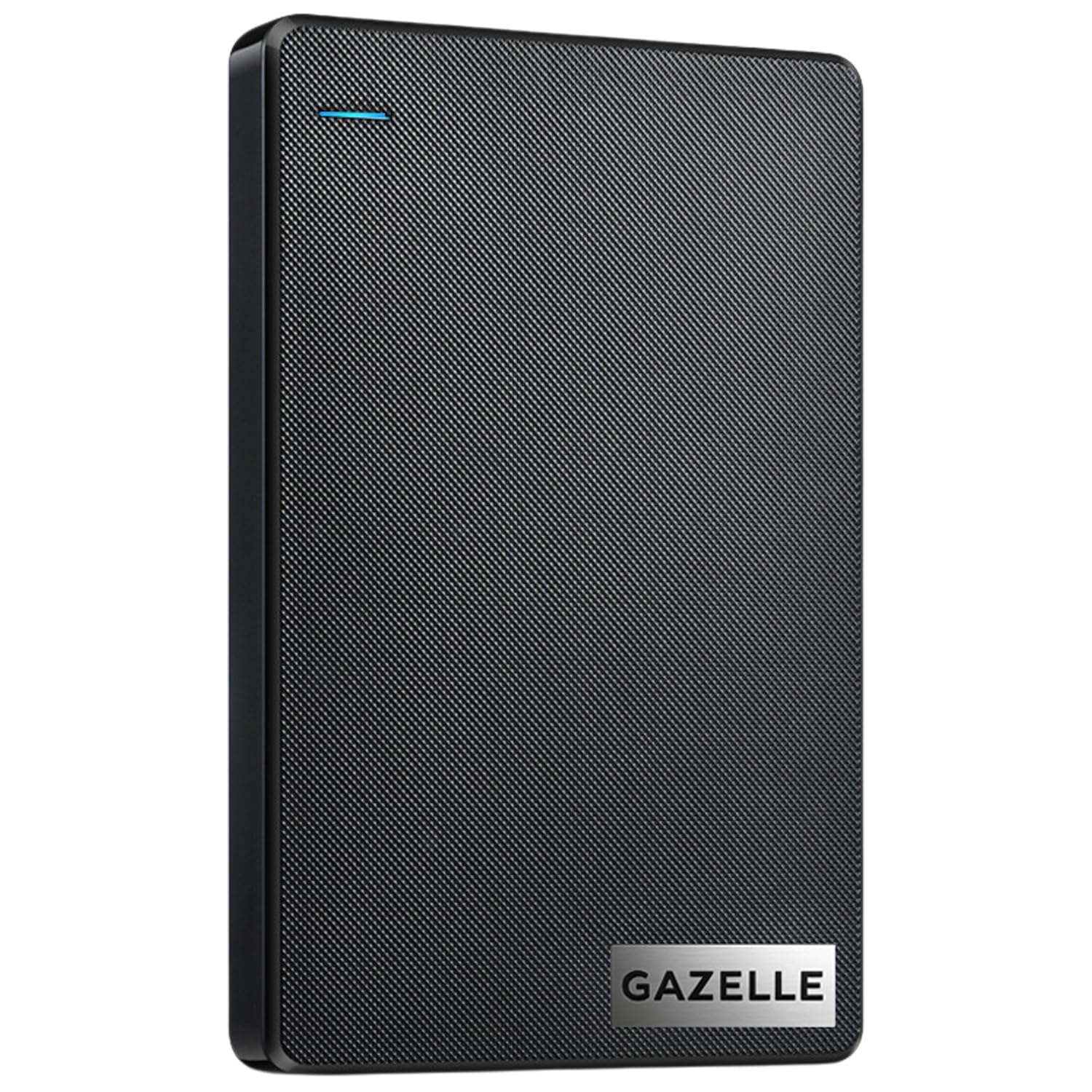
One drive that hops between your console, your laptop and a phone without hunting for an adapter
Most game drives speak one port language. The GAZELLE ships with a USB 3.0 cable and a Type-C adapter, so the same 1TB drive plugs into an older console port or a newer laptop without a second purchase. A LED indicator shows power and transfer status, and it is pre-formatted plug and play with no software install required.
The footprint helps too. It measures roughly 12 x 7.7 x 1.3 cm and weighs around 150g, which is small enough to live in a laptop bag without being noticed. It lists compatibility across Windows, macOS, Linux and Android, along with Xbox Series S and Series X and PlayStation 4 — so a mixed-device household gets real use from it.
Set expectations on speed, though. It is a mechanical drive with a stated transfer rate of 120 MB/s, well below the SSDs above, and speed plus connectivity both draw a mixed read in reviews. Some users report it dropping a PC connection repeatedly, which matters if you move large files. Performance and ease of use are what it does best; just treat the console copy-back as the slow step it is.
Why it travels well: The 150g body and dual USB 3.0 and Type-C connectors mean one cable bag covers console, laptop and phone.
Where it slows down: 120 MB/s is fine for parking files, but copying a big game back to the Series S internal SSD is a patient wait.
Pick it for: households that need one drive to serve a console and a computer.
Look past it if: the drive will only ever touch the Xbox and you want the fastest possible copy-back.
6. Avolusion HD250U3-WH 1TB USB 3.0 External Gaming Hard Drive

Pre-formatted for Xbox and dressed in white aluminum to match a Series S
A white Series S deserves better than a black brick dangling off the USB port. This Avolusion wraps a 1TB mechanical drive in an aluminum chassis finished in white, and it arrives pre-formatted in the Xbox console so you can plug it in and go. No opening the console, no adapter, no separate power brick — it draws power from the USB port.
The listing is refreshingly blunt about what the drive can and cannot do. Xbox One games play directly from it, freeing up the console’s internal space. Xbox Series X|S games have to be stored on it as a buffer and copied back to internal storage before you can play. Avolusion even notes that copying a game from the drive is quicker than re-downloading it, which is the whole reason to own one.
Storage capacity is what it does best — the space stores games well and the value reads as solid. Where buyers hesitate is long-term compatibility; a few report the drive stopping after a few months, so treat it as a careful-use device rather than a rough-and-tumble one. At 5 gigabits per second over USB 3.0, it also copies slower than any SSD here.
The match-up: White aluminum looks right next to a Series S, and pre-formatting means the drive mounts the first time you plug it in.
The honest caveat: Mechanical internals plus a mixed reliability read mean you should keep it somewhere stable and avoid yanking the cable.
Good match for: a white Series S in a cabinet where the drive is visible every day.
Think again if: you need a drive that gets unplugged and carried around constantly.
7. Avolusion T1 Series 1TB Portable External Gaming Hard Drive

The cheapest route to a full 1TB of extra Xbox space
This is the budget entry, and it keeps things plain. Avolusion packs a 1TB mechanical drive in a slim, lightweight shell, formats it on the console, and ships it with the USB cable and a 2-year warranty card. Plug it in and the Xbox picks it up — no software, no screws, no power adapter.
The listing names Xbox One, One S, One X and both Series X|S consoles as compatible. It moves data at 5 gigabits per second over USB 3.0, which is enough to store a large library but not enough to make copying feel quick. For extra storage on a strict budget, though, its 1TB of USB 3.0 mechanical space covers a large library for the lowest cost here.
Be honest with yourself about what a budget mechanical drive is. Delivery across the review pages swings from working great to stopping entirely, so this is a careful-use pick rather than an heirloom. Keep it on a stable, ventilated shelf and it will hold a large Xbox One library. If you plan to copy big new releases in and out constantly, the faster SSDs above are worth the stretch.
The budget logic: A full 1TB in a slim plug-and-play body with a 2-year card in the box — the least complicated way to add space.
The fair warning: Performance and reliability both split in reviews, so give it a stable home instead of a loose cable drawer.
Built for: a first-time Series S owner adding a big, low-cost game library.
Skip the shortcut if: you would rather pay once for SSD speeds and a deeper reliability record.
Know the Specs
Solid state vs mechanical
A solid state drive stores data on flash chips with no moving parts, so it copies games fast and survives knocks better. A mechanical hard disk spins physical platters, which makes it cheaper per gigabyte but slower and more fragile. The Samsung T7 Shield and T9 are solid state; the Avolusion, Toshiba and GAZELLE drives use mechanical platters.
USB 3.0 vs USB 3.2 Gen 2
USB 3.0 moves data at 5 gigabits per second — plenty for parking a library, slow for shuffling big files. USB 3.2 Gen 2 is a newer, faster connection that lets drives like the T7 Shield reach up to 1,050 MB/s and the T9 hit 2,000 MB/s. Match the cable and port on your console to the drive’s rated standard for the best results.
IP65 and drop ratings
An IP65 rating means the drive is dust-tight and resistant to water spray, so a rain-soaked backpack is not fatal. A drop rating states the height a drive survives when it hits the floor — the T7 Shield and T9 both list 9.8 feet. Those figures only matter if the drive leaves a shelf.
Series X|S game rule
Microsoft separates your library into two buckets. Xbox One games can play straight from a USB drive. Xbox Series X|S games must be stored on the external drive and copied to the internal SSD before you can launch them, which is why copy speed matters so much for newer titles.
Common Questions
Can you play Xbox Series X|S games directly from an external 1TB hard drive?
Will a 1TB external drive show the full 1TB of usable space on a Series S?
Is an SSD worth it over a cheaper mechanical hard drive for a Series S?
Do I need to reformat a pre-formatted Xbox drive before first use?
Does an external game drive need its own power supply?
Can I use a PlayStation-formatted drive on an Xbox Series S?
How many games will a 1TB drive actually hold?
Is a renewed external hard drive safe to buy for a Series S?
Can a Series S copy games from an external drive faster than re-downloading them?
Will an IP65 portable SSD survive being carried in a backpack?
The Bottom Line
For most Series S owners, the xbox series s 1tb hard drive winner is the Samsung T7 Shield 1TB because IP65 protection and up to 1,050 MB/s reads cover both the carry-everywhere and the fast-copy jobs. If sheer transfer speed is the priority, grab the Samsung T9 1TB with its 2,000 MB/s rating. And for a deep Xbox One backlog played straight off the drive, the Toshiba Canvio Gaming 1TB is the one to reach for, with its Always-On firmware and 2-year warranty.
Buy the drive that matches how you actually play — a big Xbox One library favors a mechanical game drive, while constant Series X|S swapping favors an SSD. The T7 Shield earns the top spot for its balance of real element protection and quick copies, so start there if you want one drive to do everything.
How we choose
We do not accept paid placement. Every pick is matched to a real buyer and a real use-case; we do not hands-on test units.
Sources
Specifications: manufacturer listings and product documentation. Review insights: verified customer reviews, as of November 2026. Pricing: not shown on this page (it changes often); check the current price via the retailer link.
As an Amazon Associate, Tactical Gear Guy earns from qualifying purchases. This does not affect which products we feature.