Specs are compiled from manufacturer listings and verified buyer reviews and can change over time — please confirm the key details on the product page before buying.
Here is the short answer before you spend anything: your Xbox Series X can only run next-gen games from its internal drive or an official expansion card, and every ordinary USB hard drive you plug in can only store, back up, and play older Xbox One titles. That single rule decides how you buy, because the right setup is usually one fast card or drive for the new games and a big cheap drive for everything else.
This guide is built by comparing the manufacturers’ published specifications and the patterns across verified customer reviews, so you get each pick’s real strengths and trade-offs instead of marketing spin.
Below you’ll find the drives that actually fit a Series X, what each one can and can’t run, and the plain-English reason behind every price gap you see in the lineup of xbox external hard drive for series x.
Top Picks


How To Choose The Best Xbox External Hard Drive for Series X
Two questions settle almost every buying decision here. Do you need to run Series X games off the drive, or just keep them somewhere until you want them again? And how big is your library right now versus a year from now?
Get those two answers and the rest is math on a spec sheet you can read in a minute.
Does the drive need to play Series X games or just store them
Playing a Series X game straight off external storage needs an official expansion card that slots into the dedicated port on the back of the console. Those cards match the console’s internal speed and run the new games exactly as if they were installed inside.
A regular USB hard drive or portable SSD plugs into the front or rear USB port and lets you copy game files across, so you are not re-downloading a 100GB title on a slow connection.
You can play the older Xbox One and backward-compatible catalog off a USB drive too, which is what makes a big, slow drive genuinely useful.
What the speed number actually changes
A drive’s transfer rate, written in megabytes per second (MB/s), sets how fast files move during a copy. A faster drive shortens the wait when you shuffle a big game between the internal drive and the external one.
Once a game is sitting on the drive, that number only sets how long a copy takes; it cannot change how a Series X title runs, because that title plays from the internal SSD or the expansion card.
How much capacity you really get
Every drive loses some advertised space to formatting and system overhead, so plan for a chunk of the label number to disappear before you install a single game. Games continue to grow, so headroom matters more than the sticker figure.
Also check what the drive is licensed or listed to do with a Series X specifically. A drive that stores Xbox One titles is doing its job even if it cannot launch a new-generation release.
Side-by-Side Comparison
| Model | Best For | Capacity | Transfer Rate | Drive Type | Amazon |
|---|---|---|---|---|---|
| WD_BLACK 5TB P10 Game Drive★ Best Overall | Big library archiving | 5 TB | Up to 130 MB/s | Mechanical HDD | Amazon |
| WD_Black 2TB P10 Game DriveAll-Round Pick | Mid-size all-rounder | 2 TB | 130 MB/s | Mechanical HDD | Amazon |
| WD_BLACK 4TB P10 Game Drive for XboxConsole Styling | Console-matched styling | 4 TB | 130 MB/s | Mechanical HDD | Amazon |
| Lexar ES3 External SSD 2TB | Fast file shuffling | 2 TB | Up to 1050 MB/s read | Solid State Drive | Amazon |
| KIOXIA EXCERIA PLUS G2 Portable SSD | Pocket-size speed | 2 TB | Up to 1050 MB/s read | Solid State Drive | Amazon |
| Storage Expansion Card for Xbox Series X|S (512GB) | Playing new games off-card | 512 GB | 3000 MB/s | Solid State Drive | Amazon |
| Sandisk 2TB Optimus GX C50 Storage Expansion Card | Most console-like expansion | 2 TB | — | Solid State Drive | Amazon |
| Seagate Portable 5TB External Hard Drive HDD | Cheapest big archive | 5 TB | — | Mechanical HDD | Amazon |
| GAZELLE High-Speed 1TB Ultra Slim | Tiny travel drive | 1 TB | 120 MB/s | Mechanical HDD | Amazon |
Detailed Reviews
1. WD_BLACK 5TB P10 Game Drive
Our pick — 4.5+★ from 25,500+ verified ratings; the strongest balance of quality and price.
Five terabytes of shelf space for the games your console keeps asking you to delete.
If your Series X storage bar is permanently red, this is the drive that ends the argument. Five terabytes holds a serious chunk of the Xbox One and backward-compatible catalog, and the metal-topped shell takes up about the same footprint as a small paperback in your bag.
It moves files at up to 130 MB/s, which is the ordinary mechanical-drive pace: fine for parking games overnight, not a drive you want to shuffle a huge title onto and off again in one evening. At 4.5+ stars across 25,000+ ratings it is the crowd favorite of the lineup, and owners keep coming back to how reliably it is recognized, console after console.
Be clear on one thing before you buy: this drive stores Series X games and plays your Xbox One games. It cannot launch a Series X-only title, no mechanical USB drive can. Treat it as the archive shelf beside a faster card and it makes complete sense.
What earns the top spot
- 5 TB swallows an entire last-generation library in one go
- Up to 130 MB/s keeps big game copies moving at a steady pace
- Metal top covering protects the drive in a bag
- Backed by a 3-year limited warranty
Where it asks you to compromise
- Mechanical drive speed, so expect a wait on giant transfers
- Stores Series X titles but can only launch Xbox One games
- Most-discussed gripe is speed when moving very large files
Buy it if: you own a stack of Xbox One disc-era games and want them all installed at once.
Look elsewhere if: you expect to run brand-new Series X releases straight off the drive.
2. WD_Black 2TB P10 Game Drive
The same familiar black slab as the top pick, cut down to two terabytes.
This is the version to grab if five terabytes feels like overkill and you would rather keep the drive in a backpack pocket. Two terabytes at 130 MB/s puts it in exactly the same speed class as the larger model, just with a smaller shelf.
The Seagate Portable 5TB further down this lineup holds 5 TB against this drive’s 2 TB, so the WD_Black trades raw room for a tidier, easier-to-carry size. Buyers report smooth, glitch-free daily use, and many have not even filled the first terabyte.
Quality is what gets talked about here more than anything else, and the compact build holds up. The honest catch is durability and speed: a mechanical drive dislikes a hard knock, and it is not a fast mover for massive file swaps.
The everyday case: a two-terabyte drive that handles Xbox One titles, archived Series X games, and PC backups with the same plug-and-play simplicity.
The trade you make: you get a friendlier size but 2 TB of room against the five-terabyte model’s 5 TB, so heavy collectors will want to step up.
The fit: a compact middle option for a library that is big but not sprawling.
Think twice if: you already own dozens of large games and want one drive to hold them all.
3. WD_BLACK 4TB P10 Game Drive for Xbox
Four terabytes with a month of Xbox Game Pass Ultimate tucked in the box.
Buyers with a wall of downloaded games tend to land here. Four terabytes at 130 MB/s holds a large back catalog and matches the console-era styling, and the bundle adds a one-month Game Pass Ultimate trial for new members.
Owners running it alongside a Series S report holding well over a hundred games, and its small footprint fits on a shelf under the TV. There is a Mac bonus too: it also plays nicely with Time Machine backups.
The catch is the same as every mechanical drive in this lineup — it will not launch Series X-only games. Speed also becomes the talking point when you copy a very large title, since mechanical drives simply take their time.
Worth it for: the gamer who wants a big, console-styled shelf drive plus a Game Pass trial to fill it.
Pass if: playing new-generation games from the external drive is your reason for buying.
4. Lexar ES3 External SSD 2TB

A 42-gram slab of metal that moves files faster than any hard drive here.
The number that matters is 1050 MB/s read and 1000 MB/s write over USB 3.2 Gen 2, which is the standard that governs how quickly data can travel over the cable. Set that against the WD_BLACK P10 drives at up to 130 MB/s and the gap is enormous — the Lexar is rated at 1050 MB/s versus 130 MB/s, so a big game file leaves and arrives in a fraction of the time.
It weighs 42 grams and measures only 10.5 mm thick, so it disappears into a pocket next to your phone. Files can be locked with Lexar DataShield 256-bit AES encryption, and the Type-C cable means plug-and-play on modern laptops.
Here is the honest limit: the listing does not name Xbox Series X among its console compatibility. Treat this as the drive for your PC, laptop, and camera files, and check the console question yourself before you count on it for the Series X.
What the speed buys you: quick transfers back and forth with your PC, so game files do not sit waiting on a slow cable.
The question to answer first: confirm Series X compatibility, because the listing does not explicitly promise it.
Suits: anyone who moves big files between a laptop and a console and hates the wait.
Reconsider if: you need a drive whose listing openly names your Series X.
5. KIOXIA EXCERIA PLUS G2 Portable SSD

Smaller than a credit card, tougher than your average drive, built for a bag.
KIOXIA lists read speeds up to 1,050 MB/s and write speeds up to 1,000 MB/s over USB 3.2 Gen 2, matching the Lexar above on paper. The difference is build: this one passed U.S. military-grade drop tests, and it weighs just 42g, roughly the weight of a couple of AA batteries.
Two terabytes of solid-state room suits large 4K video files and extensive photo libraries far better than a mechanical drive. The metal body carries hardware encryption, and the compact size means it lives in a pocket without a pouch.
The listing’s console compatibility names PS5 rather than Xbox, so confirm Series X support before you buy it purely for archiving. At 4.5+ stars across 150+ ratings, buyers rate it highly as fast, pocketable storage for large files.
Why it earns a premium slot
- Up to 1,050 MB/s read and 1,000 MB/s write over USB 3.2 Gen 2
- Passed U.S. military-grade drop tests for everyday knocks
- 42g and smaller than a credit card
- Hardware encryption built in
Read this before you order
- Console compatibility listed as PS5, not Series X
- Two terabytes is the top capacity in this model
Made for: creators shuttling 4K footage and big game files who want speed in a pocket.
Check first: your Series X compatibility requirement, since the listing points at PS5.
6. Storage Expansion Card for Xbox Series X|S (512GB)

Three thousand megabytes per second, and the only card here that truly plays new games.
This is the drive that answers the real question: Series X games running from external storage. At 3000 MB/s over NVMe it plays Xbox Series X|S titles direct from the card without sacrificing graphics, latency, framerates, or load times, and you can switch between suspended games in seconds.
Compare that to the GAZELLE USB drive at 120 MB/s and the speed gap is a different class of hardware entirely — 3000 MB/s against 120 MB/s.
Owners single out reliability: the card is recognized the moment it slots into the expansion port. The caveat worth knowing: some owners mention seeing only around 420GB of usable space rather than the advertised 512GB, and a few consider it too expensive for the capacity.
The one thing you cannot do without: running brand-new Series X releases off external storage — this card does exactly that.
Set your expectations: plan for usable space under the number on the label, and think hard about how many big games you need resident on a 512GB card.
Reach for this if: you want genuine next-gen gameplay from a card that lives in the console.
Consider a larger card if: your library is stuffed with big releases and half a terabyte will fill fast.
7. Sandisk 2TB Optimus GX C50 Storage Expansion Card
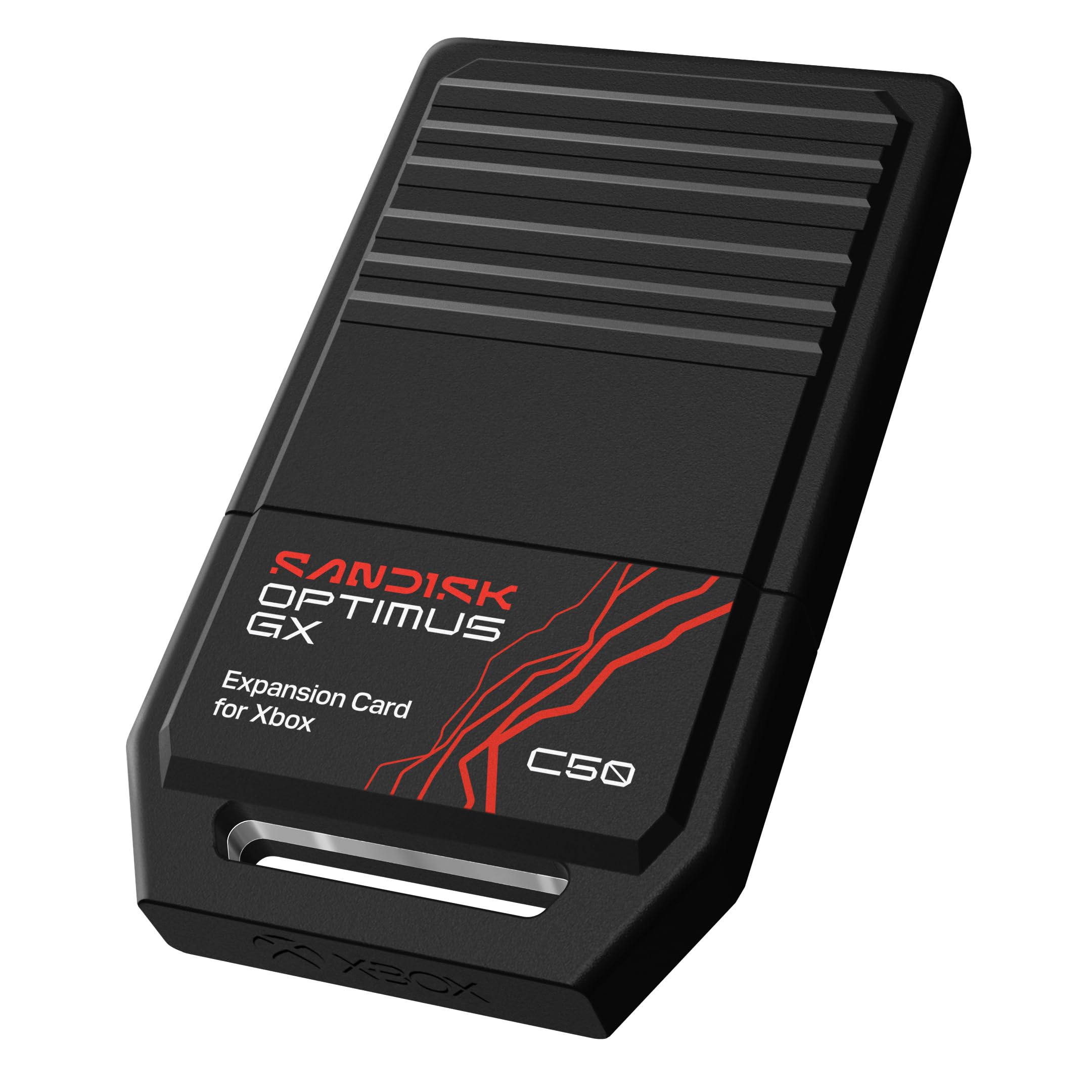
Two terabytes into the back of the console, and Quick Resume keeps working.
Officially licensed for Xbox Series X|S, this card slots into the console’s expansion port and behaves exactly like the internal drive: games play straight from it, and the low-latency NVMe performance matches the Xbox Velocity Architecture.
Two terabytes adds room for up to 50 more games, and Quick Resume keeps several suspended titles ready to jump back into. Buyers call it super fast, with transfers from internal storage that feel almost instant.
The one thing buyers push back on is what you pay per terabyte — this is a premium way to add storage. Otherwise, the performance matching the built-in SSD is exactly what you are shopping for in a Series X expansion card.
The case for the official card
- Officially licensed for Xbox Series X|S
- Plays games directly from the card like the internal SSD
- 2 TB adds room for up to 50 more games
- Quick Resume compatible across multiple suspended games
What to weigh
- Premium outlay for the storage you get
- Capacity tops out at the advertised 2 TB
The match for: a Series X owner who wants new-gen games to run without fuss and never see a short-storage warning again.
The other option: pair a cheap USB drive with a small card instead, if most of your library is Xbox One era.
8. Seagate Portable 5TB External Hard Drive HDD
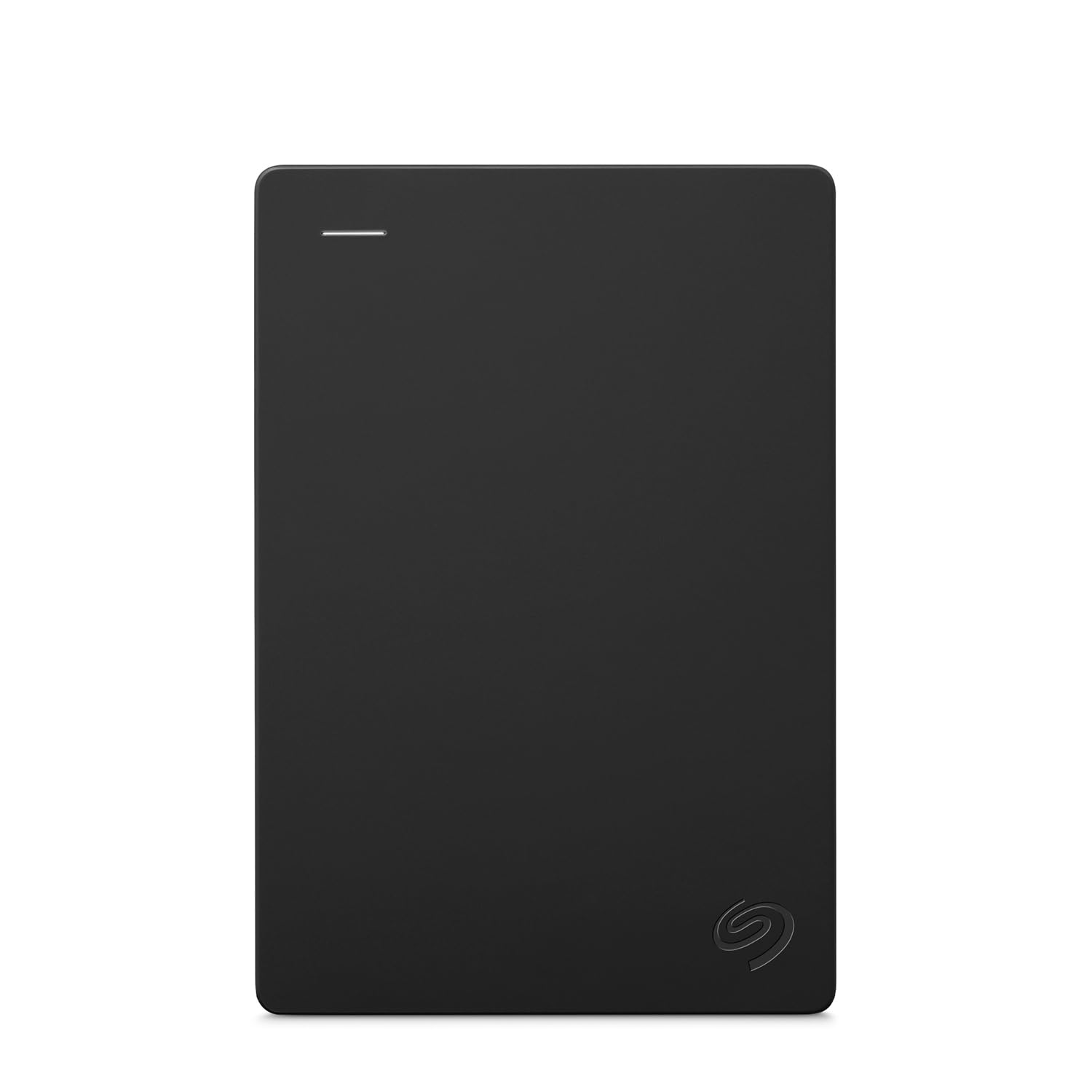
The cheapest way to five terabytes, with a rescue service bundled in.
When raw room per dollar is the goal, this drive is the practical answer. Five terabytes holds an enormous Xbox One library, and it lists support for Xbox 360, Xbox One, Series X, and Series S alongside PS4 and PC.
The comparison with the GAZELLE 1TB is stark — this drive holds 5 TB against 1 TB — so if you have a decade of games to park, this one goes further on day one. The 18-inch USB 3.0 cable and plug-and-play simplicity make it a five-minute setup, and the compact body slips into a pocket when needed.
The honest note here is reliability, the most-discussed concern around this drive: it is a mechanical drive doing heavy lifting, so keep it on a stable surface and back up anything precious. Speed is also mechanical, not instant.
Best used as: a big, cheap archive behind a faster card, so games wait there instead of being re-downloaded.
Keep in mind: mechanical drives dislike knocks, so treat it as a shelf resident, not a pocket drive.
Ideal for: a huge last-gen library that needs somewhere to live while staying affordable.
Not the pick if: you need a drive to launch new Series X games.
9. GAZELLE 1TB Portable External Hard Drive
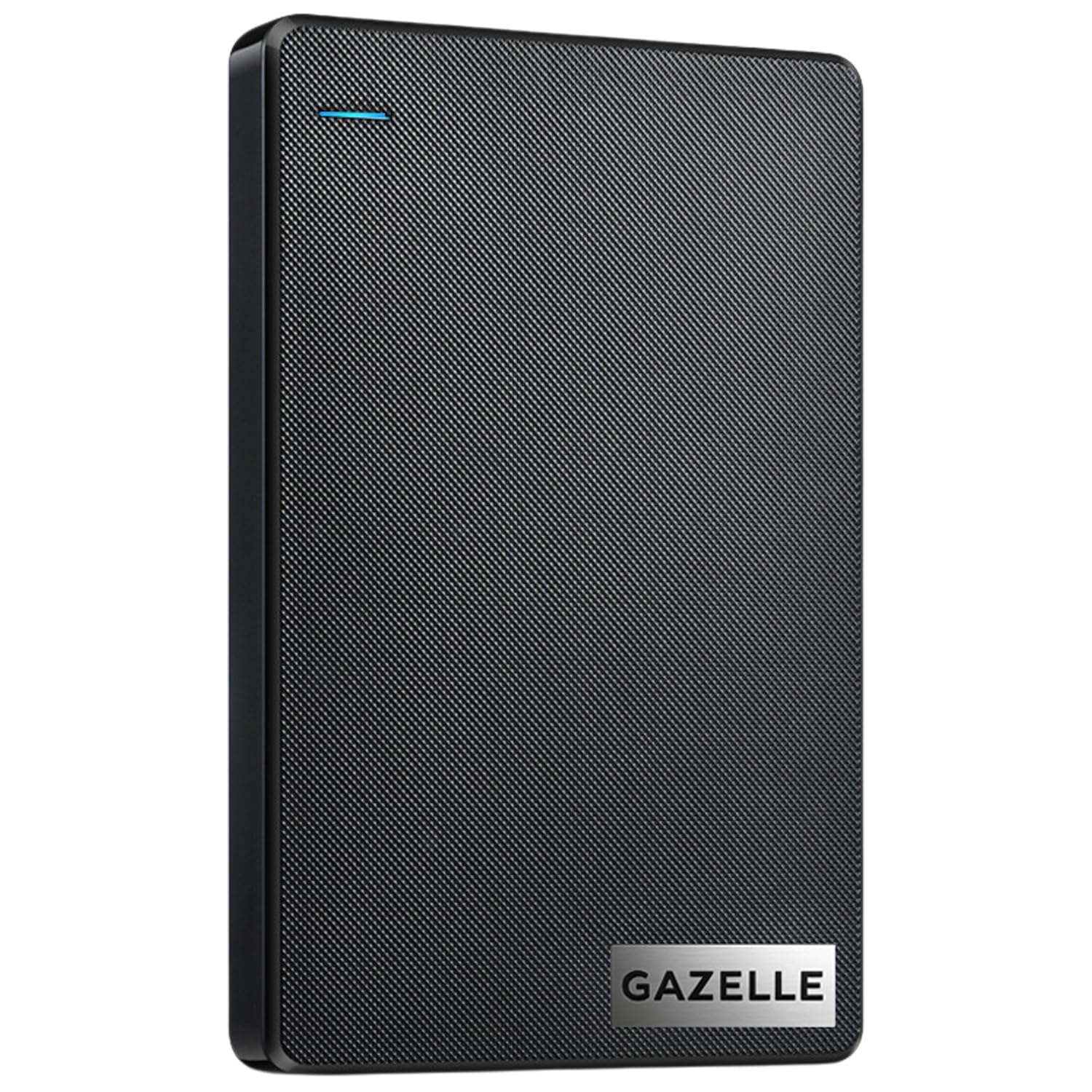
A tiny dual-port drive built for throwing in a laptop bag, not a console shelf.
Two interfaces in one box make this the easy travel companion: USB 3.0 and Type-C, with a cable and adapter included to switch between old and new devices. It measures 12 x 7.7 x 1.3 cm at roughly 150g, which is small enough for a jacket pocket.
One terabyte at 120 MB/s covers Xbox One archiving and everyday file shuffling, and there is no software to install — it is recognized on connection. An LED indicator shows power and transfer status.
The learning curve here is honesty about speed: a few owners find it slow, and on some PCs the connection needs re-establishing. It also loses to the Seagate 5TB on room by a wide margin, holding 1 TB against 5 TB, so it is the drive for a small library or a travel kit rather than a full console archive.
Pick this one for: a compact drive that hops between laptop, tablet, and console without a second cable.
Look past it if: you need to hold a large multi-terabyte library for the long haul.
Know the Specs
Expansion Card vs USB Drive
An expansion card fits the dedicated slot on the Series X and runs new-generation games at full console speed. A USB drive plugs into a standard port and moves files for storage, and only runs older Xbox One games. This is the single most important spec to check before buying.
Transfer Rate in MB/s
The number measures how much data moves over the cable each second. A higher figure shortens the wait when copying a large game between drives, and it speeds up load times for the Xbox One games you play directly off that drive. It cannot change how a Series X title runs, because that title plays from the internal SSD or an expansion card.
Drive Type: HDD or SSD
A mechanical hard disk drive spins physical platters, so it costs less per terabyte but moves data slowly. A solid state drive uses memory chips, so it is faster and tougher to a knock. The trade is price per terabyte.
Advertised vs Usable Capacity
A drive’s label capacity is the raw figure. Formatting and system files eat into it, so plan for usable room to be lower than the number on the box. Check what capacity the drive actually needs for the games you play.
Common Questions
Can I play Xbox Series X games directly from a USB hard drive?
Which drive can actually run Series X games off the console?
Why do mechanical drives feel slower than an SSD?
How much space should I add if I have a lot of games?
Do I lose game progress when I move a game to external storage?
Will a drive that names PS5 work on my Xbox Series X?
What does Quick Resume have to do with my drive?
Is a bigger mechanical drive or a smaller SSD the better buy?
How long will a portable drive last?
Can I use one drive for both my Xbox and my PC?
The Bottom Line
For most Series X owners, the smart setup is two drives. Grab the WD_BLACK 5TB P10 Game Drive as your archive shelf, because five terabytes parks a whole Xbox One library and the drive is the most trusted of the bunch. If you want new-generation games running straight off external storage, the Sandisk 2TB Optimus GX C50 gives you official Series X licensing, Quick Resume support, and room for up to 50 more games. And if your library fits in a pocket, the compact WD_Black 2TB P10 Game Drive covers it nicely. Whichever you choose, buy the drive for what it can actually run, not just what it can hold — that distinction is the whole game here.
How we choose
We do not accept paid placement. Every pick is matched to a real buyer and a real use-case; we do not hands-on test units.
Sources
Specifications: manufacturer listings and product documentation. Review insights: verified customer reviews, as of November 2026. Pricing: not shown on this page (it changes often); check the current price via the retailer link.
As an Amazon Associate, Tactical Gear Guy earns from qualifying purchases. This does not affect which products we feature.