Specs are compiled from manufacturer listings and verified buyer reviews and can change over time — please confirm the key details on the product page before buying.
If you are buying a wireless monitor for a camera, the thing that actually matters is whether the picture arrives on time. A monitor that drags behind the action by even a fraction of a second makes you frame a moving subject a few inches off and pull focus on a face that has already turned away. This guide sorts the five strongest options by how they really behave on set: how far the signal carries, how much delay creeps in, how bright the screen stays in daylight, and what power or mounting headaches come with each one.
This guide is built by comparing the manufacturers’ published specifications and the patterns across verified customer reviews, so you get each pick’s real strengths and trade-offs instead of marketing spin.
You will see which units run on their own batteries, which need a rig, and which feed a client monitor without extra hardware. Here is how each wireless monitor for camera holds up when the light gets harsh and the shot only happens once.
Top Picks
How To Choose The Best Wireless Monitor for Camera
Start with the job, not the spec sheet. A wedding shooter running a gimbal needs something that clamps to a camera and runs on a battery. A small crew with a client on set needs a receiver that also feeds a big screen. Those two jobs point you at very different kits, and most buyer regret in this category starts with choosing the wrong one.
Latency: the number that decides whether you can trust the frame
Latency is the delay between what your lens sees and what appears on the monitor. When it is small, your focus pulls land where you intend. When it is large, you are reacting to the past. The numbers here range from under 0.05s up to 60ms. That delay is the single biggest reason a cheap wireless setup feels unusable on a fast-moving subject.
Range and line of sight
Every range figure you see quoted is a line-of-sight figure. That means a clear, unobstructed path between transmitter and receiver, with nothing but air in between. Put a brick wall, a crowd, or a rack of gear cases in that path and the practical distance shrinks fast. Read a long range spec as a best-case ceiling, then plan for less.
Brightness and screen size
A screen’s brightness is measured in nits. In strong daylight you want a bright panel, because a dim screen at noon shows you your own reflection instead of your shot. Screen size is the other half of the choice: a small panel is easier to carry, while a larger one lets you judge focus and framing without leaning in.
Power, mounting, and pairing
Check how the unit gets power before you buy. Some run on NP-F style batteries (the flat, slide-on cells common on camera rigs), some on USB-C, and some on both. Then check the mount thread, usually a 1/4″ screw hole that mates with tripods and cages. Finally, confirm the transmitter and receiver pair with the gear you already own, because some systems only talk to their own series.
Side-by-Side Comparison
| Model | Best For | Screen Size | Stated Latency | Stated Range | Amazon |
|---|---|---|---|---|---|
| VCOLink 1-to-5 Wireless HDMI Kit★ Best Overall | Multi-viewer sets and client monitoring | 7 in | <0.05s | 1312ft LOS | Amazon |
| Hollyland Pyro 5Compact Pick | Compact all-in-one field monitoring | 5.5 in | 60ms | 400m | Amazon |
| Hollyland Pyro 7 | Dual-camera shoots with on-board recording | 7 in | 60ms | 1,300ft / 400m | Amazon |
| HUOMU Magnetic Vlog Monitor | Phone-only solo creators | 3.97 in | — | 33ft remote | Amazon |
| Accsoon CineView M7 Pro | Colour-critical pro sets with camera control | 7 in | 60ms | 1200FT / 350m | Amazon |
Detailed Reviews
1. VCOLink Wireless HDMI Transmitter and Receiver
Our pick — 4.0+★ from 70+ verified ratings; the strongest balance of quality and price.
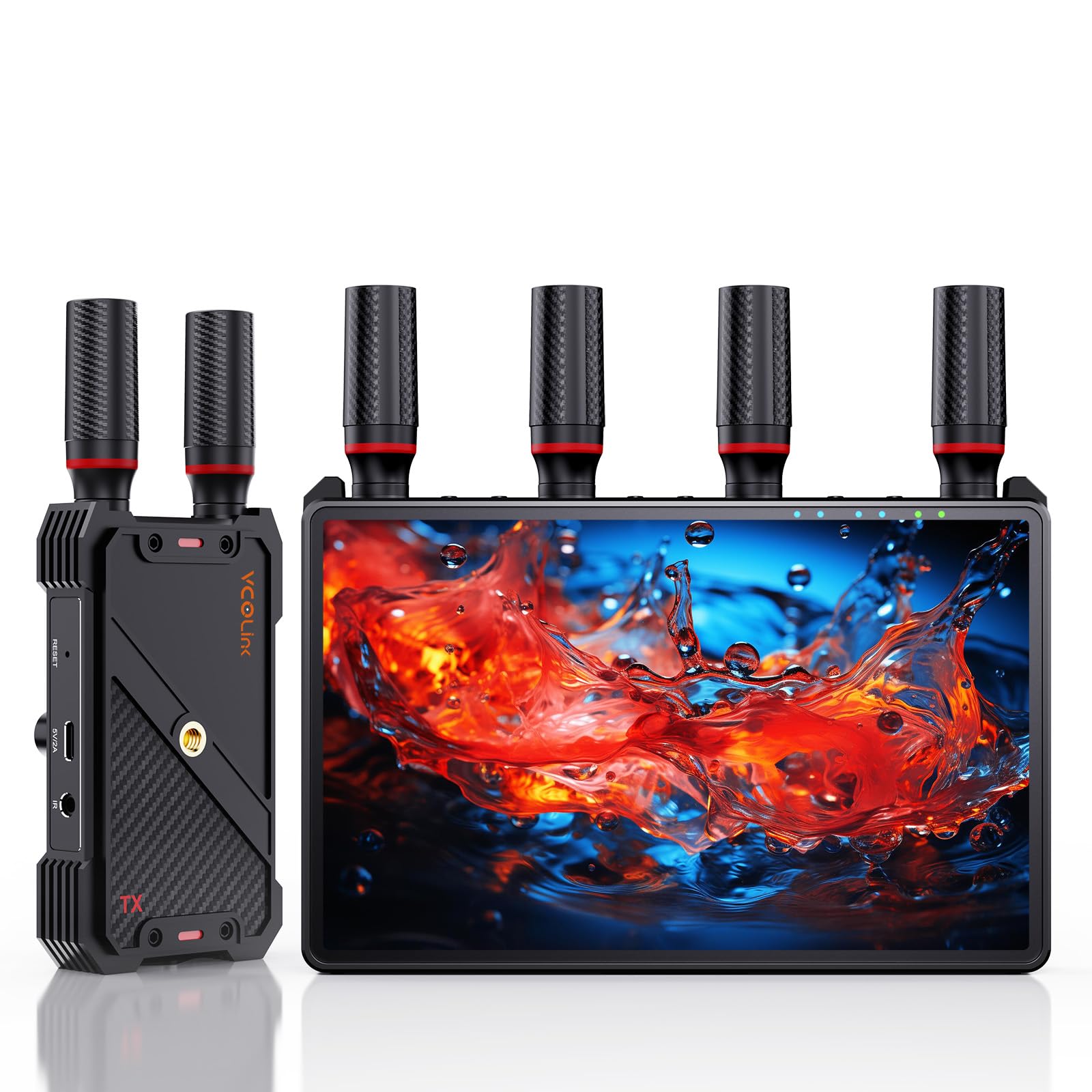
One transmitter, five screens, and a built-in display so nobody on set has to squint at the same feed.
The spec that earns this kit the top spot is reach. VCOLink states 1080P@60Hz video up to 1312ft (LOS) — that is line of sight, meaning a clear path with no wall or crowd between the two ends. That is the longest stated range in this group, and it is paired with a delay of under 0.05s. In plain terms, the picture stays close enough to live that you can react to a moving subject instead of chasing it.
The bigger practical win is the 1-to-5 broadcast. A single transmitter can feed up to five individual receivers. Each receiver has its own 7-inch HD screen, and it can also push a pristine feed out through its HDMI OUT port to a client monitor — that is the larger, shared display a director or client watches. The transmitter also supports HDMI LOOP OUT for local monitoring, and there is an IR remote for adjusting source devices without walking back to the camera. The 7-inch screen here is far more generous than the 3.97-inch panel on the HUOMU phone monitor later in this list.
Reviewers consistently praise the image quality and the speed of setup. The quality of the picture is the thing that surprises most, and setup is quick enough that the kit feels less like a bag of extra gear and more like one box. Power is flexible too: NP-F batteries, a power bank, or USB-C all run it, and a standard 1/4″ screw hole mounts to tripods, rigs, and camera hot shoes. One honest limit: hooking up a smartphone or tablet needs a Type-C to HDMI cable, which is not in the box.
Where this kit shines
- 1312ft LOS range with 1080P@60Hz video — the longest stated reach here
- Under 0.05s delay, the tightest number on this list
- One transmitter to five receivers, each with its own 7-inch screen
- HDMI OUT to feed a big client monitor plus LOOP OUT on the transmitter
- Runs on NP-F batteries, a power bank, or USB-C
What to plan for
- Phone and tablet use needs a Type-C to HDMI cable you supply
- The HDMI cable for an external monitor is not included
- A few units had functional gripes — test pairing on arrival
Buy it for: any shoot where more than one person needs eyes on the frame — crews, studios, live events, client reviews.
Check first: the receiver’s built-in screen is the monitor, so if you need a bigger panel, bring an HDMI cable and a display.
2. Hollyland Pyro 5 Wireless Video Transmitter & Receiver
A daylight-bright 5.5-inch panel that already has the transmitter and receiver living inside it.
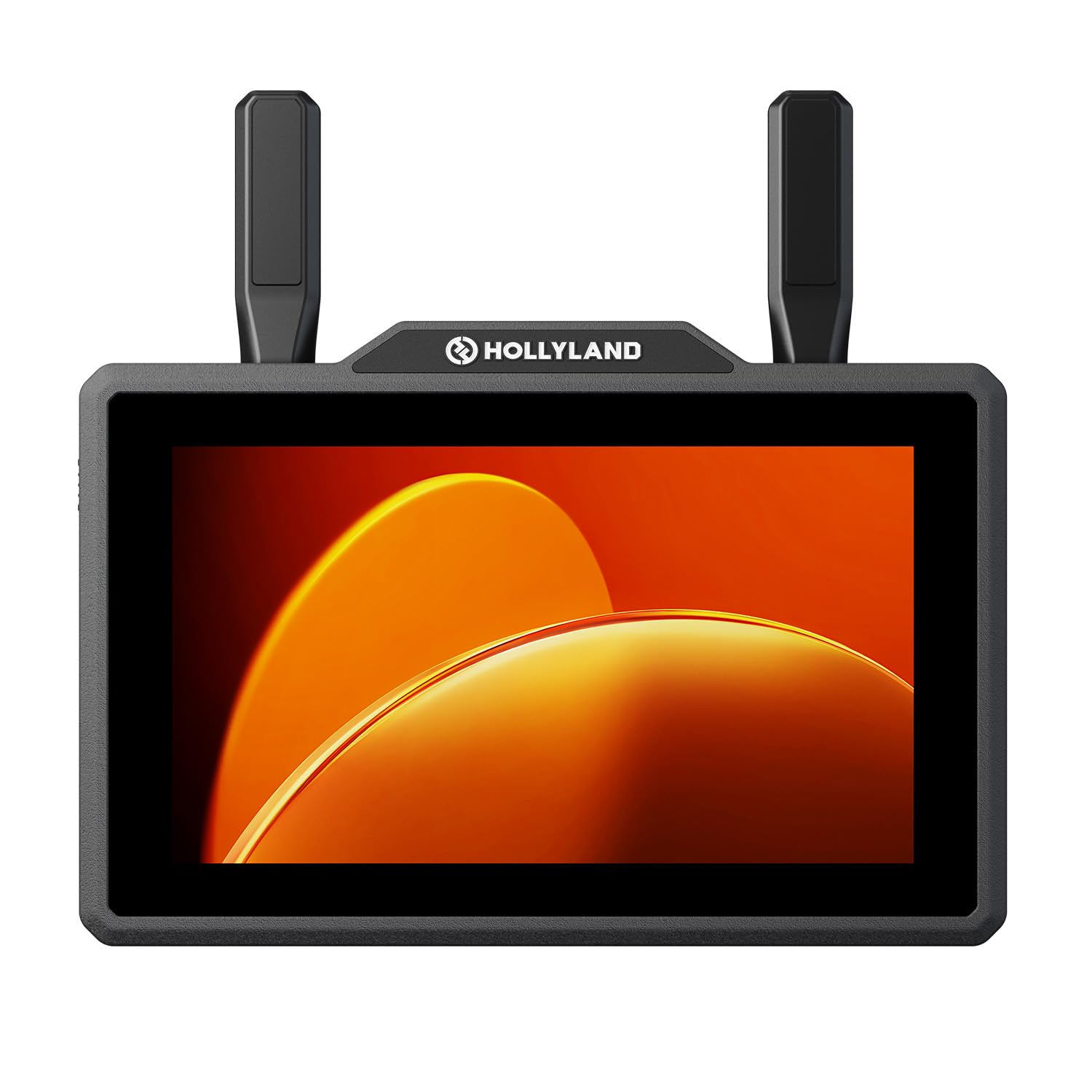
Hollyland builds the Pyro 5 as one compact unit that is transmitter, receiver, and monitor all at once. That means fewer boxes, fewer cables, and no separate receiver box dangling off your rig. The panel throws 1,500 nits of brightness, which is the figure to watch if you shoot outside. A screen that bright stays readable in direct sun, so you are framing off the image instead of off your own reflection.
Latency is quoted at 60ms and range at up to 400m. On a conventional field monitor you get a picture through a cable; here you get real-time streaming with no wire between camera and screen. The ADH tech (auto dual-band hopping) is what keeps that stable — it works across 2.4GHz and 5GHz and jumps between 8 frequency points when it senses interference. In a venue packed with Wi-Fi and radios, that hopping is what prevents the stutter that ruins a take.
It takes 4K video inputs and shows them on a 1920 x 1080 panel with a 2000:1 contrast ratio. Connectivity covers HDMI and SDI in and out, and RTMP support means you can push a stream straight to a platform like YouTube Live without a computer in the chain. The short antennas come in the box along with a tempered glass screen protector and a USB-C OTG adapter. Compared with the bigger Hollyland below it, you trade screen size for a smaller, lighter kit to carry.
The screen earns it: 1,500 nits is genuinely outdoor-grade, and pairing it with a 1920 x 1080 panel keeps focus checks honest.
Weigh the trade: 60ms is a working figure but not the fastest here, so if you chase fast action by hand, know what you are getting.
Reach for this if: you want one self-contained unit on a small rig and you shoot outdoors where brightness decides the shot.
Look elsewhere if: you need the largest possible panel for fine focus work — the 7-inch options in this list give you more glass.
3. Hollyland Pyro 7 Wireless Video Transmitter & Receiver

Two camera feeds on one 7-inch screen, switched with a thumb instead of a menu dive.
Put the Pyro 7 next to the 5-inch sibling above and the difference is immediate: this one steps up to a 7-inch high-brightness display, still at 1,500 nits. That extra glass matters when you are judging critical focus on a face across a crowded room. It runs HollyOS, the maker’s own interface, and keeps the same all-in-one build — transmitter, receiver, and monitor in one body.
The feature that changes how you work is the F1 and F2 buttons. They let you switch instantly between two camera feeds coming from different transmitters. On a two-camera setup, that is the difference between cutting blind and seeing the other angle before you call it. Range is quoted at up to 1,300ft (400m) with 60ms latency, and the 4K input plus ADH dual-band hopping across 2.4GHz and 5GHz keeps the signal steady when 8 frequency points are in play.
Recording is the quiet bonus. The kit ships with a 32G SD card supporting up to 40 minutes of capture, so you can roll without a separate recorder. Connectivity is broad — HDMI and SDI in and out, USB Type C, and RTMP for streaming straight to YouTube Live or Twitch. It weighs 2.2 pounds, which is a real number to know if you are hand-holding. Mounting runs off a D-Tap to locking DC cable and dual paddle antennas, both included.
Why multi-cam shooters want it
- 7-inch 1,500-nit panel readable in daylight
- F1/F2 buttons switch between two transmitter feeds instantly
- 32G SD card for up to 40 minutes of on-board recording
- HDMI and SDI in/out plus RTMP streaming built in
The honest costs
- 2.2 pounds on a rig is weight you will feel over a long day
- It pairs within the Hollyland ecosystem — check your transmitters match
- Premium build means you pay for the extra screen size and switching
Suits: two-camera crews who want to flip between angles and record a reference copy on the monitor itself.
Think twice if: you are chasing a light gimbal setup — the 2.2-pound body is a deliberate, capable trade.
4. HUOMU Magnetic Vlog Selfie Monitor for iPhone & Android
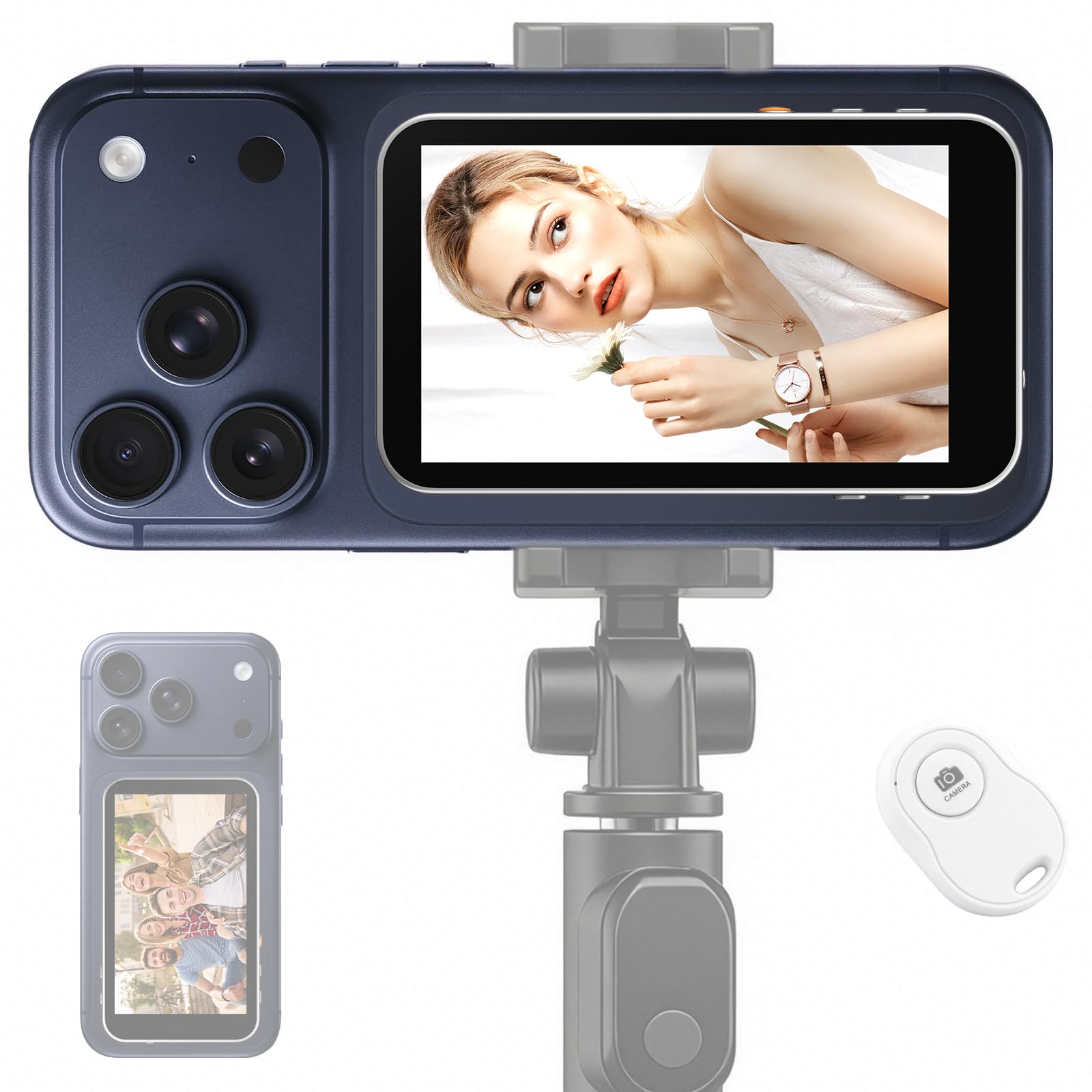
A magnet-held second screen that lets you shoot with the good camera and still see yourself.
This one is a different animal from the crew kits above, and that is the point. The HUOMU is a sharing screen for a phone: it mirrors what your handset sees so you can frame a shot with the rear camera — the better one — while still watching yourself. The panel is 3.97 inches at 400 lumens, a far smaller and dimmer display than any of the field monitors here. Mounting is the draw: it snaps onto iPhone 12-17 or any metal surface, and an adhesive metal plate covers other phones.
The “AB Shutter3” remote works up to 33ft away, so you can start and stop recording or fire the shutter without touching the phone. For solo travel, TikTok, Instagram, and family photos, you set the phone down, step back, and still control the take from 33ft. It runs a built-in 1800mAh battery for up to 3 hours and charges over Type-C at 5V/1A with the cable included. At 0.31 pounds it disappears into a pocket or backpack.
Here is the honest part, and it matters more on this pick than any other. Picture quality splits opinion — some find it clear, others find it soft. The 800×480 resolution is modest, and full 4K mirroring only happens with compatible devices. The unit has no sound and cannot take photos itself, so it is purely a display. The native iPhone camera also does not record 4K, which means a third-party app if you want it. Treat it as a framing aid, not a monitor you grade colour on.
What actually sells it: getting a usable self-view while shooting on the rear camera, with a remote that reaches 33ft — no reaching back to the phone.
Set your expectations: the 800×480 screen and 400 lumens suit framing and composition, not critical image judgment.
Made for you if: you shoot solo on a phone and the thing you keep ruining is your own framing.
Not your match if: you need to judge exposure and colour — the low-resolution panel and mixed image feedback make it the wrong tool for that job.
5. Accsoon CineView M7 Pro Wireless SDI HDMI Transmitter Receiver
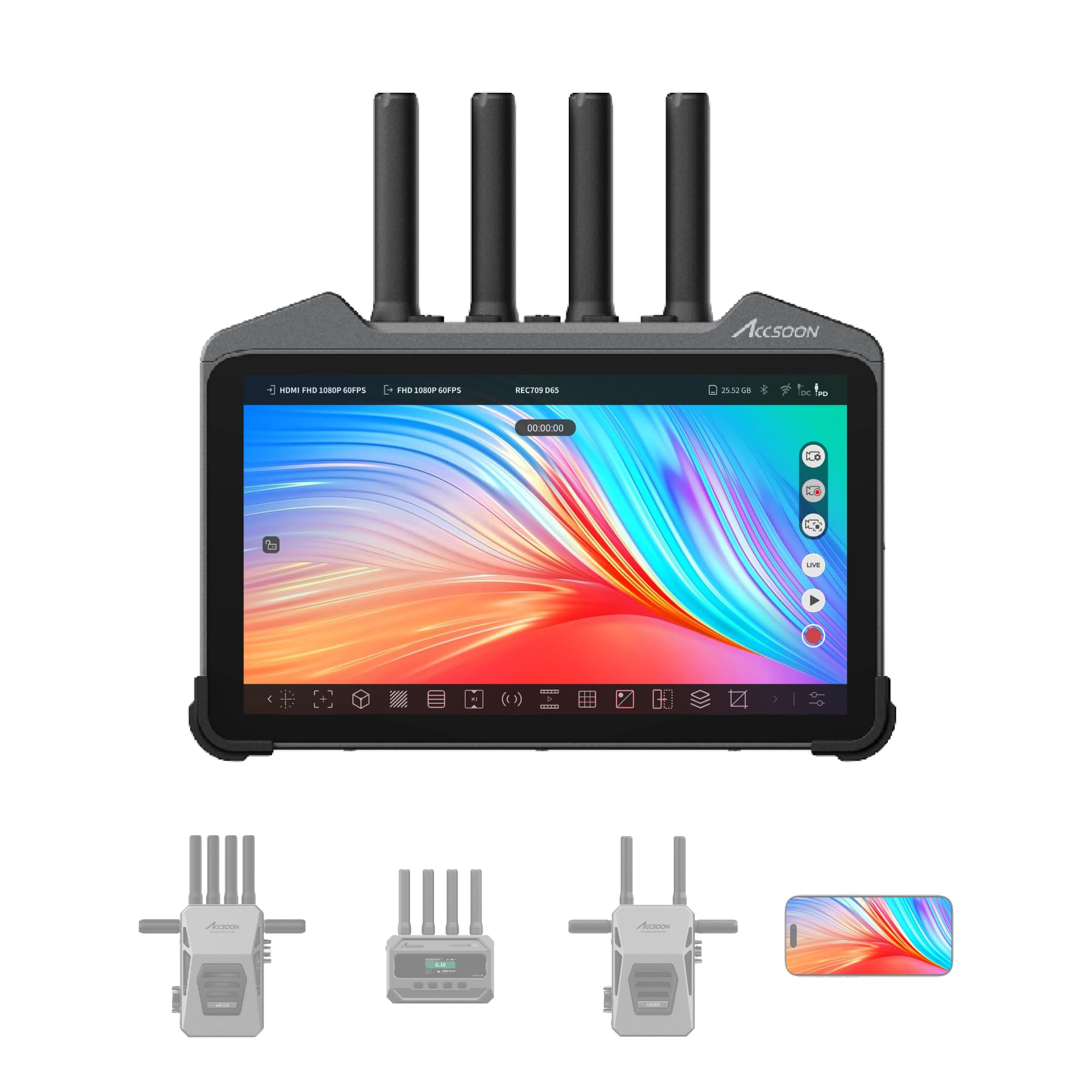
A seven-inch touchscreen that pulls focus, changes ISO, and streams — without a computer anywhere.
For a director or colourist, the number that sells the CineView M7 Pro is Delta E under 2. Delta E is a measure of how far a colour drifts from the true value, and under 2 is a very tight margin. Add full REC.709 coverage, a 1920×1080 panel, and Gamma 2.4 calibration, and you get a screen you can trust for colour calls. Brightness is 1,000 nits, which holds up outside and is a step below the 1,500-nit Hollyland panels above. The 176° viewing angle keeps that colour consistent when the client is standing off to the side.
Where it separates from every other pick is control. It drives the camera over wired USB-C or wireless IP. Wireless IP control covers a long list of Sony bodies (FX6, FX3, FX30, A7 IV, A7S III, A9 III, A7C II) and Canon’s C series (C50, C70, C80, C400). USB-C control reaches Sony, plus Canon (R5, R5 II, R6, R6 II, R7, R8) and Nikon (Z9, Z8, Z5, Z50, Z6, Z6 II, Z7 II). You get ISO, shutter speed, aperture, white balance presets, Kelvin, focus control, and record trigger. Two caveats straight from the spec sheet: no focus control on the Z5, Z50, Z6, Z6 II, or Z7 II, and wireless control only works in Monitor Mode.
It also handles the full 3-in-1 job. In RX mode it pairs with the CineView Master 4K series for 1200FT/350m range at 60ms latency and up to 4 devices. As a transmitter it reaches receivers and smart iOS or Android devices. HDMI 2.0 runs up to 4K60 with SDI/HDMI cross-conversion, and it records to SD or USB in H.264/H.265 at 8-50 Mbps. RTMP/SRT streaming goes live with no capture card. It weighs only 1.05 lbs and supports NP-F550/750/970 batteries with hot-swapping on DC power — batteries and cables sold separately.
Worth it for: colour-critical sets where you want one box that monitors, transmits, records, and drives the camera.
Budget note: 1000 nits is honest outdoors but dimmer than the 1500-nit Hollylands, and you supply your own NP-F batteries and cables.
Know the Specs
Latency (ms and seconds)
Latency is the delay between the lens and the screen. It is quoted two ways in this group: as a millisecond figure (60ms on the Hollyland and Accsoon units) or as a sub-second figure (under 0.05s on the VCOLink). Either way, a smaller number means your focus pulls and framing react to the present moment instead of a moment ago. When you are tracking a moving subject by hand, this is the spec that decides whether the monitor feels like a window or a delay.
Brightness in nits
Nits measure how much light a screen produces. A high-nit panel stays legible in direct sun, which is the whole game outdoors. The 1,500-nit Hollyland panels sit at the top here, the Accsoon runs 1,000 nits, and the HUOMU phone screen is 400 lumens. Pair a bright panel with a matte screen protector and you can frame off the image rather than shielding the glass with your hand.
Range and line of sight
Range figures like 1312ft or 400m assume a clear line of sight. In a real venue, bodies, walls, and gear cases all eat into that number. Dual-band hopping (running across both 2.4GHz and 5GHz and switching channels when it detects interference) is what keeps a signal alive in crowded spaces. Read stated range as an upper limit and plan your transmitter position for a clear path.
Colour accuracy and Delta E
Delta E is a measure of how far a displayed colour drifts from the reference. A lower value means a truer image. The Accsoon quotes under 2, which is the kind of accuracy you want when a client signs off on a look. For framing and focus work, colour precision matters less than brightness and latency — which is where the cheaper picks trade off.
Common Questions
Will a wireless camera monitor add noticeable lag when I pull focus?
Does the range figure hold up when there are walls or a crowd between the units?
Can the Hollyland Pyro 7 receiver also feed a larger client monitor?
Will the HUOMU magnetic monitor work with a phone that is not an iPhone?
Do these monitors record footage or only display it?
What batteries do these wireless monitors take?
Can I live stream straight from these monitors without a computer?
Is a 7-inch panel worth the extra weight over a 5.5-inch one?
Do I need matching brand transmitters to use the receiver mode?
Can I control my camera from the monitor itself?
The Bottom Line
For most people shooting with a camera, the wireless monitor for camera winner is the VCOLink 1-to-5 kit because it pairs the longest stated range with the tightest delay, then adds a 1-to-5 broadcast and a built-in 7-inch screen so the whole set can see the frame. If you want a self-contained unit on a small rig that stays readable at noon, grab the Hollyland Pyro 5 and its 1500-nit panel. And for colour-critical work with camera control built in, the Accsoon CineView M7 Pro is the one to reach for.
The VCOLink holds the top spot because no other kit here pairs 1312ft line-of-sight range and sub-0.05s delay with a 1-to-5 broadcast. Whichever you pick, confirm the transmitter pairs with your gear and that your power option is in the box before the shoot, not on the day.
How we choose
We do not accept paid placement. Every pick is matched to a real buyer and a real use-case; we do not hands-on test units.
Sources
Specifications: manufacturer listings and product documentation. Review insights: verified customer reviews, as of November 2026. Pricing: not shown on this page (it changes often); check the current price via the retailer link.
As an Amazon Associate, Tactical Gear Guy earns from qualifying purchases. This does not affect which products we feature.