Specs are compiled from manufacturer listings and verified buyer reviews and can change over time — please confirm the key details on the product page before buying.
Buying a router for long range is not about chasing the biggest speed number on the box. A box that promises 9.7 Gbps can still leave your back bedroom on one bar, because raw speed and real coverage are two different specs. What matters is how many square feet a unit is rated to cover, how many antennas it runs, and whether it can hand your phone off cleanly as you walk from the kitchen to the garage. This guide lines up nine routers that are actually built for distance — and tells you plainly which one fits your house.
This guide is built by comparing the manufacturers’ published specifications and the patterns across verified customer reviews, so you get each pick’s real strengths and trade-offs instead of marketing spin.
Coverage ratings, antenna types, and band classes decide whether your whole home gets a usable signal, and this breakdown of the long range wireless internet router separates real reach from spec-sheet noise.
Top Picks


How To Choose The Best Long Range Wireless Internet Router
The most common mistake is buying on speed alone. A router rated for 6 Gbps can still leave you with a dead spot in the garage if its coverage rating tops out well below your floor plan. Start with square footage, then work backward to speed, bands, and ports.
Start with the coverage rating, not the Gbps number
Every router here lists a coverage figure in square feet. Compare that number to your actual home footprint — including the yard or garage you want to reach. The 6,500-square-foot three-pack below covers a huge house. A 2,000-square-foot single unit is fine for an apartment. Buy the coverage rating that matches your space, not the biggest number on the shelf.
Understand the band difference: Wi-Fi 6, 6E, and 7
Wi-Fi 6 (called AX on the box) is the current baseline. Wi-Fi 6E adds a 6 GHz band — a newer, less crowded lane for fast devices near the router. Wi-Fi 7 is the newest standard with more capacity and lower latency. For long range specifically, the 2.4 GHz and 5 GHz bands do the heavy lifting through walls. The 6 GHz band is fast but has shorter reach.
One router or a mesh system?
A single router with good antennas is simpler and often cheaper. A mesh system uses multiple units that share one network name, so your phone jumps between them as you move. If your home is large, multi-story, or has thick walls, a mesh system with a 6,500-square-foot rating is the more reliable way to kill dead zones. If you live in a compact space, a single well-specified router covers it just fine.
Don’t overlook the wired ports
Multi-gig ports let you feed fast internet into the router without a bottleneck. A 2.5 Gig port is useful if your internet plan runs above 1 Gbps. Standard 1 Gig ports are fine for most cable and fiber plans up to 1 Gbps. If you plan to add a NAS or a gaming PC on a wired connection, check the port count on the spec sheet before you buy.
Side-by-Side Comparison
| Model | Best For | Coverage | Rated Speed | Band Class | Amazon |
|---|---|---|---|---|---|
| GL.iNet GL-MT6000 Flint 2★ Best Overall | Customization and VPN | Wide coverage (no figure listed) | 6,000 Mbps | Dual-Band | Amazon |
| MSI Radix AXE6600Best for Gamers | Gaming on a budget | Wide coverage (no figure listed) | 6,600 Mbps | Tri-Band | Amazon |
| NETGEAR Nighthawk RAX36Best Value | Straightforward home coverage | 2,000 sq. ft. | 3,000 Mbps | Dual-Band | Amazon |
| NETGEAR Nighthawk RS200 | Wi-Fi 7 on a smaller footprint | 2,500 sq. ft. | 6,500 Mbps | Dual-Band | Amazon |
| TP-Link Deco XE70 Pro | 6 GHz without the huge spend | 2,900 sq. ft. | 4,900 Mbps | Tri-Band | Amazon |
| TP-Link Deco X55 (3-pack) | Big multi-story homes | 6,500 sq. ft. | 3,000 Mbps | Dual-Band | Amazon |
| ASUS RT-BE9700 | Multi-gig Wi-Fi 7 | 2,750 sq. ft. | 9,700 Mbps | Tri-Band | Amazon |
| Amazon eero Pro 7 | Set-and-forget coverage | 2,000 sq. ft. | 3,900 Mbps | Tri-Band | Amazon |
| ASUS RT-BE88U | Wired backbones and 10G | 3,000 sq. ft. | 7,200 Mbps | Dual-Band | Amazon |
Detailed Reviews
1. GL.iNet GL-MT6000 Flint 2 Wi-Fi 6 Gaming Router
Our pick — 4.5+★ from 3,000+ verified ratings; the strongest balance of quality and price.
The router that ships with OpenWrt pre-installed and still pushes 6,000 Mbps across eight streams to the far end of the house.
You get double the on-paper transfer speed of the NETGEAR RAX36 further down: this unit is rated at 6,000 Mbps (megabits per second — the raw data rate the hardware can move), versus the RAX36’s 3,000 Mbps. That speed is split across two 2.5G multi-gig ports (high-capacity wired connections), so a fast fiber line has room to run at full speed instead of bottlenecking at the router.
The reason it earns the top slot is openness. It ships with OpenWrt already installed (an open-source router operating system you can customize), runs eight Wi-Fi streams, and bundles DDR4 1GB memory with 8GB of eMMC storage for anyone who wants to add plugins. VPN throughput is a real selling point too — WireGuard is rated up to 900 Mbps and OpenVPN up to 880 Mbps, so you can route your whole home through a VPN without watching the speed collapse. AdGuard Home support blocks ads and trackers at the network level, so every connected device is covered without per-device apps.
What wins people over, plainly, is build quality and the setup path. The retractable antennas matter for long range because you can angle them for the room you actually want covered. AdGuard Home support blocks ads and trackers at the network level, which reaches every device at once.
What earns it first place
- 8-stream Wi-Fi 6 rated at 6,000 Mbps, with separate 1148 Mbps and 4804 Mbps band rates
- Two 2.5G multi-gig ports plus pre-installed OpenWrt for deep customization
- WireGuard VPN rated up to 900 Mbps, so remote work stays fast
- Handles over a hundred connected devices — more than enough for a busy home
The honest catch
- The maker tells you to update firmware right after setup — skip that and performance suffers
- Setup is not app-only; the admin panel is web-based, and the maker points you to a video tutorial or a wired Ethernet first-connect
- Reliability and connectivity reviews run mixed; a chunk of buyers report the odd dropped connection
Go here for: tinkerers, VPN users, and gamers who want the deepest configuration control in this list without a punishing outlay — the crowd favorite at 4.5+ stars across 3,000+ ratings.
Think twice if: you want a phone-app setup and zero fiddling — the web admin panel asks more of you on day one.
2. MSI Radix AXE6600 WiFi 6E Tri-Band Gaming Router
Three bands, RGB glow, and a gaming-first brain inside a mid-range frame.
Your game stays lag-free even when everyone else is streaming, because the MSI Radix is built for exactly that. It runs a tri-band setup across 2.4 GHz, 5 GHz, and 6 GHz — the 6 GHz lane is the newer, less crowded slice of airwaves — with eight streams rated up to 6.6 Gbps (gigabits per second). A 1.8 GHz quad-core processor drives it, and AI QoS (quality of service — automatic traffic prioritizing) pushes gaming packets to the front of the line, so your shots register before the family TV stream eats the bandwidth.
Owners mention the speeds hold up and the sessions stay smooth; the review pages sum it up as a router that keeps gaming lag-free, with the RGB lighting adding a bit of desk appeal. That processor headroom is the real long-range partner here: a fast chip keeps every band stable, which is why moving around the house does not crater your connection.
The catch is setup. Configuration runs mixed — some buyers breeze through, others find the process fussy, and reliability chatter is split too. Treat the 6 GHz band as a short-range bonus for devices near the router and lean on 5 GHz for the far rooms.
Where it shines: gaming prioritization and a wash of RGB in one box, with tri-band flexibility that a plain dual-band unit cannot match.
What to expect: a slightly steeper setup curve and split reliability feedback — fine for a confident tinkerer, less ideal if you want plug-and-play.
Reach for this if: you game seriously and want a tri-band router with automatic packet prioritizing at a mid-range outlay.
Look elsewhere if: you want zero-fuss setup or need a plain, no-frills coverage box for a big house.
3. NETGEAR Nighthawk RAX36 WiFi 6 Router (AX3000)
The 2,000-square-foot coverage box with four internal antennas tucked out of sight and a 25-device ceiling.
The numbers that matter here are modest but honest: 2,000 square feet of rated coverage, up to 25 devices, and AX3000 Wi-Fi 6 speeds up to 3 Gbps (gigabits per second — the raw throughput ceiling). That is a careful fit for a standard single-family home or a large apartment, not a sprawling estate. It uses four internal antennas rather than tall external ones, so the footprint stays tidy on a shelf, and it connects to your existing cable modem and works with providers rated up to 1 Gbps.
The strongest thing about this router is how predictable it is: 2,000 square feet, 25 devices, and four 1G ports, with no surprises. It does not try to be a mesh system or a gaming rig; it covers 2,000 square feet on AX3000 Wi-Fi 6 and stays up.
The limitation worth knowing up front: this is a router only, with no built-in cable modem, so you need your own modem and a coax input to get online. There are also four 1G Ethernet ports — fine for fast wired devices, but nothing faster than a gig. If you want a simple, dependable coverage upgrade for a mid-sized home, that simplicity is the whole point.
The reliability argument: what owners talk about most is that it just keeps working, with no fuss and no dead spots — a small footprint that quietly does its job.
One caveat to plan around: it needs a separate modem to function, so factor that in if you do not already own one.
Suits: someone with a mid-sized home and a simple modem-to-router setup who values stability over headline speeds.
Not for: multi-story or very large homes, where a mesh system with a bigger coverage rating makes more sense.
4. NETGEAR Nighthawk Dual-Band WiFi 7 Router (RS200)

A small-footprint body that reaches 2,500 square feet and feeds 80 devices without flinching.
Wi-Fi 7 arrives here in a body small enough to sit on a shelf. The rated transfer rate climbs to 6,500 Mbps (its BE6500 figure), and it handles up to 80 devices, more than triple the RAX36’s 25-device rating.
The 2.5 Gig internet port is the practical star: it pulls multi-gig speed from a modern cable or fiber plan, backed by three 1 Gig LAN ports. It lets you pull multi-gig speed in from a modern cable or fiber plan, with a matching 2.5 Gbps port and three 1 Gig LAN ports for your wired gear. High-performance antennas sit fixed inside the compact shell, which is how a unit this small claims that much reach. You also get built-in security with automatic firmware updates and a 30-day trial of NETGEAR Armor (their online protection service against malware and identity theft).
Two things to know before you commit. It is a router only — you need a separate cable modem, and multi-gig internet needs a multi-gig-capable modem to match. And reliability feedback is split, with the occasional owner hitting connectivity trouble. That is the trade-off worth accepting for a compact unit that punches to 2,500 square feet.
The long-range case: 2,500 square feet of rated coverage, a 2.5 Gig internet port, and support for 80 devices make this the least fussy way into Wi-Fi 7.
The fit note: it is a router only and needs a separate cable modem, and it is dual-band rather than tri-band.
Best for: modern homes with a multi-gig plan that want Wi-Fi 7 without a big footprint.
Skip if: you need a tri-band network or already have a cheap single-gig modem you aren’t replacing.
5. TP-Link Deco XE70 Pro AXE4900 Tri-Band WiFi 6E Mesh Router

A single white pod that opens the uncrowded 6 GHz lane and covers up to 2,900 square feet.
The Deco XE70 Pro gives you a tri-band Wi-Fi 6E setup rated at 4.9 Gbps across six streams, with the 6 GHz band as the headliner. That band is the newer, quieter stretch of spectrum, so nearby networks fight you less and your fast devices get a clean lane. Coverage is rated up to 2,900 square feet, and it handles up to 200 devices at once — ideal if you are drowning in phones, laptops, and smart-home gadgets.
Where it separates itself is the mesh brain. Built-in AI-roaming constantly steers your phone to the strongest point as you walk the house, which is exactly what a long-range setup needs. Every unit carries one 2.5 Gbps port plus two Gigabit ports for wired gear. The Deco app sets the whole thing up in minutes, and TP-Link’s HomeShield adds parental controls and network protection; setup and effectiveness win the most praise here, and coverage and signal strength hold up too.
Reliability reviews are genuinely mixed — plenty of customers note it runs flawlessly since day one, while others hit drops. It is a single unit, not a multi-pack, so the 2,900-square-foot rating is the ceiling to plan around. If a second unit is ever needed, the mesh design lets you add one.
Why it earns a spot: a 6 GHz lane, 200-device capacity, and AI mesh roaming in a compact single unit that relies on the app for quick setup.
Where to stay realistic: a single unit has a coverage ceiling, and the 6 GHz band is fast but does not love distance.
Pick this if: you want tri-band 6E speed, a fast 2.5 Gbps port, and app-driven setup from a single tidy unit.
Pass if: you need guaranteed coverage across a very large or multi-story home right out of one box.
6. TP-Link Deco X55 AX3000 WiFi 6 Mesh System (3-pack)

Three units working as one network — the heaviest coverage hitter on this list by a wide margin.
No single router here comes close to this coverage number. The Deco X55 three-pack is rated for up to 6,500 square feet — that is more than double the 2,500-square-foot reach of the RS200 above — and connects up to 150 devices. AX3000 Wi-Fi 6 speeds top out at 3 Gbps, split across the 2.4 GHz and 5 GHz bands. The whole point of a three-pack is that no room is ever too far from a unit, so the coverage figure is not theoretical like it might be for a single box.
The mesh software is the quiet hero: AI-driven mesh learns your layout, and Ethernet backhaul lets you hardwire the units for better throughput. AI-driven mesh learns your home’s layout and adapts, and Ethernet backhaul lets you hardwire the units together for better throughput if you run cable. Each Deco has three Gigabit ports, and any of them can work as the main router. Setup through the Deco app takes minutes, and the app keeps you in control even when you are away from home. Owners lean on exactly this: reliability and dead-spot-free performance are what get talked about most, along with the coverage carrying two-level, 4,000-square-foot houses comfortably.
The realistic downside is that some homes experience constant disconnection issues; value also splits, with some owners weighing it more carefully than others. And the 6,500-square-foot promise depends on where you place the units — a Deco tucked behind a metal appliance helps nobody. Place them out in the open for the coverage you paid for.
The coverage math: 6,500 square feet rated, 150 devices, and three units that hand off cleanly through the AI mesh.
Watch for: disconnection complaints that come up for some homes, and placement that decides whether you get the full rated reach.
Made for this: large, multi-story homes where one router can’t reach the far bedrooms or the garage.
Overkill if: your home is modest and a single 2,500-square-foot unit already covers it.
7. ASUS RT-BE9700 WiFi 7 Router

Tri-band Wi-Fi 7 with a 9.7 Gbps ceiling and a stack of wired WAN options for serious networks.
The RT-BE9700 is the raw-speed leader in this lineup. It runs Wi-Fi 7 (802.11be) with 320 MHz channels in the 6 GHz band and 4096-QAM modulation, rated up to 9,700 Mbps. That 6 GHz band is the fast, uncrowded lane — but it is also the band that loses signal fastest over distance, so for long range you lean on the 5 GHz band and the router’s tri-band flexibility. Coverage is rated at 2,750 square feet.
Multi-link operation is the feature that helps most with stability: it links across multiple bands at once, so a blip on one band does not kill the connection. The wired side is generous — four 2.5G ports plus a USB port ready for 4G LTE and 5G mobile tethering, so you can set up an always-on internet path. ASUS’s subscription-free Network Security gives you three layers of protection, and the free Instant Guard app keeps you safe on public Wi-Fi. If you already run ASUS gear, AiMesh lets you spread coverage across the home.
Quality draws real praise here, but signal strength and value both split, and reliability is genuinely mixed — some owners see connection drops. The 6 GHz speed is real, yet the range story depends on band choice, so this is a unit for a network-savvy household that will use multi-link and the wired ports, not a set-and-forget box.
Speed case: a 9,700 Mbps ceiling, 320 MHz 6 GHz channels, and four 2.5G ports — the closest thing here to a wired-first power router.
Honest read: mixed reliability and signal reports mean you should have some networking confidence before you buy.
Best for: tinkerers and gamers who want Wi-Fi 7 speed plus LTE/5G failover and a lot of multi-gig ports.
Look elsewhere if: you want the simplest possible setup or need proven long-range coverage from a single box.
8. Amazon eero Pro 7 Tri-Band Mesh Wi-Fi 7 Router
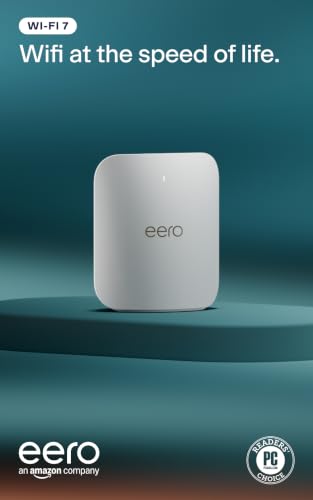
The router you set up once through the eero app and then mostly forget about, with TrueMesh handling the handoffs.
The interesting part of the eero Pro 7 is how little it asks of you. It supports internet plans up to 5 Gbps through two auto-sensing 5 GbE ports, with wireless speeds up to 3.9 Gbps and support for 200+ devices. Coverage is rated at 2,000 square feet — a 25-foot radius from the unit. For a home where you want Wi-Fi 7 without any learning curve, that is the appeal.
eero’s TrueMesh software is what keeps a long-range setup stable as you move around; TrueRoam and TrueChannel keep you on the best connection available. The app walks the upgrade through step by step, and eero is backward compatible with earlier eero generations, so you can add a unit to an existing setup instead of starting over. Owners talk most about reliability, then speed and easy setup, with coverage and app simplicity showing up as steady wins. It is also backed by a three-year warranty.
The honest limit: as a single unit, it covers a smaller footprint than the tri-band ASUS above and is not cheap. Connectivity and value pull in opposite directions in owner feedback — plenty report flawless performance, while some have hit disconnections. If you need more reach, the mesh design means you can add a second eero later rather than replace the whole thing.
The case for it: genuine plug-and-play, backed by a three-year warranty and a mature mesh app that handles the setup for you.
The trade-off: a 2,000-square-foot single-unit ceiling and mixed value feedback — this is a convenience buy, not a coverage bargain.
Reach for this if: you want reliable, hands-off Wi-Fi 7 and never want to open a config page again.
Not the first pick if: you need maximum reach from one box for a large house.
9. ASUS RT-BE88U WiFi 7 Router

Built to feed a wired house first, then throw strong Wi-Fi across 3,000 square feet.
The RT-BE88U’s identity is speed over cable, but its coverage rating is a real 3,000 square feet — the widest single-unit reach on this list apart from the mesh pack. It runs Wi-Fi 7 with throughput up to 7200 Mbps, multi-link operation, and 4096-QAM. A quad-core 2.6 GHz 64-bit processor drives the whole thing, which is what lets it juggle demanding Wi-Fi and wired traffic at once.
Where it separates itself from the RT-BE9700 above is the port lineup: four 2.5G ports and four 1G ports, plus one 10G SFP+ port and one 10G WAN/LAN port. That is an unusual amount of wired capacity for a home router and makes it a genuine hub for a gaming PC, a NAS, and a media server. You also get up to five SSIDs with Guest Network Pro, AiProtection Pro powered by Trend Micro, and AiMesh for extending coverage. Owners love the setup and the ports, and the feature set draws steady praise.
The catch is worth stating plainly: connectivity and signal quality both draw mixed feedback, with random disconnects and the lack of 6 GHz support showing up. If you want the fastest wireless lane, this is not your unit. If you want a wired backbone with strong 5 GHz coverage and every port you could need, this is the one to reach for.
Where the money goes: four 2.5G ports, four 1G ports, two 10G ports, and a 2.6 GHz quad-core processor — a wired networking hub first.
The trade-off: it does not include the 6 GHz band, and connectivity feedback is genuinely split.
Choose it for: a house with a wired backbone — gaming PC, NAS, media server — that also needs solid 5 GHz coverage.
Skip it for: a simple all-wireless setup where a cheapish 6E unit does everything you need.
Know the Specs
Coverage in square feet
This is the one spec that maps most directly to long range. Every router here lists a rated square-footage figure — from 2,000 square feet on the eero Pro 7 up to 6,500 square feet on the Deco X55 three-pack. Match that number to your actual home footprint and you have your shortlist. A single unit will rarely cover a large, multi-story home the way a mesh system can, so if your home is big, look for a multi-pack first.
Data transfer rate (Mbps/Gbps)
This is the raw throughput ceiling, expressed in megabits or gigabits per second. A higher number means more bandwidth headroom for 4K streaming, big downloads, and multiple devices at once. But it does not mean longer reach — a 9,700 Mbps router can still cover a smaller area than a 3,000 Mbps mesh. Use this figure to gauge capacity, and use the coverage rating to gauge distance.
Band class: dual, tri, and 6 GHz
Dual-band routers run 2.4 GHz and 5 GHz. Tri-band adds a third lane; Wi-Fi 6E and Wi-Fi 7 models add the 6 GHz band, which is faster and less crowded but drops off faster over distance. For long range, lean on 2.4 GHz and 5 GHz, and treat 6 GHz as a bonus for devices near the router. The ASUS RT-BE88U notably skips the 6 GHz band, while the RT-BE9700 and Deco XE70 Pro include it.
Device capacity
Every router lists a maximum device count — 25 on the RAX36, 80 on the RS200, 150 on the Deco X55, and 200+ on the eero Pro 7. This matters in busy homes where phones, laptops, TVs, and smart plugs all fight for airtime. If you are counting more than a couple dozen connected gadgets, choose a router with a higher capacity rating so nothing gets pushed to the back of the queue.
Wired ports and multi-gig
Multi-gig ports — 2.5 Gig or 10 Gig — let fast internet plans flow into the router without a bottleneck. They also make a difference for wired devices like a PC or NAS. Standard 1 Gig ports are fine for everyday use and most cable or fiber plans. If you run a fast plan or plan to add wired storage, check the port lineup before buying; the RT-BE88U’s two 10G ports are the standout example here.
Antenna type: internal vs external
External antennas, like the Flint 2’s retractable ones, can be angled to point toward a specific room, which helps you tune coverage. Internal antennas, as on the RAX36 and RS200, keep the router compact and still push a strong signal. Neither type is automatically better — a well-designed internal array can beat cheap externals — but if you want to point coverage at a far room, externals give you that adjustment.
Common Questions
Will a single router cover a 3,000-square-foot house?
Do I need a separate modem with these routers?
Does Wi-Fi 7 give me more range than Wi-Fi 6?
Is a mesh system better than a single router for long range?
Can I use an ASUS router with a TP-Link mesh node?
What does the 6 GHz band do for my Wi-Fi?
How many devices can a long range router handle at once?
Will a VPN slow down my router speeds?
Do I need to update the router firmware after buying?
What is multi-gig and do I need a multi-gig port?
The Bottom Line
For most homes, the strongest all-around pick for the long range wireless internet router job is the GL.iNet GL-MT6000 Flint 2 — it pairs 6,000 Mbps throughput and two 2.5G ports with pre-installed OpenWrt (open-source router software) and WireGuard (a fast VPN protocol) rated to 900 Mbps, and buyers have rewarded that balance. If square footage is your real problem, the TP-Link Deco X55 three-pack reaches 6,500 square feet and 150 devices through a mesh that hands off cleanly. And if you want a compact single box that opens Wi-Fi 7 without a huge footprint, the NETGEAR Nighthawk RS200 covers 2,500 square feet and feeds 80 devices.
How we choose
We do not accept paid placement. Every pick is matched to a real buyer and a real use-case; we do not hands-on test units.
Sources
Specifications: manufacturer listings and product documentation. Review insights: verified customer reviews, as of November 2026. Pricing: not shown on this page (it changes often); check the current price via the retailer link.
As an Amazon Associate, Tactical Gear Guy earns from qualifying purchases. This does not affect which products we feature.