Specs are compiled from manufacturer listings and verified buyer reviews and can change over time — please confirm the key details on the product page before buying.
Here is the short answer you came for: if you want free over-the-air channels on your computer with the least fuss, the Hauppauge tuner is the safest pick on this page. Before you buy anything, read this one note. This list uses flexible, human-like matching for products that connect to a PC — either an internal PCIe card or a USB tuner stick — so not every pick is the exact model number you may have searched for. The nearest same-type option does the same job.
This guide is built by comparing the manufacturers’ published specifications and the patterns across verified customer reviews, so you get each pick’s real strengths and trade-offs instead of marketing spin.
A tuner turns a plain PC into a live TV set, and the right one depends on your slots, your antenna and your operating system. Below is everything that actually matters when you shop for a PC Television Tuner, laid out in plain words.
Top Picks

How To Choose The Best PC Television Tuner
The first question is not which tuner is best. It is which tuner fits the machine you already own. A laptop has no spare card slot, so a USB stick is your only route. A desktop tower with an open PCIe slot can take an internal card that never gets knocked loose.
USB stick or internal card
A USB tuner plugs into a standard port and travels with you, which suits laptops and shared family computers. The trade-off is that it hangs off the side of the machine and depends on a driver install. An internal PCIe card (a card that slots directly onto the motherboard) sits inside the case and behaves like any other component, but you have to open the tower to fit it.
What signal will you actually receive
ATSC is the free over-the-air digital standard used in the United States, Canada and Mexico, so a rooftop or indoor antenna pulls in local broadcasts without a subscription. Clear QAM is the unencrypted slice of a cable feed, and it only works if your cable operator still sends those channels in the clear. NTSC is the older analog format; a tuner that reads it can capture from a cable box or VCR through composite or S-Video.
Software is half the product
A tuner is a brick until its driver and playback application are installed. Some picks bundle their software and hand you an activation code. Others expect you to download the driver from the maker’s site first. If you are not comfortable installing drivers, weight this heavily — it is the single most common reason buyers end up frustrated.
Side-by-Side Comparison
| Model | Best For | Connection | Tuner Type | OS Support | Amazon |
|---|---|---|---|---|---|
| AllAboutAdapters USB DTV Stick★ Best Overall | Budget first-time tinkerers on Windows | USB | ATSC, Clear QAM | Win11, Win10, 8.1/8, 7, Vista, XP | Amazon |
| Hauppauge WinTV HVR-1265Also Great | Desktop builders who want a set-and-forget card | PCI Express | NTSC, ATSC, Clear QAM | Windows XP and Vista | Amazon |
| Hauppauge WinTV-HVR-955Q | Laptop and desktop owners who want a full kit | USB | NTSC, ATSC, Clear QAM | Windows (incl. Media Center) | Amazon |
| Hauppauge HVR-950Q | Plex users and analog capture from a cable box | USB 2.0 / 3.0 | NTSC, ATSC, Clear QAM | Windows 11, 10, 8, 7 | Amazon |
| Mygica A681 Pro | MacBook owners watching free digital TV | USB 2.0 | ATSC 1.0 / QAM | Windows 7/10/11, Linux, MacBook | Amazon |
| ATI TV Wonder 650 | Retro builds chasing analog and FM radio | PCI | NTSC, ATSC | Windows XP or later | Amazon |
| Mygica A681B | Android TV box owners who want a cheap stick | USB 2.0 | ATSC 1.0 / QAM | Windows 7/10/11, Linux, Android | Amazon |
Detailed Reviews
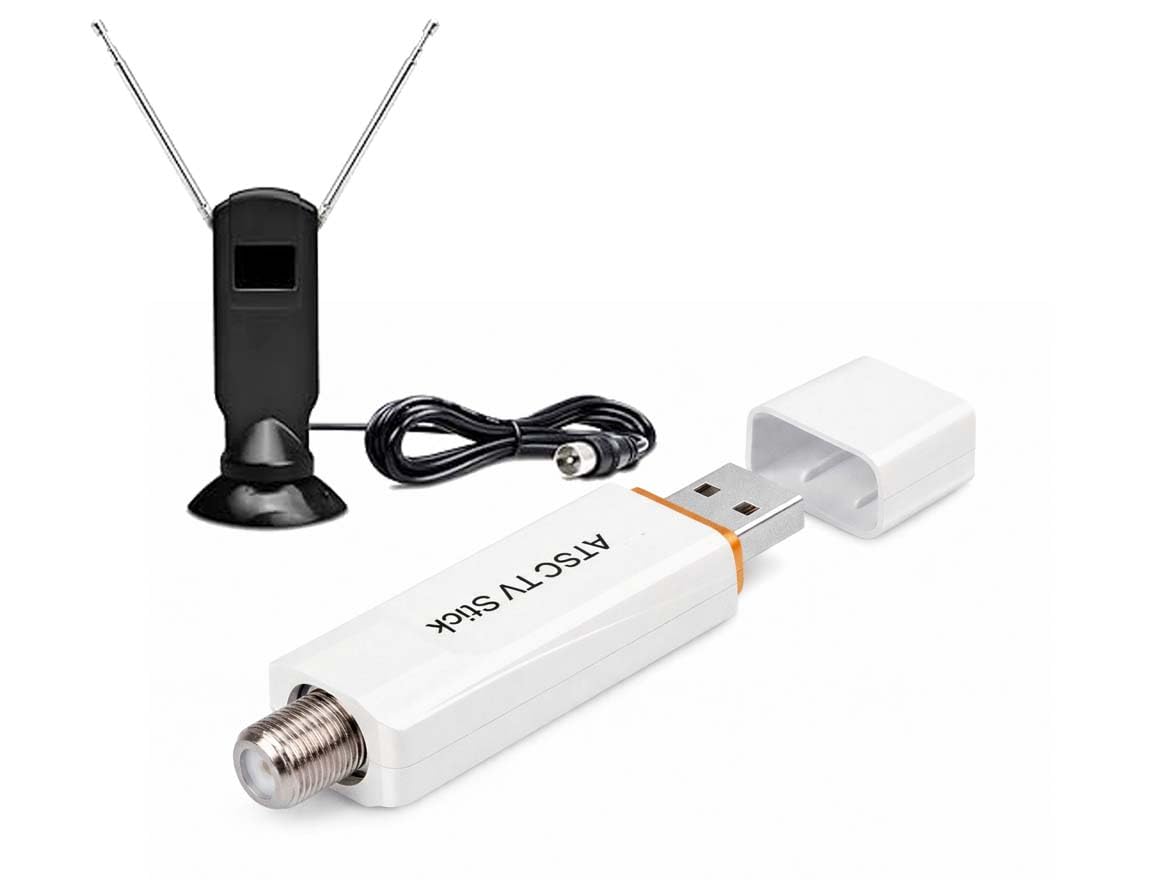
1. USB Digital TV Tuner DVR Adapter
A pen-sized stick with big recording features and a light footprint.
For a first taste of free over-the-air TV on a PC, this stick keeps it simple and light — it weighs 4 ounces and slips into a bag. It pulls in free over-the-air digital broadcast channels through an antenna at 1080p/1920×1080 pixels, and it carries a Clear QAM tuner for unencrypted cable channels. It is built for the United States, Canada, Mexico and South Korea.
The recording kit punches above its size. The bundled TVR software records the broadcast stream unaltered, saving files as TS files (compressed MPEG-2) in a date, time and station-name format. There is instant real-time recording plus scheduled recording, selectable recording quality based on your storage space, channel renaming and reordering, and a Picture-On-Picture window that stays on top of your screen so you can watch while working. A snapshot button grabs a frame, and you can set the PC to shut down after a recording finishes.
The practical ceiling is its age and support load. It handles every recent Windows from 11 down to Vista and XP, but the software install is the hurdle for a non-techie — a driver step that stalls leaves you with a dead stick. It is a low-cost entry point, not a polished consumer appliance.
The surprise inside: scheduled recording, quality selection and a Picture-On-Picture window — real DVR features on a stick that weighs 4 ounces.
Set your expectation: the TVR software and driver are the setup hurdle, and a smooth install is not guaranteed on every machine.
A solid fit for: budget-first tinkerers on Windows who want antenna TV plus scheduled recording without spending much.
Skip the tinkering if: you want a turnkey device with no driver step — it is a stick, and the setup is on you.
2. Hauppauge 1196 WinTV HVR-1265 TV Tuner Card
The internal card that quietly does its job and stays out of your way.
If you have a desktop tower with an open PCI Express slot, this is the card to beat. It receives free over-the-air ATSC digital broadcasts and Clear QAM digital cable up to 1080i — the “i” means the picture refreshes in alternating lines, which is the standard broadcast HD format, so local sports and network shows land on your monitor at full broadcast resolution. It also carries a built-in 125-channel cable-ready NTSC tuner, so older analog cable still works.
What wins people over is raw reliability. The card is widely described as working flawlessly with Windows Media Center and being ready to use right from the start, and the installation is straightforward enough that the hardware and software setup goes smoothly for most owners. Picture quality gets called excellent and crisp. In an internal card, that “no fuss” reputation matters more than any single spec, because once it is seated you never think about it again.
Here is the honest catch. It is a PCI Express card, so it only fits a desktop with that slot open — a laptop owner cannot use it at all. It is also built for older Windows, shipping with a WinTV v10 application download and listing Windows XP and Vista among its supported systems. The bundled remote is the repeated weak point; the software side is where the complaints cluster rather than the tuning itself.
Why this card earns the top spot
- Receives ATSC over-the-air and Clear QAM digital cable up to 1080i
- Built-in 125-channel cable-ready NTSC tuner for older analog feeds
- Straightforward install with WinTV-Scheduler software for timed recordings
- Strong reputation for working flawlessly with Windows Media Center
Where it asks you to compromise
- Desktop-only — needs an open PCI Express slot, no laptop option
- Software and remote control draw the bulk of the grumbles
- Built around older Windows rather than the newest releases
Reach for this if: you are building or upgrading a desktop and want a card that vanishes into the case and just tunes.
Look elsewhere if: you need laptop portability or are running the newest Windows and want current-day software support.
3. Hauppauge 1191 WinTV-HVR-955Q USB TV Tuner For Notebook

Everything you need in the box — antenna, remote and cable included.
The standout here is not a single chip but the completeness of the package. You get the WinTV-HVR-955Q tuner itself, a USB extension cable, an AV cable, a remote control, an antenna, and the WinTV v10 application as a download. That antenna is the detail that saves you a second errand — many USB tuners assume you already own one, and this one does not.
On the tuning side it handles NTSC analog, ATSC digital over-the-air and Clear QAM digital cable, with an F connector for the antenna and an A/V connector for analog sources. It works well from the start and the HD picture is described as excellent. Setup is simple enough that owners call the software operation straightforward. Compared with the HVR-1265 above, this one trades the internal slot for pure portability — it is a desktop and laptop tuner, sized small enough to carry.
The trade-off worth knowing before you commit: reliability draws the sharpest criticism on the software side, with freezing after channel changes and crashes showing up repeatedly. Compatibility is a mixed bag too, working well with Windows Media Center and Xbox One for some owners while others report trouble on Windows 7. Channel pickup depends heavily on your antenna’s location.
Package value: the included antenna and remote mean you can be watching broadcast TV the same day, with no separate trip for hardware.
Softer spot: the application can freeze after a channel change, so treat the software as the part likely to need patience.
The confident pick: a laptop or desktop owner who wants a complete plug-in tuner kit rather than assembling parts.
Second thoughts if: you are running Windows 7 specifically, since compatibility there is where the reports split.
4. Hauppauge Computer Works 1191 HVR950Q HDTV Stick

The one that plugs into a Plex server and feeds your whole screen setup.
For anyone running a media server, this is the pick. The HVR-950Q works with Plex on the NVidia Shield plus Plex on Windows, Linux and Android, so a single stick can feed live TV to a home server instead of just one laptop screen. It plugs into USB 2.0 or 3.0 with no need to open the PC case — a few minutes of setup and you are watching.
It covers three formats in one: NTSC analog TV, ATSC digital over-the-air HDTV at up to 1080i, and Clear QAM digital cable. The AV input with composite, S-Video and audio is the practical bonus — you can record analog video from a cable TV box or a VCR, so an old camcorder tape still has a path onto your hard drive. Recordings land in MPEG-2 without losing quality, and the analog ones typically consume 1.5 Gigabytes of disk space per hour, which is worth budgeting for on a small drive.
The honest limit is software maturity. This stick lists Windows 11, 10, 8 and 7 and ships the WinTV v10 application with a free over-the-air TV guide, but Windows Media Center support is pinned to Windows 8, 8.1 and 7 rather than the newest releases. If you want the modern Plex route rather than the legacy Media Center route, that combination suits it well.
Built for: the Plex or server owner who wants free broadcast TV routed into a home media setup.
Think twice if: Windows Media Center is your whole plan on Windows 11 — the Media Center support here stops at the older releases.
5. Mygica A681 Pro External TV Tuner
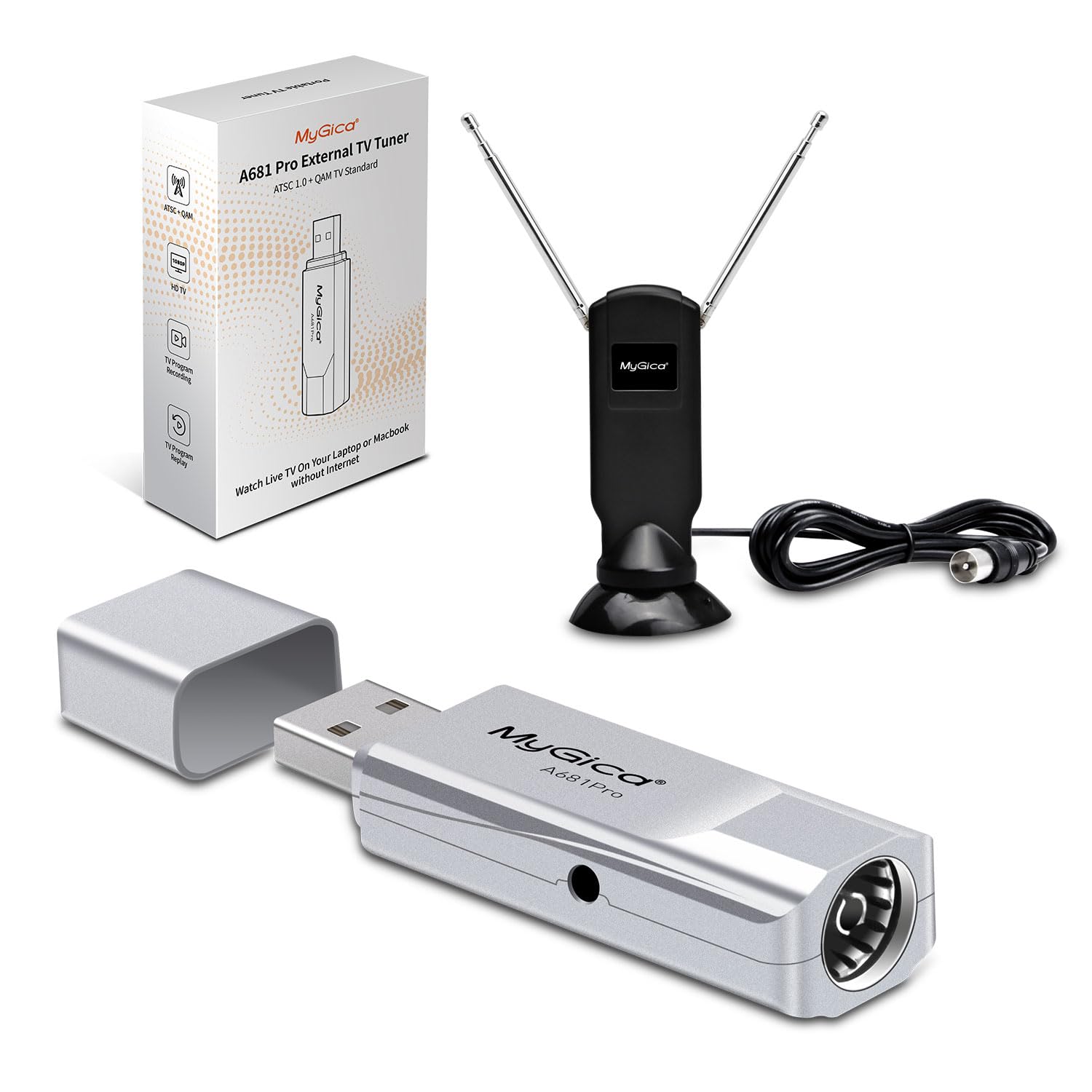
The rare tuner stick that actually lists MacBook support on the box.
Most tuner sticks are Windows-only, so the A681 Pro earns its place simply by naming MacBook as a compatible device alongside Windows PCs, Android TVs and Android car systems. It is an upgraded version of the A681B, and it supports 1080P high-definition TV over ATSC 1.0 and QAM. It is compact and portable, and once installed you do not need a WiFi network to watch digital TV.
The software is the HiDTV playback application, which also handles recording and playback. It supports Windows 7, Windows 10, Windows 11 and Linux Ubuntu 20.04.1, and it is listed for the United States, Canada, Mexico and South Korea — the countries where the ATSC over-the-air standard applies. If your antenna already pulls in local broadcasts, this turns a MacBook into a small television.
Know this before you buy: it is not ready to use from the start. You must install the driver and the playback software per the instructions first, and if that step goes wrong you have a stick that appears dead. That setup dependency is the whole experience — the hardware is simple, the installation is where the patience goes.
Why a Mac owner picks it: MacBook compatibility plus HiDTV recording software in a package small enough to live in a bag.
The setup tax: driver and playback software must be installed first, so budget time before the first channel appears.
Suits you best when: a MacBook is your screen and you want free digital TV on ATSC 1.0 or QAM.
Pass on it if: you want something that works the second you plug it in — this one needs the install done first.
6. ATI 100-715331 TV Wonder 650

A time capsule card for the PC builder reviving an old tower.
This one is a different animal from every USB stick above: it is an internal PCI card, and it records analog TV, free-to-air HDTV and FM radio stations from your PC. The FM radio is a genuinely uncommon extra in this category, and the card also handles NTSC and ATSC tuning with a bundled capture card and remote. It can watch DVDs, create its own DVDs, or convert recorded shows for a portable media player.
Picture-side features are the story here — an advanced 3D comb filter, noise reduction, automatic color control and edge enhancement, all aimed at cleaning up a soft analog signal. The Catalyst Media Center interface uses large, bright buttons and clear 3D icons for navigation. It asks for modest hardware: a Pentium 4 processor or equivalent, 512 MB of RAM, Windows XP or later and 1 GB of free disk space.
The reality check is age. This is a PCI interface, which most modern motherboards no longer carry, so it fits a retro build far better than a new one. Compatibility and reliability both draw split feedback, with some owners reporting it works well with Windows Media Center and others hitting random crashes. The software quality is the repeated sore point.
The niche it fills: analog capture plus FM radio on a PCI slot, with built-in comb filter and noise reduction for cleaner analog video.
The reason to hesitate: PCI slots are rare on new motherboards, so confirm your board has one before buying.
Made for: the retro PC builder who has a free PCI slot and wants analog, HDTV and FM radio from one card.
The caution: software crashes show up in the feedback, so expect to tinker rather than plug and play.
7. Mygica A681B USB 2.0 TV Tuner Card

A budget stick that stretches beyond Windows into Android boxes and car units.
What sets the A681B apart is where it can run. Yes, it works with Windows desktops and laptops, but it also lists Android TV boxes and Android car navigation among its compatible devices, provided you install the Android version of its playback software. It is not compatible with MacBook, so if Apple is your machine this is the wrong stick.
It is small and portable, supports ATSC 1.0 and QAM, and supports 1080P HDTV. The HiDTV playback software handles recording and playback. No WiFi network is needed to watch digital TV once installed, which is the point for cord-cutters who like live sports and programs. It covers the United States, Canada, Mexico and South Korea, with support for Windows 7, Windows 10, Windows 11 and Linux Ubuntu 20.04.1.
Be clear-eyed about this one. The truth is it is not ready for use after purchase — the driver and playback software have to go on first, and installation and setup is genuinely not intuitive for everyone. Channel pickup is the wildcard; depending on antenna placement you may land a pile of channels or none. Factor in that setup effort before you decide.
Lean toward this: Android TV box or car-system owners who want a cheap ATSC stick and are ready to do the software install themselves.
Stay clear if: you own a MacBook — this model lists itself as not compatible with laptops from Apple.
Know the Specs
ATSC, Clear QAM and NTSC
These are the three signal formats a tuner can read. ATSC is the free over-the-air digital standard in the US, Canada and Mexico, so an antenna alone pulls in local broadcasts — no subscription. Clear QAM is the unencrypted portion of a cable feed, and it only works if your operator still sends channels unfastened. NTSC is the older analog format, useful for recording from a cable box or VCR. Check that a tuner lists the format your antenna or cable actually delivers.
USB stick vs PCIe card
A USB tuner plugs into a standard port and works on laptops and desktops alike, but it hangs off the machine and depends on a driver install. A PCIe card seats inside a desktop tower on the motherboard, so it never gets knocked loose and generally feels sturdier — but it only fits a desktop with that slot open. Match the connection to the machine you own before anything else.
Resolution labels explained
1080i means alternating lines refresh the picture, the format most broadcasters send, so a tuner that reads it displays local HD at full broadcast quality. 1080p is the progressive version some sticks list. The number is only as good as the signal reaching your antenna — a clean 1080i broadcast fed through a good antenna looks better than a weak signal labeled otherwise.
Software and recording formats
A tuner is hardware plus an application. Some bundle their software and hand you an activation code; others ask you to download the driver from the maker’s site. Recording quality matters too — the AllAboutAdapters saves unaltered TS files (compressed MPEG-2), while the Hauppauge cards record in MPEG-2 without losing quality. Budget disk space accordingly; analog recordings can consume 1.5 Gigabytes per hour.
Common Questions
Will a PC TV tuner work on my laptop or do I need a desktop?
Do I need a subscription to watch TV on my computer?
Why does my tuner show no channels after installation?
Can I record shows with a PC television tuner?
What is the difference between ATSC and Clear QAM on a tuner?
Does the HVR-950Q work with Plex?
Can a USB tuner capture video from a cable box or VCR?
Is the ATI TV Wonder 650 compatible with a modern PC?
Will a MacBook work with a PC television tuner?
Do I have to install a driver before watching TV?
The Bottom Line
For most desktop builders, the pc television tuner winner is the Hauppauge WinTV HVR-1265 because it slots inside the case, handles ATSC and Clear QAM up to 1080i, and carries a reputation for working flawlessly with Windows Media Center. If you want laptop portability and a complete kit with an antenna in the box, grab the Hauppauge WinTV-HVR-955Q. And for feeding live TV into a Plex server, the Hauppauge HVR-950Q is the one to reach for. If you are matching a first stick to a budget, the AllAboutAdapters model gets you antenna TV and real recording features without much outlay — just plan the setup time.
How we choose
We do not accept paid placement. Every pick is matched to a real buyer and a real use-case; we do not hands-on test units.
Sources
Specifications: manufacturer listings and product documentation. Review insights: verified customer reviews, as of November 2026. Pricing: not shown on this page (it changes often); check the current price via the retailer link.
As an Amazon Associate, Tactical Gear Guy earns from qualifying purchases. This does not affect which products we feature.