Specs are compiled from manufacturer listings and verified buyer reviews and can change over time — please confirm the key details on the product page before buying.
You want smooth play without overspending, and the best-value pick for most people is the HP Victus 15.6″ with the RTX 3050. It pairs a 144Hz screen with 512GB of storage and a 10-hour battery figure that no other laptop on this list comes close to. But “affordable gaming laptop” hides a trap. Budget gaming machines usually save money on the screen, the cooling, or the battery. Which one gets cut decides whether you love the thing or resent it. Below are eleven real configurations, and you will see exactly where each one spends and where each one saves.
This guide is built by comparing the manufacturers’ published specifications and the patterns across verified customer reviews, so you get each pick’s real strengths and trade-offs instead of marketing spin.
You do not need to spend the most to hit a smooth 1080p frame rate. You do need to know which corners were cut, which is what the breakdown below covers. Every pick here has been checked against the spec sheet and the owner feedback, so this is a genuinely practical shortlist of the most affordable gaming laptop options worth your money.
Top Picks


How To Choose The Best Most Affordable Gaming Laptop
Every dollar saved on an entry-level gaming laptop comes out of the graphics card, the screen, the memory, or the battery. It is taken out of one of four places: the graphics card, the screen, the memory, or the battery. Deciding which of those four you can live without is the whole decision. Here is how to think it through before you buy.
Start with the graphics card generation, not the badge
The GPU (graphics processing unit — the chip that draws every frame) does more for your frame rate than anything else on the spec sheet. An RTX 4050 laptop GPU is a newer generation than an RTX 3050, and a newer generation tends to support newer upscaling tech such as DLSS 3. That matters because DLSS renders a game at a lower internal resolution and uses AI to fill in the detail, which is how affordable machines hit playable frame rates on demanding titles. If your budget stretches from an RTX 3050 to an RTX 4050 machine, take the 4050.
Screen refresh rate: the spec that makes games feel good
Refresh rate is measured in hertz (Hz), meaning how many times per second the panel redraws. A 144Hz panel updates 144 times a second, and a 165Hz panel updates 165 times. Both feel far smoother than a standard 60Hz laptop screen. If you play fast shooters, the difference between 144Hz and 165Hz is small; the difference between either of them and 60Hz is not. Do not pay extra for 165Hz over 144Hz unless every other spec matches.
Memory and storage: where budget machines quietly shrink
You can game with a browser tab or two open on 8GB of RAM (working memory — the space the system uses to hold what you are doing right now). It is not enough for gaming while streaming, or for editing video. For anything beyond pure play, 16GB is the comfortable floor. On storage, 512GB fills faster than you expect once you install a few large titles. So check whether the laptop has a spare M.2 slot (an internal bay for adding a second drive) before you assume you can expand later.
Battery life: assume less than the sticker says
Gaming laptops drain fast under load, and the advertised hour figure usually reflects light use. The comparison facts here show how wide that spread runs — one pick lists 10 hours, another lists 4 hours, and another 2 hours. Treat the battery figure as a ranking tool between models rather than a promise. If you mostly play plugged in at a desk, this spec barely matters.
Side-by-Side Comparison
| Model | Best For | Graphics | Memory | Refresh Rate | Amazon |
|---|---|---|---|---|---|
| HP Victus 15.6″ (i5-13420H)★ Best Overall | Best all-round value | RTX 3050 6GB | 8GB DDR4 | 144Hz | Amazon |
| HP Victus 15 (15-fa0025nr)Starter Pick | Starter gaming and school work | RTX 3050 | 8GB | — | Amazon |
| Acer Nitro V (ANV15-52-586Z)Newest GPU | Newer GPU on a budget | RTX 4050 | 8GB DDR5 | 165Hz | Amazon |
| MSI GF63 Thin | Memory per dollar | RTX 3050 4GB | 16GB DDR4 | 144Hz | Amazon |
| MSI Thin 15 (B13UCX-2041US) | Light everyday gaming | RTX 2050 | 16GB DDR5 | 144Hz | Amazon |
| Acer Nitro V (ANV15-51-51H9) | Cooling and port choice | RTX 4050 | 8GB DDR5 | 144Hz | Amazon |
| Lenovo LOQ | Upgrade headroom | RTX 4050 6GB | Up to 64GB DDR5 | 144Hz | Amazon |
| Alienware 16 Aurora | Sharpest screen here | RTX 5050 | — | 120Hz | Amazon |
| ASUS ROG Strix G16 | High-end 16-inch play | RTX 5060 | 16GB DDR5 | 165Hz | Amazon |
Detailed Reviews
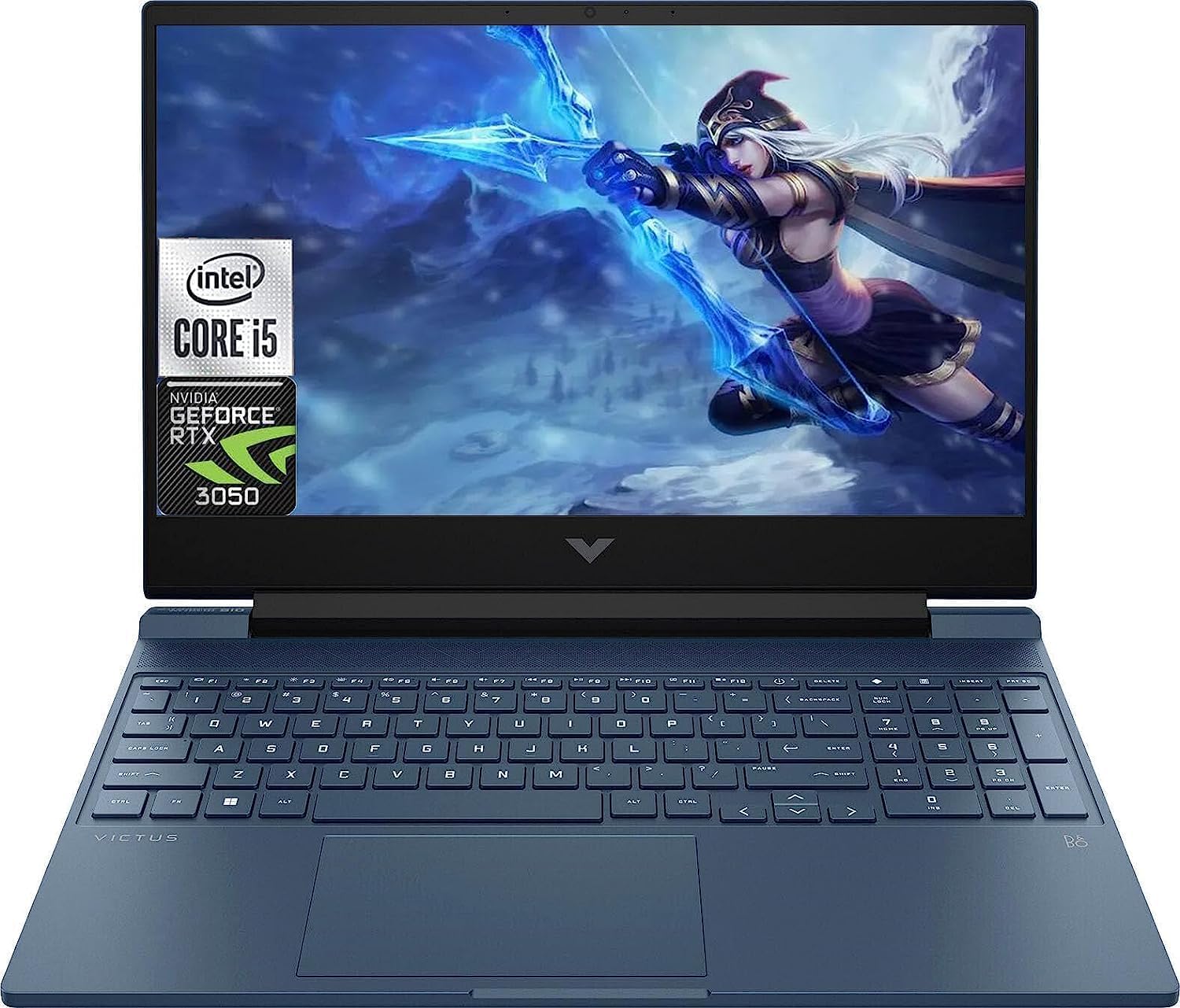
1. HP Victus 15.6″ Gaming Laptop
Ten hours of battery in a gaming laptop is the number that makes this one hard to argue with.
Most machines in this class force you to choose between a fast screen and a machine that survives a lecture hall. The Victus 15.6″ does not. Its 10-hour battery figure is the single most useful spec on this list, and it lines up against the MSI GF63 Thin’s 4 hours as the widest gap in the entire comparison. If your day involves carrying the laptop between classes or a couch and a desk, that figure is worth more than any graphics upgrade here.
The screen is a 15.6″ Full HD IPS panel at 144Hz. In plain terms, you get smooth motion in shooters and a matte anti-glare finish that keeps the picture readable near a window. Inside sits an Intel Core i5-13420H (a 13th-generation processor with eight cores — eight separate work lanes so a game and a voice call can run side by side). Graphics come from an NVIDIA GeForce RTX 3050 with 6GB of dedicated video memory, which is enough to hold high textures at 1080p. Storage is a 512GB solid state drive, so levels load without the mechanical spin-up of an old hard drive.
What wins people over is the build. It is the most-praised aspect of this laptop by a clear margin, and the reports describe a machine that feels more solid than its tier suggests. Performance draws steady approval too. Honesty demands one note: the 8GB of DDR4 memory is the tight spot. It handles a game plus a browser, but a game plus streaming puts it under strain. On value, opinions split, which is normal for a laptop that makes you choose between memory and battery. What you are really buying here is the 10-hour figure and a 144Hz screen that most rivals charge more for.
144Hz screen speed
- 10 hours of battery — versus 4 on the MSI GF63 Thin, the biggest endurance gap on this list
- 144Hz Full HD IPS screen with anti-glare coating, so motion stays smooth and reflections stay down
- 512GB SSD and a 6GB RTX 3050, which holds high texture settings at 1080p
- Build quality is what owners praise most about this machine
last-gen graphics card
- 8GB of DDR4 memory — fine for play, tight if you stream or edit at the same time
- Battery life draws the most criticism of any topic in its feedback, so treat 10 hours as light-use only
- Value feedback splits, which is expected once you see what gets trimmed to hit this tier
budget gamer pick: you need one machine for both gaming and a full day away from a wall socket.
skip for RTX 40: you plan to stream your gameplay or edit video, where the 8GB of memory will hold you back.
2. HP Victus 15 Gaming Laptop
A 15-inch gaming machine that doubles as a reliable homework laptop, with one very specific catch.
This is the sensible first gaming laptop. It carries a 12th-generation Intel Core i5-12500H processor and an NVIDIA GeForce RTX 3050, plus 8GB of RAM and a 512GB SSD. The display is a Full HD IPS panel rated at 178-degree wide-viewing angles, which means the picture holds up when a friend leans over to watch. There is also a fingerprint reader for logging in without typing a password — a small convenience you will use every single day.
Buyers report it performs well both as a general-use computer and as a starter gaming rig. Game performance earns approval on its own, and speed draws few objections. The consistent caveat is the panel: a share of the display feedback calls it a cheap TN-style screen, which is the older panel type with narrower viewing angles and weaker colour than IPS. That is the honest catch with this configuration. If you care about how games look more than how they run, this is the wrong HP.
Reliability draws split reports, and battery life is the weakest topic in its feedback by a wide margin — plan on playing near an outlet. But for a first gaming laptop that also writes essays and joins video calls, the combination of a fingerprint reader, a 512GB drive and an RTX 3050 makes it a fair entry point. Just check which panel you are getting before you commit.
solid 12th-gen CPU: a fingerprint reader and a 512GB SSD are rarely both present at this tier, and the 12th-gen i5-12500H keeps general use snappy.
modest RTX 3050: display feedback splits sharply, with part of the criticism singling out a cheap TN-style panel — verify the screen spec before buying.
everyday gaming value: you want a first gaming laptop that also handles schoolwork and video calls.
pass on 4GB VRAM: screen quality is the thing you notice first, since the panel is the most disputed part of this build.
3. Acer Nitro V ANV15-52-586Z
The step up to an RTX 4050 and a 165Hz panel, and the upgrade you actually feel.
The RTX 4050 here is a generation newer than the RTX 3050 in either HP above, and it brings DLSS 3.5 into play — AI-assisted rendering that sharpens ray-traced scenes without tanking your frame rate. The screen runs at 165Hz, which is faster than the HP Victus 15.6″ at 144Hz, and it covers 82.64% of the front panel so the bezels stay thin. Memory is DDR5, the faster generation, and storage is a 512GB PCIe Gen 4 SSD. You also get a Thunderbolt 4 port, which carries a display signal, data and charging over one cable — genuinely useful if you dock to a monitor.
Processing comes from the same Intel Core i5-13420H found in the HP Victus 15.6″, but here it is clocked up to 4.6GHz. That edges out the MSI Thin 15’s 4.4GHz ceiling. There are two DDR5 memory slots in total, supporting up to 32GB, so the 8GB ceiling is a starting point rather than a dead end. Wi-Fi 6 keeps the connection stable on a busy home network, and the 135W adapter comes bundled along with a protective sleeve.
Performance is the topic that dominates feedback on this machine, and value follows close behind it. Cooling splits opinion — the fans do their job, but some sessions get hot after around fifteen minutes of play, which is typical when a thin chassis pushes a 4050 hard. Fan noise splits the same way. Durability reports are mixed too. None of that undercuts the core appeal: a newer graphics chip, a faster panel and an upgrade path for memory, all in one chassis.
midrange balance: you get a 165Hz screen, an RTX 4050 and two upgradeable DDR5 slots — the most future-proof combination in the budget stretch of this list.
avoid for OLED: sustained cooling is the weakest link, so plan on a laptop stand for long sessions.
4. MSI GF63 Thin 15.6″ Gaming Laptop (i5-11400H, RTX 3050 4GB)

Double the memory of its rivals, and a battery figure that tells you exactly what it costs.
16GB of DDR4 memory is the headline here, because both the HP Victus 15.6″ and the Acer Nitro V above run 8GB. That extra headroom means you can keep a game running with a browser and a chat client open behind it without the stutter that comes from memory pressure. The trade is elsewhere. This laptop lists a 4-hour battery figure, the second-lowest on the list, and the HP Victus 15.6″ reaches 10 hours on the same specification sheet. Ten hours against four is the spread you are accepting.
Under the lid is an 11th-generation Intel Core i5-11400H with a 4.5GHz maximum speed, paired with an NVIDIA GeForce RTX 3050 carrying 4GB of video memory. The 15.6″ screen is Full HD at 144Hz, so motion stays smooth. Storage is a 512GB NVMe SSD — a fast drive type that cuts load times. Windows 11 comes preinstalled, and the chassis is the thin, black design the GF63 line is known for.
Two things to weigh before you pick this one. The GPU has 4GB of video memory rather than the 6GB in the HP Victus 15.6″, so texture settings need more restraint at high resolutions. And the 11th-generation processor is a step behind the 13th-generation chips on the Acer models. If your priority is running lots of programs at once on a desk, this is the smarter allocation of budget. If you need to leave the house with it, the 4-hour figure will bite.
light 15-inch frame
- 16GB of DDR4 memory — double the 8GB in the HP Victus 15.6″ and Acer Nitro V
- 512GB NVMe SSD, so games and files open quickly
- 144Hz Full HD panel that keeps fast motion readable
single fan cooling
- 4-hour battery — six hours short of the HP Victus 15.6″ on the same sheet
- 4GB of video memory versus 6GB on the HP, which limits high-texture settings
- 11th-gen processor trails the 13th-gen chips on the Acer picks
portable LAN rig: the laptop lives on a desk and you want the most memory for your budget.
skip heavy sessions: portability matters, because 4 hours is a short leash.
5. MSI Thin 15 B13UCX-2041US

Modern DDR5 memory and a newer processor, paired with the least powerful graphics chip here.
Memory is where this one shines. It runs 16GB of DDR5 — the newer, faster generation — which is double the 8GB in the HP Victus 15.6″ and a full generation ahead in speed. The processor is a 12th-generation Intel Core i5-12450H, and it is listed at a 4.4GHz maximum, slightly under the 4.6GHz ceiling on the Acer Nitro V above. Cooling comes from MSI’s Cooler Boost 5 arrangement, a multi-fan setup designed to keep the chassis under control when you push it.
Then there is the graphics card. The NVIDIA GeForce RTX 2050 is the oldest and least capable GPU on this list, well behind the RTX 4050 machines. That is a real limit, and it decides the kind of gaming this machine is for. Competitive titles, indie games and older releases at moderate settings will run fine. The newest triple-A releases at high settings are not what it is built for. The 15.6″ screen runs at 144Hz, so the smoothness is still there even when the frame rate is not.
Windows 11 Home comes installed, Bluetooth 5.3 is on board for newer accessories, and MSI’s automatic tuning adjusts the machine as you work. Think of this as the everyday machine: fast to open, comfortable to multitask on, and honest about its graphics ceiling.
slim 15 chassis: 16GB of DDR5 memory and a 12th-gen i5-12450H make this the quickest-feeling machine in the lineup for browsing, chatting and lighter games at once.
small 4GB buffer: the RTX 2050 is the weakest graphics chip on the page, so check that your games run well on it before you commit.
dorm room laptop: players whose library is mostly competitive and indie titles, with school or work on the side.
not for creators: anyone chasing high settings on the newest big-budget releases.
6. Acer Nitro V ANV15-51-51H9

A gaming laptop that ships with a fan-control app, and it earns its keep under load.
Two things set this Nitro V apart from its siblings. The first is the cooling: dual fans and an exhaust system designed to push heat out, with NitroSense software on top so you can watch internal temperatures and set fan speeds yourself. The second is wired networking. A Gigabit Ethernet port means you can plug straight into a router for a stable connection, which matters more than Wi-Fi in a busy household with several devices streaming.
The core hardware is the familiar pairing of an Intel Core i5-13420H at 4.6GHz and an NVIDIA GeForce RTX 4050, with 8GB of DDR5 and a 512GB Gen 4 SSD. Two M.2 slots are available, so adding a second drive later is straightforward. There is a Thunderbolt 4 port for a single-cable desk setup. Quality is the strongest theme in its feedback by a wide margin, and game performance is the clear second — this machine runs demanding titles smoothly at high settings.
The honest side is mixed. Reliability reports split roughly down the middle, with some machines running perfectly and others crashing. Display feedback is divided too, with part of it citing black-screen trouble after months of use. Battery life is the weakest topic of all — the spec sheet lists 3 hours — and fan noise draws criticism for being loud even at idle. Buy this for the cooling and the wired connection, and keep a return window open for the first few weeks.
esports frame rates: desk setups where you want an RTX 4050, manual fan control and a stable Ethernet connection.
risky for AAA: you need all-day battery or near-silent running, since the listed 3 hours and loud fans rule both out.
7. Acer Nitro V 15.6″ Gaming Laptop
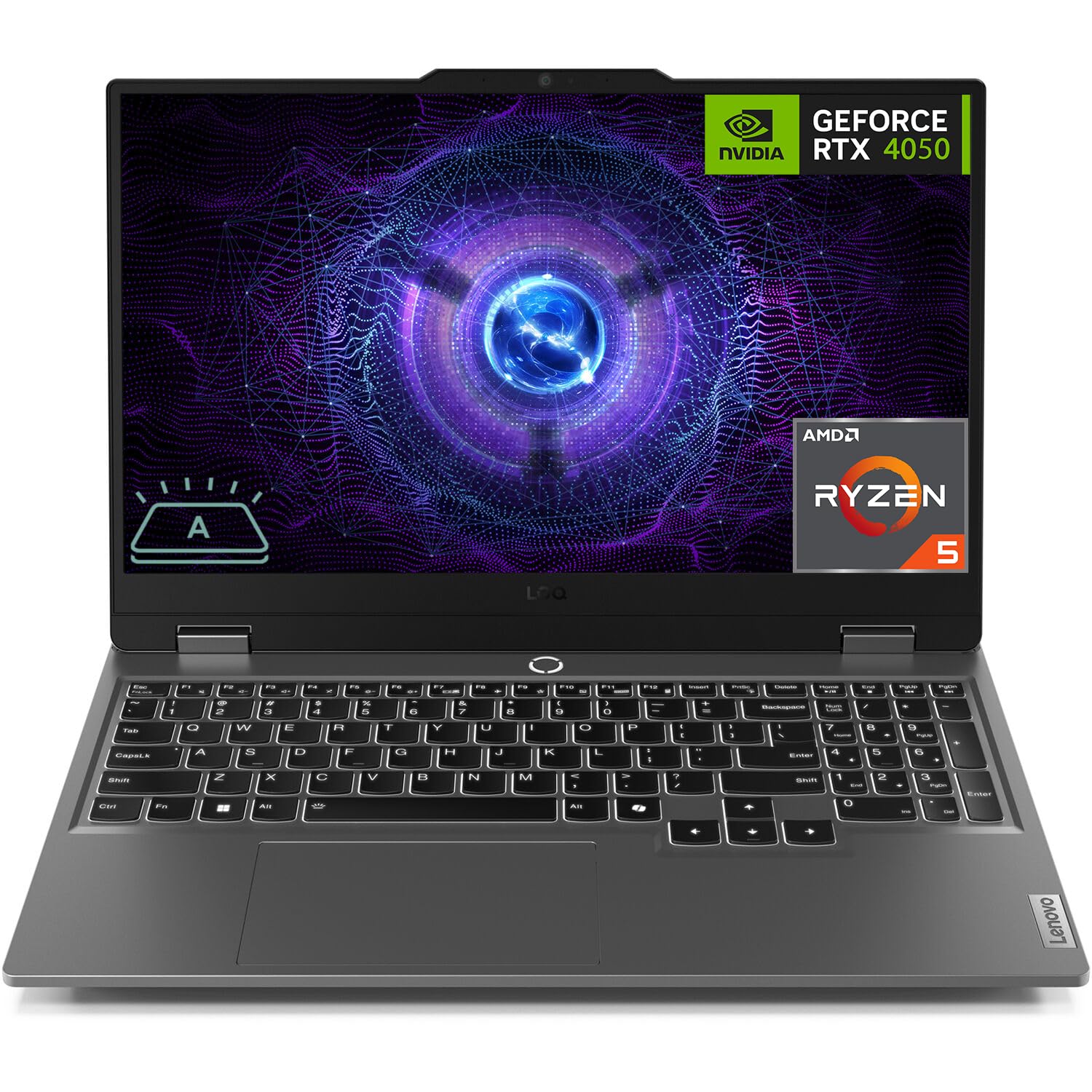
The only pick here built around expandability, with room for 64GB of memory and 8TB of storage.
Every other laptop on this list asks you to guess your future needs at checkout. This one does not. Lenovo rates the LOQ for up to 64GB of DDR5 memory and up to 8TB of PCIe M.2 storage, so the machine can grow with you rather than aging out. For a budget-tier purchase that is an unusual amount of headroom, and it changes the maths on buying cheap now and upgrading later.
The rest of the hardware is solid without being flashy. An AMD Ryzen 5 7235HS processor runs 4 cores and 8 threads up to 4.2GHz, paired with an NVIDIA GeForce RTX 4050 carrying 6GB of GDDR6 video memory. The 15.6″ screen is Full HD IPS at 144Hz with G-SYNC, a feature that syncs the panel to the GPU’s output to cut screen tearing, and it is rated at 300 nits of brightness. Ports are generous: one USB-C, three USB-A, HDMI, Ethernet and a headphone/mic combo jack, plus Wi-Fi 6 and Bluetooth 5.2. A mouse is included and the keyboard is white backlit.
Performance is the topic that carries this laptop’s feedback, and the language is consistent — smooth, no lag, a solid gaming computer. Gaming performance feedback is positive without exception. Value splits, which is fair given that AMD’s Ryzen 5 trades some raw clock speed for efficiency against the Intel chips on the Acer models. If you want the machine you can keep upgrading instead of replacing, the LOQ is the clearest answer here.
RTX 4050 punch: rated for up to 64GB of RAM and 8TB of SSD storage, this is the only laptop on the list that is designed to be upgraded rather than replaced.
older Ryzen chip: the Ryzen 5 7235HS tops out at 4.2GHz and runs 4 cores, so raw processing trails the 8-core Intel chips in the Nitro V models.
cheap 40-series entry: you want a machine you can feed more memory and storage into over the years.
pass for editing: you want maximum processor speed from the start and never plan to open the case.
8. Alienware 16 Aurora Gaming Laptop (Core 7 240H, RTX 5050)
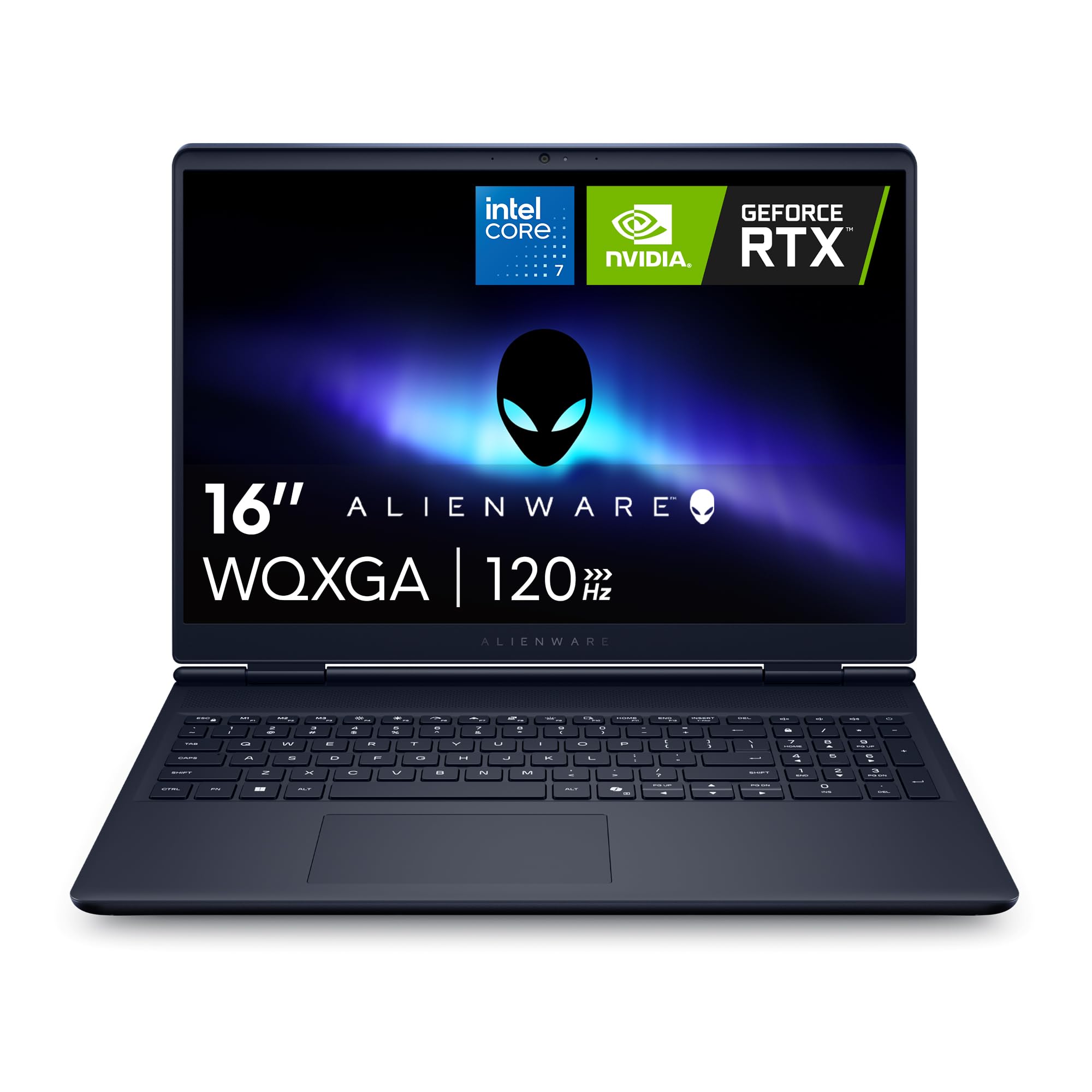
A 2560×1600 panel at 300 nits, and the only 16-inch screen in this entire lineup.
Resolution is the differentiator. Every other laptop here runs a 1920×1080 panel, while the Aurora steps up to 2560×1600 on a 16-inch screen with a 16:10 aspect ratio. That taller shape gives you more vertical space for game menus, documents and timelines. Brightness is rated at 300 nits, and the panel runs at 120Hz — slower than the 165Hz screens above, but paired with a sharper picture. Graphics come from an NVIDIA GeForce RTX 5050 built on the Blackwell architecture.
The processor is an Intel Core 7 240H rated up to 5.2GHz, the highest clock speed on this list, with 24MB of cache. Cooling uses a Cryo-Chamber structure that directs airflow to the core components, and the chassis avoids a rear thermal shelf so it stays streamlined. A 180W adapter ships in the box. Dell includes a year of onsite service, meaning a technician comes to you if a covered hardware issue cannot be fixed remotely.
Quality is what carries this laptop’s reputation — the feedback describes expectations being exceeded. Value reads positively too, and graphics draw praise for sharp visuals on a high-refresh display. The mixed areas are performance, where some sessions run fast and others sluggish, and cooling, which splits between no heat issues and overheating reports. Sound splits as well, with the fans called loud by part of the feedback. This is the pick for someone who values the screen above all else.
splurge gaming rig: the 2560×1600 display is sharper than the 1920×1080 panels on every other laptop here, and it comes with onsite service for the first year.
catch is cost: at 120Hz it refreshes slower than the 144Hz and 165Hz picks, so competitive players lose a little smoothness for that extra sharpness.
9. ASUS ROG Strix G16 Gaming Laptop (i7-14650HX, RTX 5060)
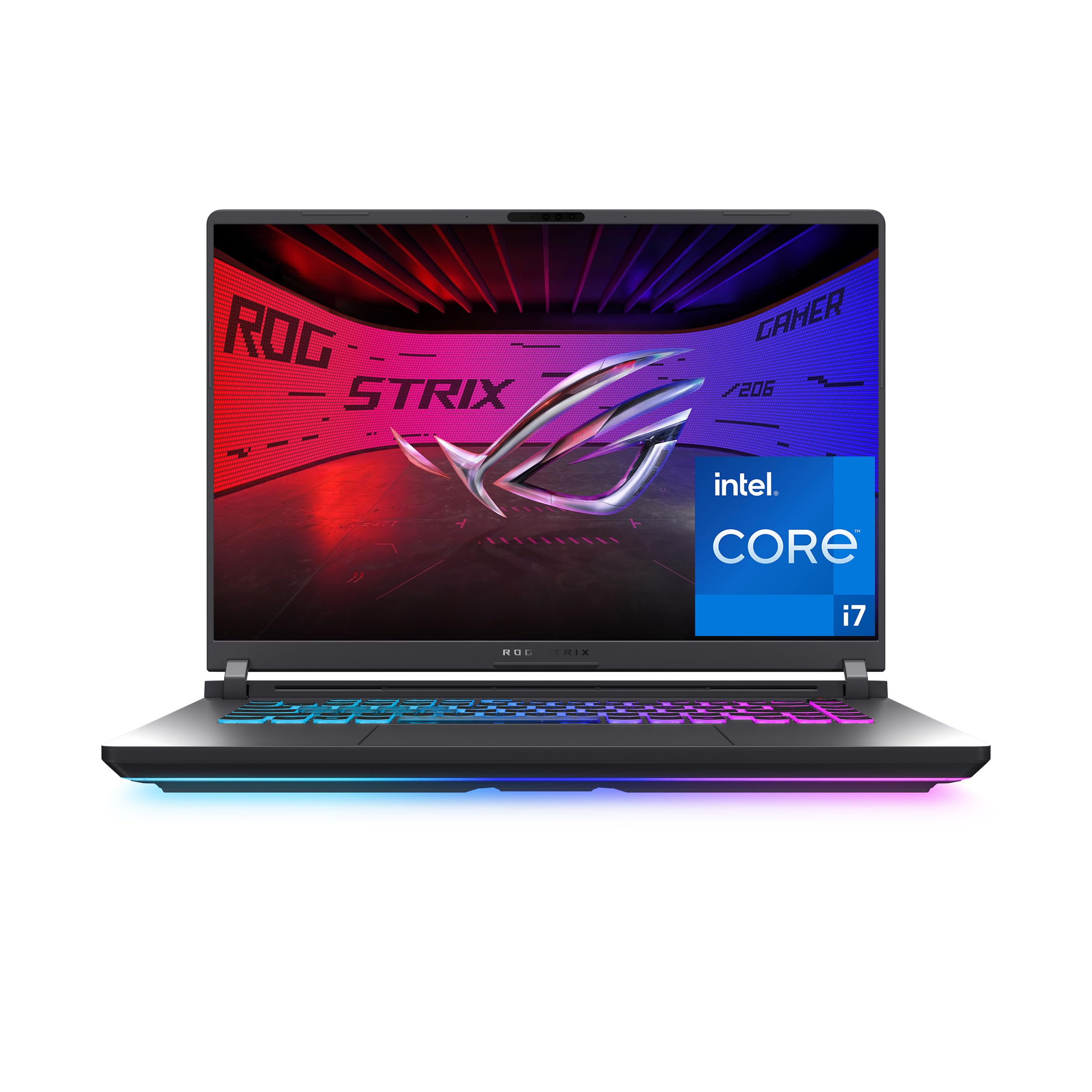
Vapor-chamber cooling, liquid metal and Wi-Fi 7 — the top of this ladder in every respect.
Cooling is what sets this machine apart. ROG runs an end-to-end vapor chamber, a sealed plate of liquid that spreads heat across the whole chassis rather than along pipes, backed by three fans and Conductonaut Extreme liquid metal on the chipset. Liquid metal conducts heat better than standard thermal paste, which is why this design can hold performance longer than an air-cooled budget chassis. Graphics come from an NVIDIA GeForce RTX 5060 with DLSS 4 and Max-Q tuning, and the display is a 16-inch FHD+ panel at 165Hz with a 3ms response time and an ACR film that improvescontrast and cuts glare. Wi-Fi 7 is the newest wireless standard here, and 1TB of Gen 4 storage plus 16GB of DDR5-5600MHz memory round out the hardware.
The processor is an Intel Core i7 Processor 14650HX running to 5.2GHz, and the memory is rated DDR5-5600MHz — quicker than the DDR5 in the Nitro V models. A 360-degree RGB light bar syncs with the keyboard and ROG peripherals, and Stealth Mode kills all the lighting when you want the laptop to look professional in a meeting. On paper this is the most capable machine on the page, and it costs the most too.
Two numbers deserve your attention before you decide. The battery figure is listed at 2 hours, the shortest on this entire list, so this is a machine that lives near an outlet. And the screen sits at 1920×1200 rather than the 2560×1600 of the Alienware above — you gain refresh speed and cooling headroom, you give up sharpness. If raw performance and thermal design are what you care about, this is the top of the ladder.
high refresh esports: players who want the strongest thermal design, the newest Wi-Fi standard and a fast 165Hz panel in one machine.
clear on GPU tier: the 2-hour battery figure and the 1920×1200 resolution, both of which trail cheaper picks on this list.
Know the Specs
Graphics Card And Video Memory
Every frame you see is drawn by the GPU (the graphics chip), and the letters and numbers after it tell you the generation and the tier. An RTX 3050 is an older generation than an RTX 4050, which is older than an RTX 5050. Newer generations tend to support newer versions of DLSS — the AI upscaling that renders a game at a lower internal resolution and fills in the detail to keep frame rates up. The number after the card name is video memory in gigabytes, the dedicated pool the GPU uses for textures. More video memory lets you push texture settings higher without the frame rate falling off a cliff. That is why the 6GB RTX 3050 in the HP Victus 15.6″ has more room than the 4GB version in the MSI GF63 Thin.
Refresh Rate And Panel Type
Refresh rate, measured in hertz, is how many times per second the screen redraws the image. A 144Hz panel redraws 144 times a second, and a 165Hz panel redraws 165 times. Higher numbers make fast motion look smoother, which is why shooters benefit most. Panel type matters just as much: an IPS panel keeps colour and contrast stable when you view it from an angle, while an older TN panel shifts and dims as you move off-centre. Brightness is rated in nits, and a higher figure keeps the picture readable in a bright room. Resolution works alongside all of this — a 1920×1080 panel shows fewer pixels than a 2560×1600 one, so text and fine detail look crisper on the higher number.
Memory, Storage And Slots
System memory, or RAM, is the short-term workspace the machine uses to hold whatever you are doing right now. 8GB covers gaming with a browser open; 16GB covers gaming while streaming or editing. The generation matters too — DDR5 moves data faster than DDR4, so a 16GB DDR5 setup outperforms 16GB of DDR4 in heavy multitasking. Storage is the long-term shelf, and an SSD has no moving parts, so games load far quicker than from an old spinning drive. Check the slot count before you buy: a laptop with two M.2 slots can take a second drive later, while a single-slot machine means the drive you buy is the drive you keep.
Common Questions
Is an RTX 4050 worth the extra over an RTX 3050 in a budget gaming laptop?
How much RAM do I need for gaming and streaming at the same time?
Will a 144Hz screen actually make a difference if my game runs below 144 frames per second?
Can I add a second SSD to these gaming laptops later?
Why do these gaming laptops list such short battery life?
Is DDR5 memory meaningfully better than DDR4 for gaming?
What does Thunderbolt 4 add to a budget gaming laptop?
Is a 2560×1600 screen harder to drive than a 1920×1080 one?
Do loud fans mean a gaming laptop has a cooling problem?
Should I buy a laptop with onsite service instead of relying on the standard warranty?
The Bottom Line
For most people, the most affordable gaming laptop answer is the HP Victus 15.6″ with the RTX 3050. It pairs a 144Hz screen and a 512GB SSD with a 10-hour battery figure that no rival here approaches. Owners agree: 4.0+ stars across 140+ reviews. If you want the newer graphics generation, step to the Acer Nitro V ANV15-51-51H9 for its RTX 4050 and manual fan control. And for a machine that grows with you, the Lenovo LOQ is the one to reach for, with headroom to 64GB of memory and 8TB of storage.
How we choose
We do not accept paid placement. Every pick is matched to a real buyer and a real use-case; we do not hands-on test units.
Sources
Specifications: manufacturer listings and product documentation. Review insights: verified customer reviews, as of November 2026. Pricing: not shown on this page (it changes often); check the current price via the retailer link.
As an Amazon Associate, Tactical Gear Guy earns from qualifying purchases. This does not affect which products we feature.