Specs are compiled from manufacturer listings and verified buyer reviews and can change over time — please confirm the key details on the product page before buying.
If you want the short answer: for most people the right light notebook is the 15-inch MacBook Air with the M5 chip, because it pairs a 3.32-pound body with up to 18 hours of battery life and a 15.3-inch Liquid Retina display. At 3.32 pounds with an 18-hour rating and a 15.3-inch panel, it is the rare machine that does not make you choose between carrying light and seeing more. Everything below explains who each of the other ten picks actually fits, so you buy the right one once instead of trading up in six months.
This guide is built by comparing the manufacturers’ published specifications and the patterns across verified customer reviews, so you get each pick’s real strengths and trade-offs instead of marketing spin.
Weight, battery hours, and screen size are the three numbers that decide how a light laptop actually feels on your shoulder and in your day. This page ranks every option by those numbers first, then fills in the rest. Here is the honest rundown of the best light notebook PC you can carry without noticing it.
Top Picks


How To Choose The Best Light Notebook PC
A light notebook is a balancing act. Lighter means less to carry, but it can also mean a smaller battery, a smaller screen, or a slower chip. Weight, battery hours, screen size, and memory are the four figures that decide how the machine feels in daily use; the rest is spec-sheet noise.
Start with the carry weight, not the storage
Weight is the spec you feel every single day — in a backpack, on a train, or tucked under your arm walking into class. Under 3.5 pounds is where a laptop stops being a burden, and the lightest picks here sit around 2.7 to 2.8 pounds. That 0.7-pound gap is what you notice on a long commute or a campus day with several buildings between you and your desk.
Match battery hours to your longest stretch away from an outlet
Battery life is the second number that shapes your day. A laptop rated for 14 to 18 hours covers a full work or school day without the charger, while an 11-hour machine can be tight if you push brightness for video. Remember that runtime ratings are measured under specific conditions, so real use tends to land below the headline figure.
Pick screen size for the work you actually do
A 13-inch panel is genuinely portable and plenty for writing, email, and video calls. A 15.6-inch or 16-inch screen gives you more room for spreadsheets, side-by-side windows, and creative apps, but it usually adds weight. Buy the smallest panel that fits your actual work — 13 inches for writing and email, 15.6 or 16 inches for spreadsheets and side-by-side windows.
Know which chip and memory you need
For browsing, documents, streaming, and video meetings, an AMD Ryzen 3, an Intel N100, or a Snapdragon X chip all handle the basics. What separates a smooth machine from a sluggish one is memory and storage — 8GB is the entry point, while 16GB keeps many browser tabs and apps open without slowdown. Storage matters too, since 128GB fills quickly with photos and course files.
Side-by-Side Comparison
| Model | Best For | Weight | Battery Life | Screen | Amazon |
|---|---|---|---|---|---|
| Apple 2026 MacBook Air 15-inch (M5)★ Best Overall | Best all-round light notebook | 3.32 lbs | Up to 18 hours | 15.3-inch Liquid Retina | Amazon |
| Apple 2026 MacBook Neo 13-inch (A18 Pro)Featherweight Pick | Smallest, lightest Mac option | 2.71 lbs | Up to 16 hours | 13-inch Liquid Retina | Amazon |
| Lenovo Slim 7i Aura EditionOLED Standout | Creators who want an OLED panel | 2.82 lbs | 17 hours | 14-inch WUXGA OLED | Amazon |
| HP OmniBook 3 14 (Snapdragon X) | Longest stated battery life | 3.13 lbs | Up to 30 hours | 14-inch 2K touch | Amazon |
| Samsung Galaxy Book6 14” | Galaxy phone owners | — | — | 14-inch 1920×1200 | Amazon |
| Microsoft Surface Laptop 13” | Windows touchscreen fans | — | Up to 23 hours | 13-inch PixelSense touch | Amazon |
| Lenovo V15 | Most memory for the basics | 3.33 lbs | — | 15.6-inch FHD anti-glare | Amazon |
| HP OmniBook 3 16 | Big 2K touchscreen on a budget | — | Up to 14 hours 15 min | 16-inch 2K touch | Amazon |
| ASUS Vivobook Go 15.6” (256GB) | Students who need storage | 3.59 lbs | Up to 11 hours | 15.6-inch FHD | Amazon |
| ASUS Vivobook Go 15.6” (128GB) | Cheapest everyday laptop | 3.59 lbs | — | 15.6-inch FHD | Amazon |
| Acer Aspire Go 15 | Entry-level school machine | — | — | 15.6-inch FHD IPS | Amazon |
Detailed Reviews
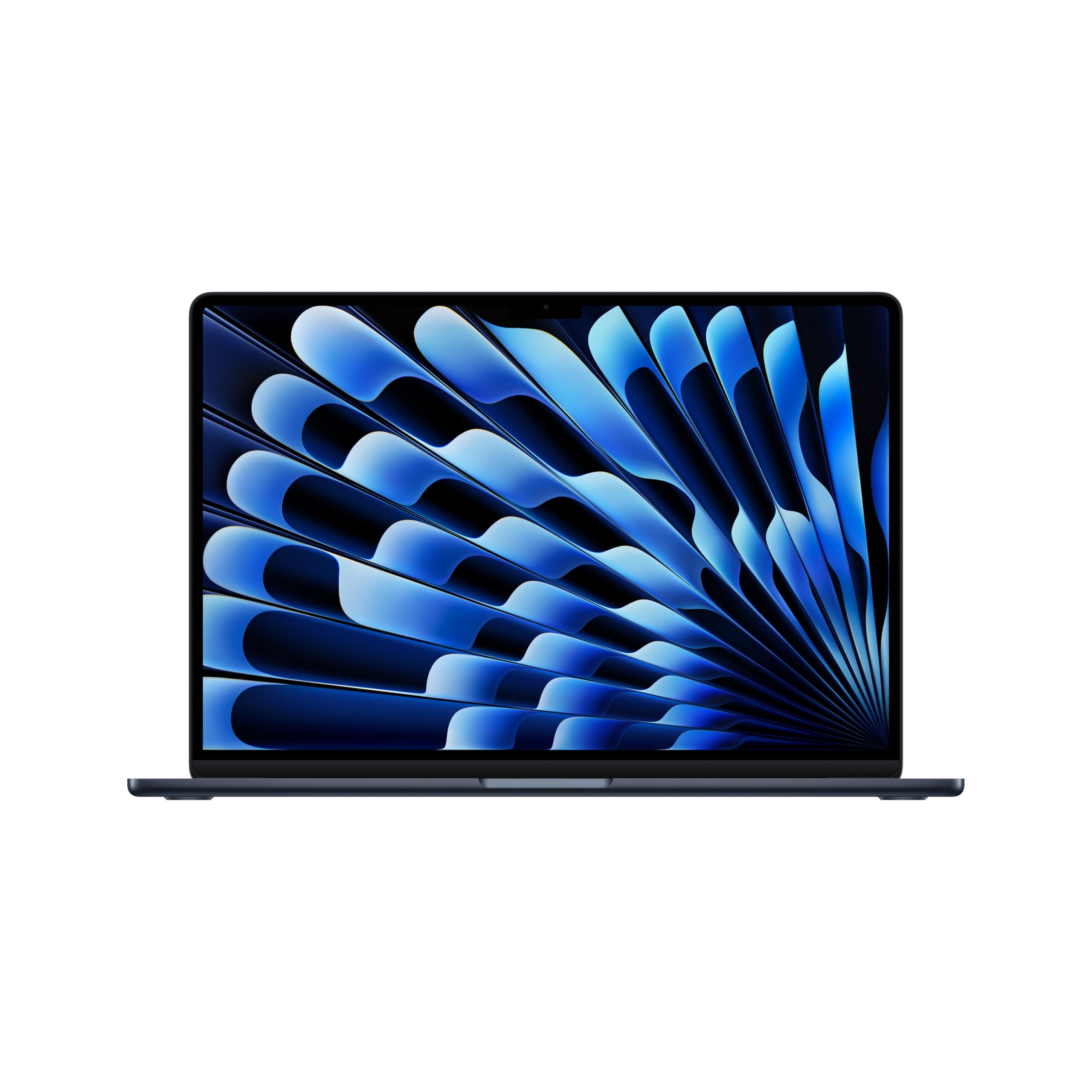
1. Apple 2026 MacBook Air 15-inch Laptop with M5 chip
Our pick — 4.5+★ from 850+ verified ratings; the strongest balance of quality and price.
A big 15.3-inch screen that you can still throw in a tote bag without a second thought.
What makes this the pick to beat is how little you give up for the portability. You get a 15.3-inch Liquid Retina display that supports 1 billion colors, so photos, video, and side-by-side windows look sharp without asking you to squint at a small panel. And it all rides in a 3.32-pound body that measures 0.45 inches at its thinnest point. For a student hauling a laptop between buildings or a worker who splits time between home and an office, that combination of screen size and weight is the whole point of a light notebook.
The 15.3-inch Air holds 512GB of SSD storage and 16GB of unified memory — two figures that put it well ahead of the entry-level crowd. Compared to the Acer Aspire Go’s 128GB, that is four times the storage, and its 16GB of memory doubles that machine’s 8GB. In practice, that means you can keep a dozen browser tabs, a video call, and a document open without the machine crawling. Up to 18 hours of battery life is the other headline number — that covers a full day of classes or a cross-country flight with charge left over.
The 12MP Center Stage camera keeps you in frame during calls, and the three-mic array plus six-speaker sound system with Spatial Audio and Dolby Atmos handle meetings and video without a headset. Wi-Fi 7 and Bluetooth 6 are on board, along with two Thunderbolt 4 ports, a MagSafe charging port, and a headphone jack. The catch is simple: this is a premium machine, and if you only browse and write documents, a budget option does the same job. Owners are overwhelmingly happy here — the crowd favorite at 4.5+ stars across 850+ ratings — and performance is what wins them over by a wide margin, followed by value for money.
Where the Air earns its keep
- 15.3-inch Liquid Retina screen in a 3.32-pound chassis
- Up to 18 hours of battery life for full days away from an outlet
- 512GB SSD and 16GB unified memory handle heavy multitasking
- 12MP Center Stage camera and six-speaker Spatial Audio for calls
What to weigh before buying
- Premium tier means you pay for polish that basic tasks do not need
- Heavier than the 2.71-pound 13-inch MacBook Neo
- Two Thunderbolt 4 ports is a modest count for desk setups
Buy it if: you want one laptop that covers a big screen, long battery, and real power without a heavy bag.
Think twice if: your day is mostly email and web browsing — a budget machine covers that fine.
2. Apple 2026 MacBook Neo 13-inch Laptop with A18 Pro chip
The lightest thing on this list at 2.71 pounds — and it still runs a full day.
If portability is the whole reason you are shopping, this is where the number points. The A18 Pro chip and 256GB SSD cover school assignments, note summaries through Apple Intelligence, and Apple Arcade games without strain.
Battery life is the second reason it belongs this high: up to 16 hours means a full day of classes and a late study session on one charge. The aluminum enclosure is made with recycled content that helps it reach 60 percent recycled material by weight. You also get a 1080p FaceTime HD camera, a dual-mic array, and two side-firing speakers, which is enough for video calls with classmates without adding a webcam. Four colors — Silver, Blush, Citrus, and Indigo — each come with a matching keyboard.
Here is the trade-off: 256GB of storage and 8GB of unified memory are modest, so this is a machine for coursework and everyday apps, not for editing large video projects. Owners love how compact it is, describing it as a small Mac that is very compact with a 13-inch screen that is plenty large enough. It is the second-ranking pick here at 4.5+ stars across 1,600+ ratings, and value for money is the thing buyers bring up most after performance.
What buyers keep coming back to: the size and the color range. Compact enough to disappear into a backpack, and the four color options are a real draw rather than a footnote.
The honest limit: 8GB of memory and 256GB of storage are entry-level figures, so plan on cloud storage if you keep a large photo or video library.
Reach for this if: you walk or commute daily and want the lightest Mac you can buy without dropping to a tiny screen.
Look elsewhere if: you need room for big local files — the 512GB Air above has double the storage.
3. Lenovo Slim 7i Aura Edition 14″ WUXGA OLED
A 600-nit OLED panel on a chassis that starts at 2.82 pounds — that pairing is rare.
For anyone editing photos, cutting video, or just wanting a screen that looks genuinely good, the display is the reason to pay attention here. It is a 14-inch WUXGA OLED rated for 600 nits of peak brightness and DisplayHDR True Black 500, which means dark scenes stay dark and bright highlights hold up in a well-lit room. The 1920×1200 resolution at 60Hz keeps text sharp and scrolling smooth. And it all sits in a chassis that starts at 2.82 pounds, so you are not trading portability for picture quality.
Battery life is rated at 17 hours, which lands between the MacBook Neo’s 16 and the HP OmniBook 14’s 30. The 16GB of memory and 1TB of storage give you real room for creative files — that terabyte is the largest storage figure on this whole list, well beyond the 512GB in the MacBook Air. A 65W USB-C charger comes in the box, so you can top up from the same brick you use for a phone. The 30W TDP thermal design keeps things cool and quiet when you push the processor.
The Intel Core Ultra 7 processor and the Intel Unison app tie into your phone for drag-and-drop photo transfers, which is handy if you shoot on mobile and edit on a laptop. Owners describe the functionality as excellent, and it holds 4.0+ stars across 70+ ratings. Where this one asks for patience: the OLED panel is the showpiece, and if you never edit photos or watch video on your laptop, you are paying for a screen you will not take full advantage of.
The screen is the argument: 600 nits peak and DisplayHDR True Black 500 put this panel above the standard LCD notebooks around it, and 1TB of storage backs up the creative pitch.
What it is not: a budget machine. If your work is mostly spreadsheets and web browsing, the OLED premium buys you little.
Best match: creators who want a color-accurate OLED screen and a full terabyte of storage in a sub-3-pound body.
Skip the upgrade if: you mostly read email and documents — an LCD notebook covers that at a lower tier.
4. HP OmniBook 3 14 2K Touch Laptop Snapdragon X
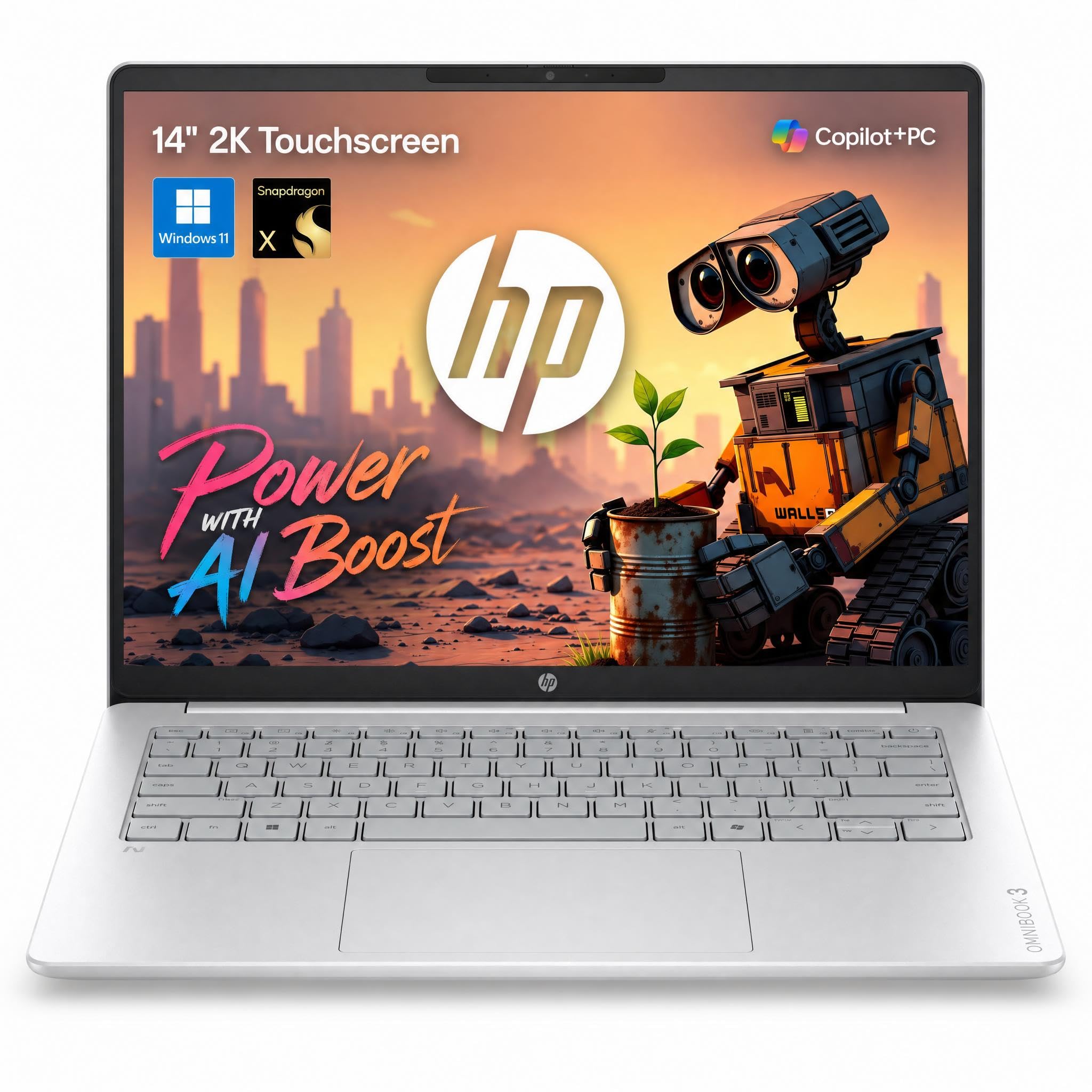
Thirty hours of video playback on a 3.13-pound laptop — the charger can stay home.
The number that jumps out is 30 hours of local video playback from a 3-cell 60Wh battery. That is the longest stated runtime anywhere on this list, far beyond the 17 hours of the Lenovo Slim 7i and the 16 hours of the MacBook Neo. On a cross-country flight or a full campus day, 30 hours means the charger stays in your bag. A 65W USB-C GaN adapter refills it from 0 to 50% in about 45 minutes when you do need to top up.
The Snapdragon X 8-core processor (X1-26-100) and a dedicated 45 TOPS NPU make this a Copilot+ PC, which means AI tasks like real-time summaries run on the machine rather than through the cloud. The 14-inch 2K (1920×1200) IPS touchscreen uses a 16:10 aspect ratio to give you more vertical space, and 300 nits of brightness keeps it usable indoors. The whole thing weighs 3.13 pounds in a Glacier Silver chassis.
Memory and storage land at 16GB LPDDR5x and a 512GB PCIe Gen4 NVMe SSD, so multitasking and fast boot times are covered without compromise. You get Wi-Fi 6E and Bluetooth 5.3, plus a 1080p FHD IR camera with a physical privacy shutter that supports Windows Hello sign-in. Ports include two USB-C 10Gbps with Power Delivery and DisplayPort 1.4, two USB-A 5Gbps, and one HDMI 2.1. The one thing to know: this machine has a shorter track record of reviews than the big-name picks above, so you are trusting a newer listing rather than a long pile of owner history.
Why it stands out
- Up to 30 hours of video playback — the longest here
- 2K touchscreen at 300 nits with a 16:10 aspect ratio
- 45 TOPS NPU runs AI tasks locally
- 16GB memory and 512GB Gen4 SSD in a 3.13-pound body
Keep in mind
- Fewer owner reviews to lean on than the established picks
- Snapdragon chips run Windows apps well but are not for heavy legacy software
- 3.13 pounds is heavier than the two MacBooks above
Go for it if: battery runtime is your top priority and you want a touchscreen for notes and browsing.
Hold off if: you rely on specialized Windows software that may not run on the Snapdragon chip.
5. Samsung 14” Galaxy Book6 Laptop, Intel Core Ultra 7
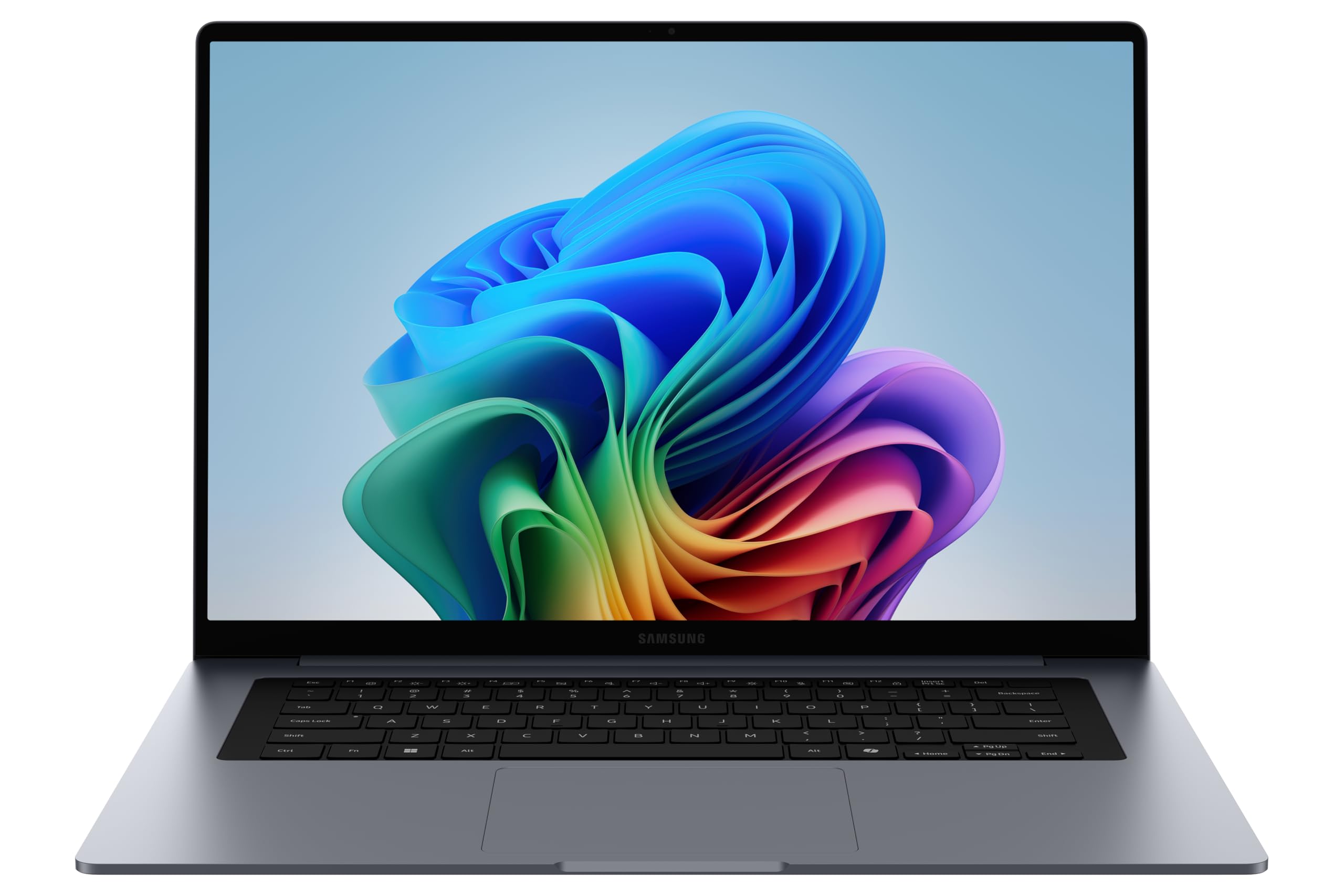
If you already carry a Galaxy phone, this laptop turns it into a second screen and a file cabinet.
The real reason to buy this one is the phone link, not the spec sheet. You can answer calls and reply to text messages straight from the laptop, and photos or documents move between the two devices without emailing yourself a file. Drag from your phone and drop on your PC with Multi Control, and reach photos, videos, and documents on your Galaxy phone directly from the laptop with no cables. For Galaxy phone owners, calls, texts, and file transfers happen on the laptop without a third-party app.
Underneath, it runs the Intel Core Ultra 7 355 processor with an Intel NPU for accelerated AI, paired with an integrated GPU. The 14-inch LCD screen hits 1920×1200 resolution at up to 60Hz and 350 nits of peak brightness, so it holds up in normal indoor light. The chassis is described as a lightweight build with a symmetrical keyboard and touchpad design — a small detail that keeps your hands centered while typing on the couch or a train tray table.
The catch is a data gap worth naming plainly: there is no published customer review history attached to this listing, so you are buying on the spec sheet and the Galaxy integration rather than on a track record of owner feedback. The panel is LCD rather than OLED, so it will not match the Lenovo Slim 7i on contrast. Storage is described as SSD without a published capacity figure on this listing, which is worth confirming with the seller before you buy.
The feature that sells it: full Galaxy phone integration for calls, texts, and file transfer — something none of the other picks on this list offer.
The question to ask: check the exact storage and memory configuration with the seller, because this listing does not spell out either figure.
This one is for: Galaxy phone owners who want calls and files to flow between devices without extra apps.
Better to look at LCD alternatives if: you want deep contrast and a proven review record instead.
6. Microsoft Surface Laptop 13″

A razor-thin 13-inch touchscreen Windows machine rated for up to 23 hours away from the wall.
Battery life is where this one argues its case. Up to 23 hours puts it between the OmniBook’s 30 and the MacBook Neo’s 16, and it is enough to cover a work day plus an evening of streaming without a charger. The Snapdragon X Plus 8-core chip with an AI engine rated at up to 45 trillion operations per second means AI features like summaries and writing help run on the device itself. The 13-inch PixelSense touchscreen handles taps and pen-style input for note-taking and sketching.
At the same time, 16GB of memory and 512GB of SSD storage match the MacBook Air on capacity, giving you room for many browser tabs and a solid file library. The design is described as razor-thin and lightweight, made for carrying between meetings and classrooms. It is a Copilot+ PC running Windows 11, with Bluetooth 5.4 on board. Microsoft 365 apps and a 30-day Xbox Game Pass Ultimate trial come preloaded.
What holds it back is consistency. Quality is the thing buyers praise, and it reaches 4.0+ stars across 150+ ratings. But performance and battery experience read mixed in the feedback — some units work beautifully, and a few reports describe a unit that would not take a charge at all, plus trouble connecting to printers and other devices. Those are fit-and-quality notes, not a reason to skip the model, but they are worth knowing before you commit to a premium Windows notebook.
Strong points
- Up to 23 hours of battery life for full days unplugged
- 13-inch PixelSense touchscreen for notes and sketching
- Snapdragon X Plus chip with a 45 trillion operations-per-second AI engine
Trade-offs to accept
- Mixed reports on performance and charging consistency
- Connecting printers and other devices can take extra setup
- Smaller screen than the 15-inch picks
Worth choosing when: you want a Windows touchscreen you can carry all day and use as a tablet-style note device.
Pass if: you depend on reliable printer and peripheral connections from the start.
7. Lenovo V15 15.6″ Laptop

Sixteen gigabytes of DDR5 memory and a half-terabyte SSD in a 3.33-pound business shell.
If your frustration with entry laptops is that they bog down the moment you open a dozen tabs, the configuration here is the fix. You get 16GB of DDR5-4800 memory and a 512GB M.2 2242 PCIe 4.0×4 NVMe SSD, which means fast boot times and app loads plus room for files. The Intel N100 processor is a 4-core/4-thread chip running up to 3.4GHz with 6MB Intel Smart Cache — built for browsing, office work, and streaming, not for heavy creative editing.
It is thin for its class at 19.9mm, and it starts at 1.51kg (3.33 lbs), so it slips into a backpack beside a notebook. The 15.6-inch FHD anti-glare display at 1920×1080 uses an 87% screen-to-body ratio, which keeps the frame slim so the screen feels larger than the chassis suggests. A 65W USB-C adapter charges it, and a physical camera shutter covers the 720p webcam when you are not on a call.
Connections are more generous than most: Wi-Fi 6 and Bluetooth 5.2, an RJ-45 Ethernet port for wired reliability, two USB-A at 5Gbps, two USB-C at 5Gbps with USB PD 30-65W and DisplayPort 1.2, HDMI 1.4b, and a headphone/mic combo jack. It also carries MIL-STD-810H testing, a firmware TPM 2.0 chip, and a Kensington Nano security slot. Owner feedback is broadly positive on performance and value, though durability and usability read mixed — a few note a screen breaking within a year and others find the keyboard layout frustrating at first. It holds 4.0+ stars across 700+ ratings.
Why it earns its slot: you rarely see 16GB DDR5 and a 512GB NVMe SSD put together in a portable business notebook, and that pair is what keeps everyday multitasking smooth.
The honest limit: the Intel N100 is an efficiency chip, so heavy photo or video editing will feel slow — this is a documents-and-browsing machine.
Reach for this if: you want maximum memory and storage for office work, school, and light multitasking in a portable frame.
Keep looking if: your day involves video editing or heavy creative apps that need more processing muscle.
8. HP OmniBook 3 16 inch Laptop PC, 2K Touchscreen
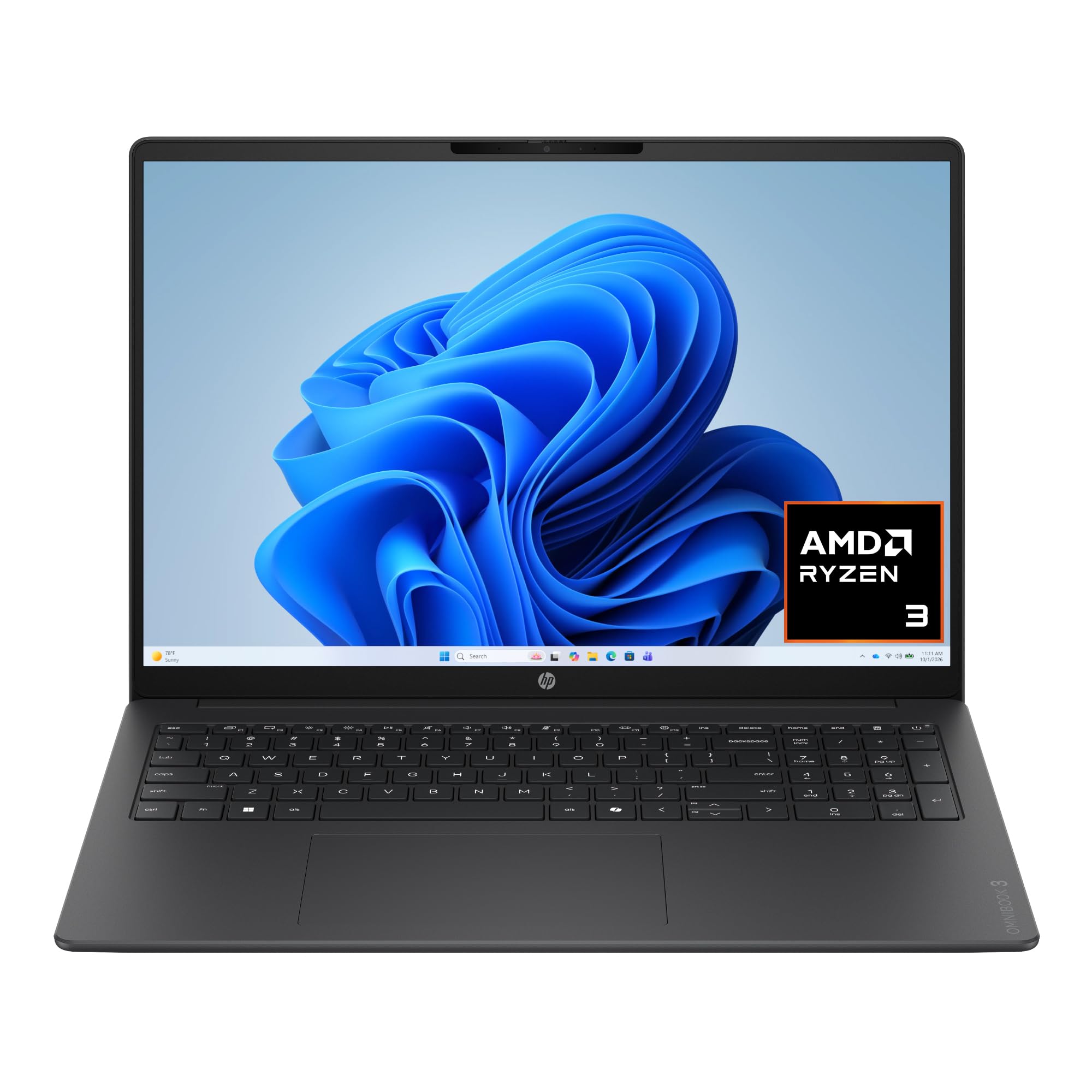
A 16-inch 2K touchscreen for people who want the biggest panel without a desktop.
Screen real estate is the whole pitch here. The 16-inch 2K IPS touchscreen runs 1920 x 1200 resolution with wide viewing angles, so spreadsheets, side-by-side windows, and streaming all have room to breathe. Touching the screen to scroll or select beats reaching for the trackpad during quick tasks. For desk or couch work, the 16-inch 2K touch panel gives you spreadsheet room and tap-to-scroll input in a laptop chassis.
Battery life is rated at up to 14 hours and 15 minutes, and HP Fast Charge brings it from 0 to 50% in around 45 minutes — useful for a quick top-up before heading out. The AMD Ryzen 3 processor with AMD Radeon 610M graphics covers streaming and casual gaming, while 8 GB of LPDDR5 RAM and a 256 GB PCIe NVMe M.2 SSD handle day-to-day work. Advanced AI noise reduction tracks only your voice during calls, which keeps team meetings clearer.
The camera is a 1080p FHD unit with HDR auto-switch that balances contrast and color when you sit with a window behind you. Wi-Fi 6 and Bluetooth 5.4 keep the connection current. The honest note: this is a 16-inch machine, so it is not the one to pick if lightness is your main goal — the 13-inch and 14-inch picks above are easier to carry. Performance is what buyers highlight, and it sits at 4.5+ stars across 150+ ratings, with reliability and battery experience reading mixed in the feedback.
The trade you are making: more screen and a touch layer, in a larger chassis than the compact picks. For a home desk or a dorm room, that is a fair swap.
Check before buying: 8GB of memory and 256GB of storage are entry-level, so add cloud storage if you keep lots of files.
It fits you if: a big touchscreen matters more than a featherweight body for your daily work.
skip it if: the laptop lives in a backpack all day — the 2.71-pound MacBook Neo is far easier to carry.
9. ASUS Vivobook Go 15.6” FHD Slim Laptop, 8GB DDR5, 256GB SSD
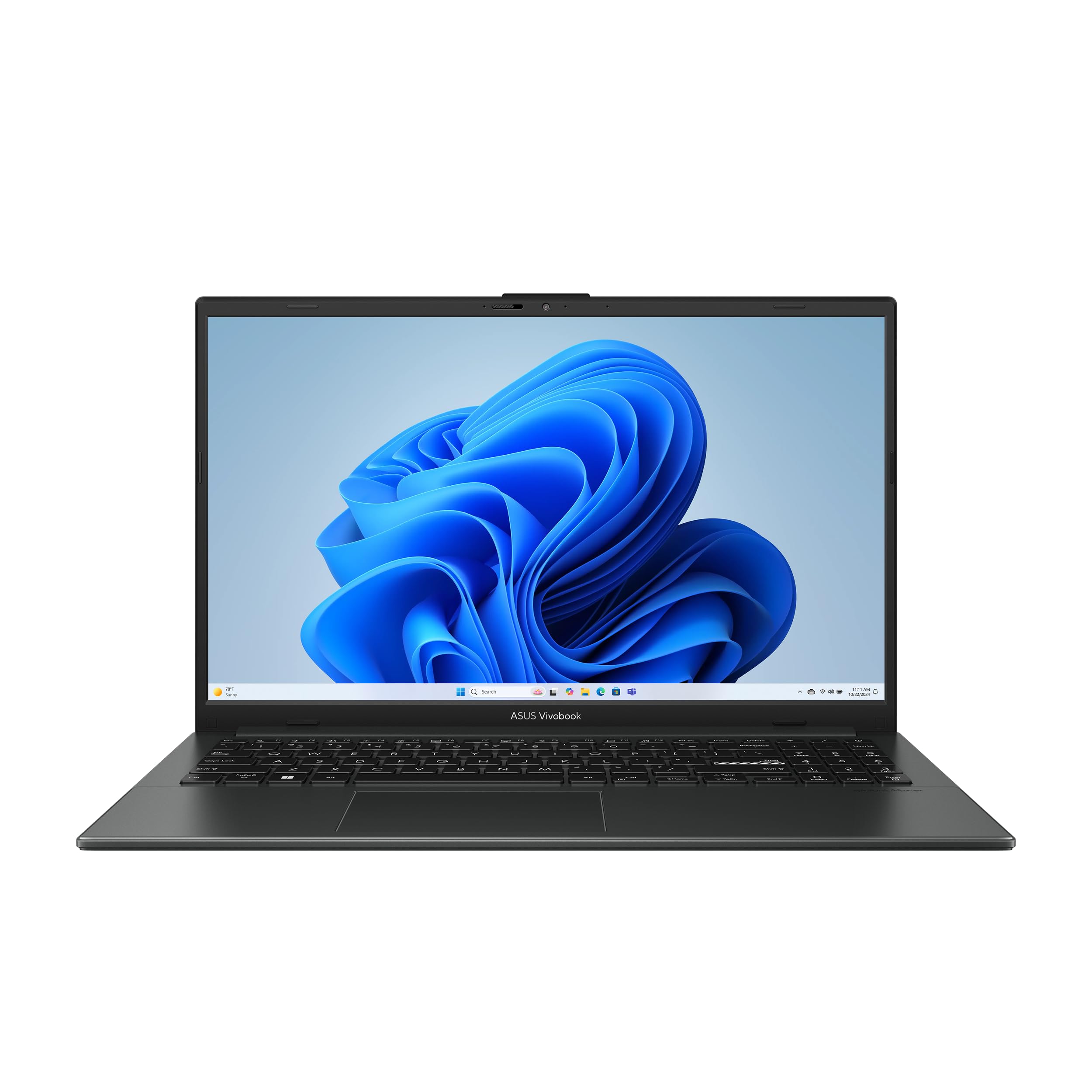
A thirty-percent storage bump over its own sibling, aimed squarely at students on a streak of class files.
This is the 256GB version of the Vivobook Go, and that doubled storage over the 128GB model below is the reason to pick it. School files, downloads, and a photo library fill 128GB quickly, and 256GB lasts considerably longer before you start deleting things. The AMD Ryzen 3 7320U processor has 4 cores and 8 threads running up to 4.1 GHz, paired with 8GB of DDR5 RAM and integrated Radeon graphics — enough for online classes, multitasking, and light gaming.
The 15.6-inch FHD display runs 1920×1080 at 250-nit sustained brightness with a 45% NTSC color gamut, and the NanoEdge bezel keeps the frame thin so the picture feels big relative to the size. A 42Wh battery is rated for up to 11 hours, which is shorter than the Snapdragon machines above but workable if you are near a charger partway through the day. A 45W AC adapter ships in the box. The keyboard includes a numeric keypad, which speeds up data entry.
It also survives a few knocks better than most budget laptops — ASUS lists five US MIL-STD 810H test procedures covering high temperature, low temperature, shock, vibration, and altitude. The 720p HD camera includes a privacy shutter, and Wi-Fi 5 with Bluetooth 5.1 handle wireless. The recurring gripes are battery life under heavy use and, more seriously, a share of units that stop powering on after a few months — reliability is the number to watch here. It holds 4.0+ stars across 300+ ratings.
What it does well
- 256GB of storage — double the 128GB sibling model
- Numeric keypad and 4-core/8-thread processor for school tasks
- MIL-STD 810H durability testing across five procedures
Where it falls short
- Up to 11 hours is short of the all-day picks
- Some units fail to power on after a few months
- 250 nits struggles in very bright rooms
Pick this one if: you need more local storage for school files without paying a premium.
Consider the step up if: you want longer battery life and stronger reliability history.
10. ASUS Vivobook Go 15.6” FHD Slim Laptop, 8GB DDR5, 128GB SSD

The entry point: a 15.6-inch screen and Ryzen 3 power for the lowest tier here.
At the lowest tier here, the Ryzen 3 7320U and 8GB of DDR5 cover browsing, writing, and video calls. The AMD Ryzen 3 7320U quad-core processor runs up to 4.1 GHz with integrated Radeon graphics, and 8GB of DDR5 memory keeps a few tabs open without drama. The 15.6-inch NanoEdge display runs a smooth 60Hz refresh rate with a 45% NTSC color gamut and 250-nit sustained brightness. At 14.19″ x 9.15″ x 0.70″ and 3.59 lbs, it is heavier than the MacBooks and the OLED Slim, but still a thin notebook you can carry daily.
A 180° hinge lets it lay flat on a table, which helps when you are sharing a screen with a study partner. The 720p HD camera has a privacy shutter, so you can physically block the lens. Ports cover the basics: one USB 3.2 Gen 1 Type-C for power and display, one USB 3.2 Gen 1 Type-A, one USB 2.0 Type-A, HDMI 1.4, and a 3.5mm combo audio jack. Wi-Fi 5 and Bluetooth 5.1 handle the wireless side, and a 45W AC adapter comes in the box.
Where this one demands honest expectations: 128GB of SSD storage fills quickly with photos and downloads, and the 250-nit panel can wash out near a sunny window. The same reliability caveat as the 256GB sibling applies — for some buyers, the machine stops working properly after a short time, though most find it performs well for daily use. It holds 4.0+ stars across 800+ ratings, and the performance-per-pound story is what keeps buyers happy.
Best use case: a first laptop or a second machine for web browsing, class notes, and video calls — no heavy lifting required.
Size the storage right: 128GB is genuinely small, so plan on external storage or cloud if you keep a photo library.
Buy it for: simple everyday use where the lowest tier is the deciding factor.
Step up to the 256GB model if: you want double the storage for a modest move up the price ladder.
11. Acer Aspire Go 15 AI Ready Laptop, Ryzen 3 7320U, 128GB
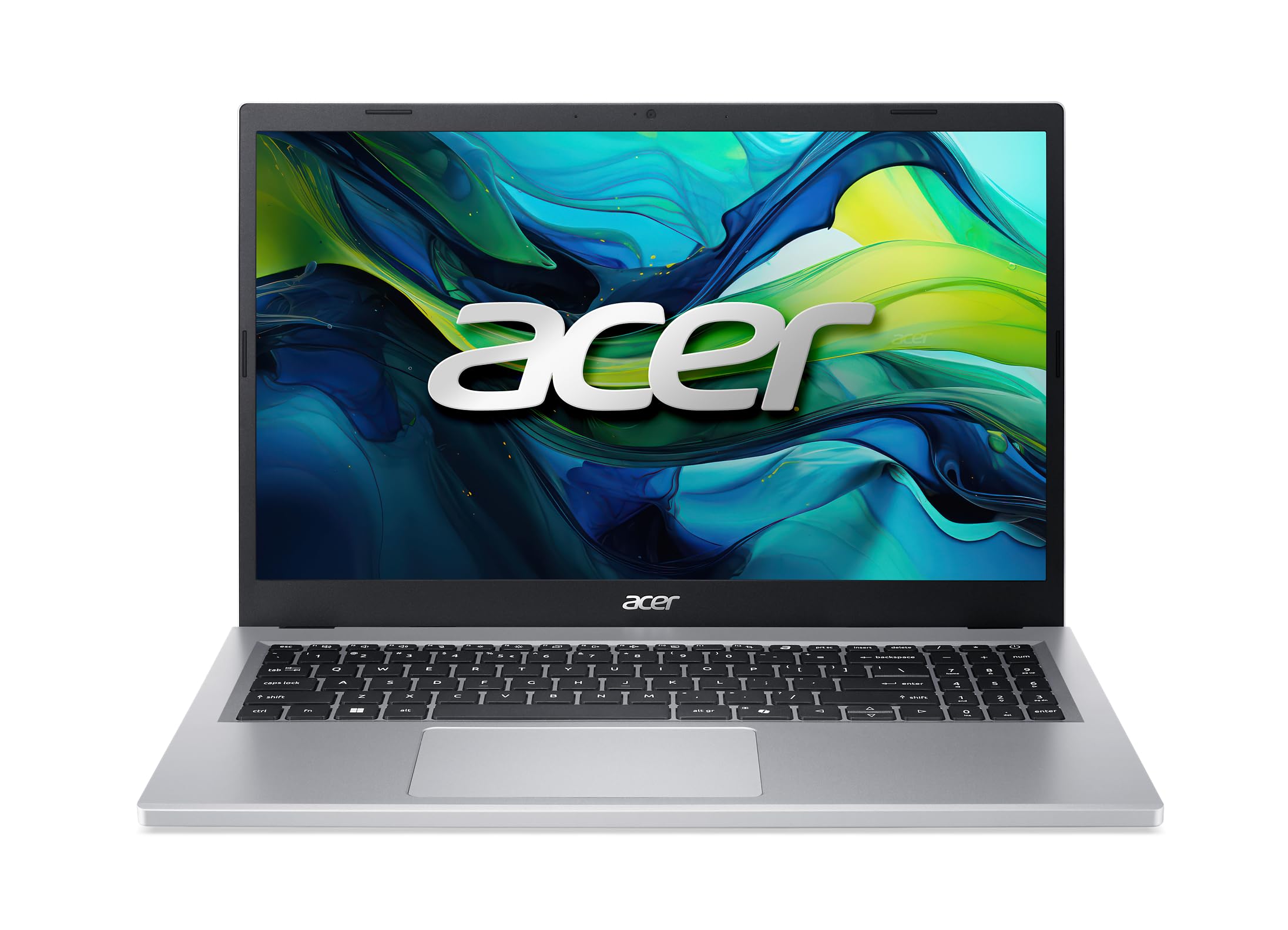
An IPS screen and a Copilot Key at the entry tier, with 128GB of storage to grow into.
The screen is the reason this one beats expectations at its tier. It is a 15.6-inch 1080p Full HD IPS panel with a narrow bezel, which means wide viewing angles and a sharp picture for web browsing and streaming — IPS panels hold color better off-axis than cheaper TN screens, so two people can watch together without one getting a washed-out view. Acer BluelightShield lets you dial down blue light when you are working late.
The AMD Ryzen 3 7320U processor with 8GB of LPDDR5 memory and 128GB of SSD storage covers everyday tasks, and the Copilot Key puts Windows’ AI assistant one press away. Two full-function USB Type-C ports handle charging and connecting devices, and Wi-Fi 6 plus HDMI 2.1 keep the wireless and display connections current. AcerSense manages battery life, storage, and apps from a single button, and Acer PurifiedVoice cleans up your audio on video calls.
Here is where the budget shows: 128GB of SSD storage is the smallest figure on this list, and performance feedback is genuinely mixed — some call it excellent for everyday use, while others find it only suited to simple tasks. It holds 4.0+ stars across 200+ ratings, and quality is the aspect buyers praise most. If your work is web browsing, email,and video calls, it does that job. If you need more storage or more processing power, the 256GB Vivobook Go or the 16GB Lenovo V15 above are the smarter steps up.
The IPS advantage: a 1080p Full HD IPS panel at 15.6 inches gives you wide viewing angles that cheap TN screens cannot match, which matters most when you share a screen.
Where it stays entry-level: 128GB of storage and a Ryzen 3 chip mean this is a browsing-and-documents machine, not a multitasker for heavy apps.
This is your machine if: you want a solid IPS screen for streaming and web browsing at the entry tier.
Look up the ladder if: you routinely keep many apps open at once — the 16GB Lenovo V15 handles that better.
Know the Specs
Carry weight in pounds
The pounds figure is the one your shoulder reports on. Anything under 3.5 pounds is a true light notebook you can carry all day without noticing it, and the picks here span from 2.71 pounds up to 3.59 pounds. Lower weight usually means a smaller screen or a smaller battery, so read the weight next to the screen size and runtime before you decide. A 3.32-pound 15-inch machine can feel easier to live with than a 2.71-pound 13-inch one if you need the bigger display.
Battery life in hours
Battery hours tell you how long you can work before hunting for a wall outlet. Ratings on this list range from up to 11 hours to up to 30 hours, and the gap between them is the difference between carrying a charger everywhere and leaving it at home. Manufacturer figures are measured under set conditions, so expect real-world use to land below the headline number once you raise brightness or stream video. Pick a rating that covers your longest stretch away from power with room to spare.
Processor and memory
The processor sets the ceiling on what a laptop can do, and memory sets how much it can do at once. An AMD Ryzen 3, an Intel N100, or a Snapdragon X chip all handle browsing, documents, and video calls comfortably. What keeps the experience smooth is memory — 8GB is the entry point, and 16GB lets you keep many browser tabs and apps open without slowdown. For heavy creative work, look for a faster chip and 16GB or more.
Screen size and resolution
Screen size decides how much you see at once, and resolution decides how sharp it looks. A 13-inch panel keeps the laptop compact, while a 15.6-inch or 16-inch screen gives you room for spreadsheets and side-by-side windows. Resolution labels like FHD (1920×1080) and 2K (1920×1200) describe how many pixels fill the screen — more pixels mean crisper text. The 1920×1200 panels here add extra vertical height, which helps with documents and web pages.
Common Questions
How light does a laptop need to be to count as a light notebook?
Is a 13-inch screen too small for everyday work?
Do Snapdragon laptops run all my Windows software?
How much storage do I actually need on a light laptop?
Is 8GB of memory enough or should I get 16GB?
Will a light notebook last a full school or work day on battery?
Can I add more storage or memory later?
Is an OLED screen worth it on a lightweight laptop?
Does a lighter laptop mean a weaker processor?
Which ports should I check before buying a light notebook?
The Bottom Line
The light notebook that gets the most things right is the Apple MacBook Air 15-inch with M5. It puts a 15.3-inch Liquid Retina screen, up to 18 hours of battery, 16GB of memory, and 512GB of storage into a 3.32-pound body — and it carries the highest rating here at 4.5+ stars across 850+ owners. That is the balance most people want from a portable laptop.
If your priority is the smallest carry weight, the MacBook Neo 13-inch at 2.71 pounds is the one to pick. If battery runtime drives your decision, the HP OmniBook 3 14 with up to 30 hours of playback leaves the charger at home. And creators who want an OLED panel and a full terabyte should reach for the Lenovo Slim 7i Aura Edition.
One last nudge: the MacBook Air 15-inch only recently entered the market, so its 850+ ratings trail the 1,600+ behind the Neo — but it holds the higher score at 4.5+ stars, which is your clearest signal of which laptop owners end up happiest with.
How we choose
We do not accept paid placement. Every pick is matched to a real buyer and a real use-case; we do not hands-on test units.
Sources
Specifications: manufacturer listings and product documentation. Review insights: verified customer reviews, as of November 2026. Pricing: not shown on this page (it changes often); check the current price via the retailer link.
As an Amazon Associate, Tactical Gear Guy earns from qualifying purchases. This does not affect which products we feature.