Specs are compiled from manufacturer listings and verified buyer reviews and can change over time — please confirm the key details on the product page before buying.
Buying a white and black gaming PC is mostly a question of what you refuse to compromise on. You want a two-tone case that looks deliberate on your desk, and you want the hardware inside it to hold up for years of 1080p, 1440p or 4K gaming. The picks below split cleanly into two jobs: budget builds that get you into the hobby, and mid-to-premium machines that pair a white chassis with the graphics card and cooling to actually drive a high-refresh monitor. Start at the top if you want the safest all-round buy, then work down to match your budget.
This guide is built by comparing the manufacturers’ published specifications and the patterns across verified customer reviews, so you get each pick’s real strengths and trade-offs instead of marketing spin.
Color is the easy part; the graphics card, the video memory it carries and the cooler keeping it all in check are what decide whether a white and black gaming PC still feels fast three years from now.
Top Picks

How To Choose The Best White and Black Gaming PC
The two-tone look narrows your shelf fast, so the real work is reading the internals correctly. A white case with black mesh and a black graphics card is a different machine from a black case with white fans — and the specs that sit behind that glass decide everything. Here is the order to think in.
Start with video memory, not the card’s badge
VRAM is the graphics card’s own pool of memory, measured in GB, and it holds the textures and geometry your games stream in. When a game needs more than the card has, the frame rate dips and textures pop in late. Newer AAA titles at 1440p lean hard on this, which is why a card with 16GB of VRAM has far more headroom than one with 6GB. If you plan to keep the machine for years, buy the largest VRAM number your budget allows.
Match the CPU to what you actually run
The processor sets your ceiling for high-refresh gaming and for anything else running at the same time. A 6-core chip handles games and a browser fine. An 8-core chip with 16 threads is the safer pick if you stream, edit video or render 3D models while gaming. Look at the turbo clock in GHz as a rough guide to peak speed, and the core count for how much work it can juggle at once.
Decide how much cooling noise you will tolerate
Air coolers are simple and reliable, and a well-designed one keeps a mid-range build quiet under load. Liquid AIO coolers — a pump, tubes and a radiator with fans — move more heat away from the CPU during long sessions. A 240mm radiator mounts two fans; a 360mm mounts three. In a white case with a glass side panel, that radiator is also the single biggest visual element you will look at every day.
Check the ports before you check the lighting
Two things trip up first-time buyers. First, the monitor cable must go into the graphics card’s ports on the lower back of the case, not the motherboard ports higher up — otherwise you get a blank screen. Second, a listed maximum resolution tells you what the machine can output, not what it can play smoothly at. Treat the resolution figure as a compatibility ceiling and the graphics card as the real performance indicator.
Side-by-Side Comparison
| Model | Best For | Graphics Memory | Max CPU Speed | Storage | Amazon |
|---|---|---|---|---|---|
| Skytech O11 Vision★ Best Overall | All-round 1440p gaming | 16 GB GDDR7 | 5.6 GHz | 2TB Gen4 NVMe | Amazon |
| Skytech Azure 3Peak Performance | 4K gaming and heavy workloads | 16 GB GDDR7 | 5.2 GHz | 2TB NVMe | Amazon |
| KOTIN RX 9070 XTBest On-Case Readout | System monitoring on the case | 16 GB | 5.5 GHz | 1TB PCIe 4.0 NVMe | Amazon |
| Ocean of Stars AI PC | Local AI and creative work | 16 GB | 5.5 GHz | 1TB PCIe SSD | Amazon |
| VIPRTECH Reaper 2.0 | Compact white showpiece | 16 GB | 5.0 GHz | 1TB SSD | Amazon |
| HELLOLAND Ryzen 7 5700X | Streaming on one machine | 8 GB | 4.6 GHz | 1TB PCIe NVMe | Amazon |
| LXZ Ryzen 7 4700LE | RGB-heavy first build | 8 GB GDDR6 | 4.2 GHz | 512GB NVMe | Amazon |
| RTX 3050 6G Bundle | Entry-level 1080p | 6 GB | 4.1 GHz | 512GB M.2 NVMe | Amazon |
| suevery Ryzen 5 White | Tight-budget first PC | — | 4.1 GHz | 512GB M.2 NVMe | Amazon |
Detailed Reviews
1. Skytech Gaming O11 Vision Gaming PC
Our pick — 4.5+★ from 750+ verified ratings; the strongest balance of quality and price.
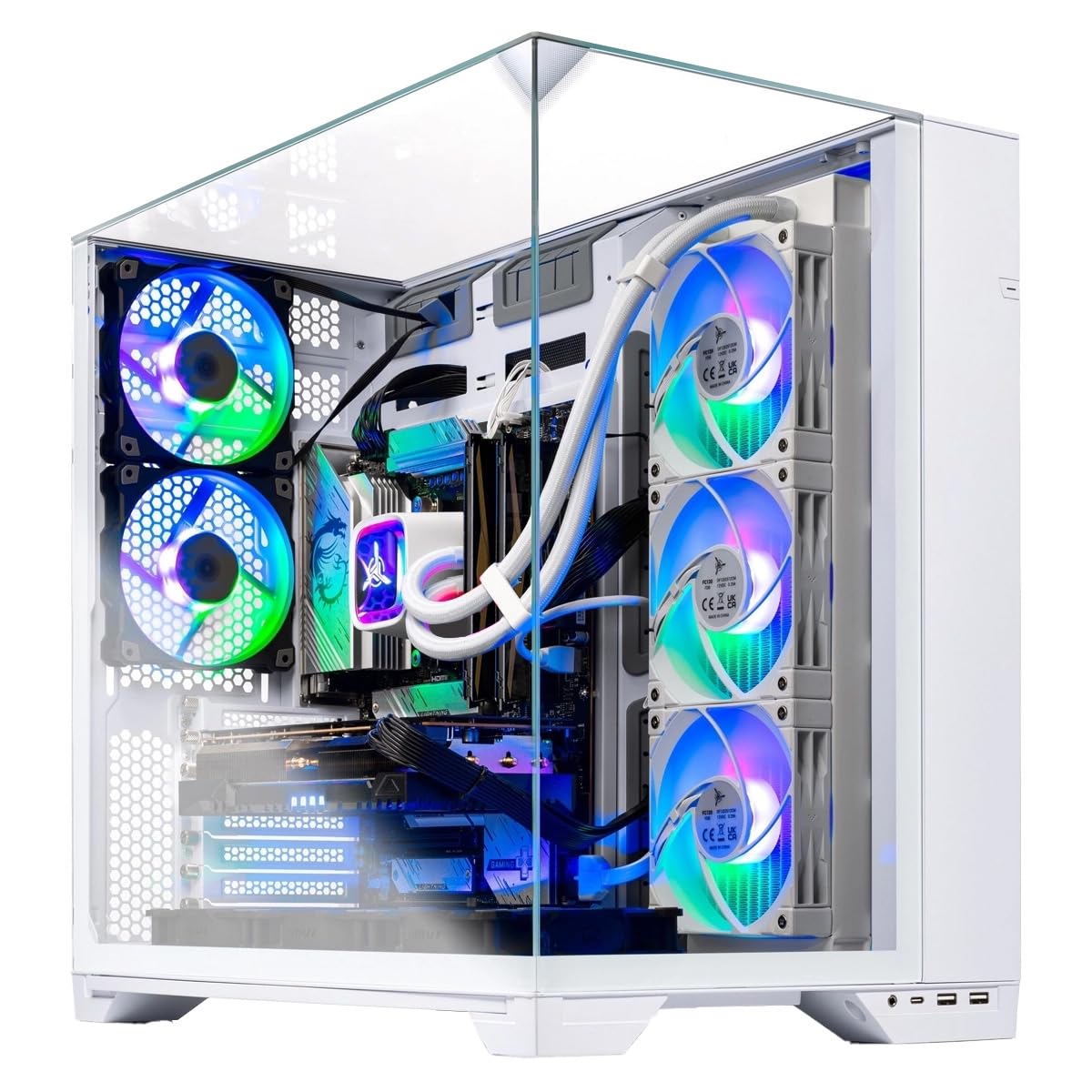
The white Lian Li showcase build that pairs 16GB of VRAM with a 360mm radiator
The O11 Vision is the pick for someone who wants the two-tone look without giving up raw headroom. Its RTX 5070 Ti carries 16GB of GDDR7 video memory — the card’s own working memory, and the number that decides whether modern games at 1440p keep their textures loaded. Compare that to the RTX 3050 6G bundle further down this list, which offers 6GB: the Skytech holds 16GB against that card’s 6GB, and that gap is the single clearest reason it sits at the top.
The Ryzen 7 9850X3D runs at a 4.7GHz base with a 5.6GHz turbo ceiling, and it is backed by 32GB of DDR5 5600 memory. Against the white Ryzen 5 prebuilt at the budget end, which tops out at 4.1 GHz, this chip’s 5.6 GHz peak gives it real room for high-refresh play and for anything running in the background. Storage is a 2TB Gen4 NVMe SSD, so a large game library and a capture folder both fit without you juggling installs.
Cooling is where the Lian Li white case earns its place on your desk. The 360mm AIO — a liquid cooler with a three-fan radiator — pushes heat out of the CPU instead of letting a heatsink soak in it, and the ARGB fans light the glass panel from the front. Skytech assembles these in the USA and backs them with a year of parts and labor plus free technical support. Wi-Fi 5 is the one spec that feels dated on a machine at this level; if your router already runs a newer standard, plan on an Ethernet cable.
Where it earns the crown
- 16GB of GDDR7 video memory gives it the biggest texture headroom here
- 5.6 GHz turbo ceiling plus 32GB DDR5 5600 handles gaming and background work together
- 2TB Gen4 NVMe means a deep library installs without drive swaps
- 360mm ARGB liquid cooler keeps long sessions steady and looks the part through the glass
What to weigh first
- Wi-Fi 5 is the older wireless standard on an otherwise current build
- The white glass-and-liquid look draws attention, so plan for gentle cleaning
Settle here if: you want one machine that covers 1440p gaming, streaming and editing without swapping parts for years.
Look past it if: your router is already on a newer wireless standard and you refuse to run a cable.
2. Skytech Gaming Azure 3 Gaming PC
A white Azure chassis wrapped around the strongest graphics card on this list
If your monitor is 4K and you expect it to stay there, the Azure 3 is the machine that stops you second-guessing. The RTX 5080 carries 16GB of GDDR7, and the listed maximum resolution is 3840×2160 — a full 4K output ceiling that the budget white Ryzen 5 build, rated at 1920×1080 pixels, does not reach. Both the VRAM figure and the resolution ceiling point the same way: this is the one built for the top end of the display market.
The Ryzen 7 9800X3D runs 4.7GHz base to 5.2GHz turbo, matched with 32GB of DDR5 6000 and a 2TB NVMe drive. That is a lot of memory speed and a lot of storage, and the combination means a 4K game install plus a video project plus a dozen browser tabs is not a scenario you have to plan around. It is a bigger machine than the O11 Vision in graphics terms, and the slightly lower turbo clock will not show up in games the way the card upgrade will.
Skytech fits the same 360mm ARGB liquid cooler here, and the white tempered-glass Azure case gives the radiator a clean stage. Assembled in the USA, one year on parts and labor, free technical support, and a keyboard and mouse in the box so the first boot is not a scavenger hunt. The catch is wireless: Wi-Fi 5 again, which is a strange spec to meet on a premium tower. Most people with a desk like this already own a router and a cable, so it rarely bites.
Inside the tower: 16GB GDDR7 graphics alongside 32GB of DDR5 6000 and a 2TB NVMe — the spec sheet of a machine that does not need upgrading soon.
What it costs you in patience: the same Wi-Fi 5 wireless standard as its cheaper sibling, and a white glass panel that shows every fingerprint.
Built for: 4K players and creators who want the graphics card settled for years, not months.
Not the answer if: your monitor tops out at 1080p — the O11 Vision above covers that for a lot less hardware.
3. KOTIN Gaming PC, Ryzen 7 9700X, RX 9070 XT 16GB
The white tower with a screen on it that reads your own hardware back to you
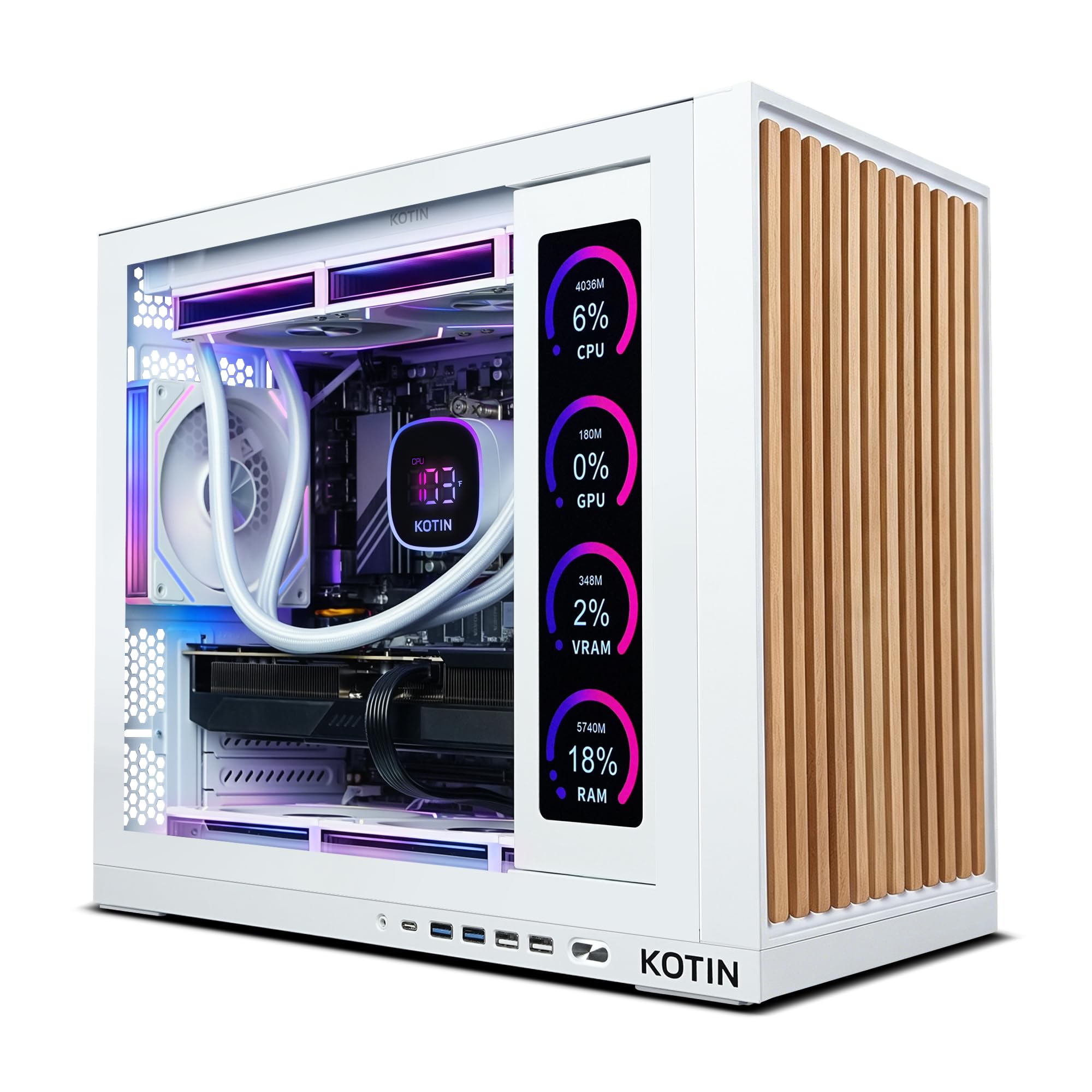
Nobody else on this list gives you a status readout built into the case. The KOTIN has an 11.3-inch smart display showing live CPU and GPU usage, temperatures, memory and SSD status, with multiple themes to cycle through. That is a genuinely useful thing on a white box — you can see a temperature climb before it turns into a slowdown, instead of guessing from fan noise.
Underneath, it runs a Ryzen 7 9700X with a 5.5GHz max boost and a Radeon RX 9070 XT carrying 16GB. Memory is 32GB of DDR5 and storage is a 1TB PCIe 4.0 NVMe — enough to hold a healthy AAA library without pruning. A 360mm ARGB liquid cooler handles the processor; the pump head carries its own temperature readout that syncs with the case lighting. The graphics card is what separates it from the RTX 5060 machines lower on this list, which come with 8GB.
Wi-Fi 7 and Bluetooth are onboard, and the 850W 80 PLUS Gold power supply leaves headroom if you later want a bigger card. KOTIN assembles and tests in California, ships Windows 11 Home preinstalled, and adds a year of parts and labor with lifetime technical support. One setup note worth taping to the desk: run your monitor cable from the graphics card ports on the lower rear, not the vertical motherboard ports, or you get a black screen.
The reasons it stands out
- 11.3-inch display turns temperature and load into something you can glance at
- 16GB Radeon VRAM with an 8-core Ryzen 7 9700X at 5.5 GHz boost
- Wi-Fi 7 plus Bluetooth on a white prebuilt is a rare pairing
- 850W 80 PLUS Gold PSU leaves room for a future graphics upgrade
The honest trade-offs
- Plugging the monitor into the motherboard ports is the most common first-boot mistake
- Owners flag long-term stability as the open question, so lean on the one-year parts and labor warranty
The right desk for it: someone who likes seeing what their machine is doing and wants 16GB of VRAM with the newest wireless standard.
Reconsider if: you would rather pay for pure frame rate than for a case display and a bigger VRAM buffer.
4. Ocean of Stars AI Gaming PC, Ryzen 7 9700X, RX 9060 XT 16G
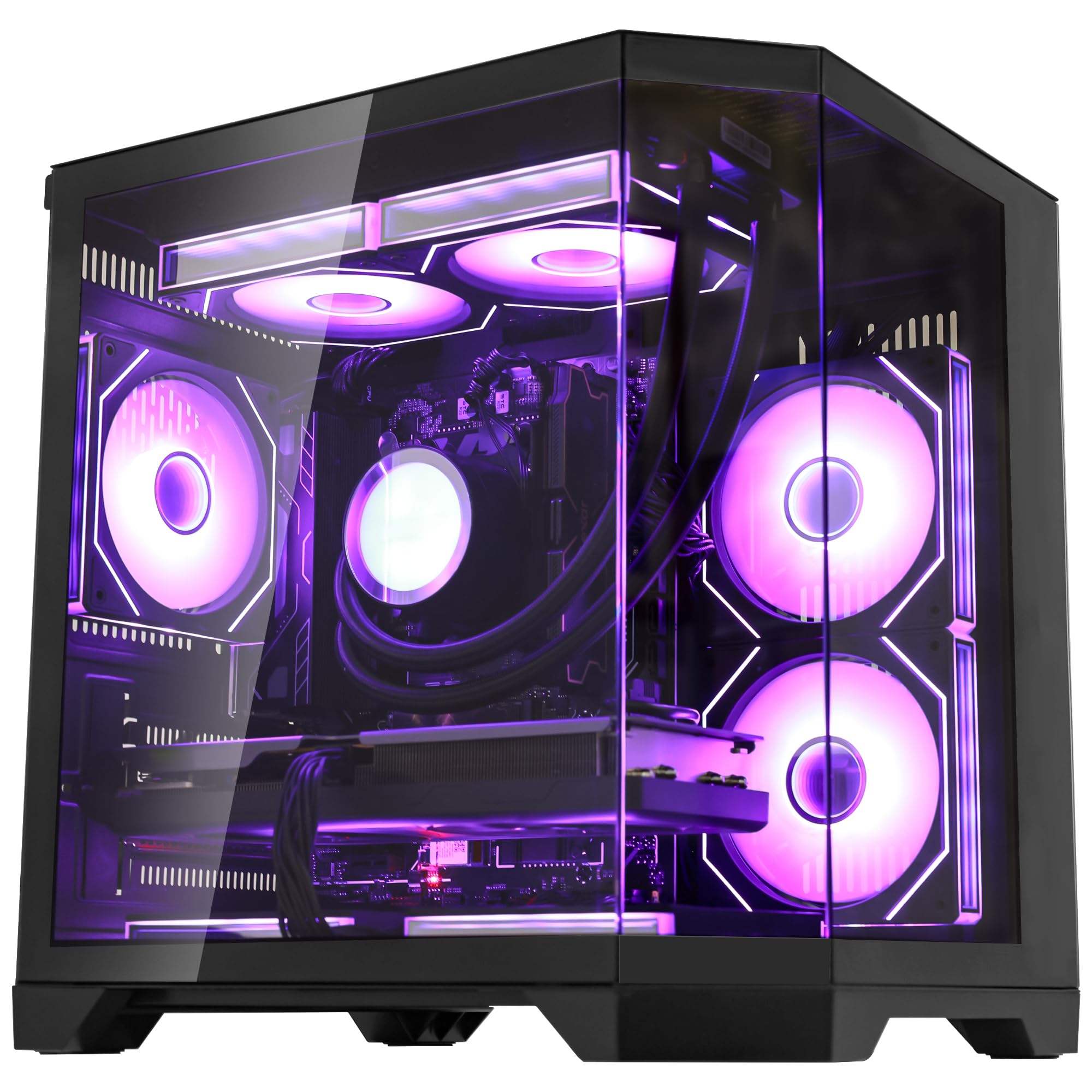
A black case with a panoramic side panel, aimed at local AI work as much as games
The Ocean of Stars is the pick for someone whose biggest files are not game installs. Its Ryzen 7 9700X runs 8 cores and 16 threads with a 5.5GHz max boost, paired with 32GB of DDR5 memory, and the RX 9060 XT brings 16GB of dedicated video memory. That makes it a machine for running image generation tools locally, editing 4K footage in Premiere or DaVinci Resolve, and modeling in Blender — then closing those apps and playing something at 1440p or 4K.
Storage is a 1TB PCIe SSD, and the 850W 80+ certified power supply is the part that signals long-term intent: there is capacity there for hardware you add later. A customized 240mm AIO liquid cooler keeps the processor under sustained load, which is the workload pattern of AI rendering and long gaming sessions rather than quick bursts. Bluetooth and Wi-Fi are both onboard, so a wireless headset and controller pair without an adapter.
The styling runs the opposite direction to the white builds here — a black chassis with a panoramic transparent side panel and the company’s own RGB effect, plus an open internal structure for airflow. If you were set on a white-and-black two-tone look specifically, note this one is listed as black. Owners rate performance as the strongest part of the package, with the black panoramic case drawing equally warm reviews.
Why it fits a creator: 8 cores, 16 threads, 32GB DDR5 and 16GB of VRAM is a workstation-shaped spec sheet that also plays games.
The thing to notice before you buy: the listing color is black, so if the two-tone white-and-black look is your reason for shopping, this is the odd one out.
Worth choosing when: your day involves rendering, AI models or heavy multitasking and you want one box to do it all.
Step away if: the white case was the whole point — pick the O11 Vision or the Azure 3 instead.
5. VIPRTECH Reaper 2.0 Gaming PC

Arctic white, 16GB of graphics memory and a Windows 11 Pro licence included
Here is a white build that does not ask you to choose between VRAM and budget. The RX 9060 XT carries 16GB — the same figure as the machines above it on this list, and a long way from the 8GB cards further down. An 8-core, 16-thread Ryzen 7 8700F runs from 4.1GHz to a 5.0GHz turbo, with 16GB of DDR5 memory behind it and a 1TB boot SSD. The 1TB SSD boots Windows in seconds; ViprTech quotes up to 30x faster than a traditional hard drive.
The 240mm RGB liquid cooler and RGB-lit case handle cooling and looks together, and you control the lighting with a button on the chassis rather than software. The listed maximum resolution is 5120 x 2880 pixels, which is well beyond what the rest of the machine needs — treat it as a display compatibility ceiling, not a 5K gaming promise. Wi-Fi and Bluetooth are onboard for a wireless headset and controller.
This is the high-end pick for a small desk or a white-themed room where the tower is on show, and the Pro version of Windows 11 saves you an upgrade. ViprTech hand-builds each unit in the USA and stress-tests before shipping, with a one-year warranty. The realistic caveat is the memory: 16GB of DDR5 is fine for gaming, but if you plan to stream and edit at the same time, the 32GB builds on this list are the safer path.
What makes it click
- 16GB of VRAM on a white case at this tier is the standout number
- Windows 11 Pro preinstalled rather than the Home edition
- Stress-tested and hand-built in the USA with a one-year warranty
- Button-controlled RGB keeps lighting simple with no extra software
What to plan around
- 16GB of DDR5 will feel tight if you stream and edit simultaneously
- 240mm of radiator is a smaller cooling surface than the 360mm builds above
A clean fit for: a white desk setup where the PC is the centerpiece and 1440p gaming is the main job.
Pick something else if: your workflow stacks editing, streaming and gaming at once — go for 32GB of memory.
6. HELLOLAND White Gaming Desktop, Ryzen 7 5700X, RTX 5060 8GB
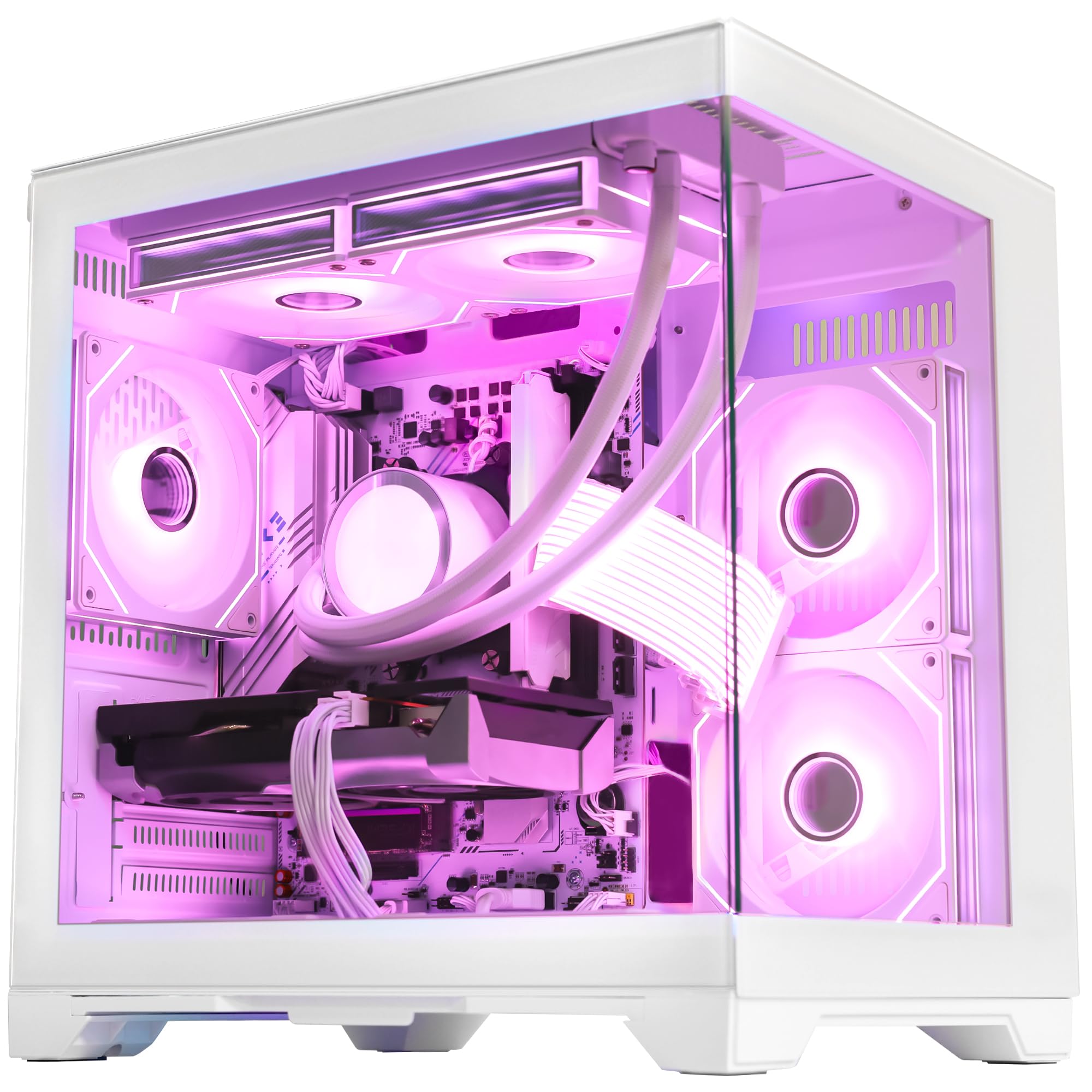
A transparent white tower built to game and broadcast without stuttering
The 32GB of DDR4 memory is the reason to look here. This machine runs an 8-core, 16-thread Ryzen 7 5700X at a 4.6GHz max boost alongside an RTX 5060 with 8GB. That memory pool is what lets you keep OBS running, a browser open and a game loaded at the same time — the exact scenario the 16GB builds here force you to manage. The 8GB of graphics memory is the figure to weigh against the 16GB cards above, though: at 1080p it is comfortable, and at 1440p with high textures it has less slack.
Cooling is a 240mm all-in-one liquid cooler, and the white transparent chassis with software-controlled ARGB is what you will look at every day. Storage is a 1TB PCIe NVMe SSD, and the boot drive plus Windows 11 arrive clean — no trial software littering the taskbar, which is a thing owners of prebuilts notice. Wi-Fi and Bluetooth are both integrated, so a wireless headset pairs without a dongle.
The layout is upgrade-aware: two DDR4 memory slots, a standard PCIe graphics slot, and an extra storage bay, backed by a 650W power supply and a one-year parts and labor warranty. Performance is what gets talked about most in owner feedback, and it holds up in games. Just keep your monitor expectations matched to a 1920×1080 display ceiling and the 8GB card, and this is a genuinely smooth daily driver.
The streaming angle: 8 cores, 16 threads and 32GB of DDR4 memory is the combination that keeps a broadcast and a game running together.
What you give up: 8GB of graphics memory, which caps how much texture detail you can push at higher resolutions.
Made for: a streamer or multitasker who lives at 1080p and refuses to close tabs.
Wrong turn if: you are shopping for a 1440p high-texture machine — the 16GB cards above are the ones to read.
7. LXZ Gaming Desktop PC, Ryzen 7 4700LE, RTX 3050 8GB

Seven RGB fans in a white chassis, with a ray-tracing card thrown in
You get a lot of airflow and a lot of light from this LXZ build, because it runs seven RGB cooling fans (RGB means the fans light up in color). Behind them sits an AMD Ryzen 7 4700LE, a processor with 8 cores and 16 threads that runs at 3.6GHz base and 4.2GHz max boost. It is built on the 7nm Zen 2 architecture (7nm is the size of its tiny internal circuitry) at a 65W TDP (thermal design power, the heat it is rated to give off). That 65W draw gives the seven fans little heat to clear, so the layout stays quiet in practice.
The graphics card is an RTX 3050 with 8GB of GDDR6, supporting ray tracing and DLSS. That 8GB matters: the RTX 3050 6G bundle further down is limited to 6GB, and this one carries 2GB more for the same class of card. Memory is 16GB of DDR4 2666MHz and storage is a 512GB NVMe PCIe SSD — quick to boot, but a smaller library than the 1TB builds above. Wi-Fi 6 and a Gigabit LAN port handle the networking.
The case output covers HDMI, DVI and multiple USB ports, and it arrives prebuilt so there is no assembly. The honest read is that 512GB fills faster than you expect once a few modern games land on it, so budget for an extra drive if you keep a lot installed at once. For a first gaming PC with a strong visual identity, though, the light show and the extra VRAM over the cheaper 3050 build make a clear case for it.
The case for it
- 7 RGB fans give strong airflow and the most visible lighting here
- 8GB of GDDR6 beats the 6GB RTX 3050 bundle for texture headroom
- 8-core, 16-thread Ryzen 7 with a 65W rating keeps heat and noise down
- Wi-Fi 6 plus a Gigabit LAN port
The honest limits
- 512GB of storage is the smallest here and fills quickly with modern games
- DDR4 2666MHz memory is a slower speed than the DDR5 builds above
Choose it when: the look of the build matters and you want a ray-tracing card with 8GB on a modest budget.
Pass if: your library already runs past 512GB — you will be adding a drive on day one.
8. RTX 3050 6G Pre built Gaming PC Bundle, Ryzen 5
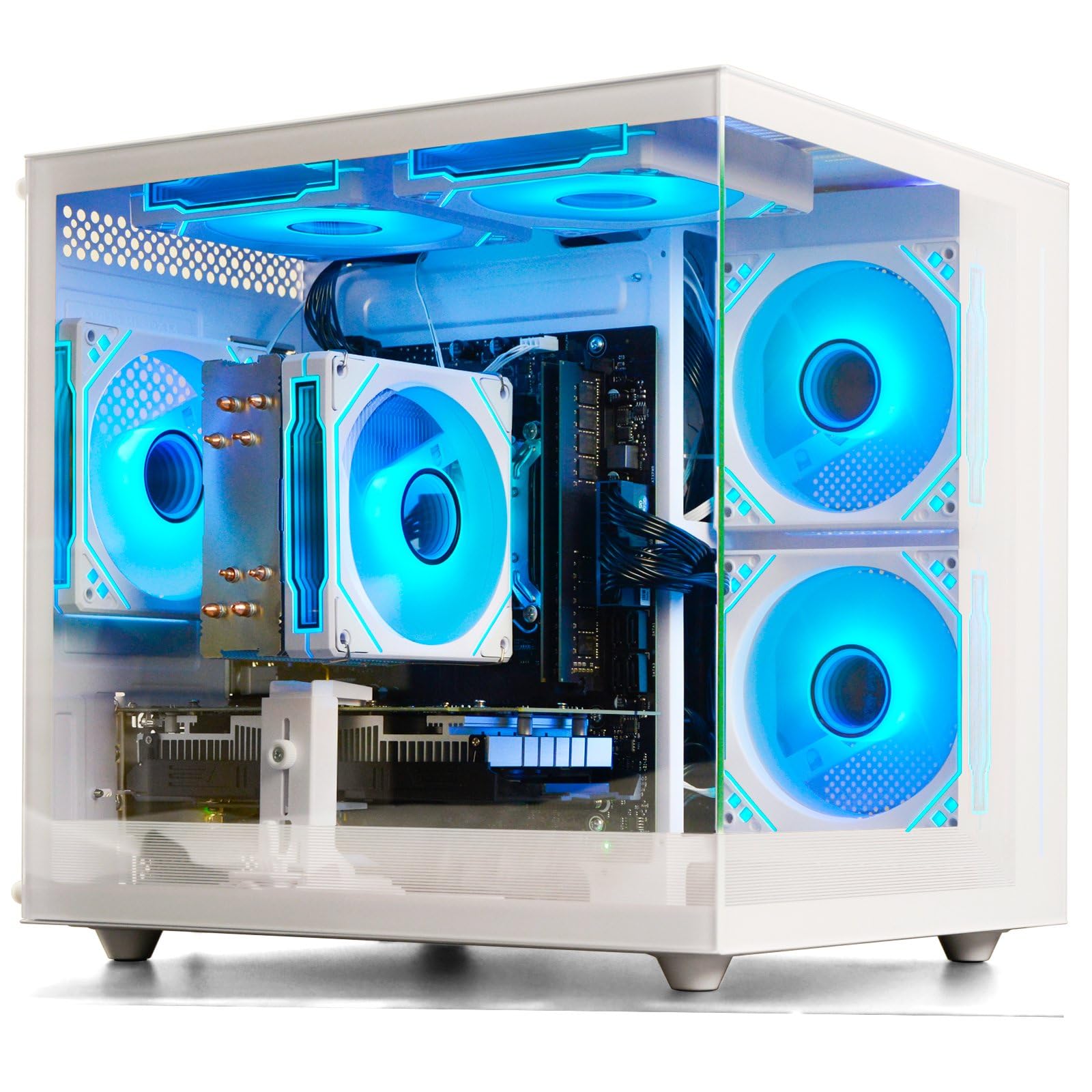
A white starter tower with real ray-tracing hardware inside it
The pitch here is simple: a dedicated RTX 3050 with 6GB of graphics memory in a white body, where cheaper machines rely on integrated graphics. That card supports a 3840×2160 display ceiling — the highest output rating among the entry-level builds on this list, and double the 1920×1080 figure of the white Ryzen 5 prebuilt below. A 6-core Ryzen 5 runs 3.6GHz to 4.1GHz, backed by 16GB of DDR4 3200MHz memory and a 512GB M.2 NVMe drive.
The chassis has a customizable RGB system you can adjust or switch off entirely — a small thing that matters if the tower sits in a shared room. Wi-Fi 6 is built in, along with HDMI and DisplayPort outputs and a spread of USB ports. Cooling is air-based with multiple RGB fans, which the design brief rates for low noise through long sessions.
One number deserves a straight warning: the storage. Buyers have reported the listed 1TB capacity does not match what shows up in Windows, and 512GB of SSD is the spec on record. Plan your installs around a smaller drive than the headline suggests. For a first setup or a second PC for the household, though, the mix of a real graphics card, Wi-Fi 6 and a white case is a sensible way into PC gaming.
Where the value sits: a dedicated 6GB RTX 3050, Wi-Fi 6 and a 4K-rated output ceiling at the entry tier.
Read the storage carefully: the advertised capacity and the 512GB drive spec do not line up, and buyers have flagged it.
Right for: a first gaming PC where the graphics card matters more than storage volume.
Think twice if: you keep a large library installed — 512GB will need supplementing.
9. suevery Gaming PC Ryzen 5 Prebuilt Desktop Computer White
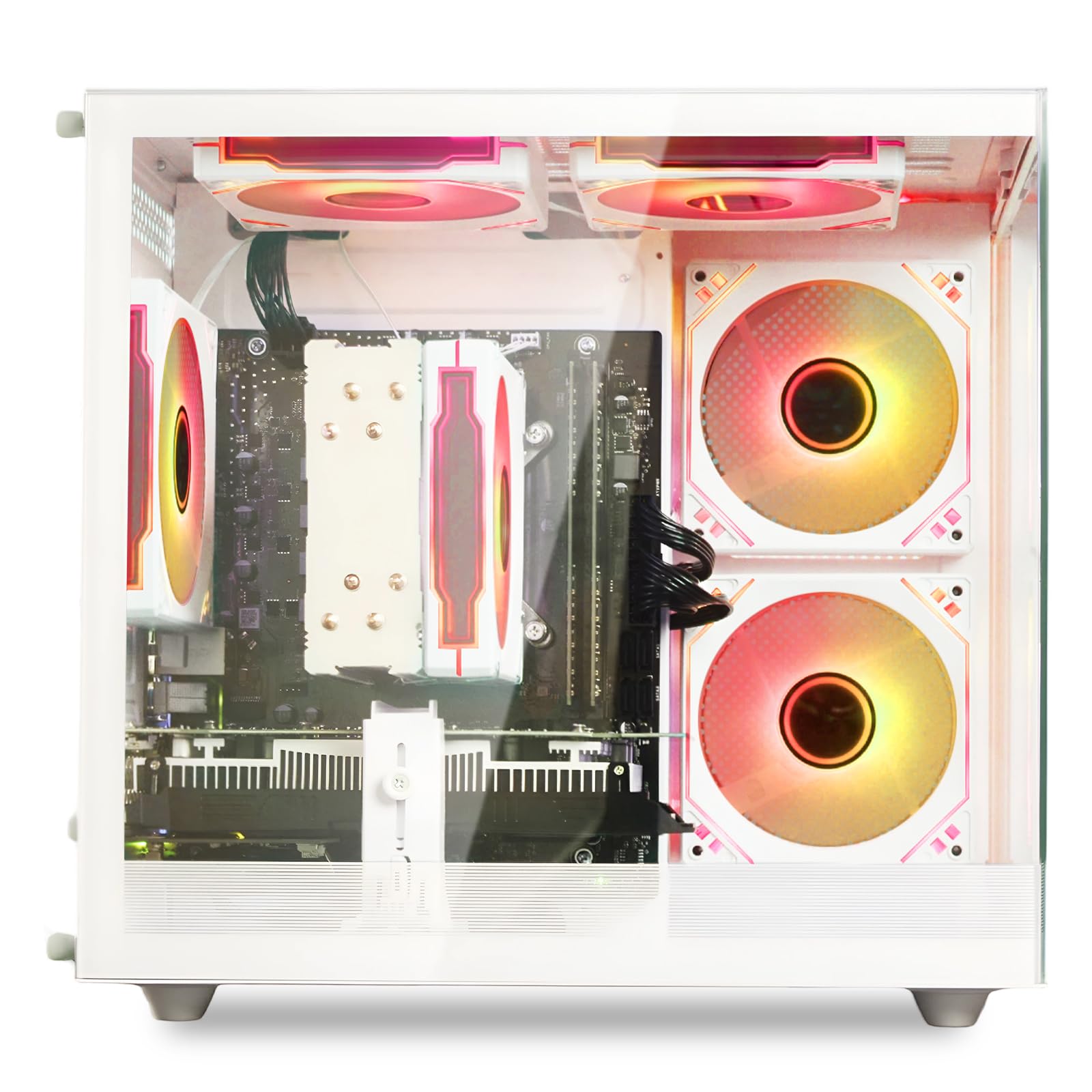
The white Ryzen 5 desktop that gets you booted on the smallest outlay
This is the entry point: a 6-core Ryzen 5 running 3.6GHz to 4.1GHz, 16GB of DDR4 3200MHz memory and a 512GB M.2 NVMe SSD, in a white case with multiple RGB fans. The listed 1920×1080 resolution ceiling and 16:9 aspect ratio make the target obvious — a standard 1080p monitor, not a 4K panel. For schoolwork, browser tabs and lighter games, the loadout lines up.
Wi-Fi 6 is onboard along with HDMI and DisplayPort outputs, two USB 3.0 ports and four USB 2.0 ports. Air cooling with multiple RGB fans keeps the build simple and the noise low, and the whole thing arrives assembled. Note whose spec you are reading: this is the lowest CPU speed on the list at 4.1GHz max, so compare it against the 5.6 GHz turbo of the O11 Vision if high-refresh gaming is the goal.
The honest part. Owner reviews split most on this build’s long-term reliability, and value verdicts divide the same way — some call it a solid first computer, others say save the money. It is not a machine to buy for a decade of AAA gaming. It is a machine to buy when you need a working desktop now, with a white case that looks the part, and you accept the spec ceiling.
What you are buying: a white, fully assembled 1080p desktop with 16GB of memory, Wi-Fi 6 and a 512GB NVMe drive.
The honest ceiling: 4.1GHz max on the CPU and 1920×1080 output — this is a starter machine, not an upgrade platform for 4K.
Reach for this if: you need an assembled white desktop for everyday tasks and light gaming on the smallest spend.
Look higher up if: you want a machine that still feels quick in five years — the mid-range picks start at the Skytech i5.
Know the Specs
Video memory (VRAM) in GB
This is the graphics card’s own memory, and it holds the textures and models your game loads in. If a game needs more than the card has, you see stutter and late-loading textures rather than a clean frame rate. A 16GB card such as the Skytech O11 Vision has far more room for modern titles than the 6GB RTX 3050 bundle. When two builds cost similar money, the bigger VRAM number usually ages better.
CPU cores and turbo clock
Cores are the number of jobs the processor can run at once; the turbo clock in GHz is how fast it can sprint. Six cores suit gaming and browsing. Eight cores with 16 threads — like the Ryzen 7 chips here — are the safer choice if you stream, edit or render while playing. A 5.6 GHz peak does not guarantee more frames than a 4.1 GHz chip, but it gives the machine more room before it becomes the bottleneck.
AIO liquid cooling (240mm vs 360mm)
An AIO is an all-in-one liquid cooler: a pump on the CPU, two tubes, and a radiator with fans. The number is the radiator’s length, so a 240mm holds two fans and a 360mm holds three. More radiator surface means more heat moved away during long sessions, which keeps clocks steady and fan noise lower. It also fills the front or top of a white glass case, so it doubles as a design feature.
Wireless standards and ports
Wi-Fi 5, Wi-Fi 6 and Wi-Fi 7 are generations of wireless networking, each faster and better at handling a busy home than the last. For online play, a wired Ethernet port still gives the most stable connection, so treat wireless as convenience rather than a headline. On ports, remember the monitor cable goes to the graphics card on the lower rear of the case, not the motherboard ports above it, or you will see a blank screen.
Common Questions
Why does my new gaming PC show no picture when I plug the monitor in?
Is 8GB of VRAM enough for 1440p gaming?
What does the resolution number in the specs actually mean?
Do I need a liquid cooler or is air cooling fine?
Is 16GB of RAM enough or should I get 32GB?
Can I upgrade the graphics card later?
What is the difference between DDR4 and DDR5 memory?
Are these prebuilt gaming PCs worth it over building my own?
How quiet are these machines during long gaming sessions?
Do I need Wi-Fi 7 or is Wi-Fi 6 enough for online gaming?
What should I check first when a prebuilt arrives?
The Bottom Line
For most buyers, the winner among these white and black gaming PCs is the Skytech O11 Vision. It carries 16GB of GDDR7 video memory, a 5.6 GHz turbo ceiling, 32GB of DDR5 5600 and a 2TB Gen4 drive, all wrapped in the white Lian Li case with a 360mm ARGB radiator. Nothing else on the list balances graphics headroom, memory and storage this cleanly.
If your monitor is 4K and you want the graphics card settled for years, the Skytech Azure 3 is the step up, with an RTX 5080 and a 3840×2160 output ceiling. For a white build with 16GB of VRAM and Windows 11 Pro, the VIPRTECH Reaper 2.0 fits a small desk. And if streaming is the job, the HELLOLAND Ryzen 7 5700X with 32GB of DDR4 is the one to reach for.
The O11 Vision backs that up with a 4.5+ star score across 700+ owners, who consistently praise both its performance and its look. So buy the tier that matches your monitor and upgrade the rest later.
How we choose
We do not accept paid placement. Every pick is matched to a real buyer and a real use-case; we do not hands-on test units.
Sources
Specifications: manufacturer listings and product documentation. Review insights: verified customer reviews, as of November 2026. Pricing: not shown on this page (it changes often); check the current price via the retailer link.
As an Amazon Associate, Tactical Gear Guy earns from qualifying purchases. This does not affect which products we feature.