Specs are compiled from manufacturer listings and verified buyer reviews and can change over time — please confirm the key details on the product page before buying.
Most tempered-glass side panels show you the same thing: cables, a graphics card, and dust. A PC case with an LCD side panel swaps that window for a working screen, so your tower shows temperature readouts, a video loop, or a second desktop instead. Here is the short answer: the CORSAIR FRAME 4000D LCD RS is the strongest all-round pick, and the Hyte Y70 Touch Infinite is the one to choose if you want the biggest, sharpest panel and have the desk space to feed it. The two smaller options below suit very specific builds, and the picks below show exactly which one fits yours.
This guide is built by comparing the manufacturers’ published specifications and the patterns across verified customer reviews, so you get each pick’s real strengths and trade-offs instead of marketing spin.
Each pick below shows where the panel mounts, how it gets power, and what it costs you in space and cable clutter. Your choice depends on panel size, case footprint, and how much of the build you want on show. Here is my honest read on the best PC Case with LCD Side Panel.
Top Picks
How To Choose The Best PC Case with LCD Side Panel
The screen is the reason you are here, but the case still has to hold your parts and cool them. Get the panel sorted first, then check the boring numbers: motherboard size, graphics card length, and how many fans the shell takes. A sharp panel means nothing if the case cannot fit your graphics card.
Does the panel come pre-installed or do you build it in?
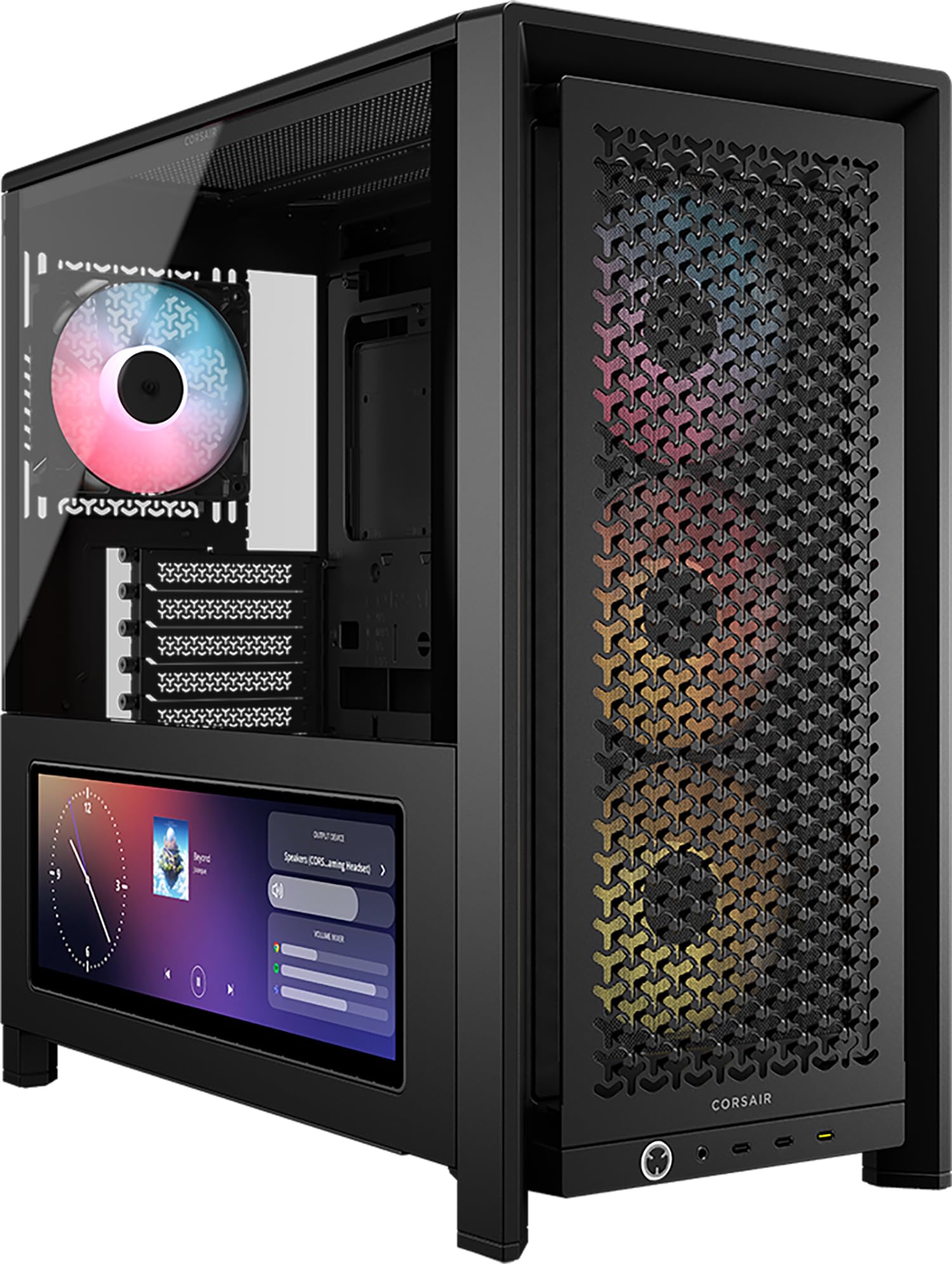
A pre-installed panel arrives wired and mounted, so the screen works on first boot with almost no effort. The CORSAIR FRAME 4000D takes that route: its XENEON EDGE 14.5” touchscreen (a 14.5-inch diagonal touch display) ships already fitted into the side panel. A display you mount yourself gives you more placement freedom but adds a step to the build. Pick pre-installed for plug-and-play, or self-mounted if you want to choose the placement.
How the screen gets its picture
These panels fall into two camps. A touchscreen with dedicated software, like the iCUE widgets on the Corsair or the HYTE Nexus software on the Y70, runs its own widgets and monitoring from the start. A plain HDMI display, like the 8″ panel on the Mars Gaming MC-LCD, behaves like a normal monitor — it shows whatever your operating system sends it. The HDMI route is more flexible but you have to supply the widgets yourself.
Resolution and refresh rate in plain terms
Resolution is how many dots the panel can draw; more dots means sharper text and crisper video. Refresh rate is how many times per second the image updates — 60Hz means sixty updates a second, which is the standard for a secondary screen showing stats or video. Both numbers matter more on a large panel than a small one, because the dots get stretched further apart as the screen grows.
Space, airflow and graphics card clearance
A case with a screen in the side is usually deeper and wider than a plain mid-tower, so measure your desk before you fall for the panel. Check graphics card clearance in millimetres and compare it to your card’s length. Then look at fan mounts and radiator support — a screen blocks part of the airflow path on some designs, and full mesh panels on the other sides make up for it.
Side-by-Side Comparison
All four cases have a working LCD built into the side. What separates them is panel size, how big a box the case is, and how much internal room you get for drives.
| Model | Best For | Panel Size | Case Footprint (D x W x H) | Internal Bays | Amazon |
|---|---|---|---|---|---|
| CORSAIR FRAME 4000D LCD RS ARGB★ Best Overall | Most builders | 14.5″ touchscreen | 19.17″D x 9.41″W x 19.13″H | — | Amazon |
| Thermalright A70 Vision | Big builds on a budget | 9.16″ magnetic display | 17.75″D x 11.4″W x 18.78″H | 4 | Amazon |
| Mars Gaming MC-LCD | Tiny desks | 8″ IPS LCD | 8″D x 8″W x 8″H | 2 | Amazon |
| Hyte Y70 Touch Infinite | Showcase builds | 14.5″ 2.5K touchscreen | — | 4 | Amazon |
Detailed Reviews
1. CORSAIR FRAME 4000D LCD RS ARGB
Our pick — 4.5+★ from 20+ verified ratings; the strongest balance of quality and price.
A 14.5-inch touchscreen that ships pre-installed and pre-wired in the side panel.
Here is the number that decides it for most people: the 14.5” XENEON EDGE LCD touchscreen arrives pre-installed and pre-wired in the side panel. Nothing to bolt on, nothing to route. You build the PC, boot it, and the screen is live — that is a genuinely different experience from a case where you add the display as another component.
On top of that sits the iCUE widget system. Real-time hardware temperature and usage monitoring, Twitch chat, image and video playback, and volume control all run from the panel itself. You can also flip the whole thing into a second Windows display and drag windows across to it. The front I/O has been updated too: three USB Type-C ports, one running at 20Gb/s and the other two at 5Gb/s, so high-speed drives and a phone charge both have somewhere to go. Four RS120 ARGB PWM fans ship in the box, and an InfiniRail fan mounting system gives you placement options beyond fixed slots. There is reverse motherboard support for the cable-hidden builds people are moving toward.
The honest catch is size and weight. At 19.17″D x 9.41″W x 19.13″H and 9.95 kg, this is a heavy, deep box that needs a real desk. The Mars Gaming MC-LCD measures just 8″D x 8″W x 8″H by comparison, so if you are working on a shallow shelf or a tight corner, the Corsair will not go where the Mars will. Owners rate it 4.5+ out of 5 across a small but enthusiastic set of reviews.
What earns it first place
- 14.5” touchscreen comes pre-installed and pre-wired, so nothing extra to assemble
- iCUE widgets cover temperature, usage, Twitch chat, media and volume from one panel
- Three USB Type-C front ports, including one at 20Gb/s
- Four RS120 ARGB PWM fans and the InfiniRail mounting system included
- Works as a second Windows display, not just a stats readout
Where it pushes back
- 9.95 kg and 19.17 inches deep — a big commitment for a small desk
- The touchscreen adds wiring to manage inside an already busy panel
Reach for this if: you want the screen to just work, and you have a desk that can carry a full-size mid-tower.
Look elsewhere if: your space is limited — the 8″D x 8″W x 8″H Mars is the case that fits a shallow shelf.
2. Thermalright A70 Vision ATX Case
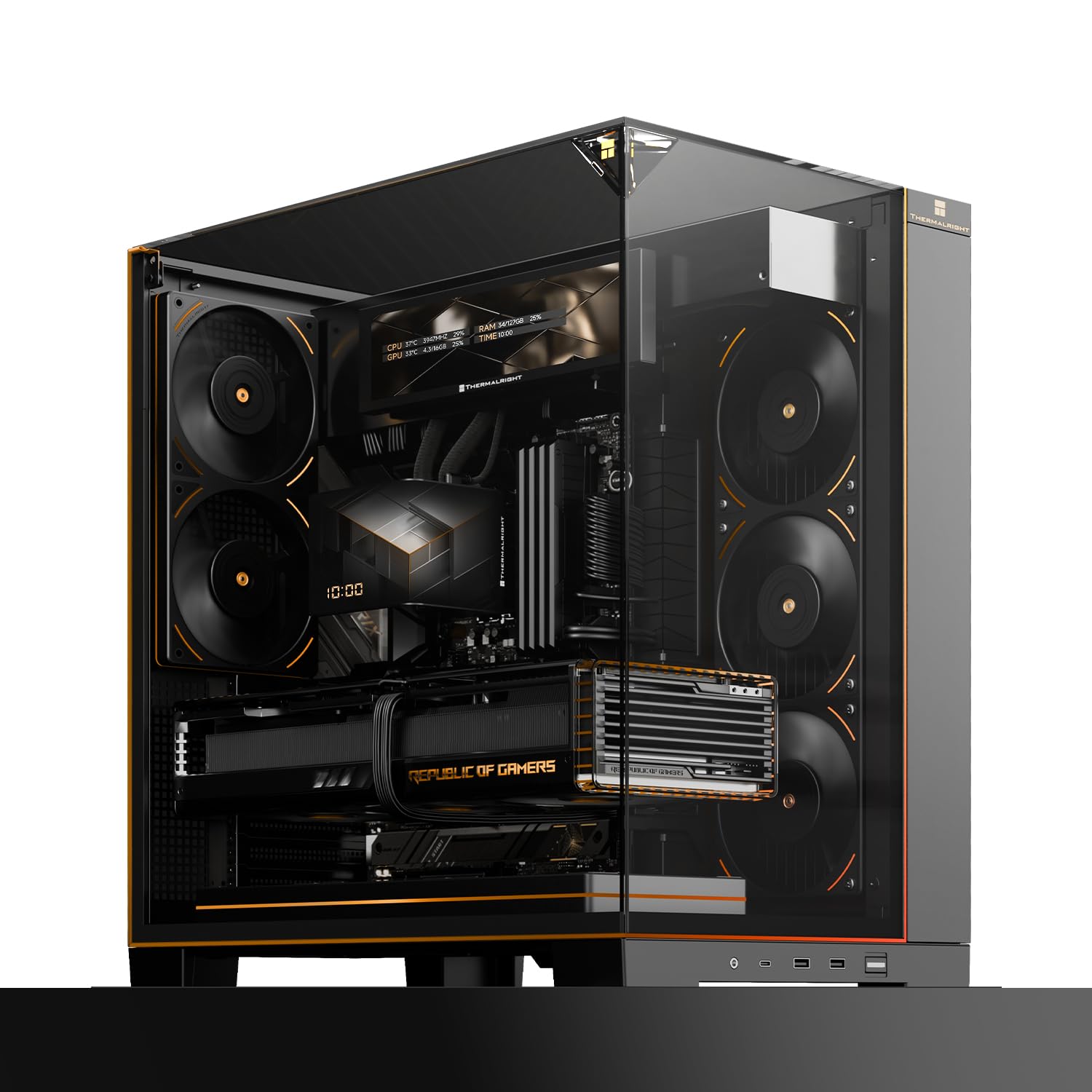
A panoramic three-sided glass shell with eight fan mounts and a screen that snaps on magnetically.
If you are building around a long graphics card, start here. The A70 Vision supports GPUs up to 420mm in length, CPU coolers up to 168.4mm tall, power supplies up to 200mm, and liquid cooling tubing up to 400mm. It takes ATX, Micro-ATX and Mini-ITX boards. That is a wider spread of big parts than the Mars MC-LCD accepts, which caps graphics cards at 417mm and coolers at 170mm — close, but the Thermalright has more headroom across the other dimensions.
The screen is the interesting part. A 9.16-inch magnetic display at 1920×480 resolution, driven by TRCC software, with multiple customizable themes plus image and video display and screen mirroring. Because it is magnetic, you can place it where you want rather than being locked into one moulded panel. Cooling gets serious attention too: a large side mesh area and a four-direction airflow design, with eight mounting positions for 120mm fans (CPU fans excluded) and 120mm, 240mm and 360mm radiators all supported. A pre-installed GPU bracket with screw-adjusted height prevents sag from a heavy card, which is a real concern once you go past 420mm.
What wins people over is the look — the panoramic glass design is the thing buyers bring up most. The front panel runs 1 x USB Type-C at 10Gbps alongside 2 x USB Type-A and an audio jack. It is a full tower, so plan for the footprint. Note that the chassis material is listed as plastic — the glass and steel are there, but do not expect an all-metal shell at this position in the range.
The space argument: four internal bays and eight fan positions mean you are not making the usual compromises between cooling and storage.
Worth knowing: it arrives without pre-installed fans in the listed configuration, so budget for your own airflow set — which is exactly why eight mounts matter.
The build this suits: a full-fat ATX or Mini-ITX rig with a graphics card north of 400mm and a 360mm radiator.
Where it falls short: the magnetic panel runs on TRCC software and screen mirroring, not a full touch control layer like the Corsair’s iCUE widgets.
3. Mars Gaming MC-LCD Micro-ATX Case

An 8-inch cube that fits a narrow shelf or a small apartment corner.
The headline measurement is 8″D x 8″W x 8″H. Set that against the Corsair’s 19.17″D x 9.41″W x 19.13″H and the difference in what fits on a desk is obvious. If your setup lives on a narrow shelf, a small apartment corner, or beside a monitor arm, this is the case in this group built for that constraint. It weighs 6 kg, against the Corsair’s 9.95 kg, so moving it is a one-person job.
The screen is an 8″ IPS LCD at 1280×800 resolution with a 60Hz refresh rate and an HDMI connection. It can be mounted in portrait or landscape and works at the front or the side. Important to know before you buy: this panel does not ship with its own customization software. You drive it with widget applications and desktop gadgets, so it behaves like a small HDMI monitor you have to set up yourself. That is more work than the Corsair or HYTE route but also more open-ended. The other unusual choice is the front-mounted power supply, adjustable in height across several levels, which changes how you plan the interior.
Cooling gets more than you would expect at this size. Side, top and front mesh panels feed air in, and the case takes up to seven 120mm fans with liquid cooling support up to 360mm. Graphics cards go up to 417mm and CPU coolers up to 170mm. You get four expansion slots, two internal bays, USB 3.0, USB-C and an HD Audio port. The shell is alloy steel, which is a reassuring material note for something this small.
What it solves: a working LCD in a case that measures a quarter of the Corsair’s depth, so small rooms finally get a screen-side build.
The honest limit: you will be sourcing your own widgets and desktop gadgets to make the 8″ panel useful — owners describe the setup as something you configure rather than something that works on day one.
Pick this if: desk space is your binding constraint and you are comfortable setting up a small HDMI display yourself.
Think twice if: you want the screen to be a finished widget hub on first boot — that is the Corsair’s job, not this one’s.
4. Hyte Y70 Touch Infinite ATX Case

A 14.5-inch 688 x 2560 touchscreen with 5-point multi-touch and a 60Hz refresh rate.
Same diagonal as the Corsair’s, completely different panel. The Y70 Touch Infinite runs a 14.5” integrated LCD touchscreen at 688 x 2560 resolution (a tall, sharp pixel grid) with a 60Hz refresh rate (the screen redraws 60 times a second) and 5-point multi-touch (it reads five fingers at once). Where the Corsair’s screen is a widget hub, this one is a display worth looking at on its own terms. HYTE’s Nexus software handles the customization, and the maker claims the panel has a 33% closer dot pitch, a 17% brighter image, 25% higher contrast and 50% faster pixel response than the previous version — their figures, not independent ones, but they explain why text looks cleaner up close.
The rest of the case is built to show off that screen. A three-piece panoramic glass panel wraps the dual-chamber interior (two separate zones, one for parts and one for cables), and four colourways are offered. Vertical graphics card mounting spans four slots, and a PCIE 4.0 x 16 riser (a flat cable that lets the card sit upright) ships with a colour-matched canopy so the cable does not break the clean line. Cooling support is wide: up to a 360mm radiator on the side at 125mm thick, an adjustable top at 68mm thick, and a cold floor section that takes either three 120mm or two 140mm fans up to 32mm thick. It accepts ATX, Micro-ATX and Mini-ITX boards, standard power supplies, 2.5″ drives, GPUs up to 105mm thick, and ten expansion slots.
Two things to plan around. First, the internal bays: four here against the Mars Gaming MC-LCD’s two — a real difference if you keep multiple drives. Second, the desk. This is a large, glass-heavy showcase case that will dominate a small room, and the four-slot vertical graphics layout demands a card you are happy to show off. It holds 4.5+ out of 5 across around fifty owners, with design and appearance drawing almost all of the praise.
Why it wins the showcase argument
- 688 x 2560 resolution and 5-point multi-touch on a 14.5” panel
- Nexus software drives the screen customization
- Four-slot vertical graphics with a colour-matched PCIE 4.0 x 16 riser
- Side, top and floor radiator and fan mounting for a full custom loop
- Dual-chamber layout keeps the glass side looking uncluttered
The trade-offs to accept
- 24.4 pounds — the heaviest case in this group
- Glass on three sides means fingerprints and careful handling
- Showcase-scale footprint, not a compact-desk case
Built for: a display-grade build where the case is the centrepiece and the panel is part of the design.
Not built for: anyone tight on desk space — the compact Mars exists for that, and this one will not squeeze in beside it.
Know the Specs
Panel type: touchscreen vs HDMI display
A touchscreen with its own software, like the Corsair’s XENEON EDGE or the HYTE’s 2.5K panel, gives you widgets and monitoring from the start and responds to your finger. An HDMI display, like the Mars Gaming 8″ panel, behaves like a normal monitor: whatever your operating system sends, it shows. The touchscreen route is simpler to live with; the HDMI route asks more of you but stays open-ended. Decide which fits how you work before anything else.
Resolution and pixel density
Resolution is how many dots the panel draws across and down. The Corsair and HYTE panels both measure 14.5” on the diagonal, but the HYTE’s 688 x 2560 layout packs more detail into that space than an ordinary video panel. The Thermalright’s 9.16-inch display runs 1920×480 — a short, wide strip, which suits a stats banner more than a photo. The Mars 8″ panel runs 1280×800 in a more conventional shape. On a large screen, higher pixel counts mean cleaner text; on a small one, the difference is easier to live with.
Graphics card and cooler clearance
Clearance is measured in millimetres and it decides what you can fit. The Thermalright takes GPUs up to 420mm and coolers up to 168.4mm; the Mars takes GPUs up to 417mm and coolers up to 170mm; the HYTE takes GPUs up to 105mm thick, with ten expansion slots. Measure your card before you commit — a few millimetres is the difference between a build and a return.
Fan and radiator support
Fan slots and radiator sizes decide how quietly the system runs under load. The Thermalright offers eight mounting positions for 120mm fans with 120mm, 240mm and 360mm radiator support. The Mars offers up to seven 120mm fans and 360mm liquid cooling. The HYTE supports up to a 360mm radiator on the side at 125mm thick plus an adjustable top. The Corsair ships four RS120 ARGB PWM fans and adds the InfiniRail mounting system. More mounts means more options; it also means more fans to buy.
Common Questions
Do I need an extra cable from my graphics card to run the LCD panel?
Will an ATX motherboard fit in the compact Mars Gaming MC-LCD?
Can the side-panel screen work as a second monitor?
How long is the display cable inside the case?
Does a case with a screen in the side panel hurt airflow?
What is the difference between an IPS LCD and a standard LCD on these panels?
Can I mount a 360mm radiator in the Thermalright A70 Vision?
Is the HYTE Y70 Touch Infinite screen touch-enabled?
Do these cases come with fans included?
Which case fits the longest graphics card?
The Bottom Line
For most people, the pc case with lcd side panel that makes the least sense to regret is the CORSAIR FRAME 4000D LCD RS, because the 14.5” touchscreen ships already mounted and wired, so the hardest part of the build is done before you open the box. If you want the panel to be the point of the whole build, the Hyte Y70 Touch Infinite gives you the 688 x 2560 touchscreen and the panoramic glass to match. And when the desk will not budge, the Mars Gaming MC-LCD is the one that fits at 8″D x 8″W x 8″H. Between them sits the Thermalright A70 Vision — the widest parts clearance of the group and a magnetic screen you can place your way. Whichever you pick, measure your desk and graphics card clearance before you buy.
How we choose
We do not accept paid placement. Every pick is matched to a real buyer and a real use-case; we do not hands-on test units.
Sources
Specifications: manufacturer listings and product documentation. Review insights: verified customer reviews, as of November 2026. Pricing: not shown on this page (it changes often); check the current price via the retailer link.
As an Amazon Associate, Tactical Gear Guy earns from qualifying purchases. This does not affect which products we feature.