Specs are compiled from manufacturer listings and verified buyer reviews and can change over time — please confirm the key details on the product page before buying.
If you pay people by the hour, a paper sign-in sheet lets small time errors add up to real payroll money. A proper employee time clock machine stamps the exact arrival, lunch and departure on a card, so nobody argues about whether Tuesday started at 8:00 or 8:14. This guide covers nine real punch clocks and calculating machines, and it tells you plainly which ones hold up and which features actually matter for a small crew.
This guide is built by comparing the manufacturers’ published specifications and the patterns across verified customer reviews, so you get each pick’s real strengths and trade-offs instead of marketing spin.
The quick answer: the uPunch CR1000 is the pick most small businesses should start with, because it handles both employee punches and document date stamping in one compact unit. You will find the full breakdown of the Best Time Clock Machine options below, sorted by the job each one does best.
Top Picks

How To Choose The Best Time Clock Machine
Most buyers walk into this category thinking every punch clock is the same machine in a different box. Only three differences really cost you time: how many punches a card holds, whether the clock totals hours, and how easily a card lines up. Here is what to weigh before you buy.
Card columns decide how often you buy cards
A six-column time card handles three in-and-out cycles per day (arrive, lunch out, lunch in, leave), which is what the Pyramid 2500 uses. More columns per card means you restock paper less often. If your crew takes two breaks plus lunch, count the punches before you commit to a card style.
Does the machine calculate, or just stamp?
A plain punch clock only prints the time; you add the hours yourself or feed the cards into payroll software. A calculating clock totals regular and overtime straight onto the card. If you have hourly staff and dread Sunday-night payroll math, pay for the calculating version — it turns an hour of hand-adding into ten minutes.
Alignment is the daily quality-of-life feature
Every punch has to land in the right row and column or the card is worthless. Look for an alignment window or an auto-align system. Cheap units without an alignment guide are the usual source of crooked, unreadable punches, shift after shift.
Backup, locks and tamper protection
A seven-day battery backup keeps the clock’s memory alive through a power cut. A tamper-proof lock with security keys stops early arrivals from punching each other in. Both come standard on the better clocks and are worth insisting on.
Side-by-Side Comparison
| Model | Best For | Clock Type | Cards Included | Backup / Mount | Amazon |
|---|---|---|---|---|---|
| uPunch CR1000★ Best Overall | All-in-one punching and date stamping | Digital punch + date stamp | 50 time cards | CR2 battery included | Amazon |
| Pyramid 2500Crew Favorite | Growing crews on weekly cards | Auto-align card punch | 100 time cards | 7-day backup / wall or desk | Amazon |
| Pyramid 3500SSFront Desk Pick | Front-desk stamping and punches | Punch + document stamp | 25 time cards | 7-day backup | Amazon |
| uPunch HN4500 | Calculating hours for a bigger team | Calculating auto-align | 200 time cards | Dual 10-slot racks | Amazon |
| AT-3000R Allied | Document proof plus card punching | Punch + electronic date stamp | Card punch system | Password lock | Amazon |
| Acroprint ES900 | Atomic-clock accuracy for a small shop | Payroll recorder + stamp + numbering | — | Battery memory hold | Amazon |
| Lathem 1600E | Project time tracked to the minute | Punch + 13-message stamp | 25 Tru-Align cards | Continuous calendar to 2099 | Amazon |
| AMANO TCX-35 | Long-term reliability, US-made build | Electronic punch + custom messages | — | Auto calendar and DST | Amazon |
| Allied AT-4500 | Ten or fewer hourly staff | Calculating drop-in punch | — | Wall mount | Amazon |
Detailed Reviews
1. uPunch CR1000 Digital Time Clock and Date Stamp
Our pick — 4.5+★ from 600+ verified ratings; the strongest balance of quality and price.
One small box that punches your crew in and stamps your paperwork at the same desk.
The uPunch CR1000 earns the top spot because it does two jobs that most small offices end up buying two machines for. It records arrival, break, lunch and departure times on the included cards, and it stamps date and time on invoices and receipts using one of several preset messages. The 3-way printing means you can mark a document as received, processed or whatever proof you need, straight from the same unit.
Setting it up is where this clock wins people over. Owners consistently describe it as simple once the ribbon is threaded and the time is set, and the cover window makes loading a card or a document easy during a busy morning. It is compact at 6.77 x 6.45 x 5.63 inches and sits neatly on a counter or an office desk rather than needing a wall. It runs on a single CR2 battery, which is included in the box along with one ribbon and two keys.
The honest catch is long-term reliability — the machine is the most-discussed topic in its own reviews, and the experience splits between units that run smoothly and units that stop inside a few weeks. That is worth knowing before you commit a whole payroll to one clock. Buy from a seller with a clear return window and keep your paper backup method alive during the first month.
Where it earns its keep
- Punches employees and stamps documents from one compact unit
- 50 time cards, one ribbon and two keys in the box — usable day one
- Window in the cover makes card and paper loading quick
- Setup is widely described as straightforward once the ribbon is in
What to plan around
- Durability is the mixed part — some units quit early
- Single CR2 battery means you should keep a spare
- Not a calculating clock, so hours still need adding up somewhere
Best fit: a small office that needs payroll punches and a date stamp without buying two machines.
Buy it with eyes open: test the punch mechanism hard inside the return window, since this model’s reliability record is genuinely split.
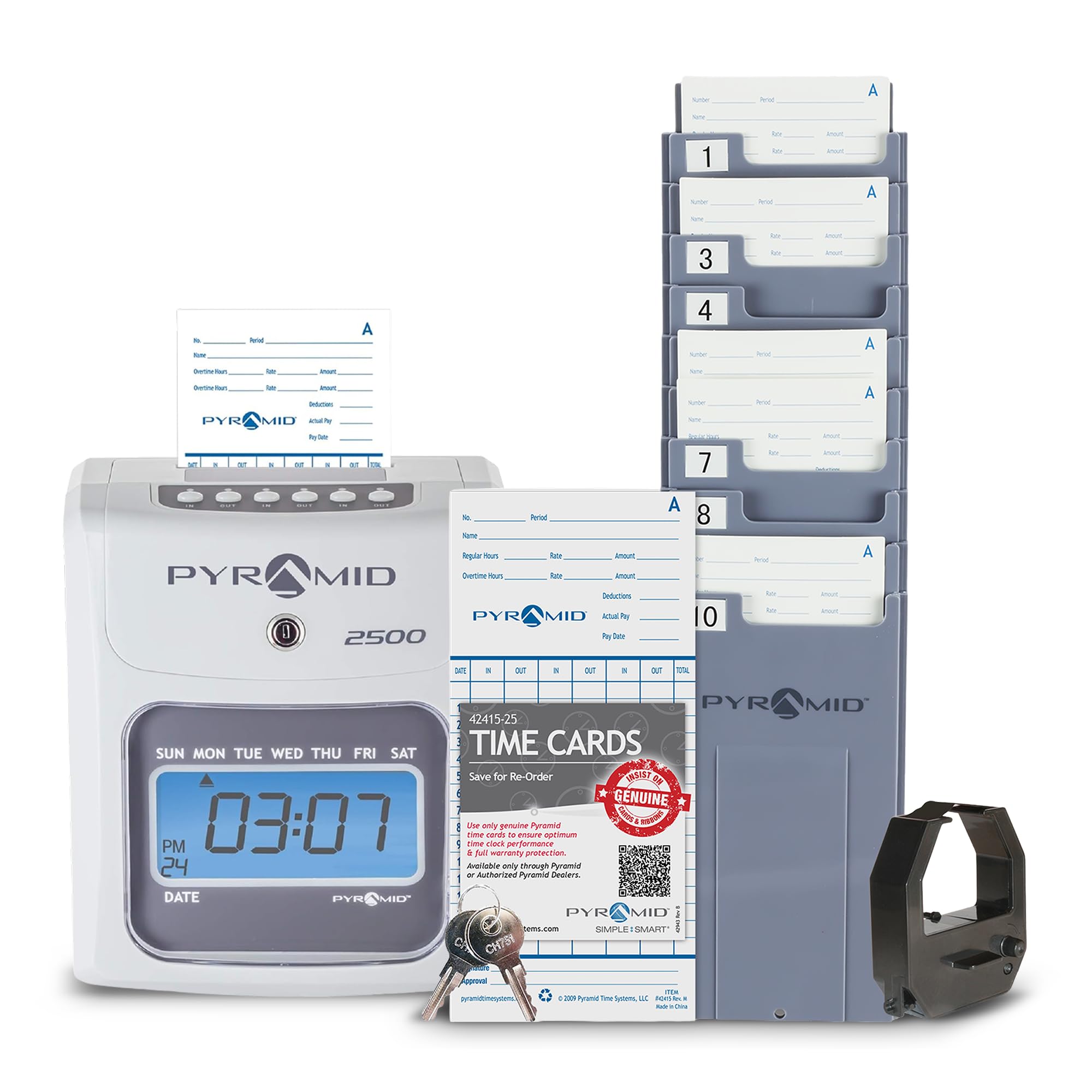
2. Pyramid Time Systems 2500 Auto Aligning Time Clock
A punch clock built for a growing crew that keeps getting new hires.
Unlimited employee capacity is the headline here. The Pyramid 2500 does not cap how many people you can track, so it fits a warehouse, a construction crew or an office that hires seasonally without you re-buying hardware. Each six-column card holds three in-and-out cycles a day, and the two-sided design covers days 1 through 15 on side A and 16 through 31 on side B, so one card carries a half-month of punches.
Owners praise this one most for how dependable it feels shift after shift, and the build quality earns nearly as much goodwill. Setup is quick, and the top-loading auto-align design takes the guesswork out of lining up a card. It ships with 100 time cards, an ink ribbon, a 10-slot card rack and two security keys. A seven-day battery backup protects the data through a power cut, and you can flip the display between 12-hour AM/PM and 24-hour military time. It weighs 3.1 pounds, so wall or desk mounting is a one-person job.
The thing to know: this is a stamping clock, not a calculating one. A handful of owners found that it does not add hours up for them, so you still total the cards yourself or hand them to payroll software. The 100 included cards are generous next to the 25 you get with the Pyramid 3500SS, but they are also the difference between a starter kit and a refill order in a month.
Why it tops the short list: unlimited employees, 100 cards in the box and a seven-day backup make this the least fussy way to start punching cards.
The part to plan for: bring your own math — it stamps the time but does not total the hours.
Grab this one for: a busy site where headcount keeps moving and you want one clock that never runs out of slots.
Pass it over if: you need the clock to total regular and overtime hours automatically.
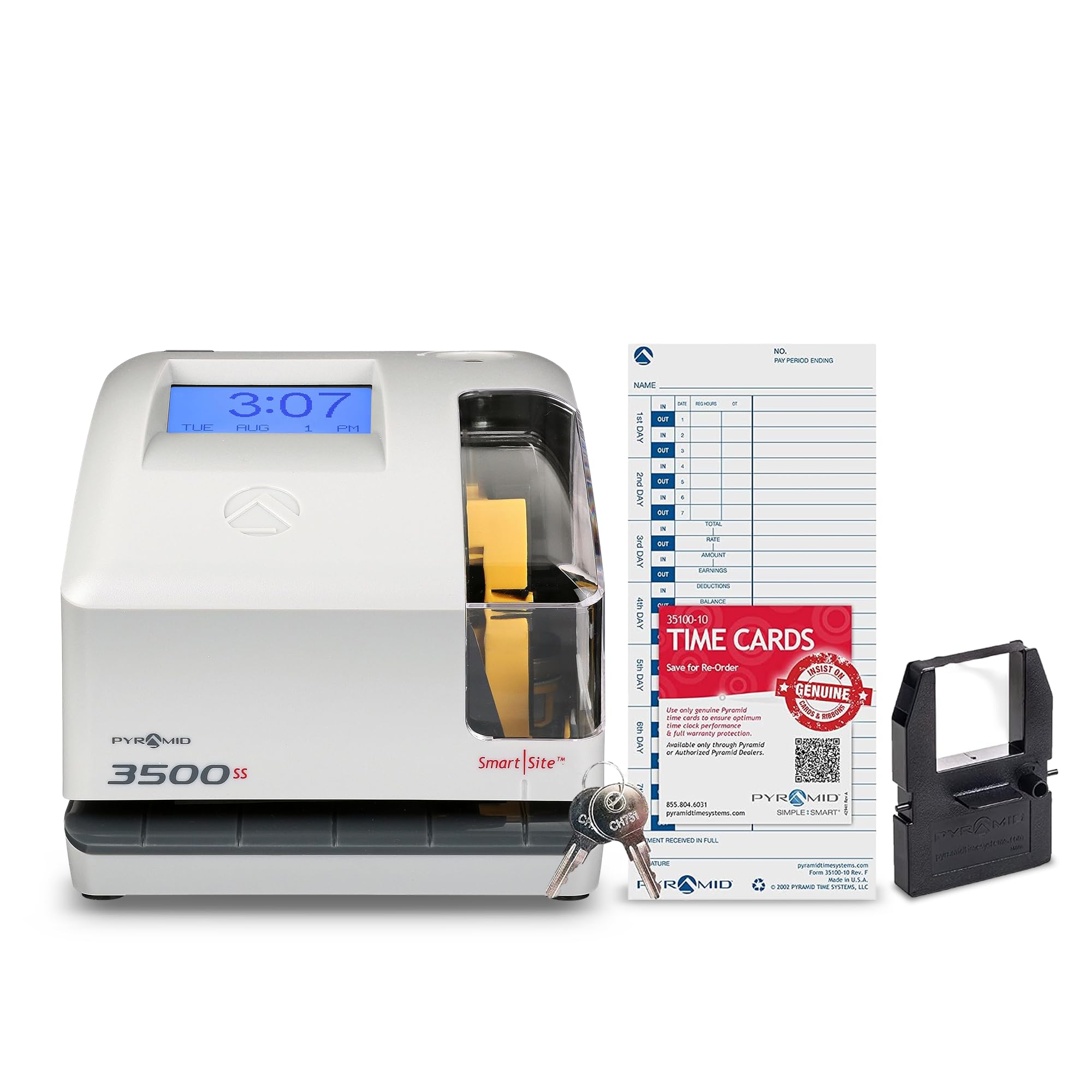
3. Pyramid Time Systems 3500SS Punch Clock
A stamp-and-punch machine that takes the guesswork out of lining up the card.
Where the Pyramid 2500 is the crew clock, the 3500SS is the reception-desk one. It works as an employee punch clock for attendance, then switches over to stamp a received date on invoices and paperwork. That dual role is what a small front office usually needs most — one device that records who arrived and proves when a document came in.
The line-up question gets a real fix on this model. A top and side viewing window on the SmartSite guide lets you see the card as you punch, so entries land accurately with no adjusting. The backlit display shows time, date and day of the week and flips between military and standard 12-hour format. It also self-corrects for daylight saving time, leap years and short months, so nobody resets it in March and November. It carries a tamper-proof lock and a seven-day battery backup to protect data during an outage.
The trade-off is paper supply. This kit includes 25 time cards where the 2500 bundle throws in 100, so a busy counter will be ordering refills sooner. At 6.5″W x 5.47″H it takes up very little desk space, which is the point of a front-desk machine. Owners tend to describe it as a reliable, quiet daily tool rather than something they think about.
Daily reality: the side window does the work — cards line up and the punch lands where it should, every shift.
Watch the cards: only 25 come in the box, so stock a refill before month-end.
Right for you if: your front desk punches staff and also needs to stamp incoming documents.
Think twice if: you need a calculating clock or a large starter pack of cards.
4. uPunch HN4500 Advanced Calculating Time Clock Bundle

The one that does the overtime math so you do not have to on a Sunday night.
This is a calculating clock, not a plain stamper. The HN4500 automatically totals regular and overtime hours for up to 50 employees, writing the numbers straight onto the card. If you currently add hours by hand at the end of a pay period, that is the single feature that pays you back in time every month. The AutoAlign system keeps the punches lined up across pay periods, and the machine tracks start times, lunches and finish times.
The bundle is genuinely a starter kit. You get the HN4500 clock, 200 time cards, two 10-slot racks for holding employee cards, three ribbons and two keys. The racks are the quiet win, because organizing cards by employee cuts morning fumbling. It measures 15″W x 12″H and weighs 8.8 pounds, which is a serious desk machine rather than a shelf gadget — plan a spot for it. A two-year warranty and US-based support back it up.
Be clear-eyed about the mixed record. Setup is where experience splits: some find the instructions clear, others find configuration fiddly. There are also reports of card-punching trouble and of hours calculating wrong, so this machine rewards a careful setup session. Follow the instructions to the letter, run a test week with dummy cards, and confirm the totals before you trust it with live payroll. The 200 cards are the most in this group — four times what you get with the Lathem 1600E and eight times the 3500SS pack.
Why it is on the list
- Totals regular and overtime hours for up to 50 employees
- 200 cards, two racks, three ribbons and keys all in one bundle
- AutoAlign keeps punches lined up over a pay period
- Two-year warranty with US-based support
Setup truths to respect
- Initial setup and configuration divide owners
- Some reports of card-punching problems and wrong hour totals
- Large 15″W x 12″H footprint needs real desk space
Made for: a payroll manager who wants overtime totals done by the clock instead of by hand.
Caveat: run a full test week with dummy cards before trusting it with live payroll.
5. AT-3000R Allied Time USA Digital Time Clock and Date Stamp

For the office that needs proof a document arrived as much as it needs punches.
The AT-3000R is the strongest document-stamping buy in this list, and it earns that spot on flexibility. You get 13 preset short messages such as RCVD and FAXD, a left or right print option and an adjustable depth margin, so the stamp lands where you want it on the page. It also works as an employee punch clock with time cards, which is why it suits a mail room or an accounting desk that tracks both people and paper.
Setup is quick. You choose a 12- or 24-hour format, and a minutes setting of 60 or 100s for payroll math that uses hundredths of an hour. Four language options — English, Spanish, French and Portuguese — cover a mixed-language crew. An optional password stops employees tampering with the date and time, and a two-year warranty with lifetime support covers the machine. It measures 11 x 9 x 8 inches and weighs 4.94 pounds, so it needs proper counter space.
The honest friction is card alignment. Lining up a time card on this unit is the recurring gripe, and a few owners also found the print legibility inconsistent. For document stamping the machine is a solid performer; for pure time-card punching it asks more care than the auto-align Pyramid models. Consider what you will use it for more before choosing it.
What it does best: flexible document stamping with 13 preset messages and adjustable print depth.
The honest catch: time cards take more effort to line up than on an auto-align clock.
The right buyer: a mail room or office where document proof matters as much as payroll punches.
Look elsewhere if: fast, hands-off card alignment is your priority.
6. Acroprint ES900 Electronic Payroll Recorder

Three machines in one: time clock, date stamp and numbering stamper.
The ES900 syncs to the U.S. Atomic Clock and adjusts itself for daylight saving time, so you never set the time by hand. It also acts as a document date stamp and a numbering machine, so it covers three office jobs in a single unit with a metal frame.
Printing is where it gets deep. There are over 300 print configurations with preset messages in multiple languages, and you can print manually, semi-automatically or automatically. A battery holds settings through an outage, though how long it lasts varies by unit. Password protection keeps the record consistent, and the metal build means it does not feel like a throwaway plastic box. Owners describe it as a solid worker that suits a small business and is easy enough to set up once you read the guide.
The sincere limitation is the learning curve on those 300-plus configurations — the machine can do more than most shops will ever use. If you want a one-button punch clock, this is overkill. If you want one machine that handles payroll times, document dates and numbered forms, the range is the reason to pick it. It stands 6.13″W x 7.13″H, so it fits a modest desk.
Standout spec: atomic clock sync plus automatic daylight saving, so the time is right without you touching it.
Reality check: 300-plus print configurations are a lot to learn for a shop that only punches cards.
Pick this if: you want one metal-bodied machine for payroll times, dated documents and numbered forms.
Keep shopping if: you want a simple one-function punch clock with nothing to configure.
7. Lathem 1600E Time Clock Machine and Document Stamp

Records payroll punches and tracks billable project time down to the minute.
Most punch clocks only care about start and finish. The Lathem 1600E also tracks project time to the minute, which makes it the pick for a shop that bills clients for job costs. It stamps date, time and one of 13 preset messages such as SENT, PAID, FILED and VOID on documents, so invoicing and payroll proof come off the same machine. The quick-print alignment and 25 Tru-Align time cards keep the punches clean.
The continuous calendar needs no resetting — it updates the year, month and date itself, and keeps going until Year 2099. That saves a small yearly chore and means a DST change does not throw the stamps off. US-based phone or online tech support is there if you get stuck, and the machine measures 7.2″W x 5.7″H, so a small office wall or desk holds it fine.
Timekeeping accuracy is the split here. Some units keep time properly and some lose it or fail to stay in the correct time zone. The unit is also described by a few owners as not rugged enough for hard daily handling. Treat it as a well-featured office machine rather than a warehouse-boot-proof box, and check that it holds time through your first pay period before relying on it.
Why a billable shop picks it
- Tracks project time to the minute for job costing and invoicing
- 13 preset messages make document stamping flexible
- Continuous calendar runs to Year 2099 with no resets
- US-based phone and online support if you need help
Hold these in mind
- Timekeeping accuracy is the main split — verify it holds time
- Not the most rugged build for hard handling
- Only 25 Tru-Align cards in the box
The one for you if: you bill clients by job and want time-to-the-minute records in the same clock.
Worth knowing: confirm it keeps accurate time through a full pay cycle before you retire your backup.
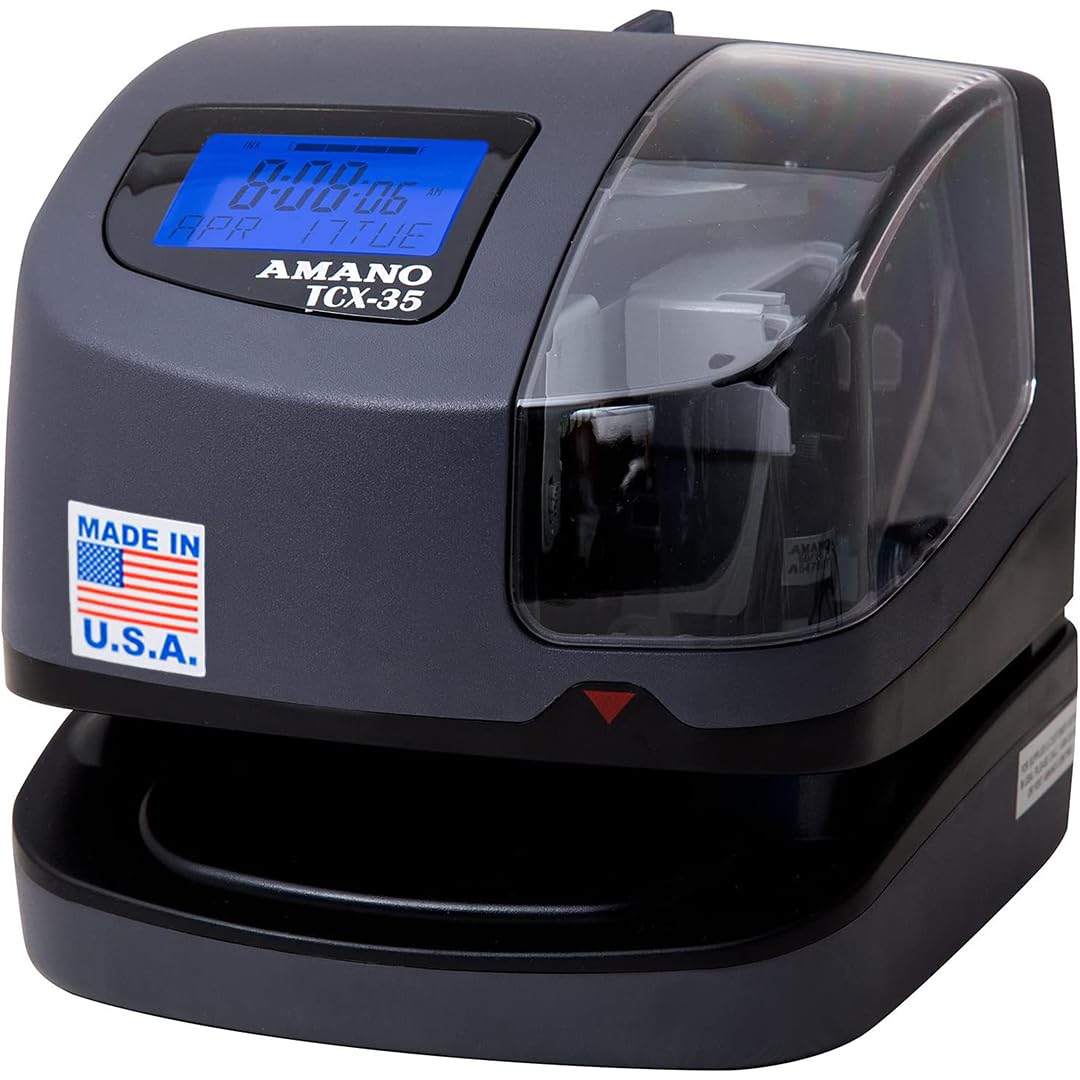
8. AMANO TCX-35 Time Clock for Employees
A sturdy US-built punch clock that also handles document control and mail room duty.
The AMANO TCX-35 leans on reliability and long-term simplicity. It stamps employee punch times, handles document control and mail room records, and prints custom messages such as REC’D, PAID and FILE in multiple languages. It adjusts year, month, date and time automatically, including leap years and daylight saving, so the calendar stays correct without you babysitting it.
The ribbon ink capacity indicator is a small but useful touch — it tells you when a fresh ribbon is coming due instead of catching you with a faint stamp mid-payroll. The clock is made in the USA and backed by a one-year factory warranty. It stands 7″W x 8″H and weighs 5 pounds, so a wall mount or a sturdy desk works fine. It also lists an Ethernet connectivity option for the model family, though most small shops will run it as a standalone stamping unit.
The honest limit is scope. This is a printer, not a calculating clock, so you get accurate punches but you still total the hours yourself. If you need overtime math on the card, the uPunch HN4500 is the calculating alternative. If you want a dependable stamp-and-track clock that just works and is built to last with a clear warranty behind it, the AMANO is the steady hand in this group.
Best trait: US-made build with a one-year factory warranty and automatic calendar, leap-year and daylight saving adjustments.
Buyer note: it stamps times and messages but does not add up the hours for you.
Give it the job if: you want a dependable, US-made stamping clock backed by a factory warranty.
Choose differently if: you want the clock to calculate regular and overtime totals.
9. Allied AT-4500 Calculating Time Clock

Drop the card in, walk away — the clock does the math and nobody touches a button.
The AT-4500 is a calculating clock with a touch-free twist. There are no buttons for employees to press and no card to manually align — you simply drop the card in and it prints. It totals regular and overtime hours, both daily and weekly, right onto the employee’s time card. For a shop that currently totals payroll by hand, that ability is the whole reason to buy it.
Setup is menu-guided and takes a few minutes. Owners with small crews are its natural home; it is described as fitting a small business with up to 10 hourly employees well. It mounts on a wall, weighs about 2.45 kg, and comes with US-based lifetime support and setup help. The polycarbonate body and large display round out the package.
The time display is the mixed part — some users report the clock does not keep time properly, so check it through a full pay cycle before you rely on it. It is also a wall-mounted unit rather than a desktop one, so plan where it hangs. For a small crew that wants hands-off punching and hours totaled for them, it lands in a useful spot between a plain stamper and a bigger calculating bundle.
Where it shines: touch-free drop-in punching with regular and overtime totals on the card.
Verify first: check the time display holds accurately across a pay period.
Best for: a small hourly crew of up to 10 people who want money-free, hands-off punching with hours totaled for them.
Look at a different clock if: you need a desktop unit or have a larger team.
Know the Specs
Punch columns and card coverage
A six-column card handles three in-and-out cycles per day, and many cards are two-sided so one card covers half a month. More columns per card means less paper restocking. Match the card design to how many punches your crew makes daily — two breaks plus lunch is three cycles.
Stamping vs calculating
A stamping clock prints the time and leaves the math to you. A calculating clock totals regular and overtime hours right on the card. If you have hourly staff and a pay period to close, a calculating clock saves the most time at the desk.
Alignment systems
Auto-align or a viewing window does the work of lining up the card so punches land in the right spot. Without an alignment guide, crooked punches and re-done cards become a daily nuisance. Check for an alignment guide before you buy.
Backup and security
A seven-day battery backup protects the clock’s memory during a power cut, and a tamper-proof lock with keys stops early-arrival punch games. A continuous calendar that adjusts for daylight saving and leap years saves manual resets. All three together make a clock you do not have to babysit.
Common Questions
Do I need a calculating clock or is a plain punch clock enough?
How many time cards come with each clock?
Can a punch clock still keep time during a power cut?
Will employees be able to punch each other in or change the time?
Does a time clock machine also work as a date stamp?
How do I stop time cards from punching crooked?
What does military time on a punch clock mean for my staff?
Will the clock adjust itself for daylight saving and leap years?
Can I track more than one employee on a single punch clock?
Does the record hold up if I get audited or a pay dispute comes up?
The Bottom Line
For most small businesses, the time clock machine winner is the uPunch CR1000 because it handles both employee punches and document date stamping in one compact, easy-to-load unit. If you have a growing crew on unlimited employees and want paper in the box on day one, grab the Pyramid Time Systems 2500. And for a payroll manager who wants regular and overtime hours totaled automatically, the uPunch HN4500 is the one to reach for.
How we choose
We do not accept paid placement. Every pick is matched to a real buyer and a real use-case; we do not hands-on test units.
Sources
Specifications: manufacturer listings and product documentation. Review insights: verified customer reviews, as of November 2026. Pricing: not shown on this page (it changes often); check the current price via the retailer link.
As an Amazon Associate, Tactical Gear Guy earns from qualifying purchases. This does not affect which products we feature.