Specs are compiled from manufacturer listings and verified buyer reviews and can change over time — please confirm the key details on the product page before buying.
You want one machine that prints color pages sharply, scans paperwork in a single pass, and does not bleed money on supplies. A color laser scanner printer does all three, and every model below delivers it — from a workhorse that scans both sides at once to a compact unit that fits a home desk. Three things separate them: how fast they scan, how much toner each page eats, and whether the network stays connected.
This guide is built by comparing the manufacturers’ published specifications and the patterns across verified customer reviews, so you get each pick’s real strengths and trade-offs instead of marketing spin.
Every option here uses dry toner rather than ink, so pages never smear from a wet sheet and consumables sit quietly for months between jobs. Read on for the exact color laser scanner printer that matches how much you print and how fast you want documents scanned.
Top Picks

How To Choose The Best Color Laser Scanner Printer
A color laser scanner printer is a printer that draws with dry toner and can also scan paper back into a digital file. Most people shop the print side first and only later discover the scanner is where the real time gets spent. Start with how many pages you handle in a working week, then work backward to the machine.
Scanner speed and the auto document feeder
An auto document feeder (ADF) is a top tray that pulls pages through on its own, so a contract never needs hand-feeding one sheet at a time. The spec that matters is images per minute (ipm) — the scanner’s own speed rating, separate from print speed. A 104 ipm rating on a two-sided scanner means it captures both sides of a stack without you turning anything over. If your day involves any multi-page paperwork, a feeder plus duplex scanning beats every other upgrade on the sheet.
Print speed in pages per minute
Pages per minute (ppm) tells you how many sheets come out each minute once the machine is running. Twenty-two ppm is a comfortable home-and-small-office pace; thirty-five ppm is a shared-workgroup machine. Watch the first-page-out figure too, since that is how long you stare at the machine before anything happens.
Toner yield versus the sticker
Every laser cartridge carries a page yield rating — the number of pages it is expected to print. Higher-yield cartridges cost more up front but print far more pages, which is where the long-run budget is won or lost. A machine that ships with high-capacity starter cartridges saves you the first painful set of replacements.
Side-by-Side Comparison
| Model | Best For | Print / Copy Speed | Duplex | Connectivity | Amazon |
|---|---|---|---|---|---|
| Brother MFC-L8930CDW★ Best Overall | Heavy office workloads | 33 ppm | Automatic | Dual-band Wi-Fi, Gigabit Ethernet, NFC | Amazon |
| Canon Color imageCLASS MF652CwSharpest Starter | Sharp color on a modest budget | 22 ppm | Simplex | Wireless, mobile apps | Amazon |
| HP Color LaserJet Pro MFP 3301cdwCertified Value | Factory-refurbished value | 26 ppm | Automatic | Dual-band Wi-Fi, Ethernet, USB | Amazon |
| Xerox C303a | Shared office, 2,500 pages monthly | 32 ppm | Automatic | Dual-band Wi-Fi, Ethernet, USB | Amazon |
| Brother HL-L3300CDW | Small office and home desk | 19 ppm | Automatic | Dual-band Wi-Fi, Wi-Fi Direct, USB 2.0 | Amazon |
| Canon imageCLASS MF753Cdw | High-volume document workflows | 35 ppm | Automatic | Wireless, mobile apps | Amazon |
| HP Color LaserJet Pro 3304fdw | Teams of up to seven people | 26 ppm color | Automatic | Wi-Fi, Ethernet, USB | Amazon |
| Canon Color imageCLASS MF644Cdw | Everyone who needs one machine | 22 ppm | Automatic | Ethernet, Wi-Fi Direct | Amazon |
| Xerox C325dni | Fast scanning, big touchscreen | 35 ppm | Automatic | Wi-Fi, Ethernet, USB 2.0 | Amazon |
Detailed Reviews
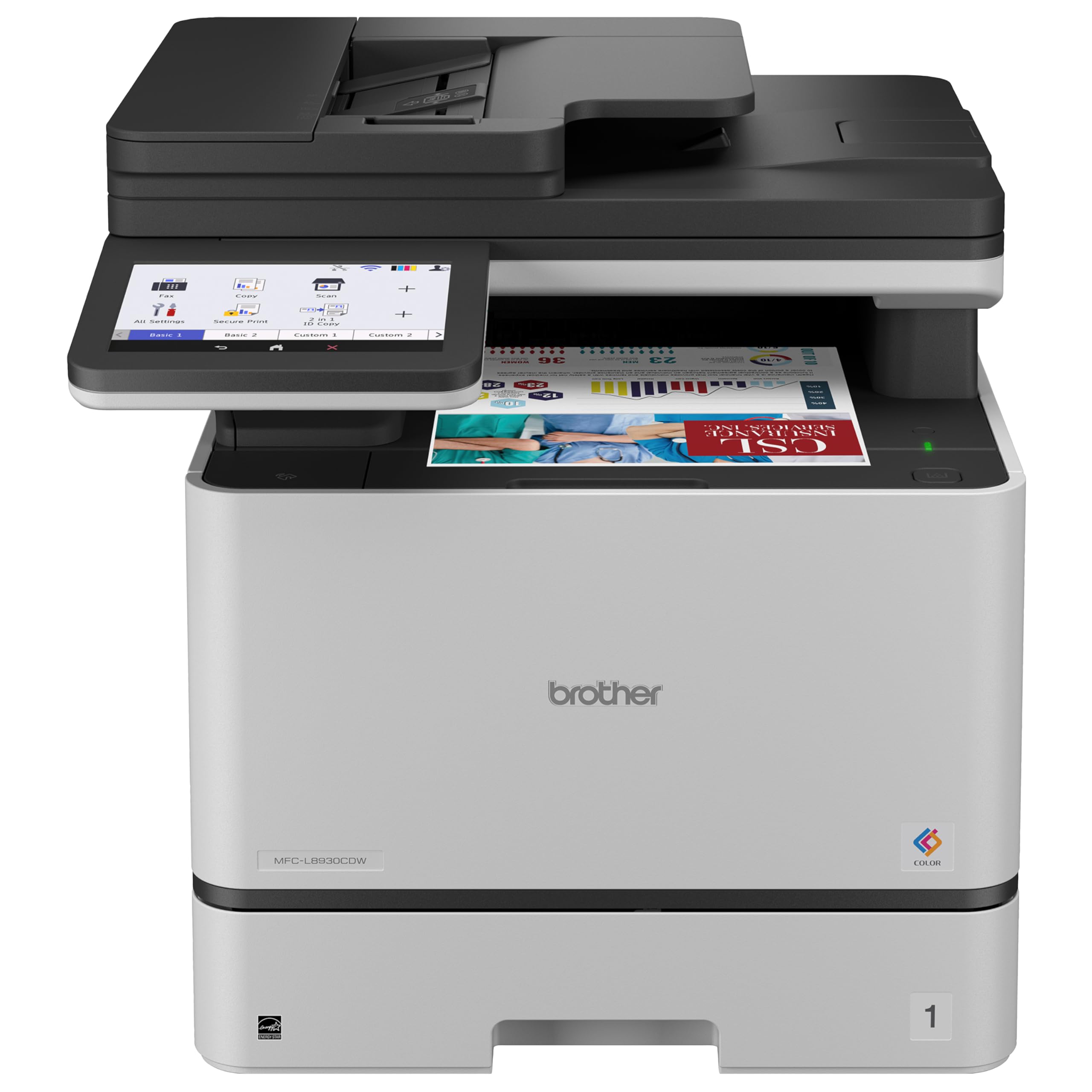
1. Brother MFC-L8930CDW Business Color Laser All-in-One Printer
Our pick — 4.0+★ from 200+ verified ratings; the strongest balance of quality and price.
The one that pulls an 80-page stack through its duplex feeder at 104 ipm.
For an office where paper moves faster than patience, this is the machine to beat. It scans at up to 104 ipm — images per minute, meaning the scanner’s own speed with both sides captured at once — through an 80-page auto document feeder. That combination is the whole reason it tops this list: you load a legal-size contract stack, walk away, and come back to finished files. Print and copy run at up to 33 ppm, which is 19 ppm faster than the Brother HL-L3300CDW below at 19 ppm, so a 50-page report finishes in a fraction of the wait.
The interface is a 7-inch color touchscreen (a display you tap like a tablet) that can hold up to 64 customized shortcuts for jobs you repeat. You can scan straight to cloud storage, email, or SharePoint, and it will create searchable, editable Microsoft Office documents from what it captures. It ships with genuine Brother toner rated at 3,000 pages black and 1,800 pages color, and accepts TN635XXL super high yield cartridges rated at 7,500 pages black and 6,500 pages color. Networking covers dual-band 2.4GHz and 5GHz Wi-Fi plus Gigabit Ethernet, and an integrated NFC card reader handles badge authentication — tap a card rather than type a password.
The catch is size and weight. At 71.2 pounds it is exactly twice the 35 pounds of the HP 3301cdw, and the 20.7″D x 16.1″W x 21.6″H footprint needs a real table, not a desk corner. Owners praise the print quality above everything else, and while most report it runs without drama, some do hit connectivity hiccups and error messages that need clearing. Budget for genuine toner and keep the firmware current, and it holds up.
Where this printer earns its place
- 104 ipm two-sided scanning through an 80-page feeder — legal-size glass means full contracts fit on the platen
- 33 ppm print and copy speed keeps a busy queue moving
- 3,000-page black and 1,800-page color toner included, so the first replacement is a long way off
- 7-inch touchscreen with up to 64 saved shortcuts for repeat jobs
- Dual-band Wi-Fi, Gigabit Ethernet, and NFC badge login for shared offices
What you take on
- 71.2 pounds and a deep footprint demand a dedicated stand
- Some owners run into connectivity dropouts and error resets that need clearing
- The largest and most expensive machine of the group — overkill for a kitchen-table setup
Reach for this if: your week is full of multi-page paperwork that needs scanning, not just printing.
Think twice if: you print a handful of pages a month and have nowhere to put 71.2 pounds of machine.
2. Canon imageCLASS MF652Cw
Twenty-two crisp color pages a minute and a 3-year limited warranty.
This is the pick for someone who wants color laser quality without paying office-machine money. It prints and copies at 22 ppm in both color and black, with the first page out in approximately 10.3 seconds — the figure that decides whether a quick print feels instant or irritating. The 250-sheet standard cassette plus a 1-sheet multipurpose tray covers everyday jobs, and the 3-year limited warranty is a genuine comfort on a machine this size.
Where it draws the line is the scanner tray. This is a simplex unit — simplex meaning it prints on one side only — so two-sided documents are a manual flip job. That single omission is why it sits below the duplex machines here rather than above them. Color output is the part owners rave about: sharp text, good depth in photos, honest replication of logos. A free web suite called Poster Artist Online is bundled for making banners and signage if that is your use case.
Wireless is the recurring friction point. Printing over Wi-Fi generally works, but scanning over a wireless link to a Mac is where frustration gathers. Use a cable for scanning if your workflow depends on it. The Canon 067 high-capacity toner keeps running costs sensible, and ENERGY STAR and EPEAT Silver certification means it sips power when idle.
Value read: The fastest way into sharp color laser without committing to a massive footprint, backed by a 3-year limited warranty.
The trade you accept: Manual duplexing and unreliable wireless scanning — fine for occasional copying, less so for a paper-heavy office.
Best for: a home office or small shop printing color documents and scanning single sheets.
Not for: anyone whose day includes scanning long two-sided documents.
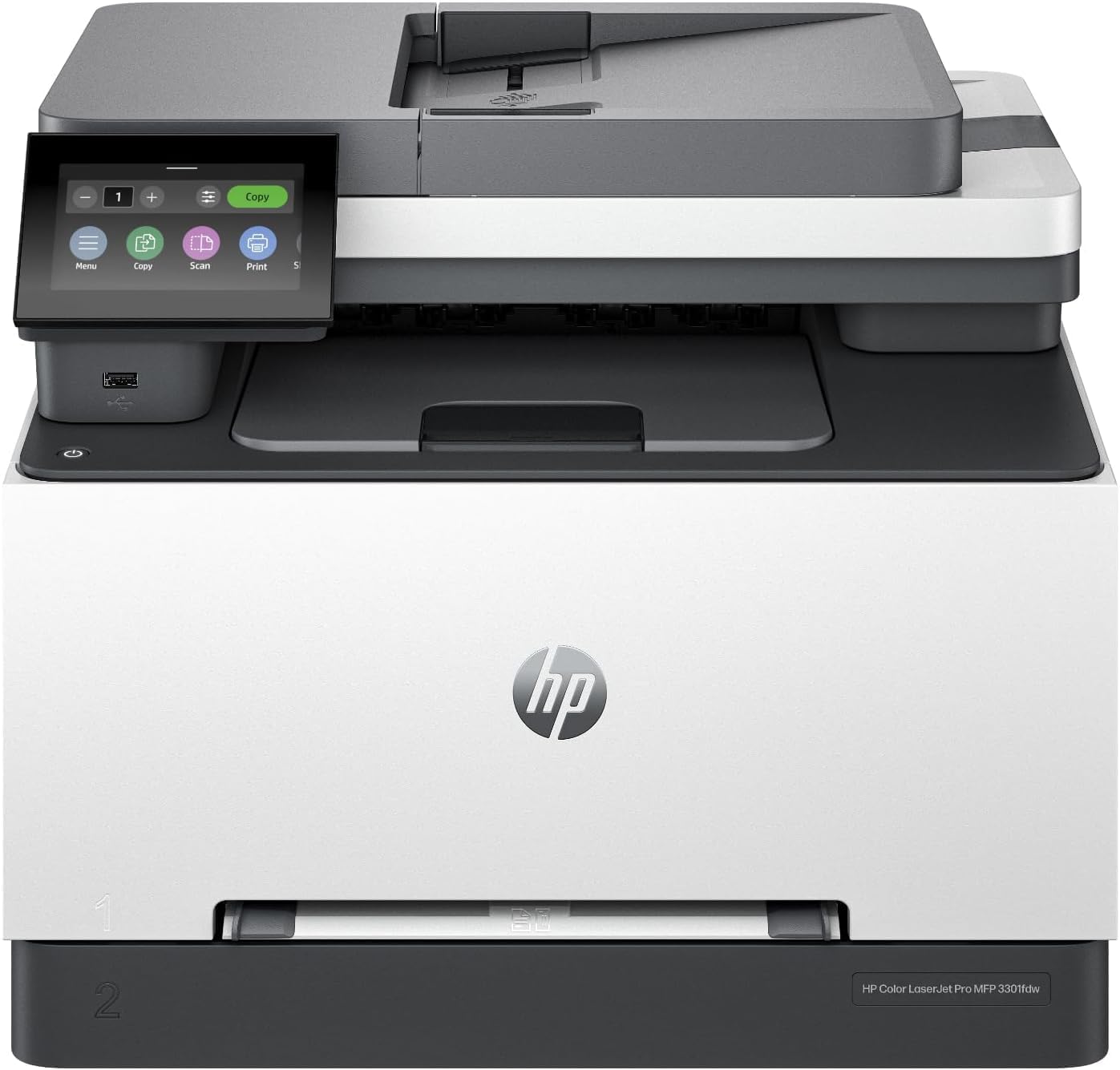
3. HP LaserJet Pro MFP 3301cdw
A factory-refurbished 26 ppm workhorse with duplex printing, duplex scanning, and fax.
Buying refurbished is the smart move if you want office-grade speed without the premium-tier outlay. This unit pushes 26 ppm in both black and color, packs automatic two-sided printing and two-sided single-pass scanning, and includes an auto document feeder plus a 250-sheet input tray. It also handles fax, which the cheaper Canon MF652Cw above cannot. At 35 pounds it is the lighter counterpoint to the 71.2-pound Brother MFC-L8930CDW — under half the heft, so one person can shift it between rooms.
The refurbishment program is official, with a one-year warranty and genuine HP parts, and it arrives in a brown box bearing the “Certified refurbished” logo. Owners consistently describe the units as indistinguishable from new, sometimes with full toner cartridges already inside. What wins people over most is the print quality, with the fast color output and simple setup close behind. TerraJet toner is the engine behind the color depth, and HP Wolf Pro Security adds a layer of protection that matters if the printer sits on a shared network.
Two honest notes. The dual-band Wi-Fi includes a self-reset that hunts down and fixes connection drops, yet not everyone escapes the wireless gremlins. And it is toner-hungry by at least a few accounts — one owner hit a “very low on toner” warning after fewer than 500 pages in under 30 days. It also locks you to genuine HP chips; third-party cartridges are blocked by firmware.
Why it earns the spot: 26 ppm color, true two-sided printing and scanning, an ADF, and fax capability — with a one-year official warranty on a refurbished unit.
Worth flagging: Genuine-HP-only cartridge policy and one report of early toner warnings mean you should price the consumables before you commit.
Pick this one if: you want full office features and can accept a refurbished unit with a proper warranty behind it.
Instead consider: a new-machine buyer who dislikes cartridge locks should look at the Canon MF753Cdw.
4. Xerox C303a Wireless Color Laser All-in-One Printer
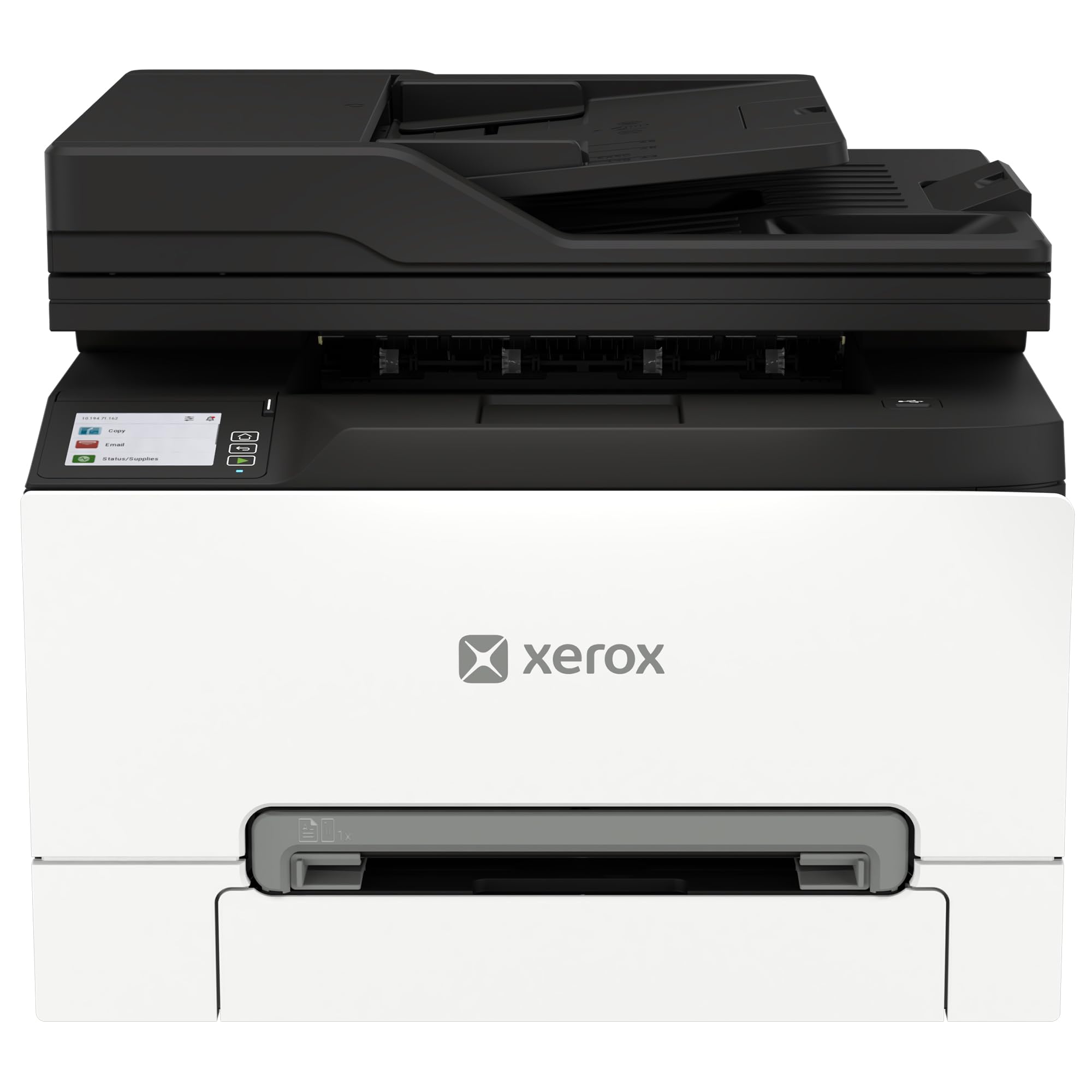
Thirty-two pages a minute from a 15.7-inch-deep body that fits on a counter.
If floor space is tight but volume is not, this Xerox is the geometry answer. Its 15.7″D x 16.2″W x 13.6″H frame is dramatically shallower than the 20.7″D x 16.1″W x 21.6″H Brother MFC-L8930CDW — a meaningful difference when the machine lives on a counter rather than its own stand. Yet it still runs 32 ppm in both black and color, with print, scan, copy, and fax all in one box. The duplex automatic document feeder handles two-sided stacks without manual intervention.
Running costs are the other design focus. High-yield toner options and two-sided printing are both aimed at reducing spend, and Xerox positions it for shared offices and tutors pushing up to 2,500 pages a month. Wireless covers dual-band Wi-Fi along with Apple AirPrint and Mopria, so phones and tablets print and scan to the cloud without extra software. Setup runs through the Xerox Easy Assist App, a guided walkthrough that skips the usual driver hunt.
There is not much owner feedback on this one yet, so treat the picture as early. The 43.6-pound weight is manageable but not light, and the 4-in-1 feature set means more menus to learn on day one. If you need proven long-term data before committing, the Canon MF753Cdw has a far deeper track record.
Space-to-speed ratio: 32 ppm and full 4-in-1 capability in a frame that is 5 inches shallower front-to-back than the Brother flagship.
Early days: Limited owner history means you are trusting the spec sheet and the Xerox name more than a long review record.
Fits best: a shared office or tutoring setup with real volume and limited surface area.
Hold off if: you want thousands of owner reports behind your purchase decision.
5. Brother HL-L3300CDW

A compact 19 ppm three-in-one with flatbed scan glass for books and receipts.
Here is the machine for the freelancer or small team that needs print, copy, and scan but does not need a fax line or a document feeder. It runs at 19 ppm, which is 14 ppm slower than the 33 ppm Brother MFC-L8930CDW, but it also occupies a fraction of the space and costs far less to own. The flatbed scan glass handles books, receipts, and odd-shaped paperwork that a feeder would jam on — that is the real advantage of this layout. Built-in dual-band 2.4GHz and 5GHz Wi-Fi plus Wi-Fi Direct covers the mobile crowd, with USB 2.0 for a single tethered computer.
What owners praise most is the output quality itself — laser-sharp on both black and color documents, with no ink smearing when a page gets damp. The toner life is another recurring win: these cartridges sit for months without drying out, which is exactly the failure that pushes people off inkjets. A two-month Refresh Subscription trial is included, and Alexa voice control is supported through the app.
It is heavy for a compact chassis — a few buyers flag the heft when moving it into place. Connectivity generally holds up, but some report network dropouts, so Ethernet-adjacent placement or a stable router matters. And at 19 ppm, a 200-page job is a genuine sit-and-wait session.
The case it makes
- Flatbed scan glass takes books and irregular items a feeder cannot
- Toner sits for months without drying out, unlike liquid-ink machines
- Dual-band Wi-Fi plus Wi-Fi Direct for phone and tablet printing
- Compact enough for a home desk without a dedicated stand
Where it runs short
- 19 ppm is the slowest print speed in this group
- No auto document feeder, so multi-page scans are one sheet at a time
- Heavier than its footprint suggests
Suited to: a home office printing color documents and scanning the occasional book or receipt.
Look past it if: your scan jobs run to dozens of pages.
6. Canon imageCLASS MF753Cdw

Thirty-five pages a minute both ways, with scanning that never asks you to flip a sheet.
This is the document factory of the list. It prints two-sided at up to 35 ppm in both black and color, and scans two-sided in a single pass through a 50-sheet automatic document feeder — no manual flipping, no second trip through the glass. The 250-sheet cassette and 50-sheet multipurpose tray cover mixed media, and an optional cassette expands capacity to 850 sheets if your monthly volume grows. A 3-year limited warranty backs it, which is rare reassurance in this class.
Speed is the headline. One-pass duplex scanning plus the fast print engine is why the machine is described as a workhorse in owner communities — the sort of printer that swallows a long double-sided report without drama. Color output stays vibrant, the touchscreen keeps jobs simple, and it is Chromebook compatible. High-capacity Canon 069 toner holds down the per-page cost over time.
The honest parts: wireless connectivity is the most common gripe, with reports of the connection dropping even close to the router. Setup lands on both sides of the fence — simple for some, too complex for households used to plug-and-play inkjets. And it is a big, tall machine that wants a proper stand.
Throughput story: 35 ppm two-sided printing paired with one-pass duplex scanning through a 50-sheet feeder is a level of automation the cheaper picks cannot match.
Watch-out: Wireless stability is the weak point; if you can run an Ethernet cable, you will likely avoid the most common complaint.
Ideal for: offices that print and scan double-sided documents all day and want automation depth.
Second-guess it if: you need simple household operation with rock-solid Wi-Fi.
7. HP Color LaserJet Pro 3304fdw Wireless All-in-One Printer

Nine seconds to first page, and AI-generated file names on every scan-to-email.
A nine-second first-page-out time is what separates a machine you tolerate from one you use. That spec means you hit print and the sheet is nearly there before you sit back down. The print engine runs up to 26 color pages per minute, with automatic two-sided printing and scanning plus an auto document feeder and fax. HP positions it for workgroups of up to seven people, which is the right scale for a small team sharing one output device.
The distinctive feature is the scan-to-email side. HP’s AI generates smart subject lines, file names, and summaries from the documents you scan, so the file you find a month later actually makes sense. Reliability gets a boost from self-reconnecting Wi-Fi that re-establishes the network when it drops, and HP Wolf Pro Security with customizable settings gives an office admin real control over what the printer can reach. The HP app handles print, scan, copy, and fax from a phone directly.
Weigh the trade-offs honestly. Like the other HP here, it works only with genuine HP-chipped cartridges and blocks third-party alternatives through firmware. And its deep dimensions at 16.5″D x 16.46″W x 13.44″H mean it needs real desktop depth — no squeezing it onto a narrow shelf. Power and security features come with complexity, so plan for a proper setup session, not a five-minute plug-in.
Workflow advantage: The AI-assisted scan-to-email and reliable auto-reconnect Wi-Fi target the two most common office frustrations directly.
Cost consideration: Genuine-HP-cartridge-only policy means your supply budget is fixed to HP’s pricing, with no third-party alternatives.
Best matched to: a shared office of up to seven that scans paperwork into email and cloud storage constantly.
Not the one for: a solo home user who wants a plug-and-play inkjet experience.
8. Canon imageCLASS MF644Cdw

The most battle-tested all-in-one here, with a 5-inch touchscreen and an Application Library of saved shortcuts.
There is a certain comfort in a machine that thousands of households and small offices have already put through years of work. That history is exactly what this Canon delivers — a printer whose flaws and strengths are both well documented. It prints, scans, copies, and faxes at 22 ppm, with first page out in as fast as 10.3 seconds, and scans two-sided documents through a one-pass document feeder. The 5-inch color touchscreen is designed to feel like a smartphone, and an Application Library gives it shortcuts for jobs you run over and over.
The print quality is the reason people keep coming back: crisp, clean text with none of the streaking you get from inkjets, and first-page delivery that feels immediate. Scanning a stack of documents takes about a minute, and the duplex document feeder handles the flips. Wi-Fi Direct lets the printer act as its own hotspot, so a phone or tablet connects directly without touching your router. For security-minded offices, documents are held only in short-term memory, which helps keep confidential pages from sitting around.
Now for the parts that need saying. Wireless connectivity is the recurring sour note — plenty of setups go smoothly, but a meaningful number of owners fight with drops and reconnects. The machine is also louder than you might expect in a small room, and occasional units have failed early. Those are honest risks in any laser this size, not reasons to write it off.
Why people keep buying it
- Sharp, streak-free text with fast first-page delivery
- One-pass duplex scanning through the document feeder
- 5-inch smartphone-style touchscreen with an Application Library
- Wi-Fi Direct hotspot for direct mobile connections
- Short-term memory document handling for confidential print jobs
The honest friction
- Wireless connectivity drops are the most common frustration
- Louder running noise than some office users expect
- Setup complexity lands differently by household — plan for a proper session
Go with it when: you want a proven all-in-one and can accept that Wi-Fi stability is the variable you manage.
Step back if: silent operation and instant, unbreakable wireless are non-negotiable.
9. Xerox C325dni Wireless Color Laser All-in-One Printer
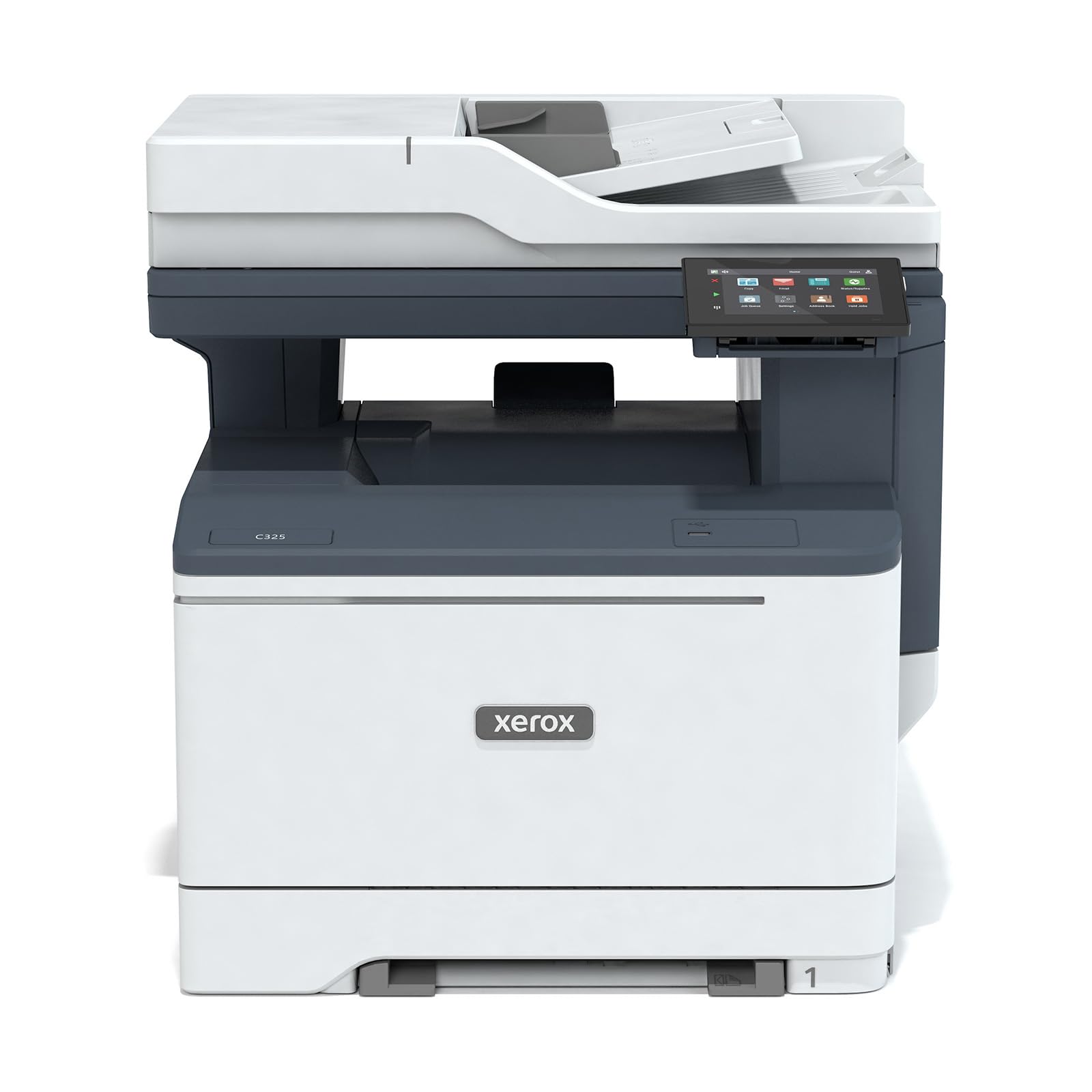
Thirty-five pages a minute with a 4.3-inch touchscreen and a duplex ADF.
This is the fast, front-facing option for a busy shared office. It runs 35 ppm in both black and color, matching the Canon MF753Cdw on raw pace, while the 4.3-inch touchscreen makes fleet-style menus comfortable to navigate. Starter toner is included at 1,500 pages black and 1,000 pages color, and high-yield cartridges are supported to pull the long-run cost down. Xerox positions it for offices printing up to 2,500 pages a month, which is a real working machine rather than a desk accessory.
Connectivity covers built-in Wi-Fi with Apple AirPrint and Mopria, so a phone or tablet sends jobs and scans to the cloud without drivers. Setup runs through the Xerox Easy Assist App, a guided installation that skips manual reading. The duplex automatic document feeder keeps two-sided paperwork moving. At 59.5 pounds it is a substantial machine, best kept on a dedicated stand rather than a shared desk.
This is the newest pick on the list, so owner feedback is thin and splits both ways. Some buyers report it runs faster and quieter than they expected; others have hit units that need rebooting. Treat it as a strong spec sheet with an unknown long-term report card.
Speed read: 35 ppm paired with a 4.3-inch touchscreen and duplex ADF makes this a fast, friendly shared-office machine on paper.
Unknown quantity: Limited owner history and mixed early reports mean it carries more risk than the well-worn Canon.
Go here if: you want the fastest engine with the largest, easiest touchscreen and can live with a thin review history.
Play it safe with: the Canon MF753Cdw if you need proven long-term reliability data.
Know the Specs
Pages per minute (ppm) versus images per minute (ipm)
Pages per minute is the printer’s output rate — how many sheets it turns out in a minute. Images per minute is the scanner’s rate — how many sides it captures in a minute. Because a duplex scanner captures both sides at once, a 104 ipm figure on a two-sided scan is dramatically higher than a print speed in ppm. Compare ppm to ppm and ipm to ipm, never one to the other. When you see 33 ppm versus 19 ppm, those are print speeds on the same scale, so the gap is real day-to-day time saved.
Toner yield and cartridge locking
Toner yield is the number of pages a cartridge is rated to print, so a 3,000-page black cartridge outlasts a starter cartridge many times over. Higher-yield cartridges cost more up front but spread the cost across far more pages. Some brands lock their printers to genuine-chipped cartridges through firmware, which means third-party toner stops working. If you plan to buy lower-cost supplies, check that policy before committing — it can decide your whole cost of ownership.
Common Questions
Do color laser scanner printers actually scan in color, or just print in color?
What is the difference between simplex and duplex on a color laser printer?
How long does toner last in a color laser scanner printer?
Can I scan to email or the cloud directly from the printer?
Will a color laser scanner printer work with my Mac or Chromebook?
Is a laser all-in-one cheaper to run than an inkjet for color documents?
Do I need an automatic document feeder for scanning?
How much space does a color laser all-in-one need?
Can I use third-party toner cartridges in these printers?
Do these color laser all-in-ones support printing from a phone?
The Bottom Line
If your office lives on paperwork, the color laser scanner printer to reach for is the Brother MFC-L8930CDW. It scans both sides of a page at 104 ipm (images per minute — pages it can capture in 60 seconds) through an 80-page feeder, prints at 33 ppm (pages per minute), and ships with 3,000-page black toner — the deepest all-rounder here. The crowd-pleasing option is the Canon MF644Cdw, whose long history has made it a trusted default for home offices that need everything in one box. If budget and color sharpness matter most and you can live with manual duplexing (flipping pages yourself), the Canon MF652Cw brings color laser quality with a 3-year limited warranty for one of the lowest entry points in this roundup.
How we choose
We do not accept paid placement. Every pick is matched to a real buyer and a real use-case; we do not hands-on test units.
Sources
Specifications: manufacturer listings and product documentation. Review insights: verified customer reviews, as of November 2026. Pricing: not shown on this page (it changes often); check the current price via the retailer link.
As an Amazon Associate, Tactical Gear Guy earns from qualifying purchases. This does not affect which products we feature.