Specs are compiled from manufacturer listings and verified buyer reviews and can change over time — please confirm the key details on the product page before buying.
If you ship or label regularly, a thermal printer pays for itself by eliminating ink and toner. The trick is picking one that feeds labels straight, prints barcodes that scan on the first pass, and connects to whatever you actually work from — a laptop, a phone, or a warehouse network. Get those three right and the printer runs for years on label rolls alone. Get them wrong and you will fight jams and misprints daily.
This guide is built by comparing the manufacturers’ published specifications and the patterns across verified customer reviews, so you get each pick’s real strengths and trade-offs instead of marketing spin.
Below you will find picks sorted by what they actually do well — speed, resolution, connectivity, and label handling — so you can match one to your desk instead of guessing. The right thermal barcode printer is the one whose speed and connection style fit your daily shipping routine.
Top Picks


How To Choose The Best Thermal Barcode Printer
A thermal barcode printer burns an image into heat-sensitive label stock instead of spraying ink. That single fact is why there is no cartridge to replace and no nozzle to clog. What separates one machine from another is how sharply it prints, how fast it feeds, how wide a label it accepts, and how it talks to your computer or phone. Start there and the shopping gets simple.
Resolution decides whether a barcode scans
Resolution is measured in dpi — dots per inch, or how many tiny ink-free dots the print head lays down across each inch of label. A 203 dpi head is the standard for plain 4×6 shipping labels with big address text. A 300 dpi head packs more dots in, which keeps small fonts and miniature barcodes crisp enough for a scanner to read on the first pass. If you print product labels, jewelry tags, or tight barcodes, the higher number is the one that saves you reprinting.
Direct thermal versus thermal transfer
Direct thermal means the label itself reacts to heat — nothing else needed. Thermal transfer means the printer melts a ribbon onto the label, which costs a consumable but holds up better against heat, sunlight, and rubbing. Most shipping desks run direct thermal for speed and simplicity. Warehouses that need labels to survive years outdoors lean toward ribbon-based printing.
Match the connection to your desk
A USB-only printer plugs into one computer and stays there. Bluetooth lets you print straight from a phone or tablet, which matters if you pack orders while walking around. Ethernet puts the printer on your shared network so several people can send jobs to it. Know how you work before you pick — a wireless feature you never use is money spent for nothing.
Check label width before anything else
Every printer has a supported media width range, and a 4×6 shipping label has to fit inside it. Look at the maximum print width and the maximum label width, then compare them to the labels you actually buy. A printer whose max print width is narrower than your label cannot print it, however fast it runs.
Side-by-Side Comparison
| Model | Best For | Resolution | Print Speed | Connection | Amazon |
|---|---|---|---|---|---|
| Rollo USB Shipping Label Printer★ Best Overall | High-volume shipping desks | 203 DPI | 150 mm/s | USB | Amazon |
| Phomemo 300DPI Ethernet Thermal Label PrinterBest Value | Compact desks and phone printing | 300 dpi | 150 mm/s | Ethernet, USB, Bluetooth | Amazon |
| MUNBYN 941BP Bluetooth Thermal Label PrinterFastest Wireless Pick | Fastest wireless small-business printing | 300 dpi | 180 mm/s | Bluetooth, USB | Amazon |
| Westinghouse Thermal Shipping Label Printer | Wired network and ZPL setups | 203 x 203 DPI | 6 in/sec | Ethernet, USB | Amazon |
| TSC TTP-244CE Desktop Thermal Transfer Printer | Ribbon-backed durable barcode labels | 203 dpi | — | Ethernet, USB | Amazon |
| Brother QL-1110NWB Wide Format Label Printer | Wide labels and phone printing | — | — | Bluetooth, Ethernet, USB | Amazon |
| ZEBRA GK420t Thermal Transfer Printer | Ribbon or direct thermal in one unit | 203 dpi | 5 in/sec | Ethernet, USB | Amazon |
| Brother TD-4550DNWB Thermal Desktop Label Printer | Sharp 300 dpi printing at high volume | 300 dpi | 6 ips | Ethernet, Serial, USB 2.0 | Amazon |
| Zebra ZD421 Thermal Shipping Label Printer | Fleet deployment and ZPL environments | 203 DPI | 6 ips | Ethernet, USB | Amazon |
Detailed Reviews
1. Rollo USB Shipping Label Printer
Our pick — 4.5+★ from 16,000+ verified ratings; the strongest balance of quality and price.
A decade-proven 4×6 workhorse that still feeds one shipping label per second over USB.
Plug the Rollo into a laptop over USB and it becomes a shipping label factory. It prints at 150 mm/s, which works out to one 4×6 label per second, and it does that with a 203 DPI print head (203 dots per inch, the standard sharpness for address text and shipping barcodes). For a small seller packing orders at the kitchen table, that speed means an evening of labels takes minutes instead of an hour of taping paper to boxes.
What wins buyers over, far more than anything else in the listing, is sheer build quality — the machine feels like it will outlive several laptops. Setup is the second most-praised thing about it, and it is genuinely quick: connect the USB cable, install the Rollo driver, and print. There is no ink or toner to buy ever again, which is the whole point of direct thermal printing. It also doubles as a general label maker for widths from 1.57″ to 4.1″, so thank-you stickers, product tags, and QR code labels all come out of the same machine.
Two wear points deserve your attention: the print head and the small latch that holds it down. A minority of buyers report the print head losing sharpness over time, and that latch can break with rough handling. Labels can also start feeding endlessly if the sensor needs a reset. Treat the media path with care and it stays reliable. On speed, this printer runs at 150 mm/s (millimetres per second), so a short shipping label comes out in about a second. The MUNBYN 941BP is quicker on paper at 180 mm/s and 180 pages per minute, so pick the MUNBYN if raw throughput is your priority. The Rollo trades a little raw speed for a lower price and a decade-long reputation.
Where the Rollo earns its keep
- One 4×6 label per second at 150 mm/s, with no ink or toner cost
- Prints any label width from 1.57″ to 4.1″, so it covers shipping, barcodes, and stickers
- Connects to Windows XP and newer or Mac 10.9 and newer over USB
- Works with FedEx, UPS, USPS, ShipStation, Shopify, Etsy, eBay, and Amazon
What to keep in mind
- The print head and its latch want gentle handling — the two parts that draw the most complaints
- USB only, so there is no printing from a phone
- Occasional label-feed glitches need a power cycle and reset to clear
Reach for this if: you ship from one computer and want a proven 4×6 label printer that never asks for ink.
Look elsewhere if: you need Bluetooth printing from a phone or tablet — the Rollo is a wired-only machine.
2. Phomemo 300DPI Ethernet Thermal Label Printer
A 300 dpi printer that hides a 500-label roll inside its own body — no separate roll holder eating desk space.
The Phomemo D530 Pro solves one problem most printers create: where to put the label roll. Its built-in paper slot holds up to 500 pieces of 4×6 label paper internally, so the machine stays compact at 8.62″D x 6.89″W x 6.18″H and the roll never sprawls across your desk. That is a real difference at a small kitchen-table workstation. It prints at 150 mm/s, or an average of 72 4×6 labels per minute, at 300 dpi resolution.
Where this printer pulls ahead of the Rollo above is sharpness, not speed. Its 300 dpi print head lays down more dots per inch than the Rollo’s 203 DPI, which is the number that matters when you print small barcodes, bakery labels, or product tags with tiny lettering. The Phomemo handles label widths from 1″ to 4.6″, and the Rollo tops out at 4.1″ wide — the extra 0.5″ is what lets a genuine 4×6 shipping label sit comfortably inside the print area. It also has a label return function, so it pulls the paper back and uses every piece instead of wasting the leading edge.
Connection options run wider than most: Bluetooth within 10 meters for phones and computers, plus Ethernet and USB cables, and compatibility with Android, iOS, Windows, macOS, Linux, and ChromeOS. The catch is reliability. It is the most-discussed worry with this model, with a share of owners reporting the printer stops working. Treat it as a good-value first printer for a growing shop rather than a machine built for a 100-seat warehouse.
The paper handling win: 500 labels of internal storage and a label return function mean less reloading and less wasted stock on every job.
The honest limit: reliability is the trade-off at this price. It prints beautifully while it works, but it is not the machine you buy for a multi-station mission-critical operation.
Who it beats and who it does not: beats the Rollo on resolution and on keeping the roll out of the way; falls behind it on long-run durability.
Before you commit: budget for a backup plan if this is the only printer your shop runs on.
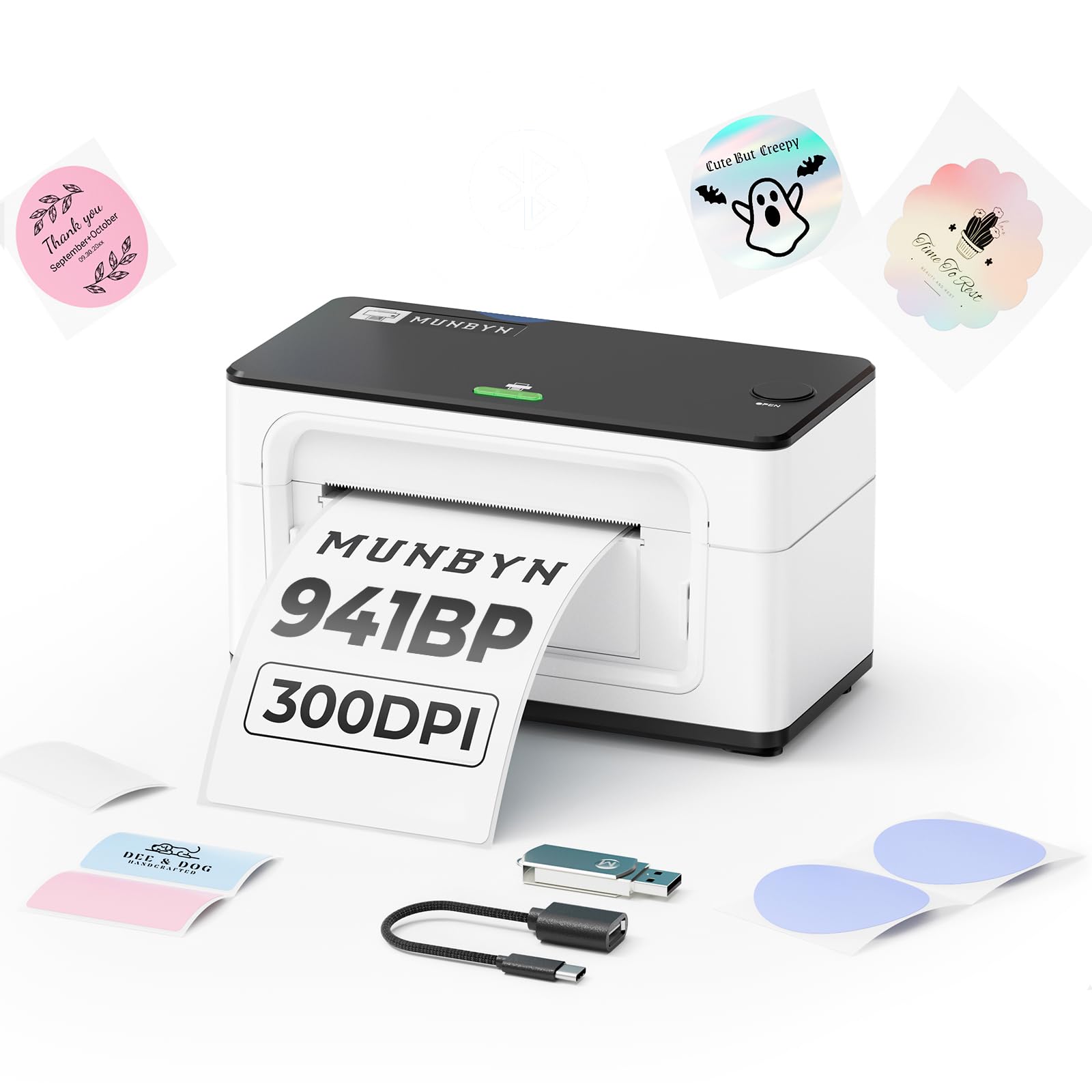
3. MUNBYN Bluetooth Thermal Label Printer 941BP
The speed leader of this list — 180 mm/s and 180 labels per minute, with 300 dpi sharpness on top.
Two numbers define the MUNBYN 941BP. Its print head runs at 180 mm/s and pushes out 180 pages per minute — against the Phomemo’s 72 pages per minute, that is a 2.5x gap in throughput. It also prints at 300 dpi, compared with the Rollo’s 203 DPI. So it does two things the cheaper picks cannot do together: it fires labels out twice as fast as the Phomemo and it keeps small barcodes dense and readable.
Wireless printing is the headliner. Download the MUNBYN Print app on an iPhone or Android phone, pair over Bluetooth, and print without touching a laptop. If you prefer a cable, a Type-C connection hooks it to a Mac or Windows machine. It supports label widths from 1.57″ to 4.3″ (40 to 104mm), and the 300 dpi head handles those narrow stickers as cleanly as full-size 4×6 shipping labels. It also includes a USB flash drive, a USB cable, and a Type-C adapter in the box, so setup materials are all there.
Performance is what impresses owners here more than any other single thing, with the setup process and label clarity close behind. The recurring friction is orientation — getting the label to print the right way up the first time takes trial and error for some, and the Bluetooth link is not always dependable. Budget a little patience for the first few labels. The 300 labels per-minute-class speed is not really 5000 labels a day unless you load fast and keep the media path clean.
The sharpest verdict: the 941BP is the fastest wireless 300 dpi printer on this list, and the one to buy if phone printing and throughput both matter.
The one caveat: Bluetooth pairing and label orientation can take a few tries to get right.
4. Westinghouse Thermal Shipping Label Printer USB

Built for the seller who wants a wired desk setup, ZPL software compatibility, and starter labels in the box.
The Westinghouse approach is straightforward: print labels fast, print them clearly, and do not require ink. Its top print speed is 6 inches per second with 203 x 203 DPI resolution — enough for address text and shipping barcodes to come out sharp and scan without a fight. It handles 4×6 shipping labels and works with USPS, UPS, FedEx, Amazon, Shopify, and more, straight from the start.
Two things set it apart from the Rollo and Phomemo. First, it supports ZPL software, which is the printer language Zebra uses — if your warehouse or shipping software already speaks ZPL, this printer slots in without rewriting a thing. Second, it takes both fanfold labels and label rolls, with media widths from 0.78″ to 4.6″ and a max printing width of 4.25″. The included starter labels, label holder, USB flash drive, and power adapter mean the box has everything you need to print on day one.
What buyers keep coming back to is the clear, crisp output — barcodes scan cleanly and the labels look professional. Setup is quick once the driver is installed. The honest catch is connectivity: this is not Bluetooth-capable, and there is no WiFi. You connect it to a computer by USB or drop it on a wired Ethernet network. If you want to print from your phone, this is not the machine for it.
The ZPL advantage: supporting ZPL software is what lets this printer drop into existing shipping workflows that already run Zebra-style label formats.
The line you cannot cross: no Bluetooth, no WiFi, so printing from a phone is off the table.
Best for: a small business with a wired desk and shipping software that already speaks ZPL.
Skip if: you need to print directly from a phone or tablet — the connection is USB and Ethernet only.
5. TSC TTP-244CE Desktop Thermal Transfer Label Barcode Printer
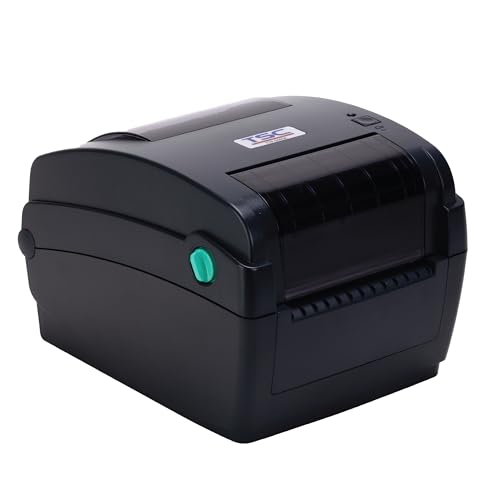
The barcode specialist — a thermal transfer machine built for labels that have to survive heat, sun, and warehouse abuse.
The TSC TTP-244CE is different from every other printer on this list. It is a thermal transfer unit, meaning it melts a ribbon onto the label rather than relying on heat-sensitive paper. That matters when a barcode label has to survive direct sun, chemical contact, or years of rubbing in a warehouse. It also has a 4.25″ print width, so full-size 4×6 shipping and barcode labels fit cleanly.
It prints at 203 dpi, connects over Ethernet and USB, and handles labels up to 4.25″ wide, with a max media roll diameter of 5″ and a 1″ core. That core size matters — you need to buy media that matches, or the roll will not sit right. The unit is a Navy Blue desktop machine, but the spec sheet includes a couple of conflicting dimension figures, so measure your desk before you buy. It is a China-manufactured unit sold under model number 99-033A031-00LF.
The honest gap here is review depth. This specific model has far fewer buyer reviews than the big-name consumer picks, which means less crowd-sourced intel on long-term reliability. What is not in doubt is what it is built for — barcodes and labels in an environment that punishes flimsy direct-thermal output. If your labels leave the building and face weather or handling, the ribbon cost is worth it.
Why barcode printers still pick thermal transfer
- Ribbon-based printing survives heat, sunlight, and abrasion better than direct thermal labels
- 4.25″ print width fits full-size 4×6 shipping and barcode labels
- Ethernet and USB connection for a shared or dedicated desk
- Built specifically for barcodes, not shipping labels alone
The costs you have to weigh
- Needs ribbon supplies, so it is not ink-free in the same way direct-thermal printers are
- A 1″ core is required, so you have to check your media
- Light buyer review history means less long-term reliability data to lean on
This one is for: anyone printing barcode labels that must outlast heat, sun, or rough handling.
Look past it if: you want a zero-supplies direct thermal shipping printer and do not need ribbon durability.
6. Brother QL-1110NWB Thermal Label Printer
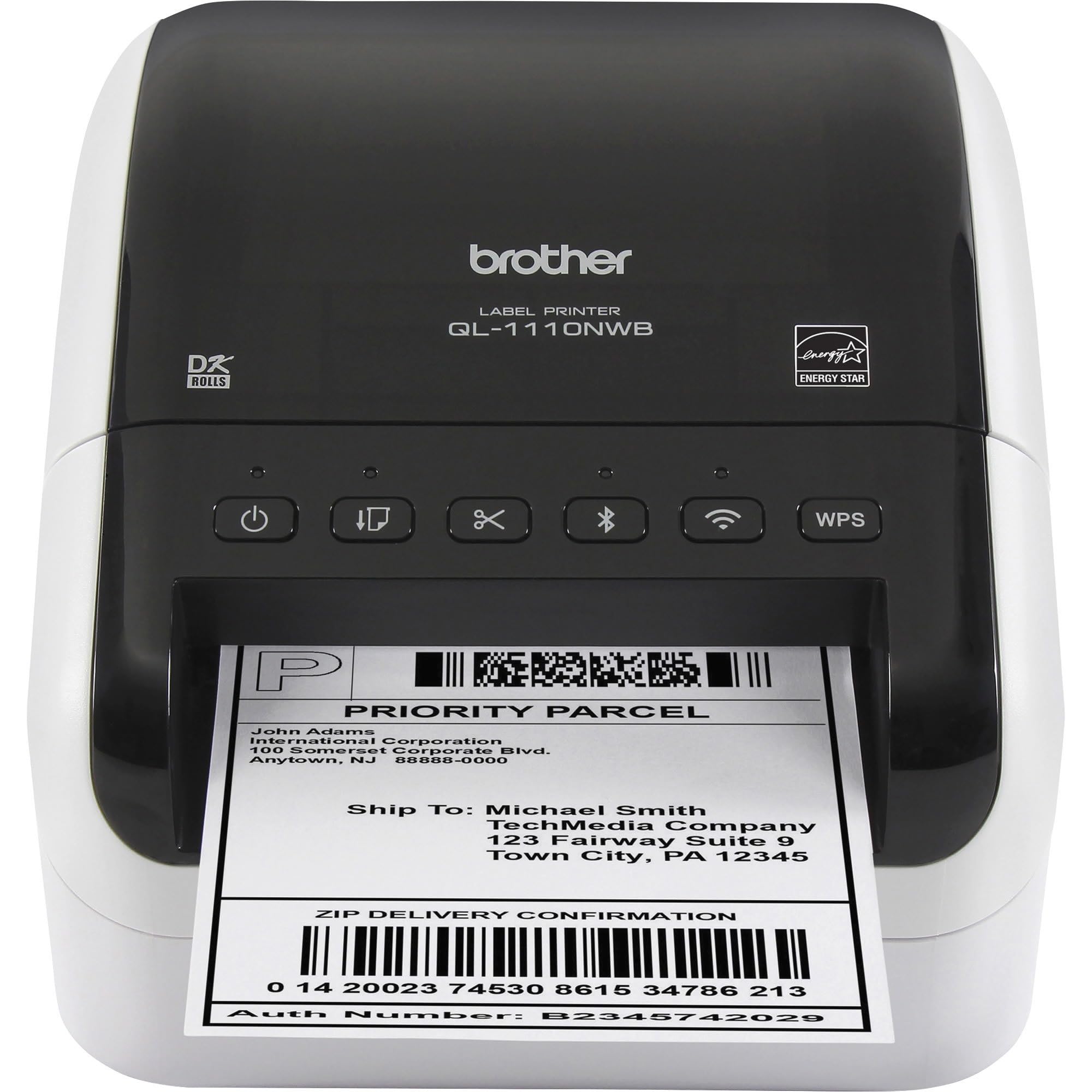
A wide-format label printer that handles 4-inch-wide mailing labels, visitor badges, and barcodes from a phone.
The QL-1110NWB is built for the seller who prints more than just shipping labels. It handles wide-format labels up to 4″ wide — mailing labels, address labels, postage, visitor badges, and name badges all come out of the same machine. It connects over Bluetooth, Ethernet, or Wireless 802.11b/g/n, so printing from a phone or tablet is straightforward. There is also a “Plug & Label” feature that lets you create and print labels on a Windows PC without installing software, which saves time on a shared machine.
The barcode crop function is a nice bonus for sellers who print UPCs and barcodes — instead of printing full sheets, you select and crop the barcode you need and print it directly. Database file compatibility covers CSV, Microsoft SQL Server, TXT, MDB, and XLS, so pulling label data from a spreadsheet or database is supported. Free SDKs for Windows, iOS, and Android are included if you want to integrate it into your own workflow.
The real caveat with this one is setup and wireless reliability. Getting it onto a WiFi network can be fiddly, and Bluetooth with iOS devices does not always work on the first try — that is the most-discussed friction in the listing. The labels themselves are also proprietary, so you have to buy Brother’s DK series rather than any generic 4×6 roll. That keeps the output consistent but adds a small ongoing premium to your supplies.
The wide-label strength: 4-inch-wide media and a barcode crop tool make it a better fit for badges and product labels than a pure shipping printer.
The ownership reality: the wireless setup can be grumpy with iOS, and the labels must be Brother’s own DK rolls.
Pick it if: your labels run wider than a standard shipping label, or you want to print badges and barcodes from a phone.
Think twice if: you want to print on cheap generic 4×6 rolls — this one expects Brother’s own DK media.
7. ZEBRA GK420t Thermal Transfer Monochrome Desktop Printer

A rare machine that can run ribbon-based transfer for durability or plain direct thermal when you want zero supplies.
The Zebra GK420t gives you a choice most thermal printers do not: run it as a thermal transfer printer with a ribbon for labels that must survive harsh conditions, or switch to direct thermal media and skip the ribbon entirely. That dual-mode flexibility is the reason serious label operations keep this class of printer around. It prints at 203 dpi and up to 5 in/sec, and it connects over USB and Ethernet.
It handles media rolls with a 1″ core, a max diameter of 5″, and a max width of 4.25″, so standard 4×6 shipping labels fit. The build is designed for durability and frequent use — address labels, shipping labels, file folder labels, barcode labels, and name tags all fall inside its range. It is Energy Star approved and was tested by Zebra engineers to reduce printer downtime. If your workflow already speaks Zebra’s command language, it drops straight in.
The honest caveat with this listing is thin: this particular model carries far fewer buyer reviews than the big consumer brands, and one reviewer noted that the listing does not clearly state it is Windows-only. Confirm your operating system and your media core size before buying. For a small operation that wants a serious barcode printer with both ribbon and direct thermal options, it is a solid middle ground.
A confident yes for: shops that want one printer to handle both ribbon and direct thermal, with 4.25″ media width.
A careful check first: verify your OS and your label core size — this listing is not always clear on either.
8. Brother TD-4550DNWB Thermal Desktop Label Printer

300 dpi sharpness at 6 inches per second — the combination that keeps tiny fonts and miniature barcodes readable.
When a label has to carry a small font or a mini barcode, resolution is the whole game. The TD-4550DNWB prints at 300 dpi while still moving at 6 inches per second, so you get both detail and speed instead of choosing one. It is built to scale from hundreds to thousands of labels, and it handles the fine detail a standard 203 dpi head would blur. Drop-in spindle-less media replacement keeps changing rolls quick, and the LCD display shows what is happening on the machine.
What makes this pick interesting is label compatibility. It uses non-proprietary labels, so you are not locked into Brother’s own cartridges. For iOS users, that combination of 300 dpi, open media, and mobile printing is a strong fit. It connects over Ethernet, Serial, and USB 2.0, works with laptops, PCs, smartphones, and tablets, and includes AC adapter, power cable, USB cable, and printed guides in the box.
The catch is reliability and connectivity. A share of owners mention it will not power on after a period of use, and connectivity can be buggy with certain phones. Print quality is also settings-dependent — a few owners could not find a setting that satisfied them. When it is dialed in, the crisp output on small fonts is exactly what you pay for here.
What makes the detail visible
- 300 dpi resolution keeps small fonts and mini barcodes crisp
- 6 ips speed means high detail does not mean slow printing
- Non-proprietary labels, so you choose your own media supplier
- Ethernet, Serial, and USB 2.0 for flexible desk or network placement
What to test on arrival
- Some units stop powering on after a period of use
- Connectivity can be buggy with certain phones
- Print quality depends on getting the settings dialed in for your labels
The standout spec: 300 dpi at 6 ips is a rare pairing that suits small-font product and barcode labels.
The risk to weigh: verify the unit powers on and connects in your first week so any issue surfaces while return options are open.
9. Zebra ZD421 Thermal Shipping Label Printer
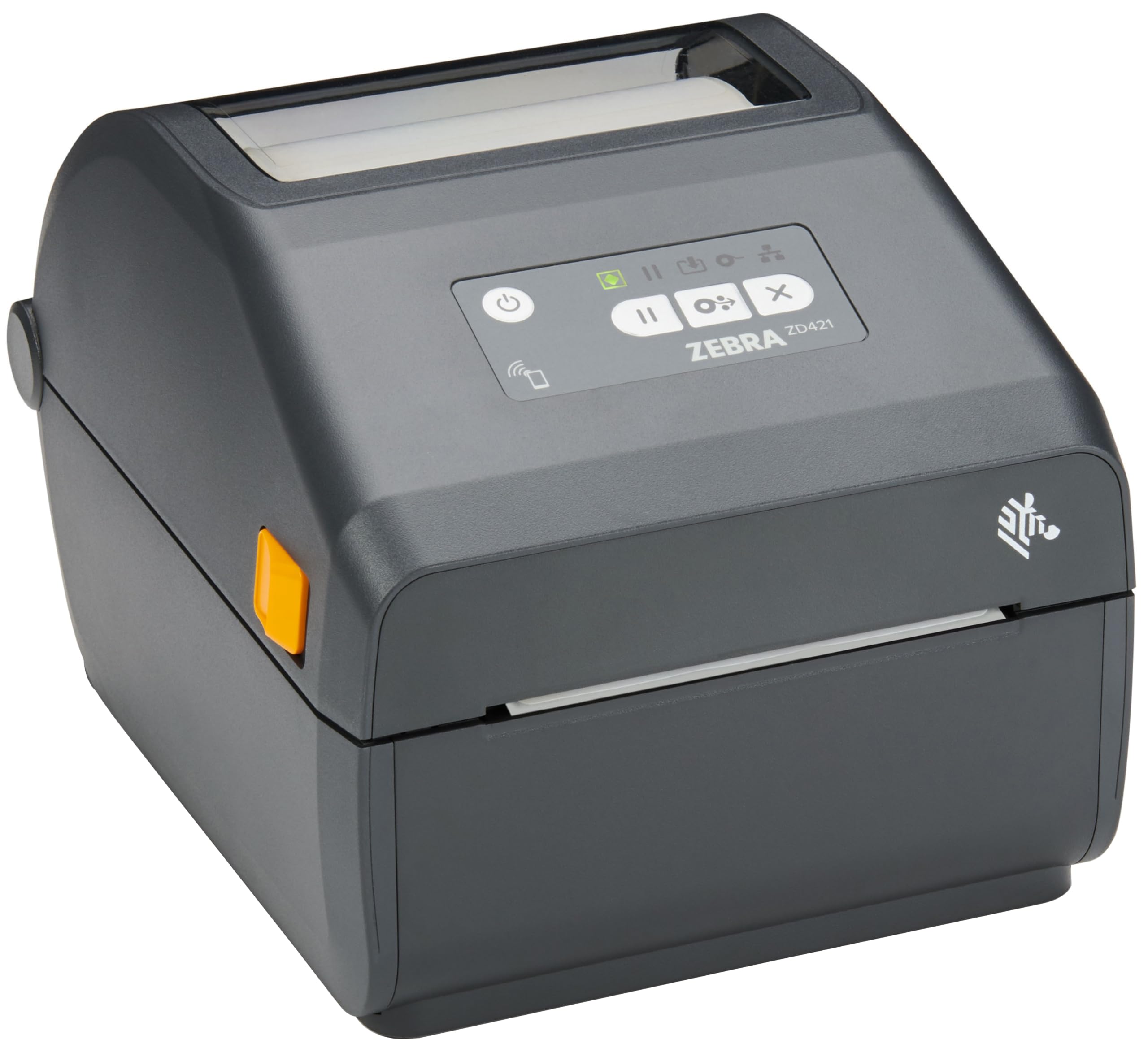
The fleet printer — built to deploy dozens at once, manage securely, and print 4×6 labels with no ink at all.
The ZD421 is the machine you buy when you are deploying printers across a warehouse, not just one at a kitchen table. It prints at 203 DPI and 6 ips, requires no ink or toner, and is Energy Star qualified. It runs Zebra’s Link-OS operating system and the Zebra DNA software suite, which lets you set up and manage printers remotely and securely. The included Print Touch tag uses NFC — a tap-to-pair radio — so you can pair a phone and start printing without menu diving.
The 3-button interface and 5 LED icons tell you at a glance whether the machine needs media, has a jam, or is otherwise healthy — no guesswork, which matters when a warehouse manager is checking ten printers. It connects to wired or wireless networks or directly to any PC, and prints from Windows, Android, or iOS. It speaks EPL and ZPL and can emulate other printer languages, so existing label formats carry over. Field-upgradeable media handling and wireless kits let it grow with your operation.
Reliability is the honest trade-off on this one. The most-discussed theme in its reviews is that some units stop printing in small segments within the first few years — so if you run a fleet, test each unit on arrival and lean on Zebra’s support if a segment fails. When it works, the output is clean and the device is durable and easy to set up.
The fleet advantage: Link-OS, remote management, NFC pairing, and EPL/ZPL support are the package you want when printers are infrastructure rather than desk gear.
The real-world check: segment dropouts have been reported, so test every unit early and keep warranty and support details handy.
Worth it for: operations running multiple printers that need central management and ZPL compatibility.
Hold off if: you are a solo seller who will never use Link-OS or fleet tools — a simpler printer will serve you better.
Know the Specs
DPI (Dots Per Inch)
DPI is how many tiny dots the print head lays down in each inch of label. A 203 dpi head lays down 203 dots per inch and handles standard 4×6 shipping labels with big address text perfectly. A 300 dpi head lays down more dots per inch, which keeps small fonts and miniature barcodes readable enough to scan on the first pass. Choose higher dpi if you print product labels or tiny barcodes; the standard 203 is fine if you only print shipping labels.
Print Speed
Print speed shows up two ways in listings: in millimeters per second (mm/s) or in inches per second (ips). Higher is faster, but faster is not always better — a machine that prints too fast without enough resolution can blur fine barcodes. For a small seller, 150 mm/s (one 4×6 label per second) is plenty. For a busy warehouse, 6 ips keeps the queue moving. Match print speed to your daily label volume, not the highest number in the specs.
Direct Thermal vs Thermal Transfer
Direct thermal printers burn the image into heat-sensitive label stock — no ribbon, no ink, just labels. Thermal transfer printers melt a ribbon onto the label, which costs a consumable but produces output that survives heat, sunlight, and rough handling. Most shipping desks run direct thermal for speed and simplicity. Warehouses that need labels to last outdoors or under chemical exposure lean toward thermal transfer.
Media Width and Core Size
Every printer lists a supported media width range and a label roll core size. A 4×6 shipping label has to fit inside the maximum print width — 4.25″ is a common ceiling, and a printer that tops out below 4″ cannot print a full 4×6 label. The core size matters too: a 1″ core will not fit a printer that needs a 3″ core, and vice versa. Confirm the media width range and core size before ordering label rolls.
Common Questions
Can a thermal barcode printer print shipping labels too?
Do thermal printers need ink or toner?
Will a thermal barcode printer work with iPhone and Android?
What is the difference between 203 dpi and 300 dpi on a barcode printer?
How wide a label can a thermal barcode printer handle?
Can I use generic labels instead of the manufacturer’s own?
Is a thermal transfer printer better than a direct thermal printer for barcodes?
How do I connect a thermal barcode printer to my shipping software?
What label core size do I need for these printers?
Can I run multiple thermal printers from one network?
The Bottom Line
Ship from a single computer and want a printer that has already proven itself across more than sixteen thousand ratings? The Rollo USB Shipping Label Printer remains the safest buy — one 4×6 label per second, no ink, and a label range from 1.57″ to 4.1″. For faster wireless printing at higher resolution, the MUNBYN 941BP leads on throughput and phone printing. And if your barcode labels have to survive heat, sun, or warehouse abuse, the TSC TTP-244CE brings ribbon durability that the direct thermal picks cannot match. If you want a phone-first printer that hides its own label roll, the Phomemo D530 Pro does 300 dpi and holds 500 labels internally. Most buyers will be well served by the Rollo, and given how closely the top picks are rated, the deciding factor is usually connection style rather than raw print quality.
How we choose
We do not accept paid placement. Every pick is matched to a real buyer and a real use-case; we do not hands-on test units.
Sources
Specifications: manufacturer listings and product documentation. Review insights: verified customer reviews, as of November 2026. Pricing: not shown on this page (it changes often); check the current price via the retailer link.
As an Amazon Associate, Tactical Gear Guy earns from qualifying purchases. This does not affect which products we feature.