Specs are compiled from manufacturer listings and verified buyer reviews and can change over time — please confirm the key details on the product page before buying.
A tower computer desk exists for one reason: to get your PC off the floor and into a spot where it is safe, cool, and easy to reach. The right one holds your tower on its own shelf, keeps your monitor at eye level, and gives you somewhere to put the headset, the cables, and the twelve other things that pile up around a keyboard. The picks below all do that — they differ in how much room they give you and how much assembly you are signing up for.
This guide is built by comparing the manufacturers’ published specifications and the patterns across verified customer reviews, so you get each pick’s real strengths and trade-offs instead of marketing spin.
The one thing every buyer underestimates is the tower shelf itself: measure your case height and the shelf opening before anything else, because a short shelf is the most common return reason. Below you will find the strongest tower computer desk options with a real, measured spot for your PC.
Top Picks


How To Choose The Best Tower Computer Desk
The whole point of this category is the tower spot, so start there and work outward. A desk that fits your tower shelf, your monitor, and your wall beats one that is merely wide.
Measure the tower opening, not just the desk
A PC shelf that is a little short is worse than no shelf at all, because your tower ends up back on the carpet. Grab a tape measure and check your case height against the shelf’s listed clearance. One popular model here advertises a 20.7″ display area; another limits its side shelf to 11.8 inches of width for small and mid-tower cases only. Those two numbers decide whether your rig actually goes where the photo shows it.
Decide between a side platform and an under-desk stand
A raised side platform puts the tower on display, which suits glass-panel builds you want to show off. An under-desk shelf frees the desktop but hides the case. Both keep the tower off the carpet, which cuts dust intake and makes the floor easier to wipe around.
Count your screens before you count shelves
Dual monitors, a mic arm, and a speaker pair eat width fast. A 50.4-inch integrated monitor stand is sized for two 27-inch screens side by side, while a compact hutch setup like 55″(L)*21.6″(W) rewards buyers with less gear. Match the surface to your actual layout.
Treat assembly as part of the purchase
These are flat-pack metal-and-wood desks. Two hours is normal, and some builds run longer. Budget the time and a second pair of hands, or you will be the person leaving a one-star note about the instructions instead of enjoying the desk.
Side-by-Side Comparison
| Model | Best For | Desktop Size | Tower Spot | Storage / Power | Amazon |
|---|---|---|---|---|---|
| SEDETA 79” Gaming Desk★ Best Overall | Bigger setups with a display shelf | 55″L x 21.6″W | Dedicated CPU holder + 2 storage shelves | Hutch + RGB strip, 60000 colors | Amazon |
| YOUDENOVA 51″ Gaming DeskBest for Small Rooms | Small rooms that still need drawer storage | 51 inch | Open rack for a full-size tower | 4 fabric drawers + USB and outlets | Amazon |
| Casaottima 54″ Gaming DeskBest for Displaying Your Build | Showing off the tower on a display platform | 54 inch | Side platform up to 20.7″ tall + under-desk shelf | Fabric drawer + open shelf + hook | Amazon |
| Apicizon 54″ Computer Table | Dorm rooms and apartments | 54″W x 17″D | PC tower stand shelf | 3-tier reversible shelves + USB port | Amazon |
| SEDETA L Shaped Desk | Corner spaces and two-person setups | 67″ corner or 94.5″ long | CPU stand + 2 storage shelves | 4 outlets + 2 USB ports, keyboard tray | Amazon |
| FOLUBAN 63″ Computer Desk | Home offices with a printer | 62.99″W x 23.62″D | PC tower stand | Printer shelf + reversible side table | Amazon |
| EnHomee 71″ L Shaped Desk | Dual-monitor gamers wanting built-in power | 50” main workspace, 71″ L | CPU bracket, up to 19.7″ tall case | 3 AC + 1 USB + 1 Type-C, 3 fabric drawers | Amazon |
| Itaar 79″ U Shaped Desk | Wide wraparound work surface | 78.7″L x 21.7″W | CPU holder + 2 storage shelves | 2 outlets + 2 USB, 2 fabric drawers | Amazon |
| AODK 67″ Gaming Desk | Collectors who want display shelves | 42.5″W x 19.7″D | 11.8-inch-wide PC tower shelf | 3 fabric drawers + pegboard + hutch | Amazon |
| AODK 79″ L Shaped Desk | Maximum storage in a corner | 79″W x 18.90″D | CPU stand | 5 fabric drawers + 2 power hubs | Amazon |
Detailed Reviews
1. SEDETA 79” Gaming Desk
Our pick — 4.5+★ from 800+ verified ratings; the strongest balance of quality and price.
The desk that swallows a full tower setup and still leaves the top shelf for your speakers.
The number to start with is 55″L*21.6″W — that is the actual desktop surface, and it is enough for a keyboard, a mouse, and both monitors without shuffling. Below it sit two large storage shelves, one of which is meant for your CPU or PC tower. A hutch sits on top for figures, books, or plants. Your tower leaves the carpet, your screens get a raised stand, and the floor under the desk stays clear enough to run a vacuum.
You get the most lighting options here: an RGB strip (a color-changing LED light strip) with over 60000 colors and 29 flashing modes. You control it by app or remote, and a built-in mic makes the color pulse with your music. Compare that with the Casaottima 54 Inch Gaming Desk at 16 colors — 60000 vs 16, a difference you can see the instant both are switched on. Design is what wins people over here more than anything else, and the assembly notes read the same way again and again: numbered parts, clear instructions, and a build that most people knock out in a couple of hours with a helper.
hutch storage galore
- Two storage shelves plus a dedicated CPU holder keep the tower and the clutter off the floor.
- The raised monitor stand lifts your screens toward eye level and frees desktop space underneath.
- 60000 LED colors and 29 flashing modes, with music sync through an adjustable mic.
- Buyers consistently describe it as roomy, solid, and simpler to build than the piece count suggests.
assembly takes hours
- Plan on roughly two to three hours of assembly — there are a lot of pieces.
- It is a large footprint, so measure your wall before you commit.
big rig setups: anyone running dual monitors and a full tower who wants storage built into the desk itself.
tight rooms: your room is tight — this is a big piece of furniture and it will own the wall it sits against.
2. 51 Inch Gaming Desk
Fifty-one inches of desk that still finds room for four drawers and a tower rack.
Compact desks usually make you choose between storage and a tower shelf. This one does both: four fabric drawers, a side hook for your headset, and an open rack sized to take a full-size gaming PC tower. The frame is metal with a carbon-fiber textured board, and adjustable foot pads keep it level on uneven flooring. Built-in USB ports and power outlets mean your phone and headset charge at desk height instead of from a strip on the floor.
Quality is the theme that carries this desk — the sturdiness shows up the moment it is standing. A 6’3″ buyer called the size “a nice size” and said they would buy it again, which is a useful signal for taller users worried about knee clearance under a shorter desk. Assembly runs simpler than most in this group, and the raised monitor stand does double duty by lifting your screen and clearing space beneath it.
tower stand included: the tower rack is the spot to verify. Fit feedback splits — some buyers slide a large monitor and tower in without trouble, while others find the shelf area slightly tighter than the photos suggest and have to negotiate with their case. Measure your tower’s width before you click buy.
mid tower builds: you are working in a bedroom or dorm and need drawers, power, and a tower spot in one compact footprint.
wide monitors: your PC is a wide glass-panel full tower — the rack is the part to double-check.
3. Casaottima 54 Inch Gaming Desk
Your tower goes on a pedestal here, not under the desk.
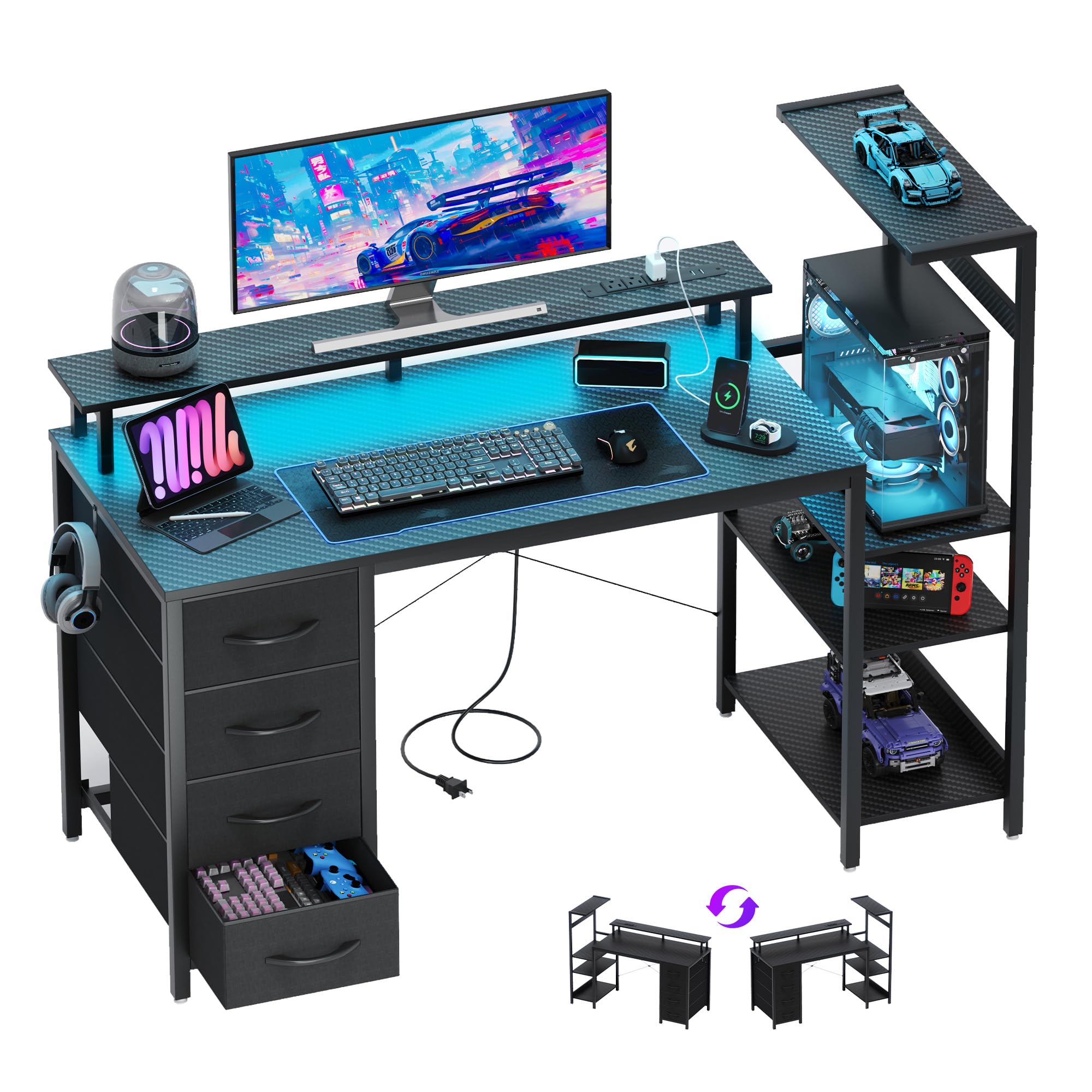
Most desks hide the PC. This one gives it a side platform tall enough for a case up to 20.7″ and expects you to show it off. A second under-desk PC shelf and an improve platform mean you have options for where the box lands, and a headphone hook keeps the headset off the surface. The top is particleboard with a 3D carbon fiber texture that resists scratches, impact, and water — practical for a desk that gets used daily.
Lighting is modest but usable: 16 colors and 10 dynamic modes, with adjustable brightness and speed. That is a far cry from the SEDETA’s 60000 colors, so if the light show is the reason you are shopping, this is the quieter option. What it does better is fit into awkward rooms — the side shelves install on either the left or the right, which matters in a bedroom or apartment where the desk can only go one way.
Assembly is the strongest part of the story, with organized parts and clear instructions that keep the build from turning into a weekend. The desk supports weight well and does not feel bulky in a smaller room. The recurring note is size: a few buyers expected more desk than they got and wished they had measured first. That is a fit issue, not a build issue.
rgb fans: you want your case visible and your shelves flexible enough to flip sides.
heavy dual monitors: the 16-color light strip is basic next to the bigger SEDETA, so buy it for the layout, not the glow.
4. Gaming Desk 54 Inch Computer Table
A first real desk for a first real setup, with three shelves and a tower stand.
The whole thing is 54 inches wide by 17 inches deep, which is exactly the depth you want in a dorm or a small apartment where the desk has to sit close to a wall. Three tiered shelves run up one side and hold books, consoles, or collectibles, and the whole shelf unit can be installed on either the left or the right. A built-in USB port keeps a phone topped up without hunting for an adapter.
Assembly is genuinely quick here, which is the point of a starter desk. Buyers describe the build as simple and the design as sturdy, and the reversible layout earns real praise because it lets you put the PC on whichever side keeps your knee space clear. The raised monitor shelf lifts your screen to eye level without adding to the 17-inch depth.
shelf storage depth: the PC holder is the weak link. Buyers report the opening lands a little under 11 inches even though it is advertised at 12 inches, and one person had to unbolt the shelf because their case would not fit. If your tower is on the wider side, this desk is the one to skip.
student setups: a compact build, a dorm room, or a first gaming station on a tight budget.
tall chairs: full towers or wide cases — check your PC width against that shelf opening first.
5. SEDETA L Shaped Office Desk

One desk that becomes a corner station or a 94.5-inch two-person workbench.
This is the pick for the person whose room is also their office. Tucked into a corner it is a 67-inch L-shape; pulled out flat it runs 94.5 inches and seats two people without elbows colliding. Underneath, a CPU stand and two storage shelves give your tower and your books somewhere to live, and the top hutch can be mounted left or right. The frame top is FSC-Certified wood, a detail worth knowing if sourcing matters to you.
Power is handled properly: a charging station with 4 outlets and 2 USB ports feeds up to six devices at once, with an on-off switch for a one-button shutdown. The RGB strip brings over 60000 colors and 30 flashing modes with music sync, so it runs one mode past the SEDETA 79” Gaming Desk at 29. There is a keyboard tray, a pegboard, and a storage bag — genuinely a lot of organization packed under one surface.
The build is where this one asks for a commitment. Sturdiness and quality carry the day, and owners describe it as well made and not cheap-feeling. Assembly is the split opinion: some pairs get it done in about an hour, while others wrestle with convoluted steps and pre-drilled holes that are not perfectly lined up. Give yourself a clear afternoon and a helper and the result is a genuinely large desk.
corner offices: you want one surface to serve gaming, work, and a second person.
open floor plans: a slow build — this desk rewards patience and a second set of hands.
6. FOLUBAN 63 Inch Computer Desk
The work-from-home desk that gives the printer its own shelf and the tower its own stand.
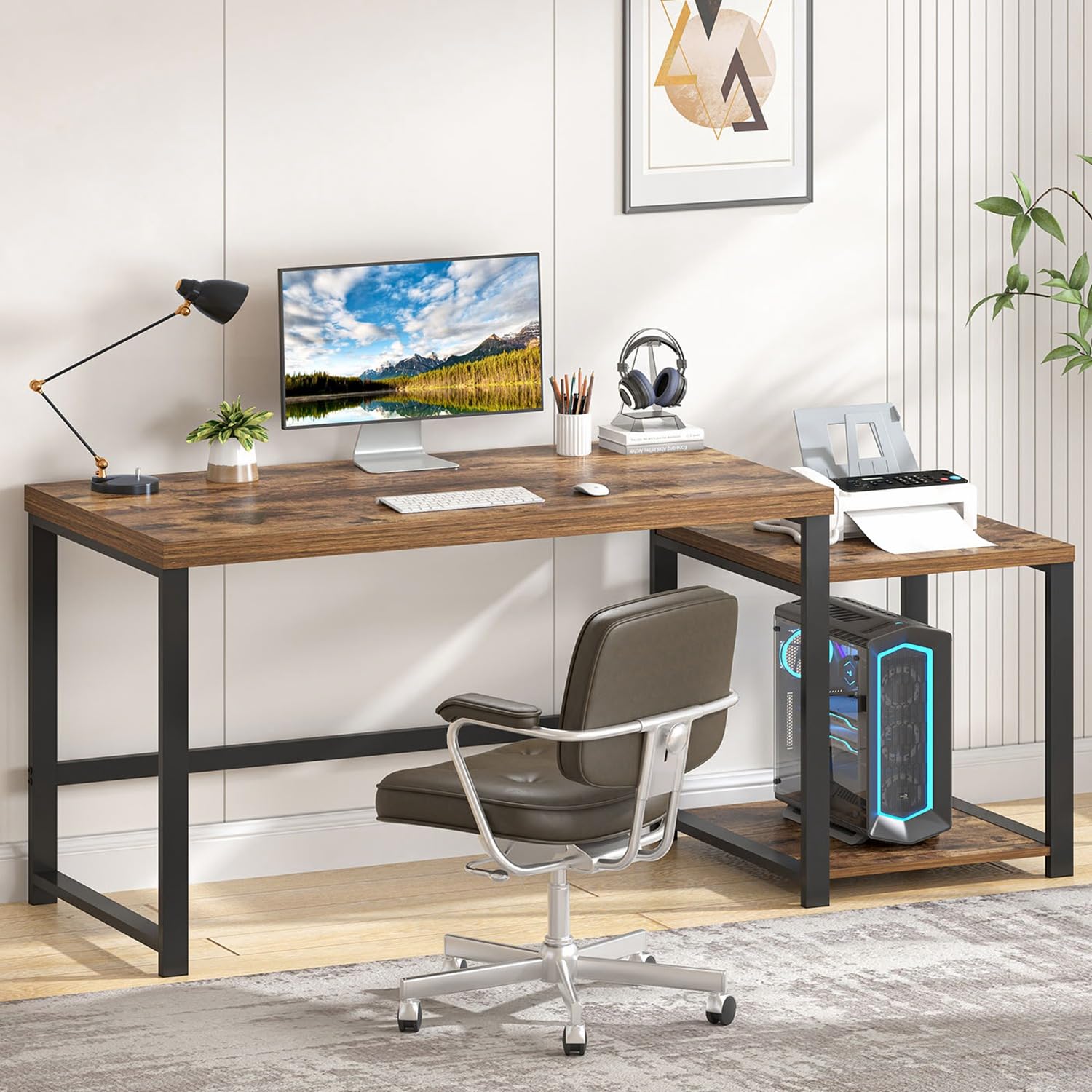
Not everyone wants carbon fiber and flashing lights. This desk pairs a rustic brown wood grain top with a black metal frame, and the main desktop carries up to 300 lbs — enough that you never think about what is sitting on it. A dedicated printer shelf plus a PC tower stand keep the two bulkiest boxes off the main surface, leaving the 62.99-inch width free for actual work.
The side table section installs on the left or the right, so the desk adapts to the wall you have rather than the other way around. Assembly is one of the fast ones: clear instructions and all hardware included, with most builds done quickly and one person able to handle it. Buyers describe it as solid with nicely threaded hardware that goes together without a fight, and one owner compared it favorably to a smaller “gaming” desk bought elsewhere.
printer shelf room: a damaged-in-transit unit arrived with chipped corners and a slightly bent pole. That reads as a delivery problem rather than a design flaw, and it is worth checking the box before you start building.
home offices: a home office where a printer, a tower, and paperwork all need a home.
gaming rigs: you want RGB lighting and a gaming aesthetic — this is a quiet, office-first desk.
7. EnHomee 71″ L Shaped Gaming Desk
A 50.4-inch monitor shelf that fits two 27-inch screens and lifts them to eye level.
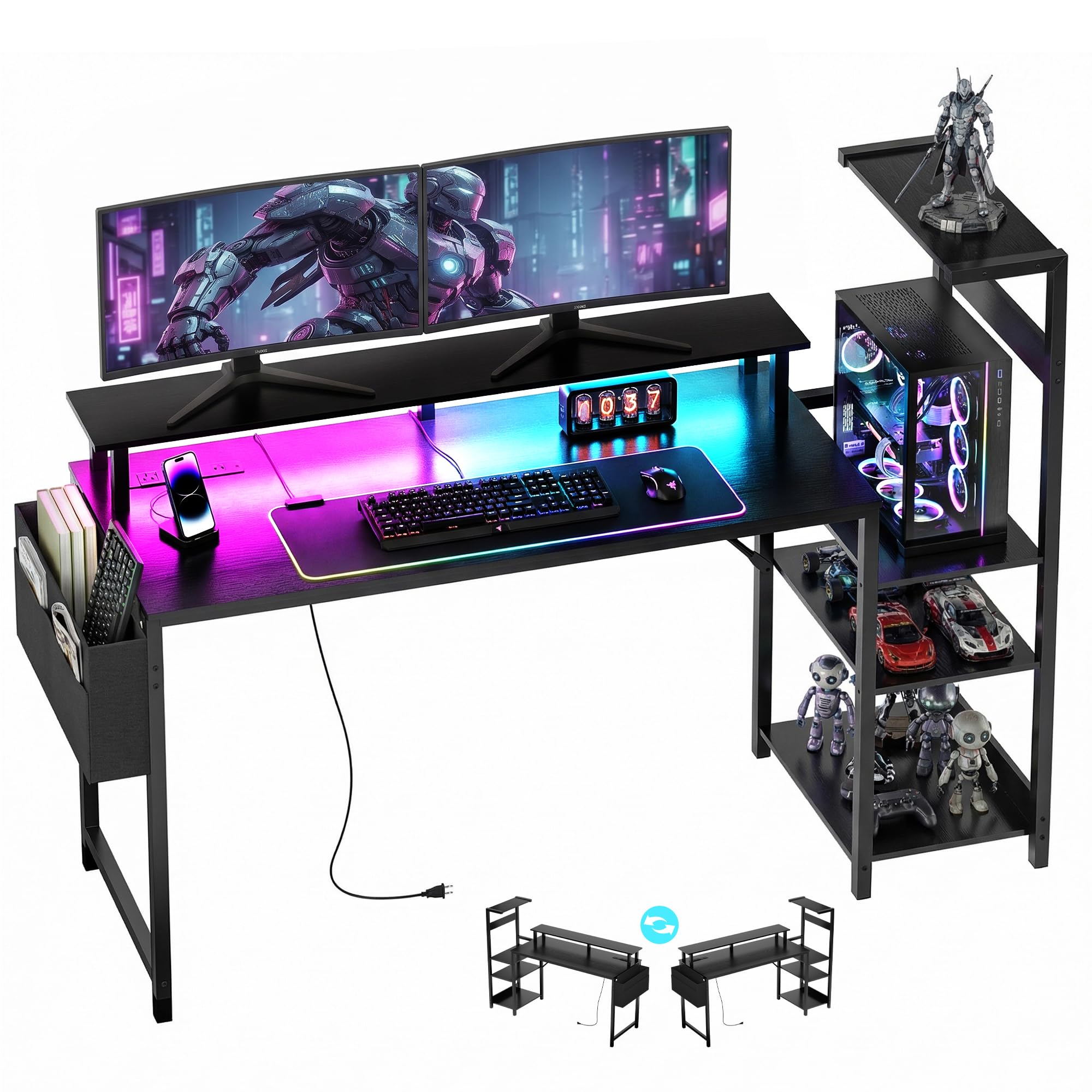
If you run two monitors side by side, the integrated stand is the reason to look here. At 50.4 inches it is sized for a pair of 27-inch panels — or one large ultrawide — and lifting them clears a usable strip of desktop underneath. The CPU bracket measures 18.9 by 11.8 inches with adjustable dividers at three heights, and it takes full-tower, mid-tower, and mini cases up to 19.7 inches tall. Your tower sits above the carpet on the CPU bracket, improving airflow and cable routing.
Storage is unusually complete: a printer shelf of 19.7 by 19.7 inches with a compartment for paper, three fabric drawers for controllers and cables, and double-side shelves for speakers or collectibles. Power lives on the desk itself — 3 AC outlets, 1 USB, and 1 Type-C, which keeps the wall socket free for other things. Lighting gives 40 total modes: 5 solid colors, 20 dynamic RGB patterns, and 20 static colors, all on a remote.
Carbon fiber looks and a sturdy frame carry the first impression, and the build is friendly, with most people done in about an hour and a half following the numbered parts. Two things to weigh: value is debated, with some people feeling it is priced high for what it is, and the pre-drilled holes have frustrated a few buyers whose panels did not line up. Check alignment before you tighten anything.
triple screens: two monitors, built-in power, and a proper tower bracket are your must-haves.
tall users: the screw holes — line up every panel loosely before you commit to tightening.
8. Itaar 79″ Gaming Desk
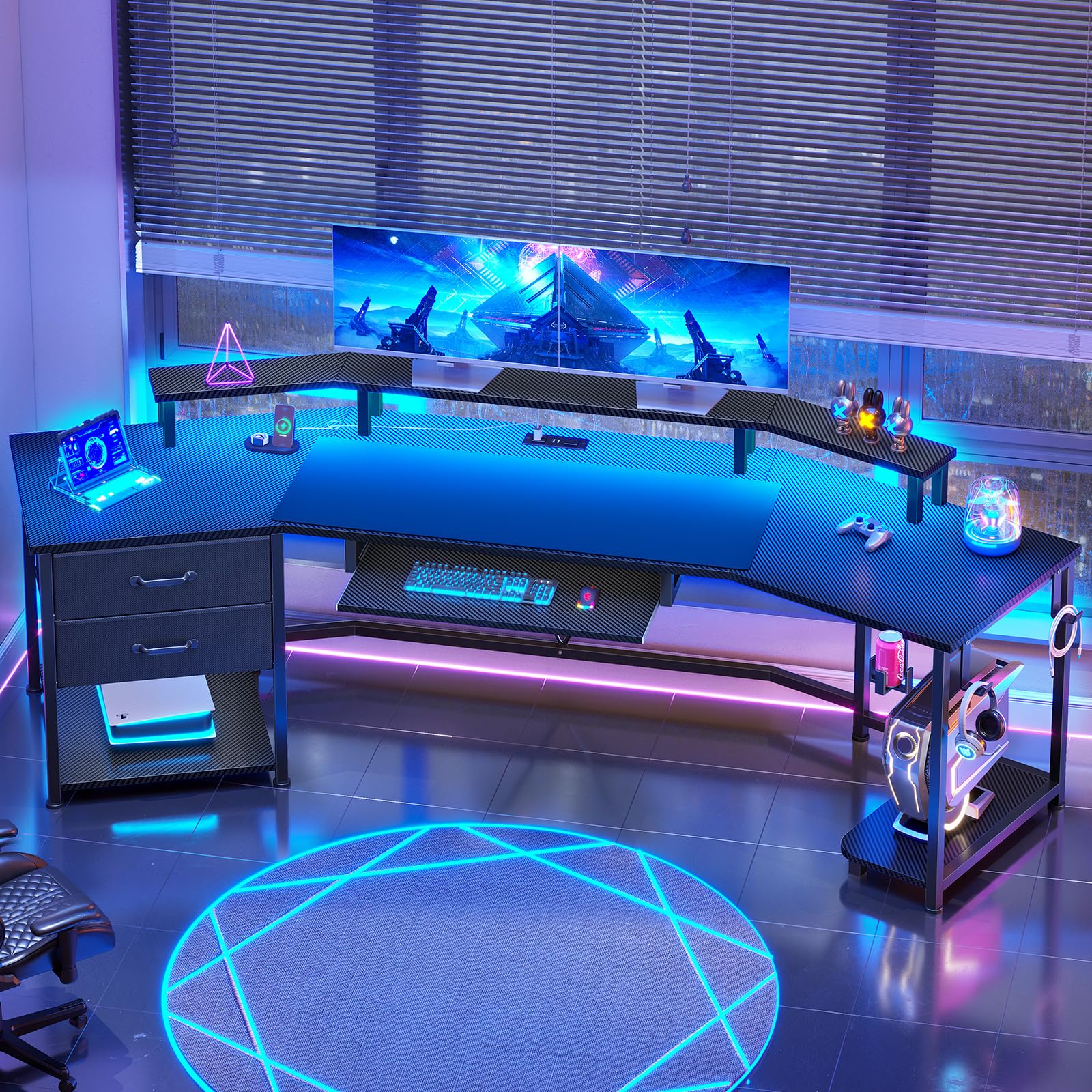
Nearly six and a half feet of carbon fiber desktop with room for two or three machines.
The surface here is 78.7″L x 21.7″W, and the maker says it can hold two to three computers at once. A CPU holder and two storage shelves give your tower a dedicated home away from the floor, while a keyboard tray and big mouse pad keep the desktop itself free. Two fabric drawers swallow cables and controllers, and two headphone hooks plus a cup holder round out the small stuff. A 2-outlet, 2-USB charging station feeds up to four devices.
The build quality is what holds this together — it lands consistently well with buyers, and the carbon fiber finish reads as a real upgrade rather than a sticker. A recording-studio owner uses the shelf for both monitor screens and speaker monitors, which says something about how much room the upper tier actually gives you. Setup is manageable if not fast; expect a couple of hours and take the instructions seriously.
fabric drawers quiet: the desktop is wide but shallow in feel, and stability is the honest weak point — the desk is described as not the best on depth and a little unstable. Keep the tower centered on its shelf and it behaves fine; stack heavy gear at the edges and you will notice.
cable clutter: a long wall, a multi-machine setup, and a finished look that suits a living room.
metal drawer fans: depth and rigidity are the compromises — this is a width play, not a tank.
9. AODK 67 Inch Gaming Desk
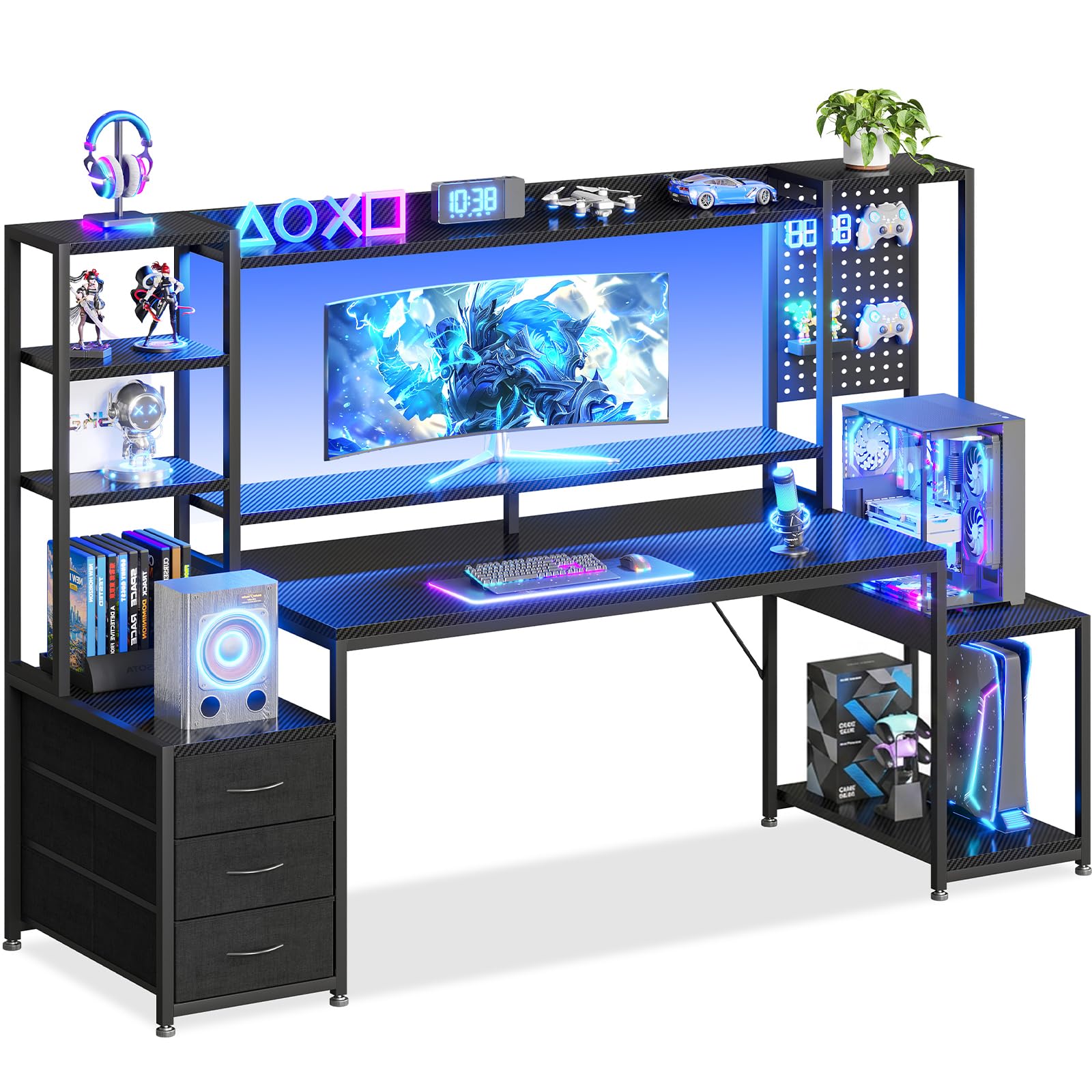
Built for the collector: a full-width hutch and side shelves for everything you display.
Figures, statues, models, speakers — the hutch and dual side shelves exist to show them off, and each shelf holds up to 30 lbs. The PC tower shelf is 11.8 inches wide, sized for small to mid-tower cases, so a full tower will not fit here and a glass showcase case will. A raised monitor shelf takes up to a 34-inch ultrawide and keeps your screen at eye level on a 42.5″W x 19.7″D desktop.
Below the display space sit three fabric drawers for cables, chargers, and pens, plus an integrated pegboard with hooks for headphones, controllers, and a VR headset. The reversible layout lets you flip the left and right display shelves so the tower lands on the side that suits your room. An owner notes it replaced a filing cabinet entirely once the printer and files had a spot.
Assembly splits opinion — the core build is straightforward and the desk feels sturdy once standing, but the written directions leave some people guessing, and a few panels arrived without the right holes. Two other small realities: the drawers are fabric rather than solid, and the USB ports are slow. Treat the drawers as organizers and charge from a proper adapter.
small bedrooms: collectors and streamers who want their shelves and case on display.
large towers: that 11.8-inch tower shelf — mid-tower and smaller only.
10. AODK 79 inch L Shaped Desk

Five drawers, six shelves, and a corner layout that finally beats the filing cabinet.
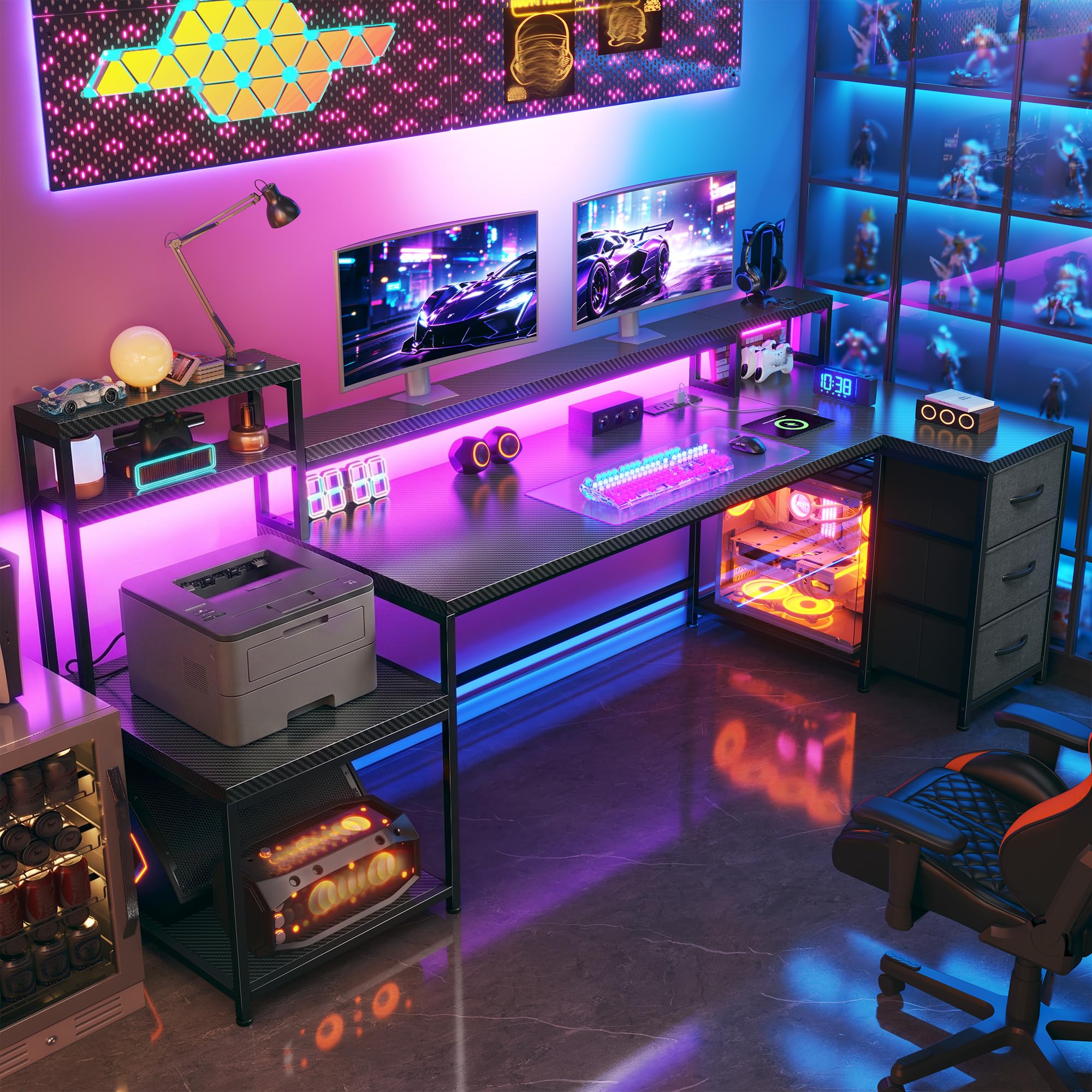
Storage is the entire argument here: 5 fabric drawers, 6-tier open shelves, and a CPU stand for your tower, all arranged in an L-shape that measures 79”W x 18.90”D. One of the drawers is a file drawer sized for letter, A4, and legal documents, so the desk can absorb paperwork instead of pushing it into a separate cabinet. The layout reverses left or right to match your corner.
Power is generous — two built-in hubs, each with 3 AC outlets plus 2 USB ports. The LED strip runs through an odorless milky diffuser for softer light and offers 10 colors and 10 dynamic modes, which is far more restrained than the SEDETA options but easier on the eyes during a long evening. Lighting is the thing people bring up most, and it is what gives the desk its finished look.
Once assembled, the desk is sturdy, with a metal base and a board that one buyer measured at 1/2 inch thick. Getting there is the project: assembly draws the most divided feedback of any desk here, ranging from a smooth thirty-minute build to a flat “no instructions, terrible to put together.” If you have built flat-pack furniture before and have a helper, you will be fine. If not, plan for a long evening.
shared desks: a cluttered corner that needs drawers, file storage, and power in one place.
minimal setups: assembly is the toll — this one rewards a patient, methodical build.
Know the Specs
Tower Shelf and CPU Stand Clearance
This is the number that decides whether a desk works for you at all. Look for the listed height and width of the shelf or platform that holds your PC — some desks publish a display area up to 20.7″ tall, others cap a side shelf at 11.8 inches of width for mid-tower cases (standard-sized PC cases). Measure your own case and compare before ordering, because a shelf that is slightly too small sends the tower back to the floor.
Desktop Width and Depth
Width tells you how many monitors fit; depth tells you whether the desk crowds your room. A wide desk like 78.7 inches handles a multi-monitor layout, while a 17-inch depth suits a dorm wall. Match both to your actual gear and your actual wall, not to the biggest number on the listing.
Monitor Stand Height
A raised stand lifts your screen toward eye level, easing neck strain and freeing surface space underneath. Some stands are sized for two 27-inch monitors side by side; others lift a single ultrawide up to 34 inches. Pick the shelf size that matches your screens.
Built-In Outlets and USB Ports
Desk-mounted power keeps cables off the floor and your devices within reach. Configurations range from a pair of outlets and two USB ports up to two hubs with 3 AC outlets plus 2 USB ports each. Count your devices first — the desk should cover them without an extra strip.
Common Questions
How do I know if my PC tower will fit a desk’s shelf?
Is a side PC platform better than an under-desk floor stand?
How much desk depth do I need for two monitors?
Do the fabric drawers hold up for daily office use?
How long should I set aside for assembly?
Can a tower computer desk fit in a small bedroom or dorm?
Are the built-in outlets and USB ports enough for a full setup?
Does the LED lighting need a phone app to work?
Which desk material holds up best against scratches?
Can I flip the shelves or hutch to the other side?
The Bottom Line
If you want one desk that absorbs a full tower setup and still leaves room on top, the SEDETA 79” Gaming Desk is the pick — it has the dedicated CPU holder, the two large storage shelves, and the widest lighting range of the group at 60000 colors and 29 modes. For a tight bedroom where drawers and power matter more than glow, reach for the YOUDENOVA 51 Inch Gaming Desk. And if you run two monitors and want the power on the desk itself, the EnHomee 71″ L Shaped Desk covers it with 3 AC outlets, 1 USB port, and 1 Type-C port right at the surface. Measure your tower before anything else — get that one number right and every other choice gets easier.
How we choose
We do not accept paid placement. Every pick is matched to a real buyer and a real use-case; we do not hands-on test units.
Sources
Specifications: manufacturer listings and product documentation. Review insights: verified customer reviews, as of November 2026. Pricing: not shown on this page (it changes often); check the current price via the retailer link.
As an Amazon Associate, Tactical Gear Guy earns from qualifying purchases. This does not affect which products we feature.