Specs are compiled from manufacturer listings and verified buyer reviews and can change over time — please confirm the key details on the product page before buying.
Your graphics card, radiator and cables all need to fit inside a glass box that looks great but hides less. The wraparound tempered glass that makes these cases look like display cabinets also eats into the space where hardware and wires used to hide. Get it wrong and you’re wrestling a 400 mm graphics card into a shell that was never going to close. Below, the picks are split by what each one genuinely does better than the rest.
This guide is built by comparing the manufacturers’ published specifications and the patterns across verified customer reviews, so you get each pick’s real strengths and trade-offs instead of marketing spin.
You’ll see how glass layout, fan mounts and clearance numbers change what fits, plus which cases hide cables best. Every pick here is a white chassis first, a showpiece second, so read on for the best White Fish Tank PC Case for your build and budget.
Top Picks


How To Choose The Best White Fish Tank PC Case
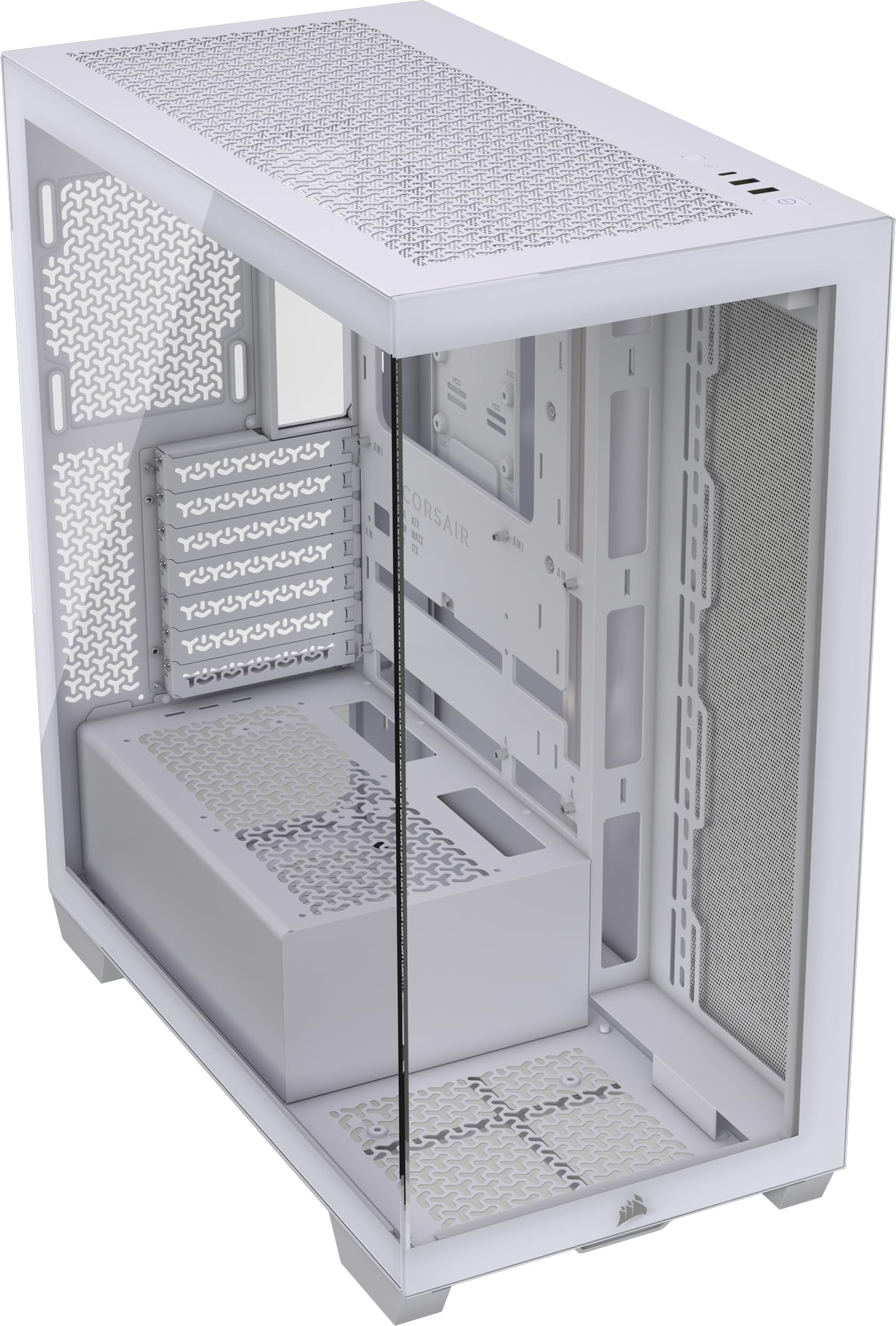
A fish tank case puts glass on the front and the side so you can see the whole interior at once. That single design choice changes everything else about how you shop. The glass pushes your power supply and drives out of the main compartment, and it leaves you with fewer places to stuff a bundle of cables. Pick by GPU and cooler clearance first, glass layout second, and looks last — because a beautiful case that won’t close is just a shelf ornament.
Check GPU length and CPU cooler height before anything else
Your graphics card is the part most likely to run out of room. The Vetroo AL900 lists a max GPU length of 410 mm and the FOIFKIN F600 lists 400 mm, while the MONTECH XR clears 420 mm. Card height matters too: a tall CPU air cooler needs the case’s stated cooler-height figure, such as the 170 mm the FOIFKIN F600 supports. Write your card’s length and your cooler’s height on a sticky note before you compare any case, then match those two numbers against the spec sheet.
Decide if you want fans included or a blank canvas
Some white fish tank cases arrive ready to run lights and airflow, and some arrive as an empty shell. The FOIFKIN F600 comes with 7 pre-installed ARGB PWM reverse fans, and the NZXT H9 Flow includes four fans. The be quiet! Light Base 600 DX comes with no fans at all, which suits you only if you already own the set you want. Included fans save you a separate purchase, but a bare case gives you total control over which fans go where.
Match the fan and radiator support to your cooling plan
Air cooling and liquid cooling need different things from a case. If you plan an all-in-one liquid cooler (a sealed cooler with a pump and radiator), look for radiator support in the size you own — the CORSAIR 3500X takes 360 mm radiators in the roof and the side, and the Lian Li O11 Vision Compact routes the AIO tubing into the second chamber so it stays out of view. For air builds, count fan mounts instead: the CORSAIR 3500X, FOIFKIN F600 and Vetroo AL900 each list support for up to 10 fans of 120 mm.
Back-connect motherboards are worth planning around
A back-connect motherboard moves its power and data plugs to the rear of the board, so the front of your build shows no cables. Several cases here are built for that layout, including the CORSAIR 3500X, the CORSAIR FRAME 4500X RS, the Lian Li O11 Vision Compact and the NZXT H9 Flow. If a cable-free interior is the whole reason you want glass, pair one of those boards with a case that lists that compatibility by name.
Side-by-Side Comparison
| Model | Best For | Internal Bays | Max GPU Clearance | Fans Included | Amazon |
|---|---|---|---|---|---|
| CORSAIR 3500X★ Best Overall | Clean first build | 3 | — | None | Amazon |
| MONTECH XRBest for Big Cards | Big graphics cards | 2 | 420 mm | 3 ARGB PWM | Amazon |
| FOIFKIN F600Most Fans Included | Lights from the start | 2 | 400 mm | 7 ARGB PWM | Amazon |
| Vetroo AL900 | Hidden-connector builds | 3 | 410 mm | 1 ARGB PWM FDB | Amazon |
| NZXT H9 Flow | Dual-chamber airflow | 10 | — | 4 | Amazon |
| Lian Li O11 Vision Compact | Tubing out of sight | 3 | — | None | Amazon |
| be quiet! Light Base 600 DX | Reorienting the layout | 6 | — | None | Amazon |
| CORSAIR FRAME 4500X RS | Swappable interior | 3 | 460 mm | 3 ARGB | Amazon |
Detailed Reviews
1. CORSAIR 3500X PC Case White
Our pick — 4.5+★ from 800+ verified ratings; the strongest balance of quality and price.
Wraparound glass that hides every cable, if your board plays along.
The 3500X sells the view first and fills in the room second. Its wraparound tempered glass panel runs across the front and side as one continuous surface, so the inside of your build reads as a single lit stage instead of two separate windows. What wins people over is that design — it’s the thing that gets talked about far more than any other feature of this case, and the appearance follows right behind it.
Underneath the glass the case is built to keep air moving. Side, roof and power-supply mounting points together hold up to 10 fans of 120 mm, and you can fit 360 mm radiators in the roof and in the side, or a 280 mm unit up top.
The catch is that no fans come in the box, so a bare chassis is what lands on your doorstep. Plan for the fan set you want and the cost lands on top of the case. Clearance is also tight in spots, and fit is the one place opinion splits rather than settles — measure your graphics card and cooler before you commit. It depends on this: 4.5+ stars across 800+ owners put the 3500X at the top of this list, and it earns that spot on wraparound glass and 10-fan, 360 mm radiator support rather than on included extras.
The case for the 3500X
- Wraparound front-and-side glass gives one unbroken view of your hardware and lighting
- Side, roof and PSU mounting points hold up to 10 fans of 120 mm, so airflow isn’t sacrificed for looks
- Fits 360 mm radiators in the roof and side for liquid cooling builds
- Validated for ASUS BTF and MSI Project Zero boards, so rear-mounted cables stay out of the view
- Removable glass panels make the build and later upgrades easier to reach
Where it asks more of you
- No fans included — you supply the full cooling set yourself
- Internal fit is the one mixed note in owner feedback, so check GPU and cooler clearances carefully
- Adds 19.92 inches of depth and 8.6 kg of weight to your desk
Go for it if: you want a big unbroken glass view and you’re happy to choose your own fans.
Think twice if: a fan-included case matters more to you than a blank canvas.
2. MONTECH XR PC Case White
The case that treats your graphics card as the main event.
Start with the number that decides most builds: 420 mm of GPU clearance. That’s the longest listed figure among the picks here, and it beats the Vetroo AL900’s 410 mm and the FOIFKIN F600’s 400 mm. You also get 175 mm for a CPU cooler and 230 mm for the power supply, which takes most of the guesswork out of a fresh build. If you’re slotting a large card into a white showcase chassis, this is the one that gives you room to spare.
Three 120 mm ARGB PWM fans come pre-installed, and two of them are reverse-blade side fans — their illuminated faces point into the case instead of showing you the support frame. That’s a small design choice that pays off every time you look at the build. You can scale up to 9 fans or add a 360 mm radiator up top later, and the magnetic filters on the top, side and bottom lift out for cleaning. The front panel gives you USB-C plus two USB 3.0 ports for everyday peripherals.
The design is what carries this case in owner feedback, with appearance close behind. The wood-grain I/O accent is also a taste call — it warms up the white chassis for some builders and not for others. If your build is one big card and one fast drive, the 2 internal bays cost you nothing.
The clearance win: 420 mm of GPU room and 230 mm of PSU room make this the forgiving pick for oversized hardware.
Storage math: 2 internal bays means this is a one-or-two-drive case, not a storage vault.
Reach for this if: a long graphics card and a clean showcase interior are both on your list.
Look elsewhere if: you run several drives and need more internal bays.
3. FOIFKIN F600 PC Case White
Seven lit fans already spinning before you touch a screwdriver.
Seven pre-installed ARGB PWM reverse fans is the headline, and it’s a big one. Most white fish tank cases here either ship empty or hand you three or four fans; this one arrives with the whole light show already mounted. The 270° panoramic tempered glass wraps the front and side so the fans face you rather than the wall, and the glass side panel hinges open without tools when you need to get inside.
Room for hardware is generous on this one too. You get 400 mm of GPU length, 170 mm of CPU cooler height and up to 220 mm for the power supply, plus support for 360 mm, 280 mm, 240 mm and 120 mm radiators. Up to 10 fans of 120 mm can go across the sides, top and PSU mounting points. The front I/O covers a Type-C 3.0 port, USB 3.0, USB 2.0, plus microphone and audio jacks.
Design is the runaway favorite in owner feedback, with appearance not far behind — and it’s easy to see why when the fans do half the visual work. The honest caveats sit in the details: fit, performance and cable management are the three areas where opinion divides rather than agrees, so budget time for routing before you close the panels. It also carries 11.2 inches of width, which is wide for a mid tower on a small desk. For a build where the lighting is the point, the F600’s 7 pre-installed ARGB PWM reverse fans mean you buy no extra fans at all.
Plug-in-and-glow: 7 ARGB PWM reverse fans and a tool-free hinged glass door mean the showcase is ready on day one.
Measure twice: cable routing and component fit are the split opinions here, so plan the wire path before the final tighten.
Pick this one when: you want maximum lighting without buying a single extra fan.
Pass if: you already own a fan set and would rather not pay for a second.
4. Vetroo AL900 PC Case White

Built for boards that hide their plugs — and for cards that need 410 mm.
Vetroo’s AL900 leans on an interior it calls YTX, a layout designed around hidden-connector motherboards. The idea is that power and data cables tuck behind the board instead of crossing the glass, which is exactly the problem a fish tank case creates. Its 270° full-view tempered glass then frames the result without a cable in sight. Pair it with a rear-connect board and the interior looks like a display model rather than a working machine.
Capacity is the other strong suit. You get 410 mm for a graphics card and 200 mm for the power supply, with support for ATX, M-ATX and YTX motherboards, up to 10 fans of 120 mm and a 360 mm radiator in the top. The I/O panel includes a high-speed Type-C port plus USB 3.0, and Vetroo quotes transmission rates up to 10G/s on that Type-C connection for quick file moves. The box includes a single ARGB, PWM and FDB rear fan — a fluid dynamic bearing unit, which is the type built to run quietly over long sessions.
Internal bays land at 3, which puts it level with the CORSAIR 3500X and one ahead of the MONTECH XR’s 2. What buyers notice most is the design, with appearance right behind it, and assembly and interior space both draw steady praise. One quirk to note: the visible product copy mentions a pink colorway while this listing is the white chassis, so go by the white listing photos rather than the description text. At 14.1 pounds it’s slightly lighter than the MONTECH XR’s 14.5 pounds, so moving it around isn’t a chore.
What stands out on the AL900
- YTX interior is built around hidden-connector boards, keeping cables off the glass
- 410 mm GPU clearance and 200 mm PSU room handle large modern cards
- Top-mounted 360 mm radiator support plus room for 10 fans of 120 mm
- Type-C port on the front panel for fast device connections
- Includes an ARGB, PWM and FDB rear fan with a fluid dynamic bearing
Small things to weigh
- The hidden-connector layout rewards a matching motherboard and does less for older boards
- Only one fan is included, so a full airflow set is a separate purchase
- Listing copy references a pink variant, so confirm the white chassis on the photos
Strong match for: back-connect motherboard owners who want a genuinely cable-free interior.
Keep looking if: you’re building on a standard front-connect board and want fans included.
5. NZXT H9 Flow – Dual-Chamber ATX PC Case – White
Splits the hot parts from the wires, then shows off the clean half.
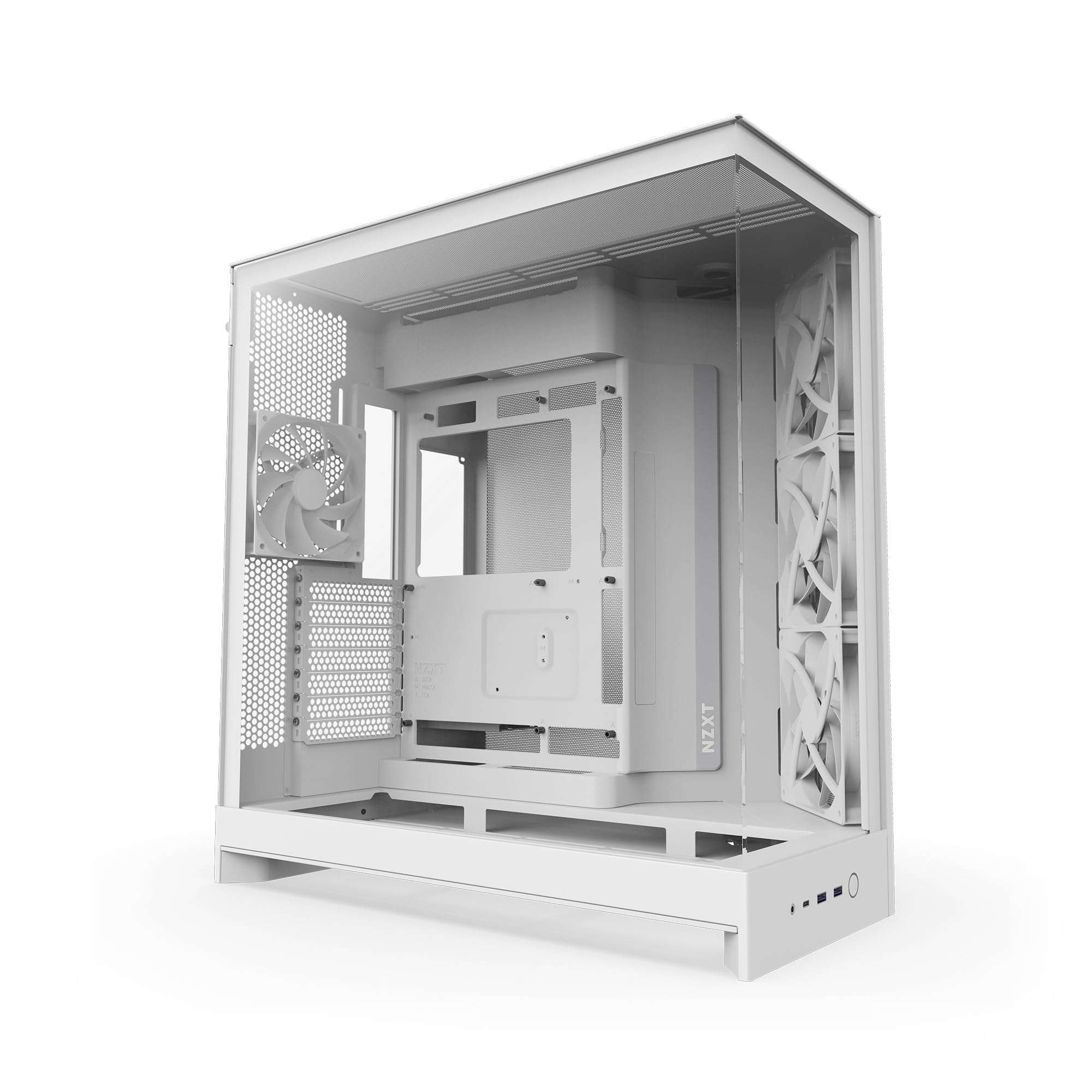
The H9 Flow’s dual-chamber design separates your main components from the power supply and drives, and that separation is what makes the glass side work. Instead of staring at a power supply shroud and a coil of cables, you look at your board, your card and your lighting. Perforated steel panels and angled front-right fans keep the air moving through that layout, so the glass doesn’t turn the inside into an oven.
Four fans come pre-installed here — three F140Q units in the front-right and one F120Q in the rear, all 3-pin DC versions (fans that run at a fixed speed rather than PWM control). Cooling capacity goes well beyond the box contents: up to nine 140 mm fans across the top, front-right and bottom, plus that single 120 mm in the rear, and radiator support up to 420 mm in the top and front-right. Cable routing gets extra-wide channels with built-in Velcro straps and tie-down points, and the case is compatible with ASUS BTF and MSI Project Zero rear-connecting boards (motherboards with ports on the back).
Build quality is what this case is known for above all else, with spaciousness next in line, and the dual-chamber layout is repeatedly described as the reason cable work gets easier. Two practical notes: the included fans are DC, so if you want speed control you’re swapping them or adding a controller, and the case is a hefty 12.5 kg on the desk. The 10 internal bays are the most in this group, which makes the H9 Flow the pick for a build with a lot of drives to house.
Room to grow: 10 internal bays, 420 mm radiator support and nine 140 mm fan positions mean this case won’t be the reason your next upgrade stops.
Fan control caveat: the included F140Q and F120Q fans are 3-pin DC, so plan on a controller or a swap if you want PWM curves.
Best for: builders who want a sturdy dual-chamber chassis with drive space to spare.
Not ideal if: fixed-speed included fans bother you and you’d rather have PWM from the start.
6. Lian Li O11 Vision Compact White

Three panes of glass and a tunnel that swallows your cooler hoses.
The O11 Vision Compact is the case you buy when the hoses are the thing ruining the photo. Its patented three-panel tempered glass design gives an uninterrupted view of your components, and the interior conceals AIO tubing inside the second chamber when the cooler is mounted on the side. That’s a specific, physical fix for a specific eyesore — the thick tubes that normally snake across an otherwise clean build. Lian Li developed it together with PCMasterRace, and it’s compatible with back-connect motherboards for the same cable-free goal.
It’s a compact dual-chamber shell with a 360 mm mesh panel included for the top. Internal bays come in at 3, matching the CORSAIR 3500X and the Vetroo AL900, and it takes ATX and Micro ATX boards with a bottom-mounted power supply. Weight lands at 26.4 pounds, which is the heaviest case on this list by a clear margin — set it on the desk before you build, not after.
Quality is the aspect buyers single out above all, with appearance close behind and interior space also drawing steady credit, including room for even the largest graphics cards. Assembly gets consistent praise for how simple the fan and lighting set-up is once the panels come off. One thing to know: no fans are listed in the box here, so like the CORSAIR 3500X this is a shell you dress yourself. The three-panel glass is also a fingerprint magnet in a way a single window never is.
The tubing trick: side-mounted AIO hoses disappear into the second chamber, leaving three panes of unbroken glass.
Weight warning: at 26.4 pounds this is a two-person lift onto a high desk.
Choose it when: an AIO cooler and a spotless interior need to coexist.
skip it if: you want fans in the box or you’re lifting the case onto a high shelf alone.
7. be quiet! Light Base 600 DX White

Flip it, lay it down, hang it upside down — it’s your call.
Most cases here are locked to one orientation. The Light Base 600 DX isn’t. Removable feet let you invert the chassis, and you can also set it horizontally, which changes where the glass faces and which side of your desk the window lands on. For a gaming room where the desk sits on the left of the case rather than the right, that flexibility is the whole purchase. A massive ARGB LED strip is visible from every angle, and you can sync the lighting to your motherboard rather than relying on a separate remote.
Cooling capacity is unusual for the size. It takes up to 10 fans, up to two 360 mm radiators together — one in the lid and one in the base — plus another 240 mm radiator on the side for three radiators running at once. Two ARGB and PWM hubs give you 12 ports total, split top and bottom for easy reaching.
Appearance is the feature that gets singled out most in owner feedback, with build quality close behind, and the orientation swap gets called out as genuinely quick to configure. The honest trade-off is fans: none come pre-installed, so a 10-fan plan means buying all 10. At 6 kg the chassis itself stays manageable while you flip it around, which helps given how often you might change the layout.
Why it earns a spot
- Invert or lay it horizontal in seconds thanks to removable feet
- Runs up to three radiators at once — 360 mm in the lid, 360 mm in the base, 240 mm on the side
- Big ARGB LED strip with motherboard sync
- Two ARGB and PWM hubs with 12 total ports
- 6 internal bays for a drive-heavy build
What to plan around
- No fans included — a full 10-fan setup is on you
- The chassis spans 21.65 inches in width, so check your desk footprint
- All that lighting and glass means cleaning smudges is part of ownership
Worth it for: anyone whose desk layout rules out a right-facing window.
Not for you if: you want a case that arrives with fans already fitted.
8. CORSAIR FRAME 4500X RS PC Case White
Curved glass with no corner seam, and a chassis you can rebuild around.
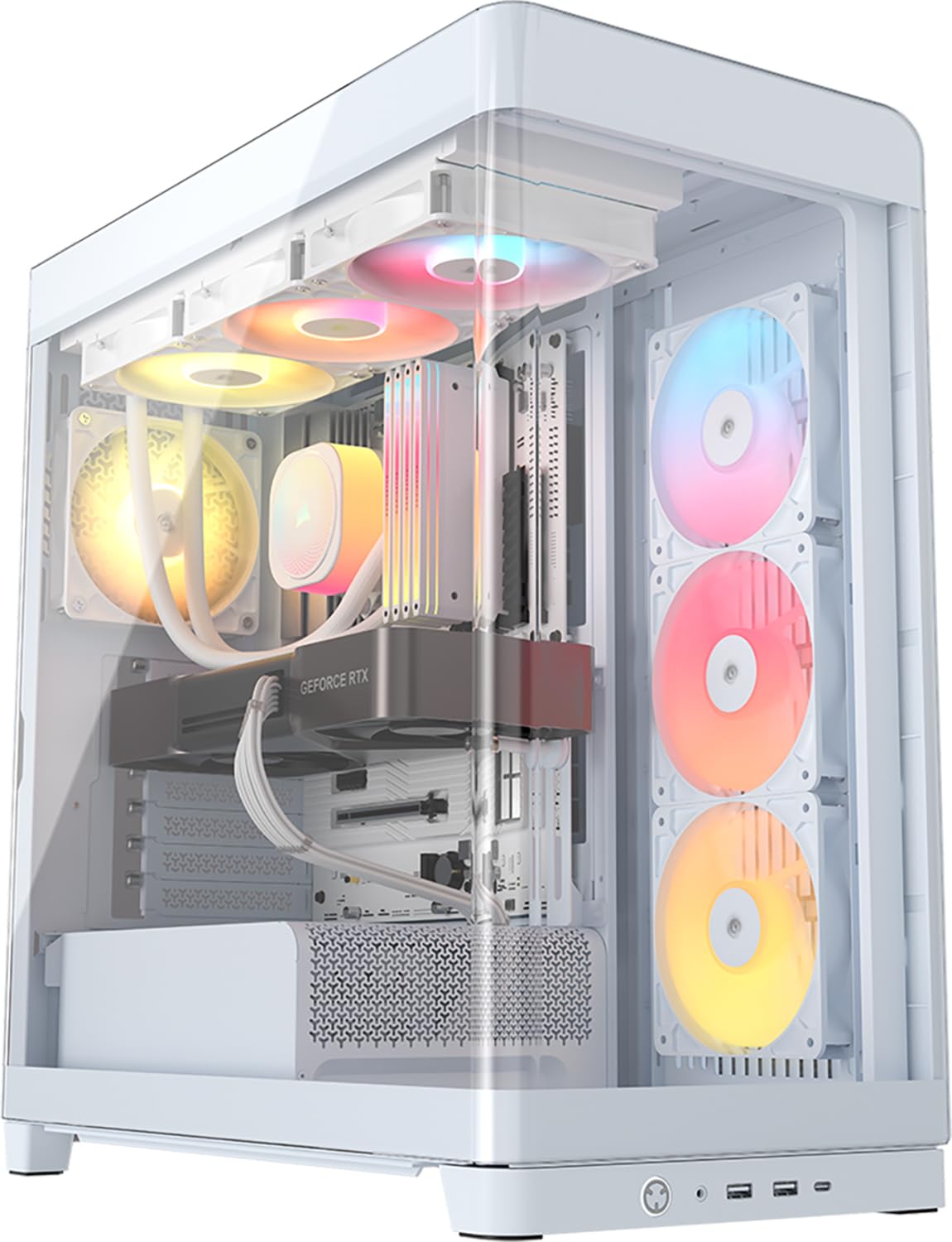
A single-piece curved glass panel is a different thing from two flat panes meeting at an edge. The FRAME 4500X RS bends one sheet around the front and side so there’s no vertical join cutting through your hardware, and the view stays unbroken as your eye moves across the corner. Three reverse-rotor ARGB fans come pre-installed on the side, designed to push cool air in while their illuminated faces point at you, and the case takes graphics cards up to 460 mm.
The FRAME modular system is the reason this case sits in its own lane. You can swap the motherboard tray, replace the side-mounted fans with a cable cover, or change the PSU shroud for a version with vertical GPU mounting points. The CORSAIR InfiniRail mounting system uses a sliding steel rail for roof fans, so you can position 120 mm or 140 mm units wherever the airflow needs them instead of being pinned to fixed holes. Supported boards run from Mini-ITX to E-ATX.
Case quality is the item owners talk about most, with appearance right behind, and both the build solidity and interior space get steady credit. Airflow and cooling draw specific praise for how well a high-end setup runs inside it. The one mixed note is cable management — the rear channel is tighter than the rest of the interior suggests, so give yourself time for that last step. It’s the pick for a builder who wants to swap the motherboard tray, fan wall or PSU shroud later without buying a new case.
No seam, no distraction: one curved glass panel sweeps the corner in a single piece for an uninterrupted display.
Swappable inside: the FRAME system lets you trade the fan wall for a cable cover or add vertical GPU mounts.
The right call for: tinkerers who want a case that can be reconfigured as the build changes.
Not the fit if: you like a set-and-done case and don’t want to think about modular parts.
Know the Specs
GPU clearance (in millimeters)
This is the maximum length of graphics card the case will hold with the side panel closed. It’s the number that kills more builds than any other — a card that’s 5 mm too long simply won’t go in. Cases here list figures from 400 mm on the FOIFKIN F600 up to 460 mm on the CORSAIR FRAME 4500X RS, with the MONTECH XR at 420 mm and the Vetroo AL900 at 410 mm. Measure your card’s length from the bracket to the far tip and compare that directly to this figure.
Reverse-blade and reverse-rotor fans
A standard fan shows you its support frame and the back of its blades. A reverse-blade fan spins the other way so the lit face looks into the case — useful when the fan sits on the side wall of a fish tank case and you’d otherwise stare at plastic struts. The MONTECH XR, FOIFKIN F600 and CORSAIR FRAME 4500X RS all use this arrangement on their side-mounted fans. It’s a visual fix, not a performance one: the fan moves the same air, it just looks better doing it.
Dual-chamber and hidden-connector layouts
A dual-chamber case puts the power supply and drives in a second section behind the motherboard wall, so the glass only shows your board, card and fans. That’s the layout in the NZXT H9 Flow, Lian Li O11 Vision Compact and be quiet! Light Base 600 DX. A hidden-connector or back-connect layout goes further and moves the motherboard’s own plugs to the rear of the board. Both push cables out of view, but only back-connect boards give you a truly cable-free front, which is why cases here list specific board models they support.
PWM versus DC fans
A PWM fan lets the motherboard control its speed continuously, so it can idle quietly and spin up under load. A DC fan runs off straight voltage and typically holds one speed. The NZXT H9 Flow’s included F140Q and F120Q fans are 3-pin DC versions, while the FOIFKIN F600 ships PWM fans and the CORSAIR 3500X LX RGB LINK uses PWM fans over its iCUE LINK hub. If quiet-at-idle matters to you, PWM is the spec to check before you buy a fan-included case.
Common Questions
Will my graphics card fit in a white fish tank case?
Do fish tank cases come with fans included?
Is panoramic glass bad for airflow?
What is a back-connect motherboard and do I need one?
Can I put a 360 mm radiator in a mid tower fish tank case?
How much does a white fish tank case weigh?
Is a fish tank case harder to build in?
Do I need a vertical GPU mount for a panoramic case?
Will a fish tank case fit on a small desk?
How many internal bays do I need in a white fish tank case?
The Bottom Line
For most builders, the white fish tank pc case winner is the CORSAIR 3500X because its wraparound glass gives you one unbroken view and its 10-fan, 360 mm radiator support keeps cooling from becoming an afterthought. Just budget for the fan set, since none come in the box. If a long graphics card is your worry, the MONTECH XR clears 420 mm and arrives with three reverse-blade ARGB fans already spinning. And if cable clutter is the thing you hate about glass builds, the CORSAIR 3500X LX RGB LINK trims the wiring with its iCUE LINK hub and pre-installed LX120-R fans. One honest nudge before you decide: the LINK version holds the highest score in this group, but the 3500X carries far more owner feedback behind its rating — so pick between them on whether tidy cabling or a proven track record matters more to you.
How we choose
We do not accept paid placement. Every pick is matched to a real buyer and a real use-case; we do not hands-on test units.
Sources
Specifications: manufacturer listings and product documentation. Review insights: verified customer reviews, as of November 2026. Pricing: not shown on this page (it changes often); check the current price via the retailer link.
As an Amazon Associate, Tactical Gear Guy earns from qualifying purchases. This does not affect which products we feature.