Specs are compiled from manufacturer listings and verified buyer reviews and can change over time — please confirm the key details on the product page before buying.
If you have a shoebox of fading prints and no appetite for feeding them onto a flatbed one at a time, a wireless photo scanner with an automatic feeder does the work for you. It pulls a whole stack through and drops finished files onto your phone or laptop over Wi-Fi. The fastest way to wreck that plan is buying on the promise of “wireless” alone. Some units hold a genuinely solid Wi-Fi link, and others struggle to stay connected at all. A scanner that drops its Wi-Fi link ends up in a drawer, not on your desk.
This guide is built by comparing the manufacturers’ published specifications and the patterns across verified customer reviews, so you get each pick’s real strengths and trade-offs instead of marketing spin.
Scan speed, feeder capacity, and resolution decide what each machine can actually do with a box of old pictures. Here is how those three specs play out, so the right choice is clear before you spend a cent on the best wireless photo scanner.
Top Picks

How To Choose The Best Wireless Photo Scanner
Old photos are the hardest thing to scan well. Prints curl, they stick together, and a glossy surface picks up dust and fingerprints. So the machine that suits you is the one whose feeder handles a stack without jamming and whose software cleans up the result — not simply the one with the biggest number on the box.
Start with the feeder, not the resolution
An automatic document feeder (the tray that grabs each sheet and pulls it through by itself) is what turns a weekend chore into a coffee-break job. Feeder capacity tells you how many sheets go in at once. The Epson FastFoto FF-680W takes up to 36 photos per batch, while the ScanSnap iX2500 Photo Edition holds up to 100 documents or up to 36 photos. More capacity means fewer reloads while you stand there.
Pick the scan mode that matches the job
Simplex scanning captures one side of a print. Duplex captures both sides in a single pass, which is what you want if the back of a photo carries a handwritten date or a name. The Epson FastFoto FF-680W does exactly this in one step, so the note on the reverse is saved alongside the image rather than lost.
Understand what the dpi number buys you
Dpi (dots per inch) is how much detail the scanner captures. A lower setting is fine for a quick digital copy. A higher setting matters when you plan to enlarge or restore a print later. The Epson FastFoto FF-680W lets you choose 300 dpi for sharing, 600 dpi TIFF for archiving, and 1200 dpi for enlarging. Many scanners here sit at 600 dpi, which is a solid middle ground for photos and documents alike.
Check the Wi-Fi story honestly
Wireless is the whole point, so look at how the scanner connects. Some units join your home network through a router; others broadcast their own signal so your phone talks to them directly. The ScanSnap iX2500 Photo Edition carries built-in Wi-Fi 6 (the newer wireless standard), which matters if you want your scans to move without a cable across the room.
Side-by-Side Comparison
| Model | Best For | Resolution | Weight | Feed Method | Amazon |
|---|---|---|---|---|---|
| Epson FastFoto FF-680W★ Best Overall | Batch photo archives | 1200 dpi | 8.2 pounds | Auto feeder, up to 36 photos | Amazon |
| ScanSnap iX100Best for Travel | Scanning away from the desk | 600 dpi | 14.08 ounces | Sheet-fed, portable | Amazon |
| ScanSnap iX1300Best Compact Pick | Tight desk spaces | 600 dpi | 4.4 pounds | Duplex, up to 30 ppm | Amazon |
| Brother DS-920W | Travel and receipts | 600 × 600 dpi | 1.2 pounds | Sheet-fed, one page at a time | Amazon |
| Epson Workforce ES-500W II | Mixed paper stacks | 300 dpi | 8.1 pounds | 50-sheet auto feeder | Amazon |
| Brother ADS-1350W | Home office scanning | 600 dpi | 3 pounds | 20-page auto feeder | Amazon |
| Brother ImageCenter ADS-2800W | High-volume offices | — | 10 pounds | Continuous scan mode | Amazon |
Detailed Reviews
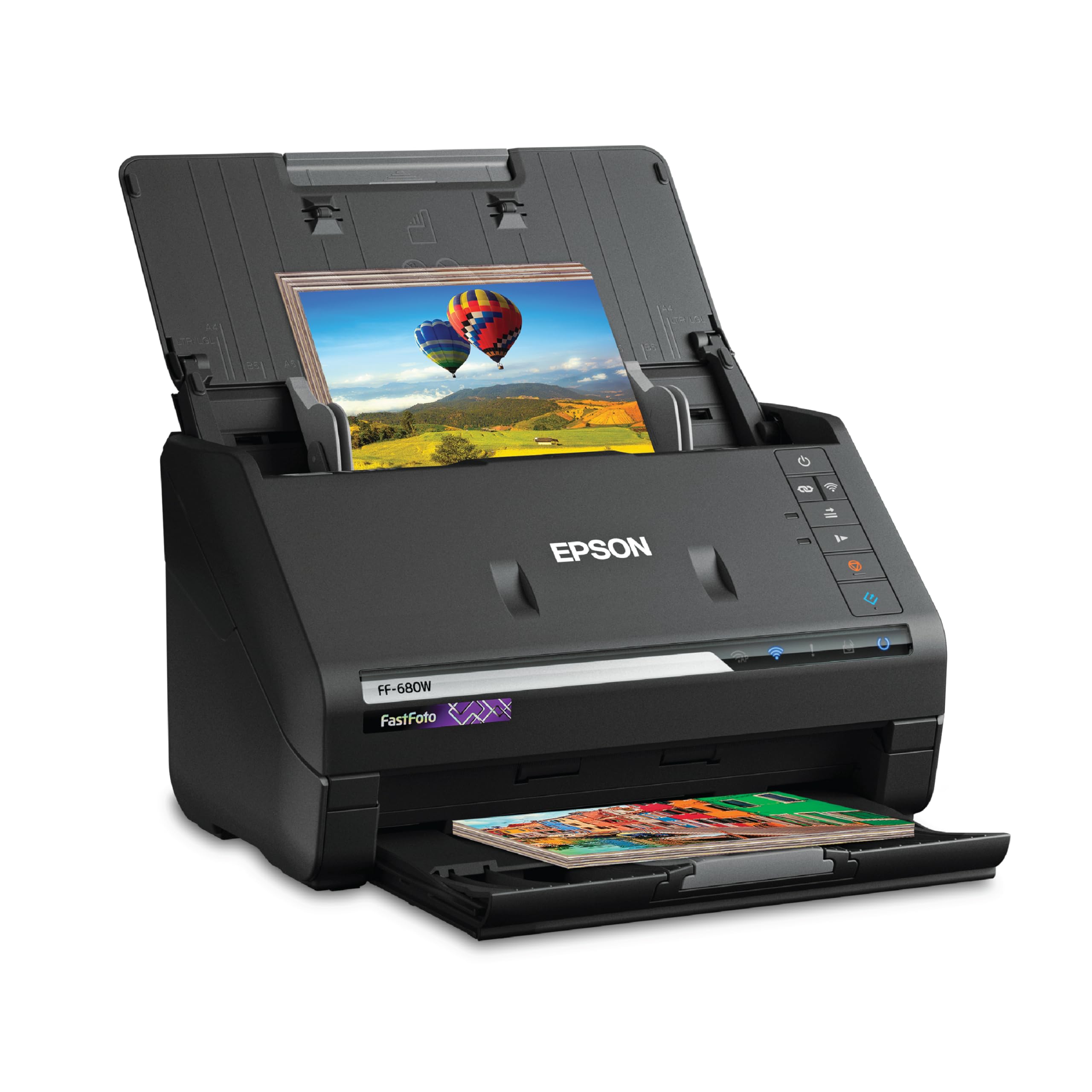
1. Epson FastFoto FF-680W Scanner
Our pick — 4.5+★ from 3,000+ verified ratings; the strongest balance of quality and price.
Built for the shoebox: one photo per second, with the note on the back saved too.
This is the machine you want when the job is measured in hundreds of prints rather than a handful. It scans as fast as one photo per second at 300 dpi (dots per inch — the detail level of the scan), and it takes a batch of up to 36 photos at a time. Load a 36-photo stack, walk away, and come back to finished files. Buyers report it can process 2500 photos in less than 6 hours, so a closet full of albums is a single afternoon’s job.
What sets it above the rest is the pairing of speed with real cleanup work. Single-Step Technology captures both the image and any handwritten notes on the back in one pass, so a date scribbled on the reverse survives the trip to digital. On top of that the imaging system handles auto enhancement, color restoration, red-eye reduction, de-skew, crop, and rotate — the fixes that make a faded print look presentable again. You pick the output that suits you: 300 dpi for sharing, 600 dpi TIFF for archiving, 1200 dpi for enlarging. That 1200 dpi is double the 600 dpi the ScanSnap iX1300 tops out at.
It is also the biggest machine here, and you should plan for that. At 8.2 pounds it is 6.8 times heavier than the Brother DS-920W, and its 11.7″D x 11.7″W x 6.9″H footprint means a permanent desk slot rather than a drawer. ScanSafe Technology and the included carrier sheet protect delicate prints, and there is a microfiber cloth for light dusting. Wi-Fi setup runs through the FastFoto app, and you can push scans straight to Dropbox or Google Drive.
What earns it the top slot
- One photo per second at 300 dpi, with up to 36 in a single batch
- Duplex capture keeps the handwriting on the back of a print
- Three output settings — 300 dpi, 600 dpi TIFF and 1200 dpi
- Auto enhancement, color restoration and de-skew built in
What to weigh first
- 8.2 pounds and a 11.7-inch square footprint claim desk space
- Picture results split opinion — most are delighted, a minority are not
- ScanSmart software with OCR is a learning curve on day one
Made for the album backlog: anyone with hundreds or thousands of prints to preserve, who wants the back-of-photo notes saved automatically.
Room to think about: the prints that come out softer than expected — the image-quality jury is genuinely split, so test a dozen of your own before committing the whole collection.
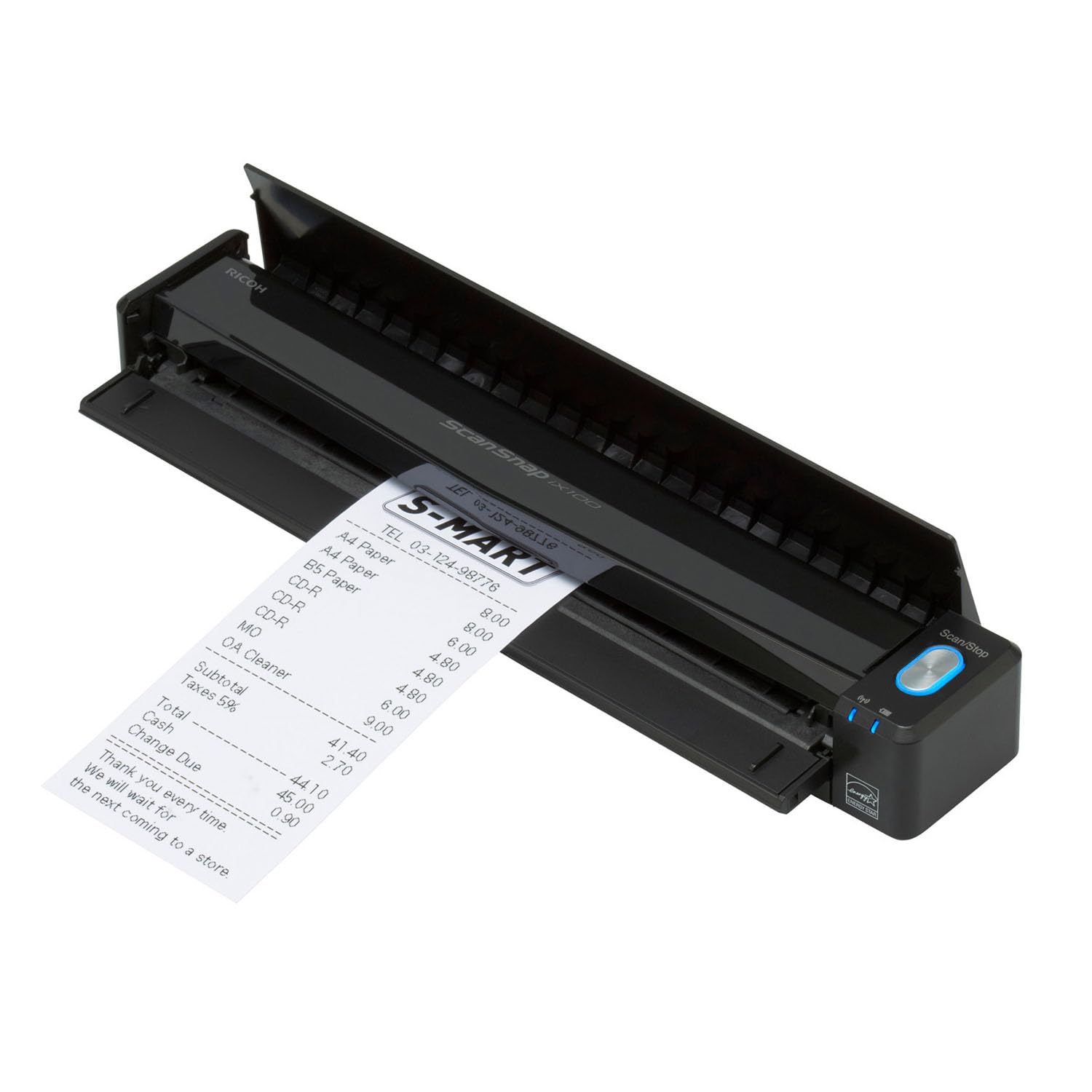
2. ScanSnap iX100 Wireless Mobile Portable Scanner, Black
The one that leaves the house with you and runs 260 documents on a single charge.
Truly cordless is the claim here, and the numbers back it up: a long-life battery can scan up to 260 documents on a single charge. That is a lot of receipts, cards, and print-backs before you go hunting for an outlet. At 14.08 ounces it slips into a bag alongside a laptop, so the desk you scan at can be a library table, a hotel room, or a client’s conference room.
What wins people over is how little you have to think about where the files go. ScanSnap Cloud detects the document type, names the file, and routes it to the right place — receipts to one cloud account, photos to another. A single touch starts continuous simplex scanning with automatic de-skew, color optimization, and blank page removal. Owners mention scanning hundreds of photos in about 15 minutes, so the rated speed holds up on real print stacks.
Here is the trade-off. This is a sheet-fed unit, so you feed photos one at a time rather than dropping in a stack. There is no feeder tray like the Epson FastFoto FF-680W’s 36-photo batch, and the wireless link is the aspect owners split on — great when it works, less so when it doesn’t. It tops out at 600 dpi, so it suits sharing and everyday archiving rather than enlargement work.
Where it shines: paperless admin on the move — business cards, plastic cards, receipts, postcards, and paper photos, all handled by one touch with the cleanup done for you.
Reality check: no batch feeder means a big photo pile takes longer than it would on a desktop unit, and you should expect occasional Wi-Fi fiddling.
Reach for this if: your scanning happens in offices, hotels, and coffee shops rather than a home desk, and you want the cloud to sort everything for you.
Look elsewhere if: you are feeding a box of several hundred prints at speed — this one wants to be carried, not loaded up.
3. ScanSnap iX1300 Scanner
The desk-space negotiator that still scans both sides in one pass.
If your scanning corner is a corner in the literal sense, this is the one to look at. Its design frees up desk space even while it is running, and at 4.4 pounds you can shift it aside without rearranging your life. Yet it still does the serious work: a single touch starts duplex scanning at up to 30 ppm, meaning 30 pages a minute with both sides captured in one pass.
Photos are where it quietly punches above its size. Customers note it can handle even very small photos, which is the piece of news anyone with a shoebox of old snapshots wants to hear. Automatic de-skew, color optimization, and blank page removal run without any driver setup, and the exclusive QUICK MENU lets you drag scans straight into your favorite computer apps. You can also run it without a computer at all, sending to Mac, PC, mobile devices, or cloud services over USB or Wi-Fi.
Compare it directly with the ScanSnap iX2500 Photo Edition and the limits show. This one resolves at 600 dpi (dots per inch — the detail level of the scan), and the iX2500 also sits at 600 dpi, so neither is an enlargement-first machine. But the iX2500 carries a 100-sheet feeder and Wi-Fi 6 (the newer, faster Wi-Fi standard), while this one is built around staying out of the way rather than swallowing a whole drawer. Wireless connectivity is also the aspect that divides owners, so expect to babysit the connection occasionally. The ScanSnap Home software collects documents, receipts, business cards, and photos in one place once you are set up.
The read: a genuinely clever compromise — small footprint, duplex speed, and photo handling that reaches down to very small prints, all with Wi-Fi or USB.
The catch to size: it is not a bulk-archive machine, and the Wi-Fi link draws the most mixed reports of anything on this unit.
Reach for this if: desk space is the constraint and you mostly scan mixed batches of documents and modest photo runs.
Look elsewhere if: you want one machine to devour an entire album — the feeder here is not built for that.
4. Epson Workforce ES-500W II Scanner
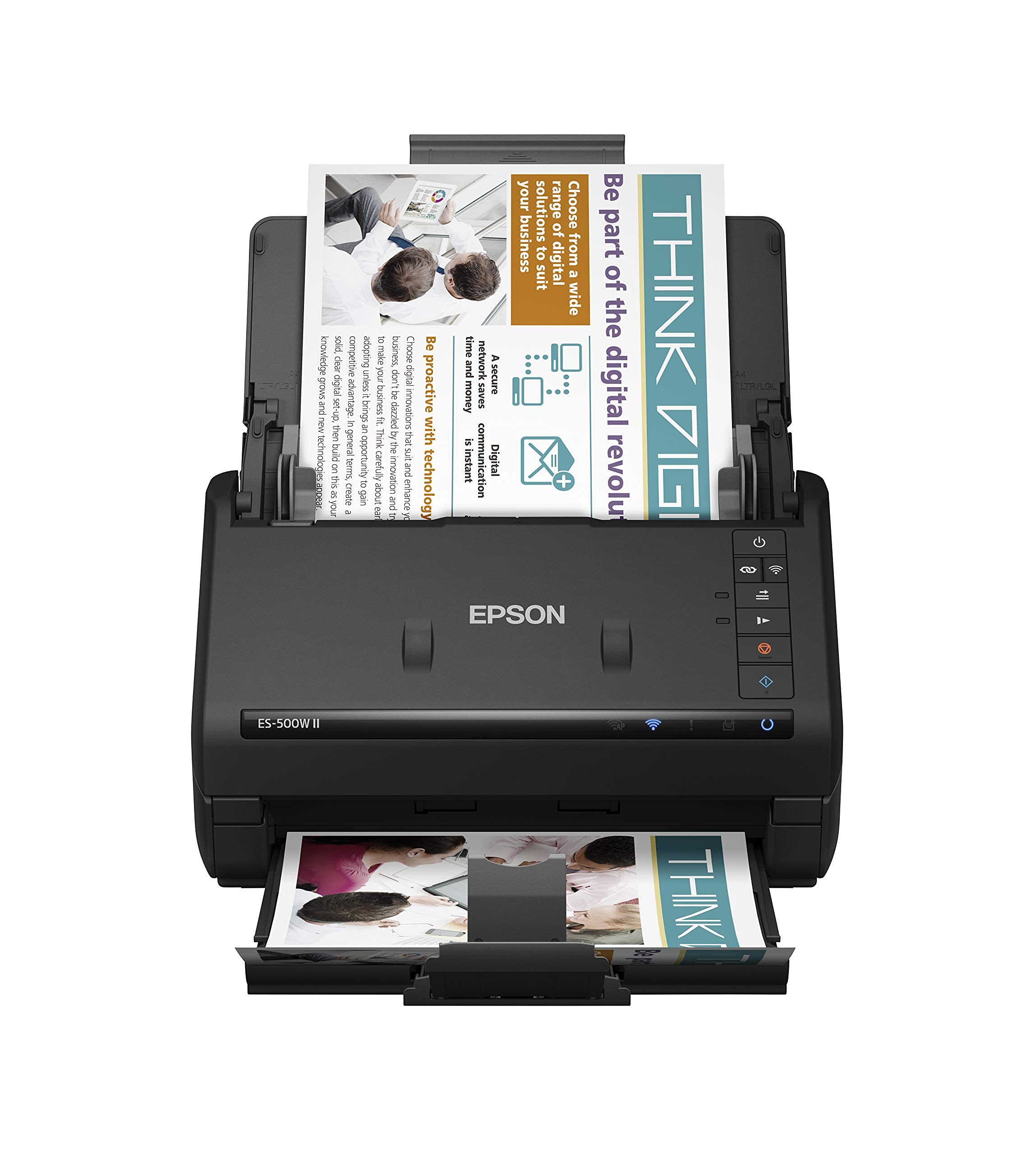
The stack eater: 50 sheets in, both sides out, no page left behind.
The feeder is the headline. A 50-sheet Auto Document Feeder takes mixed paper types and sizes in one batch, and scan speed runs up to 35 ppm/70 ipm with Single-Step Technology capturing both sides in a single pass. Reviewers point out it can scan 130 pages in 3-5 minutes, roughly the time a flatbed takes for a dozen sheets. Epson Image Processing Technology adds auto crop, blank page skip, background removal, dirt detection, and paper-skew correction — the cleanup that saves you an hour of straightening files later.
The paper-handling safety net is worth knowing about if you scan old prints mixed with documents. Ultrasonic Double Feed Detection stops missing pages and prevents damage from staples, so a stray clip tangled in the stack does not end up through the rollers. It handles extra-long pages up to 240″, plus business cards, ID cards, and contracts. For sharing, it emails or uploads to Dropbox, Evernote, Google Drive, and OneDrive, and the TWAIN driver drops your scans into most document management software.
It is not a photo-first machine, and two things make that clear. The resolution listed is 300 dpi, so it suits sharing and readable documents rather than enlarging a print later. It also weighs 8.1 pounds, in the same league as the Epson FastFoto FF-680W’s 8.2 pounds, so it holds a desk spot. ScanSmart software with OCR converts scans to searchable PDFs and editable Word and Excel files, which is the real reason an office would choose it over a photo scanner.
The workload winner
- 50-sheet feeder handles big batches without constant reloading
- Duplex capture at up to 35 ppm / 70 ipm
- Ultrasonic Double Feed Detection protects against lost pages and staples
- OCR builds searchable PDFs and editable Word and Excel files
The honest caveats
- 300 dpi resolution limits how far you can enlarge a scanned print
- 8.1 pounds means it is a desktop fixture, not a portable unit
- Photo quality is good, not the archival grade of a dedicated photo scanner
The right pick for: a home office or small business drowning in paper that also wants decent photo scans for cloud sharing.
Not the right pick for: someone whose main goal is enlarging old prints, since 300 dpi caps that ambition.
5. Brother ADS-1350W Wireless Compact Desktop Scanner

Three pounds, 30 pages a minute, and a feeder that takes a small stack.
For a compact desktop unit this one covers a lot of ground. It scans single-pass double-sided at up to 30 pages per minute, and the 20-page automatic document feeder means you load a handful of photos or receipts rather than one sheet at a time. There is a card slot for business cards, ID badges, and plastic cards, and it handles single pages up to 197″ long or multiple pages up to 8.5″ x 14″ through the feeder.
At 3 pounds it is easy to shift around, and you can run it over Wi-Fi with the Brother Mobile Connect App when you do not want the USB-C cable. The bundled software is six applications for creating and organizing files, making searchable documents, managing business card contacts, simplifying receipt handling, and editing scanned files. For a home desk rounding up a mix of paper and prints, that is a complete starter kit in one box.
The honest part is connectivity and setup, which is the split point on this model — some report it works flawlessly, others hit a wall getting it going. Resolution is 600 dpi, so it handles everyday photo copies comfortably but is not chasing archival enlargement. It is smaller than the Epson Workforce ES-500W II’s 50-sheet feeder setup, holding 20 pages against that machine’s larger capacity, so it suits modest batches rather than marathon sessions.
The value angle: a compact, 3-pound duplex scanner with a 20-page feeder, card slot, six bundled apps, and Wi-Fi through the Brother app — a lot of capability in a small frame.
What to expect: setup can go smoothly or fight you, so keep the USB-C cable handy while you sort the wireless connection.
Best fit: a home office or side desk that needs duplex scanning, receipt and card handling, and photo copies without a big footprint.
Consider a step up if: your batches run to hundreds of pages — a 20-page feeder will need refilling.
6. Brother ImageCenter ADS-2800W Wireless Document Scanner

Seventy pages a minute, both sides, and a mode that never stops pulling.
Throughput is the reason this unit exists. It scans single and double-sided material in a single pass, in color or black and white, at up to 40 pages per minute. Continuous scan mode pulls unlimited pages into a single file, so a towering stack of documents becomes one digital record without you babysitting it. A 2-in-1 mode captures 11″ × 17″ documents for oversized originals.
The media handling is broader than a photo scanner’s brief. It takes photos, documents, receipts, embossed plastic cards, and business cards in color or black and white, and the wireless networking with Web Connect scans directly to cloud applications including Google Drive. There is a color touchscreen for on-device control, and a one-year limited warranty backed by free phone, online, and chat support for the life of the product.
The size and setup are the two things to think about. At 10 pounds, it is the heaviest unit in this comparison, so plan a permanent desk location. Ease of use divides opinion — the interface works for some and the setup process tries the patience of others. Photo quality here is a byproduct of a document engine rather than the machine’s main purpose, so a dedicated photo scanner still wins for preserving delicate prints.
The throughput case: 40 ppm double-sided, continuous scan mode for unlimited pages, a 2-in-1 mode for 11″ × 17″ originals, and direct cloud scanning over wireless.
The practical note: 10 pounds and a setup that tests patience — this is a departmental fixture, not a casual pickup.
Where this belongs: a busy office that needs to turn mountains of paper into single-file digital records fast.
Who should pass: someone whose priority is delicate photos — the carrier-sheet and imaging tools on the photo-first picks serve that job better.
7. Brother Wireless Mobile Color Page Scanner, DS-920W

The road-warrior scanner: over a pound, battery-fed, and wireless in principle.
The lightest pick here is built for a bag, not a desk. At 1.2 pounds it is 6.8 times lighter than the Epson FastFoto FF-680W — the difference between a machine you carry and a machine you leave at home. Its dimensions run 1.6″D x 12.1″W x 1.6″H, long and slim enough to slide alongside a laptop. Power comes from a rechargeable Li-ion battery or a USB cable, so it stays alive without an outlet nearby.
Quality is the strongest suit, with users finding the scans great and the setup straightforward. The bundle is genuinely generous: a 4GB SD memory card, carrier sheet, calibration sheet, cleaning cloth, and a soft carrying bag all come in the box. It produces black and white or color scans up to 600 × 600 dpi, and it handles business cards, paper documents, photos, plastic ID cards, and receipts. Wi-Fi transfer sends finished scans to your computer or mobile device.
The catch is real, so know it going in. This one feeds a single page at a time, so it is not a batch photo machine. Wireless connectivity is also the source of most frustration — the connection is the weak link rather than the image quality. It earns a lower overall rating than the bulk of this list for those two reasons, which is why it sits here as a specialist portable rather than a do-it-all pick.
Where it fits: receipts, a few pages, a card here and there — the odd jobs that follow you around rather than a shoebox at home.
Do not buy it for: a stack of prints. One page at a time plus a shaky wireless link is the wrong tool for a large archive.
Built for the bag: travelers and field workers who need a light scanner for receipts, cards, and single pages, with a battery that frees them from outlets.
Keep shopping if: you want a feeder to swallow a whole pile — this one tops out at one page per pass.
Know the Specs
Resolution and what dpi changes
Dpi (dots per inch) is how densely the scanner samples a print, and it decides how much detail survives the trip. A 300 dpi mode suits a quick share; 600 dpi handles a good archival copy; 1200 dpi gives you room to enlarge later. The Epson FastFoto FF-680W offers all three, while a 600 dpi machine like the ScanSnap iX1300 gives you a single dependable setting. Match the number to what you plan to do with the file, not to the biggest figure on the box.
Feeder capacity and duplex capture
Feeder capacity is how many sheets go in at one time, and it sets your rhythm of loading versus waiting. The Epson Workforce ES-500W II takes 50 sheets, the Brother ADS-1350W takes 20 pages, and the ScanSnap iX2500 takes up to 100 documents or up to 36 photos. Duplex is the other half of the story — it scans both sides in one pass, so a handwritten note on the back of a photo is captured rather than lost.
Wireless setup and cloud routing
There are two flavors of wireless here. Some units join your home network, while others broadcast their own signal so your phone connects straight to the scanner. Cloud routing is the second layer: ScanSnap Cloud can detect document types and send receipts to one service and photos to another, and the Brother ADS-2800W scans directly to Google Drive over wireless. When reading reviews, weight what people say about the connection — it is the part most likely to test you.
Photo protection and carrier sheets
Old prints curl, stick, and scuff, so a carrier sheet — a clear sleeve that holds a photo as it passes through — is the safest way to scan them. The Epson FastFoto FF-680W includes one plus ScanSafe Technology and a microfiber cloth, and the ScanSnap iX2500 Photo Edition ships with three carrier sheets. Add automatic de-skew, color restoration, and red-eye reduction on the Epson, and a faded 1970s snapshot comes out closer to its original look than to the yellowed paper it became.
Common Questions
Do I need a special carrier sheet to scan old or curled photos?
Is 600 dpi enough for scanning photos, or do I need 1200 dpi?
What is the difference between simplex and duplex scanning?
Can a wireless photo scanner send scans straight to Google Drive or Dropbox?
How many photos can a scanner handle in one batch?
Will a portable scanner run on battery for a whole photo session?
Do I have to hook a wireless scanner up to a computer to use it?
Can these scanners digitize documents as well as photos?
The Bottom Line
For most people clearing a real photo backlog, the winner is the Epson FastFoto FF-680W. It scans one photo per second, takes up to 36 per batch, and captures both sides at once (duplex) so the handwriting on the back is saved too. Its 1200 dpi (dots per inch — the detail level of the scan) suits the prints you want to enlarge. If your scanning travels with you, the ScanSnap iX100 scans up to 260 documents per charge and sorts them into the cloud for you. And if a large photo library needs carrier-sheet protection plus Wi-Fi 6 (the newer, faster Wi-Fi standard), the ScanSnap iX2500 Photo Edition is the one to reach for. The Epson holds the highest score of any batch-photo machine here at 4.5+ stars.
How we choose
We do not accept paid placement. Every pick is matched to a real buyer and a real use-case; we do not hands-on test units.
Sources
Specifications: manufacturer listings and product documentation. Review insights: verified customer reviews, as of November 2026. Pricing: not shown on this page (it changes often); check the current price via the retailer link.
As an Amazon Associate, Tactical Gear Guy earns from qualifying purchases. This does not affect which products we feature.