Specs are compiled from manufacturer listings and verified buyer reviews and can change over time — please confirm the key details on the product page before buying.
Printing a label, a note, or a receipt without hauling a desktop machine around is what a portable mini thermal printer does. It fits in a pocket, runs on a rechargeable battery, and needs no ink at all. Your real decision depends on what you plan to print: tiny labels for jars and cables, sticky notes for journaling, or full business receipts for a shop counter. Those three jobs point to three different machines, and this guide sorts them clearly.
This guide is built by comparing the manufacturers’ published specifications and the patterns across verified customer reviews, so you get each pick’s real strengths and trade-offs instead of marketing spin.
This guide walks through nine compact printers matched to real jobs, then explains the specs that actually matter so you can pick with confidence instead of guesswork. Below you will find the best portable mini thermal printer for your exact printing job and budget.
Top Picks
How To Choose The Best Portable Mini Thermal Printer
The most common buying mistake is assuming every pocket thermal printer handles the same paper. They do not. A label maker that prints crisp jar stickers may not fit a 2-inch shipping label, and a receipt printer built for a shop counter will not print on the sticky paper a journaler wants. Start by naming what you will actually print, then match it to the specs below.
Know your paper type before anything else
Every printer here uses heat instead of ink, which means it only works with thermal paper — a special coated paper that darkens when the print head touches it. Standard printer paper will never print. Check the format: some machines take label tapes in set widths, some take 58mm receipt rolls, and one here takes folded and rolled paper in US Letter, Legal, A4, and A5 sizes. Buy the wrong paper format and the printer sits in a drawer.
Match the label width to your job
Label makers are built around a fixed range of tape widths. A machine that handles 20mm to 50mm tape covers everything from small cable tags to wider bin labels, but it cannot print a full-page document. If you plan to label jars, folders, and cables, a label maker in that range is the right tool. If you need to print receipts or notes, you want a paper-roll machine instead.
Look at how the app connects
Most of these printers are controlled from a phone app rather than a screen. A few require you to pair inside the app rather than through your phone’s Bluetooth settings menu — this is a frequent setup stumble. Check that the app supports your phone’s operating system before you buy. One entry here explicitly excludes iOS and notes the specific retail apps it works with.
Side-by-Side Comparison
| Model | Best For | Print Speed | Resolution | Paper / Label Format | Amazon |
|---|---|---|---|---|---|
| NIIMBOT B1★ Best Overall | Home & small-business labels | 50 pages per minute | 203 dpi | Up to 50x80mm labels | Amazon |
| SUPVAN T50M ProTop Performer | Household & office labeling | — | — | 3/4″–2″ wide labels | Amazon |
| Phomemo D30Most Versatile | School & small-item labels | — | — | Continuous & fixed tapes | Amazon |
| Phomemo M110 | Business & retail labels | 30 pages per minute | — | 20mm–50mm label width | Amazon |
| XenGro AHM2 | Students & journaling | 30 pages per minute | 203 dpi | Sticker roll + standard thermal | Amazon |
| Aixiqee Portable | Travel & documents | 1 page per minute | 203 dpi | US Letter, Legal, A4, A5, 2/3/4in | Amazon |
| NETUM Receipt Printer | Retail & restaurant receipts | 61 pages per minute | 203 dpi | 58mm x 30mm thermal paper | Amazon |
| Core Innovations Mini | Creative projects & notes | 12 pages per minute | 200 dpi | Adhesive & non-adhesive rolls | Amazon |
| Sunydog Receipt Printer | Android receipt printing | 70 pages per minute | 203 dpi | 58mm print paper | Amazon |
Detailed Reviews
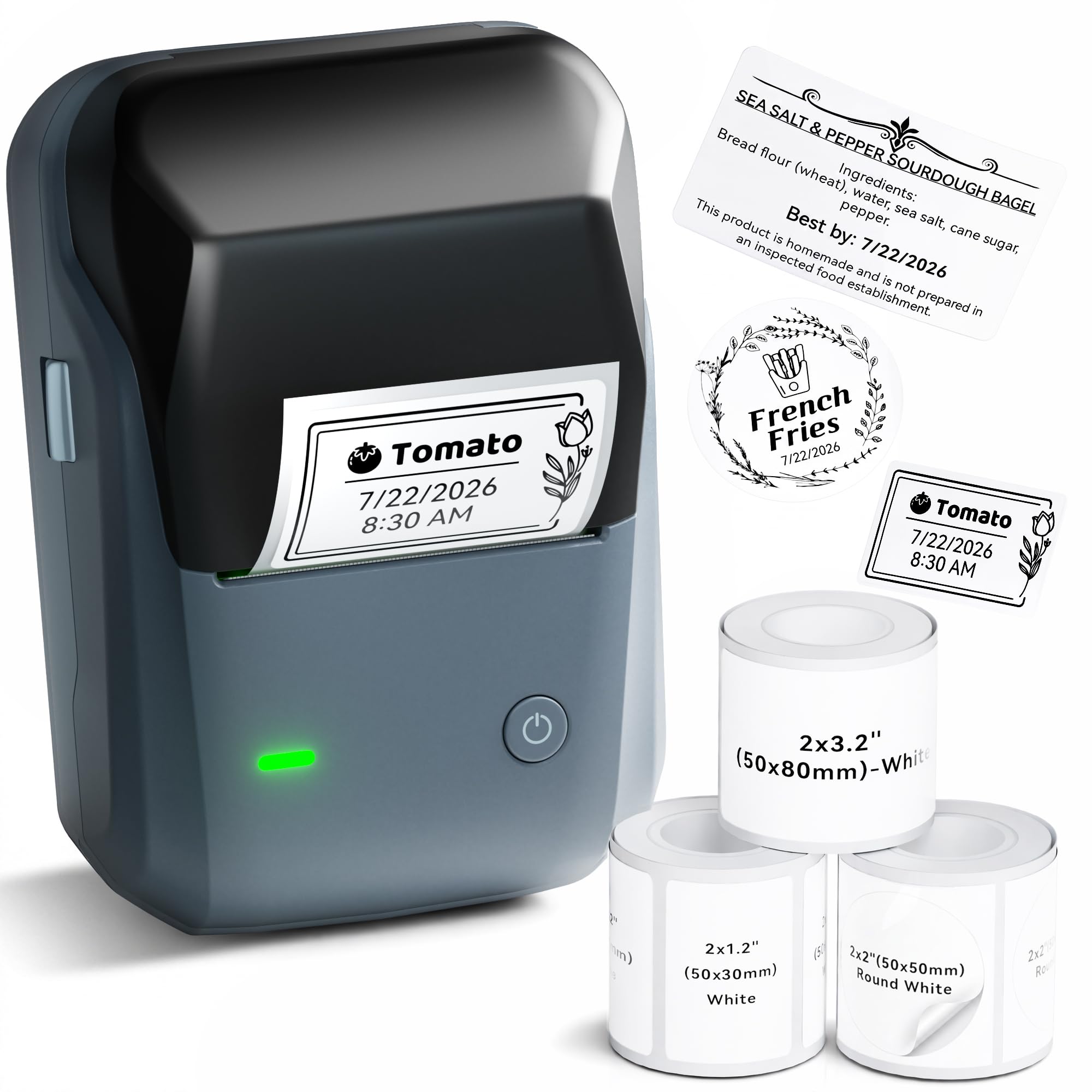
1. NIIMBOT B1 Label Maker
Our pick — 4.0+★ from 11,500+ verified ratings; the strongest balance of quality and price.
It earns the crowd favorite tag — 4.0+ stars across 11,000+ owners, plus three rolls of label tape in the box.
What makes the B1 the top pick is speed. It prints at a rated 50 pages per minute, and that headline rate dwarfs the 12 pages per minute on the Core Innovations mini printer below. In real terms, a busy batch of jar lids, storage-bin tags, or product labels comes out in one steady queue rather than one slow sheet at a time. Resolution sits at 203 dpi (dots per inch — the measure of how sharp printed text and edges come out), which is the standard for this class of label maker.
For home and small-shop work, the label stock is what you want: the box includes a 50x30mm white roll, a 50x80mm white roll, and a 50x50mm round white roll, and it accepts labels up to 50x80mm. The 50x30mm roll is tucked inside the paper bin, so open the unit first to find it. Setup runs through the NIIMBOT app on iOS or Android, where you get 30+ fonts, 100 borders, and 1500 symbols — and the app auto-detects the installed label size so you do not have to pick a template each time. A USB cable connection to a PC is also supported through a driver download.
The honest trade-off is print consistency. Some owners find output sharp and clean, while others hit patches of faint printing — often solved by fresh, genuine tape and a clean print head. The other thing to know: this is not built for iPad, so if an Apple tablet is your main device, that is a real fit problem. And while it handles household labeling superbly, it cannot print a full page document. If your main job is wide shipping labels or business receipts, look at the paper-roll machines instead.
What earns it the top spot
- Rated 50 pages per minute — noticeably quicker than the 12 pages per minute on the Core Innovations mini printer.
- Three rolls in the box, including round, 50x30mm, and 50x80mm sizes.
- App auto-detects label size, so printing starts faster.
Where it falls short
- Print sharpness isn’t consistent for every owner — fresh genuine tape matters.
- Not suggested for iPad use.
- Not built for full-page documents or wide shipping labels.
Grab this one if: you label jars, bins, folders, or products at home or in a small shop and want a fast, tape-included machine.
Think twice if: your device is an iPad or you mainly need full-page printing.
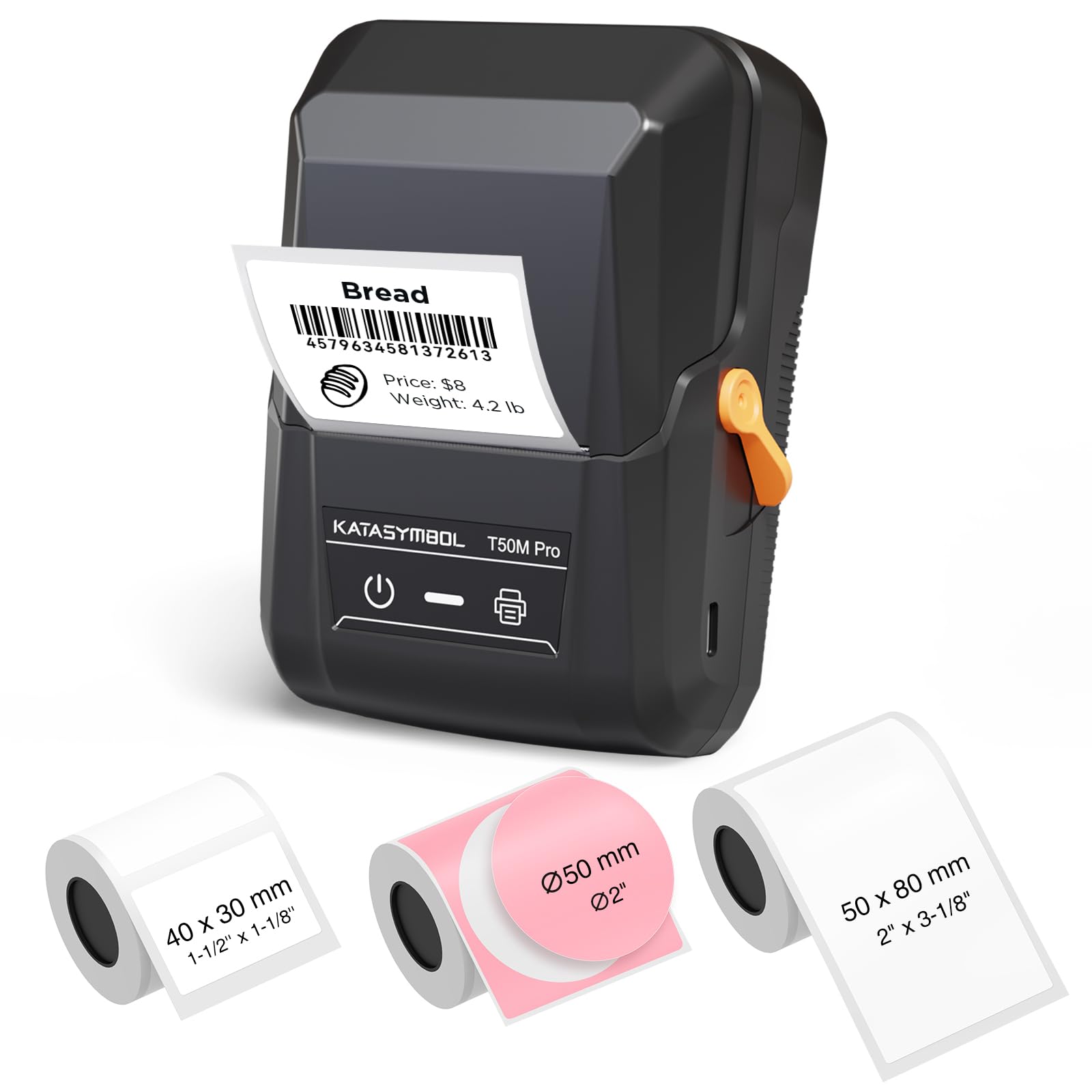
2. SUPVAN T50M Pro Bluetooth Label Maker Machine with 3 Tapes
Prints labels from three-quarters of an inch up to two inches wide — wider reach than most pocket label makers.
For anyone labeling storage bins, bottles, jars, and food containers, the width range is the spec that matters most. This machine runs 3/4″ to 2″ wide labels, so a big round lid sticker and a slim cable tag both fit. A box of three tapes comes with it — 40mm x 30mm white, 50mm x 80mm white, and a round 50mm pink roll — so you can start on day one without buying consumables. Color depth of 1 bit per pixel tells you right off the bat that this is black-and-white output only, as expected with thermal printing.
The editing app does real work here. You get 30+ fonts, 50+ frames, and 660+ icons, all free to use, with no registration required. You can pull images straight from your phone, tablet, or PC. It also lists button control alongside app control, and the initial page print time is 1 second. Quality is what owners talk about most, and the routine praise lands on how easy the app is and how the labels turn out — a good sign for a machine aimed at people who want labels without fuss.
One thing to keep in mind is that a small group of buyers find connectivity and print quality inconsistent. In practice, that is the kind of mismatch you hit when a phone’s Bluetooth is fighting with another device. Keep the app open and the printer within a few feet, and most pairing failures clear. Print quality itself is listed as mixed, not universally great, so if you need razor-sharp tiny text you may want to sample one roll before committing to a big batch.
Wider tape, fewer limits: the 3/4″ to 2″ range covers bins, jars, address labels, cables, jewelry, and file folders — one machine for all six jobs.
The honest snag: print quality and connectivity are the two areas with mixed feedback, so treat a fresh tape roll and a clean pairing like part of setup, not an afterthought.
Built for: household organizers and small-business owners who want one label maker that covers a wide spread of tape sizes.
Not your match if: you need document printing or color labels — this is black-and-white tape only.
3. Phomemo D30 Thermal Printer
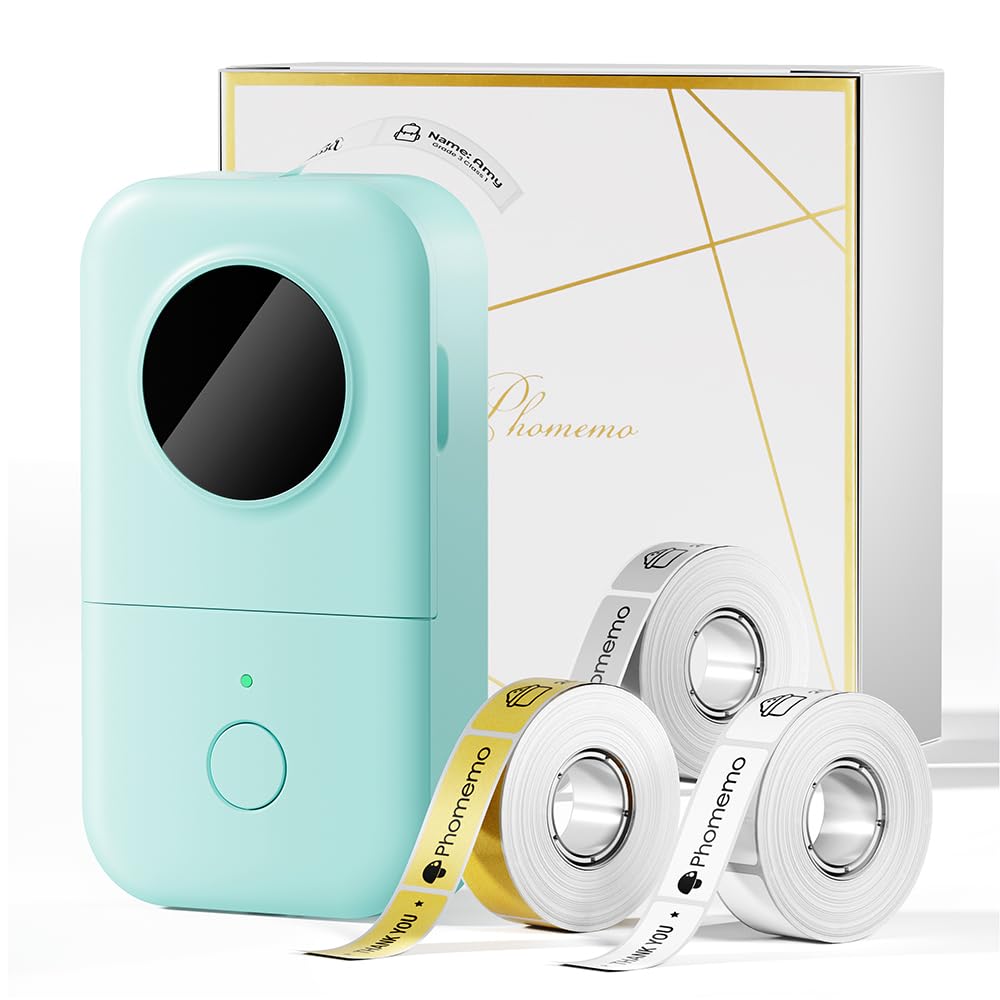
A pocket label maker that comes bundled with white, gold, and clear tape — three finishes out of one box.
The D30’s standout input is variety. Three rolls ship inside — white, gold, and clear — so you can label a pantry jar in one finish and a gift tag in another without a separate tape order. It accepts both continuous label tapes and fixed-length labels, which is a distinction that matters: a fixed label pops out at a set size, while continuous tape lets you trim to any length. Monochrome printing output means the black text does the work; color comes from the tape pattern itself, not the printer.
The app is the real workbench here. You get pre-designed templates plus 1000+ symbols, 110+ frames, and a spread of fonts. It also supports barcodes, QR codes, tables, Excel imports, scan and OCR functions (optical character recognition — copying printed text from a photo into editable text), and voice recognition. For school supply labeling, file classification, cable IDs, and small-business price tags, that is more creative range than most people will use. The compact sizing means it slides into a pocket or bag for a trip to the classroom or a market stall.
The thing to go in with eyes open about is print longevity. The labels print clear for most, but a subset of owners see the text fade and become hard to read over time. Heat, sunlight, and abrasion are the usual culprits — safe for a folder or a cable, less so for something that lives on a hot dashboard. Quality and ease of use are the two things buyers praise most here, so as long as you keep printed items out of harsh conditions, the D30 does its job well.
the balance: students, parents, and small sellers who want creative control and three tape finishes without buying extras separately.
Caveat to weigh: labels can fade over time in harsh conditions — keep printed items out of heat and sunlight.
4. Phomemo M110 Label Makers
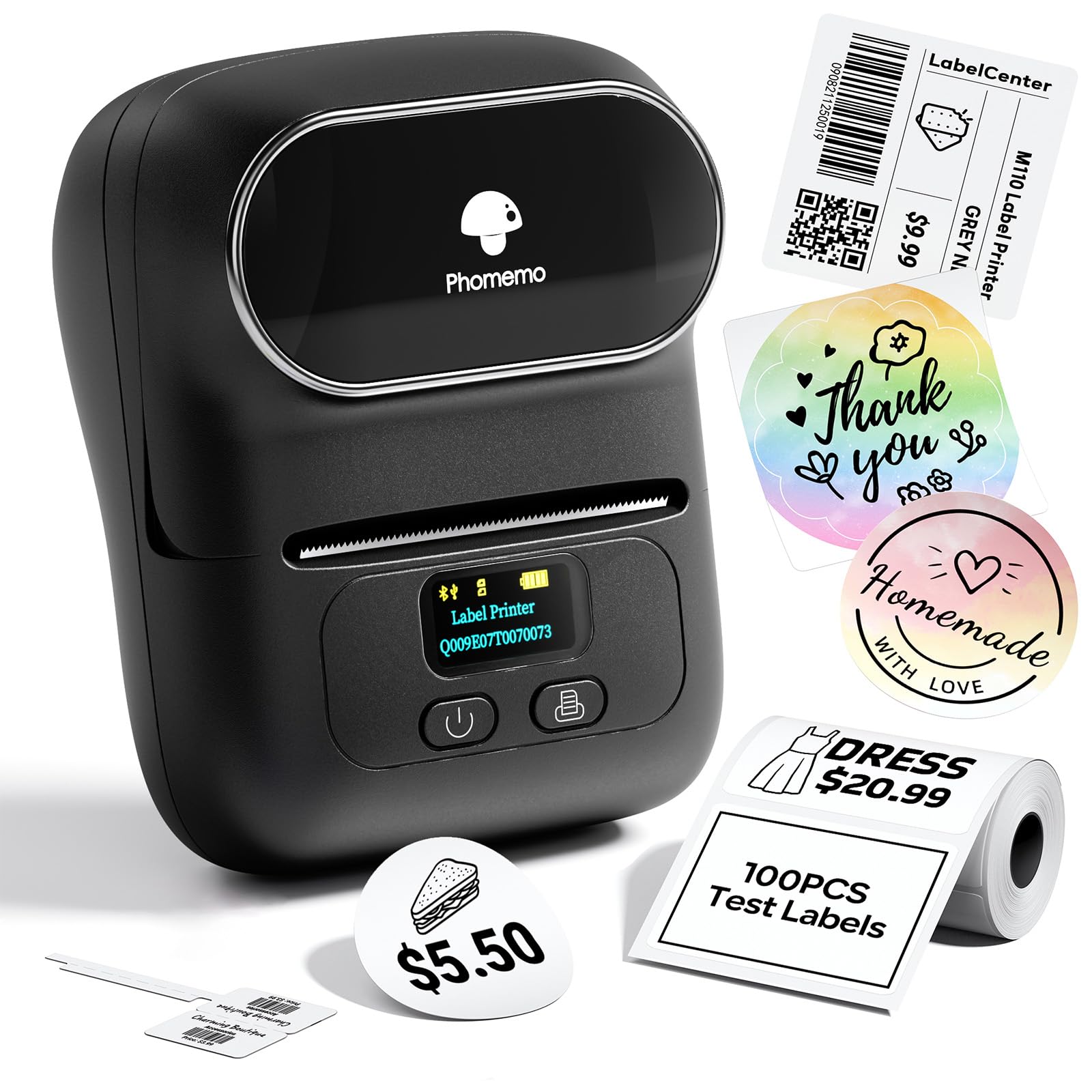
Built for the shop counter — batch label printing, OCR text capture, and a stable 33-foot Bluetooth reach.
For a small business running price tags, clothing labels, cable IDs, and folder tabs, the M110’s 20mm to 50mm label width covers every one of those jobs. what separates it is batch handling: the Print Master app supports Excel imports, so a spreadsheet of product names becomes a run of labels instead of a manual typing session. The OCR feature (optical character recognition, which reads text out of a picture) recognizes text on images in about 4 seconds, so you can photograph a supplier’s list and turn it into editable label text.
The Bluetooth spec is worth spelling out. Bluetooth 4.0 with a range of up to 33 feet means you can leave the printer on a shelf and work from across a room; it connects in about 2 seconds. Resolution lands at 203 dpi, matching the NIIMBOT B1 on sharpness while printing at 30 pages per minute — slower than the B1’s 50 pages per minute but plenty for label work. It handles a roll of 40x30mm test labels straight from the start and prints 30 pages per minute. One caveat up front: certain templates, icons, and fonts in the Print Master app carry a diamond icon and require a paid membership; everything unmarked is free.
The honest limit is print reliability. Some owners find crisp, clear output; others run into batches that print poorly, and a small number report units that do not work right at all. That pattern is common on machines of this type and usually depends on a bad tape roll, a dirty print head, or charging state — the manufacturer recommends a full charge before the first test print. If you want a label maker that mostly nails it and can also print in batch, this is the workhorse pick.
Batch mode is the win: Excel import and 4-second OCR turn a spreadsheet or a photo into printed labels without retyping.
Charge it first: the printer ships partly charged, and the first print test is where most setup frustration happens — plug it in fully before trying to print.
Pick this for: retail counters, warehouses, and offices that need name tags, price tags, and folder labels in quantity.
Hold off if: you need color printing or shipping-label sizes — the app and hardware are black-and-white tape only.
5. XenGro AHM2 Thermal Printer
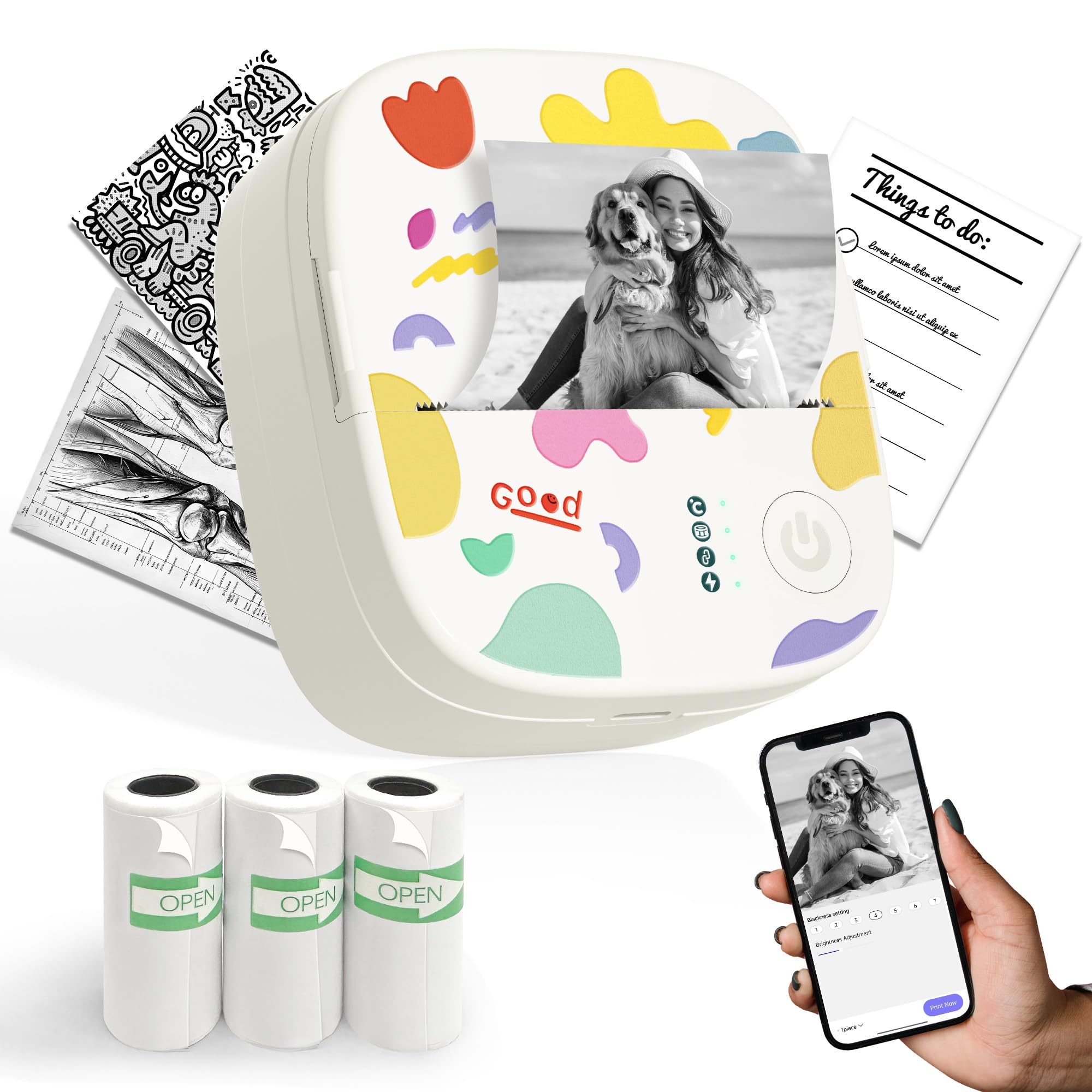
At 0.26 lbs and 3.3 × 3.1 × 1.4 inches, this slips into a backpack pocket for study notes and stickers anywhere.
Start with the size, because it is the reason this one makes the short list. That 0.26-pound body is the lightest here, and the 3.35″D x 3.06″W x 1.38″H footprint is smaller than the NIIMBOT B1’s 2.4″D x 3.6″W x 5.2″H frame, which means it fits into a pencil case where the B1 would not. Resolution is 203 dpi (dots per inch, the measure of print sharpness), and per the verified comparison it edges the Core Innovations printer’s 200 dpi on sharpness. Print speed is 30 pages per minute, matching the Phomemo M110 and well ahead of the 12 pages per minute on the Core Innovations mini. For lecture summaries, flashcards, and to-do lists, that pace is snappy enough.
Two features earn their keep for students. A built-in serrated cutter gives clean, straight tears — you will not be pulling stickers off at a jagged angle. And the print head needs no warm-up, so it prints the moment the app says go. The box includes a pre-installed white sticker roll plus three extra rolls, so you can start immediately. It works with self-adhesive paper and standard thermal paper, and also takes color paper rolls for craft projects. On the app side you get OCR text recognition, drag-and-resize editing, and templates — a lot of room for turning notes into clean printed cards.
The honest snag is setup. Some buyers report that it randomly stops working or refuses to connect, and the manufacturer’s own tip points to the cause — pair the printer inside the Funnyprinter app, not through the phone’s system Bluetooth settings. That single step resolves most of the frustration. It is also white-plastic cute rather than rugged, so it is not the pick for a job site. For students, journalers, and anyone making stickers at a desk, though, the size and cut quality make it a genuinely useful little tool.
Why students like it
- 0.26 lbs — light enough to carry in a backpack without noticing.
- Built-in serrated cutter for straight, clean sticker edges.
- 203 dpi at 30 pages per minute, sharp and quick for notes.
- Four rolls included, including a pre-installed white sticker roll.
What to plan around
- Must pair through the app, not the phone’s Bluetooth menu.
- Some units stop working or fail to connect.
- White plastic body is not built for rough handling.
Made for: students, journalers, and crafters who want stickers and study notes from a bag-sized printer.
Skip the frustration: pair it inside the Funnyprinter app from the start — that is where most connection trouble lives.
6. Aixiqee Portable Wireless Mini Thermal Printer for Travel

The only printer here that handles full US Letter and Legal pages — at 756g, it travels in a laptop bag.
If you need to print actual documents rather than labels, this is the pick. It supports seven print sizes: US Letter, Legal, A4, A5, plus 2in, 3in, and 4in wide paper, and it runs on both thermal roll paper and thermal folding paper. Resolution of 203 dpi holds black-and-white text reasonably, so contracts, packing slips, and simple forms come out legible. Weight is 756g, light enough to carry, and portability is one of the things owners praise most about it — along with print quality and ease of use.
Battery life is where this one pulls ahead of the pack. The 4200mAh rechargeable battery is the largest battery spec in this set, and the manufacturer rates it for up to 600 US letter pages on a single charge. Real-world usage will vary, but for someone printing a handful of pages a day on a business trip, that is days of work between charges. It connects by Bluetooth to iOS and Android devices, and by USB-C to laptops and computers, with a setup time of 2 minutes after unboxing per the maker. The auto-shutdown timer can be set on the device to save power.
Be clear on the speed trade-off. Rated output is 1 page per minute in the spec sheet, so this is a document device, not a fast batch printer — the NIIMBOT B1 prints at 50 pages per minute. Also worth noting: print is strictly black-and-white, and the manufacturer explicitly warns to keep it away from children and to watch for sharp edges. Connectivity is listed as mixed, which usually means app pairing quirks on a phone rather than the physical connection. If documents on the go are the goal, this is the one that delivers.
The big-format option: US Letter, Legal, A4, A5, and 2/3/4in widths from one printer — no other pick here prints full pages.
The catch: rated at 1 page per minute, this is for occasional documents, not a high-volume office job.
Reach for it if: you travel for work and need the odd contract or packing slip printed from a laptop or phone.
Look elsewhere if: you mainly label jars, cables, or products — a dedicated label maker is a better tool for that job.
7. NETUM 58mm Thermal POS Printer

A point-of-sale receipt printer built for a market stall, food truck, or mobile sales setup.
The NETUM is a specific tool for a specific buyer: someone running a mobile business who needs to hand out receipts. It prints on 58mm x 30mm thermal receipt paper at 203 dpi, with a rated 2000mAh lithium-ion battery that stands by for 5 to 6 days between charges. The battery ships with an insulation tab that must be peeled off before first use — a common source of “it won’t turn on” frustration. Bluetooth 4.0 keeps it connected to an Android device, and it has auto-sleep and auto-wake to preserve power on a long shift.
Compatibility is the single biggest thing to check before buying. The manufacturer lists specific retail and inventory apps it works with — Loyverse, iReap, Kyte, CasierStock, Vyapar, and others — and it is pointedly not compatible with Square, Mac, Etsy, Shopify, Clover, and a long list of other platforms. It also does not support iOS. So if you run your business on an iPad or a Square POS system, this printer is the wrong choice. Confirm your app is on the compatible list first, because that is the make-or-break for this device.
Among the honest truths here: reliability and print quality are the most discussed themes and both draw mixed feedback — some units work great, others fail to connect. Value and connectivity each have their own concerns. The practical read is that this printer rewards a buyer who already knows it works with their app. It pairs well with a USB receipt and bill printing workflow at a small shop. For a first-time buyer who is not sure about their software, it is worth checking compatibility with the app before committing.
Right tool if: you run a small retail or restaurant business and already use one of the listed compatible Android apps.
Not right if: you use Square, Shopify, Clover, or iOS — this printer will not connect to them.
8. Core Innovations Mini Thermal Printer
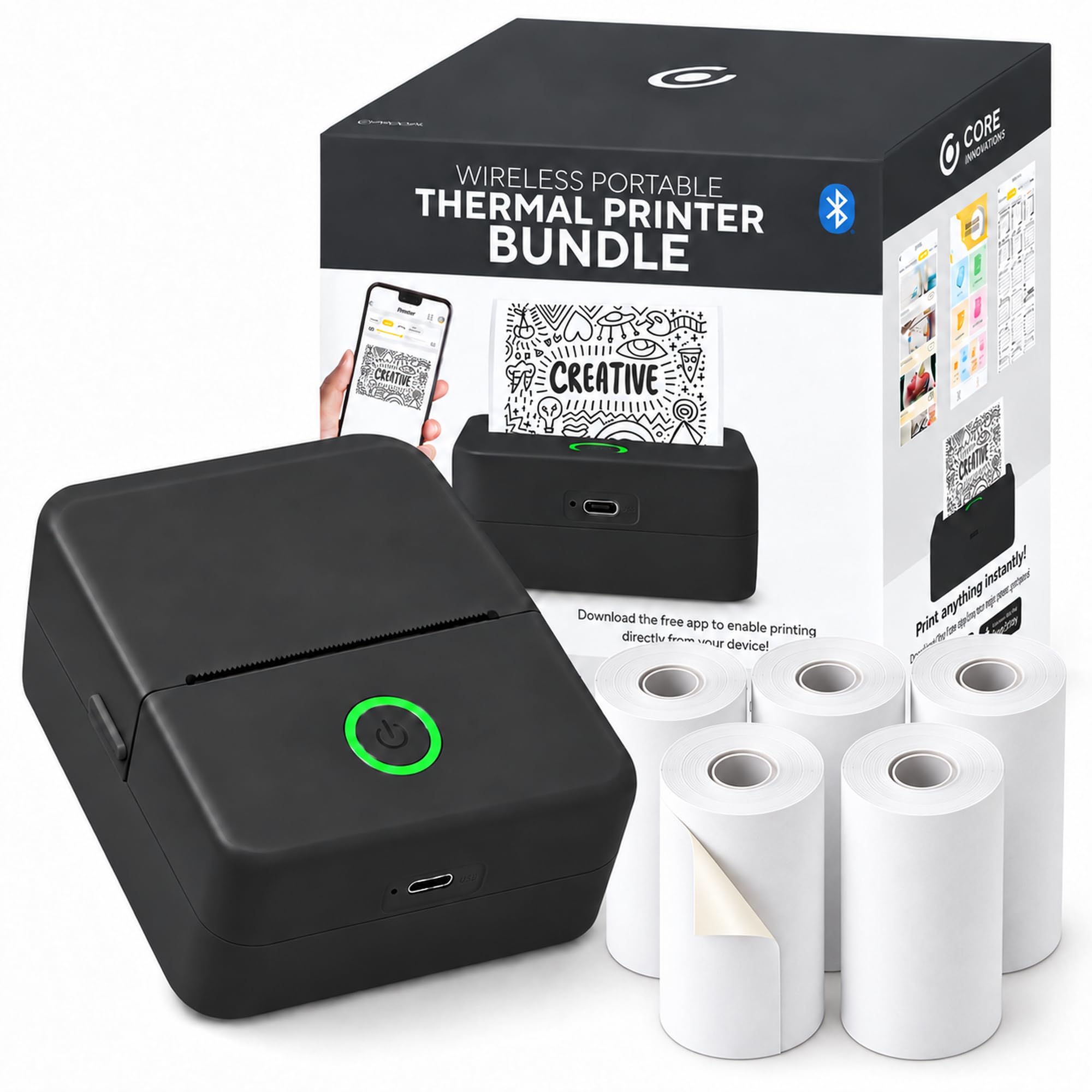
The most budget-friendly printer of the whole group, with a full starter set of rolls in the box.
This is the quickest box to open and use. You get a rechargeable battery that handles up to 1.5 hours of continuous printing, and the box includes three adhesive rolls plus two non-adhesive rolls — five rolls total before you buy anything else. It connects over Bluetooth to the free InstaPrint app on iOS and Android, with control fully in-app. For someone who just wants to print stickers and notes on a small budget, this is the small step in.
Its resolution sits at 200 dpi, and the XenGro AHM2 below edges it slightly at 203 dpi. Speed is where this one gives ground — a rated 12 pages per minute, which is slower than the NIIMBOT B1’s 50 pages per minute. Each print takes roughly 5 seconds per the maker, so a short to-do list is quick enough. Where it shines is flexibility: the InstaPrint tools let you add text, fonts, templates, borders, stickers, and imported photos, then crop and adjust images before printing. Print output is strictly black-and-white, so the creative fun comes from the app rather than from printer colors.
Buyers find it easy to use, with most devices printing within seconds to a minute — among the most-discussed points is exactly that quick print speed. For a low-cost first thermal printer, it gets you through school journaling, notes, and simple stickers without a learning curve. It is not the pick if you need full-size documents or high-volume label runs, but it is the right entry point if the goal is trying the format without committing much.
What you get for the layout: five rolls in the box, including three adhesive, and a battery rated for 1.5 hours of printing.
The honest cost of going budget: at 12 pages per minute it is slower than most picks here, so plan for short print jobs, not large batches.
Choose this if: you want to try inkless printing on a tight budget and mostly print stickers and notes.
Choose a step up if: you need label-tape variety or faster batches — the NIIMBOT B1 handles both better.
9. Sunydog Mini USB Receipt Printer
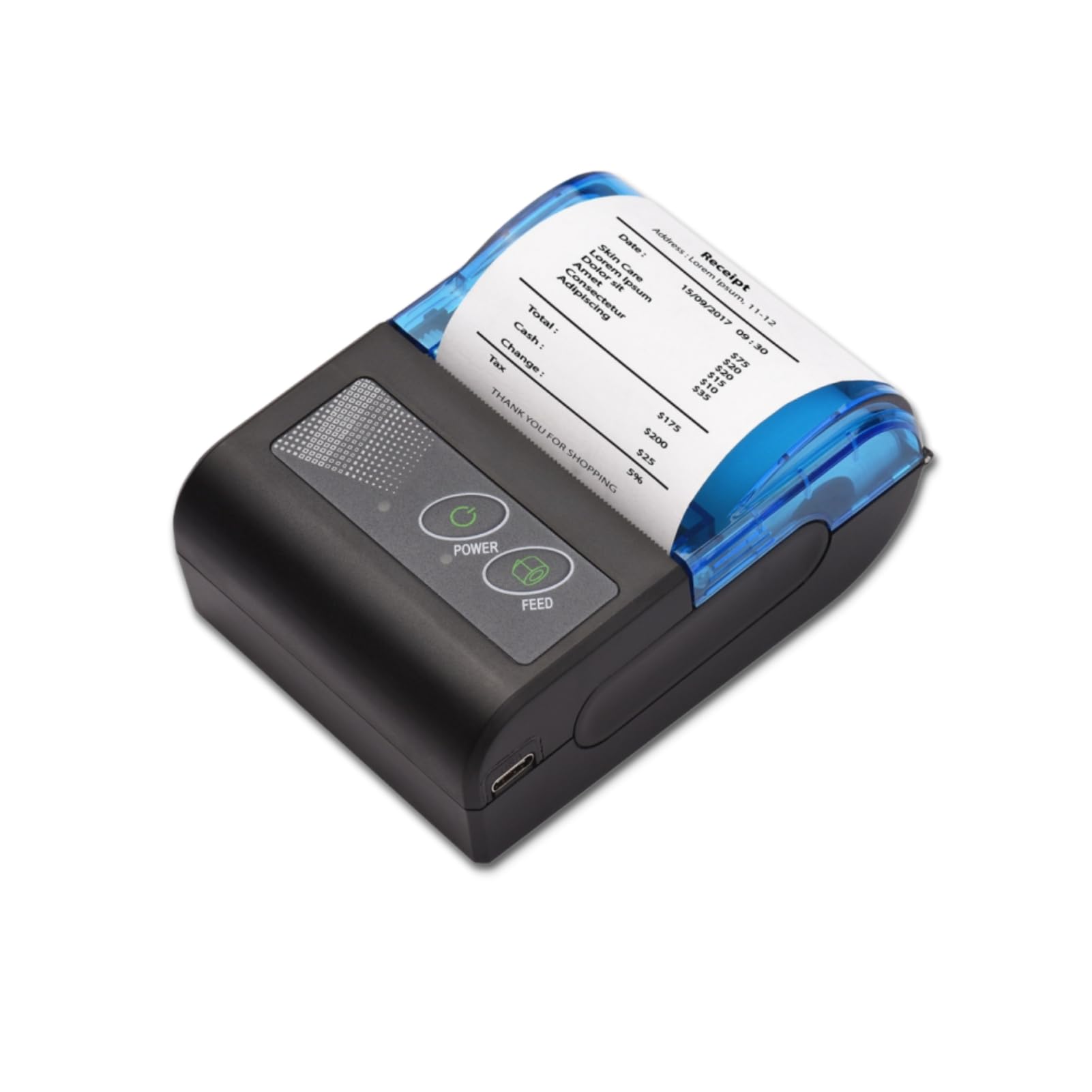
A compact receipt printer that pushes paper at 70mm/s and runs on a rechargeable battery.
For a market stall, café, or retail counter that prints tickets and receipts all day, speed matters. This one is rated at 70mm/s, a stated print speed that outpaces most pocket receipt printers here, and it pairs 203 dpi resolution with 58mm wide paper. It prints without ink, toner, or ribbons using a thermal print head — no cartridges to buy, which is a real ongoing-cost saver for a business. A 1500mAh built-in rechargeable battery means it works without an outlet, so a pop-up stall or a food truck can take it anywhere.
Connections are flexible. It works over Bluetooth and USB, and the manufacturer lists Android and Windows support — you download the compatible app (Loyverse, iREAP, CasierStock, Kyte, and others) and connect through Bluetooth. It ships with a USB cable and a thermal paper roll, and the maker specifies 58mm paper. The ideal workflow is a USB connection to a laptop or a Bluetooth connection from an Android phone, then receipts print from the compatible app.
Here is the honest limit, and it is important. This printer does not support iOS, and it is not compatible with Square POS. The most-discussed matters here — functionality and compatibility — both come back mixed, with several owners finding it works well on Android tablets but fails on iOS. So the fair read is simple: if your setup is Android or Windows and you already know which app you are using, this printer can handle fast receipt printing. If your POS runs on an iPhone, iPad, or Square, it is not for you.
Best when matched correctly: a 1500mAh battery and 70mm/s print speed make it a strong mobile receipt printer for Android or Windows point-of-sale setups.
The one hard limit: no iOS and no Square — check your app system before you buy, because that decides whether this printer is usable at all.
Good fit: Android or Windows businesses that print receipts on the move and already use a supported app.
Not a fit: any setup built on iPhone, iPad, or Square POS — those platforms will not connect.
Know the Specs
Print resolution (DPI)
DPI stands for dots per inch — the number of tiny dots a printer can lay down across an inch of paper. Higher DPI means crisper small text and sharper barcodes. Most picks here sit at 203 dpi, which is standard for pocket thermal printers and plenty for labels and notes. One pick sits at 200 dpi, a small difference you would rarely notice at this size. Resolution tells you nothing about color — every printer here is black-and-white only.
Print speed (pages per minute)
This measures how many pages or labels come out in a minute. The NIIMBOT B1 leads at 50 pages per minute, great for a big batch of jar or bin labels. The Core Innovations sits at 12 pages per minute, better for short jobs. One document printer is rated at 1 page per minute, suited to occasional pages while traveling. Match the speed to your volume — labeling a kitchen does not call for 50 pages per minute.
Label width and paper format
For label makers, the tape width range decides what you can print. A 20mm to 50mm range covers small cable tags and wide bin labels. A 3/4″ to 2″ range covers address, jar, and jewelry labels. Paper-roll printers use 58mm receipt paper for bills or slips. Document printers accept full US Letter, Legal, A4, and A5 sheets. Pick the format that matches the labels you use most; one machine rarely covers every width.
Battery and connection
Batteries here range from smaller cells that handle a short session to a 4200mAh pack on the document printer rated for up to 600 letter pages. Larger batteries mean less charging. On connections, Bluetooth is the standard wireless route, while USB or USB-C is the wired option for a computer. One common note across this category: many machines need to be paired inside their own app, not through your phone’s Bluetooth menu.
Common Questions
Can a portable mini thermal printer print in color?
Do these printers need ink cartridges?
Why does my printer refuse to connect via Bluetooth?
Can I print shipping labels on a label maker?
How long do printed thermal labels last?
Will a receipt printer work with my point-of-sale app?
What is the difference between a label maker and a receipt printer?
Can I use a mini thermal printer with a laptop?
Do thermal printer apps cost extra to use?
Which printer is best for students on a budget?
The Bottom Line
For most buyers, the portable mini thermal printer that delivers the best balance is the NIIMBOT B1 — it ships with three label rolls, prints at a rated 50 pages per minute, and covers jar, bin, and business labeling from one pocket-sized machine. If you want creative control and three tape finishes in the box, the Phomemo D30 is the fun pick for stickers, school labels, and gifts. And for full-size documents on the road, the Aixiqee portable printer prints US Letter, Legal, A4, and A5 where none of the others can. Match the paper format to your real job and one of these earns its place on your desk or in your bag.
How we choose
We do not accept paid placement. Every pick is matched to a real buyer and a real use-case; we do not hands-on test units.
Sources
Specifications: manufacturer listings and product documentation. Review insights: verified customer reviews, as of November 2026. Pricing: not shown on this page (it changes often); check the current price via the retailer link.
As an Amazon Associate, Tactical Gear Guy earns from qualifying purchases. This does not affect which products we feature.