Specs are compiled from manufacturer listings and verified buyer reviews and can change over time — please confirm the key details on the product page before buying.
If you ship packages, run a register, or print labels at a market stall, the ink cartridge is the thing quietly eating your profit. A thermal paper printer skips ink entirely — it darkens the paper with heat — so the only supply you ever buy again is the paper itself. The catch is that “thermal printer” covers two very different machines: wide 4×6 label printers for shipping and narrow 80mm receipt printers for tills. Buying the wrong one is the single most common mistake here, so this guide splits them clearly and points you to the right shelf.
This guide is built by comparing the manufacturers’ published specifications and the patterns across verified customer reviews, so you get each pick’s real strengths and trade-offs instead of marketing spin.
You will see which units need a USB cable and which print from your phone, which handle 4×6 shipping labels and which only feed receipt rolls, and where the setup friction really lives. Every pick below was chosen because it removes ink from the equation without handing you a connectivity headache — the honest shortlist of the thermal paper printer market for shipping and counter work.
Top Picks

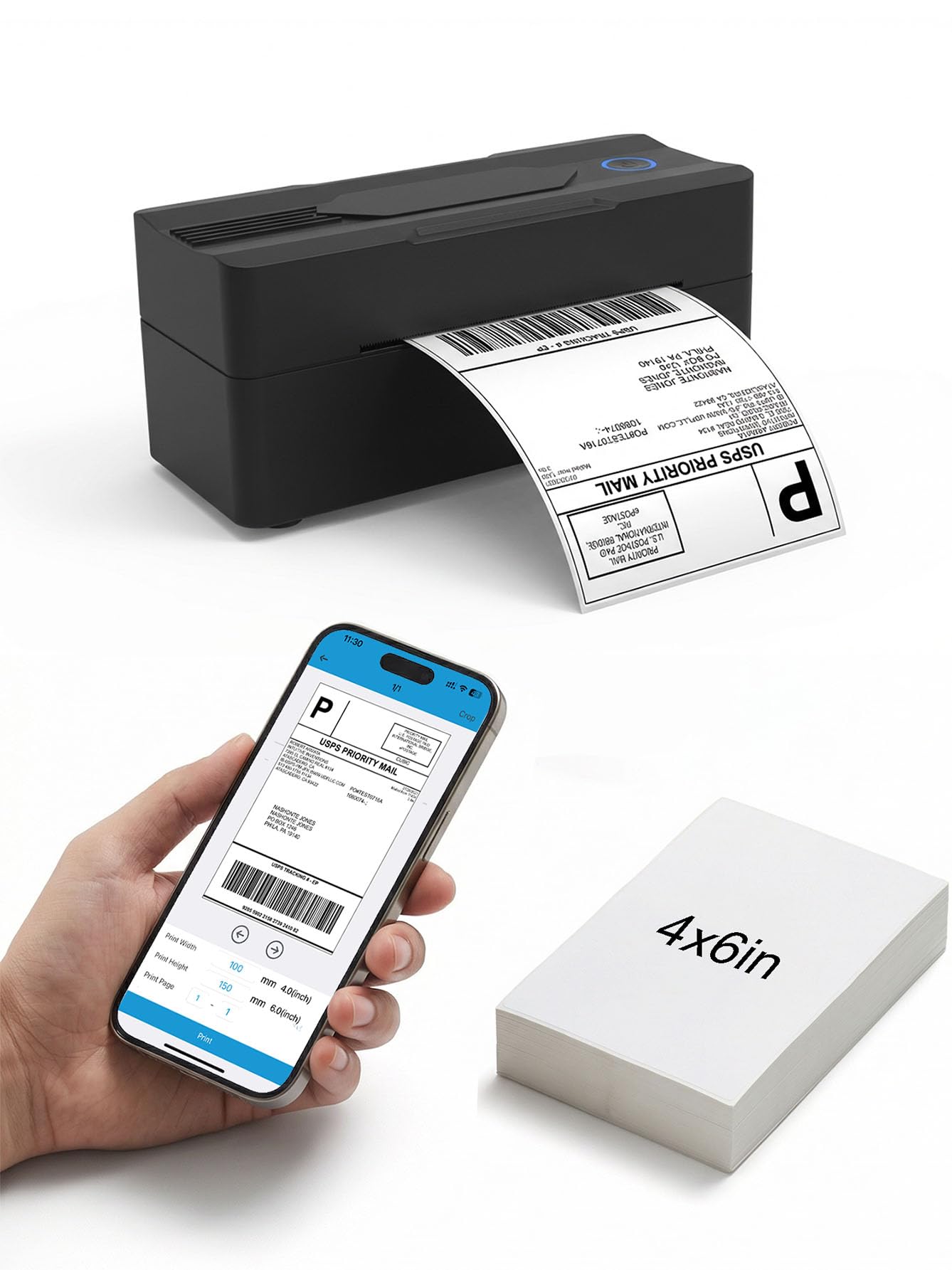

How To Choose The Best Thermal Paper Printer
Start with the paper, not the printer. A thermal paper printer is built around one roll or sheet width, and it cannot be widened later. Decide first whether you are printing shipping labels or till receipts, then choose the machine that matches.
Label width versus receipt width
Shipping label printers take 4×6 inch labels — the standard carrier label size — and most accept media anywhere from roughly 1.37 inches up to 4.1 inches wide. Receipt printers take an 80mm roll and print across 72mm of it. A receipt printer will never print a 4×6 shipping label, and a label printer will never feed a till roll. This one decision narrows the whole list.
Resolution: 203 DPI versus 300 DPI
DPI stands for dots per inch — how many inkless heat dots the printhead lays down across each inch of paper. At 203 DPI, barcodes scan reliably and shipping text stays legible, which is why most label printers sit there. At 300 DPI you get finer text edges, which matters when you print full-page letters, forms, or study sheets rather than barcodes.
How you connect it
Most units here are USB-only, which means a cable to a laptop or PC and a driver install. Bluetooth models let a phone or tablet print, but they still need an app, and none of the Bluetooth units here add Wi-Fi. If you work from a phone at a market stall, Bluetooth is the whole point. If the printer sits on a counter beside a computer, a cable is simpler and never drops out.
Print speed in mm/s
Speed is quoted in millimeters per second — how much paper the head feeds through each second. A 150mm/s label printer spits out a 4×6 label at roughly one per second. Receipt printers run faster because the paper is narrower, with some reaching 260mm/s for a quick till queue. For low-volume work, almost anything here keeps up.
Side-by-Side Comparison
| Model | Best For | Print Width | Resolution | Connection | Amazon |
|---|---|---|---|---|---|
| Rollo USB Shipping Label Printer★ Best Overall | High-volume shipping desks | 1.57″–4.1″ labels | 203 DPI | USB | Amazon |
| Forc Bluetooth Shipping Label PrinterBest for Phone Sellers | Phone-based sellers | 35–104mm (1.37″–4.1″) | 203 DPI | Bluetooth / USB-C | Amazon |
| Mvgges Bluetooth Label PrinterCompact Pick | Compact desk set-ups | 35–104mm (1.37″–4.1″) | 203 DPI | Bluetooth / USB | Amazon |
| iDPRT MT610 Pro Portable | Documents on the move | Up to US Letter / A4 | 300 DPI | Bluetooth | Amazon |
| vretti Thermal Receipt Printer | Wall-mounted kitchens | 80mm roll / 72mm print | 203 DPI | USB / Serial / LAN | Amazon |
| RONGTA POS Printer | Retail point of sale | 80mm roll | — | USB / LAN / Serial | Amazon |
| Westinghouse Thermal Label Printer | Business shipping benches | 0.78″–4.6″ media | 203 DPI | USB / Ethernet | Amazon |
| Phomemo M85 Touchscreen | Travel and fieldwork | US Letter / A4 / rolls | 300 DPI | Bluetooth / USB-C | Amazon |
| Star Micronics TSP143IIIU | Busy retail counters | 80mm roll | — | USB | Amazon |
Detailed Reviews
1. Rollo USB Shipping Label Printer
Our pick — 4.5+★ from 16,000+ verified ratings; the strongest balance of quality and price.
The workhorse that turns a laptop and a USB cable into a one-label-per-second shipping station.
You plug the Rollo into a Windows or Mac machine over USB, install the driver, and it starts pushing 4×6 labels at 150mm/s — which the maker describes as one label per second. Its 203 DPI print head (203 heat dots across every inch of label) is tuned for the job that pays the bills: clear addresses and barcodes that scan on the first pass. It handles labels from 1.57″ to 4.1″ wide, so it doubles as a custom label maker for product tags, QR stickers, and thank-you cards.
The software side is where this one stands apart from the cheaper crowd. A complimentary shipping app connects your ecommerce platform and open up shipping rates without a separate service. It also talks to FedEx, UPS, USPS, ShipStation, ShippingEasy, Shippo, ShipWorks, and the storefronts most small sellers run on — Amazon, Shopify, Etsy, and eBay. For someone printing twenty parcels a morning, that is the difference between a printer and a shipping system.
What the review pages circle back to, again and again, is plain quality and how little thought it needs — it works from the moment you unwrap it. The one thing that draws mixed words is print quality on non-standard label stock; on standard 4×6 thermal labels it is consistent. It is USB only, with no Bluetooth and no Wi-Fi, so it wants to live next to a computer.
What earns it the top slot
- 150mm/s direct thermal printing — roughly one 4×6 label per second, with no ink or toner to buy
- 203 DPI print head keeps barcodes and addresses sharp enough to scan first time
- Works with every major carrier, marketplace, and shipping platform sellers actually use
- Adjustable media from 1.57″ to 4.1″ so it prints more than just shipping labels
Where it asks something of you
- USB-only — no phone printing, so it needs a laptop or desktop chained to it
- Non-standard label stock is where print-quality remarks creep in
Buy this if: you ship regularly from a desk with a computer nearby and want the unit that needs the least fiddling.
Think twice if: you print entirely from a phone — there is no wireless option here at all.
2. Forc Bluetooth Thermal Shipping Label Printer, 4×6, Black
A compact label printer that lets your phone do the shipping work, no computer in sight.
The headline here is Bluetooth. Pair an iPhone or Android handset through the Zlabel app (Printed Label on Android) and you can print a label without ever touching a laptop. On paper it is quicker than the Rollo above too — 160mm/s against 150mm/s — though at 203 DPI both produce the same barcode-grade sharpness. It also takes 35–104mm media, and it measures 3.07″D x 7.08″W x 2.9″H, so it tucks into a corner of a market table rather than eating a whole desk like the larger Westinghouse.
Setup is the part buyers talk about warmly: it is fast, and it saves the time a till-mounted ink printer never did. The kit covers you from the start with a power adapter, Type-C cable, and 30 test labels, so you can prove it works before buying a box of stock. It handles USPS, UPS, Etsy, eBay, Shopify, and PayPal labels — save the label as a PDF first, which is the workflow it expects.
Here is the honest part of the pitch: Bluetooth is the weakest link. Connection and label-printing reliability both draw mixed views, so some set-ups pair instantly and some take back-and-forth. If you print very occasionally from a phone, that trade is fine. If you print a hundred labels a day, the USB-only Rollo is the steadier bet — the Forc will accept a USB cable to a PC as well, which is your fallback when the wireless option sulks.
The phone-first win: Bluetooth to iOS and Android plus a 160mm/s feed makes this the pick for sellers who photograph, list, and ship from a handset. The faster speed and cheaper running costs than an ink printer are real, and the included test labels let you verify it before committing.
What to plan around: the wireless link is the chancy piece, and there is no Wi-Fi to fall back on. Keep the Type-C cable handy for desk days.
Reach for this if: your phone is your storefront and you want labels printed without a computer in the room.
Pass if: you need rock-solid wireless every single time — a cable-bound unit will serve you better.
3. Mvgges Bluetooth 4×6 Thermal Label Printer
A small-footprint label maker that trades desk space for a fast, phone-friendly printing habit.
Space is the first thing you notice. At 3.15″D x 7.28″W x 2.56″H it sits lighter on a counter than the Westinghouse, and it still takes 4×6 labels across a 35–104mm media range. It is rated for 72 pages per minute, and buyers describe the feed as quick — one put it at “up and running in less than 5 minutes” from box to first label. At 203 DPI the print is sharp enough for carrier barcodes and product stickers.
Value is the other half of the story. Because it prints on thermal paper with no ink, toner, or ribbon, the ongoing cost drops to the label rolls themselves — a point buyers single out more than any feature. The included 30 test labels and Type-C cable mean you are printing the same day it lands, from a phone over Bluetooth or a Windows or Mac machine over USB.
What keeps it honest: pairing is the variable. Some set-ups link cleanly to both a MacBook and an iPhone, and some fight the connection, and reliability and print quality both draw mixed remarks. For a low-volume seller, this is a competent, tidy pick rather than a production-floor tank.
Space-smart and cheap to run: a compact body, 72 pages-per-minute rating, and zero-consumable direct thermal printing make this an easy fit for a home office or a market stand.
The variable: how smoothly Bluetooth pairs varies set-up to set-up, so budget a few minutes for the first connection.
Best fit: home-based sellers with a small desk who want wireless and USB both in the box.
Look elsewhere if: wireless flakiness would ruin your day — this one is happier on a cable.
4. iDPRT MT610 Pro Portable Thermal Printer

The travel printer that pushes full letter pages instead of labels, and does it at 300 DPI.
Resolution is where this one pulls away. Its 300 DPI printhead (300 heat dots per inch) beats the Rollo’s 203 DPI for the kind of work that needs fine text: contract pages, study guides, itinerary slips, passport copies. That extra sharpness is the reason to pick it over every 203 DPI label printer on this list. It accepts 8.5″ x 11″ US Letter, A4, and A5 thermal paper, so it covers document sizes a 4×6 label machine cannot touch.
Then there is portability. A 10.5″D x 1.6″W x 2.2″H body at 0.73 kg slips into a tote and is built for one-handed carry — mobile office work, on-site document signing, and travel paperwork are the scenarios it was drawn for. It ships with 10 sheets of US Letter thermal paper and a USB-C cable, and it prints over Bluetooth from iOS, Android, or a laptop with no ink cartridges to pack.
Now for the trade-off you need to hear. It runs at 35 pages per minute, the slowest document speed here — so this is a print-a-few-pages machine, not a bulk copier. Reliability also draws mixed words, with the working half of the time being the recurring knock, and some find the output cost harder to justify once the roll runs out. Pick it for short, on-the-go documents; keep the Rollo for volume shipping.
Crisp, carryable pages
- 300 DPI is the sharpest document resolution here — clear fine text on letter and A4 pages
- 0.73 kg and just 1.6″ wide in profile, built for bag carry and one-hand use
- Handles US Letter, A4, and A5 thermal paper with zero ink consumables
Slow lane by design
- 35 pages per minute is the slowest of the doc-capable printers here
- Working reliability is inconsistent for some owners — a short-document tool, not a workhorse
Right for: travelers and field workers printing a handful of full pages, not labels, at the sharpest resolution in this list.
Wrong for: anyone printing dozens of pages a day — the 35 pages-per-minute ceiling will make you wait.
5. vretti 80mm Thermal Receipt Printer

A receipt printer built to hang on a kitchen wall and spit order tickets at 260mm/s.
This is a different animal from the label printers above — it takes an 80mm roll and prints across 72mm of it, so it is for till receipts and order tickets, not 4×6 shipping labels. Two hanging holes on the bottom let you mount it on a wall in a kitchen, canteen, or retail counter, keeping it off the prep surface. It runs direct thermal with no ribbon or ink, and the auto-cutter is rated for up to 1.5 million cuts, so it survives a busy service.
Speed is the standout. At 260mm/s it is the fastest printer in this round-up, and for a lunch rush that means a ticket in hand before the next order lands. Connectivity is done the old, reliable way: USB, serial, and LAN ports, all on a cable. That is a deliberate choice — it does not support Bluetooth or Wi-Fi, so you plug it into the POS setup and it stays put.
The caveat you must check before buying is software compatibility. This printer works on Windows, Mac, and Linux via the ESC/POS command set, but it explicitly does not support Square, TabShop lite, Clover, Open Table, Shopify, PayPal, or credit card readers among several named platforms. If your till runs on one of those, this is not your printer. If it speaks ESC/POS over a cable, it is a fast, workhorse receipt unit that handles its own cutting.
The speed-and-mount combo: 260mm/s printing, an auto-cutter rated to 1.5 million cuts, and wall-hanging holes make this the one for high-turnover counters where the printer must stay out of the way.
The compatibility gate: it will not talk to Square or Shopify, so verify your POS system’s command support before it goes on the wall.
Ideal when: your point-of-sale runs ESC/POS over USB, serial, or LAN and you want fast, hands-free ticket printing.
Not for: sellers on Square, Shopify, Clover, or a tablet-only checkout — those platforms fall outside its support.
6. RONGTA POS Printer, 80mm USB Thermal Receipt Printer, Black
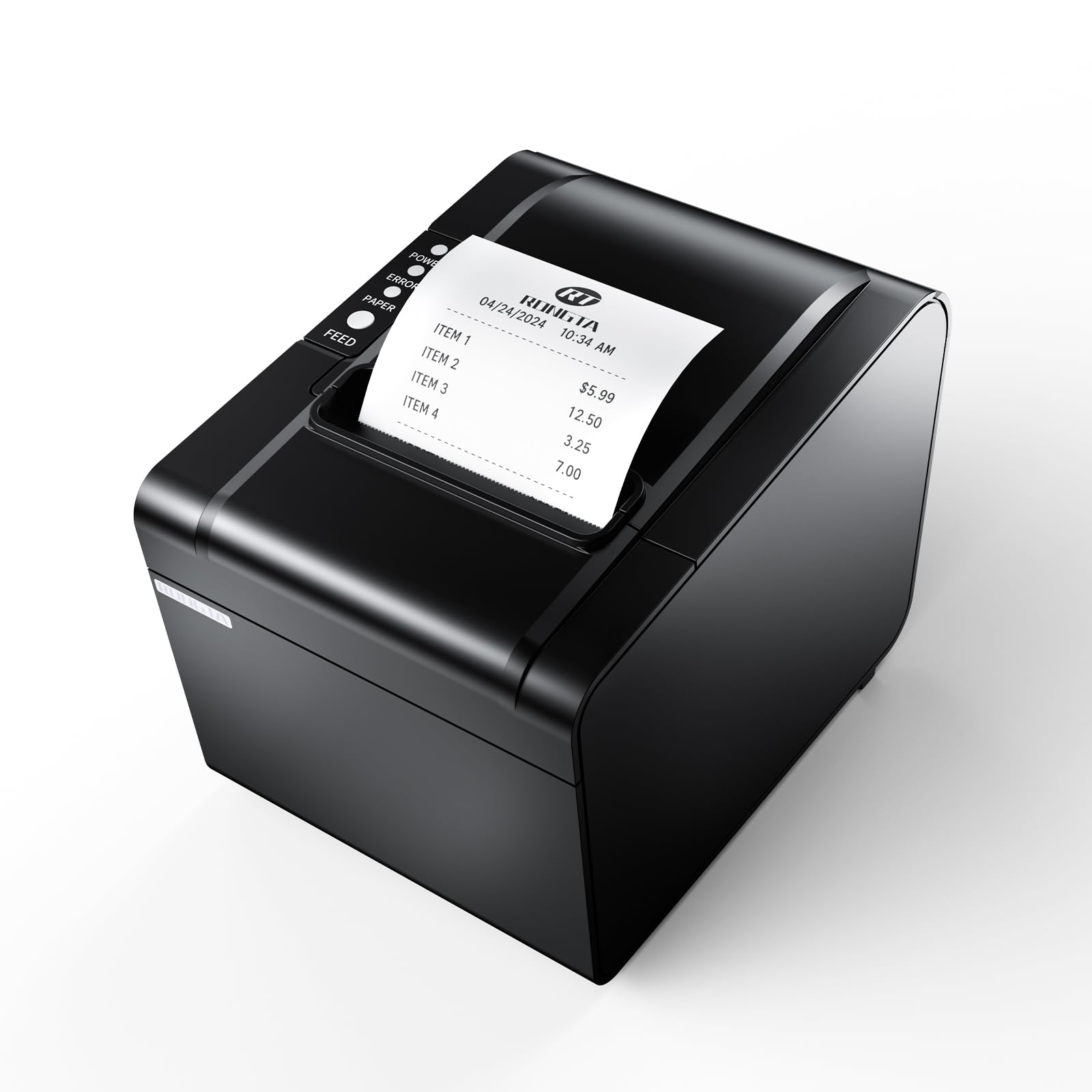
A tidy little receipt printer that keeps the counter clear and the till paper exactly where it belongs.
Receipt quality is what buyers prize here most, with setup running a close second — this is a plug-in, print-and-forget machine. It feeds at 250mm/s, has an auto-cutter so a receipt does not drop to the floor mid-service, and gives you USB, LAN, and serial ports on a single unit. A one-button cover and a large paper bay make roll swaps quick. The overheating protection is a nice touch for a printer that sits powered all day.
It is built for shopping malls, supermarkets, retail floors, hotels, canteens, and restaurants — the kind of place where receipts pile up fast. It drives a cash drawer and follows the ESC/POS command set, so it slots into an existing till rather than demanding new software. No ribbon or ink cartridge means the running cost is just paper. Choose the wall-mount or desktop layout depending on the space you have.
The follow-up question a buyer will hit is compatibility. It will not talk to Ubereats, Grubhub, Doordash, Lightspeed, Postmates, Square, Chromebook, or Clover, and the connectivity complaints in the reviews trace straight back to that mismatch. Set it up against a compatible system and it prints cleanly and quickly. Aim it at the wrong software and no amount of fiddling saves it — check your platform first, then enjoy a steady counter printer.
Clean receipts, quick swaps: 250mm/s speed, a large paper bay, and an auto-cutter make service smooth, while the USB/LAN/serial trio covers most counter set-ups.
The one gate: it is not built for Square, Clover, or Grubhub-style platforms, so confirm your POS before buying.
Good buy for: a restaurant or retail counter running a mainstream POS over a cable that wants tidy, fast receipts.
Skip if: your checkout lives on Square, Clover, or a delivery platform — compatibility stops you cold.
7. Westinghouse USB Thermal Shipping Label Printer

The commercial-grade label printer that wires into your network and keeps a shipping bench moving.
Built for a bench, not a bag. It tops out at 6 inches per second and 203 DPI, which prints a standard 4×6 shipping label clean and fast enough for a day of parcel work — the kind of steady output buyers report matches far more expensive machines. It works with fanfold labels or rolls, takes media from 0.78″ to 4.6″ wide, and prints at a max width of 4.25″, so you have room for both carrier labels and inventory tags.
The connectivity is the real upgrade over the Rollo. Alongside USB it adds Ethernet, and it is compatible with Windows, macOS, and Linux and can run ZPL software. That means it can sit on a wired network and serve more than one computer, or slot into a warehouse setup — something the cable-bound consumer printers above cannot do. The package is generous too: printer, starter labels, an internal label holder, a USB flash drive, USB cable, power cord, and power adapter, with Ethernet and USB-C sold separately.
Two things to know before you commit. It is not Bluetooth-capable, so phone printing is off the table. And the maker instructs a print test during setup to confirm visibility — do that first, because it saves the guesswork on driver installation. For a growing shipping operation that wants wired reliability and a trusted brand behind it, this is the sturdy choice.
Built for a working bench
- 6 inches per second at 203 DPI for fast, readable shipping labels
- Ethernet plus USB lets it serve a network, not just one laptop
- Accepts fanfold or roll labels from 0.78″ to 4.6″ wide
- Ships with starter labels, a label holder, and a USB flash drive
What it does not offer
- No Bluetooth and no phone printing — wired or nothing
- Ethernet and USB-C cables are sold separately
Pick it when: you run a shipping bench that needs network shared printing and a durable daily driver.
Not it if: you print from a phone — there is no wireless mode here.
8. Phomemo M85 Touchscreen Portable Printer

A pocketable document printer with its own screen, its own battery, and a carrying case in the box.
The touchscreen is what you notice first. It previews templates and prints straight from the display once you have loaded them through the app, and it shows your connection status, real-time battery level, and paper position at a glance. Add multi-language support and auto-updates and it feels more like a small smart device than a printer. It prints at 300 DPI for crisp document text, matching the iDPRT’s resolution while being built for on-the-go use.
It also carries its own power. A 3500mAh battery is rated for 200+ pages on a single charge, enough for a multi-day trip without an outlet — no hunting for a wall outlet mid-trip. It supports five paper sizes (US Letter, A4, 4.33″, 3.14″, and 2.08″) and takes thermal roll, folded, or single-sheet paper. Bluetooth covers Android and iOS, and USB-C covers macOS, Windows, ChromeOS, and Linux, with support for Word, Excel, PDF, and JPG files. The bundled case and four paper rolls keep it ready on day one.
Set expectations on speed. It runs at 10 pages per minute, fine for a few pages per stop — so it suits a few pages per stop, not a stack of forms. The 1.6 lb body and 0.79 kg figure make it a backpack companion rather than a counter machine. It also costs the most per page of the portable pair, so if you print only labels or receipts, a shipping or receipt printer will serve you better. For a self-contained, screen-driven document printer you can carry, it is the pick.
The travel-ready package: a 3500mAh battery rated for 200+ pages, a smart touchscreen, and five supported paper sizes make it the most self-contained printer here.
The honest limit: 10 pages per minute means it is a short-document tool, and it costs more upfront than the label printers.
Reach for this if: you print documents away from a desk and want a battery and screen that remove the guesswork.
Pass if: speed matters more than portability — the slow feed suits quick jobs, not bulk output.
9. Star Micronics TSP143IIIU USB Thermal Receipt Printer

The receipt printer serious retail counters trust — fast, flat receipts, and a tiny footprint.
Speed and output quality are the two things that carry this printer. It prints 43 receipts per minute at 250mm/s, and a patented “De-Curl” function keeps every receipt delivered flat instead of curled up — a small thing that makes a stack of receipts look tidy. The drop-in clamshell design makes paper loading fast. An embedded power supply and small footprint save precious counter space, which a busy till does not have to spare.
Connectivity is deliberately simple: plug and print over USB, with a USB serial-number feature so a Windows PC can detect it on any port. It is compatible with iOS, Android, and Windows, and it is certified with Postmates, Square, Chromebook, and Clover — the very platforms that trip up other several receipt printers on this list. If you run one of those, this is the safe receipt choice where compatibility is a real risk elsewhere.
The mixed word on this one is connectivity, but read it carefully: it is about the absence of Wi-Fi or Bluetooth, not reliability of the USB link. Wired is the design, and wired is dependable. For a retail counter that wants fast, flat, compatible receipts from a trusted name, spend the extra. For anything wireless, look at the Bluetooth label printers instead.
Fast, flat, and compatible: 43 receipts per minute, flat-output De-Curl, and official certification with Square, Clover, Postmates, and Chromebook make it the counter favorite.
The trade-off: USB only — no wireless, so it stays tethered to the till.
Best match: a busy shop on Square or Clover that wants reliable, fast, tidy receipts.
Steer clear if: you need to print without a cable — wired only here.
Know the Specs
DPI (Dots Per Inch)
DPI is how many heat dots the printhead lays down across each inch — think of it as the fine-or-crude setting for the page. At 203 DPI, shipping labels and receipts are sharp enough for barcodes to scan on the first try, which is why most label and receipt printers sit there. At 300 DPI, finer text edges make full document pages and study sheets readable — that is why the iDPRT and Phomemo travel printers use it. Match DPI to what you print: barcodes now, fine text for documents.
Pages per Minute vs. mm/s
These are two ways of saying “how fast.” Pages per minute counts full sheets, while mm/s counts how much paper feeds through each second — useful for labels and receipt rolls. A 150mm/s label printer produces roughly one 4×6 label per second; a 260mm/s receipt printer races through tickets. A lower pages-per-minute figure usually means a document printer built for occasional pages, not long runs.
Direct Thermal Technology
Direct thermal printers apply heat to special coated paper, which darkens where it is heated — no ink, toner, or ribbon. That is where the running-cost saving comes from: the only thing you buy again is the paper. The trade-offs are that the paper stock must be thermal-compatible, and that you should not expect ordinary printer paper to work in these machines.
Connectivity: USB, Bluetooth, Ethernet
USB is a cable to a computer plus a driver — simple, and it never drops out mid-job. Bluetooth lets a phone or tablet print, usually through an app, but it is the weakest link on most wireless units and none of the Bluetooth printers here add Wi-Fi. Ethernet is a wired network connection for a shared shipping bench. Choose by where you print: cable for a desk, Bluetooth for a market stand, Ethernet for a warehouse.
Common Questions
Can a thermal paper printer print shipping labels and receipts both?
Do thermal printers really need no ink or toner?
Will the Bluetooth label printers work with my iPhone?
Which receipt printers work with Square or Clover?
What size labels can a 4×6 thermal label printer handle?
How fast can these thermal printers actually print?
Do these printers work with a Mac or a Chromebook?
What paper do I need for a thermal receipt printer?
Is a thermal label printer cheaper to run than an inkjet?
Can I connect a thermal printer to a point-of-sale system over LAN?
The Bottom Line
For most shipping-heavy sellers, the thermal paper printer to buy is the Rollo USB — it prints a 4×6 label a second at 203 DPI and talks to every major carrier and marketplace without a lick of fuss, which is how it holds a 4.5+ star rating across 16,000+ owners. If your phone is your storefront and you want to print without a computer, the Forc Bluetooth covers it faster, with the honest warning that pairing is its weak point. For a wired, network-shared shipping bench, the Westinghouse adds Ethernet the others lack. And if you print full documents on the move, the iDPRT MT610 Pro brings 300 DPI to US Letter and A4 with a bag-friendly 0.73 kg body.
How we choose
We do not accept paid placement. Every pick is matched to a real buyer and a real use-case; we do not hands-on test units.
Sources
Specifications: manufacturer listings and product documentation. Review insights: verified customer reviews, as of November 2026. Pricing: not shown on this page (it changes often); check the current price via the retailer link.
As an Amazon Associate, Tactical Gear Guy earns from qualifying purchases. This does not affect which products we feature.