Specs are compiled from manufacturer listings and verified buyer reviews and can change over time — please confirm the key details on the product page before buying.
Three monitors on one desk mount can either clean up your whole workspace or turn into a drooping, wobbly mess the moment you nudge a screen. The difference is weight rating per arm and how the arms are built, not the brand name on the box. Every pick below is rated for three screens up to 27 inches (and some go bigger), so you can choose by fit and feel instead of guesswork.
This guide is built by comparing the manufacturers’ published specifications and the patterns across verified customer reviews, so you get each pick’s real strengths and trade-offs instead of marketing spin.
You will see which arms are gas-spring assisted and which are plain mechanical, how much weight each really holds, and where buyers report sag. The shortlist below narrows the field to eight triple mounts that each hold three 27-inch screens.
Top Picks
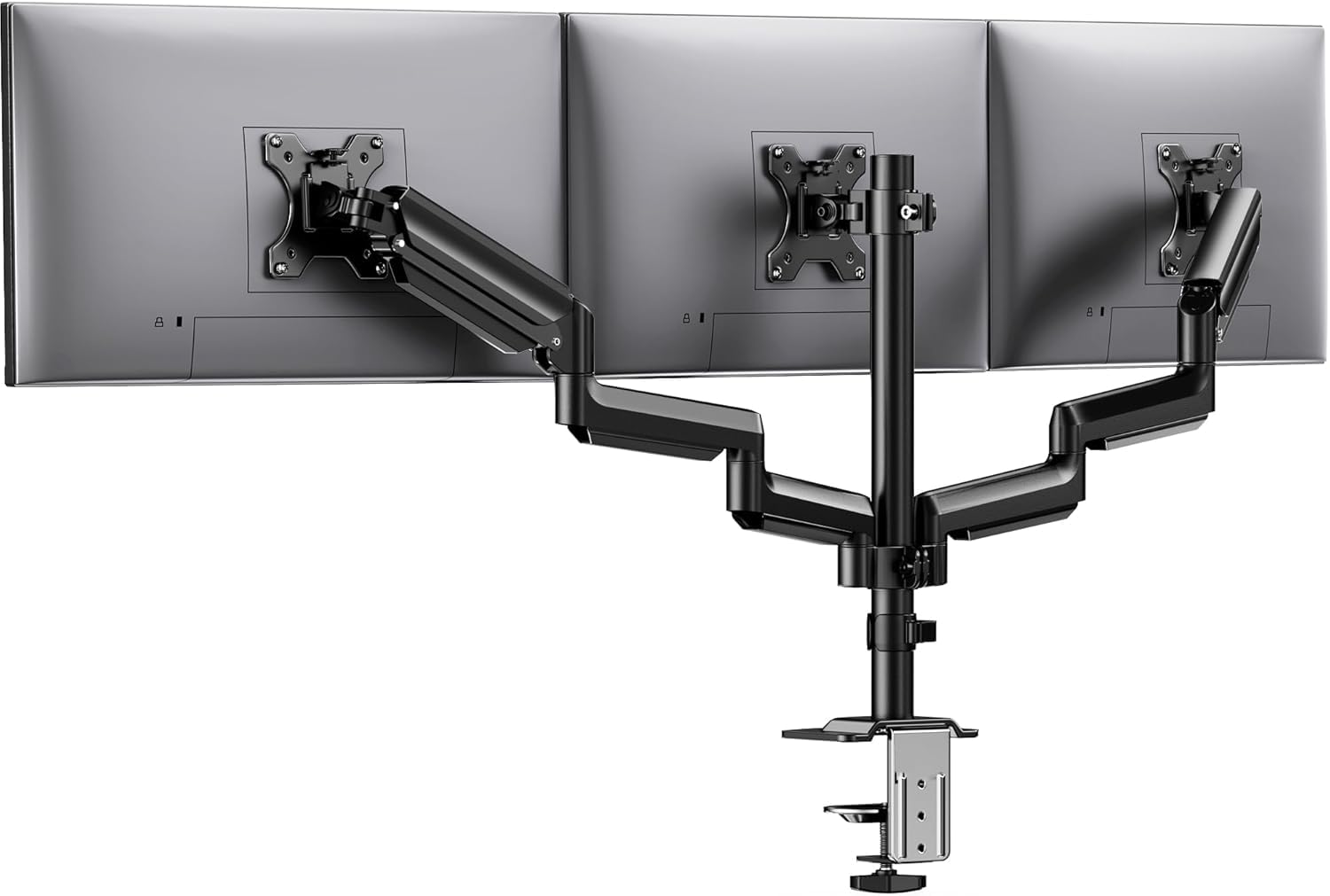

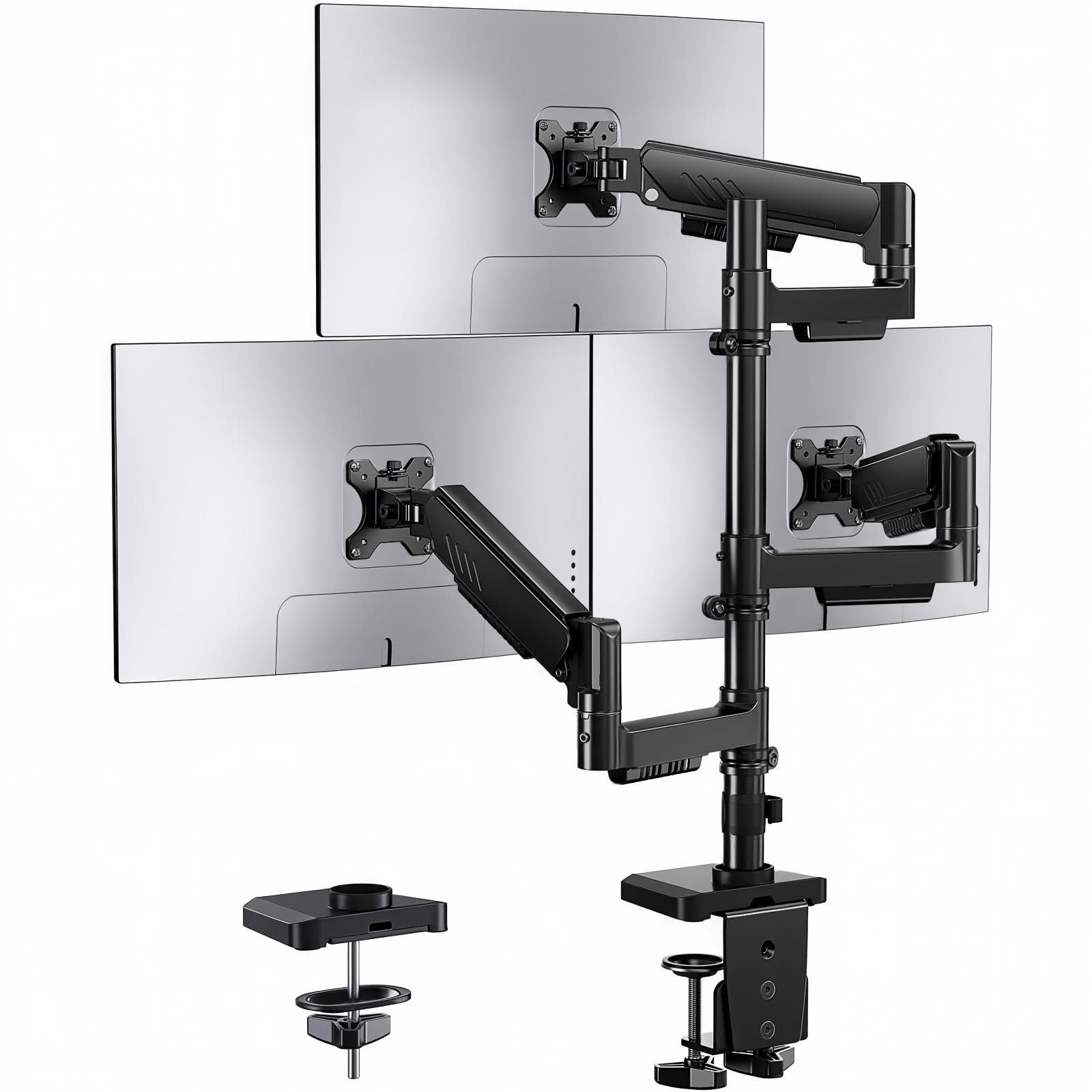
How To Choose The Best Triple Monitor Mount for 27″
For a 27-inch triple setup, the mount lives or dies on two things: how much weight each arm can hold, and whether the arms stay where you put them. A 27-inch monitor is heavy enough that a weak arm will sag within a week. Check the per-arm weight rating first, then the motion range, then the desk fit.
Start with weight per arm, not total capacity
A triple mount’s headline “54 lbs capacity” tells you nothing if one arm cannot hold a single 27-inch screen steadily. Look for the per-arm figure. On this list it ranges from 4.4 lbs up to 22 lbs per arm. A 27-inch monitor typically sits comfortably inside that band, but you want headroom so the arm is not maxed out. A mount rated at 19.8 lbs per arm leaves you room to add a slightly heavier screen later.
Gas spring arms versus mechanical double-link arms
Gas spring arms (a pressurized strut inside the arm) let you push a screen up or down with one finger and it stays put. Mechanical double-link arms use hinged bars you tighten by hand at each joint. Gas springs feel smoother for daily repositioning; mechanical arms tend to be simpler and less to go wrong. Decide which you will actually use before you buy.
Check VESA pattern and desk thickness
Every mount here uses the two common VESA hole patterns, 75x75mm or 100x100mm (the square spacing of the four mounting holes on the back of your monitor). Confirm your monitors match. Then check desk fit: most clamps here handle desks roughly 0.39 to 3.15 inches thick, and some grommet options have tighter limits. A thin desk may need a reinforcement plate.
Side-by-Side Comparison
| Model | Best For | Weight Per Arm | Screen Range | Tilt Range | Amazon |
|---|---|---|---|---|---|
| HUANUO Triple Monitor Mount★ Best Overall | Best Overall for 27″ triples | 19.8 lbs | 13–27 inches | ±45° | Amazon |
| MOUNTUP Triple Monitor Mount (Max 27″)Best Value | Budget-friendly triple setup | 4.4–19.8 lbs | 17–27 inches | ±90° | Amazon |
| ErGear Triple Monitor MountBest for Growth | Room to grow to 32″ | 19.8 lbs | 13–32 inches | +80°/-50° | Amazon |
| MOUNT PRO Triple Monitor Mount | Widest adjustability | 4.4–19.8 lbs | 13–32 inches | ±90° | Amazon |
| MOUNTUP Triple Monitor Mount (17-32″) | Bigger screens, full motion | 4.4–19.8 lbs | 17–32 inches | ±90° | Amazon |
| Mount-It! MI-1753 | Simple mechanical arms | 17.6 lbs | 13–27 inches | ±15° | Amazon |
| PUTORSEN Triple Monitor Mount | Heaviest per-arm load | 4.4–22 lbs | 17–32 inches | 35° | Amazon |
| Fellowes Platinum Series | Premium mount with USB | 15.4 lbs | Up to 27 inches | ±45° | Amazon |
Detailed Reviews
1. HUANUO Triple Monitor Mount for 13-27 inch Screens
Our pick — 4.5+★ from 500+ verified ratings; the strongest balance of quality and price.
The all-rounder that holds three 27-inch screens at 19.8 lbs per arm without flinching.
If you are mounting three 27-inch monitors and want a mount that simply does the job, this is the one that earns the top slot. Each arm is rated to hold 19.8 lbs, which is real headroom for a typical 27-inch screen. The arms are built to survive 20,000 lift cycles each (a factory test of repeated push-pull motion), so the mechanism is meant to stay put over years of small adjustments.
What wins people over is the sheer build — the aluminum and steel body is the thing most praised, followed by how straightforward the install is. The motion set covers most needs: 360° rotation (full turn for portrait or landscape), ±90° swivel to angle a screen toward you or a coworker, and ±45° tilt to fight glare. Height adjusts across 12.2 inches, which is roomy enough to set the center of your screens near eye level. Compare that 12.2 inches of height travel to the ErGear’s 36.6 inches and you see the trade: the ErGear reaches higher, but this HUANUO is the more straightforward, stable pick for a standard desk.
The honest catch is stability under a hard nudge. Some owners find a monitor will wobble if you push on it, and a few note the rotation joint can fight you. On a normal desk that is a small annoyance, not a deal-breaker — but if you routinely tap or swipe on a touchscreen, expect a touch of movement. It fits desks 0.39 to 3.15 inches thick and VESA 75x75mm or 100x100mm patterns, so check both before ordering.
What holds up
- 19.8 lbs per arm gives real headroom for a 27-inch screen
- Aluminum and steel build is the most-praised trait
- 360° rotation plus ±90° swivel and ±45° tilt covers glare and portrait use
- 12.2 inch height adjustment sets screens near eye level
Where it gives
- Can wobble if you tap or push a screen hard
- The rotation joint can feel stiff to adjust
- Topped out at 27-inch screens, no room for 32″
Go for it if: you want a stable, solid three-screen setup for three 27-inch monitors on a standard desk.
Pass if: you plan to move to 32-inch screens later or need the arms to reach much higher.
2. MOUNTUP Triple Monitor Mount (Max 27 inch)
Spring-loaded arms that lift and drop a screen with a push, at an entry-level price.
Here is where a little money goes a long way. Two of the arms use springs (a loaded strut that counterbalances the screen), so you can raise and lower them with a light push and they hold. The center screen adjusts on the pole. That combination makes daily repositioning easy if you are constantly rearranging screens for trading, coding, or video calls.
The arms take 4.4 to 19.8 lbs each and cover 17 to 27-inch screens on VESA 75x75mm or 100x100mm patterns. The 17-inch floor is higher than the HUANUO’s 13-inch floor, so it will not suit very small side screens. Width-wise, the ErGear and MOUNT PRO span 13 to 32 inches — a wider net than this one — but for a clean set of three 27-inch monitors you are covered.
The trade-off to know is adjustability. Some owners say the spring arms need patient tension tuning to stay exactly where they want, and a few ran into compatibility fuss. Setup is quick — most get from box to working screens in under 20 minutes, and the mount clamps or grommets to desks 0.39 to 3.15 inches thick. The heavy-gauge steel frame and 3-year support round out a sensible first triple-mount buy.
Value read: spring arms plus a 3-year support window in this price zone is a practical starting point for three 27-inch screens.
Plan for: a few minutes adjusting spring tension so each arm holds its spot.
Reach for this if: you want spring-assisted movement without spending up.
Look elsewhere if: your side monitors are smaller than 17 inches or you want a wider size range.
3. ErGear Triple Monitor Mount for 13-32 Inch Screens
A triple mount that reaches up to 36.6 inches and holds 32-inch screens when you outgrow 27.
The headroom is the story here. Arms take 19.8 lbs each and screens from 13 all the way to 32 inches, so you are not boxed in if you upgrade a monitor to a bigger one later. If you ever want the screens vertical, this mount reaches up to 36.6 inches of height — compare that to the HUANUO’s 12.2 inches and the ErGear clearly reaches higher for tall-stand or standing-desk use.
The dual C-clamp base is the second selling point. Two clamps widen the contact patch on the desk, which the maker says improves stability by 30% over a single clamp. All three arms adjust on their own with one hand and hold without constant retightening — tilt runs +80°/-50°, swivel ±90°, rotation 360°. It also frees up desktop space by lifting the screens off their original bases, with cable routing built into the arms and pole.
The build earns praise, and assembly is the second-biggest plus for owners. What is not perfect is stability: it holds a heavy load, but a few find it less rock-steady than the beefiest picks. If you tend to lean on or bump your screens, keep that in mind. It clamps desks 0.39 to 3.54 inches or grommets 0.39 to 3.15 inches — worth checking your desk before ordering.
Standout points
- 19.8 lbs per arm with a 13–32 inch range for future growth
- 36.6 inch height reach suits tall or standing desks
- Dual C-clamp base for a wider desk grip
- Independent one-hand arm adjustment holds its spot
Room to know
- A few find it less steady than top-tier picks under a lean
- Two clamp-style limits to double-check against your desk edge
Pick this one when: you want a mount that can grow with 32-inch screens and sit higher.
Think twice if: you need the absolute most rigid hold available for constant screen tapping.
4. MOUNT PRO Triple Monitor Mount for Max 32″ Screens

Full-motion gas spring arms with a ±90° tilt that pivots further than most rivals.
You get more ways to angle your screens than with the HUANUO. Each screen rotates 360° (turns fully around), swivels 180° (pivots left and right), and tilts ±90° up and down. That 90° tilt versus the HUANUO’s ±45°, so you can tip a screen steeply to block overhead light or stand it tall for a portrait stack. Two gas spring arms (spring-loaded arms that hold their height) extend, retract, and hold position with a push. The third screen adjusts on the pole.
It fits 13 to 32-inch screens at 4.4 to 19.8 lbs per arm, on VESA 75x75mm or 100x100mm. The body is aluminum with iron parts, which the maker points to for corrosion resistance versus an iron-only build. Assembly is labeled and quick, and you can choose a C-clamp for desks 0.39 to 3.15 inches thick or a grommet for 0.39 to 1.97 inches. A reinforcement plate is available if your desk is thin.
The friction point is stability and fit. A number of owners mention wobble and find the adjustability less crisp than hoped, and compatibility occasionally needs coaxing. That is normal for a full-motion mount — moving parts need tuning. If you want a set-and-forget mount that never moves, a mechanical arm is steadier; if you rearrange screens often, this is the one built for that.
Motion you get: ±90° tilt, 180° swivel, and 360° rotation is the widest motion set on this list.
Set expectations: gas-spring mounts reward a few minutes of tension tuning to stop the wobble.
Best fit for: multitaskers who reposition screens all day and want deep tilt.
Not ideal for: anyone who wants zero tuning and a mount that never budges.
5. MOUNTUP Triple Monitor Mount for 17-32 inch Screens

The larger-screen MOUNTUP that takes 32-inch monitors and still frees up your desk.
This is the bigger sibling of the earlier MOUNTUP, stretched to hold 17 to 32-inch screens at 4.4 to 19.8 lbs per arm. That puts it in the same size class as the MOUNT PRO and ErGear rather than the 27-inch cap of the budget MOUNTUP. If you have a 27-inch center flanked by smaller or larger side screens, this handles the spread.
The arms are full-motion — height, swivel, tilt, and rotate — with a detachable VESA plate that makes hanging a monitor easier. The maker rates the arm after over 20,000 exercise tests and uses heavy-gauge steel. Both mounting routes are here: a C-clamp for desks 0.39 to 3.15 inches and a grommet for 0.39 to 1.97 inches. It lifts three screens off the desk and routes cables through a cover and clip.
Where it wobbles is literally the wobble — some customers note monitors sagging and shifting over time, and adjustability gets mixed notes. A thin desk should get a reinforcement plate (sold separately) to protect the surface. The install is clear and quick, and 3-year support backs it. For three matching 27-inch screens it is a capable performer, but the stability gripes are the thing to weigh against a stiffer mechanical mount.
Choose it for: a 32-inch-capable full-motion set with straightforward assembly.
skip it if: you need arms that hold dead-level with no re-tuning over time.
6. Mount-It! Triple Monitor Mount MI-1753

Mechanical double-link arms and a weighted base for people who want simple and steady.
No gas springs, no fuss. The arms here are double-link swing arms that adjust vertically on the center pole — you set the height by hand, not with a pressurized strut. Some buyers prefer exactly that, because there is less to tune and fewer moving parts to drift. The weighted metal base adds heft so the mount stays planted, and an integrated grommet option secures it to the desk.
It fits three flat monitors 13 to 27 inches at up to 17.6 lbs per screen on VESA 75x75mm or 100x100mm. Motion is modest by comparison: the two outer arms tilt ±15° and swivel ±45°, and all three rotate 180° for landscape or portrait. Compare that ±15° tilt to the MOUNT PRO’s ±90° and you see the trade — this one is not built for aggressive angling, but for a fixed ergonomic spread.
The honest part is the outer arms. Some reviewers point out the side monitors sagging, and alignment can drift, so this is the pick for flat, evenly matched 27-inch screens set once and left alone. If you want to tilt and swivel all day, a gas-spring model suits better. The build is well regarded, cables clip neatly to each arm, and lifetime support backs it.
Why owners like it
- Mechanical arms mean less to tune and fewer moving parts
- Weighted metal base plus grommet option for a firm footing
- Lifetime warranty and US-based support
- Cable clips on each arm keep the desk clean
Where it trails
- Only ±15° tilt on the outer arms, tight for heavy angling
- Outer monitors can sag and drift out of alignment
Good match for: a fixed, flat triple-monitor spread you set up once.
Not for you if: you constantly tilt and swing screens or hate re-aligning outer screens.
7. PUTORSEN Triple Monitor Mount for 17-32” Screens

The per-arm heavyweight at 22 lbs, built for three screens in a wide side-by-side run.
When weight is the worry, this is the mount to look at. Each arm takes 4.4 to 22 lbs — the highest per-arm rating here and a step above the 19.8 lbs of the HUANUO, ErGear, MOUNT PRO, and both MOUNTUPs. That extra load headroom suits a heavier 27-inch screen or a future jump to 32-inch monitors, which the 17 to 32-inch range also allows.
The layout is side-by-side, and the side arms give an adjustable total span up to 55.4 inches. Measure your total three-screen width before you order so the spread fits your space. Each side arm swivels, tilts, and rotates on its own for landscape or portrait, and you can increase or decrease tension for heavier or lighter screens.
Mounting is flexible — a C-clamp or grommet for desks 0.39 to 1.77 inches thick, with the grommet also needing a hole diameter of 0.39 to 2.36 inches. Note that 1.77-inch desk cap is lower than the 3.15-inch clamp of most rivals here, so a thick desk is the one to check first. Owners speak well of how it holds — the stability and the build are the traits that come up, and screens keep their position as you raise and lower them. A 2-year warranty covers the hardware.
Load story: 22 lbs per arm is the most weight any mount on this list will carry.
Measure first: the 55.4-inch span and 1.77-inch desk cap are the two numbers to confirm against your setup.
Matches you if: you run heavy or 32-inch screens side by side and want max load headroom.
Check before buying if: your desk is thicker than 1.77 inches or your total width exceeds the span.
8. Fellowes Platinum Series Triple Monitor Arm
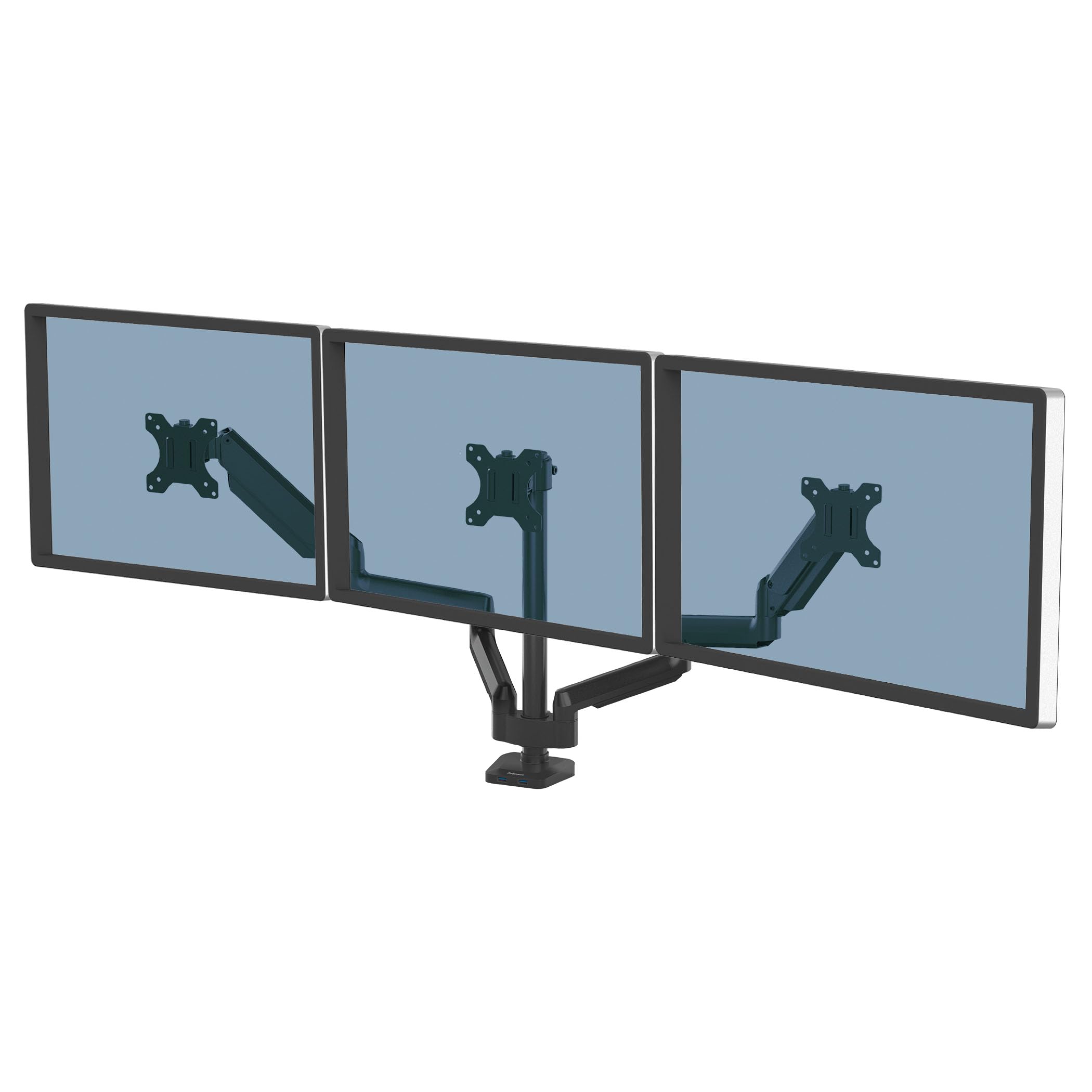
An office-grade triple arm with USB ports at the base and a 5-year warranty.
This is the desk-cleanup pick for a professional setup. The aluminum build and clean look suit a home office or trading desk, and the Quick-Fit VESA plate makes hanging a screen simple via clamp or grommet. The detail that separates it from every other mount here is the integrated USB ports at the base — convenient charging for your devices right where you sit, no reaching for a separate hub.
It supports three monitors up to 27 inches at 15.4 lbs each. That per-arm rating is lower than the 19.8 lbs of several picks above, so it suits standard 27-inch screens rather than unusually heavy ones. Full motion gives 360° rotation and ±45° tilt, with integrated cable management keeping the run tidy. A 5-year limited warranty is the longest coverage on this list.
It is the premium spend, and the trade is capacity: 15.4 lbs per arm means you should double-check your monitor weights before ordering. For a tidy three-screen office setup where cable clutter and charging are daily concerns, the USB base and long warranty justify the higher tier.
Worth it for: a polished home-office triple setup where USB charging and a long warranty matter.
Weigh the limit: 15.4 lbs per arm is the lowest here, so confirm your monitor weight first.
Know the Specs
Weight per arm
This is the load one arm can hold steadily, listed separately from the total. A 27-inch monitor typically falls within the 4.4 to 22 lbs band these mounts cover, but an arm rated well above your monitor weight holds its spot better. Always read the per-arm figure, not the total capacity.
Gas spring vs mechanical arms
Gas spring arms use a pressurized strut to counterbalance the screen, so it lifts and drops with a push and stays put. Mechanical double-link arms use hinged bars you tighten by hand. Springs feel smoother for frequent repositioning; mechanical arms have fewer parts to tune.
VESA pattern
VESA 75x75mm and 100x100mm are the two square hole spacings found on the back of most monitors. Every mount here supports both. Check your monitor’s spec sheet for its VESA pattern before ordering, because a mount cannot hold a screen without a matching hole layout.
Desk thickness and clamp type
C-clamps grip the desk edge; grommet mounts pass through a hole in the desk. Clamps here commonly handle desks about 0.39 to 3.15 inches thick, while grommet limits can be tighter. A thin desk may flex under the weight, so a reinforcement plate is worth considering.
Common Questions
Will a triple monitor mount hold three 27-inch monitors without sagging?
What VESA pattern do I need for a 27-inch monitor?
Is a gas spring mount better than a mechanical arm for three screens?
How thick can my desk be for these mounts?
Can I mount three 32-inch monitors instead of 27?
Do these mounts free up desk space?
Can I rotate my monitors to portrait orientation?
Should I use a clamp or grommet mount on a thin desk?
Do I need a reinforcement plate for a triple monitor mount?
How long does a triple monitor mount last?
The Bottom Line
For most three-screen setups, the triple monitor mount for 27″ winner is the HUANUO Triple Monitor Mount. It holds 19.8 lbs per arm and adjusts through a 12.2 inch height range, with a solid aluminum body. That gives you real stability for three 27-inch screens at a fair value. If you want your mount to grow to 32-inch screens and sit higher, the ErGear reaches 36.6 inches and holds up to 32 inches. And for a professional desk with USB charging and the longest warranty, the Fellowes Platinum Series is the premium reach — just confirm your screens stay under 15.4 lbs each. Whichever you choose, confirm your per-arm weight and VESA pattern (the standard hole spacing on the back of your screen) before ordering.
How we choose
We do not accept paid placement. Every pick is matched to a real buyer and a real use-case; we do not hands-on test units.
Sources
Specifications: manufacturer listings and product documentation. Review insights: verified customer reviews, as of November 2026. Pricing: not shown on this page (it changes often); check the current price via the retailer link.
As an Amazon Associate, Tactical Gear Guy earns from qualifying purchases. This does not affect which products we feature.