Specs are compiled from manufacturer listings and verified buyer reviews and can change over time — please confirm the key details on the product page before buying.
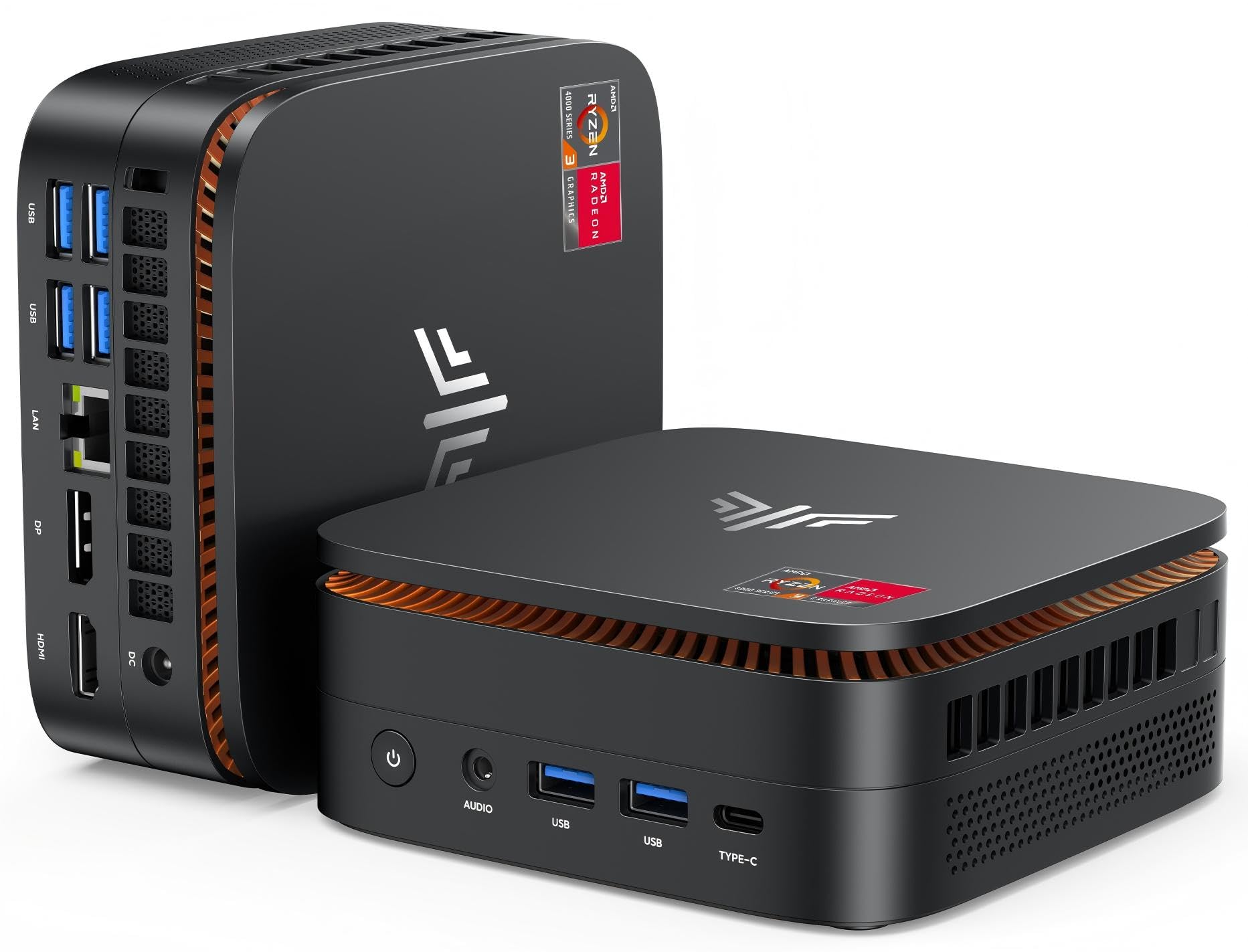
The short answer: if you want the safest all-round small desktop, the KAMRUI Pinova P1 is the one most buyers should start with. It pairs a recent AMD Ryzen 3 Pro 7330U chip with 8GB of RAM and a 256GB solid-state drive in a box you can hide behind a monitor. If you need real horsepower for video work or heavy multitasking, the premium GEEKOM and BOSGAME picks deliver it — you just pay more for the size.
This guide is built by comparing the manufacturers’ published specifications and the patterns across verified customer reviews, so you get each pick’s real strengths and trade-offs instead of marketing spin.
A paperback-sized box can run your browser tabs, your spreadsheets and two monitors at once. Here is what actually separates the strong picks from the weak ones among the small personal computers.
Top Picks

How To Choose The Best Small Personal Computers
Most first-time buyers judge a mini PC by its case, and that is the wrong place to start. Two boxes can look identical from the outside and behave nothing alike inside. The processor decides how your day feels, the RAM decides how many things you can do at once, and the storage decides whether you are ever hunting for space.
Read the processor first, the case last
The chip is the single biggest factor in whether a small desktop feels quick or sluggish. The KAMRUI Pinova P1 uses an AMD Ryzen 3 Pro 7330U rated up to 4.3GHz — ahead of the older 3200U and 3500U chips it replaces. The BMAX B6 runs an Intel Core i3-8109U rated up to 3.6GHz, and its maker positions it above entry chips like the N95 and N5095. Budget boxes hide lower-tier processors such as the Intel N95 in the GMKtec G3S or the N5095 in the GMKtec G5S. If your day is browser tabs, email and documents, those lower chips still work — just be honest that they are not built for heavy software.
Match RAM and storage to your workload
8GB of RAM is the comfortable floor for today’s browsers — enough for spreadsheets, email and a pile of tabs without grinding to a halt. If you keep dozens of tabs open or edit photos, step up to 12GB or more, and favor models with upgrade slots. The BOSGAME E5 pairs dual memory slots that expand up to 64GB with an extra internal M.2 slot for a second drive. Storage follows the same logic: 128GB is entry-level, 256GB is the sensible standard, and 512GB or 1TB gives you breathing room for games, media and project files.
Count the monitor ports before you buy
This is where small desktops quietly divide. Look for the actual video outputs listed — HDMI, DisplayPort and USB-C. A single HDMI port limits you to one screen. Two HDMI ports let you run two 4K displays at 60Hz. A triple-workspace setup needs HDMI plus DisplayPort plus USB-C video out, usually only on mid-range and premium chips. If you plan to mount the PC behind a monitor, confirm a VESA mount is in the box.
Side-by-Side Comparison
| Model | Best For | Processor | Memory / Storage | Display Output | Amazon |
|---|---|---|---|---|---|
| KAMRUI Pinova P1★ Best Overall | Best overall balance | AMD Ryzen 3 Pro 7330U | 8GB / 256GB SSD | 4K up to triple screen | Amazon |
| GMKtec G3SBudget Champion | Everyday budget workhorse | Intel N95 | 8GB DDR4 / 256GB SSD | Dual HDMI 4K | Amazon |
| HP EliteDesk 800 G4 MiniRenewed Pick | Renewed business value | Intel i5-8500T | 16GB DDR4 / 256GB NVMe | HDMI + DisplayPort | Amazon |
| GMKtec G5S | Tiny travel-friendly pick | Intel Celeron N5095 | 8GB LPDDR4 / 128GB SSD | Dual HDMI 4K | Amazon |
| BOSGAME E5 | Networking and upgrades | AMD Ryzen 3 5300U | 8GB DDR4 / 256GB SSD | Triple 4K | Amazon |
| BMAX B6 | Quiet office compact | Intel Core i3-8109U | 12GB / 256GB SSD | Dual 4K HDMI + DP | Amazon |
| ACEMAGIC M5 | Heavy multitasking power | Intel Core 5 220H | 24GB LPDDR5 / 512GB SSD | Triple 4K | Amazon |
| GEEKOM A5 | Expandable long-term pick | AMD Ryzen 7 7730U | 16GB DDR4 / 500GB NVMe | Up to 4 screens, 8K | Amazon |
| BOSGAME P4 Plus | Light gaming machine | AMD Ryzen 7 5825U | 32GB DDR4 / 1TB SSD | Triple 4K | Amazon |
| GEEKOM GT13 MAX | Local AI and creation | Intel Core Ultra 9 185H | 16GB DDR5 / 1TB SSD | Quad display, 8K | Amazon |
| Apple Mac mini (M6) | Apple ecosystems | Apple M6 chip | Up to 32GB unified | Up to three displays | Amazon |
Detailed Reviews
1. KAMRUI Pinova P1 Mini PC
Our pick — 4.5+★ from 850+ verified ratings; the strongest balance of quality and price.
A modern Ryzen chip in a five-inch box that clears the desk clutter for good.
Here is the number that earns the Pinova P1 its top spot: 4.3GHz. That is the boost speed of the AMD Ryzen 3 Pro 7330U processor inside, a four-core, eight-thread chip rated at 28W. In plain terms, it has twice as many working lanes as a basic dual-thread budget chip, so your browser, spreadsheet and video call can run side by side instead of queuing up. You notice this on day one, not in a benchmark.
That chip comes paired with 8GB of RAM and a 256GB M.2 solid-state drive (an SSD — a fast, no-moving-parts storage chip). RAM is short-term working memory for whatever is open right now; the SSD is where everything lives permanently. The P1 has twice the memory of the compact GMKtec G5S on this list, which helps when several tabs and a spreadsheet are open at once. Its 256GB drive also holds twice what the G5S offers, so photos and project files fit without a scramble.
The case measures 5.06 x 5.06 x 2.01 inches, and the maker claims it takes up 60% less space than its AK1PLUS model. A VESA bracket in the box lets you bolt it to the back of a large monitor, which is how most office users will set it up. Around the edges you get 4 x USB 3.2 ports, HDMI, DisplayPort, Gigabit Ethernet and an audio jack. The 4K@60Hz output supports multiple screen combinations, though the listing lists maximum resolution as 3840×2160, so treat 4K as the ceiling rather than an overshoot.
Business buyers also get Windows 11 Pro preloaded, plus support for Wake On LAN, PXE and Auto Power On — the remote-management tools that matter if IT needs to wake or image the machine. The honest caveat is the RAM: 8GB is the starting point, not the finish line, and if you routinely run heavy photo editors or dozens of tabs, a 16GB model will serve you better.
What pushes it to the top
- Ryzen 3 Pro 7330U boosts to 4.3GHz with four cores and eight threads
- 256GB SSD doubles the storage of the smallest pick here
- HDMI, DisplayPort and USB 3.2 ports cover dual-screen offices
- VESA bracket included so it vanishes behind a monitor
- Windows 11 Pro preloaded with Wake On LAN and PXE support
Worth knowing before you click
- 8GB RAM is the base, and upgrading later means opening the case
- A cooling fan, so it is not a silent-fanless design
- 4K@60Hz is the listed peak, not 8K
Reach for this one if: you want a current-generation, desk-clearing desktop for office work, browsing and two monitors, without paying premium-tier money.
Think twice if: you already know you will run memory-hungry software — 8GB will feel tight and a bigger-RAM pick two slots down is the smarter call.
2. GMKtec G3S Mini PC
The budget box that proves you do not need flagship silicon for a workday.
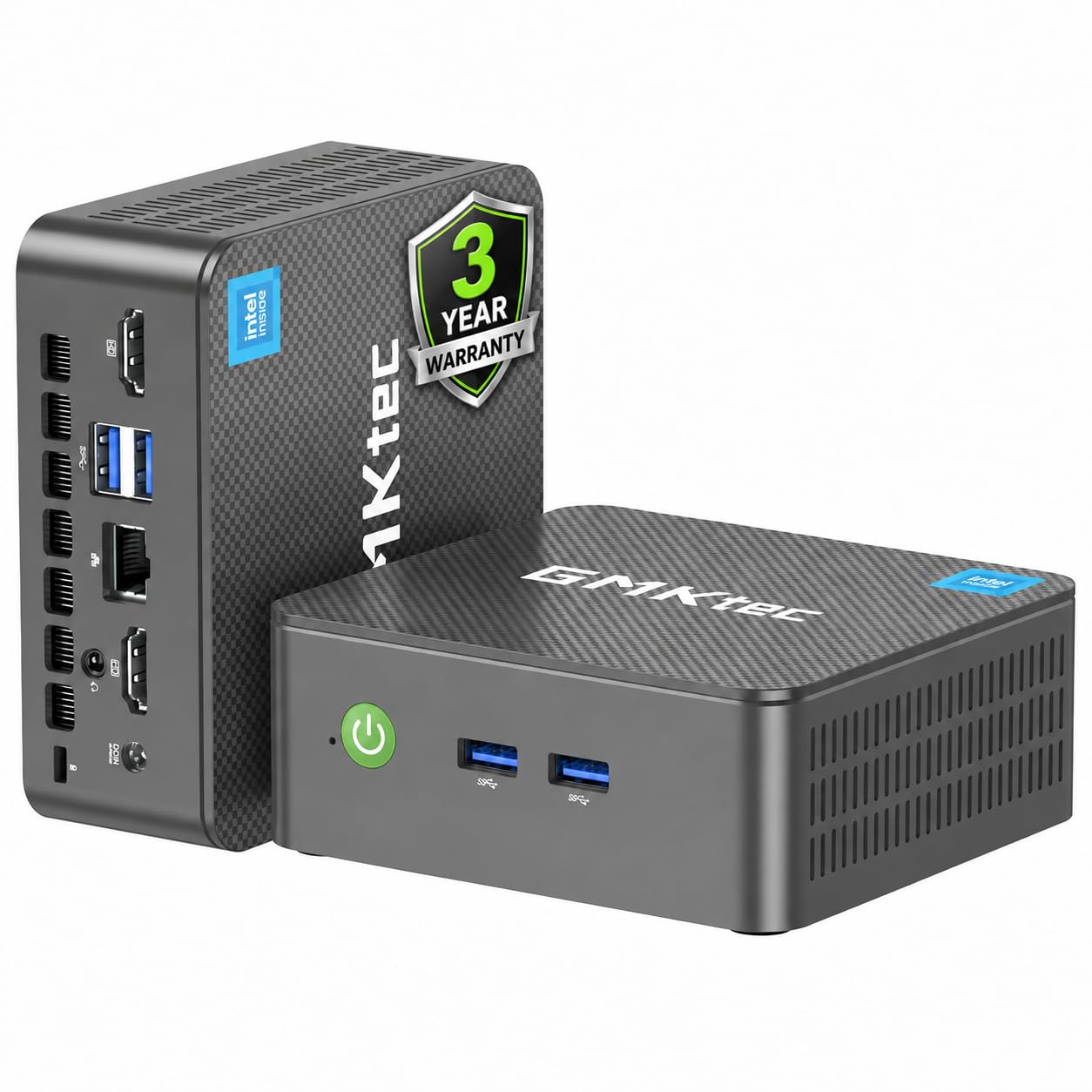
The G3S runs Intel’s 12th-generation N95 processor, a four-core, four-thread chip with 6MB cache and a 3.4GHz burst speed. The maker claims a 36% performance gain over the earlier N5105, N5100 and N5095 chips. In practice, that means a browser with a dozen tabs, Word and a video call all at once, without freezing. It is not a workstation chip, but at this tier it punches well above the price tag.
The storage stack matches the KAMRUI P1: 8GB DDR4 RAM plus a 256GB M.2 2242 SSD. That pairing boots up in seconds and gives you room for a growing photo library. Two full-size HDMI 2.0 ports let you run twin 4K@60Hz displays, so you can put your spreadsheet on one screen and the reference doc on the other. USB 3.2 ports run up to 10Gbps per the listing, Gigabit Ethernet handles wired internet, and there’s a 3.5mm audio jack.
What wins buyers over here is the warranty: GMKtec’s 3-year coverage starting from the purchase date, with a full year of free returns and replacements, then two years of component replacement. That is a meaningful safety net for a budget purchase, and it covers the sort of failure the warranty is meant for. A VESA mount and HDMI cable are in the box.
Compared to the KAMRUI above, you are trading CPU speed — 3.4GHz versus 4.3GHz — for a slightly better warranty and lighter everyday ambition. If you only need browsing, email and streaming as an HTPC, this is the sensible pick.
The value verdict: The N95 chip handles routine office work, so if your software runs light, you’ll never miss the extra GHz. The two HDMI ports are the surprise bonus — most boxes at this tier cut you off at one.
The one trade-off: No Wi-Fi 6 or USB-C here — you get Wi-Fi 5, Bluetooth 5.0 and standard USB-A. If future-proof connectivity is the point, look further up the list.
For the careful budget shopper: a 3-year warranty on a low-cost box is unusual and worth taking seriously.
For the connectivity-forward buyer: Wi-Fi 5 and no USB-C ports make this the more traditional pick.
3. HP EliteDesk 800 G4 Mini Tiny Business PC
Six cores and 16GB of DDR4 in a refurbished chassis that quietly flies.
Six cores is the surprise. The EliteDesk 800 G4 runs Intel’s i5-8500T, a six-core processor topping out at 3.5GHz, which puts more parallel muscle under the hood than several brand-new budget boxes at similar money. Owners consistently describe the result as fast and easy to set up, and the compact chassis earned the highest praise in the review pool.
The 16GB of DDR4 RAM is the practical standout — still double what the KAMRUI P1 gives you as standard, and enough headroom for big Excel workbooks and browser marathons without swapping to disk. The 250GB SSD (listed as 250GB in the spec table and 256GB in the main description) is modest but adequate for office files and software. The 3.5+ star rating across 380+ reviews fits: this is a workhorse, not a halo product.
The trade-off is the “renewed” status. You are buying a professionally tested refurbished unit, which may show minor cosmetic wear, and the mixed feedback on function and HDMI compatibility is part of the territory. If you want a factory-fresh warranty box with a single owner, look at the KAMRUI or GMKtec instead. If you want serious CPU and RAM for the money and are comfortable with a refurb, this delivers.
Best for: budget-conscious multitaskers who want six-core power and 16GB RAM without paying full price.
Look elsewhere if: you insist on a sealed new unit — renewed means potential cosmetic wear and a shorter comfort window.
4. GMKtec G5S Mini PC
A pocket-sized desktop you can power from a power bank on a café table.
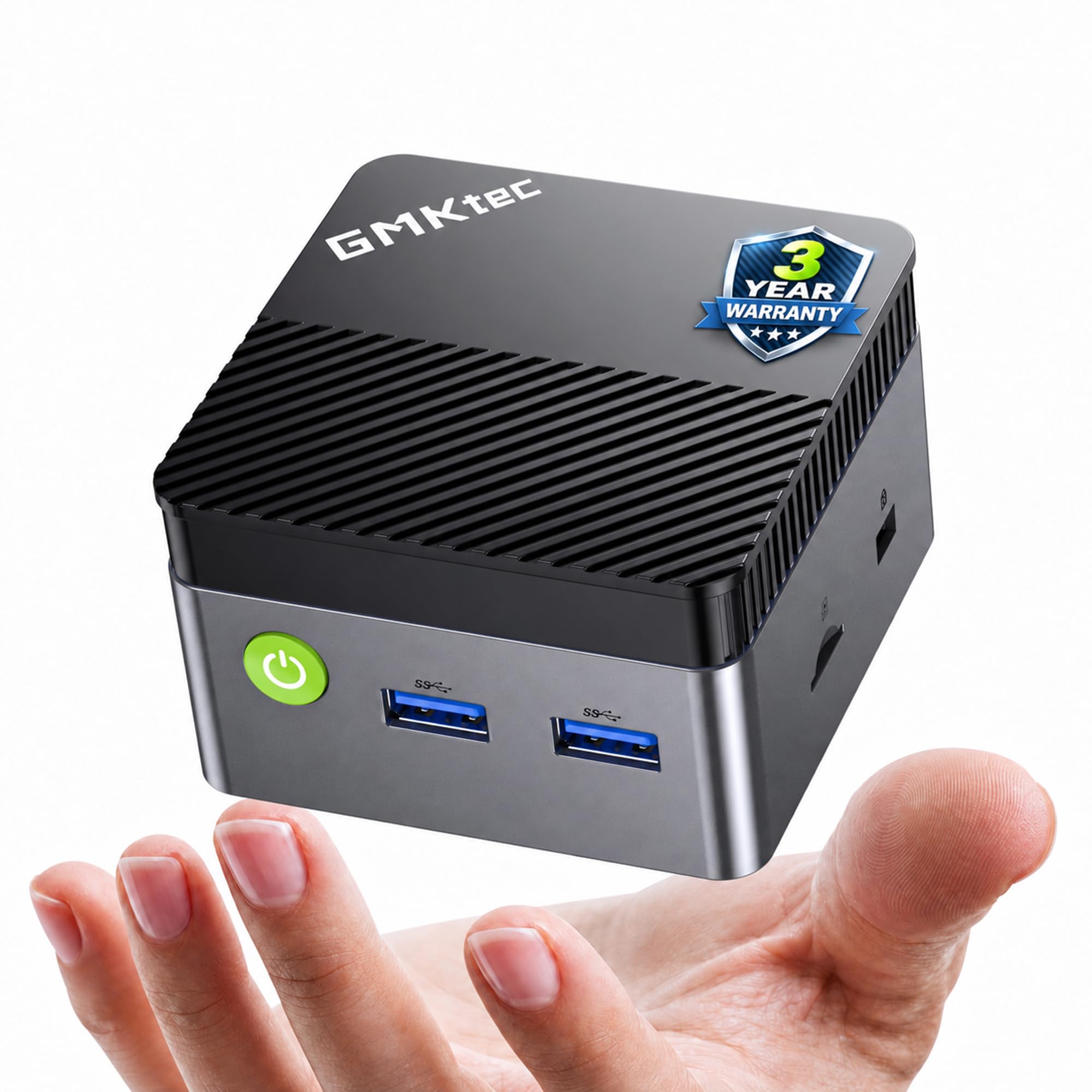
At 2.8 x 2.8 x 1.75 inches and 7.3 ounces, the G5S is the true micro of this list. It is small enough to tuck into a drawer, stick to a shelf or hide inside a cable box. Owners describe it as about the size of a couple of cigarette packs, which is the kind of scale no spec sheet quite conveys. For a tiny secondary PC in the living room or a travel bag, this is the pick.
You can power it from a USB-C 12V/3A (36W) supply, so a compatible power bank, portable laptop charger or universal USB-C supply runs it. That means you can work from a hotel room or a remote site without hunting for a wall outlet. The 8GB of LPDDR4 memory (low-power RAM) and 128GB M.2 SSD (fast stick-shaped storage) handle browsing, streaming and light documents. You can expand storage up to 4TB, and a microSD slot adds up to 128GB.
For a small chip, the processor is the Celeron N5095, and the dual HDMI ports support 4K@60Hz. According to its own specs, it renders at 4096×2160 — a step above the G3S’s 3840×2160. Wireless is Wi-Fi 6 with Bluetooth 5.2, which is stricter than the G3S’s Wi-Fi 5. Performance is the aspect owners rate most, and the reliability picture is similarly strong. The one recurring gripe touches durability, which is fair for a box this small — treat it like a portable device, not a desk fixture.
The case for it: USB-C power and a 7.3-ounce body make it the only pick that genuinely travels. For a digital nomad, a field worker or a student in a dorm, that is the whole reason to buy it.
The honest limit: A 128GB drive is entry-level storage and the N5095 is a modest chip — fine for streaming and documents, not for large creative projects.
Suits the nomad: anyone who needs a full desktop experience that runs from a power bank.
Not for the power user: 128GB storage and a Celeron chip will feel lean once real work starts.
5. BOSGAME E5 Mini PC
Two 2.5GbE LAN ports turn a small desktop into a firewall, NAS or homelab node.
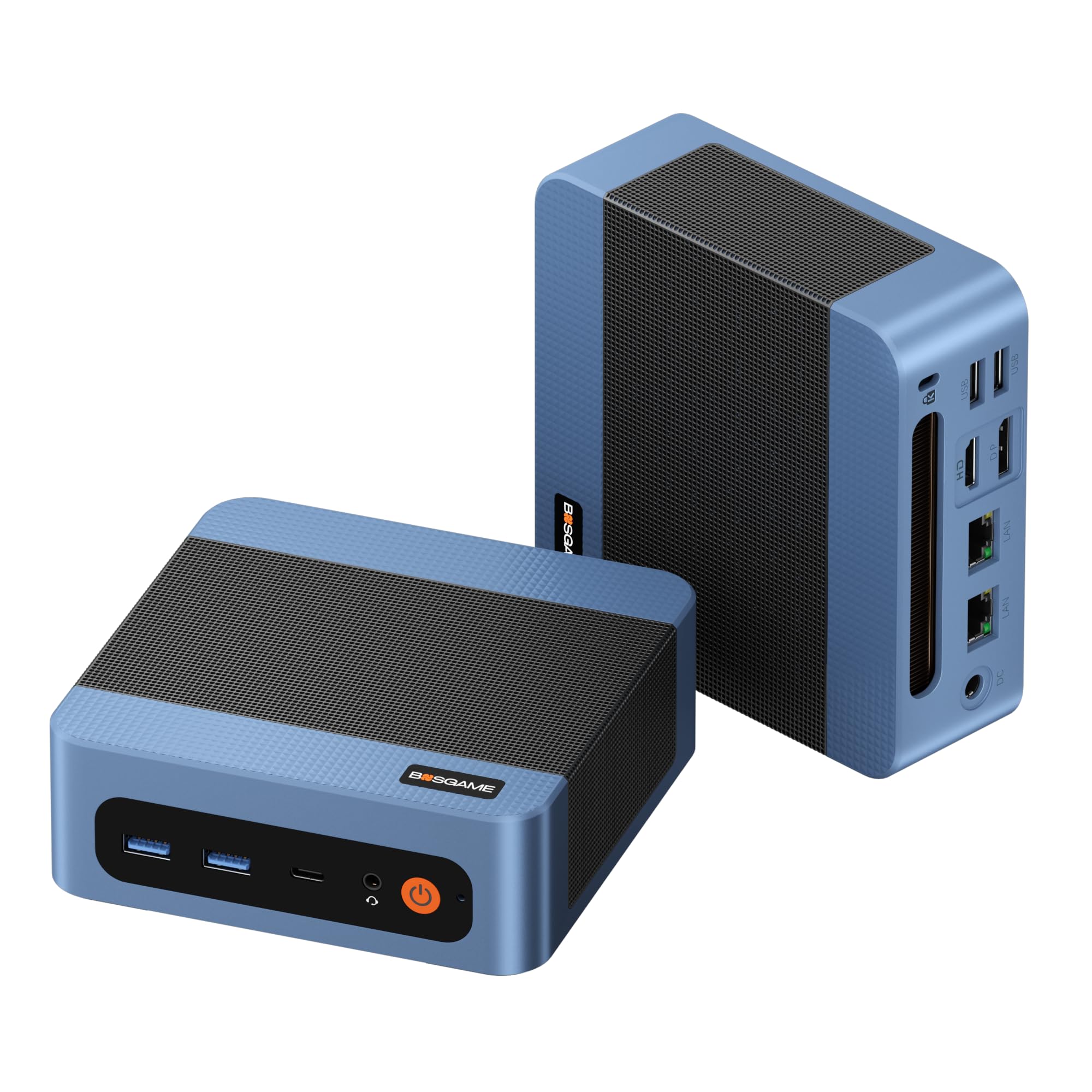
Most mini PCs give you one Ethernet port. The E5 gives you two 2.5-gigabit ports, which is the defining feature here — that is 2500Mbps of wired throughput driven by Realtek RTL8125 controllers. In everyday terms, that makes this a legit hardware firewall, software router, or NAS host if you’re the kind of buyer who runs pfSense or OpnSense. It is also the pick for anyone who minds a couple of network cables in the back.
The processor is AMD’s Ryzen 3 5300U, a four-core, eight-thread chip on 7nm FinFET that boosts to 3.8GHz. The maker claims it beats low-end Intel N150 and Ryzen 3 3500U chips by over 30% on multi-core tasks. Paired with 8GB of DDR4 memory and a 256GB M.2 2280 SSD, that handles 30+ browser tabs, large Excel sheets and a Zoom meeting simultaneously, per the maker’s own claim. The real upgrade value hides in the slots: dual SODIMM memory expandable to 64GB, plus an empty M.2 2280 PCIe 3.0 slot for a second drive.
Integrated Radeon graphics with 6 cores at 1500MHz drive HDMI 2.0, DisplayPort and full-function USB-C — true 4K@60Hz on three monitors at once. Quiet operation is a real highlight here; the review pool specifically notes there’s no whirring fan, and the copper heat pipes and upgraded cooling fan are specified to keep noise under 25dB. It also comes with a VESA mount and a pre-activated Windows 11 Pro install with zero bloatware.
Where it beats the field
- Dual 2.5GbE LAN ports for firewall, NAS and homelab builds
- Expandable to 64GB RAM and a second M.2 SSD
- Triple 4K@60Hz outputs via HDMI, DP and USB-C
- Quiet cooling under 25dB with copper heat pipes
- Windows 11 Pro with no bloatware
The catch to weigh
- 8GB of RAM from the start is a starting point, not a finish line
- The networking magic is wasted on a plain office setup
Worth it for: homelab enthusiasts, networking tinkerers and anyone who wants a firewall or NAS in a tiny chassis.
Overkill for: a plain email-and-spreadsheet user — the dual LAN ports are dead weight if you never use them.
6. BMAX B6 Mini PC
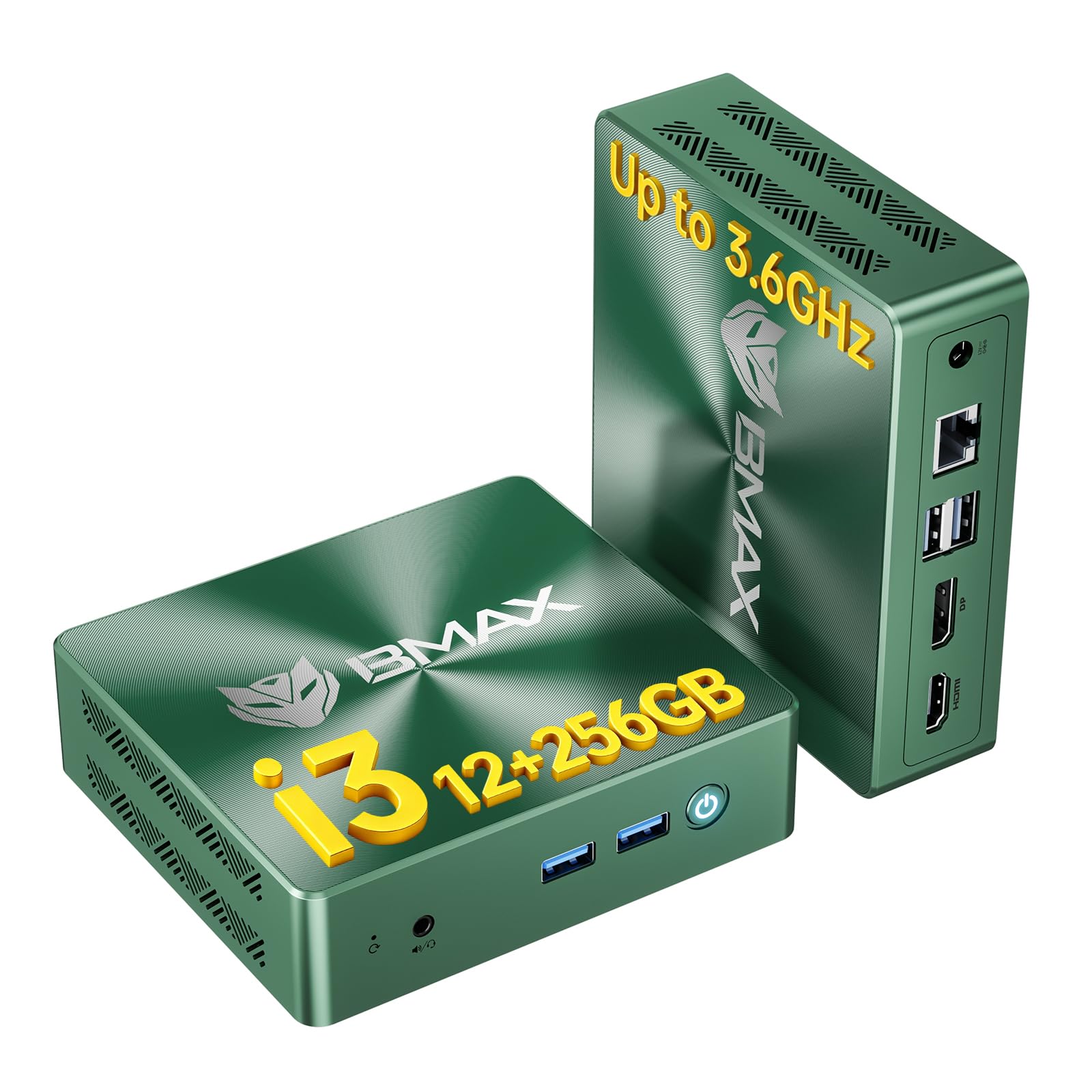
Twelve gigabytes of RAM and a Core-series chip, made for the quiet study desk.
The B6 stands out for one reason: 12GB of onboard memory at 1600MHz. That sits between the 8GB starting tier and the 16GB premium tier, and it matters for anyone who keeps a browser full of tabs open. The chip underneath is Intel’s Core i3-8109U — two cores, four threads, rated up to 3.6GHz, with Intel Iris Plus Graphics 655. The maker positions it ahead of entry chips such as the N95, N100, N150, N5030 and N5095. If you’ve been eyeing a budget N-series box, this is the sensible upgrade that avoids the sluggish feeling.
Storage starts at a 256GB M.2 SATA SSD, and the dual M.2 2280 slots support SATA or NVMe drives with expansion up to 4TB. So you can add storage later instead of replacing the whole machine. On the video side, HDMI 1.4 and DisplayPort 1.2 drive two 4K@60Hz displays — enough for a spreadsheet on one and reference material on the other.
Size is what buyers here notice first. The chassis measures 4.9 x 4.4 x 1.3 inches, is VESA-mountable, and stays quiet in use — specified noise levels drop as low as 35dB thanks to a smart cooling fan and dual copper heat pipes. Owners call it easy to set up, and one example in the reviews handles large Excel spreadsheets without complaint. Windows 11 Pro is preinstalled, with support for Windows 10 and Linux/Ubuntu, and the box carries a 12-month warranty.
Where it cedes ground: 4MB cache is the smallest on this list, and a 12-month warranty is shorter than GMKtec’s 3-year coverage. For day-to-day documents and streaming, neither will bother you.
Why it earns its slot: 12GB of RAM and a 4TB expansion ceiling are unusually generous at this tier — a machine you won’t have to replace when your photo library grows.
The part to consider: The i3-8109U is two cores, not four — real for daily work, but not a heavy multitasker compared to the six-core HP or the eight-core BOSGAME.
Choose it for: a quiet home-office or study desk where documents and browser tabs dominate the day.
skip it if: you want a processor that keeps pace under video editing or heavy concurrent software — the two-core chip will be the bottleneck.
7. ACEMAGIC M5 Mini PC
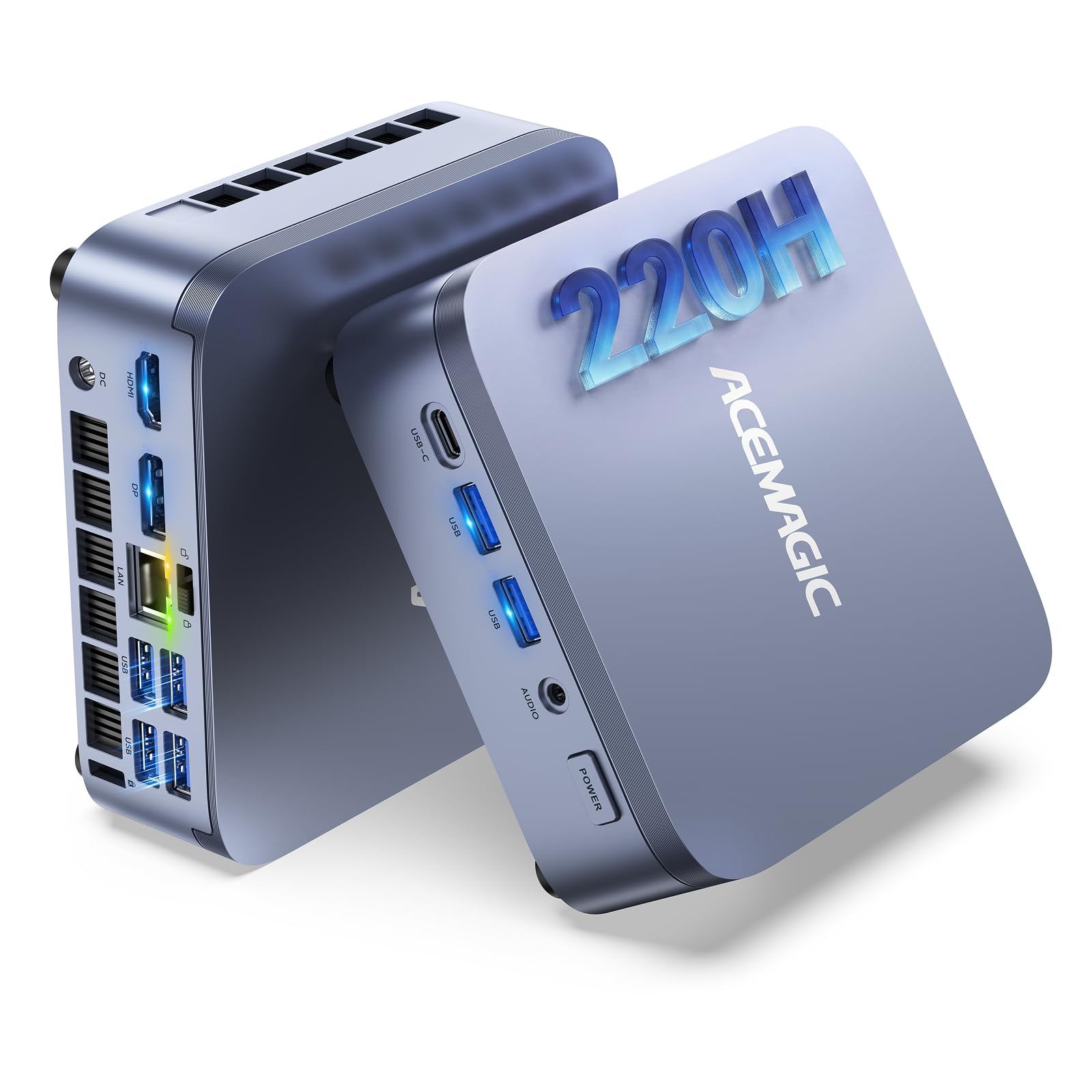
Twelve cores, 45W sustained power and a swappable drive in a paperback-sized case.
The M5 is built around Intel’s Core 5 220H, a 12-core, 16-thread hybrid chip that boosts to 4.9GHz with 18MB Smart Cache and 45W system power. That makes it a serious CPU for a mini PC. The maker positions it against mainstream i5-13500H and i5-13600H chips on daily multitasking, and against AMD’s Ryzen 7 8745HS on multi-threaded work like virtual machines and multi-app office stacks. If your day is browser tabs, VM windows and a coding IDE open at once, this is the chip that keeps up.
The RAM is 24GB of LPDDR5-5200MT/s — a higher-bandwidth memory than standard DDR4, soldered in and non-upgradable. The storage is a 512GB drive with dual M.2 slots supporting up to 2TB per drive, and a quick-removal top cover makes SSD swaps easy. That is a notably bigger storage starting point than the 256GB on the KAMRUI P1, and note if you’re planning to hold a large media library.
The chassis measures 5.0 x 5.0 x 1.6 inches, roughly the size of a paperback book, and includes VESA mounting. Connectivity is rich: Wi-Fi 6, Bluetooth 5.2, Gigabit Ethernet, 2 x USB 3.2 Gen2 at 10Gbps, 4 x USB 3.2 Gen1 at 5Gbps, HDMI, DisplayPort and a 3.5mm audio jack. One USB-C port does triple duty with 10Gbps data, DisplayPort 1.4 video out and up to 100W PD input. Three 4K displays run at once, so a triple-monitor trading desk is within reach.
The catch is the soldered RAM. Twenty-four gigabytes is generous today, but you cannot add more later. If you buy a mini PC planning to upgrade memory, this one is a fixed commitment.
Built for heavy days: 45W sustained power with dual copper heat pipes and a dual-air-duct design is the difference between short bursts and long sessions — the machine holds its clock speed instead of throttling mid-task.
The sizing note: Soldered LPDDR5 is fast but final. Weigh 24GB against your five-year plan, not just today’s workload.
The power-user’s pick: coders, traders and professionals running VMs who want desktop-class performance in a book-sized box.
The upgrade-minded buyer should pause: the soldered memory cannot grow, so buy the RAM tier you expect to need.
8. GEEKOM A5 Mini PC
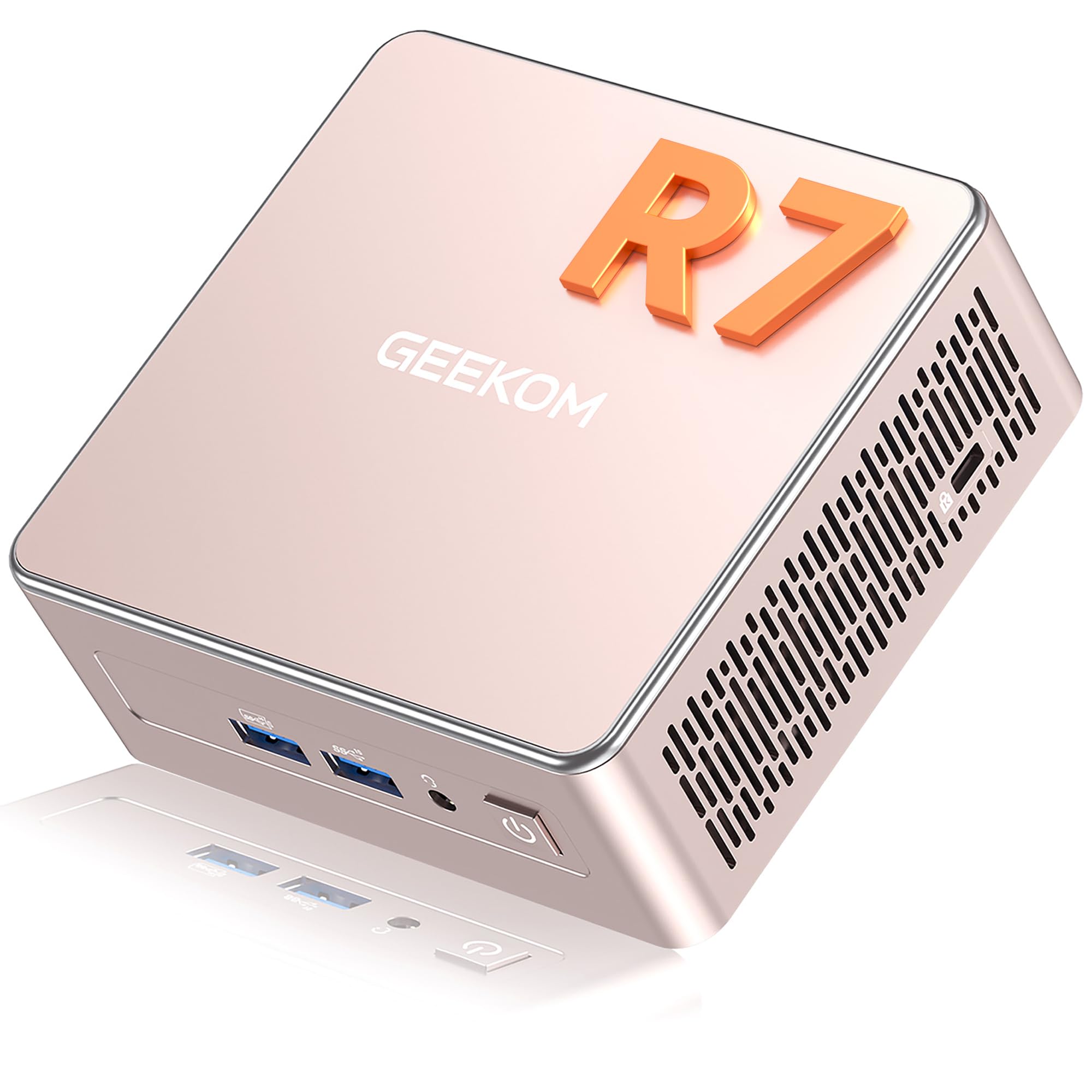
A 15W Ryzen that sips power and still drives four screens.
The A5 is the quiet achiever. It runs AMD’s Ryzen 7 7730U on a 15W low-power design, which is the number to know. That translates to lower heat, so it won’t throttle mid-video-call, and less energy burned across a long workday. Owners consistently praise the performance for the money, and almost no sound comes from the fan — a real benefit in an open-plan office or shared living room.
Memory is 16GB of DDR4 RAM, upgradeable to 64GB via dual slots, and storage is a 500GB PCIe NVMe SSD upgradeable to 4TB. There is also an extra M.2 2242 slot and a 2.5-inch HDD bay for up to 10TB total. That expansion story is the real pitch here — nothing is soldered, so you can grow it piece by piece. The graphics are AMD Radeon Vega 8, driving up to four 4K displays through 2 x HDMI and 2 x USB 3.2 Gen 2 Type-C, with 8K via USB-C.
GEEKOM backs the A5 with 3-year limited coverage and a 90-day return window, plus 24/7 support — a longer safety net than most picks on this list. A metal mid-frame and base help with heat dissipation, and vibration-damping feet keep it planted on a desk. Preinstalled Windows 11 is ready from the start.
The 7730U processor (a mid-tier laptop chip) is solid, but it does not reach the Core 5 220H or Core Ultra 9 level of the ACEMAGIC and GEEKOM premium picks. That gap keeps it out of the top spot. If you need brute CPU power, look higher up. If you value expandability and a long warranty, this is the balance.
Worth your attention if: you want a small desktop you can upgrade for years rather than replace, and a warranty that outlasts the average.
Reconsider if: top-end CPU performance is your priority — the 15W Ryzen trades some speed for silence and efficiency.
9. BOSGAME P4 Plus Mini PC

Thirty-two gigabytes, one terabyte of SSD, and an eight-core Ryzen inside a small case.
The spec sheet here reads like a full desktop. AMD’s Ryzen 7 5825U is an eight-core, sixteen-thread chip that boosts to 4.5GHz with 16MB cache. The maker claims a 35% gain over the Ryzen 5 5600U and 5500U. Paired with 32GB of dual-channel DDR4 and a 1TB PCIe 4.0 x4 SSD, that is the most generous starting memory stack on this list. You won’t be hunting for a spare gigabyte for a while, and heavy multitasking with large files is handled without breathing hard.
On display, the P4 Plus handles three screens via HDMI, DisplayPort and Type-C. Radeon graphics with 8 cores at 2000MHz decode 4K video comfortably. Gaming is the honest asterisk — owners describe smooth cloud gaming and casual titles, but explicitly say it’s not a hardcore gaming rig. Treat it as a capable all-rounder that can run older and moderate games, not a replacement for a dedicated GPU tower. There’s also a 2.5-inch bay for adding storage up to 2TB if 1TB should ever run short.
The networking is a real plus: dual-band Wi-Fi 6E, Bluetooth 5.2 and dual 2.5-gigabit Ethernet ports capable of 2500Mbps. Two wired 2.5G ports on a mini PC in this class is unusual. The warranty is 1 year, which is shorter than the GEEKOM and GMKtec picks above.
The headline: 32GB of RAM and 1TB of PCIe 4.0 SSD at this price tier is a standout — high-volume storage plus enough memory to run a light workstation and a game at once.
The limit to be honest about: Gaming is casual-only. Cloud gaming and light titles run well; modern AAA titles will not.
The best fit: casual gamers, streamers and multitaskers who want generous RAM and storage without a full tower.
Not the pick for: buyers who expect to play today’s biggest games — integrated graphics are the ceiling.
10. GEEKOM GT13 MAX Mini PC
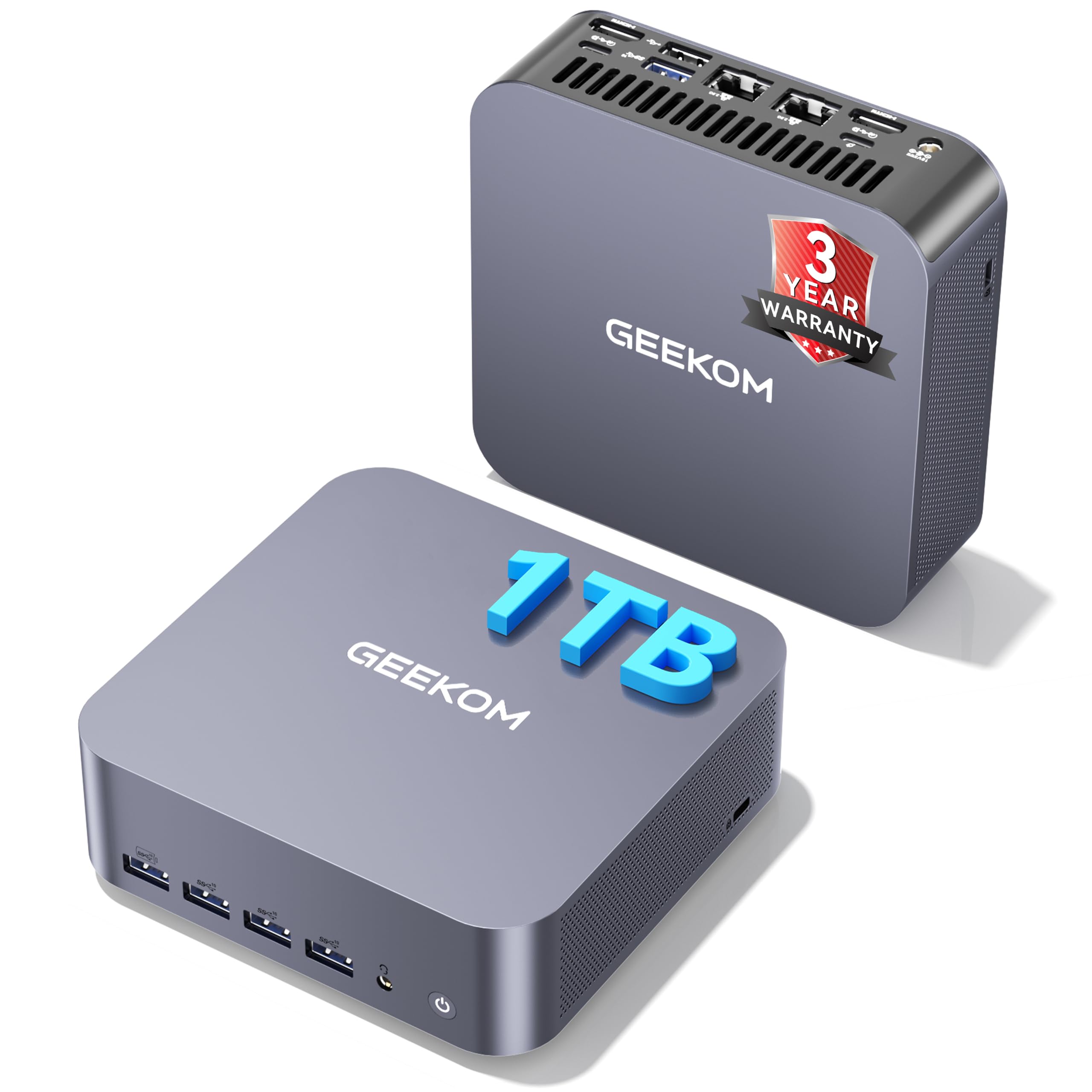
Sixteen cores and an on-device AI accelerator for local LLMs and heavy creative work.
The GT13 MAX is the most ambitious machine on the list. Intel’s Core Ultra 9 185H brings 16 cores and 22 threads with 24MB cache, and it adds an Intel AI Boost NPU rated up to 11 TOPS — a dedicated AI accelerator. NPU stands for Neural Processing Unit — the chip’s separate brain for AI workloads. That matters because it can run lightweight local language models, private document Q&A, OCR and transcription on-device, keeping sensitive files off the cloud. If AI is central to your day, this is built for it.
Intel Arc graphics with 8 Xe cores, ray tracing and AV1 decoding handles 4K editing and creative workloads. Memory is 16GB of DDR5 RAM, expandable to 96GB, and storage is a 1TB SSD expandable to 6TB. On output, dual USB4, dual HDMI 2.0 and Mini DisplayPort 1.4 drive up to four displays. Connectivity includes Wi-Fi 7, Bluetooth 5.4 and dual 2.5G LAN. That is the newest wireless standard on this entire list.
The build is reinforced ABS plastic, tested against vibration, drops, temperature and humidity, and rated for operation from -20°C to 55°C. There’s a Kensington lock slot, a 3-year limited warranty, and Windows preinstalled. The pricing puts it in premium territory — this is the high-end pick for buyers who need local AI and creative performance in one small box.
The honest gripes are around Wi-Fi and Bluetooth reliability. The listing’s mixed feedback on connectivity is fairly common in the premium-mini-PC category, and a wired 2.5G Ethernet connection sidesteps it entirely. Also note: owners found the everyday-office experience solid, not spectacular — you are paying for the AI headroom and the chip, not a dramatically smoother spreadsheet.
Where the money goes
- 16-core, 22-thread Intel Core Ultra 9 185H
- Intel AI Boost NPU rated up to 11 TOPS for local AI
- Up to 96GB RAM and 6TB storage expansion
- Four-display support with USB4, HDMI 2.0 and Mini DP 1.4
- Wi-Fi 7, Bluetooth 5.4, dual 2.5G LAN, 3-year warranty
The honest caveats
- Bluetooth dropouts come up in feedback; wired Ethernet is the fix
- 16GB DDR5 from the start, not 32GB at this tier
Made for: AI developers, creators and professionals who want local AI and creative power in a compact case.
Not necessary for: everyday office users — cheaper picks handle documents and browsing without the premium.
11. Apple Mac mini (M6)
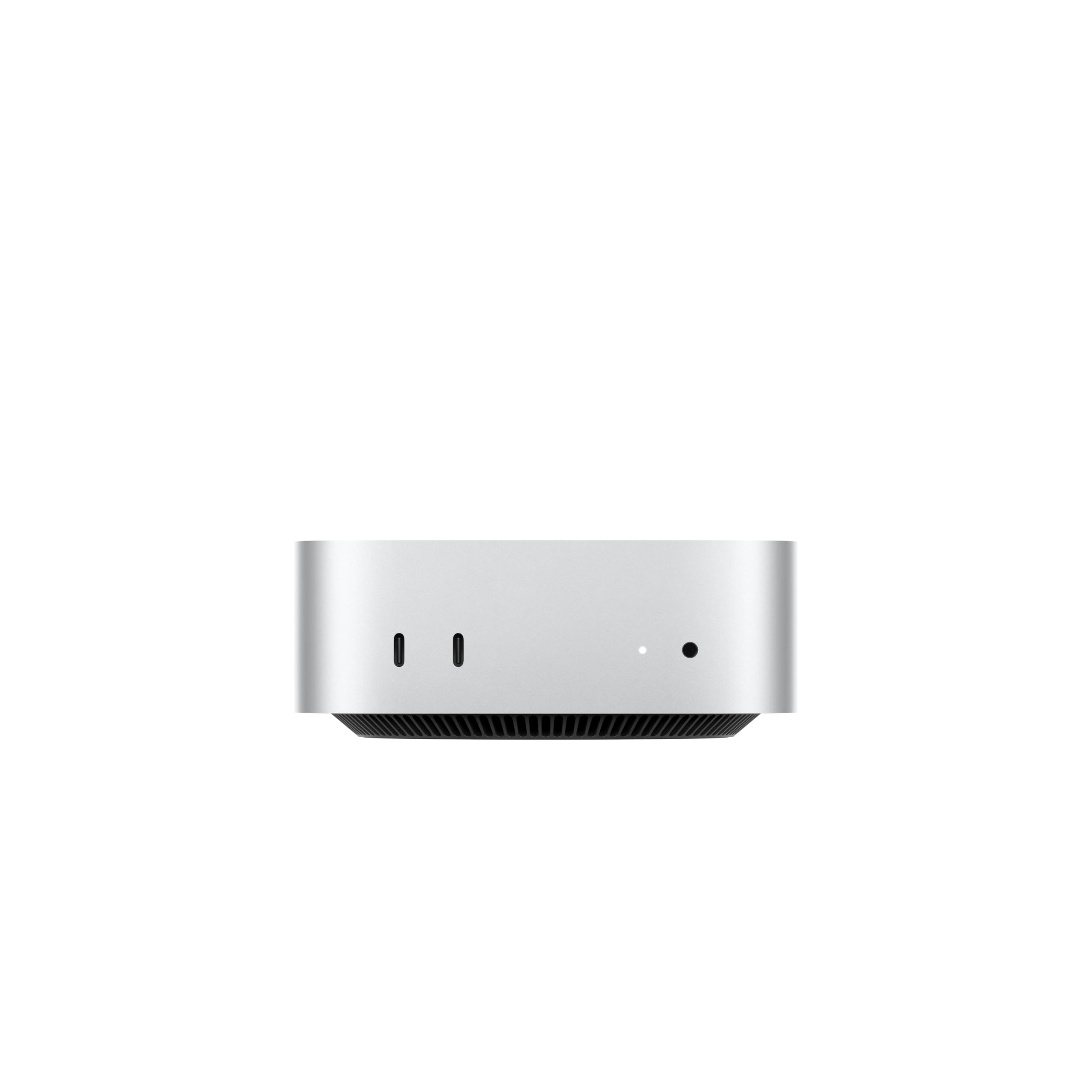
Apple silicon in a five-inch square that quietly handles a 5K display.
The Mac mini is a different species from the rest. Where every other pick runs Windows on x86 chips, this one runs macOS on Apple’s M6 silicon. The M6 pairs a next-generation CPU with a Neural Accelerator in each GPU core and a Dual 16-core Neural Engine — Apple’s own spec claims up to 4.8x faster AI performance than the previous generation. More importantly for creative work, it supports up to 32GB of unified memory with 170GB/s memory bandwidth. That is the sort of fast memory that lets you work on large media files smoothly.
Connectivity is builtin. There are three Thunderbolt 4 ports, an HDMI port and a 2.5Gb Ethernet port on the back, plus two USB-C ports and a headphone jack up front. It supports up to three external displays. The Apple-designed N1 wireless chip handles Wi-Fi 7 and Bluetooth 6. If your desk already runs on Apple gear, iPhone Mirroring and Sidecar fold the Mac mini right into that workflow.
Build quality is what buyers praise most here, followed by speed — the case measures 5 x 5 x 1.97 inches and weighs 1.47 pounds, small enough to sit under a monitor or on a shelf. Buyers report it drives a 5K Ultrawide display easily. If you are already inside the Apple ecosystem, that pairing is the whole point: copy on your iPhone, paste on your Mac.
Then comes the honest part. This is the most expensive pick per unit of expandability on the list. Memory tops out at 32GB of unified memory, and unlike the GEEKOM A5 or BOSGAME E5, there are no user-accessible RAM slots to grow into later. Reviewers also split on value. And the 1.47-pound weight and small size mean it stays on a desk — no USB-C power-bank travel here, unlike the GMKtec G5S.
The ecosystem math: If you live in Apple’s world, the M6 chip, Thunderbolt 4 ports, Wi-Fi 7 and Bluetooth 6 are the tightest integration on this list, and the reliability picture backs it up.
Where it stings: The RAM ceiling of 32GB and lack of upgrade slots mean you buy the machine you will live with, and mixed feelings on value show the premium is the entry fee.
The Apple-native pick: buy it if your phone, tablet and work files already live in Apple’s world and you want a silent, compact desktop that ties them together.
The value-conscious buyer should look down the list: the BOSGAME P4 Plus gives you 32GB and 1TB of storage with expansion slots, and the GEEKOM A5 lets you grow to 64GB later.
Know the Specs
Processor: the chip that sets the ceiling
The processor (CPU) is the part that actually does the calculating, and it sets how fast every task feels. Ryzen and Core names carry tier numbers — a Ryzen 3 or Core i3 is the everyday tier, a Ryzen 7 is the performance tier, and an Intel Core Ultra 9 sits at the very top. More cores means more tasks can run at once, and higher boost clocks mean each task moves faster. The KAMRUI’s Ryzen 3 Pro 7330U at 4.3GHz handles office work smoothly; the ACEMAGIC’s Core 5 220H at 4.9GHz with 12 cores is built for heavy loads. Budget chips like the Intel N95 or Celeron N5095 still run browsers and documents, but they are entry-level.
RAM and SSD: memory versus storage
RAM is what the computer holds in its head right now — every open tab, app and document. More RAM means more things run at once without lag. The SSD is the permanent shelf where everything lives, and its size decides how much software, media and files you can keep. 8GB is the minimum for comfortable browsing and office work; 16GB and up handles heavier multitasking. A 128GB SSD is entry-level, 256GB is standard, and 512GB or 1TB gives you room to work. Solid-state drives have no moving parts, so they feel fast and stay quiet. Some picks — the BOSGAME E5 and GEEKOM A5 — let you add more RAM or a second drive later, which extends the machine’s life.
Common Questions
Can a mini PC run two or three monitors at once?
Is 8GB of RAM enough for everyday office work?
What is the difference between a renewed and a new mini PC?
Can a mini PC handle photo and video editing?
Will a small desktop fit behind my monitor?
Is a mini PC good for gaming?
Can a mini PC travel with a power bank?
How much storage expansion do these mini PCs allow?
Does a mini PC come with Windows preinstalled?
What is an NPU and do I need one in a small desktop?
The Bottom Line
For most people buying among the small personal computers, the KAMRUI Pinova P1 remains the strongest starting point. It packs a modern Ryzen 3 Pro 7330U processor, 8GB of RAM and a 256GB SSD into a five-inch box that hides behind a monitor. The BMAX B6 is the one to grab if you want 12GB of RAM and a quieter, slightly bigger footprint for the study. And for the buyer who needs local AI power and creative muscle, the GEEKOM GT13 MAX is the one to reach for.
If expandability over years matters more than day-one speed, the GEEKOM A5 is the pick to grow with — dual memory slots and a 2.5-inch HDD bay mean it never hits a ceiling you can’t lift. And for the buyer with a hookup for wired 2.5G networking, the BOSGAME E5 doubles as a firewall, NAS or homelab node. One nudge before you scroll up and click: the KAMRUI’s 4.5+ rating and the GMKtec G3S’s 3-year warranty are the two bits of proof most worth re-checking against your own list of must-haves.
How we choose
We do not accept paid placement. Every pick is matched to a real buyer and a real use-case; we do not hands-on test units.
Sources
Specifications: manufacturer listings and product documentation. Review insights: verified customer reviews, as of November 2026. Pricing: not shown on this page (it changes often); check the current price via the retailer link.
As an Amazon Associate, Tactical Gear Guy earns from qualifying purchases. This does not affect which products we feature.