Specs are compiled from manufacturer listings and verified buyer reviews and can change over time — please confirm the key details on the product page before buying.
Buying a clock for a gym is not the same as buying one for a hallway. You need digits you can read from the far rack while your heart rate is up, a countdown that actually beeps when the round ends, and a screen that does not glare into your eyes at 5 a.m. This guide sorts the real contenders by what matters in a training space: display size, timer function, brightness control, and how you power the thing.
This guide is built by comparing the manufacturers’ published specifications and the patterns across verified customer reviews, so you get each pick’s real strengths and trade-offs instead of marketing spin.
You will see which screens stay legible from across a garage, which remotes actually reach, and which timers survive a Tabata session. Every pick below is judged on gym duty first, decor second, and the trade-offs are named plainly. Here is the honest read on the best gym wall clock for your setup.
Top Picks


How To Choose The Best Gym Wall Clock
In a gym, a clock has one job: be readable and useful while you are moving, sweating, and not wearing glasses. That pushes four specs to the front — digit size, timer functionality, brightness control, and power source. Get those four right and you stop thinking about the clock mid-set. Get them wrong and you are squinting at a dim red number from the rack.
Digit size beats screen width
A wide bezel photographs well, but legibility comes from digit height, not panel width. Look for the stated digit height — a 15-inch clock with 2.9-inch digits stays legible from a rack position, while a clock with the same body and smaller digits does not. If you train in a garage with the clock on a far wall, prioritise digit height over total panel width.
Timer modes: Tabata, EMOM, and custom intervals
Countdown alone is not enough for structured training. Tabata preset runs the 20-second work and 10-second rest cycle for you. HIIT and FGB presets cover other formats. An EMOM loop (every minute on the minute) repeats your countdown automatically so you never touch the remote mid-set. If you follow a coach’s programming, a clock with 9 customizable interval plans lets you build the exact work-rest- rounds structure you need.
Brightness, volume and the garage problem
A garage gym gets bright at noon and dark at 6 a.m. A light sensor that auto-dims the digits keeps them readable without glare. On the audio side, volume range matters — some clocks offer 12 precise levels, others offer 4, and a few top out around 110dB. If you train with music on, check that the beep can actually cut through it.
Plug-in vs battery: pick by outlet access
Most large LED gym clocks are plug-in only, with a backup battery that just holds the time through a power cut. That means you need a reachable outlet and a cord long enough to hide. Battery-operated atomic clocks skip the cord entirely and self-set from a radio signal, but they are not built for interval training. Match the power source to how your gym is wired before anything else.
Side-by-Side Comparison
| Model | Best For | Display Size | Timer Function | Power | Amazon |
|---|---|---|---|---|---|
| JALL 16″ Large Digital Wall Clock with Remote★ Best Overall | All-round gym clock with a real timer | 16 in | Countdown up to 99 min | Plug-in (5V/2A adapter) | Amazon |
| Maxstar LED Digital Wall Clock with RemoteSpace Saver | Compact gym wall decor with a timer | 8 in | Countdown up to 99 min 59 sec | Plug-in | Amazon |
| 16.5″ Large Digital Wall Clock with BT SyncBiggest Display | Big panoramic display with phone sync | 16.5 in | Alarm, auto DST | Plug-in (5V/2A adapter) | Amazon |
| JALL 16.2″ Bluetooth Sync Digital Clock | Large display that sets itself by phone | 16.2 in | Alarm, auto DST | Plug-in | Amazon |
| REACHER 16.5″ Large Digital Wall Timer Clock | Classroom-style countdown in a gym | 16.5 in | Countdown up to 99 min 59 sec | Plug-in (AAA backup not included) | Amazon |
| Gym Timer 15″ Interval Workout Countdown | Dedicated Tabata and EMOM training | 15 in | Tabata, HIIT, FGB, 9 custom plans | Plug-in (USB-C adapter) | Amazon |
| ANJANK 15″ Large Gym Timer | Loud interval timer, big screen | 15 in | Tabata, FGB, 9 intervals, EMOM to 99 rounds | DC adapter or USB-C power bank | Amazon |
| WallarGe Extra Large Atomic Wall Clock | Battery clock, no cord in the gym | 11.3 in | Alarm, auto DST, indoor/outdoor temp | Battery (AA, not included) | Amazon |
Detailed Reviews
1. JALL 16″ Large Digital Wall Clock with Remote
Our pick — 4.5+★ from 700+ verified ratings; the strongest balance of quality and price.
A 16-inch screen and a real countdown timer under one remote — the gym clock that does both jobs.
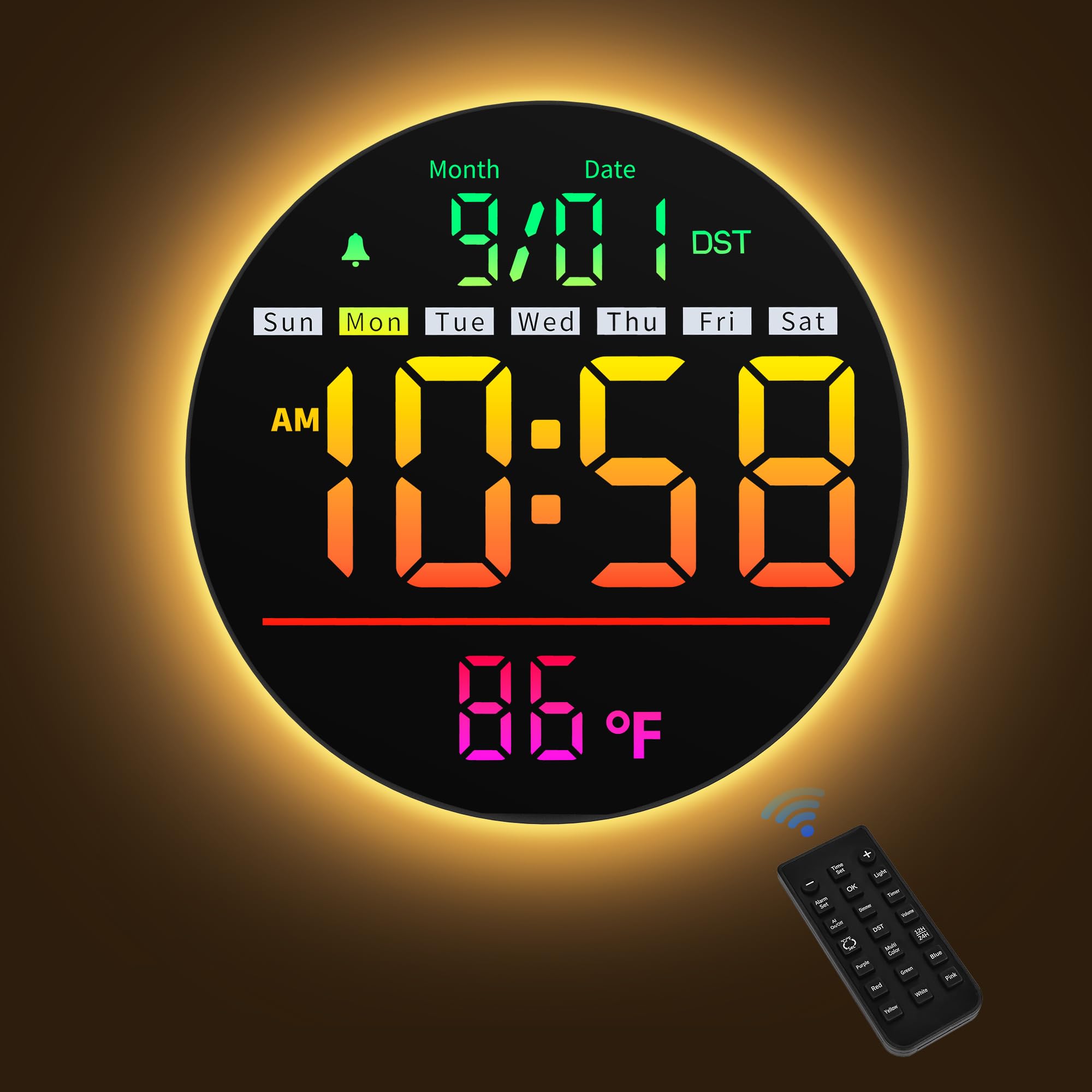
A 16-inch screen with big digits makes this clock readable from the far side of a garage gym without stepping closer. Owners describe it as easy to read from anywhere in a 40’×24′ room, which is a bigger space than most home training floors. The screen shows time (12 or 24 hour), date, day of the week, and indoor temperature at once, so one glance covers the session.
The countdown timer runs up to 99 minutes and is exactly what a circuit needs — set it, start, and let the clock keep the pace while you work. All settings run off the included remote, so you never have to climb up to a wall-mounted unit between sets. An 11.5-foot cord and 5V/2A adapter are included, giving you real placement freedom on the wall or a shelf. It is plug-in power, not battery, so plan for an outlet.
Owners praise the look as much as the function, and the eight RGB modes let you match it to the room. Eight RGB color modes let you set a white display for focus or a colored one for the room’s mood. Auto dimming kicks in for dark rooms and a soft bottom night light makes it useful after hours. The recurring gripe is that the timer and settings can take a few tries to get right, so the remote becomes your main control rather than the buttons.
What earns it the top slot
- 16-inch display with big digits is readable from across a room
- 99-minute countdown timer suits circuits, holds, and cooking
- All settings via included remote — no stretching up to the wall
- Auto dimming plus a bottom night light for early or late sessions
- Memory battery holds the time through a power outage
Where it asks for patience
- Plug-in only — you need a reachable 5V/2A outlet
- Remote-driven setup takes a few attempts to learn
- No interval presets like Tabata or EMOM loops
Grab it if: you want one big, good-looking display that reads the time and runs a countdown in a home gym or class space.
Look past it if: your training is strict Tabata or EMOM — this one counts down but does not run work-rest cycles for you.
2. Maxstar LED Digital Wall Clock with Remote
An 8-inch square that tucks onto a cramped gym wall and still runs a countdown.
Floor space in a home gym is precious, and an 8-inch square panel takes up almost none of it. That is a small footprint compared with a 16.5-inch-wide display, so this is the one to consider when your wall is shared with a mirror, a TV, or a rack.
The countdown timer reaches 99 minutes and 59 seconds, which covers everything from a 30-second hold to a long mobility block. Three alarm modes with five volume levels let you set a wake-up or a rest-end beep at the volume you want. A 10.5-foot (3.2-meter) data cable gives you room to route the cord neatly to an outlet. Temperature reads in °C or °F with accuracy within ±1.5℃, and seconds mode is one button away when you want tighter tracking.
Five adjustable brightness levels on the main display, plus a separate night light with 10 brightness levels, keep it usable in a dim garage at dawn. Color control runs to seven solid modes and four RGB modes, all switched from the remote. The honest note is size: some buyers find it smaller in person than the photos suggest, so measure your wall and your viewing distance before you commit.
Best suited to: a tight garage or spare-room gym where a wide 16-inch panel would dominate the wall and a compact square is the smarter fit.
Know before you mount: no interval presets, and the smaller digits reward a shorter viewing distance — check where you will actually stand during a set.
Pick this one when: wall space is tight and you still want color control and a countdown.
Choose the bigger JALL instead if: you need to read the digits from across a large room.
3. 16.5″ Large Digital Wall Clock with BT Sync
The widest readout here — a 16.5-inch panel that doubles as ambient lighting for a dark garage.
At 16.5 inches across, this is the largest display in this lineup, and it sits a full 8.5 inches wider than the 8-inch Maxstar. For a garage gym with the clock on a far wall, that width plus oversized high-contrast digits does the heavy lifting. You do not need to walk closer to check the time mid-set.
The 11 vivid RGB modes and adjustable brightness turn the panel into ambient lighting for evening sessions. The daily Bluetooth sync pairs with your phone to keep the time accurate without you touching a button, which is a nice thing to never think about again. Auto DST adjustment and a backup memory are included, along with a 5V/2A adapter and 11.5-foot cord. It mounts on a wall or stands on a desk if your setup works better that way.
Owners like that it reads as a piece of the room rather than a piece of gym equipment. Color choices run from a clean white to full RGB accents, and one buyer’s line sums it up: it makes the place look like a disco. The honest catch is that functionality and accuracy both draw mixed feedback, so verify the daily sync is working after setup. There are no workout interval presets here — this is a looker that keeps time, not a Tabata coach.
Where it leads: sheer display area. You can read a 16.5-inch screen from farther back than the 8-inch Maxstar, and it matches the largest panels in this guide.
Where it stops short: no interval workout modes and no countdown-specific workout programming — fine for checking the time, less so for running rounds.
Right for: a gym where presence and a huge readable panel matter more than workout programming.
Not for: anyone who wants Tabata presets or round counters built-in.
4. JALL 16.2″ Bluetooth Sync Digital Clock
A 16.2-inch screen that syncs its own clock to your phone every day — no resetting after a trip.
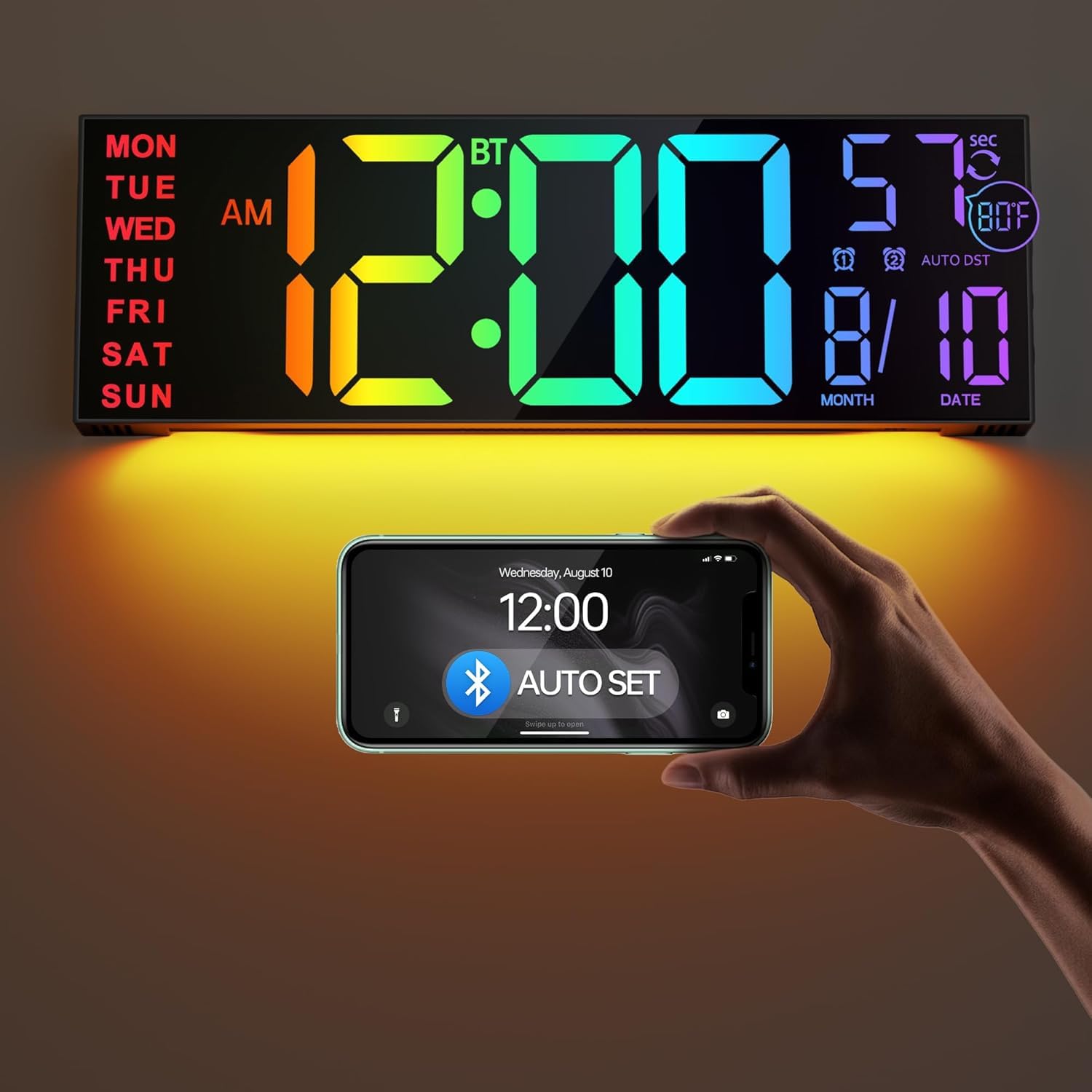
Bluetooth time sync is the standout feature here. The clock connects to your phone daily and updates the time automatically, so after a power cut or a vacation you are not standing on a step stool resetting digits. The 16.2-inch colorful screen shows time in 12 or 24 hour, with eight color options — four pure colors and four RGB modes — that you can freeze on the one you like.
A light sensor adjusts brightness to the room, and auto DST handles the seasonal change for you. A bottom night light adds a soft glow, and the temperature display switches between °C and °F. It mounts on a wall or sits on a tabletop, and the remote handles every setting so you never reach for the unit itself.
The screen carries a strong reputation for build quality and big clear numbers, which is what most gym owners actually want. Reliability is the split point — some units keep time without complaint while a handful stop working temporarily, so buy from a seller with a clear return window and test it in the first week. It is a fine wall clock for a gym, but it is not an interval timer; count on the JALL 16-inch with the countdown timer if you need rounds.
The self-setting advantage
- Daily Bluetooth sync keeps time accurate with zero manual resets
- 16.2-inch colorful display is readable from a distance
- Light sensor and auto DST handle brightness and time changes
Where to be careful
- A few units reportedly stop working temporarily
- No countdown timer or interval presets
Good match for: a busy household gym where nobody wants to reset clocks twice a year.
Pass it up if: hands-on timing for rounds is your priority over auto-set convenience.
5. REACHER 16.5″ Large Digital Wall Timer Clock

Seven one-touch countdown shortcuts on the remote — the drill-sergeant version of a wall clock.
The remote carries 7 countdown shortcuts — 30 seconds and 1, 3, 5, 10, 15, and 30 minutes — so a rest period starts with one press instead of a menu crawl. The full timer maxes out at 99 minutes and 59 seconds, and the end-of-timer beep has 30 adjustable volume levels. For a home gym that runs interval drills or holds, that is a genuinely useful control layout.
Auto dimming uses a built-in light sensor, so the digits soften as the room darkens and stay easy on the eyes at the lowest setting. The remote works up to 29.5 feet with a wide receive angle, and the buttons are silent silicone so you are not clicking through a set. A 9.84-foot cord with an embedded cable-tidy and retaining groove keeps the wall clean, and a measuring card makes the mounting straightforward.
It is outlet-powered only — the AAA backup just saves your settings, and the screen goes blank on battery alone. An occasional unit stops working or frustrates on the remote, so treat the remote gently and keep it somewhere findable. What earns it a place here is the classroom crowd’s affection carried into the gym: the drill-friendly interface and big screen work just as well for a coach as a teacher.
One-touch timing: the 7 remote shortcuts are the reason to pick this — a rest period is one press, not a scroll.
The catch to plan around: no Tabata or EMOM loop mode, and the unit is dead without an outlet.
Choose it when: you want fast, obvious countdown control and a big readable timer.
Skip it when: you run structured EMOM blocks or need cordless flexibility.
6. Gym Timer 15″ Interval Workout Countdown

Built for people who train in rounds: Tabata, HIIT, and an EMOM loop that runs to 99 rounds.
A 15-inch display with 2.9-inch digits and a built-in light sensor makes this the one to beat for legibility during a workout. Six brightness levels plus auto-dimming keep the digits readable in a garage, warehouse, or outdoor setup. It is a 12 or 24-hour clock too, so it is not dead weight between sessions.
The training modes are the point. Four presets cover Tabata, HIIT, and FGB1/2, and there are 9 customizable interval plans when you want your own work-rest structure. The loop button runs an EMOM countdown up to 99 rounds — ideal for boxing, MMA, and UFC style training. A time progress bar shows how far into the current interval you are, and the volume has four adjustable levels. The remote handles setup and the clock mounts on two keyholes or stands on a widened base.
Owners praise its reliability in home gym HIIT sessions above all else. The volume is the split point — a few find the beeps not loud enough over music, so test it early if your gym has a speaker. It is USB-C plug-in power, and the backup battery only holds settings through a power cut.
Why it earns its spot: the EMOM loop and 9 custom interval plans put it ahead of the general-purpose clocks for structured training.
The honest note: volume is the weakest link according to some buyers, so plan around a noisy space or lower the bar for the beep.
Best for: home gyms running Tabata, HIIT, and EMOM sessions that need a clock to keep the pace.
Not the one for: buyers who only want a simple time display.
7. ANJANK 15″ Large Gym Timer

A 110dB alarm with 12 volume levels — built to cut through gym music.
Volume is the headline: a 110dB alarm with 12 precise levels and a mute option. In a garage gym with music playing, that is the difference between hearing the round end and guessing. The 15-inch screen with 2.6-inch jumbo digits is big enough to read from the rack, and five brightness levels plus a digital wall-clock mode keep it useful between workouts.
On the timer side you get countdown, count-up, a stopwatch, Tabata, FGB, 9 customizable interval plans, and an EMOM loop up to 99 rounds. Round counts are displayed on screen, so you always know which round you are in. Mounting is unusually flexible — screw keyholes for the wall, a foldable stand, cable tie holes for outdoor setups, and a tripod screw hole (tripod not included). It runs from a DC adapter with a 2.8m/9.2ft cable or from a USB-C power bank.
Owners praise the screen and interval features for home gym use. The honest trade-off is that quality and value draw mixed reactions across owners, so treat the unit carefully and buy from a seller with a clear return policy. It is a strong feature set on paper — the build and durability are where you should set expectations.
The case for it: a 110dB alarm and 12 volume levels are the most audio control of any timer here.
Set expectations on: build quality and consistency — this is not the most polished unit, even with the best speaker.
Fits: loud, feature-heavy training spaces that need every beep to land.
Think carefully if: long-term build is your main concern — the finish is the trade-off for the volume.
8. WallarGe Extra Large Atomic Wall Clock
No cord, no outlet, no manual time setting — an atomic clock for the gym wall that hates wires.
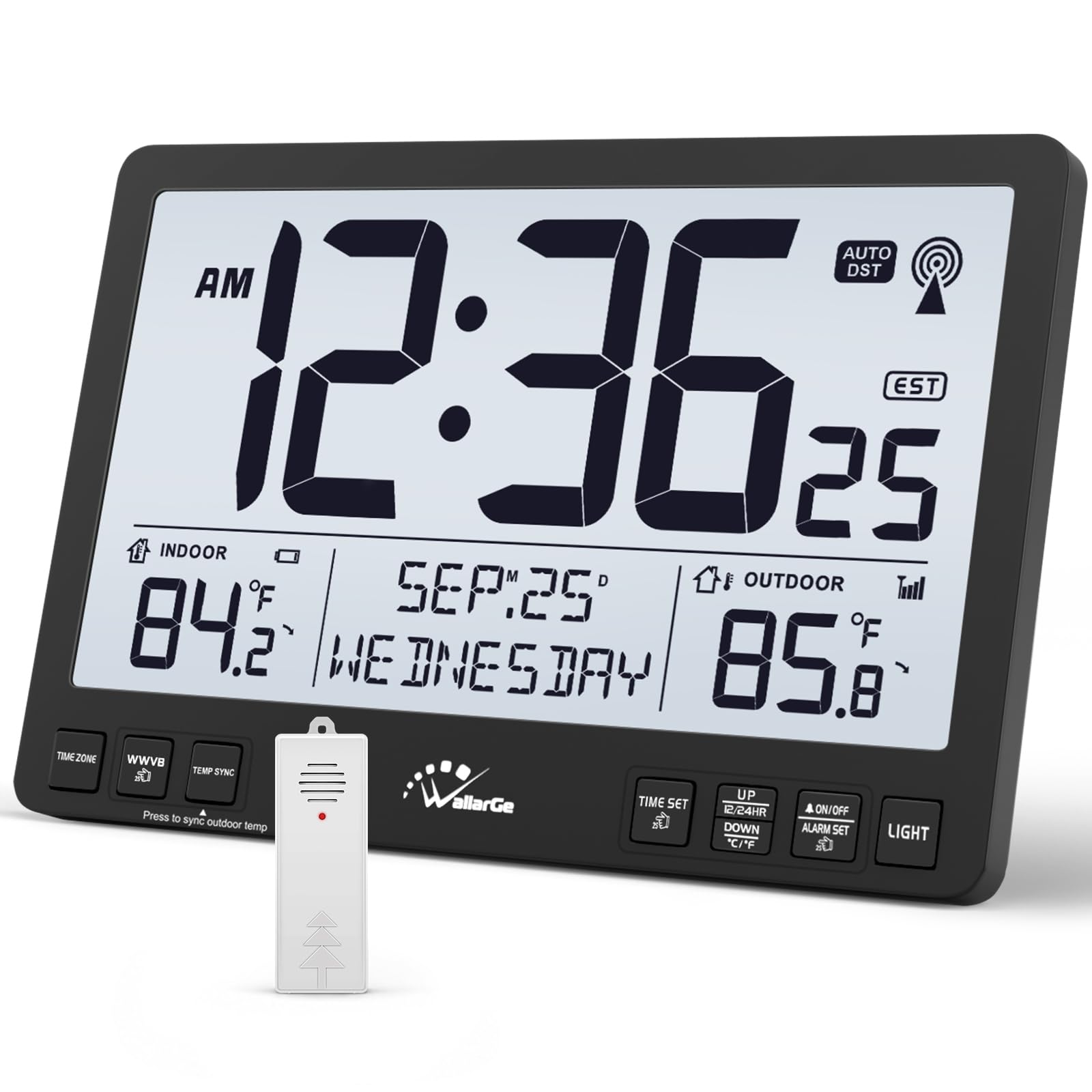
The one thing this clock does that no other pick here matches: it runs on AA batteries and sets itself. Atomic sync picks up the WWVB signal and keeps the time accurate, and front buttons let you pick your time zone among EST, CST, MST, and PST. If your gym has no outlet where you want the clock, this is the one that solves it.
An 11.3-inch display with 3-inch high-contrast digits is readable from across the room, and a three-level backlight (off, low, high) keeps it usable in the dark without waking anyone. Indoor and outdoor temperature monitoring comes from the included outdoor sensor, also AA-powered. Day, date, and seconds are all shown, with 12 or 24-hour formats. It mounts on a wall or sits on a tabletop.
Setup simplicity and readability are the two things owners consistently like — the numbers are big and the thing just works from the start. The clear limit is training: there is no countdown timer, no interval presets, and no workout programming. Buy this if you want an accurate, cordless clock on the gym wall; pair it with one of the timers above if you also run structured rounds.
What it solves
- Battery operated with no cord — place it wherever the wall allows
- Atomic WWVB sync sets the time automatically
- 3-inch high-contrast digits read from across the room
- Three-level backlight for early or late sessions
What it will not do
- No countdown timer or interval presets
- Batteries not included
- Not a substitute for a workout timer
Reach for this if: you need a big, accurate clock where no outlet exists.
Keep looking if: you want the clock to run your intervals — this one only tells time.
Know the Specs
Digit height vs screen size
Screen size tells you how big the panel is; digit height tells you how far away you can read it. A 15-inch panel with 2.9-inch digits stays legible from a rack position, while an 8-inch panel is better suited to a compact space where you stand closer. When you compare two clocks, check the digit height first — that is the number your eyes actually use.
Countdown vs interval modes
A plain countdown just counts down from a set number of minutes. An interval preset (Tabata, HIIT, FGB) runs a programmed work-rest cycle for you. An EMOM loop repeats the countdown every minute automatically. If you follow a coach’s programming or train in rounds, look for the interval and loop modes rather than just a countdown.
Brightness control and auto dimming
A light sensor reads the room and adjusts the digit brightness to match. In a garage gym that goes from bright daylight to dim evening, auto dimming keeps the display readable without glare. Manual brightness levels give you finer control when the sensor’s default is not quite right.
Power source: plug-in vs battery
Most large LED clocks need an outlet and use a small backup battery only to hold the time through a power cut. Battery-operated atomic clocks skip the cord entirely and set themselves from a radio signal. Pick the power source that matches your gym’s outlets and where you actually want the clock on the wall.
Common Questions
What size gym wall clock is best for a home garage gym?
Do LED gym clocks need an outlet to work?
What is the difference between a countdown timer and an interval timer?
Can I use a classroom timer clock in my home gym?
Will the alarm be loud enough over gym music?
Do these clocks adjust automatically for daylight saving time?
Can I mount a gym timer clock on a table instead of the wall?
How far can the remote reach on these clocks?
Will an atomic clock work in my area?
Is a bigger screen always better for a gym clock?
The Bottom Line
For most home gyms, the gym wall clock that solves the most problems at once is the JALL 16″ Large Digital Wall Clock with Remote. It gives you a 16-inch readable display, a working 99-minute countdown, and full remote control in one package. If your training runs in rounds, grab the Gym Timer 15″ Interval Workout Countdown for its Tabata, HIIT, and EMOM modes (EMOM means every minute on the minute). And if the wall you want has no outlet, the WallarGe Extra Large Atomic Wall Clock is the cordless answer that sets itself.
How we choose
We do not accept paid placement. Every pick is matched to a real buyer and a real use-case; we do not hands-on test units.
Sources
Specifications: manufacturer listings and product documentation. Review insights: verified customer reviews, as of November 2026. Pricing: not shown on this page (it changes often); check the current price via the retailer link.
As an Amazon Associate, Tactical Gear Guy earns from qualifying purchases. This does not affect which products we feature.